8 Essential UI Validation Methods for Flawless UX in 2025
Discover 8 powerful ui validation methods to improve your product. Learn practical techniques and best practices for creating a seamless user experience.

In a competitive digital marketplace, a beautiful interface is not enough. Users demand intuitive, efficient, and accessible experiences, and even minor friction can lead to abandonment. This is where UI validation, the systematic process of verifying that a user interface meets its intended purpose and user needs, transitions from a 'nice-to-have' to a critical business function.
Effective validation isn’t about subjective opinions; it's about objective evidence. It empowers teams to catch costly errors early, align stakeholders with real user data, and build products that people genuinely find valuable. The core purpose of UI validation is to replace guesswork with certainty, ensuring every design choice contributes directly to user satisfaction and business goals. But with numerous methods available, from traditional usability testing to advanced analytics, how do you choose the techniques that deliver the most actionable insights for your specific project?
This guide demystifies the process. We will break down eight essential UI validation techniques, offering a reproducible workflow and practical recommendations for implementation. We will explore how established methods compare to modern, AI-driven approaches and demonstrate how platforms like Uxia are revolutionising the speed and scale at which teams can gather critical feedback. By the end of this article, you will have a clear framework for selecting the right validation methods, interpreting results, and making data-informed design decisions with confidence.
1. Unmoderated Remote Testing
Unmoderated remote testing is essential for effective UI validation, enabling users to engage with a digital product independently, without the presence of a researcher. Participants perform a series of predefined tasks in their usual settings, such as at home or in the office, using their personal devices. Their screen, voice, and occasionally face are recorded, offering an authentic and unfiltered perspective of their actions and thoughts. This method is effective in uncovering real friction points as it removes the observer effect, where a user's behavior might alter due to a moderator's presence. It captures genuine reactions and independent problem-solving efforts, making it extremely useful for assessing user flows, navigation, and overall interface intuitiveness. Platforms like UserTesting have popularized this approach, which provides scalable, asynchronous feedback from a wide-ranging, geographically diverse user base. At Uxia (www.uxia.app), we facilitate these tests using synthetic users.
Practical Implementation and Use Cases
This method is highly versatile and can be applied at various stages of the design process.
Validating E-commerce Checkout Flows: A Shopify store owner can ask participants to find a specific product, add it to their cart, and complete the purchase process. Watching recordings reveals where users hesitate, which form fields cause confusion, or if the shipping options are unclear.
Testing SaaS Onboarding: A software company can validate its new user onboarding sequence by asking participants to sign up and complete the initial setup tasks. This quickly highlights confusing instructions or steps that prevent users from reaching their "aha!" moment.
Mobile App Navigation: Designers can test the discoverability of key features within a mobile app by giving users a high-level goal, such as "change your profile picture," and observing the path they take.
Actionable Tips for Success
To maximise the value of unmoderated testing, precision in your setup is key.
Write Crystal-Clear Instructions: Your tasks must be unambiguous. Instead of "find a shirt," use "find a men's blue, long-sleeved polo shirt in size medium and add it to your basket."
Keep Sessions Concise: Aim for a total session length of 15-20 minutes. Longer sessions lead to participant fatigue and lower-quality feedback.
Recruit Accurately: Ensure your participants match your target user demographics and technical skill levels to get relevant insights.
Combine with Quantitative Data: Supplement qualitative observations with metrics like task completion rates and time-on-task to build a stronger case for design changes.
Unmoderated testing with human users provides crucial behavioural data. However, for rapid, iterative validation at scale, teams can also explore synthetic user testing. Platforms like Uxia can simulate user interactions to identify usability issues much faster than traditional methods. To understand the differences and synergies, you can explore the topic of synthetic users vs. human users and see how each contributes to a robust UI validation strategy.
2. A/B Testing and Preference Testing
A/B testing and preference testing are complementary methods central to comparative UI validation. A/B testing scientifically compares two or more versions of a UI by randomly showing them to different user segments and measuring which one better achieves a specific, quantifiable goal. Preference testing, in contrast, is qualitative, asking users which design they subjectively prefer and why, capturing valuable insights into aesthetic appeal and emotional response.
These methods provide a powerful combination of quantitative and qualitative data. A/B testing delivers statistical proof of performance, directly linking design changes to business metrics like conversion rates or engagement. Preference testing reveals the "why" behind user choices, offering directional feedback on brand perception and user satisfaction. Pioneered by tech giants like Google and Amazon, this dual approach allows teams to optimise interfaces with data-driven confidence while ensuring the final design resonates with users on a human level.
Practical Implementation and Use Cases
This comparative approach is crucial for optimising critical touchpoints in the user journey.
Optimising E-commerce Conversion Funnels: An online retailer like Amazon can A/B test different product page layouts, button colours, or call-to-action text to determine which variation leads to the highest add-to-cart rate and revenue per visitor.
Improving SaaS User Engagement: A B2B software company can test two different dashboard designs. While A/B testing measures which one leads to higher feature adoption, a preference test can reveal which design feels more intuitive or trustworthy to new users.
Validating Website Copy and Tone: A company like Mailchimp can use preference testing to see which version of its homepage headline and copy users find more compelling or better aligned with their brand, even if click-through rates are similar.
Actionable Tips for Success
To get reliable results, a structured and disciplined approach is essential.
Define Success Metrics First: Before launching, clearly define what you are measuring. Is it click-through rate, time on page, or task completion? This prevents confirmation bias when analysing results.
Ensure Statistical Significance: Use a sample size calculator to ensure your test reaches enough users to yield statistically valid results. Small sample sizes can lead to misleading conclusions.
Randomise and Run for an Adequate Duration: Run tests long enough (typically at least one full week) to smooth out daily fluctuations. When conducting preference tests, always randomise the order in which designs are shown to avoid primacy bias.
Combine Quantitative and Qualitative Feedback: Don't just rely on the winning metric. Follow up A/B tests with qualitative methods or include an open-ended "Why did you prefer this?" question in preference tests to understand user reasoning.
While traditional A/B testing validates live interfaces, you can de-risk designs earlier by testing prototypes. For a deeper look into connecting quantitative metrics with design decisions, explore how to build a culture of data-driven design. Platforms like Uxia offer preference testing features, enabling you to quickly gather subjective feedback on design variations before committing to a full A/B test.
3. Heatmap and Session Recording Analysis
Heatmap and session recording analysis is a powerful behavioural analytics method for UI validation, offering a visual representation of how users interact with a live product. Heatmaps aggregate data to show where users click, move their mice, and scroll, while session recordings provide video-like replays of individual user journeys. Together, they reveal patterns of engagement, points of friction, and moments of user confusion without direct intervention.
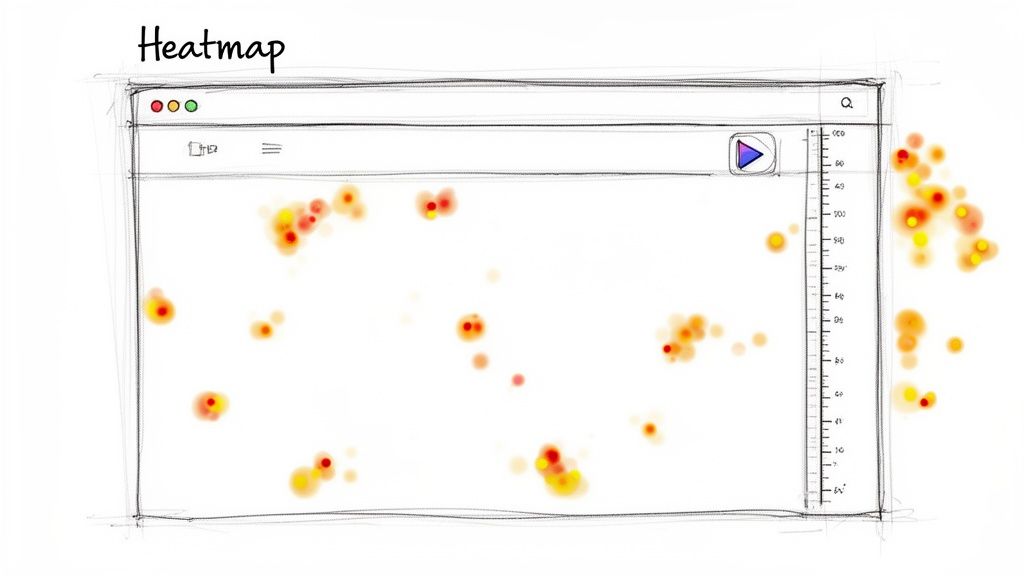
This approach provides a rich layer of quantitative and qualitative data on real user behaviour at scale. Popularised by tools like Hotjar and Crazy Egg, it helps teams move beyond assumptions to see exactly which UI elements attract attention and which are ignored. By analysing these visual reports, designers and product managers can identify usability issues that might otherwise go unnoticed, such as users repeatedly clicking on non-interactive elements or failing to scroll to critical information.
Practical Implementation and Use Cases
This method is ideal for optimising live interfaces and validating design hypotheses with real-world behavioural data.
Optimising E-commerce Pages: An online retailer like SamCart can use heatmaps to discover that users are not clicking on a new "Quick View" button. Session recordings might then show that users hover over it hesitantly, suggesting the icon is unclear, prompting an A/B test with a clearer label.
Improving Content Engagement: A publisher like Medium can use scroll maps to see that most readers abandon an article before reaching the key call-to-action at the bottom. This insight can lead to redesigning the layout to place important elements higher up the page.
Enhancing SaaS Feature Discovery: A B2B software company can analyse click maps on its main dashboard to see if a newly launched feature is being discovered. A lack of clicks could indicate poor visibility, leading to UI changes that make the feature more prominent.
Actionable Tips for Success
To extract meaningful insights, you need to analyse the data systematically rather than just looking at colourful blobs.
Segment Your Data: Don't look at all users in one bucket. Segment heatmaps by traffic source, device, and user type (new vs. returning) to uncover more specific, actionable patterns.
Combine with User Flow Analysis: Use heatmaps to identify a problem page (e.g., high drop-off), then watch session recordings of users on that page to understand the "why" behind their behaviour.
Look for "Rage Clicks": Identify clusters of clicks on non-interactive elements. This is a clear sign of user frustration and a strong indicator that your UI is not meeting expectations.
Mind the Fold: Pay close attention to scroll maps and how the "fold" (the visible part of the page on load) differs across devices. Critical information must be visible without scrolling.
Ensure Privacy Compliance: When recording sessions, be sure to anonymise personal data to comply with regulations like GDPR and CCPA. Most modern tools offer features to automate this.
While real-user data is invaluable, generating enough of it to spot statistically significant patterns can be slow. For faster feedback loops, platforms like Uxia can generate predictive heatmaps based on simulated user interactions, allowing you to validate layouts and CTA placements even before a single real user has seen the design.
4. Accessibility Compliance Testing
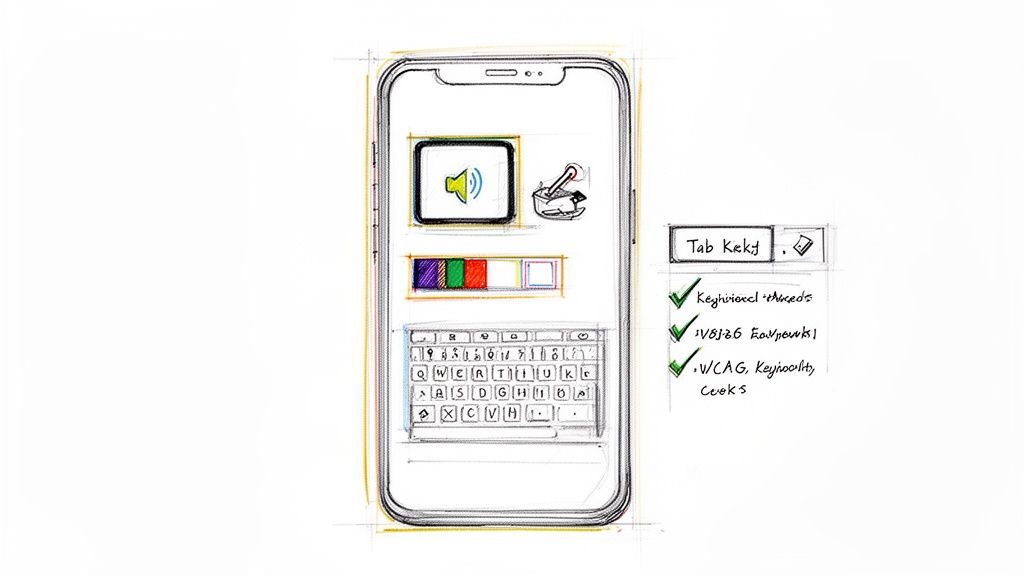
Accessibility compliance testing is an essential aspect of UI validation, ensuring that digital products are accessible to individuals with disabilities. This involves systematically assessing an interface against established standards like the Web Content Accessibility Guidelines (WCAG), Section 508 in the US, and ADA requirements. The process confirms that the UI can be effectively used and understood through assistive technologies such as screen readers, voice control, and magnifiers. This approach goes beyond basic usability to ensure inclusivity, which is both an ethical obligation and a legal requirement. By actively testing for clear color contrast, logical keyboard navigation, appropriate alt text for images, and sensible focus management, teams can avoid excluding a significant portion of the population. Organizations like the Web Accessibility Initiative (WAI) and companies such as Microsoft have supported these practices, making them an essential part of modern product development. At Uxia (www.uxia.app), we assist you in conducting these tests with synthetic users.
Practical Implementation and Use Cases
Accessibility validation should be integrated throughout the design and development lifecycle, not treated as a final-stage checkbox.
Public Sector Website Compliance: Government websites are often legally required to meet standards like Section 508. They must validate that all citizens, regardless of ability, can access essential services, from paying taxes to applying for benefits.
Improving E-commerce for All Users: An online retailer can test its product pages and checkout process with screen readers to ensure that a visually impaired user can easily find product details, select sizes, and complete a purchase without assistance.
Enhancing Collaboration Software: A company like Slack can validate its interface to confirm that users navigating with a keyboard can efficiently move between channels, compose messages, and react to posts, ensuring team members with motor impairments can participate fully.
Actionable Tips for Success
To conduct effective accessibility testing, a combination of automated tools and manual, human-centred evaluation is essential.
Test with Real Assistive Technologies: Automated scanners are a good start, but they cannot replace manual testing. Use popular screen readers like NVDA (Windows), JAWS (Windows), and VoiceOver (macOS/iOS) to experience your UI as users would.
Prioritise Keyboard-Only Navigation: Unplug your mouse and attempt to use your entire website or application. Every interactive element, including links, buttons, and form fields, must be reachable and operable using only the Tab, Shift+Tab, Enter, and arrow keys.
Include People with Disabilities: The most authentic insights come from involving users with disabilities in your testing process. Their lived experience provides context that developers and designers cannot replicate.
Verify Colour Contrast: Use tools to check that text and interactive elements meet at least the WCAG AA standard, which requires a contrast ratio of 4.5:1 for normal text.
While manual testing is irreplaceable for empathy, automated tools can help scale your efforts. Platforms like Uxia can simulate interactions to flag potential accessibility barriers early in the process, complementing manual audits. You can find out more by exploring the fundamentals of accessibility compliance testing and how to build a comprehensive strategy.
5. Usability Testing with Think-Aloud Protocol
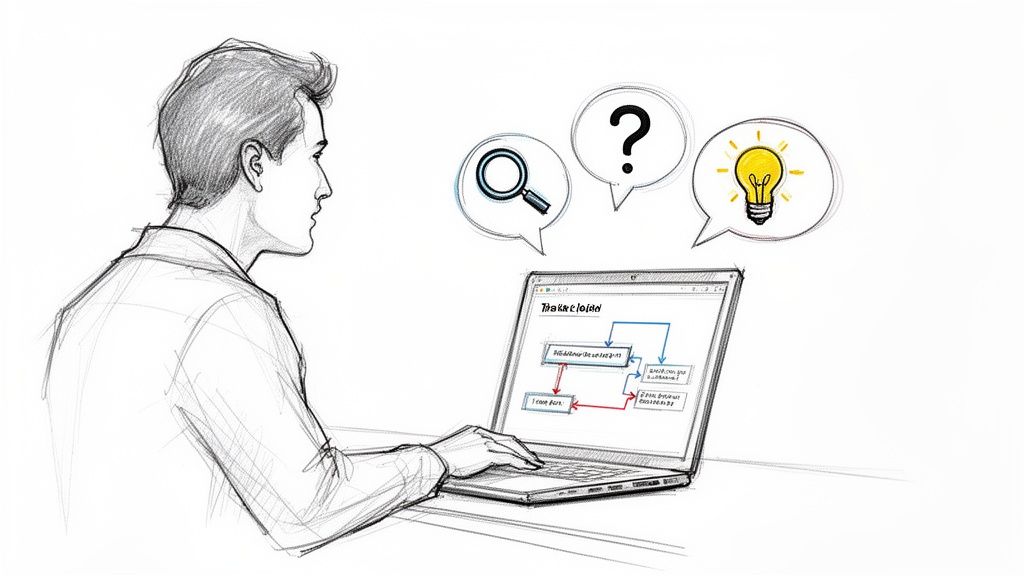
The think-aloud protocol is a foundational qualitative method for UI validation where participants verbalise their thoughts as they interact with an interface. By asking users to speak their internal monologue aloud, researchers gain direct access to their mental models, expectations, and reasoning. It uncovers not just what users do, but crucially, why they do it, revealing the cognitive friction behind their actions.
This technique, popularised by usability pioneers like Jakob Nielsen, captures the raw, unfiltered cognitive process. Hearing a user say, "I'm looking for a save button, but I can't find one, so I'm worried about losing my work," provides a depth of insight that clickstream data alone cannot offer. It is exceptionally effective for diagnosing issues related to confusing labels, misleading information architecture, and flawed user assumptions.
Practical Implementation and Use Cases
The think-aloud protocol is highly adaptable and provides rich qualitative data for any interactive system.
Validating Complex Enterprise Software: Companies like SAP use think-aloud to test intricate workflows. A researcher can observe an accountant using a new invoicing module, listening to their thought process as they navigate dense menus and data fields to identify sources of cognitive overload.
Testing Collaborative Features: A team at Figma could ask designers to co-edit a file while thinking aloud. This would reveal misunderstandings about real-time cursors, version history, or commenting features, helping to refine the collaborative experience.
Ensuring Safety in Healthcare Applications: For an app managing patient medication schedules, a think-aloud study can validate if the interface is clear enough to prevent critical errors. Hearing a nurse say, "I'm unsure if this checkmark means the dose was administered or just acknowledged," highlights a life-critical ambiguity.
Actionable Tips for Success
To get the most out of think-aloud sessions, creating the right environment and asking the right questions is vital.
Prompt, Don't Lead: If a participant goes silent, use a gentle, neutral probe like, "What are you thinking now?" or "What are you trying to do here?" Avoid leading questions that suggest a correct answer.
Create a Comfortable Environment: Reassure participants that you are testing the system, not them. A relaxed user provides more honest and detailed feedback.
Focus on 5-8 Participants: Research shows that testing with a small group of 5-8 users is typically sufficient to uncover the majority of major usability problems and recurring patterns.
Record and Transcribe: Always record both the screen and the audio. Transcribing key quotes allows you to connect specific user comments directly to on-screen actions, providing powerful evidence for stakeholders.
Think-aloud studies provide invaluable "why" data, but they can be time-intensive to conduct and analyse. For teams needing to validate user flows at speed, this qualitative method can be powerfully augmented. By first running large-scale simulations with a platform like Uxia to identify potential friction points, you can then use think-aloud sessions to conduct a much more focused deep-dive into the most critical issues, optimising your research efforts.
6. System Usability Scale (SUS) and Quantitative Surveys
The System Usability Scale (SUS) is a powerful tool in UI validation, offering a standardised, reliable questionnaire to measure perceived usability. It consists of 10 questions with five response options, producing a score from 0 to 100. Unlike custom-made surveys, SUS provides a highly validated, benchmarkable metric that allows teams to compare their interface's usability against industry standards and previous versions.
This method moves beyond purely qualitative feedback to provide a quantifiable score, which is invaluable for tracking progress and communicating usability to stakeholders. When combined with other quantitative surveys measuring specific attributes like efficiency or trust, it creates a robust dataset for a comprehensive usability analysis. Popularised by usability experts like Jeff Sauro, SUS has become a go-to for organisations that need to translate user perception into a clear, comparable number.
Practical Implementation and Use Cases
SUS is typically administered after a user has completed a set of tasks, providing a summary of their overall experience.
Benchmarking Enterprise Software: A company developing a new Electronic Health Record (EHR) system can use SUS to measure its usability against an established competitor. The resulting scores provide a clear, data-driven case for its superior design or highlight areas needing urgent improvement.
Tracking Iterative Improvements: A SaaS company can administer the SUS survey after each major release. A steady increase in the SUS score from 65 to 75 over a year provides tangible proof that design changes are positively impacting the user experience.
Validating Government Digital Services: The UK Government Digital Service and similar bodies use SUS-like metrics to ensure public-facing websites meet stringent usability standards before launch, ensuring accessibility and ease of use for all citizens.
Actionable Tips for Success
To effectively integrate SUS into your validation workflow, a structured approach is crucial.
Complement, Don't Replace: Use SUS scores to complement qualitative insights from moderated or unmoderated tests. A low score tells you that there is a problem; session recordings tell you why.
Timing is Key: Always administer the SUS questionnaire after participants have finished interacting with the interface to capture their holistic impression.
Combine with Performance Metrics: For a complete picture, analyse SUS scores alongside task completion rates and time-on-task. This connects perceived usability with actual user performance.
Extend with Custom Questions: Supplement the standard 10-item SUS with a few targeted questions about specific features or concerns unique to your product for more granular feedback.
While SUS measures perceived usability, understanding other key customer metrics is crucial for a comprehensive view of user satisfaction. You can learn more about how related metrics like CSAT and NPS fit into a broader validation strategy. This holistic approach ensures your UI not only works well but also delights users.
7. Card Sorting and Information Architecture Validation
Card sorting is a foundational UI validation method used to understand how users mentally group concepts, content, or features. Participants are given a set of digital or physical "cards," each representing a piece of content, and are asked to organise them into categories that feel logical to them. This technique directly reveals a user's mental model, providing a blueprint for an intuitive and user-centric information architecture.
This method is crucial because it aligns the product's structure with user expectations, rather than internal business logic. By uncovering how users naturally categorise information, teams can design navigation, menus, and content hierarchies that reduce cognitive load and make information easy to find. Popularised by experts like Donna Spencer and platforms such as Optimal Workshop, card sorting validates the very framework upon which a user-friendly interface is built. For a deeper dive into the structural organisation of content, consider resources on understanding Information Architecture.
Practical Implementation and Use Cases
Card sorting can be either open (where users create their own category names) or closed (where users sort cards into predefined categories).
Designing an E-commerce Site Structure: A retailer can use open card sorting to discover how shoppers group products like "running shoes," "hiking boots," and "sandals." This insight directly informs the main navigation categories, such as "Footwear," "By Activity," or "Men's/Women's."
Organising a Corporate Intranet: An enterprise can ask employees to sort topics like "Holiday Policy," "Payslips," and "IT Support." This helps create a logical intranet structure that allows staff to find critical information quickly without frustration.
Validating a SaaS Feature Set: A software company planning a redesign can use closed card sorting to validate if users understand the proposed menu structure, such as sorting features into "Settings," "Analytics," and "Integrations."
Actionable Tips for Success
To ensure your card sorting study yields clear, actionable results, careful planning is essential.
Limit the Number of Cards: Provide 30-60 cards maximum. Too many options can overwhelm participants and lead to fatigue, compromising the quality of the data.
Use Realistic Content: Cards should represent actual content or features, not abstract concepts. Instead of "User Profile," use specific items like "Change Password" or "Update Email Address."
Recruit Representative Users: Ensure your participants reflect your target audience segments, such as novices versus power users, as their mental models may differ significantly.
Follow Up with Tree Testing: After establishing an information architecture, use tree testing to validate if users can successfully find specific items within that new structure, confirming its findability.
Card sorting provides the structural logic, which can then be used to design and validate specific user journeys. Platforms like Uxia can help visualise and test the resulting pathways by creating detailed user flow diagrams to ensure the entire journey is coherent from start to finish.
8. Contextual Inquiry and In-Situ Testing
Contextual inquiry is a powerful ethnographic approach to UI validation that immerses researchers directly into the user’s real-world environment. Instead of observing participants in a controlled lab, this method involves watching them use a product "in-situ" as they perform their actual daily tasks. This could mean observing a nurse using hospital software during patient rounds or a designer using a new tool at their desk, surrounded by real-world interruptions and constraints.
This technique, popularised by pioneers like Lucy Suchman and the design firm IDEO, excels at uncovering the environmental factors, workflows, and unconscious workarounds that significantly impact usability. It provides a rich, unfiltered understanding of how a product fits into the complex reality of a user's life. The insights gained are often deeper and more surprising than what can be discovered through other methods, revealing unmet needs and opportunities for innovation.
Practical Implementation and Use Cases
This method is ideal for complex domains where context is critical to product success.
Improving Electronic Health Records (EHR): Researchers can shadow clinicians in a hospital to see how they interact with EHR software amidst patient care, frequent interruptions, and collaboration with colleagues. This reveals critical usability flaws that could impact patient safety and efficiency.
Designing Enterprise Software: A company developing project management software can observe teams in their office environment. This highlights how they juggle multiple applications, manage distractions, and collaborate, informing features that align with actual work patterns rather than idealised ones.
Optimising In-Car Interfaces: Automotive designers, like those at Uber studying driver behaviour, use in-situ testing to understand how drivers interact with navigation and communication apps while managing traffic, passengers, and other real-time demands.
Actionable Tips for Success
To get the most out of contextual inquiry, a mindset of observation over direction is crucial.
Observe Without Directing: Your goal is to be a fly on the wall. Let natural workflows and problems emerge without interrupting or guiding the participant’s actions.
Ask Clarifying "Why" Questions: When you see a user perform a workaround or hesitate, ask open-ended questions like, "Can you tell me what you were thinking just now?" to understand their rationale.
Record Everything (With Permission): Use field notes, photos, and video recordings to capture the environment, interactions, and verbatim quotes. This rich data is invaluable during analysis.
Synthesise Findings Collaboratively: Use affinity mapping to group observations and identify patterns. Create journey maps that illustrate the user’s entire workflow, including pain points and emotional highs and lows.
Contextual inquiry provides deep qualitative insights but can be time-intensive. For teams needing to validate specific UI flows more rapidly, these ethnographic findings can inform the scenarios tested with synthetic users. Platforms like Uxia can then simulate thousands of interactions based on these real-world contexts, helping to validate design hypotheses at scale before committing to further development.
UI Validation: 8 Methods Compared
Method | 🔄 Implementation complexity | ⚡ Resources & speed | 📊 Expected outcomes / impact | 💡 Ideal use cases | ⭐ Key advantages |
|---|---|---|---|---|---|
Unmoderated Remote Testing — users complete tasks asynchronously | Medium — requires clear scripting and task design | High scalability, low per-participant cost; fast results | Behavioral & verbal recordings; identifies genuine usability friction | Iterative design validation, distributed/mobile users, checkout flows | ⭐⭐⭐ Scalable natural-behavior insights; cost-effective |
A/B Testing & Preference Testing — variant comparison and subjective choice | Medium–High — requires experimental setup and randomization | Requires traffic/time for significance; slower for low-traffic products | Statistically measurable impact on conversions & metrics; directional aesthetic feedback | Conversion optimization, CTA/copy/layout decisions, resolving design disputes | ⭐⭐⭐ Direct metric-driven decisions; reduces subjectivity |
Heatmap & Session Recording Analysis — passive interaction visualization | Low — simple snippet integration but needs segmentation | Continuous passive data; fast visual patterns but needs traffic volume | Visual click/scroll patterns; identifies dead clicks and abandonment areas | Content prioritization, layout optimization, high-traffic pages | ⭐⭐ Immediate visual cues without recruiting; continuous collection |
Accessibility Compliance Testing — WCAG and assistive-technology validation | High — specialized rules, manual and automated checks | Time- and expertise-intensive; ongoing testing across AT combinations | Compliance, reduced legal risk, expanded accessible user base | Enterprise, government, regulated industries, inclusive design | ⭐⭐⭐ Ensures legal/ethical compliance and broader usability |
Usability Testing with Think‑Aloud Protocol — moderated verbalization of thoughts | Medium–High — skilled moderation and transcription required | Lower participant count (5–8); moderate setup and analysis time | Deep qualitative insight into mental models, confusion points, emotion | Complex workflows, early-stage designs, copy and labeling validation | ⭐⭐⭐ Rich actionable quotes and cognitive insights |
System Usability Scale (SUS) & Quantitative Surveys — standardized usability scoring | Low — simple to administer but requires sample size | Quick to run and analyze; needs 20–30+ responses for reliability | Benchmarkable usability scores; trend tracking across iterations | Benchmarking, stakeholder reporting, tracking release impact | ⭐⭐ Standardized, comparable metrics; fast quantification |
Card Sorting & IA Validation — users organize content to reveal mental models | Low–Medium — setup and clustering analysis required | Remote-capable and cost-effective; moderate analysis time | Category clustering and IA recommendations; informs navigation structure | Building/restructuring menus, taxonomy, site maps | ⭐⭐ Reveals user mental models; prevents IA mistakes early |
Contextual Inquiry & In‑Situ Testing — ethnographic observation in real environment | High — fieldwork, travel, and skilled researchers needed | Resource- and time-intensive; slow but deep | Rich contextual insights, workflows, workarounds, environmental constraints | Complex enterprise workflows, healthcare, physical-context products | ⭐⭐⭐ Uncovers real-world constraints and implicit practices |
Integrating Your Toolkit for Continuous UI Validation
Mastering UI validation is not about finding a single, perfect method. Instead, it is about strategically assembling a versatile and adaptable toolkit. As we have explored, each technique offers a unique perspective into the user experience, from the broad, behavioural insights of unmoderated remote testing and heatmap analysis to the deep, qualitative understanding gained through the think-aloud protocol and contextual inquiry. The true art lies in knowing which tool to deploy for the right validation question at the right stage of the design process.
The journey from a preliminary concept to a polished, intuitive interface is paved with assumptions. Effective UI validation is the process of systematically challenging these assumptions with real evidence, ensuring every design decision is grounded in user reality, not internal opinion. Whether you are using card sorting to validate your information architecture or the System Usability Scale (SUS) to benchmark performance, the goal remains the same: to reduce risk, eliminate friction, and build products that people genuinely find valuable and easy to use.
The Modern Challenge: Speed and Scale
For contemporary, agile teams, the primary obstacle is often the speed of feedback. Traditional research cycles, burdened by participant recruitment, scheduling logistics, and time-consuming manual analysis, can span weeks. This lengthy process creates a significant bottleneck, stalling momentum and delaying crucial iterations. In a market where speed is a competitive differentiator, waiting for validation is a luxury few can afford.
This is precisely where embracing new technologies transforms from a convenience into a strategic necessity. Platforms that leverage synthetic users and AI, such as Uxia, are not designed to replace human-centred design but to augment and accelerate it. They address the need for rapid, early-stage feedback, enabling teams to move faster and with greater confidence.
Key Takeaway: The future of effective UI validation is a hybrid model. It combines the speed and scale of automated, synthetic testing for rapid, iterative checks with the irreplaceable depth and empathy of traditional, human-led qualitative research for foundational insights.
Building Your Continuous Validation Loop
To truly embed UI validation into your workflow, you must transition from a project-based mindset to a continuous loop of learning and improvement. This means integrating validation activities directly into every sprint and design cycle.
Here is an actionable roadmap to build this continuous loop:
Early-Stage Sanity Checks: Use synthetic user testing platforms like Uxia to get instant feedback on low-fidelity wireframes and early prototypes. Identify major navigational flaws or comprehension issues before you invest significant resources in detailed design.
Qualitative Deep Dives: Once a concept is more defined, conduct targeted usability tests with real users. Employ the think-aloud protocol to understand the "why" behind their actions, uncovering nuanced insights that automated tools might miss.
Quantitative Benchmarking: As the design matures, deploy quantitative methods like SUS surveys or A/B tests to measure usability and compare design variations at scale. This provides hard data to support your design decisions.
Post-Launch Monitoring: After launch, use session recordings and heatmaps to observe real-world user behaviour. This uncovers unexpected pain points and opportunities for optimisation, feeding directly back into the next design cycle.
Ensuring Inclusivity: Throughout every stage, run accessibility compliance checks. This is not a final step but an ongoing practice to ensure your product is usable by everyone, everywhere.
By weaving these methods together, you create a powerful, multi-layered approach to UI validation. You gain the ability to validate assumptions quickly, dive deep when necessary, and continuously refine the user experience based on a rich blend of qualitative, quantitative, and behavioural data. This iterative, evidence-led process is the cornerstone of building digital products that not only function correctly but also resonate deeply with their intended audience, fostering loyalty and driving long-term success.
Ready to accelerate your design process and eliminate guesswork? Uxia provides AI-powered synthetic testers to give you instant, actionable feedback on your UI prototypes in minutes, not weeks. Start validating your designs with Uxia and build user-centric products with unparalleled speed and confidence.