
A Guide to Your Mobile Test Website
Discover how to run a mobile test website with proven methods. This guide covers planning, AI-powered execution, and analysis to optimize your mobile UX.

If your website doesn’t work flawlessly on a phone, it might as well not exist for a huge chunk of your audience. Getting mobile testing right is non-negotiable, as a clunky experience will tank your revenue and send users straight to your competitors. The goal is simple: validate everything for usability, functionality, and visual consistency to give every mobile user a seamless experience. A practical first step is to list the top three user journeys on your mobile site and make them the initial focus of your testing efforts with a platform like Uxia.
Why Mobile Website Testing Is Essential
In a world gone mobile-first, your website's performance on a smartphone isn't just another feature—for many customers, it's the only way they'll ever interact with your business. User expectations are sky-high. Even the smallest bit of friction, like a slow page load or confusing navigation, is enough to make them leave and never come back.
A bad mobile experience doesn't just lose you a single sale; it chips away at brand trust and actively pushes potential customers toward competitors with a slicker interface. This is especially true in hyper-connected markets. Take Spain, where 45.12 million people were online as of January 2023, and cellular connections hit an incredible 122.7% of the population. In that kind of environment, delivering a perfect mobile experience is mission-critical. You can see the full picture in the Digital 2023 Spain report on Datareportal.
The Cost of a Poor Mobile Experience
Putting mobile testing on the back burner is a recipe for disaster. The consequences are real and they hit hard.
Here’s what you’re risking:
Revenue Loss: A slow or buggy mobile site is a direct path to lower conversion rates. If users can't easily buy something or find what they need, they'll abandon their carts without a second thought.
Damaged Brand Reputation: Frustrating experiences breed negative reviews and bad word-of-mouth. That kind of damage is incredibly difficult to undo.
Wasted Development Cycles: Without testing early and often, teams build features that simply don't work on mobile. This leads to expensive redesigns and painful delays. You can learn more about the importance of user testing in our detailed guide.
Traditionally, mobile testing was a slow, expensive headache. You had to recruit human testers, schedule moderated sessions, and wait. It was a massive bottleneck, especially for teams trying to move fast.
Thankfully, that old way of doing things is no longer the only option. Modern tools offer a much faster path to real, actionable insights. AI-powered platforms like Uxia give you access to synthetic testers on demand, ready to run unmoderated tests on your prototypes instantly. This means your team can get objective feedback on usability, copy, and navigation in minutes, not weeks, making continuous validation a reality for everyone.
How to Plan Your Mobile Website Test
A good mobile website test doesn't start when you hit 'run'. It starts with a solid plan. Without one, you're just collecting noise, not insights. The whole point of the planning phase is to get crystal clear on exactly what you need to learn before you spend any time or money.
Your main goal needs to be specific and measurable. Forget vague ambitions like "make the mobile site better." Think in concrete terms: "cut shopping cart abandonment by 15%" or "shave 30 seconds off the new user registration flow." These kinds of targets give you a clear finish line and keep your testing focused on the user journeys that actually matter. As a practical recommendation, use the SMART (Specific, Measurable, Achievable, Relevant, Time-bound) framework to define your objectives before you even open a tool like Uxia.
This entire process is about moving from frustrating user problems to actionable insights, fast. Modern AI-driven solutions have completely changed the game here.
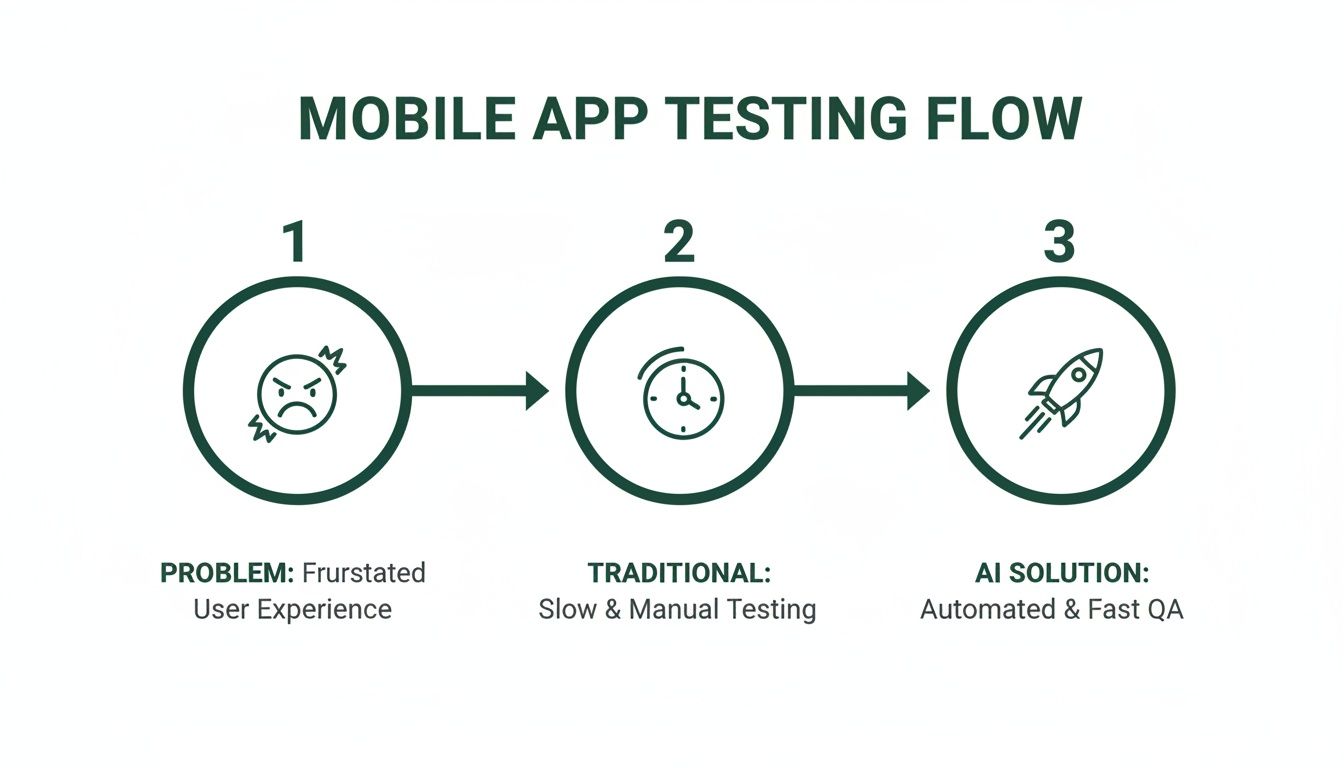
As you can see, the old, slow manual methods are being replaced by a much faster, AI-powered approach that gets to the heart of user friction in a fraction of the time.
Defining Your Objectives and Audience
Once you have your high-level objective locked in, it's time to break it down. You need to map out the specific user scenarios you want to test and pinpoint exactly who your target audience is. A user scenario is basically a mini-story about what a user is trying to do. For example: "A first-time visitor, who found the site on Instagram, wants to find a specific pair of trainers, add them to their basket, and check out."
Defining the audience is just as crucial. Who are these people? What's their tech-savviness level? What motivates them? Platforms like Uxia make this incredibly simple by letting you choose from pre-built AI participant profiles that mirror your target personas. This ensures the feedback you get is actually relevant to the people who will use your site, not just random testers.
A rock-solid test plan should always nail down these four things:
Clear Objectives: What specific numbers are you trying to move?
Target Audience Profile: Who are you building this for?
Key User Scenarios: What are the most critical tasks they need to accomplish?
Success Metrics: How will you know if you've won? (e.g., task completion rate, time on task).
When you're putting your plan together, it helps to zoom out and see how testing fits into the bigger product development picture. It might be worth checking out this comprehensive guide to mobile app MVP development to get that broader context. Building a repeatable framework for planning is what separates teams that guess from teams that consistently gather high-quality, actionable insights.
Getting Your Prototypes and Test Assets Ready
Before you can kick off a mobile website test, you need to get your assets in order. This isn't just a box-ticking exercise; the quality of your prototype directly shapes the feedback you'll get.
What you choose—a simple wireframe or a polished mockup—all comes down to your test goals. If you're in the early stages, a basic, clickable wireframe is often all you need to see if a core user journey makes sense. But later on, you'll want a high-fidelity prototype to check things like visual design, animations, and those tiny interactions before you hand anything over to developers.
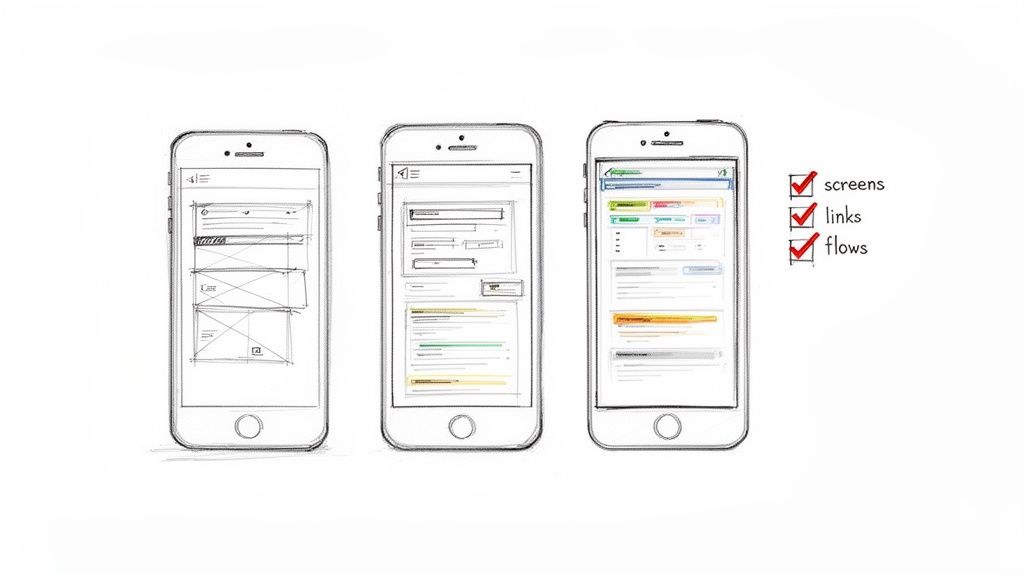
This kind of flexibility lets you gather insights at every single stage of the process. And thankfully, modern platforms like Uxia are built for exactly this, even accepting simple images or videos as prototypes. It means you can start validating ideas much, much earlier, saving a huge amount of time and money down the line. A practical recommendation is to export your Figma or Sketch designs as simple PNGs for your first Uxia test to quickly validate the core user flow.
Choosing the Right Fidelity Level
Picking the right level of detail for your prototype is absolutely key to getting feedback that's actually useful. Each level has a specific job to do.
Low-Fidelity (Lo-Fi): Think basic wireframes or even sketches. Use these to test the fundamental structure and flow of your site. It’s the perfect way to validate core concepts and navigation without getting sidetracked by colours and fonts.
High-Fidelity (Hi-Fi): This is where you use detailed mockups that look and feel like the real thing, complete with branding, fonts, and interactive elements. It's essential for testing the overall user experience, visual appeal, and the usability of specific UI components. To go deeper, check out our guide on user interface design testing.
Your Pre-Test Asset Checklist
No matter which fidelity you choose, your prototype must be complete enough to support the user scenarios you’ve planned. A broken or half-finished prototype is a surefire way to get confusing, unreliable results.
We see this all the time: a team tests an asset that only covers half of the user journey. If the task is to complete a purchase but the prototype just stops at the payment screen, the test is doomed to fail. You won't get any meaningful insights into the full experience.
Before you launch anything, run through this quick checklist:
Complete User Flow: Are all the screens needed for the test tasks actually there and linked up correctly?
Functional Links: Click every single button and link yourself. Do they all go where they're supposed to?
Clear Instructions: Is any placeholder text or in-design instruction clear, or could it confuse a user?
Organised Files: Keep your design assets tidy. It makes life easier for the whole team and helps you iterate faster based on feedback.
Crafting Scenarios and Selecting Your Audience
The quality of your insights from any mobile website test comes down to two simple things: testing with the right users and giving them the right tasks. If you get either of these wrong, you’re just collecting noise. The real goal is to create realistic scenarios that mirror how genuine customers would actually use your site.
Traditionally, finding these "right users" was a massive bottleneck. The whole process was manual — recruiting participants, screening them, scheduling sessions — and it could drag on for weeks. That glacial pace just doesn't work in modern, agile development cycles where speed is everything.
The Shift to Synthetic Users
Modern platforms completely flip this model on its head. Instead of the slow, expensive grind of recruiting human testers, you can tap into instantly available synthetic users. With a tool like Uxia, you can select AI participants that precisely match your target user personas, making sure your feedback comes from a profile that truly reflects your audience.
This approach gives you a few major advantages:
Speed: Launch tests and get feedback in minutes, not weeks.
Scale: Run tests with dozens of synthetic users at the same time without any extra cost or effort.
Consistency: You eliminate the human bias and variability that you often get with professional testers.
This kind of speed is crucial in fiercely competitive markets. Spain's mobile market, for example, saw intense competition in 2023, where a clunky user experience could lead to instant customer churn. With 91% social media penetration, users expect intuitive navigation and clear trust signals. This makes rapid, effective mobile website testing a matter of survival. You can find more insights about the Spanish operator market on Analysismason.com.
Creating Effective Test Scenarios
A great scenario is a clear, goal-oriented task. It shouldn't hold the user's hand, but it should give them a reason to explore the site naturally. Instead of saying, "Click the red button to add to cart," a much better prompt is, "You need a new pair of running shoes for a marathon. Find a suitable pair and add them to your basket."
The best test missions are specific enough to be measurable but open enough to allow for natural user behaviour and the discovery of unexpected friction points. This is where you uncover the most valuable insights.
Here are a few sample missions you can adapt for your own mobile website test:
Website Type | Sample Test Mission (Scenario) |
|---|---|
E-commerce | "Your friend's birthday is next week. Find a gift under €50, add it to your cart, and proceed to the checkout page." |
SaaS Platform | "You've just signed up for a free trial. Find the feature that lets you invite a new team member to your project." |
Content/Blog | "You heard about a recent article on AI trends. Find the article using the search bar and subscribe to the newsletter." |
When you pair well-crafted scenarios like these with precisely matched AI personas in Uxia, you create a testing environment that delivers targeted, actionable feedback every single time.
Running Unmoderated Tests with AI
Modern mobile website testing is all about speed and scale. This is exactly where unmoderated, AI-driven methods shine. This approach gets rid of the slow, expensive parts of traditional testing—like scheduling sessions and finding human participants—delivering solid results fast, without sacrificing data quality.
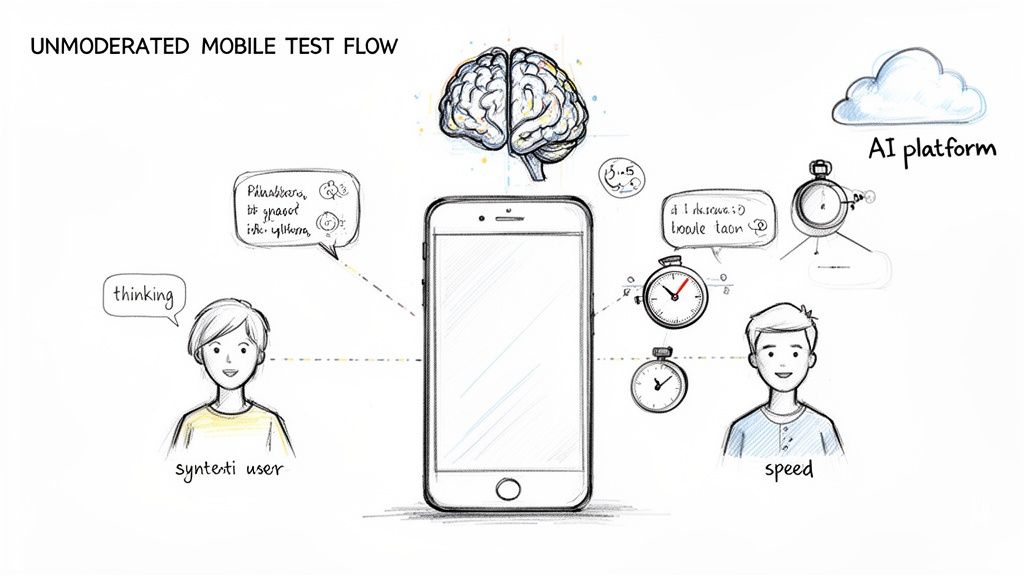
With platforms like Uxia, launching a test is simple. You just upload your prototype (even an image or video works), define your test mission and target audience, then let synthetic users give you immediate feedback. The whole thing is built for speed, so teams get insights in minutes, not weeks.
Uncovering Insights with AI Think Aloud Protocol
One of the best features here is the AI ‘think aloud’ protocol. This gives you the kind of rich, qualitative data you'd expect from a human study. The AI literally verbalises its thought process as it navigates your prototype, highlighting confusion, friction points, and moments of clarity just as they happen.
The real power here is consistency. Unlike human testers who can be influenced by their mood, prior knowledge, or the desire to please the moderator, AI provides completely objective and unbiased feedback every single time. This consistency is vital for accurately tracking design improvements over time.
This automated process also strips human bias from the feedback loop. You get pure, unfiltered insights based entirely on the user journey you've designed. For a deeper look at this, you can explore the key differences between synthetic users vs human users in our detailed article.
Key Advantages of AI-Powered Unmoderated Testing
Bringing an AI-powered unmoderated testing strategy into your workflow offers some pretty clear benefits for any team aiming to build a better mobile test website.
Speed and Scale: Run countless tests at the same time without any extra logistical headaches.
Cost-Effectiveness: Dramatically cut the costs tied to recruiting and paying human participants.
Objective Feedback: Get rid of the variability and potential bias you find in moderated, human-led studies.
Immediate Actionability: Receive structured, easy-to-analyse results that pinpoint the exact usability problems.
When it comes to advanced testing methods, it helps to understand how modern AI makes this all possible. You can explore how Generative AI enhances autonomous testing for more detail. By using platforms like Uxia, teams can build a continuous validation cycle, making sure every design decision is backed by solid user data before it ever hits development.
Analysing Test Results and Key Metrics
So, your unmoderated mobile website test is done. You’ve got a mountain of raw data, but numbers alone don’t mean much. The real job is turning that data into clear, actionable insights that actually improve your user experience.
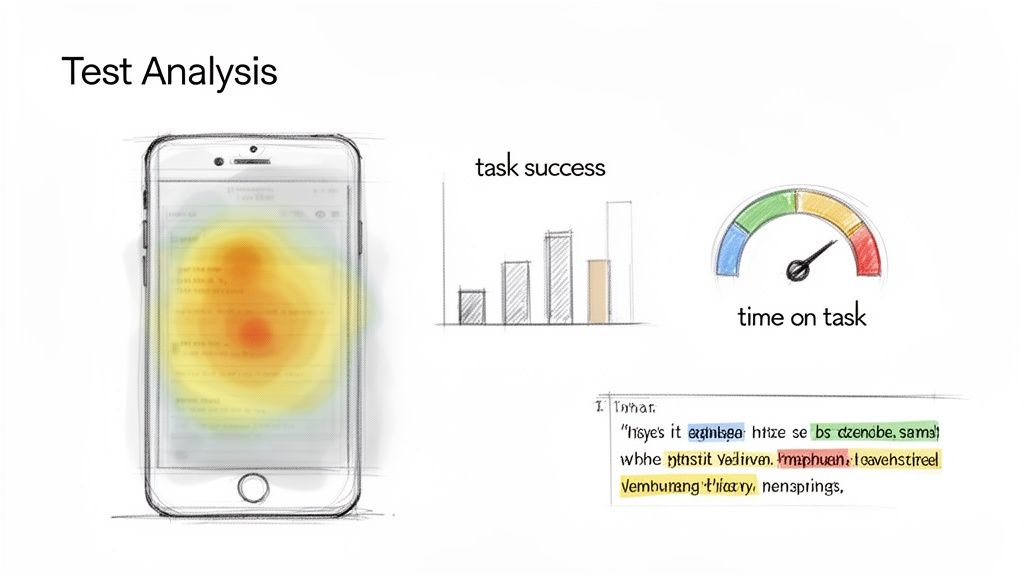
This is where AI-powered platforms like Uxia really shine. Forget about manually sifting through hours of session recordings or transcripts. Uxia automatically processes and visualises everything, serving up key metrics and friction points in a format that’s easy to digest. This shift saves your team a huge amount of time that used to be spent on tedious analysis.
Interpreting Qualitative and Quantitative Data
Your test results will give you two types of data: qualitative and quantitative. You absolutely need both to get the full story. Qualitative data comes from things like AI think-aloud transcripts, while quantitative data is all about the hard numbers, like success rates.
Qualitative Analysis (The 'Why'): The AI’s think-aloud transcript is pure gold. You need to dive into it and look for patterns. Words like “confusing,” “stuck,” or “I expected…” are massive clues. These comments reveal why users are struggling, not just that they are.
Quantitative Analysis (The 'What'): Metrics give you the objective, black-and-white picture of performance. They’re perfect for benchmarking improvements over time and quickly spotting which user journeys are causing the most headaches.
The magic happens when you combine them. Let's say you see a low task success rate (quantitative). You then check the transcript and see the AI repeatedly mentioning unclear button labels (qualitative). Boom—you've got a precise, actionable problem to solve. For a deeper dive, check out our guide on leveraging data-driven design in your projects.
Understanding Key Mobile Testing Metrics
To really get a grip on your mobile site's performance, you need to know your way around a few core metrics. These are automatically calculated by platforms like Uxia, giving you an instant snapshot of how things are going.
Don't get distracted by vanity metrics. The only data that matters is what directly reflects the user experience. A high task success rate and low time on task will always tell you more than simple page views.
Here are the key metrics to watch:
Task Success Rate: The percentage of users who actually completed the task. This is your ultimate measure of whether the design works.
Time on Task: The average time it took a user to finish the task. If this number is high, it’s a big red flag for a confusing or clunky user flow.
Heatmaps: These are visual overlays showing exactly where users tapped, scrolled, or lingered. Heatmaps are brilliant for finding where people get stuck, tap on things that aren't interactive, or completely miss important calls-to-action.
Error Rate: The number of times a user messed up. This metric helps you zero in on specific friction points in your interface.
This kind of analysis is critical, especially in places with flaky network performance. For example, by early 2024, Spain's mobile network experience showed big differences in quality, with median speeds of 36.07 Mbps but patchy service across providers. For the country's 42.5 million internet users, a site needs to work flawlessly even on a weak connection. Solid mobile testing is essential if you want to capture a piece of its massive €31.5B e-commerce market. You can discover more insights about Spain's mobile network performance on Opensignal.
Data Analysis Comparison Traditional vs Uxia AI Testing
Looking at the data is one thing, but the effort required to get there is another. Here’s a quick comparison of how data analysis stacks up between traditional moderated tests and using an AI-powered tool like Uxia.
Aspect | Traditional Usability Study | Uxia AI-Powered Testing |
|---|---|---|
Data Collection | Manual transcription of video/audio recordings. Manual logging of task times and errors. | Automated. AI transcribes think-aloud narratives and logs all interactions and metrics instantly. |
Data Visualisation | Heatmaps and charts must be created manually using third-party tools. | Built-in. Heatmaps, task success charts, and time-on-task gauges are generated automatically. |
Analysis Time | Hours to days. Researchers must watch all recordings and manually tag insights. | Minutes. AI synthesises key findings, highlighting critical friction points and user quotes. |
Primary Output | A lengthy report summarising observations, often with video clips as evidence. | An interactive dashboard with filterable metrics, prioritised issues, and direct links to insights. |
Researcher's Role | Facilitator and manual data analyst. | Strategic interpreter. The AI handles the grunt work, freeing up the researcher to focus on 'why'. |
As you can see, the difference is stark. AI-powered testing doesn't just give you the data; it organises it for you, cutting down the analysis phase from a major project into a quick review. This speed allows you to test more often and integrate findings directly into your next design sprint without missing a beat.
Right, you've run the test, and now you have a pile of usability problems. What's next? This is where the real work begins: turning that raw data into a concrete action plan. Without a smart way to prioritise, teams often spin their wheels on low-impact fixes while the truly critical issues are left to fester.
The trick is to avoid tackling everything at once. You need a simple framework to sort through the noise. A classic, battle-tested approach is to categorise each issue by its severity—basically, how badly it messes up a user's ability to get something done. This ensures your team focuses on what actually moves the needle.
From Raw Data to Actionable Insights
This is where modern tools can give you a massive head start. A platform like Uxia doesn’t just spit out a list of problems; its AI analysis automatically flags critical friction points and summarises the core patterns it found during the test.
What this means for your team is you get a pre-prioritised list of issues, complete with context pulled directly from the AI's think-aloud transcript. It saves you from the soul-crushing task of manually sifting through hours of session data to connect the dots. Uxia’s reports are built to be shared directly with stakeholders, making it much easier to get everyone on board with the needed changes.
A Practical Prioritisation Framework
To decide what gets fixed first, an impact-versus-effort matrix is your best friend. It’s simple. For every issue you’ve identified, you just have to ask two questions:
Impact: How badly does this problem hurt the user experience? Does it tank our conversion rate or another key metric?
Effort: How much time and how many resources will our developers need to ship a fix?
Once you have those answers, you can slot your findings into one of four buckets:
High-Impact, Low-Effort (Quick Wins): These are no-brainers. Fix them immediately. Think relabelling a confusing button or rewriting a misleading headline.
High-Impact, High-Effort (Major Projects): These are the big, important problems that require proper planning. They belong in the product backlog and should be scheduled for an upcoming design sprint.
Low-Impact, Low-Effort (Fill-in Tasks): Got some spare developer time? Knock these out. They're nice-to-haves but won't make or break the experience.
Low-Impact, High-Effort (Re-evaluate Later): Honestly, these usually aren't worth the investment. It’s often best to put them on the back burner and see if they become more relevant down the road.
By making this framework part of your process, you close the loop between research and development. The insights from your mobile website test become direct inputs for your product backlog, guaranteeing that every design sprint is focused on delivering real, measurable improvements to the user experience.
A Quick-Reference Checklist for Your Mobile Test
Before you hit 'launch' on your mobile website test, it's always a good idea to run through a final checklist. Think of it as your pre-flight inspection—a quick sanity check to make sure all the critical pieces are in place.
Getting this right from the start prevents those common little oversights that can skew your results. A solid setup on a platform like Uxia ensures the feedback you get back is clean, reliable, and actually answers the questions you set out to ask.
Here's a straightforward checklist to walk you through the final review. It covers everything from planning to launch, ensuring no detail gets missed.
Mobile Usability Test Checklist
Use this table as a final gate before you deploy. It consolidates all the key steps into a simple, scannable format.
Phase | Task | Status (Done/Pending) |
|---|---|---|
Planning | Have you defined a specific, measurable primary objective for the test? | ☐ |
Have you created clear, realistic user scenarios or test missions? | ☐ | |
Is your target audience profile clearly defined for tester selection? | ☐ | |
Have you identified the key metrics for success (e.g., Task Success Rate)? | ☐ | |
Assets | Is your prototype complete for the entire user flow being tested? | ☐ |
Have you personally clicked through all interactive elements to confirm they work? | ☐ | |
Is the prototype free of confusing placeholder text or internal notes? | ☐ | |
Launch | Have you configured your test in Uxia with the correct prototype and mission? | ☐ |
Have you selected the AI participant profile that matches your target audience? | ☐ | |
Are all team members aware the test is starting and when to expect results? | ☐ |
Once you’ve ticked off all these boxes, you’re ready to go. This simple exercise can be the difference between a messy, inconclusive test and one that delivers sharp, actionable insights to drive your project forward.
Still Got Questions About Mobile Testing?
Even with the best-laid plans, jumping into a new way of testing mobile websites can bring up a few questions. Let's tackle some of the most common ones that teams have when they first start using AI-powered testing.
Can AI Really Act Like a Human User?
It’s a fair question, and the answer is yes—up to a point. Modern AI, like the synthetic users we’ve built into Uxia, is designed to mirror human cognitive steps. It analyses visual hierarchy, follows a logical path to complete a task, and even verbalises its thought process with a ‘think aloud’ protocol, just like a person would.
It won't give you feedback on whether your design is "delightful" or makes it "feel" a certain way. But when it comes to pinpointing usability friction and navigation roadblocks with cold, hard objectivity, it's incredibly effective.
How Fast Are We Talking for Results?
This is where AI platforms completely change the game. With Uxia, you can have a full report from a mobile website test in your hands in just a few minutes. Compare that to traditional testing, where recruiting, scheduling, and running sessions can easily eat up days, if not weeks.
But the real win here isn't just raw speed. It's about how that speed lets you bake testing directly into your design sprints. Instead of being a bottleneck that happens once a month, testing becomes a continuous, rapid feedback loop that sharpens every single iteration.
Is This Meant to Replace All Human Testing?
Not at all. Think of it as a powerful new tool in your research toolkit, not a total replacement. AI-powered testing is unbeatable for rapid, scalable feedback, especially when you're in the thick of design and development. It’s perfect for spotting friction, validating flows, and iterating on prototypes at a speed that was once impossible.
However, if you're trying to do deep empathy research or understand the complex emotional landscape of your users, nothing beats a conversation with a real person. We see the most successful teams adopt a hybrid model:
Uxia for rapid iteration: They run tests on prototypes weekly, sometimes even daily, to catch issues as they arise.
Human studies for deep discovery: They schedule moderated interviews at major project milestones to connect with their users' bigger-picture needs.
This blend gives teams the best of both worlds. They can move incredibly fast without losing touch with the people they're building for. By understanding where a tool like Uxia fits, it’s much easier to see how it slots into a modern workflow to speed up timelines and, ultimately, build better products.
Ready to stop guessing and get actionable insights in minutes? With Uxia, you can run unmoderated tests on your mobile website prototypes using AI-powered synthetic users. Stop waiting for feedback and start building with confidence. Discover how Uxia can transform your testing process.