Mastering user centered design: Build products users love
Discover how user centered design elevates products with practical steps, methods, and real-world examples - start building better experiences today.
Let's be honest, user centered design sounds like another piece of industry jargon. But it's actually a simple, powerful idea: stop forcing people to adapt to your product and start designing products that adapt to people.
It’s an iterative design philosophy that puts real, living, breathing users at the absolute centre of every single decision you make. A practical recommendation is to start every project meeting by asking, "How does this decision serve our user?"
What User Centered Design Really Means
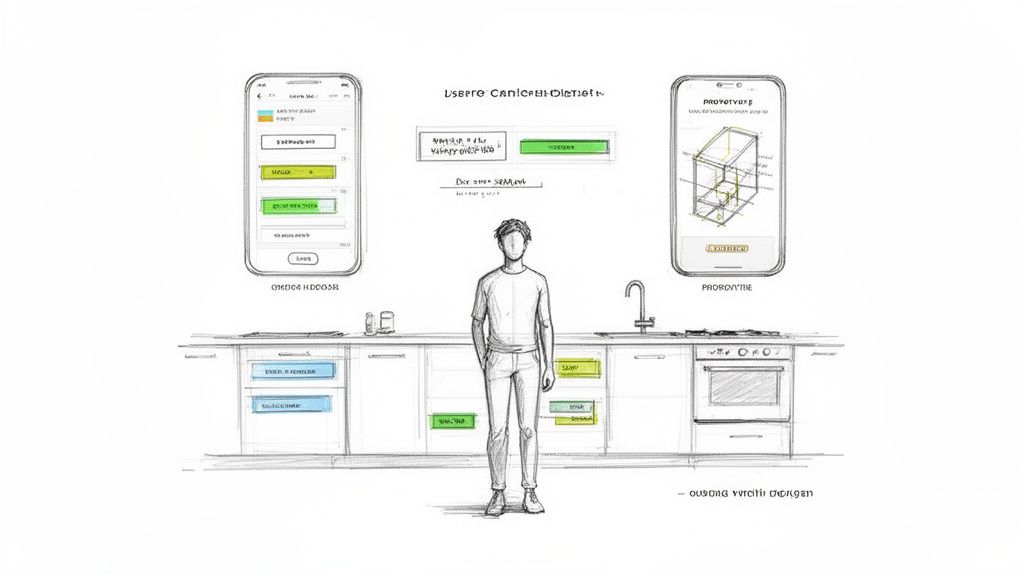
Forget the textbook definitions for a moment. Think about it like this: would you build a custom kitchen for a professional chef the same way you’d buy a generic flat-pack one?
The generic one has a stove and a sink—it technically works. But the custom kitchen considers the chef's height, their workflow, whether they're left- or right-handed, and how they move. That's user centered design (UCD). It’s the ‘custom kitchen’ approach for creating digital products.
This isn't about slapping a feedback form on your site and calling it a day. UCD is a mindset, a continuous loop of understanding, designing, and testing with real users from the moment an idea is just a scribble on a napkin.
Why This Mindset Is Great for Business
Getting into a UCD groove isn't just about being nice to your users; it’s one of the smartest business moves you can make. When a product just clicks with the people using it, the results are tangible and easy to measure.
Higher Engagement: When a tool feels intuitive and genuinely solves a problem, people will naturally use it more. No one likes fighting with confusing software.
Improved Retention: A great experience builds loyalty. If your app works beautifully for someone, why would they even bother looking for an alternative?
Reduced Development Waste: This one's huge. By testing your ideas with users early and often, you stop wasting time and money building features that nobody wants or can't figure out.
This ongoing cycle of refinement is where modern tools really shine. For instance, a platform like Uxia can put this validation process on hyperdrive. Instead of taking weeks to schedule user tests, teams can get solid, data-driven feedback from AI-powered synthetic users in just a few minutes. It makes the whole iterative loop faster and far more efficient.
The whole point of user centered design is to make sure your product truly connects with what people need and want. It’s exactly the same thinking behind how you would design a web app users will actually love.
The UCD Philosophy in a Nutshell
At its heart, the entire philosophy boils down to one word: empathy. It demands that designers, developers, and product managers climb out of their own heads and step into the user's world.
This means you have to watch how they actually behave, understand what frustrates them, and listen to what they're trying to achieve. A practical recommendation here is to schedule regular "user listening sessions" where the whole team can observe a user interview or test, not just the researchers.
When you do that, you stop making guesses and start making informed decisions backed by real-world evidence. You transform product development from a high-stakes gamble into a strategic process for creating things people genuinely value.
The Core Principles of a User-Centred Approach
A truly effective user-centred design process isn’t a single action. It’s a mindset built on four key principles.
Think of them as the engine that powers your product development, ensuring every decision is grounded in real user needs—not just internal assumptions. Each principle builds on the last, creating a powerful cycle of learning and improvement.
This framework is what separates products people merely tolerate from those they genuinely love. It de-risks development by validating ideas early and often, preventing you from wasting time and money on features nobody asked for.
Start with Genuine User Empathy
The whole journey begins here, with empathy. It's about stepping out of your own head and into the world of your users to understand their goals, their frustrations, and the context they operate in. This isn’t about guessing what they want; it’s about observing what they actually do.
To build this empathy, teams dive into qualitative research. This might mean one-on-one interviews to hear their stories or contextual inquiries where you literally watch them work in their own environment. The real goal is to uncover the unspoken needs and pain points that users themselves might not even be able to articulate. A practical recommendation is to spend at least two hours a month directly observing or speaking with your users.
"Your users are often users of your competitors as well. They have a job they need you to do. Your users don't reciprocate your devotion to them. They’re not loyal, and a million tech companies compete for their attention."
This is exactly why empathy is so critical. You have to understand their world better than anyone else to earn their attention and truly solve their problems.
Translate Research into Actionable Personas
Raw research data is powerful, but it's also messy. The second principle is all about translating those rich, qualitative insights into clear, actionable tools your entire team can get behind. The most common and effective ways to do this are with user personas and problem statements.
A user persona is a fictional character you create from your research that represents a key user group. It’s not just a demographic profile; it’s a story. For a deeper dive, check out our guide on how to create an effective user persona template that can bring your research to life.
A well-defined problem statement, grounded in those persona insights, focuses the team on a specific, meaningful challenge to solve. This alignment is vital. It makes sure everyone—from designers to engineers—is pulling in the same direction toward the same user-focused goal.
Ideate and Build Tangible Prototypes
With a clear understanding of your user and their problem, it's time to explore solutions. This principle is all about creative brainstorming and turning abstract ideas into something tangible that people can see and interact with. The key here is to generate a whole range of ideas before you settle on just one.
Once you have a few promising concepts, you build prototypes. These can be anything from simple paper sketches to interactive digital mock-ups. Prototypes aren't the final product; they are questions made tangible. Their entire purpose is to test assumptions and gather feedback before you’ve written a single line of code. A practical recommendation is to time-box brainstorming sessions to encourage rapid, divergent thinking before converging on a solution.
Embrace Continuous Testing and Iteration
The final and most crucial principle is to embrace iteration. No design is ever perfect on the first try. A user-centred approach treats testing not as a final gate you pass through, but as a continuous loop of feedback that fuels improvement. Every prototype is an opportunity to learn something new.
This is where the process becomes a cycle: you test a prototype with users, gather their feedback, learn what works and what doesn't, and then you refine the design. This loop repeats over and over, with each cycle bringing the product closer to meeting the user's actual needs.
Platforms like Uxia were built to accelerate this very principle. Instead of waiting weeks to recruit and schedule traditional user tests, Uxia lets teams get feedback from AI-powered synthetic users in minutes. This turns the slow, periodic event of testing into a constant, rapid feedback loop, empowering teams to iterate faster and build with much greater confidence.
A Step-by-Step Guide to the UCD Process
Knowing the theory of user-centred design is great, but putting it into practice is where the magic really happens. The UCD process isn’t a rigid, one-size-fits-all formula. It’s better to think of it as an iterative loop—less like a straight road and more like a spiral staircase, where you revisit key stages with a deeper understanding each time around.
This structured approach is how you turn a vague idea into a validated, user-loved product. You're systematically reducing uncertainty at every turn. We'll walk through the four essential phases that form the backbone of any solid UCD project.
This diagram shows how the UCD process flows from discovery to refinement and back again.
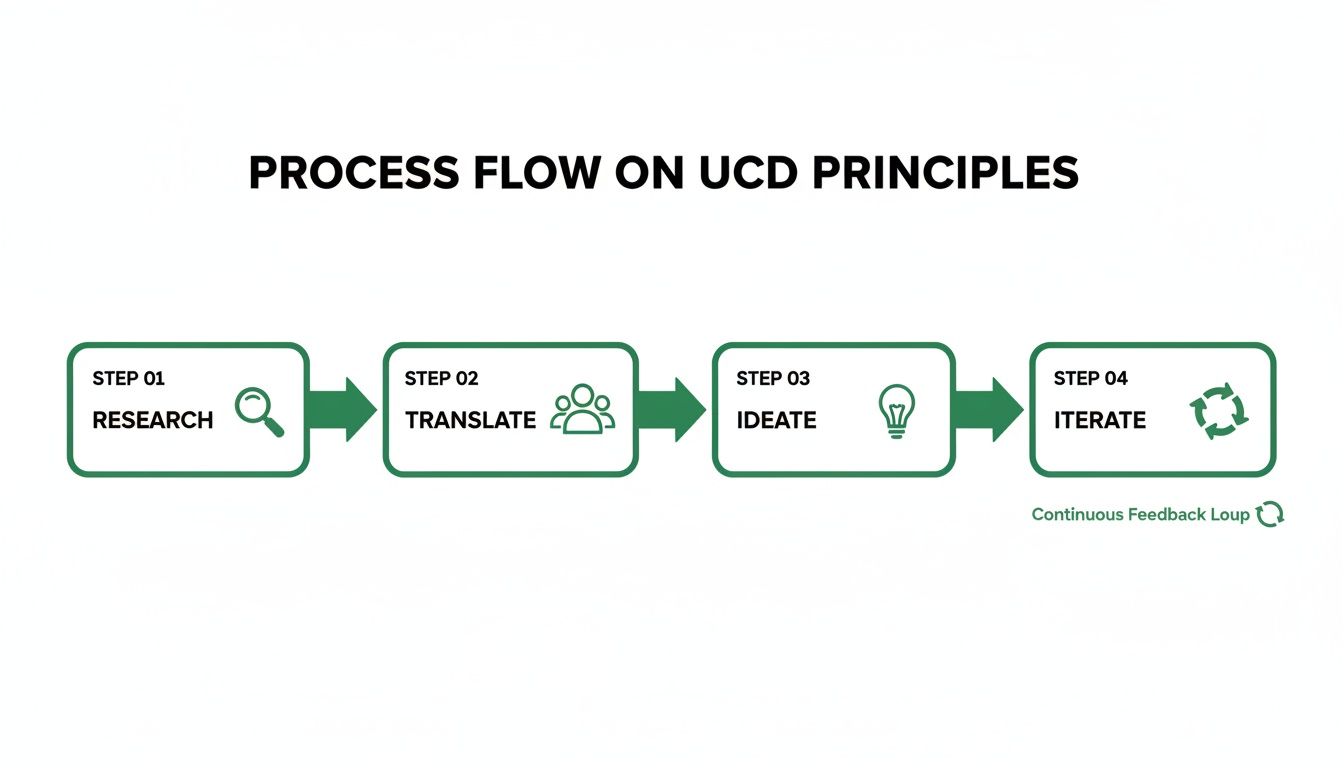
As you can see, the journey is a continuous loop, not a linear path. Feedback is the fuel that keeps the design engine running.
Phase 1: Understanding the Context of Use
It all starts with a deep dive into your users' world. This first phase is all about discovery and building empathy. You simply can't design an effective solution if you don't truly understand the people who will use it, what they're trying to achieve, and the real-world environment they're in.
Your main goal here is to answer some fundamental questions:
Who are our users? What are their skills, past experiences, and backgrounds?
What are their goals? What problem are they trying to solve with our product?
In what environment will they use it? Are they in a quiet office, a noisy warehouse, or multitasking on the go?
Practical methods for this phase include things like user interviews, contextual inquiries (which is just a fancy way of saying "observing users in their natural habitat"), and surveys. A practical recommendation is to create a simple research plan outlining your goals, methods, and participant criteria before you begin.
Phase 2: Specifying User Requirements
Once you're swimming in raw data from your research, the next step is to make sense of it all. This phase is about translating those messy, human insights into clear, specific, and actionable requirements for your design and development teams. It’s about creating a shared understanding of the problem you need to solve.
This is where you synthesise your findings into artefacts like user personas, journey maps, and problem statements. These tools are crucial for turning abstract research into a concrete vision everyone can get behind. For instance, a requirement might be something like, “The system must allow a warehouse manager to check inventory levels on a mobile device in under 30 seconds.”
This isn't just a feature list; it's about defining the conditions the product must meet to be successful in the user's eyes.
Phase 3: Designing Potential Solutions
With clear requirements in hand, the team can finally start brainstorming solutions. This is the creative phase where ideas are generated, sketched out, and turned into tangible concepts. The key here is to start with low-fidelity concepts, like simple paper sketches or wireframes. This lets you explore a wide range of possibilities quickly without getting bogged down in details.
As you narrow down the best ideas, you gradually increase the fidelity, moving from static wireframes to interactive prototypes. Remember, these prototypes aren't the finished product; they are experiments built to test your assumptions. A prototype lets you put a working concept in front of users long before a single line of code is written, making it a powerful tool for getting early feedback.
Phase 4: Evaluating Designs Against Requirements
The final phase of the cycle is where the rubber meets the road. Evaluation is the critical moment where you validate whether your proposed solution actually meets the user requirements you defined earlier. This is where you find out what's not working, identify confusing parts of the design, and get direct feedback to guide the next iteration.
This stage has traditionally been a major bottleneck. The global UX research market is forecast to jump from $427.3 million to over $1 billion by 2032, a trend driven by new tech. In Spain, for example, government digital initiatives are fuelling demand for platforms that can simulate real user behaviours. Sticking with old methods is risky—traditional user studies often cost 10x more and take 5x longer than AI alternatives. For a deeper dive, you can read the full research on the UX software market.
This evaluation stage is where a platform like Uxia fits seamlessly into the user-centred design workflow. Instead of recruiting and scheduling human testers, teams can get rapid, unmoderated feedback from AI-powered synthetic users in minutes.
By uploading a prototype, you can quickly test if users can complete key tasks, identify friction points, and gather actionable insights. This massively accelerates the entire evaluation process, allowing for more frequent and efficient iterative cycles. This constant feedback loop is the true essence of a successful UCD process.
Essential Methods and Tools for Effective UCD
Okay, so we've talked about the user-centred design process in theory. Now, how do we actually do it? Moving from abstract ideas to concrete action means having the right tools in your toolkit.
A great user-centred design strategy isn’t about blindly following a checklist. It’s about knowing which method to pull out at the right moment. Think of these techniques as different lenses—each one helps you see your product through your users' eyes in a slightly different way.
The journey always starts with understanding, moves into making sense of what you've learned, and ends with testing your assumptions. Let’s break down the practical methods for each stage.
Uncovering User Needs Through Research
Before you write a single line of code or draw a single wireframe, you have to deeply understand the problem you're trying to solve. This is where user research comes in, and it's the bedrock of the entire UCD process. The goal here is simple: get direct input from users to see how they behave, what they need, and what motivates them in their own world.
Different methods give you different kinds of insights:
Contextual Inquiries: This is a fancy term for a simple idea: go watch users where they actually are. In their office, on their couch, wherever they’d use your product. It’s incredibly powerful for spotting the little workarounds and unspoken frustrations that would never come up in a formal interview.
Surveys and Questionnaires: When you need the big picture, surveys are your best friend. They're perfect for gathering quantitative data from a large group, helping you spot broad trends in what your users think or who they are.
User Interviews: Nothing beats a good old-fashioned one-on-one conversation for getting to the "why" behind user actions. These interviews provide the rich, qualitative stories that give your data a human face.
To really get the most out of those conversations and observations, you'll need to know how to interpret what you've found. Mastering various qualitative research analysis methods is key to turning those rich, non-numerical stories into actionable direction.
Turning Data into Design Direction
Raw notes from interviews and observations are just that—raw. To make them useful, you need to turn that mess of information into clear insights that your design team can actually run with. This stage is all about finding the signal in the noise.
A classic technique here is affinity mapping, where the team gets together (physically or digitally) and starts clustering individual notes and quotes into thematic groups. Suddenly, patterns emerge. Another vital tool is the user journey map, which visually lays out every single step a user takes when interacting with your product. If you want to see how this works, check out our guide on creating a user flow diagram. These methods are what transform a pile of data into a story the whole team can get behind.
Prototyping and Validating Your Ideas
With a clear direction, it's finally time to start building and testing. Prototyping is about creating tangible, testable versions of your ideas. These can be anything from rough paper sketches to polished, interactive digital mock-ups. The goal isn’t to make something perfect; it's to make something real enough to get honest feedback on.
This brings us to usability testing. You hand a prototype to a real user, give them a task to complete, and then sit back and watch. You see where they fly through and where they get completely stuck. This step is absolutely non-negotiable in user-centred design, but it’s also where many teams hit a wall because of how slow and expensive it can be.
The explosive growth in Europe's UX market shows just how powerful this user-first approach is. The global market is on track to hit $6,768.44 million by 2025, largely because smart design can slash redesign costs by up to 50%. Here in Spain, we saw a 25% jump in UX investments after 2020, which directly led to a 15-20% reduction in user drop-offs for products that were properly tested.
This is exactly where the game is changing.
Traditional usability testing is a bottleneck. Finding users, scheduling sessions, and analysing feedback can take weeks. But modern tools are completely flipping the script.
Platforms like Uxia are transforming the validation phase by using AI-driven synthetic testers instead of slow, expensive human studies. Imagine getting unbiased feedback on your design's navigation, clarity, and accessibility in minutes, not weeks.
Here's a quick look at how the old way compares to the new.
Traditional vs AI-Powered Usability Testing
Aspect | Traditional Testing | AI-Powered Testing with Uxia |
|---|---|---|
Speed | Weeks (recruitment, scheduling, analysis) | Minutes (instant, on-demand feedback) |
Cost | High (incentives, platform fees, time) | Low (fixed subscription, no per-test fees) |
Scale | Limited (typically 5-8 users per round) | Unlimited (run hundreds of tests easily) |
Bias | High (moderator influence, user mood) | Zero (unbiased, consistent, repeatable) |
Analysis | Manual (watching hours of video) | Automated (instant reports and key findings) |
With tools like Uxia, continuous validation stops being a dream and becomes a practical reality. You can finally test every single iteration, catch issues before they become expensive problems, and build with the confidence that comes from data, not just guesswork.
Common UCD Pitfalls and How to Avoid Them
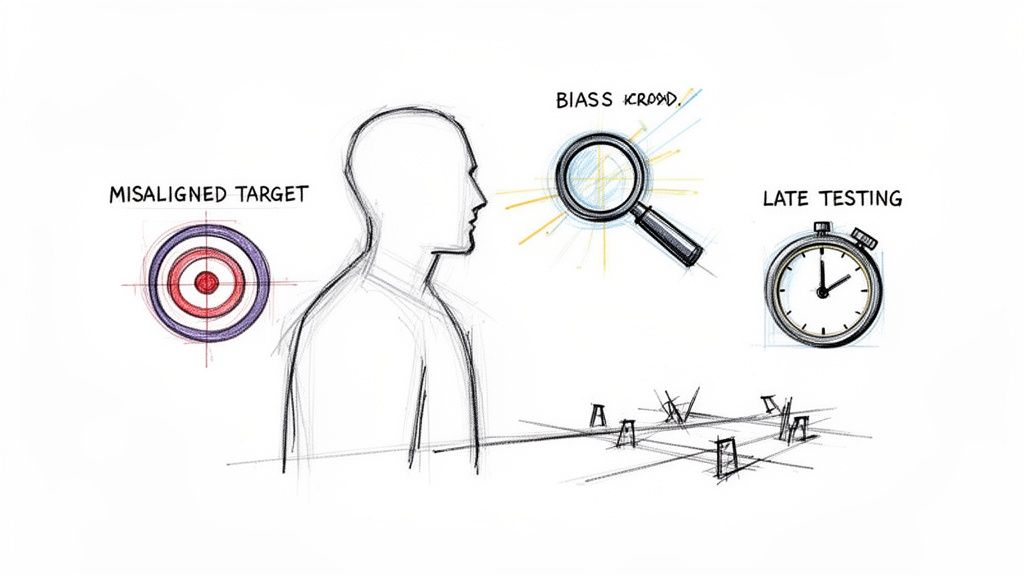
Putting a user-centred design framework into practice sounds simple enough, but even the sharpest teams can fall into some pretty common traps. Knowing what these roadblocks look like ahead of time is the first step to steering clear of them.
These issues rarely pop up from a lack of trying. Instead, they’re usually the result of subtle, quiet misunderstandings that can slowly pull a project off course, costing you time, money, and a product that just doesn't connect with its audience.
Mistaking What Users Say for What They Need
This is a classic. A team takes user feedback and treats it like a direct order list for new features. The problem is, users are absolute experts on their own problems, but they aren't designers. They might ask for a bigger button or a new chart, but what they’re really after is a simpler, quicker way to get something done.
A practical recommendation is to use the "5 Whys" technique. When a user requests a feature, keep asking "why?" until you uncover the root problem they're trying to solve.
The goal isn’t to build a to-do list from user comments. It's to translate their feedback into genuine insights. By solving the problem behind the request, you’ll often land on a solution that’s far more elegant and effective than what they originally suggested.
Creating Personas That Just Collect Dust
We’ve all seen them. Beautifully designed user personas, full of rich detail, that get presented once and then disappear into a forgotten folder. They're powerful tools for building empathy, but they’re completely useless if they aren't based on solid research or, even worse, if they're ignored once the design work starts.
These "shelf-personas" are a red flag. To keep them relevant, ground them in real interviews and observational data. A practical recommendation is to print them out and physically place them in your team's workspace as a constant reminder of who you're building for. Constantly ask the team, "Would 'Warehouse William' get this?" or "How does this help 'Marketing Maria' do her job?"
This simple habit keeps the user front and centre in every single decision.
Conducting Research Filled with Bias
No one is immune to bias, no matter how much experience you have. It can sneak into your research in all sorts of ways—from asking leading questions ("This new feature is great, right?") to unconsciously picking participants who you know will validate your ideas. This is confirmation bias, and it can make you feel like you're on the right path when you're actually walking towards a cliff.
The best defence is to build objectivity right into your process.
Write neutral scripts: Keep your interview questions open-ended. Don't phrase things in a way that hints at a "right" answer.
Diversify your participants: Go out of your way to find users from different backgrounds and with different skill levels. This gives you a much richer, more realistic perspective.
Use unbiased tools: This is where modern platforms can be a huge help. For example, AI-driven tools like Uxia use synthetic testers to run through your designs. This removes human variables like a moderator's influence or a participant just having a bad day. You get clean, objective feedback on your user flows without the risk of personal bias creeping in.
Testing Far Too Late in the Game
This is probably the most expensive mistake on the list. You wait until the product is almost fully built before showing it to a single user. Then, the feedback rolls in, revealing a major flaw in your core concept. The result? Painful, time-consuming, and costly rework.
Good user-centred design is all about a constant feedback loop. Test early, and test often. Get feedback on rough paper sketches, basic wireframes, and simple prototypes long before a single line of code gets written.
This is where rapid validation tools are changing the game. Instead of spending weeks organising a traditional usability study, you can use a tool like Uxia to get feedback on a design in minutes. It lets you test multiple ideas, catch friction points early, and make smart decisions at every stage, not just at the end.
Measuring the Success of Your UCD Efforts
So, how do you actually prove that user-centred design is making a difference? The goal is always a better user experience, but to justify the work, you need to translate that goal into tangible data. Showing the real-world impact is key for getting buy-in, guiding your next steps, and proving to stakeholders that the investment paid off.
The best way to do this is to look at the full picture. Think of it as three layers of evidence: what users do, what they think, and how it all impacts the business. Each layer gives you a totally different, but equally valuable, perspective.
Behavioural Metrics: What Users Do
This is all about observable actions. During usability testing, what are people actually doing? These are the hard numbers that show you exactly where users are succeeding and, more importantly, where they’re getting stuck.
Task Success Rate: What percentage of users can actually complete the task you give them? This is one of the most direct, no-nonsense measures of whether your design works.
Time on Task: How long does it take someone to get it done? Faster times usually mean your design is more intuitive and efficient.
Error Rate: How many mistakes do people make along the way? This metric is brilliant for pinpointing specific elements in your interface that are confusing or just plain broken.
A practical recommendation is to use a platform like Uxia that automatically captures these behavioural metrics during testing, saving you hours of manual analysis.
Attitudinal Metrics: What Users Think
Behavioural data tells you what happened, but attitudinal metrics tell you why. This is where you capture how users feel about the experience—their frustrations, their moments of delight, and their overall perception of your product.
The go-to tool for this is the System Usability Scale (SUS). It’s a simple, incredibly reliable questionnaire that gives you a single score for perceived usability. If you want to dive deeper, we’ve put together a complete guide on how to use the System Usability Scale.
Traditionally, gathering and making sense of these metrics was a slow, manual slog. This is where platforms like Uxia completely change the game by automating the collection of both behavioural and attitudinal data. It gives you visual reports, heatmaps, and prioritised insights, making it dead simple to track your progress.
Business Metrics: The Bottom-Line Impact
At the end of the day, a fantastic user experience has to connect back to business goals. These are the metrics that tie your design work directly to the numbers that matter most: conversion rates, customer retention, and even the number of support tickets.
In Europe's booming UX market—which is on track to hit $1,687.5 million by 2033—making this connection is absolutely vital. Here in Spain, for instance, companies applying user-centred design have seen 20-30% higher retention rates. This is only accelerating as 70% of organisations move to cloud platforms to use AI tools like Uxia to make their research cheaper and faster. You can discover more about these European UX market trends and see just how big the opportunity is.
Still Have Questions About UCD?
Even with a solid process mapped out, putting user centred design into practice always brings up a few questions. Let's tackle some of the most common ones that teams run into.
What's the Difference Between User Centred Design and Design Thinking?
It’s easy to get these two mixed up, but the relationship is actually pretty simple.
Think of Design Thinking as the overall game plan — it gives you the big stages like Empathise, Define, and Ideate. User Centred Design (UCD) is the rule you follow at every single stage of that game: always, always put the user first.
In short, UCD is the 'user-first' philosophy that makes a Design Thinking process actually work. One is the map, the other is the compass pointing straight at the user.
How Can Small Teams with Limited Budgets Actually Do This?
This is a big one. The good news is that UCD is a mindset, not a budget request. You don't need a fancy lab.
Small teams can get huge value from "guerrilla" research. Grab five potential users for an informal chat. Whip up a simple online survey. You can even sketch out some lean personas on a whiteboard in an afternoon to get everyone aligned.
The goal is to get feedback early and often, even if it's scrappy. And modern tools have made this more accessible than ever. For instance, platforms like Uxia let small teams run powerful AI-driven usability tests without the massive overhead of traditional labs. It makes validating your ideas a continuous habit, not a big-budget event.
Where Does Accessibility Fit into User Centred Design?
Accessibility isn't a feature you tack on at the end — it’s baked into the very core of genuine UCD.
If you're truly designing for your users, you have to design for all of them, and that includes people with diverse abilities.
This means you need to intentionally include people with disabilities in your research and testing. A practical recommendation is to use automated accessibility checkers early in the design phase and follow up with manual testing with assistive technologies. If a part of your audience can't use what you've built, then you haven't really been user-centred, have you? Creating equitable experiences isn't just a good idea; it's the ultimate goal of the whole philosophy.
Ready to make your user centred design process faster and more data-driven? With Uxia, you can get unbiased feedback from AI-powered synthetic testers in minutes, not weeks. Discover how Uxia can accelerate your design validation today.