The 12 Best WCAG Checker Tools for Comprehensive Audits in 2026
Discover the top 12 WCAG checker tools for 2026. Compare automated scanners, extensions, and AI platforms like Uxia to ensure your website is accessible.
Digital accessibility is no longer a niche concern; it is a competitive advantage and a fundamental component of responsible product design. While achieving compliance with the Web Content Accessibility Guidelines (WCAG) can seem like a monumental task, the right set of WCAG checker tools can integrate it seamlessly into your workflow. This transforms accessibility from a reactive, end-of-cycle chore into a proactive, strategic part of your entire development lifecycle. Before diving into specific tools, it's crucial to understand the fundamental reasons behind the need for these tools and the importance of digital accessibility compliance for creating inclusive experiences.
This article is your definitive guide to navigating the complex market of accessibility testing solutions. We move beyond generic feature lists to provide an in-depth, practical analysis of the top tools available. You will find a curated roundup organised into clear categories:
Automated Scanners & Browser Extensions for quick developer checks.
Continuous Integration (CI) Tools for embedding accessibility into your DevOps pipeline.
Comprehensive Platforms & Paid Services for enterprise-level audits and management.
For each tool, we provide a detailed breakdown, including direct links and screenshots, focusing on real-world use cases and honest limitations. We'll explore how modern platforms are enabling teams to "shift left," catching issues much earlier. This includes innovative solutions like Uxia, which allows for accessibility testing on Figma prototypes before a single line of code is written. Our goal is to equip your team, whether you're a product manager, designer, or developer, with the knowledge to select the perfect toolset that aligns with your specific needs, budget, and workflow, ensuring your digital products are truly usable by everyone.
1. Uxia — AI-Powered Accessibility & UX Testing
Uxia redefines the landscape of WCAG checker tools by enabling teams to "shift left" and embed accessibility directly into the design phase, long before a single line of code is written. Unlike traditional scanners that audit live websites, Uxia is a pre-development platform that analyses design images and video prototypes. This proactive approach prevents the costly and time-consuming rework associated with fixing accessibility issues discovered late in the development cycle.
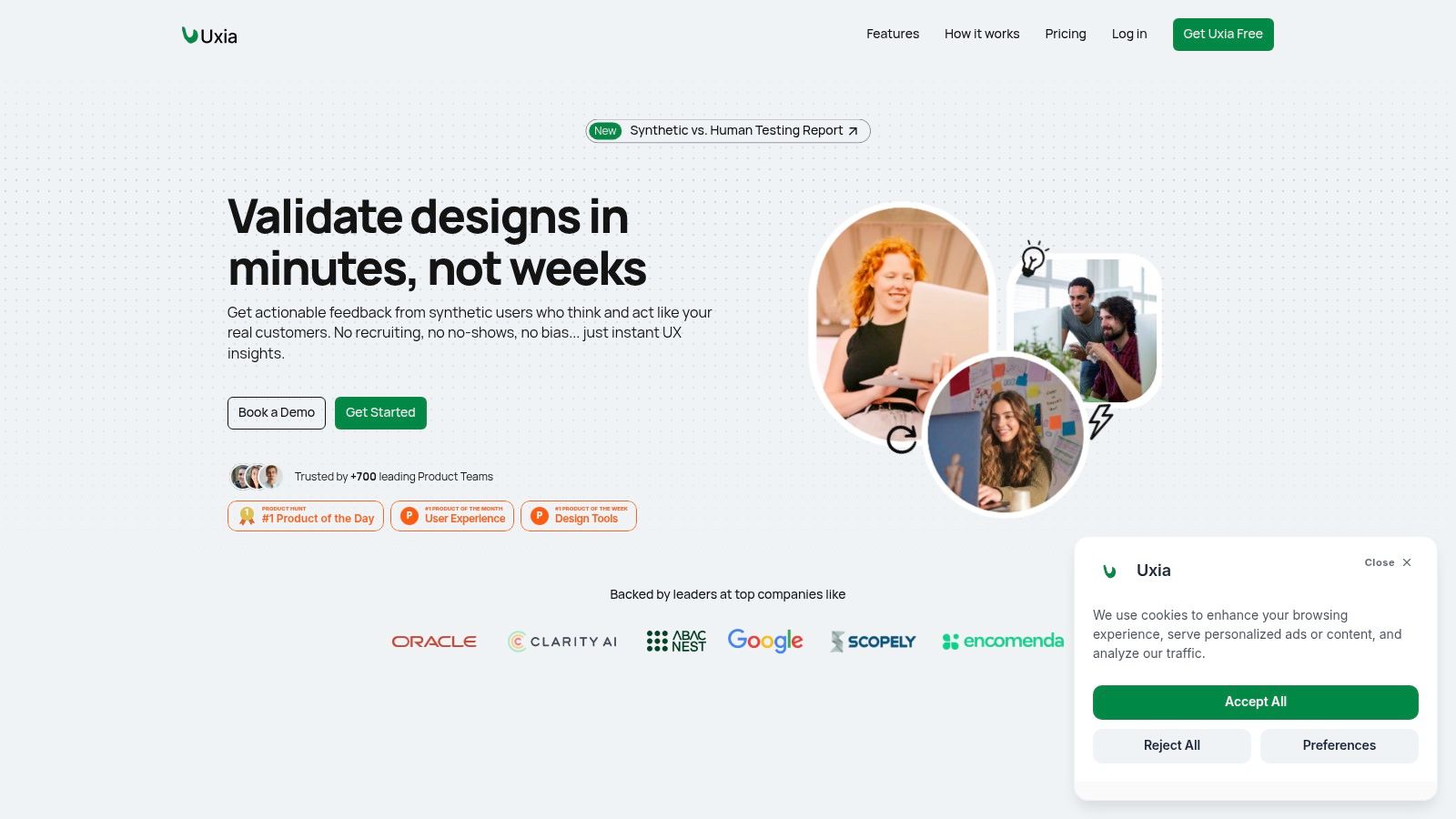
Its primary focus is on conducting thorough WCAG 2.2 (AA and AAA) checks, specifically on design elements. When a live product URL is uploaded, additional code-related criteria are also evaluated. If not, criteria that cannot be assessed are flagged for review and categorized for designers or developers to examine.
Each criterion is described in clear and straightforward terms, enabling users to grasp what needs to be assessed or identified as problematic, even if they lack prior knowledge of the Web Content Accessibility Guidelines (WCAG). A detailed list of actions is included, outlining the steps necessary to address and meet each criterion. This tool is particularly useful for designers who wish to assess the WCAG compliance of their designs and figure out how to fix issues or identify the appropriate experts to consult, all without having to be WCAG specialists themselves. Additionally, it functions as a project management resource to ensure that all criteria are fulfilled.
Core Strengths & Use Cases
Proactive Design Validation: Ideal for UX/UI designers and product managers to vet accessibility in Figma, Sketch, or Adobe XD mockups before developer handoff.
Bridging Compliance and Usability: Combines WCAG audits with UX insights (heatmaps, navigation flows, qualitative feedback) to prioritise fixes based on user impact.
Rapid Iteration: Fast, repeatable tests remove the overhead of recruiting and scheduling human participants, making it perfect for agile workflows.
Team Collaboration: Provides a centralised platform for designers, developers, and product owners to collaborate on accessibility. This is a core part of effective accessibility testing in a team environment.
Analysis & Considerations
Feature | Assessment |
|---|---|
WCAG Coverage | Comprehensive, covering WCAG 2.1 and 2.2 up to AAA level. |
Workflow | Best suited for pre-production design and prototyping stages. It is not a live browser extension or production code scanner. |
Limitations | Unless a URL is given, we cannot verify code concerning WCAG criteria. Nevertheless, we identify it and provide a straightforward explanation for developers on how to review it. |
Access & Pricing | Uxia operates on a subscription model with various tiers. A free trial or demo is typically available to explore its full capabilities. |
For teams serious about building inclusive products from the ground up, Uxia is an indispensable platform. It positions accessibility not as a final-stage compliance check, but as a foundational element of excellent user experience design.
Website: https://www.uxia.app/
2. Deque axe DevTools
Deque's axe DevTools is an industry-standard suite of accessibility testing tools built upon the highly respected open-source axe-core rules engine. It is specifically designed to integrate accessibility into the development process, empowering engineering teams to catch and fix issues early. The free browser extension provides a powerful entry point, allowing for on-demand WCAG scanning directly within Chrome, Firefox, or Edge developer tools. This makes it an exceptional choice for developers performing quick checks and for designers verifying component accessibility during the build phase.
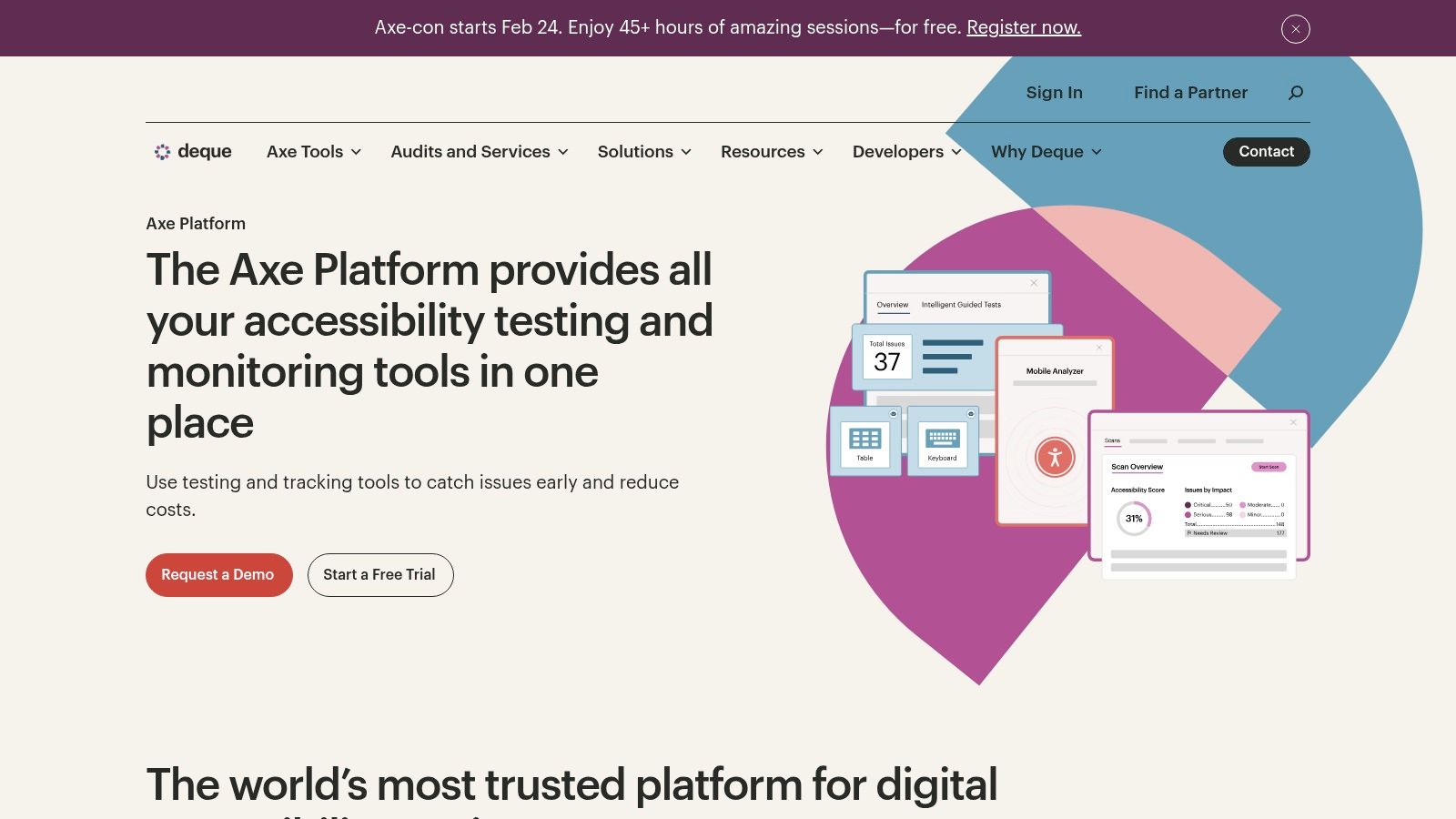
What sets axe DevTools apart is its scalability. While the free extension is a powerful WCAG checker tool on its own, its true strength lies in its ecosystem of paid products. The Pro version introduces guided "Intelligent Guided Tests" that help developers identify complex issues requiring human judgement, like keyboard trap detection or colour contrast on text over images. For enterprise-level adoption, axe Linter integrates directly into VS Code to flag issues as code is written, and CI/CD integrations automatically block inaccessible code from being merged.
Key Features and Use Case
Developer-Centric Workflow: Integrates seamlessly into existing developer tools and CI/CD pipelines.
Actionable Guidance: Provides clear, specific recommendations on how to fix identified issues, including code snippets.
Trusted Ruleset: Built on axe-core, which is continuously updated to reflect the latest WCAG standards and reduce false positives.
Guided Testing: The Pro plan's guided tests help bridge the gap between purely automated scanning and fully manual audits.
Practical Recommendation: While automated tools like axe are essential for catching a significant percentage of WCAG violations, they cannot replace the nuance of human experience. For a comprehensive strategy, teams should complement these checks with qualitative feedback. A platform like Uxia can provide rapid, AI-driven usability feedback early in the design process, ensuring the product is not just compliant but genuinely usable before development even begins.
Website: https://www.deque.com/axe
3. WAVE by WebAIM
WAVE, developed by the non-profit organisation WebAIM (Web Accessibility in Mind), is one of the most established and educational WCAG checker tools available. It is widely recognised for its highly visual approach to accessibility testing. Instead of just listing errors, WAVE injects icons and indicators directly onto a live version of your webpage, providing immediate, in-context feedback. This makes it an excellent starting point for designers, content creators, and product managers who are new to accessibility, as it clearly visualises where errors, contrast issues, and alerts occur. The free browser extensions for Chrome and Firefox allow for easy testing of local, password-protected, or dynamic pages.
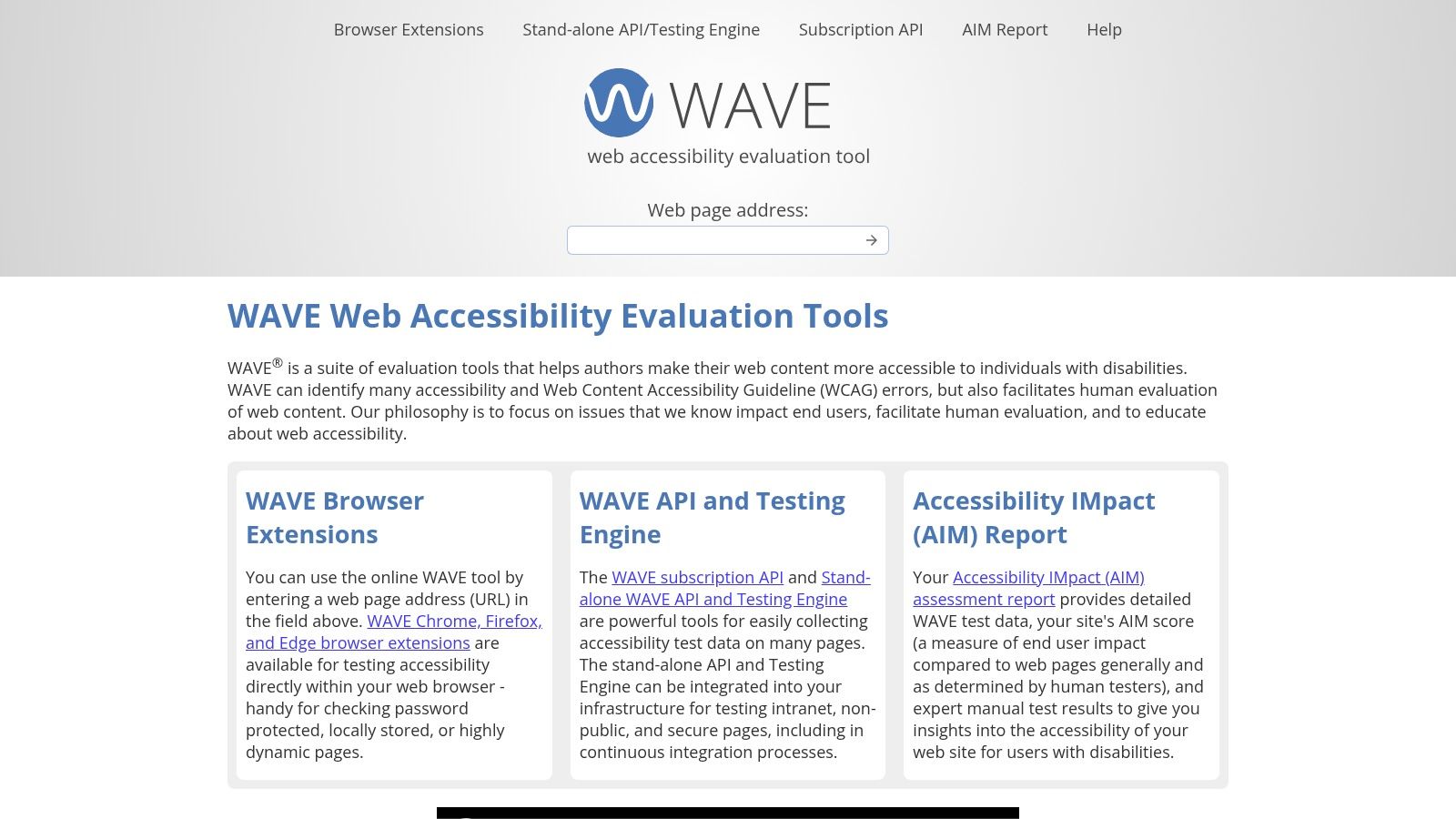
What distinguishes WAVE is its strong educational foundation. Each identified issue is linked directly to WebAIM’s extensive documentation, explaining the "why" behind the problem, its impact on users, and how to fix it according to WCAG standards. While the primary tool is designed for single-page analysis, WebAIM offers a paid API and a standalone testing engine for organisations needing to integrate automated checks into their development workflows or conduct large-scale site audits. This scalability allows teams to start with simple, free checks and grow into more sophisticated, programmatic testing as their needs mature.
Key Features and Use Case
Visual In-Page Feedback: Annotates the live webpage, making it easy to understand the location and context of accessibility issues.
Strong Educational Focus: Provides detailed explanations and links to credible documentation for every issue it finds.
Comprehensive Reporting: The side panel summarises findings, presents the DOM order, and allows for contrast checking.
API for Scalability: A paid API is available for developers to run programmatic checks and integrate WAVE into automated processes.
Practical Recommendation: Automated tools like WAVE excel at identifying clear-cut programmatic errors but often flag items as "alerts" that require human interpretation. For instance, WAVE can identify if alt text exists, but it cannot judge if it is meaningful. To cover these gaps, complement automated scans with qualitative user testing. A platform like Uxia can analyze design prototypes, providing AI-powered feedback on usability and accessibility before code is written, helping to validate that your product is not only technically compliant but also provides a genuinely positive user experience.
Website: https://wave.webaim.org
4.BrowserStack Accessibility Testing
BrowserStack Accessibility Testing is a comprehensive solution for checking accessibility
across websites and web applications. It helps teams identify WCAG violations through
automated scans and validate accessibility through assisted and manual testing. This makes it
useful for teams that need to assess accessibility throughout development and QA, rather than
relying on a single end-of-cycle audit.
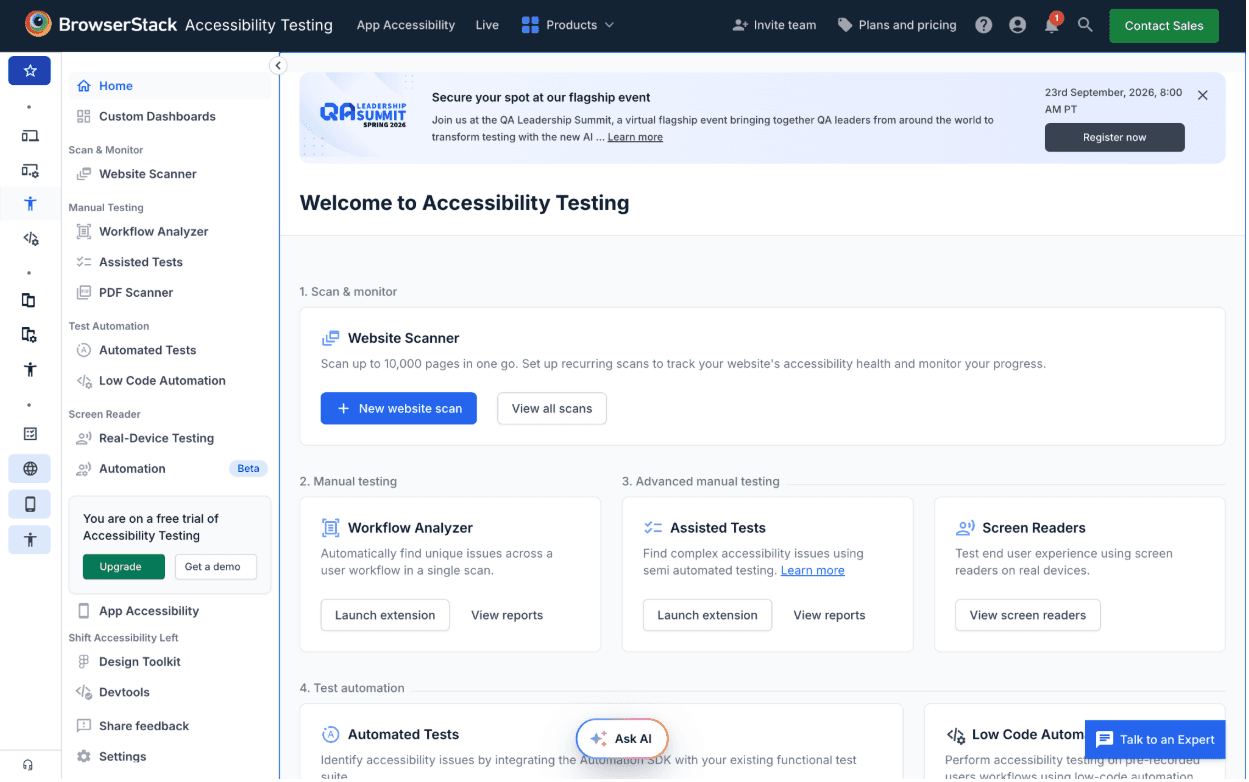
What distinguishes BrowserStack is its workflow-based approach to accessibility testing. Instead of limiting checks to individual pages, its Workflow Analyzer can scan multiple pages and states as users move through a workflow. Teams can then combine automated findings with assisted tests and screen reader testing to cover issues that require additional validation and human judgement.
Key Features and Use Case
Workflow-Based Testing: Scan multiple pages and states within a user journey to identify accessibility issues across workflows.
Automated WCAG Testing: Detect accessibility issues using BrowserStack's accessibility rule engine and map findings to applicable WCAG guidelines.
Assisted Testing: Perform keyboard and interactive-element checks for issues that automated scans may not fully evaluate.
Screen Reader Testing: Test websites with screen readers such as NVDA, VoiceOver, and TalkBack.
Practical Recommendation: BrowserStack Accessibility Testing is a strong fit for teams that need to combine automated WCAG checks with workflow-based and manual validation. It is particularly useful for applications where accessibility issues can depend on user interactions or different page states. As with other automated WCAG checker tools, its findings should be supplemented with manual testing and human judgement for issues that cannot be reliably assessed programmatically.
5. Google Lighthouse (Accessibility audits)
Google Lighthouse is an open-source, automated tool built directly into Chrome DevTools, making it one of the most accessible and widely used WCAG checker tools available. Its primary function is to provide quick, high-level audits across several key areas, including performance, SEO, and, crucially, accessibility. Because it's integrated into the browser developers already use, Lighthouse serves as an excellent first-pass check to catch low-hanging fruit and establish a baseline accessibility score during development and quality assurance.
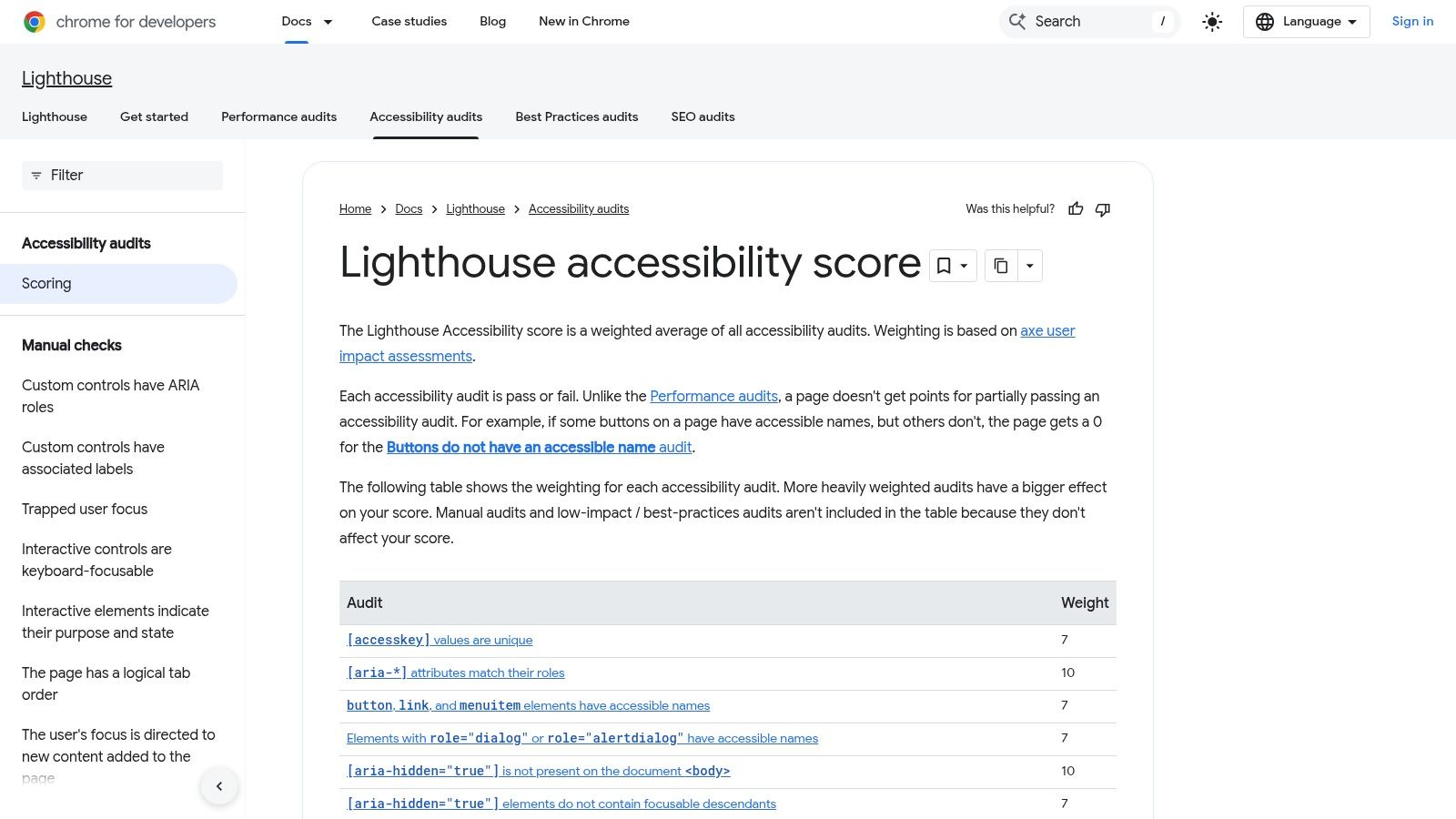
What makes Lighthouse particularly useful for cross-functional teams is its holistic view. A developer can run a single report to get insights on page speed and accessibility simultaneously, helping them understand how different aspects of a webpage interact. The reports are easy to generate, share (as HTML/JSON files), and understand, with a clear scoring system from 0 to 100. For automation, Lighthouse can be run via the command line (CLI) or as a Node module, allowing it to be integrated into continuous integration (CI) pipelines to prevent accessibility regressions.
Key Features and Use Case
Integrated into Chrome DevTools: No installation is needed; it's readily available for instant one-click audits.
Comprehensive Reporting: Provides an accessibility score alongside actionable feedback and links to further documentation.
Automation Capabilities: Can be scripted via CLI and integrated into CI/CD workflows for consistent monitoring.
Zero Cost: Being a free and open-source tool, it is an accessible entry point for any team or individual.
Practical Recommendation: Lighthouse is a powerful tool for initial automated checks, but its scope is limited to what machines can detect. An accessibility score of 100 does not guarantee full WCAG conformance. To cover the critical gaps left by automation, teams should supplement Lighthouse audits with qualitative testing. Before development, Uxia can analyze design mockups to identify potential usability and accessibility issues, providing essential human-like feedback needed to validate that your product is not just technically compliant but truly usable for everyone.
Website: https://developer.chrome.com/docs/lighthouse/accessibility
6. Microsoft Accessibility Insights
Microsoft Accessibility Insights is a powerful set of free, open-source tools designed to integrate accessibility directly into the development and design workflow. Available as a browser extension (for Chrome and Edge) and a standalone Windows application, it provides a practical, hands-on approach to identifying and fixing WCAG issues. Its standout feature, FastPass, is a quick, two-step process that helps developers detect many of the most common, high-impact accessibility problems in under five minutes, making it an excellent companion for rapid iteration and QA cycles.
What makes Accessibility Insights particularly valuable is its emphasis on education and guided testing. Beyond the initial automated scan, the tool offers a comprehensive assessment that walks users through a series of manual and assisted checks required for full WCAG conformance. It provides clear instructions, visual helpers like tab stop visualisations, and tools for colour contrast analysis, which helps teams not only find issues but also understand the principles behind them. This educational approach makes it an exceptional WCAG checker tool for teams looking to build their internal accessibility expertise.
Key Features and Use Case
FastPass for Quick Scans: Rapidly identifies common, high-impact issues without requiring deep accessibility knowledge.
Guided Assessments: Provides a step-by-step workflow for comprehensive manual checks, covering all applicable WCAG success criteria.
Visual Helpers: Includes tools like a colour contrast checker and tab stop visualisation to simplify the detection of specific issues.
Completely Free and Open Source: Offers robust functionality with no cost barrier, supported by an active community.
Practical Recommendation: While Accessibility Insights provides an excellent framework for combining automated and manual checks, it focuses on page-level analysis rather than site-wide crawling. To get a complete picture, teams should use these findings to inform a broader testing strategy. This is where qualitative feedback becomes crucial. By using a platform like Uxia to test prototypes before development, teams can validate their design choices and uncover usability barriers that automated tools and manual checklists might miss, ensuring the final product is both compliant and truly inclusive.
Website: https://accessibilityinsights.io
7. Siteimprove Accessibility
Siteimprove Accessibility is a comprehensive, enterprise-grade platform designed for organisations managing large, complex digital footprints. It moves beyond simple page scanning to offer continuous, site-wide monitoring, providing a holistic view of accessibility health across entire websites, including PDF documents. The platform excels at translating raw scan data into manageable workflows, making it a strong choice for large teams that require governance, progress tracking, and collaboration features to maintain WCAG compliance at scale. Its automated crawling and prioritisation help teams focus on the most critical issues first.
What distinguishes Siteimprove is its focus on integrating accessibility into the entire digital lifecycle. Beyond its powerful dashboard, it offers an Accessibility Code Checker designed to "shift left," integrating with popular testing frameworks like Selenium, Playwright, and Cypress. This allows development teams to catch accessibility bugs directly within their local development environments or CI/CD pipelines before they ever reach production. This combination of high-level governance and granular, developer-focused tooling provides a mature solution for embedding accessibility into an organisation's core processes, although pricing is quote-based and tailored to larger enterprises.
Key Features and Use Case
Enterprise-Wide Governance: Provides dashboards and reporting for tracking accessibility compliance across multiple websites and teams.
PDF Accessibility Scanning: One of the few automated tools that can crawl and check PDF documents for common accessibility failures.
CI/CD Integration: The Accessibility Code Checker allows for automated checks within development and deployment pipelines.
Prioritised Action Plans: Issues are categorised by WCAG conformance level and severity, helping teams tackle the most impactful problems first.
Practical Recommendation: Automated platforms like Siteimprove are invaluable for managing compliance at scale, but they must be paired with human-centred validation. An automated check can confirm an alt tag exists, but it cannot determine if the description is meaningful. To cover this gap, use a platform like Uxia to test Figma prototypes for usability issues before development. This provides the qualitative feedback needed to ensure your digital experiences are not just compliant, but genuinely inclusive and usable.
Website: https://www.siteimprove.com/toolkit/accessibility-checker/accessibility-checker/?utm_source=openai
8. Monsido (Acquia Optimize)
Monsido, now part of the Acquia Optimize suite, is a comprehensive web governance platform that extends beyond accessibility to include quality assurance, SEO, and performance monitoring. This positions it as an ideal WCAG checker tool for marketing, communications, and governance teams who require a holistic view of their digital presence. Rather than focusing solely on developer workflows, Monsido provides a high-level dashboard that tracks accessibility scores over time, prioritises issues across entire websites, and helps organisations maintain compliance as content is updated. It offers automated, recurring scans that support the latest WCAG standards, including 2.2.
What differentiates Monsido is its unified approach. It allows non-technical team members to understand accessibility health at a glance through clear scoring and prioritised task lists. While it provides guidance for remediation, the platform is primarily focused on detection and ongoing governance, leaving the actual code fixes to the development team. Its optional PDF accessibility module is another key feature, offering scanning and a workflow for remediating documents, an area often overlooked by developer-centric tools. This makes it a strong choice for large organisations managing multiple sites and a high volume of content.
Key Features and Use Case
Unified Governance Dashboard: Combines accessibility scanning with SEO, performance, and content quality assurance checks.
Prioritised Remediation: Generates actionable, prioritised lists of accessibility issues to guide teams on what to fix first.
PDF Accessibility Scanning: An optional add-on provides a dedicated workflow for identifying and fixing accessibility issues in PDF documents.
Progress Tracking: Ideal for managers and compliance officers who need to monitor accessibility improvements and report on progress over time.
Practical Recommendation: While Monsido excels at site-wide monitoring and governance, its automated nature means it primarily identifies technical violations. To truly understand the user experience behind the accessibility scores, this quantitative data should be paired with qualitative insights. Uxia can provide this by testing design mockups to reveal usability barriers that an automated scan might miss. This combined approach ensures your website is not only compliant but also genuinely usable for everyone.
Website: https://www.acquia.com/products/monsido
9. TPGi ARC Platform + ARC Toolkit
The TPGi ARC Platform and its free ARC Toolkit browser extension offer a robust pathway for organisations to mature their accessibility practices. Developed by The Paciello Group (TPGi), a highly respected accessibility consultancy, this suite is built on a deep understanding of WCAG standards. The free ARC Toolkit, available for Chrome and Firefox, is an excellent entry-point WCAG checker tool for developers and QA testers to perform detailed, single-page accessibility analysis directly within their browser's developer tools. It provides granular, code-level feedback that helps pinpoint the source of accessibility violations quickly.
The primary differentiator for TPGi is its scalable ecosystem. While the toolkit handles ad-hoc checks, the paid ARC Platform transforms accessibility testing from an individual task into a centralised, manageable programme. It allows teams to monitor accessibility health across entire websites over time, integrating both automated scans and manual audit findings into a single dashboard. This provides enterprise-level visibility, tracking remediation progress and demonstrating compliance efforts, making it ideal for organisations moving beyond basic checks to a comprehensive accessibility management strategy.
Key Features and Use Case
Practitioner-Backed Ruleset: The toolkit and platform are powered by TPGi's expert-driven accessibility rules, ensuring high-quality, reliable violation detection.
Code-Level Guidance: The free toolkit excels at showing developers exactly where in the DOM an issue exists, speeding up the debugging process.
Centralised Programme Management: The ARC Platform provides dashboards, reporting, and analytics to manage accessibility at scale across multiple projects and teams.
Hybrid Testing Model: The platform is designed to consolidate data from automated scans, manual audits, and other sources into one unified view.
Practical Recommendation: Automated tools like the ARC Toolkit are powerful for identifying a wide range of programmatic issues, but they cannot assess the quality of the user experience. To ensure your digital products are truly usable, this automated data should be combined with qualitative feedback. A tool like Uxia can provide AI-driven insights on design files, whose real-world experiences can validate whether your technically compliant solution is also practical and intuitive.
Website: https://www.tpgi.com/arc-platform/arc-toolkit/
10. Level Access Platform
The Level Access Platform is an enterprise-grade solution designed for large organisations and regulated industries that require a comprehensive approach to digital accessibility. It moves beyond simple page scanning, offering a full suite of tools for governance, policy development, and programme management. Its automated scanning engine is highly configurable, allowing teams to test against specific standards like WCAG 2.1 and 2.2 at various conformance levels, as well as Section 508 and EN 301 549. This makes it a powerful WCAG checker tool for organisations with stringent legal and compliance obligations.
What distinguishes the Level Access Platform is its holistic nature. It combines automated testing with extensive manual testing libraries, professional services, and integrated training modules. This creates a centralised hub for an organisation's entire accessibility effort, providing dashboards and reporting that give leadership visibility into compliance risk across a vast digital portfolio. This integrated approach is ideal for enterprises seeking to embed accessibility into their operational DNA rather than treating it as a final-stage check.
Key Features and Use Case
Comprehensive Governance: Tools for establishing accessibility policies, assigning responsibilities, and tracking progress at an enterprise scale.
Robust Standards Coverage: Configurable scanning that supports multiple global accessibility standards beyond just WCAG.
Blended Testing Model: Combines automated scanning with resources for guided manual testing and access to professional accessibility experts.
Integrated Training: Offers learning modules directly within the platform to upskill development, design, and content teams.
Practical Recommendation: While the platform’s automated capabilities are extensive, achieving true usability requires understanding the human experience behind the standards. For teams looking to supplement enterprise-level compliance, Uxia offers a way to gather this crucial feedback early. By deploying synthetic users on design prototypes, you can get rapid, qualitative insights into real-world usability challenges. This approach complements the compliance-focused data from Level Access, providing a more complete picture of your product's accessibility and helping to bridge the gap between compliance and user experience.
Website: https://www.levelaccess.com
11. PowerMapper SortSite
PowerMapper SortSite is a robust desktop and cloud-based website crawler designed for comprehensive site-wide analysis. Unlike browser extensions that focus on single-page checks, SortSite is built to systematically crawl entire websites, making it an excellent WCAG checker tool for large-scale audits, pre-launch compliance sweeps, and ongoing monitoring. It checks against WCAG (2.0, 2.1, 2.2) and Section 508 standards, but its capabilities extend to identifying broken links, compatibility issues, and SEO problems, offering a holistic view of site health.
The primary differentiator for SortSite is its desktop-first approach, offering perpetual licences that appeal to freelancers, agencies, and organisations preferring one-time software purchases over recurring SaaS subscriptions. The desktop application can scan up to 22,000 pages in a single run, generating detailed, exportable reports that are ideal for client delivery or internal documentation. For teams requiring automation, the Developer edition includes a command-line interface (CLI) that can be integrated into build processes, bridging the gap between desktop convenience and automated workflows.
Key Features and Use Case
Comprehensive Site-Wide Crawling: Ideal for auditing large, complex websites for accessibility, broken links, and SEO in one go.
Desktop and Cloud Options: Offers flexibility with a perpetual desktop licence or a cloud-based service for different team needs.
Exportable, Shareable Reports: Generates detailed reports in various formats, simplifying the process of sharing findings with stakeholders.
Multi-Standard Validation: Checks against a wide array of standards, including all levels of WCAG, Section 508, and browser compatibility.
Practical Recommendation: While a powerful automated scanner, SortSite's reports pinpoint issues that still require human interpretation and validation to confirm context and impact. To enrich these automated findings, teams can leverage a platform like Uxia to test designs and prototypes before the site is even built. This provides essential qualitative feedback on the real-world usability of proposed flows, ensuring that the fixes are not only compliant but also genuinely improve the user experience.
Website: https://www.powermapper.com/products/sortsite
12. Pope Tech (Powered by WAVE)
Pope Tech is an enterprise-level accessibility platform built upon the well-regarded, open-source WAVE engine from WebAIM. It effectively scales the single-page functionality of the WAVE browser extension into a comprehensive, site-wide monitoring and management system. This makes it an ideal WCAG checker tool for organisations looking to move beyond ad-hoc page checks towards a structured, ongoing accessibility programme. By providing dashboards, scheduled scanning, and team-based workflows, it centralises accessibility data and simplifies governance across large, complex websites.
What distinguishes Pope Tech is its seamless upgrade path for teams already familiar with WAVE. It takes the trusted WAVE ruleset and embeds it within an environment designed for collaboration and continuous improvement. The platform offers features like integrations with Jira and Asana, CI/CD pipeline hooks, and an API on higher tiers, enabling accessibility to become a shared responsibility. With transparent entry-tier pricing, including a free plan for small sites, it offers an accessible entry point for organisations to formalise their accessibility efforts.
Key Features and Use Case
WAVE Engine at Scale: Leverages the trusted WAVE ruleset for site-wide scanning, reporting, and historical trend analysis.
Team Collaboration: Provides role-based access, team dashboards, and task management integrations to embed accessibility into team workflows.
Scheduled Monitoring: Automates regular scans of entire websites to proactively catch new accessibility issues as they arise.
Structured Governance: Ideal for multi-site management, providing centralised oversight for universities, government agencies, and large corporations.
Practical Recommendation: Automated platforms like Pope Tech are invaluable for maintaining a baseline of compliance and monitoring for regressions. However, the data they provide is quantitative. To truly understand the impact of identified issues, this data should be paired with qualitative insights. Uxia can supplement Pope Tech's findings by testing design mockups for real-world usability, ensuring your website is not only compliant but also genuinely accessible from the very start of the design process.
Website: https://pope.tech
13. TAW (Fundación CTIC)
TAW (Test de Accesibilidad Web) is a long-standing suite of WCAG analysis tools developed by the Spanish technology centre, Fundación CTIC. Primarily serving the Spanish-speaking and European communities, it offers a free online checker that has become a staple for organisations aligning with regional accessibility mandates. Its strength lies in its focus on standards relevant to the European Union, such as UNE-EN 301 549, making it a particularly useful resource for public sector entities and companies targeting the EU market.
The platform provides a simple, URL-based analysis that generates reports on WCAG conformance. While its interface and underlying checks primarily reference WCAG 2.1, it remains a valuable tool for quick assessments and educational purposes. TAW distinguishes itself from developer-centric browser extensions by offering observatory and large-scale monitoring tools. This makes it suitable not just for single-page checks but for larger research projects or government initiatives aiming to track the accessibility of numerous public websites over time, a niche not served by most other free WCAG checker tools.
Key Features and Use Case
EU Standards Alignment: Specifically tailored for compliance with European public sector accessibility standards like UNE-EN 301 549.
Observatory Tooling: Offers capabilities for large-batch analysis and monitoring, ideal for academic research or governmental oversight.
Spanish-Language Focus: Provides comprehensive resources, documentation, and reporting in Spanish, serving a significant user base in Spain and Latin America.
Free Online Checker: A simple, no-cost way to perform a basic WCAG analysis on any public URL.
Practical Recommendation: While TAW provides a solid foundation for automated checks, particularly for EU-centric compliance, its reports are a starting point. The automated findings should be validated and expanded upon with real-world user feedback. Platforms like Uxia can complement TAW's technical output by testing design concepts with AI synthetic users, ensuring the digital experience is not just technically compliant with standards like the European Accessibility Act but is also genuinely usable and frustration-free for everyone.
Website: https://www.fundacionctic.org/es/proyectos/taw
WCAG Checker Tools: 12-Tool Comparison
Tool | Core features | Quality (★) | Price & Value (💰) | Target (👥) | Why choose / Unique (✨) |
|---|---|---|---|---|---|
🏆 Uxia — Accessibility Testing | WCAG 2.1/2.2 AA/AAA checks, vision simulation, transcripts, prioritized reports | ★★★★★ One by one WCAG guidelines checks | 💰 Tiers: SMB → Enterprise; fast ROI, saves recruiting time | 👥 Product & design teams, UX researchers | ✨ Fast and scalable validation of WCAG. Plain language and easy to understand. |
Deque axe DevTools | axe-core rules, browser extension, CI/linter integrations | ★★★★ Trusted developer tooling | 💰 Freemium extension; Pro & bundles for CI | 👥 Engineers, QA teams | ✨ Strong dev integrations and actionable fix guidance |
WAVE by WebAIM | Visual on-page annotations, browser extensions, API | ★★★ Good for education & quick checks | 💰 Free extension; paid API for scale | 👥 Educators, content teams, small sites | ✨ Clear visual feedback and learning resources |
BrowserStack Accessibility Testing | Automated WCAG scanning, workflow testing, assisted tests, screen reader testing | ★★★★ Comprehensive testing across workflows | 💰 Paid plans; trial available | 👥 Product teams | |
Google Lighthouse (Accessibility) | One-click audits in DevTools, CLI, exportable reports | ★★★ Useful CI baseline checks | 💰 Free; integrates with PageSpeed/CI | 👥 Developers, performance/SEO teams | ✨ Zero-cost baseline audits with automation hooks |
Microsoft Accessibility Insights | FastPass, guided assessments, color-contrast tools | ★★★ Practical hands-on checks | 💰 Free & open-source | 👥 Devs & designers new to accessibility | ✨ Guided workflows and visual helpers for fast fixes |
Siteimprove Accessibility | Site-wide crawling, dashboards, PDF checks, CI integrations | ★★★★ Enterprise-grade coverage | 💰 Quote-based (enterprise) | 👥 Large organizations, governance teams | ✨ Scanning + governance + training for programmatic compliance |
Monsido (Acquia Optimize) | Site-wide WCAG scanning, scoring, remediations, PDF | ★★★★ Governance & dashboards | 💰 Quote-based; enterprise skew | 👥 Marketing/comms, web governance teams | ✨ Unified QA + accessibility dashboarding for cross-team workflows |
TPGi ARC (Platform & Toolkit) | ARC Toolkit extension, ARC Platform for scale, expert rule sets | ★★★★ Practitioner-focused | 💰 Free toolkit; paid platform for orgs | 👥 Accessibility practitioners, maturity-focused teams | ✨ Code-level guidance + path to organizational program maturity |
Level Access Platform | Scanning (WCAG 2.2), governance, training, services | ★★★★ Strong for regulated industries | 💰 Enterprise pricing & services | 👥 Regulated orgs, large enterprises | ✨ Deep standards support (Section 508/EN), governance & services |
PowerMapper SortSite | Desktop/cloud crawls, WCAG checks, SEO, exportable reports | ★★★ Useful for agencies/freelancers | 💰 Affordable perpetual licenses | 👥 Agencies, freelancers, small IT teams | ✨ High-volume desktop scans and exportable reports |
Pope Tech (WAVE-powered) | WAVE engine + site-wide scanning, dashboards, integrations | ★★★ Monitoring + easy upgrade path | 💰 Freemium entry; paid tiers scale | 👥 Teams moving from page checks to monitoring | ✨ WAVE engine with scheduling, dashboards and team workflows |
TAW (Fundación CTIC) | WCAG checker, observatory tooling, EU/Spain alignment | ★★ Good for Spanish/EU public sector | 💰 Free; research/observatory options | 👥 Spanish/LatAm public sector, EU-focused teams | ✨ Free Spanish-language tools and observatory data for public-sector compliance |
Integrating Your Tools into a Winning Accessibility Workflow
Navigating the landscape of WCAG checker tools can feel overwhelming, but the journey towards digital accessibility is not about finding a single, perfect solution. As we have explored, the most effective approach is to build a robust, multi-layered strategy. The true power lies not in any individual tool, but in how you integrate a combination of them into a coherent workflow that spans the entire product development lifecycle. Relying solely on a post-launch scanner is like installing a smoke alarm after the fire has already started; it's reactive and costly. A proactive, integrated workflow is the cornerstone of sustainable accessibility.
The key takeaway is this: automation is an ally, not a replacement for human expertise. No single WCAG checker tool can definitively declare a site "accessible". They are powerful assistants designed to catch a significant portion of common, code-based violations, freeing up your team's valuable time to focus on the more nuanced and complex issues that require manual evaluation and, most importantly, human judgment. An automated tool can verify if an image has an alt-text attribute, but it cannot determine if that text provides a meaningful, contextually appropriate description.
Crafting a Stage-Based Accessibility Strategy
To truly embed accessibility into your organisation's DNA, you must shift your focus "left", addressing potential issues at the earliest possible stage. This proactive approach saves immense time, resources, and remediation headaches down the line. A mature accessibility workflow strategically deploys different types of WCAG checker tools at each phase of development.
Here is a practical, stage-based framework to guide your implementation:
Design & Prototyping Stage: This is your highest-impact opportunity. Before a single line of code is written, you can identify and resolve fundamental accessibility barriers in your user flows, colour contrast, and component design.
Recommended Tool: A platform like Uxia is purpose-built for this phase. By testing design mockups and prototypes, you catch critical issues related to cognitive load, navigation clarity, and visual accessibility, ensuring your designs are inclusive from their inception. This provides the greatest return on investment.
Development Stage: Equip developers with the tools they need to find and fix issues in real-time as they build. This creates a culture of ownership and prevents basic errors from ever reaching the main codebase.
Recommended Tools: Browser extensions such as Deque axe DevTools or Microsoft Accessibility Insights are indispensable for on-the-fly checks within the local development environment. Integrating automated testing into your CI/CD pipeline with an axe-core-based library further automates this process, acting as a quality gate.
QA & Pre-Launch Auditing: As you prepare for a release, your Quality Assurance team needs to perform more comprehensive checks. This stage combines automated scanning with guided manual testing to ensure broader coverage.
Recommended Tools: Use a site-wide crawler like Siteimprove or Pope Tech on staging environments to get a complete picture of the application. Complement this with tools like BrowserStack Accessibility Testing for workflow-based accessibility checks, automated WCAG testing, and screen reader validation, alongside the guided testing features in Accessibility Insights for issues automation cannot detect.
Post-Launch Monitoring & Maintenance: Accessibility is not a one-time project; it's an ongoing commitment. After launch, you need to monitor for regressions that can be introduced with new features or content updates.
Recommended Tools: Enterprise platforms like the Level Access Platform or TPGi ARC provide continuous, automated monitoring and reporting. This helps you maintain compliance over time and quickly identify any new accessibility issues that arise.
Your Path Forward to Accessibility Excellence
By adopting this layered approach, you transform your process from a last-minute compliance checklist into a proactive system for creating genuinely usable and inclusive digital products. The WCAG checker tools detailed in this article are your essential partners in this mission. They provide the data, efficiency, and scale needed to make accessibility a manageable and integral part of how your team works. Remember to always supplement their findings with manual testing and, when possible, usability testing with individuals with disabilities. This combination of technology and human insight is the undisputed formula for success.
Ready to shift your accessibility efforts to the most impactful stage of your workflow? Uxia empowers your team to test for WCAG compliance and usability issues directly within your design files. Start building inclusivity from the very beginning by visiting Uxia and see how a design-first approach can transform your accessibility outcomes.