10 Best Free Heatmap Tool Options for 2026
Compare the best free heatmap tool options for 2026, including heatmap types, session replay, free-tier limits, workflows, and use cases.

What should a free heatmap tool tell you? A colored page overlay can show where visitors click, scroll, tap, or stop engaging, but that picture alone doesn't tell you whether the tool fits your traffic, privacy requirements, replay needs, integrations, or research workflow. The practical choice changes depending on whether you're diagnosing a live website, investigating a conversion leak, or validating a prototype before development begins.
This list compares 10 free heatmap tool options for 2026 by workflow fit rather than feature count. The options include SaaS platforms, a self-hosted analytics system, a WordPress plugin, broader CRO suites, and Uxia as a complementary way to test image or video prototypes with synthetic users before live traffic exists. Heatmap analytics has become a substantial software category, with one market estimate valuing the global market at US$3.8 billion in 2024 and projecting US$6.6 billion by 2030, at a projected 9.7% CAGR, while website analytics represented US$1.04 billion in 2025 in that estimate (market analysis from Research and Markets).
The evaluation focuses on heatmap coverage, session replay, integrations, free-tier restrictions, setup effort, audience fit, and the next action each tool supports. If you're also building an AI-assisted optimization process, these conversion rate optimization tips with AI provide useful context for turning observations into experiments.
1. Microsoft Clarity
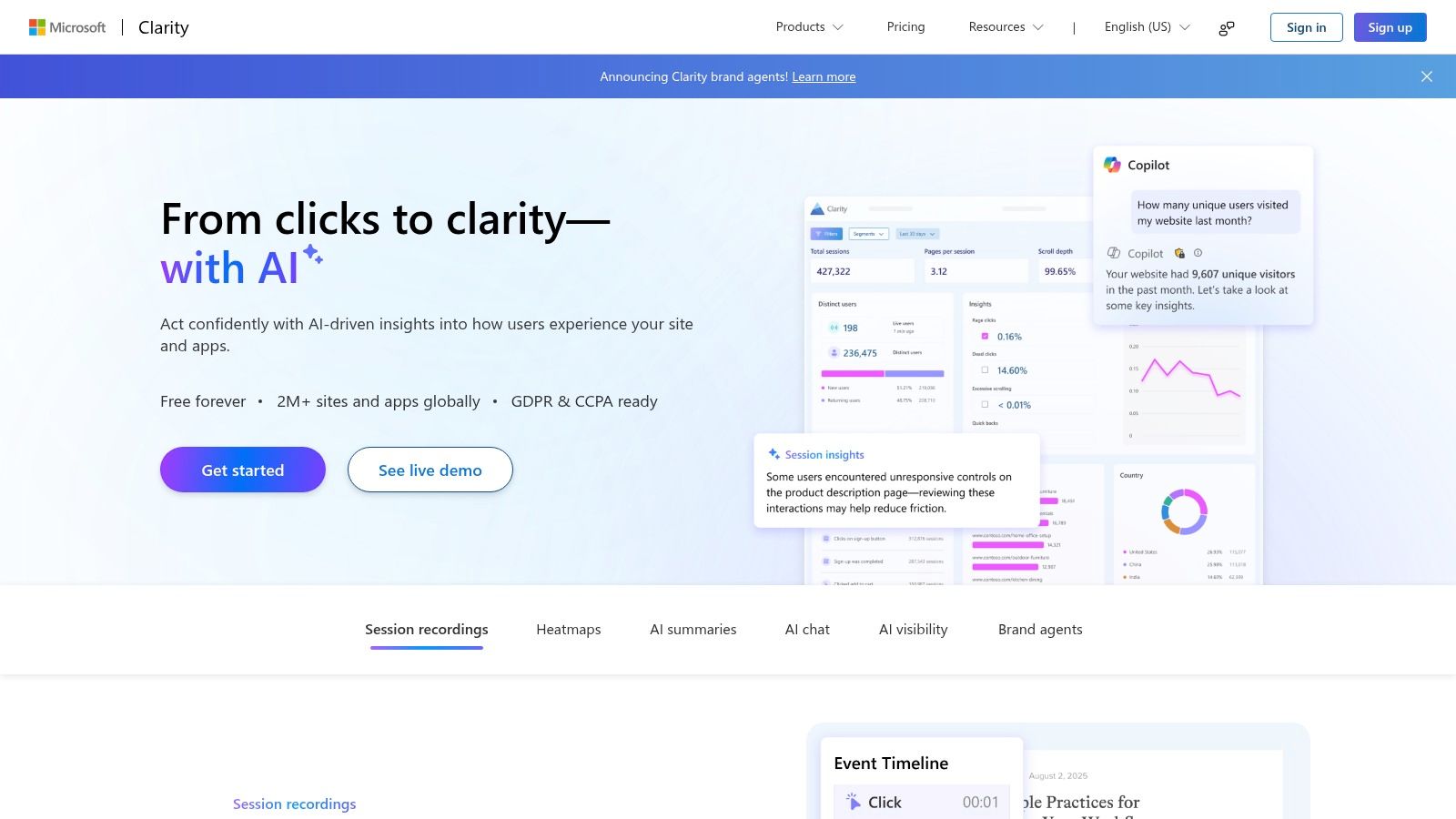
Microsoft Clarity is the strongest starting point for teams that need uncapped behavioral evidence without a software budget. It provides click, scroll, and session-recording heatmaps, along with rage-click and dead-click detection. Microsoft positions Clarity as free, with no traffic caps or session limits, making it a practical baseline for startups, product teams, and agencies working across sites with unpredictable traffic (Microsoft Clarity).
Setup is relatively light. Once the tracking code is installed, teams can review page behavior, filter recordings, and connect Clarity with tools such as Google Analytics and BigQuery. That combination makes it useful for a product manager who needs to identify friction quickly, or a designer who wants evidence before changing a navigation pattern. It also supports unlimited team members and heatmaps, according to independent comparisons of free heatmap platforms (Inspectlet's comparison of heatmap tools).
Where Clarity stops short
Clarity isn't a complete CRO suite. It lacks built-in A/B testing, advanced form analytics, surveys, and some deeper conversion workflows. Retention and sampling controls can also be less flexible than those in paid behavioral analytics products.
Use Clarity to answer, “Where is live behavior breaking down?” Then turn that observation into a hypothesis, prototype the alternative, and validate the intended flow with data-driven design before shipping. For teams that need a no-cost production baseline, Clarity is the clearest recommendation.
Practical rule: Install Clarity for live behavior, but don't treat a heatmap as proof that a proposed redesign will improve conversion.
2. Contentsquare Free Formerly Hotjar Basic
Contentsquare Free, formerly associated with Hotjar Basic, suits teams that value an approachable interface and a clear path toward surveys, feedback, and broader qualitative research. The entry-level experience centers on classic click and scroll heatmaps, session replays, and straightforward sharing with stakeholders. That makes it a comfortable choice for UX researchers and agencies that need to explain behavior findings to non-analysts.
Hotjar remains one of the most recognized names in heatmap analytics. Its product page says the platform is used by more than 1.1 million websites across 180+ countries, a claim available on Hotjar's heatmaps analytics page. That broad familiarity can reduce stakeholder resistance when a client or leadership team already knows the interface.
The trade-off is volume. Hotjar's free tier is designed as an entry point rather than a fully unlimited research system. One independent comparison reports a free limit of 35 sessions per day, so active websites can exhaust the available sample quickly (free heatmap tool comparison). Contentsquare's packaging and feature names have also changed during the transition, so teams should verify the current plan details before committing to an implementation.
A short Growth trial is available after signup, then the account reverts to the Free plan. Use that period to test whether the reporting workflow works for your team, not just whether the dashboard looks polished. Hotjar is a sensible fit for small sites and teams that expect to add surveys later, but it isn't the best answer when unrestricted free sampling is the priority.
3. Plerdy
Plerdy is better understood as a compact CRO suite with heatmaps included. Alongside click and scroll maps, it combines session recordings, conversion and event tracking, popups, funnels, basic error monitoring, and GA4 integration. That breadth is useful for a small marketing team that doesn't want to coordinate several separate tools just to move from an observation to a conversion hypothesis.
The workflow is direct. A marketer can identify a low-engagement section in a scroll map, inspect recordings around that page, compare the behavior against conversion events, and then use a popup or funnel report to investigate the next step. For agencies, the wider toolset can also reduce the number of dashboards clients need to learn.
The cost of breadth
The free plan has daily limits and storage caps, so Plerdy is not equivalent to Clarity's uncapped baseline. It can also feel busy at first because heatmaps, SEO checks, popups, recordings, and conversion reports compete for attention. Tailoring reports early matters. Otherwise, the team may collect more signals than it can interpret.
Plerdy also offers a badging program that may grant access to higher-tier functionality at no charge, but teams should treat that as a product-specific option rather than a guaranteed capacity plan. The platform is most useful for small sites with defined CRO questions, not organizations that need a large, long-retention behavioral archive.
Visit Plerdy to confirm the current free-plan conditions, then test one complete workflow. Don't just create a heatmap. Follow one issue from click behavior to replay, conversion event, and recommended action. If that chain feels too crowded, a simpler tool may produce faster decisions.
4. Mouseflow
Mouseflow earns its place when the question is not merely “Where did users click?” but “Which step in this journey creates friction?” It combines click, scroll, movement, and dynamic-element heatmaps with session recordings, frustration signals, funnels, form analytics, JavaScript error tracking, and third-party integrations. Support for single-page applications makes it particularly relevant to SaaS products and modern product interfaces.
The free option provides a way to assess the replay and heatmap workflow before moving into deeper funnel and form analysis. That matters for product managers working on onboarding, checkout, or multi-step registration. A recording can show hesitation, but a funnel view helps connect that hesitation to a specific stage in the journey.
Mouseflow's free plan still has limits around sessions per month and retention. Busy sites may outgrow the sample quickly, and advanced filters and exports are generally reserved for paid tiers. Teams should also avoid comparing heatmap colors from different products as though the visual scales are interchangeable. Define the question, use the same page and segment where possible, and rely on the tool's own controls for interpretation.
Use replay when the aggregate pattern is ambiguous. A concentrated click area can reveal intent, but a recording often explains whether the user found the correct control, misread the interface, or clicked repeatedly because nothing responded.
For a SaaS team, Mouseflow is a good choice when funnel friction and form behavior sit at the center of the research plan. For a designer checking a single landing page, it may offer more machinery than necessary. Review the current plan on Mouseflow before installation.
5. Inspectlet
Inspectlet is a capable option for early-stage teams that want more than a basic click map. Its free experience includes click, scroll, and mouse-move heatmaps, dynamic and SPA support, session replay, AI insights, A/B testing, and error logging. The dynamic rendering is important because it can reconstruct real pages and interactive states more effectively than a static screenshot-based map.
That makes Inspectlet useful for diagnosing interfaces with menus, overlays, changing content, or application-style navigation. A UX researcher can combine an aggregate map with session replay, while a growth team can connect the observation to an experiment without immediately adding another platform.
The free tier still has constraints. Data retention is stricter, and collaboration plus some analytics features are gated behind paid plans. Higher-tier access also expands funnels and form analytics, so the platform's feature-rich appearance shouldn't be confused with unlimited research depth.
Best fit by team
Early-stage product teams: Use Inspectlet to identify obvious interaction problems before investing in a larger analytics stack.
Designers working on dynamic interfaces: Check whether the rendered heatmap represents the relevant state, especially after navigation or content changes.
Agencies: Confirm sharing and export requirements before promising a client a repeatable reporting process.
Independent guidance describes Inspectlet as strong for basic heatmapping while noting that free tools commonly lack advanced form analytics, surveys, and broader experimentation workflows (Inspectlet's heatmap guide). Inspectlet works well when rapid diagnosis matters more than long-term data retention. See the current product details at Inspectlet.
6. Zoho PageSense Free
Zoho PageSense is aimed at startups and small teams that want heatmaps inside a broader conversion optimization environment. The platform combines click and scroll maps, grouped page analysis, session recordings, funnels, and form analytics, with some capabilities depending on the selected plan. Its connection to the Zoho ecosystem can reduce vendor sprawl for organizations already using Zoho products.
The main attraction is consolidation. A product manager can review a page, examine recordings, define a funnel, and later explore experimentation without immediately replacing the tool. That workflow suits teams that expect their optimization program to mature but don't yet need a specialized enterprise platform.
The free plan is constrained by a monthly visitor threshold and shorter data retention. Those limits change the practical recommendation. A startup with modest traffic can use PageSense as a lasting working tool, while a growing site may find that the free plan captures only a partial picture. Teams should check whether the cap applies to the pages and segments they need to monitor, rather than evaluating the plan only from its feature list.
Before you install
Confirm how PageSense handles:
Visitor limits: Determine when the free plan stops collecting useful coverage.
Retention: Check whether the data remains available long enough for a design cycle.
Plan-dependent features: Verify which funnel and form reports are included without an upgrade.
Ecosystem fit: Make sure the Zoho connection reduces work instead of adding another disconnected dashboard.
Zoho PageSense is a reasonable choice for small businesses seeking an integrated CRO path. It isn't the safest default for high-traffic sites that need broad, continuous sampling at no cost.
7. Open Web Analytics
Open Web Analytics, or OWA, takes a different approach from hosted SaaS tools. It's a self-hosted, open-source analytics platform with click heatmaps, path and referrer analysis, and DOM-based session replay. Because the organization controls the hosting environment, OWA can suit teams that place first-party data, data residency, or on-premise deployment ahead of dashboard convenience.
That control changes the work required. The team owns installation, server configuration, updates, access management, backups, and ongoing maintenance. OWA may be free to license, but it isn't free of operational responsibility. A UX researcher who needs to start collecting evidence immediately may prefer a hosted tool, while an enterprise engineering team with strict governance requirements may consider the additional setup worthwhile.
The DOM-based replay model also deserves careful evaluation against the site's technical architecture. Test representative flows before relying on the platform for sensitive or highly dynamic interfaces. Confirm that recorded sessions omit information your organization shouldn't retain, then align collection with internal consent and retention rules.
Data ownership is a workflow decision, not just a procurement decision. Self-hosting gives your team more control, but it also makes your team responsible for keeping that control reliable.
OWA is the strongest match in this list for privacy-conscious organizations, regulated environments, and teams with technical ownership of analytics infrastructure. Read this open source analytics guide for broader context, then review Open Web Analytics against your hosting and governance requirements.
8. Yandex Metrica Click Map
Yandex Metrica combines a free click-map feature with standard web analytics and session replay. Its click map offers multiple display modes, while grouped page analysis and time-range controls help teams compare behavior across pages or periods. That combination makes it useful when a team wants a basic interaction view without maintaining a separate heatmap dashboard.
The appeal is speed. A marketer can add the analytics solution, examine click distribution, review a replay, and use the surrounding reporting context to investigate a page. Agencies may also find the grouping controls useful when analyzing related templates rather than a single URL.
The limitations concern fit rather than basic functionality. Some US enterprises may reject the platform because of data-residency or privacy considerations, and its interface and documentation may feel less polished than leading SaaS competitors. Those concerns should be resolved during vendor review, not after tracking has been deployed across a production property.
For a click-map workflow, read how click maps support UX analysis before deciding what evidence you need from live traffic. A click map can identify interaction concentration, but it won't explain prototype intent before implementation.
Yandex Metrica is most appropriate for teams that prioritize free integrated analytics and click mapping and have confirmed that the platform's governance requirements fit their market. Review the current service at Yandex Metrica.
9. Aurora Heatmap WordPress Plugin
Aurora Heatmap is a focused choice for WordPress-only websites that want click heatmaps inside the WordPress administration area. It doesn't require a separate third-party SaaS dashboard, which keeps the workflow familiar for small publishers, client blogs, and site owners who already manage analytics from WordPress.
The plugin's narrow scope is also its advantage. A WordPress administrator can review click behavior without adopting a broader CRO suite, and the deployment is lightweight for a single site. Compatibility notes for common caching setups matter because caching, optimization plugins, and JavaScript changes can affect collection or rendering.
Aurora isn't intended to replace a full behavioral analytics platform. It offers fewer replay, funnel, form, integration, and collaboration capabilities than the SaaS tools in this list. It also can't serve non-WordPress sites, so agencies managing mixed stacks would need a separate approach for Webflow, custom applications, or ecommerce platforms outside WordPress.
Before publishing findings, check that the heatmap still works after cache configuration and JavaScript optimization changes. Then connect the result to a specific usability question, such as whether a landing-page section attracts attention or whether a navigation control is being overlooked. This landing-page usability testing guide can help structure the next step.
Aurora is a practical fit for a small WordPress site with simple click-map needs. Visit Aurora Heatmap on WordPress.org and test it on a representative page before rolling it out across a client portfolio.
10. Ptengine
Ptengine targets growth teams that want heatmaps connected to campaigns, personalization, popups, and experimentation. Its visual heatmaps and scroll-depth tracking support dynamic elements, while trigger-based campaigns, funnels, A/B testing, and personalization keep the platform closer to a broader growth suite than a standalone visualizer.
That breadth can help a marketing team move from observation to action in one interface. For example, a team might use a heatmap to identify weak engagement with a call to action, create a targeted popup for a defined audience, and compare page variants through the platform's testing features. The workflow is more relevant to growth operators than to a designer who only needs a quick map of a new page.
The free-plan trade-off is clarity. Public pricing and free-tier limits are less explicit than those of some competitors, and documentation or feature names can vary by region. Treat the signup experience as an evaluation, not a commitment. Ask what data volume, retention, integrations, export options, and experiment capacity remain available after the introductory access ends.
When Ptengine makes sense
Choose Ptengine when your team wants heatmaps as part of an active personalization and CRO workflow. Choose a simpler tool when your immediate question is only where users click or how far they scroll. The broader feature surface won't help if the team lacks a defined process for turning observations into experiments.
Explore the current offering at Ptengine, and document the free-plan terms before sending production traffic through it.
Top 10 Free Heatmap Tools Comparison
Tool | Core features | UX Quality (★) | Value (💰) | Unique selling points (✨🏆) | Target audience (👥) |
|---|---|---|---|---|---|
Microsoft Clarity | Unlimited click/scroll heatmaps, session recordings, basic funnels, GA/BigQuery | ★★★★☆ | 💰 Free, no heatmap caps | ✨ Unlimited heatmaps, privacy-aware setup 🏆 | 👥 Product teams & startups needing a free baseline |
Contentsquare Free (Hotjar Basic) | Click/scroll heatmaps, session replays, 15-day trial → Free | ★★★★☆ | 💰 Free tier (volume-limited), clear upgrade path | ✨ Smooth UX, easy stakeholder sharing | 👥 SMBs & teams planning to add surveys/qual tools |
Plerdy | Heatmaps, video replays, popups, conversion/event tracking | ★★★★☆ | 💰 Generous free for small sites (daily limits) | ✨ All-in-one CRO + popups, low overhead | 👥 Small sites, marketers, CRO practitioners |
Mouseflow | Click/scroll/movement heatmaps, session replays, funnels, JS error tracking | ★★★★☆ | 💰 Free forever (session/retention limits), scalable paid tiers | ✨ Strong replay + SPA support 🏆 | 👥 Teams prioritizing replays & SPA analytics |
Inspectlet | Dynamic heatmaps, session replay with AI insights, built-in A/B testing | ★★★★☆ | 💰 Capable free plan, stricter retention on free | ✨ A/B testing & dynamic page reconstructions | 👥 Early-stage teams needing feature-rich free tools |
Zoho PageSense (Free) | Click/scroll heatmaps, session recordings, funnels, CRO within Zoho | ★★★☆☆ | 💰 Free below visitor cap, paid for advanced features | ✨ Integrated with Zoho ecosystem | 👥 Startups under visitor limits, Zoho users |
Open Web Analytics (OWA) | Click heatmaps, DOM-based session replay, REST API, self-hosted control | ★★★☆☆ | 💰 Free open-source (hosting/maintenance costs apply) | ✨ Full data ownership & on‑prem privacy 🏆 | 👥 Privacy-conscious teams, on‑prem deployments |
Yandex Metrica (Click Map) | Click-map heatmaps, session replay, aggregated analytics | ★★★☆☆ | 💰 Truly free | ✨ Integrated click maps + analytics | 👥 Cost-conscious teams needing quick add-on |
Aurora Heatmap (WP plugin) | WP-admin click heatmaps, lightweight deployment | ★★★☆☆ | 💰 100% free plugin | ✨ Native WordPress, no external SaaS | 👥 Small WordPress sites & blogs |
Ptengine | Visual heatmaps, scroll depth, popups, A/B testing, personalization | ★★★☆☆ | 💰 Free eval (limits unclear), paid tiers | ✨ Built-in personalization & campaign tools | 👥 Growth teams & marketers testing personalization |
Choose the Tool That Fits Your Next Decision
The best free heatmap tool is the one that supports the decision your team needs to make next. Choose Microsoft Clarity for an uncapped baseline across a live website. Choose a focused CRO suite such as Plerdy, Zoho PageSense, or Ptengine when funnels, campaigns, personalization, or experiments matter as much as visual maps. Choose Open Web Analytics when data control and self-hosting are central. Choose Aurora Heatmap for a WordPress-only site that needs simple click analysis inside the admin area. Choose a replay-led option such as Mouseflow or Inspectlet when individual sessions are the fastest way to diagnose friction.
Free doesn't mean identical. Clarity is positioned with no traffic caps or session limits, while other free plans can restrict volume, retention, storage, or advanced reports (Guideflow's free heatmap comparison). Hotjar's free tier, for example, can be useful for small-volume validation but may run out quickly on an active site, while HeatmapTool.com limits free accounts to 500 hits per day and 100 data points and adds watermarks (HeatmapTool.com pricing). Those restrictions affect whether your findings represent ongoing behavior or only a small sample.
Before installing anything, check the operational details:
Coverage: Confirm that the tool supports the page types, dynamic elements, single-page flows, or WordPress environment you need to analyze.
Retention: Make sure findings remain available for the length of your research and design cycle.
Integrations: Check connections with analytics, experimentation, data warehouses, and collaboration tools.
Privacy and governance: Review consent handling, masking, retention settings, regional requirements, and who controls the collected data.
Collaboration: Verify whether you can share maps, export evidence, annotate findings, or give stakeholders suitable access.
Next-step fit: Decide whether the tool helps you move from a pattern to a replay, funnel question, experiment, or design revision.
Live heatmaps answer questions about implemented behavior. They can't tell you how users will interpret a prototype before you build it, and they can't replace moderated or synthetic evaluation of an intended flow. Uxia complements the live-data layer by letting teams upload image or video prototypes, define a mission and audience, and run unmoderated tests with synthetic users. The platform produces transcripts, usability findings, issue patterns, reports, and heatmap-style interaction evidence before a product reaches production.
A practical workflow pairs both forms of evidence. First, test the intended flow in Uxia and use the findings to remove major problems in navigation, copy, trust, accessibility, or interaction design. Next, launch the strongest iteration and install a suitable live-site heatmap tool. Finally, use heatmaps and replays to investigate real behavior, compare it with the original design intent, and feed the findings into the next design cycle. Teams looking to connect this process with a wider optimization stack can also review these CRO tools for growth teams.
Uxia helps product teams test image and video prototypes with synthetic users before live traffic exists, then turns interactions and feedback into transcripts, heatmaps, reports, and prioritized UX findings. Visit Uxia to validate your next design flow before implementation and connect prototype evidence with the live behavior data from your chosen heatmap tool.