A Guide To Testing UX For Better Digital Products
Master the art of testing UX with this comprehensive guide. Learn key methods, metrics, and practical steps to build products users love, faster than ever.
So, what exactly is UX testing?
At its heart, User Experience testing is about watching real people use your product to see what works and what doesn't. It’s the process of putting your website, app, or service in front of actual users to uncover usability problems, gather feedback, and figure out if people are actually happy with what you've built.
Think of it this way: you do this before you launch, not after. It’s all about making sure your design choices are based on real human behaviour, not just your team's assumptions. A practical recommendation is to integrate testing into your design sprints from day one; even testing a simple paper sketch can save you weeks of rework later.
Why UX Testing Is Non-Negotiable
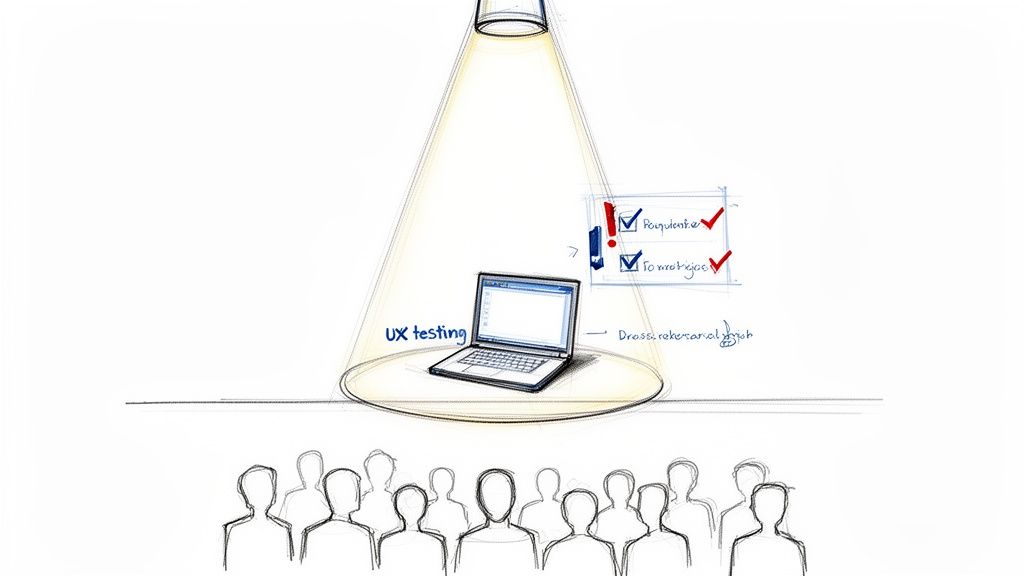
Imagine putting on a huge theatre production without a single dress rehearsal. The actors might flub their lines, the lighting could go haywire, and the audience would walk away feeling confused and let down. In the digital world, testing UX is that critical dress rehearsal for your product. It’s your chance to iron out the kinks before the main event.
This isn’t just a box-ticking exercise; it’s a core business strategy. It’s how you validate your design choices by seeing how real people actually interact with them. Skipping this step can have some pretty severe consequences, from users giving up in frustration to eye-watering development costs to fix things later on.
To really get why this matters so much, it helps to understand the fundamentals of UX and UI, as they’re the building blocks of every interaction a user has with your product.
The Real Cost of Ignoring Feedback
When teams skip user feedback, they're essentially flying blind. They're operating on guesswork, which often leads to products that make perfect sense to the people who built them but feel completely confusing to customers. The price you pay for this is very real.
Wasted Development Time: Trying to fix a usability problem after development is finished can be up to 100 times more expensive than catching and fixing it during the design phase.
A Damaged Reputation: A frustrating experience can quickly erode user trust and tarnish your brand's image, sending potential customers straight to your competitors.
Lower Conversion Rates: It's simple: if people can't easily find what they’re looking for or finish a task, they'll just leave. That directly hits your sales, sign-ups, and bottom line.
Distinguishing UX Testing from Quality Assurance
A common mistake is lumping UX testing in with Quality Assurance (QA). While both are absolutely essential for a great product, they have very different jobs.
QA is all about hunting for bugs and making sure the product works according to its technical specs. Does the button work when you click it? That’s QA.
UX testing, on the other hand, is about finding friction. Is the button easy for a user to find in the first place? Do they understand what it does? That's UX.
A product can be completely free of bugs and still be utterly unusable. UX testing bridges this gap by ensuring the product is not just functional, but also intuitive, efficient, and enjoyable for its intended audience.
This is exactly where new tools are changing the game. Platforms like Uxia, for instance, use AI-powered synthetic testers to completely reshape the feedback loop. By simulating how real users would behave, Uxia delivers rapid, unbiased insights, letting teams test early and often without the logistical nightmare of traditional methods. This approach speeds up the entire product development cycle, making solid UX testing something that's truly accessible to everyone, not just teams with massive budgets.
Exploring Core UX Testing Methods
To get real, reliable feedback on your product, you’ve got to use the right tool for the job. Not every testing UX method is built the same—each one exists to answer different questions at different stages of your product's life. Getting to grips with these core methods is the first step toward building a testing strategy that actually delivers clear, usable insights.
Think of these methods as different lenses for looking at your product. One gives you a tight, detailed close-up of a single person’s experience, while another gives you a wide-angle view of how thousands of people behave. Knowing which lens to pull out—and when—is what separates the good teams from the truly great ones.
The Foundation: Usability Testing
At its heart, usability testing is simple: you watch someone try to use your product to achieve a goal. It's the classic "show me, don't tell me" approach. You might, for example, ask a user to find a specific pair of shoes and go through the entire checkout process on your e-commerce site.
This method is brilliant at showing you exactly where people get stuck, what confuses them, and which parts of your design just feel right. It’s not about opinions; it’s about observing real behaviour. The whole point is to find the friction that's ruining an otherwise smooth journey.
Within usability testing, you've got two main flavours that give you different kinds of information.
Moderated Testing: A researcher sits with the participant (in person or virtually) and guides them, asking questions along the way to understand their thought process. This is how you get deep, qualitative insights. For a closer look, check out our guide on running moderated user testing sessions.
Unmoderated Testing: The participant completes the tasks alone, usually with software recording their screen and voice. This way is much faster, easier to scale, and captures behaviour in a more natural setting—like their own home or office.
A/B Testing for Optimisation
While usability testing helps you find the problems, A/B testing helps you choose between the solutions. It’s a straightforward concept: you create two versions of a design—Version A and Version B—and show them to different groups of people to see which one performs better against a specific metric.
Let's say you're wondering if a green "Buy Now" button would get more clicks than a blue one. With A/B testing, you can show half your visitors the green button and the other half the blue one. The data will tell you, without any guesswork, which colour drives more sales. It's an incredibly powerful way to make decisions based on hard evidence, especially for live products.
The Rise of Remote and Accessibility Testing
These days, remote user testing is the default for most teams. It lets you test with users from anywhere in the world, giving you access to a much more diverse group of participants. Plus, you get to see how people actually use your product in their real environment, not some sterile lab.
Just as critical is Accessibility Auditing. This is a specialised type of testing that makes sure your product can be used by people with disabilities, like visual impairments or motor difficulties. This isn't just about ticking a legal box; it's a moral responsibility that, as a bonus, usually leads to a better design for everyone.
The real challenge with these traditional methods isn't understanding them; it's executing them. Recruiting the right participants, scheduling sessions across time zones, and avoiding tester bias are logistical nightmares that drain time and money. This is where the old model breaks down.
This is exactly the problem platforms like Uxia were built to solve. Instead of spending weeks trying to find and schedule human testers, you can launch a test with AI-powered synthetic users in minutes. Uxia generates realistic participants that match your target audience, who then interact with your designs and give you instant, unbiased feedback. It removes all the logistical headaches, making it possible to run fast, frequent tests as a normal part of your workflow.
Choosing The Right UX Testing Method
So, how do you pick the right method? It all comes down to your goals, your timeline, and where you are in the product development cycle. Are you just exploring a brand-new idea, or are you trying to fine-tune a feature that's already live?
A practical recommendation is to start with a qualitative method like usability testing to find problems, then use a quantitative method like A/B testing to validate your proposed solution.
The table below gives you a quick breakdown of which method to use and when, helping you match the tool to the task at hand.
Method | Best For | Primary Benefit | Common Challenge |
|---|---|---|---|
Moderated Usability Testing | Gaining deep, qualitative insights into complex user flows and motivations. | The ability to ask follow-up questions and understand the "why" behind user actions. | Time-consuming, expensive, and difficult to scale due to scheduling and recruitment. |
Unmoderated Usability Testing | Quickly gathering behavioural data from a large number of users at scale. | Faster, more affordable, and captures user behaviour in a more natural setting. | Lacks the ability to ask clarifying questions in the moment to understand user intent. |
A/B Testing | Optimising specific elements (like a headline or button colour) to improve a key metric. | Provides statistically significant, quantitative data to validate design choices. | Requires significant traffic to get reliable results and only explains what happened, not why. |
Accessibility Audits | Ensuring your product is usable for people with disabilities and meets compliance standards. | Creates a more inclusive product and expands your potential user base. | Requires specialised expertise and tools to conduct properly. |
Ultimately, a strong testing strategy often involves a mix of these methods. Platforms like Uxia can even complement these traditional methods by providing rapid, AI-driven feedback during the design phase, allowing you to fix major issues before you even need to recruit a single human participant.
How To Measure User Experience With Key Metrics
Good UX testing isn't just about watching people use your product. It’s about converting those observations into solid data that helps you make better decisions. You need to actually measure the experience to know if your design is working.
Without metrics, you’re stuck with guesswork and opinions. But with the right data, you can see exactly where things are going right and, more importantly, where users are getting stuck. A practical recommendation is to establish baseline metrics before you make design changes; this allows you to accurately measure the impact of your work.
Behavioural Metrics: What Users Actually Do
Behavioural metrics are the cold, hard facts. They tell you what people do when they interact with your product, completely free from their own opinions or biases. It's the raw data of their actions.
Let's say you're testing UX on a new e-commerce checkout flow. Your goal is to make it as quick and painless as possible. Here, your key behavioural metrics would be things like:
Task Success Rate: This is the most fundamental metric in usability. Did the user actually complete the task? If only 80% of users manage to buy an item, you know there’s a major roadblock you need to remove.
Time on Task: How long did it take them to get through the checkout? Shorter times usually mean the design is more intuitive and efficient.
Error Rate: This counts how many mistakes a user made, like fumbling a credit card number or skipping a required field. A high error rate is a clear signal that your UI is confusing or the instructions aren't clear enough.
These numbers give you an unbiased look at how your design performs in the real world. And it’s not just about user actions; technical performance plays a huge role, too. For example, exploring website performance optimization techniques can have a direct, positive impact on these core user experience metrics.
Attitudinal Metrics: What Users Say and Feel
While behavioural metrics tell you what happened, attitudinal metrics tell you why. This is where you capture a user's feelings, their perceptions, and their opinions about the experience. It’s the qualitative feedback that gives context to all those numbers.
Sticking with our checkout flow example, you'd collect this data right after a user finishes (or gives up).
This is where you uncover the human side of the experience—the frustration behind a high error rate or the sense of relief from a smooth process. It’s the story the data alone can't tell.
A classic tool for this is the System Usability Scale (SUS). It’s a tried-and-true questionnaire that gives you a reliable score for your product's perceived usability. A low SUS score, for instance, confirms that the friction you saw in the behavioural data is genuinely frustrating your users. To get the most out of it, you can learn more about how to effectively use the System Usability Scale in our detailed article.
Bringing It All Together With Automation
The real magic happens when you combine these two types of metrics. A high task success rate looks great on paper, but if users tell you they felt stressed and confused the whole time, you've still got a problem. You need both sides of the coin to make smart design choices.
Of course, collecting, organising, and analysing all this data by hand is a massive time sink and riddled with potential for human error. It’s a big reason why many teams struggle to keep up with testing UX consistently.
This is exactly where a platform like Uxia comes in. It automates the entire data collection headache. When you run a test with Uxia's AI-powered synthetic testers, it automatically logs key metrics like task success and time on task. At the same time, it analyses user interactions to build heatmaps that show you exactly where users clicked and hesitated, giving you behavioural insights without you having to lift a finger.
Uxia then pulls all these findings together into prioritised recommendations, turning a pile of raw data into a clear, actionable improvement plan in minutes, not weeks.
Designing Your First UX Testing Study
Jumping into your first UX test can feel like a lot to take on, but a bit of structure turns a confusing process into a few clear, manageable steps. Great studies don't happen by accident; they're born from thoughtful design.
Think of it like building a house. You wouldn't just start laying bricks without a detailed blueprint. A solid study design is your blueprint. It guides every single decision, from who you test with to what you ask them, making sure the final result is sound.
Define Clear Goals and Hypotheses
Before you do a single thing, you have to know what you want to learn. Vague goals like "see if users like the new dashboard" are a recipe for getting useless feedback. You have to be specific.
A much better goal would be: "Determine if users can find and download their monthly invoice from the new dashboard in under 60 seconds."
This clarity lets you form a hypothesis—a prediction you can actually test. For example: "We believe the new icon-based navigation will help users find their invoices 25% faster than the old text-based menu because the icons are more intuitive." Suddenly, your study has a sharp focus, and your findings become much easier to measure.
Identify Your Target Users and Write Realistic Tasks
Your test is only as good as the people you test with. If you're building an app for novice investors, getting feedback from seasoned day traders is just going to lead you astray. Define your target user persona with as much detail as you can—their demographics, technical skills, and what they're trying to achieve.
Once you know who you're testing with, you can write tasks they'd actually perform. Good tasks are realistic scenarios, not direct instructions.
Avoid: "Click on the 'Reports' button and then click 'Download Invoice'."
Instead, use: "You've just finished your monthly accounting and need to save a copy of last month's invoice for your records. Show me how you would do that."
This approach encourages people to explore naturally, revealing how intuitive your design really is.
Select the Right Tools and Recruit Participants
With your goals, users, and tasks locked in, it's time to pick your tools and find participants. Honestly, this is where traditional UX testing often hits a wall. Recruiting and scheduling real users can take weeks, which delays crucial feedback and slows down your entire development cycle.
This is exactly where platforms like Uxia deliver a massive advantage. Instead of the manual slog of recruitment, you can instantly generate AI-powered synthetic testers that precisely match your target user profiles. You just define your audience, and Uxia provides participants ready to go in minutes, not weeks.
Uxia condenses a process that once took weeks into just a few moments. It removes the biggest bottleneck in UX testing, allowing teams to gather feedback early and often, without the logistical headaches of scheduling or the risk of using biased, professional testers.
The infographic below shows how this streamlined process turns raw data into valuable insights—a workflow that automation makes incredibly fast.
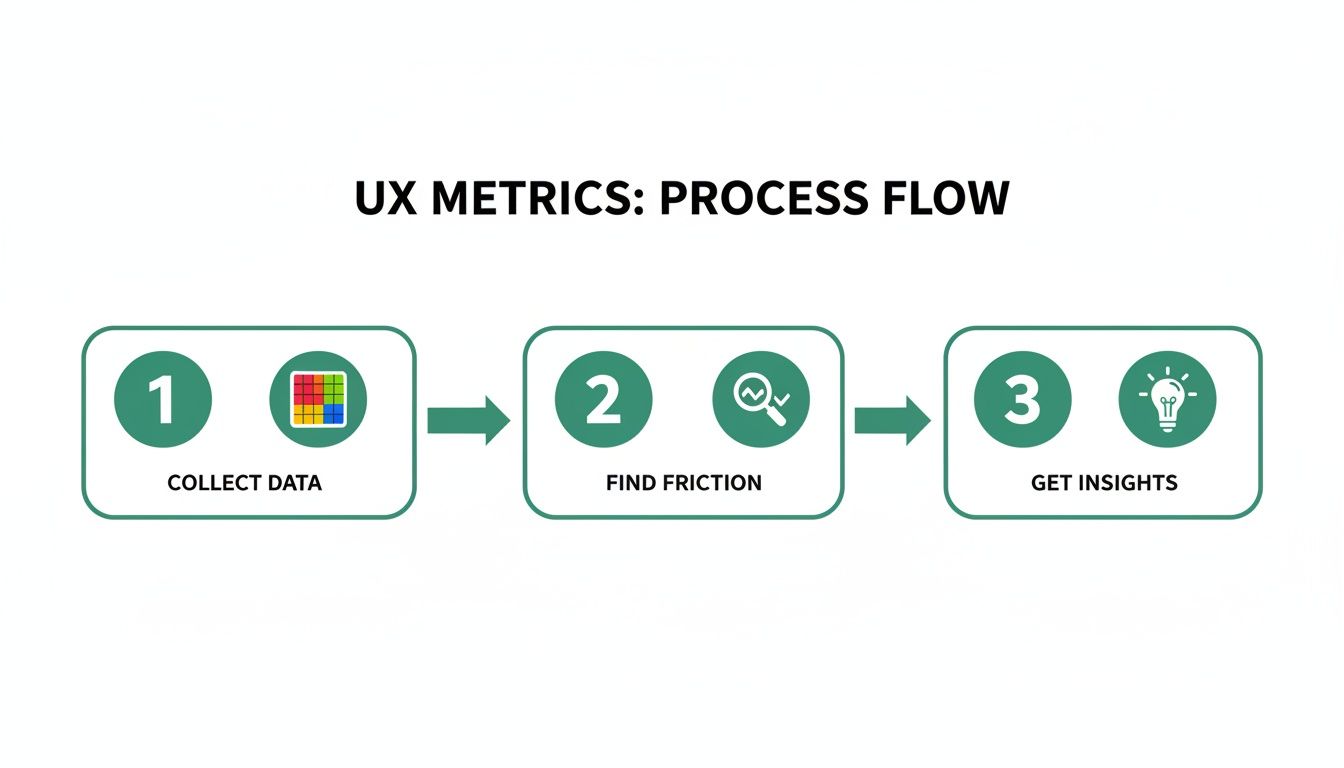
This simple flow—collect data, find friction, get insights—is the heart of any effective UX test.
Execute the Test and Synthesise Findings
Whether you're using human participants or AI testers, the next step is to watch them attempt the tasks you’ve set. Your job is to observe, listen, and take detailed notes on where they succeed and where they struggle. Look for patterns in their behaviour, moments of hesitation, or outright confusion.
After the sessions are done, you need to synthesise your findings. This isn’t just about making a list of problems. It's about digging into the root causes and turning them into actionable recommendations. Group similar issues, prioritise them by severity, and present them to your team in a clear, compelling way. A practical recommendation is to use a "severity rating" for each issue (e.g., critical, major, minor) to help your team prioritize fixes effectively.
With Uxia, this entire synthesis process is automated. The platform records the AI-driven test sessions and automatically analyses the results. It generates reports that highlight usability issues, provide heatmaps of user interaction, and offer prioritised suggestions for improvement. This allows you to jump directly from testing to fixing, accelerating your product development loop and ensuring you're always building on solid user feedback.
The Future Of UX Testing With AI And Automation
The world of testing UX is changing for good. For years, product teams have been stuck with old-school methods that were painfully slow and incredibly expensive.
We've all been there. The high costs, the weeks spent recruiting participants, and the nagging risk of human bias meant testing happened far less often than it should have. Too many crucial design decisions were based on guesswork, not evidence.
But that’s starting to change. Automation and artificial intelligence are finally solving these problems, making it possible to get rich, reliable user feedback faster than ever before. This isn't just about speeding up the old way of doing things—it’s about creating a whole new approach to building great products.
Introducing The Power Of Synthetic Users
The biggest leap forward is the rise of synthetic users. Think of them as AI-powered testers that can realistically simulate how a human thinks and behaves when using a digital product. Instead of spending weeks finding and scheduling people, teams can now generate AI participants on demand.
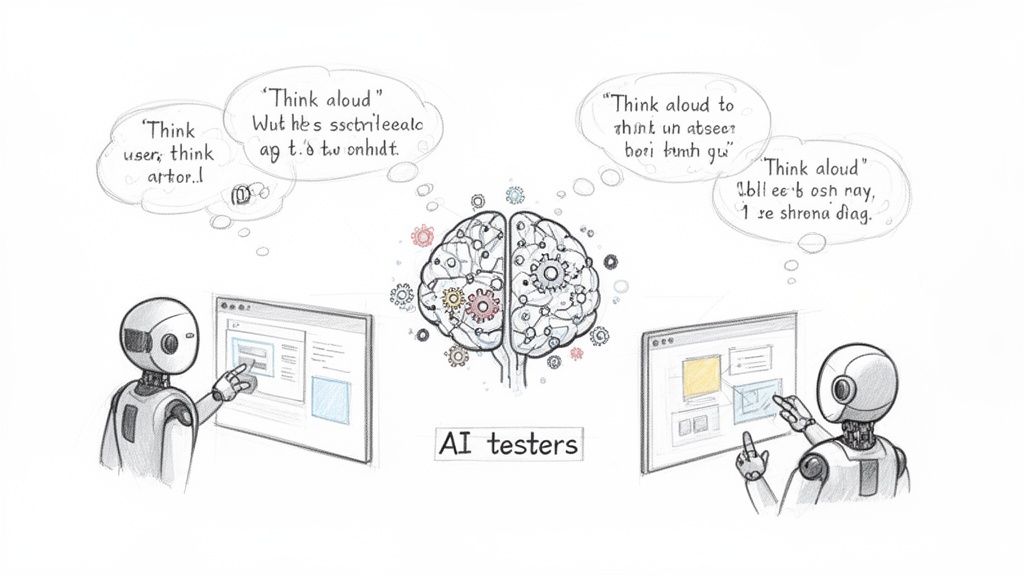
And these aren't just dumb bots. Advanced platforms like Uxia create AI participants that can genuinely interact with your prototypes. They navigate complex flows, analyse what's on the screen, and even "think aloud" by explaining their thought process as they go. It's the kind of deep insight that used to require long, moderated studies.
By simulating real user behaviour, synthetic testing gets rid of the logistical headaches of traditional research. No more scheduling conflicts, no more geographical limits, and no more professional testers who don’t act like real first-time users.
This gives teams a massive advantage, letting them build user feedback right into their daily workflow. A practical recommendation is to integrate synthetic user testing into your CI/CD pipeline, allowing you to automatically validate new designs before they ever reach production.
Gaining Speed And Uncovering Deeper Insights
The real magic of AI in testing UX is that it delivers both speed and depth. With a tool like Uxia, a product team can upload a design and get actionable feedback in minutes, not weeks. Suddenly, continuous validation is possible. You can test ideas at every single stage, from rough wireframes to polished mockups.
Uxia's AI testers do more than just check if a task can be completed. They’re designed to pinpoint the exact points of friction that a human user might struggle to put into words. They’ll flag issues with:
Usability: Confusing navigation, unclear buttons, or clunky user flows.
Copy: Vague language, confusing terms, or messaging that just doesn't land.
Accessibility: Design choices that might create barriers for users with disabilities.
This level of detail helps teams build better, more inclusive products at a speed that was once unimaginable. It's a trend picking up steam globally. South America, for example, is becoming a hotbed for UX testing, thanks to rapid 5G adoption and a booming e-commerce market. For researchers and agencies there, synthetic testers from platforms like Uxia make it possible to simulate diverse user groups instantly, slashing costs and eliminating bias. You can read more about the UX research software industry to see just how fast it's growing.
By embracing these tools, companies can shift from testing every now and then to creating a culture of constant feedback. And that means every design decision is backed by solid user insight.
If you want to see a head-to-head comparison, check out our article on synthetic users vs human users.
Common UX Testing Mistakes And How To Avoid Them
Even seasoned product teams can stumble into a few classic traps when it comes to UX testing. Getting this wrong can quietly sabotage your results, burn through time and money, and steer you toward some truly awful design choices. Knowing what these pitfalls look like is the first step to running studies you can actually trust.
One of the most common blunders we see is simply testing way too late in the game. Teams will often wait until a feature is fully coded and polished before they dare show it to a real user. By then, any meaningful change is a slow, expensive headache, and let’s be honest, the team is probably too attached to their work to hear tough feedback. A practical recommendation is to adopt a "test early, test often" mantra. Test low-fidelity wireframes and even paper sketches to catch conceptual flaws when they are cheapest to fix.
Another classic is asking leading questions. When you ask something like, "Wasn't that new checkout flow super easy to use?", you're not gathering feedback; you're fishing for compliments. It doesn't uncover real points of friction. It just confirms your own biases and gives you a dangerous—and completely false—sense of security.
Recruiting The Wrong Participants
A usability test is only as good as the people you test with. It’s that simple. If you recruit participants who don't remotely resemble your target audience, your findings are basically useless. Testing a sophisticated financial analysis tool with people who just use a basic banking app, for example, will highlight problems your actual customers would breeze past, while completely missing the nuanced issues that truly matter.
Don't Do This: Grabbing whoever is free in the marketing department for a "quick look".
Do This Instead: Build a sharp, clear user persona and recruit people who actually fit that profile. Their feedback will be gold because it’s directly relevant to your product's real-world goals.
This is a problem that platforms like Uxia are designed to solve from the ground up. Forget manual recruitment. You can generate AI-powered synthetic testers in an instant that precisely match your target demographic. This ensures every single test is run with an unbiased, relevant user profile, completely sidestepping recruitment errors and saving you weeks of hassle.
Overlooking The 'Why' Behind The 'What'
Fixating only on quantitative data—like completion rates—is another surefire way to miss the point. Knowing that 70% of users finished a task is interesting, but it doesn’t tell you a thing about why the other 30% gave up. Without understanding their confusion, their frustration, or where they got stuck, you're just taking a wild guess at how to fix it. The qualitative feedback is where the real story is.
This is especially critical when you're designing for a wide range of users. Take Europe's digital skills, for instance. In 2023, only 56% of EU citizens had basic digital skills. That's a huge gap. It underscores the need for tools that can reveal usability problems for people who aren't necessarily tech-savvy. You can learn more about Europe's progress towards its digital decade targets to see just how diverse user abilities are.
How Modern Tools Help You Sidestep These Mistakes
Many of these classic blunders aren't just down to bad habits; they're often a byproduct of old-school testing methods. The sheer time, cost, and logistical pain of manual research practically forces teams to cut corners.
Fortunately, modern tools offer a much smarter way forward.
Test Early, Test Often: With a tool like Uxia, you can run a full test in minutes. This makes it ridiculously easy to get feedback on everything from a rough napkin sketch to a high-fidelity wireframe.
Wipe Out Bias: Uxia’s AI testers are generated fresh for every study. They don't have the baggage of professional testers who’ve seen a thousand different interfaces and developed their own quirks and opinions.
Get The 'What' and The 'Why' Instantly: The platform doesn't just give you metrics. It also provides detailed "think-aloud" transcripts, so you automatically get both the numbers and the crucial context behind them.
By building AI-driven tools into your workflow, you can elegantly sidestep these common pitfalls. You'll not only improve the quality of your research but also build much better products, backed by genuine confidence.
Common Questions About UX Testing
To wrap things up, let's tackle a few questions that always come up when teams get serious about improving their UX testing process. Getting these fundamentals right from the start can make a huge difference.
How Often Should We Be Testing UX?
Ideally, you should treat UX testing like a habit, not a one-off event you save for a big launch. The best teams test small and test often.
Think about it: early concepts, rough wireframes, and clickable prototypes all get better with quick feedback. This approach helps you spot design flaws when they're still cheap and painless to fix, not baked into your codebase. With modern tools, this is easier than ever. Platforms like Uxia let you run tests in minutes, turning continuous validation from a nice-to-have into a core part of your weekly sprints. A practical recommendation is to schedule a recurring "testing day" each sprint to ensure it becomes a non-negotiable part of your team's routine.
What Is the Difference Between UX Testing and User Research?
This one trips a lot of people up, but it's pretty simple. Think of user research as broad exploration and UX testing as specific validation.
User research is all about understanding people—their needs, their behaviours, their motivations—before you even draw a single screen. UX testing, on the other hand, is about putting a specific design in front of users to see if it actually works for them. Both are vital, but they answer different questions at different times. Research helps you define the problem; testing tells you if you've solved it.
UX testing is a critical subset of the broader user research field. Its specific job is to watch how users interact with a product to find what’s confusing or broken.
Can I Conduct UX Testing on a Tight Budget?
Absolutely. The old-school image of lab-based studies with two-way mirrors is just one way to do it, and it's often the most expensive.
Plenty of modern methods are incredibly cost-effective. Unmoderated remote testing is a fantastic option if you're watching the budget. Even better, tools like Uxia are making powerful testing accessible to literally any team. By using AI-powered synthetic testers, you get to skip the single biggest cost of traditional testing: recruiting and paying participants. You get high-quality, unbiased feedback without emptying your wallet.
How Do AI Testers Compare to Human Participants?
AI testers bring speed, scale, and consistency that you just can't get from humans. They can give you unbiased feedback in minutes, and you never have to worry about the "professional tester" effect where someone tells you what they think you want to hear.
That said, real humans are still great for uncovering deep emotional or cultural nuances. The smartest approach is to use both. Lean on AI testers from platforms like Uxia for the day-to-day grind of rapid, iterative testing on your designs. Then, save your budget for in-depth human interviews to explore those bigger, more strategic questions. A practical recommendation is to use AI testing for frequent validation of user flows and UI components, and reserve human-led sessions for discovery research or testing complex, emotionally driven experiences.
Ready to make your UX testing faster, smarter, and more affordable? Discover how Uxia can provide actionable insights in minutes, not weeks. Get started with Uxia today.