UX Validation: A Practical Guide to Building Better Products by Validating their UX
Unlock better product design with this complete guide to UX validation. Learn proven methods and AI-powered tools to ensure you build products users truly need.
UX validation is the moment of truth in design. It’s where you stop guessing and start proving that a design actually works for the people you built it for. It’s the process of getting real-world evidence that your product is intuitive, solves a real problem, and actually delivers value.
Skipping this step is a recipe for expensive redesigns and building features nobody wants. Getting it right aligns your entire team around what users truly need. A practical first step is to treat every design decision as a hypothesis until it's been validated.
What UX Validation Is and Why It Matters
Imagine a chef has a brilliant idea for a new dish. They wouldn't just add it to the menu because they think it's great. They’d run a tasting, get feedback, and tweak the recipe until customers are raving about it.
UX validation is the product design equivalent of that taste test. It’s the structured process of confirming that your proposed solutions actually meet user needs and expectations before you sink a ton of time and money into development.
Without it, teams are just operating on a set of dangerous assumptions. You might believe a new feature is a game-changer or a redesigned workflow is a massive improvement, but those are just hypotheses. Validation is how you turn those guesses into certainties.
Shifting from Assumptions to Evidence
The whole point of UX validation is to anchor your design decisions in hard evidence, not just internal opinions or the loudest voice in the room. This shift is critical for a few big reasons:
It Prevents Costly Rework: Fixing a fundamental design flaw after launch can cost 100 times more than catching it early on. Validation is your early warning system.
It Aligns Teams with User Needs: It provides a single source of truth about what users actually want, ending those endless debates based on personal preference and getting everyone focused on the same goal.
It Builds Business Confidence: When you can walk into a stakeholder meeting and prove a design works, they can invest in development with confidence, knowing the biggest risks have already been addressed.
To really get why this matters, it helps to understand that modern software testing has evolved. It’s not just about squashing bugs anymore; it’s about evaluating the entire experience. If you want to go deeper, it's worth checking out resources on the broader scope of software testing beyond just bugs.
Think of UX validation as your insurance policy against building the wrong product. It ensures that what you're creating not only works correctly but actually connects with your audience.
This process is becoming more important than ever. The Europe User Experience (UX) market hit USD 1,875.36 million in 2024 and is expected to grow at a 15.5% CAGR through 2031, thanks to widespread digitalisation.
With new regulations like the European Accessibility Act on the horizon, the need for fast, agile validation tools like Uxia is becoming impossible to ignore. Discover more insights about the growing European UX market.
Comparing UX Validation Methods: From Traditional To AI
Picking the right UX validation method feels a lot like choosing the right tool for a job. You wouldn’t use a sledgehammer to hang a picture, and you wouldn't use a tiny screwdriver to tear down a wall. Every method strikes a different balance between speed, cost, and the depth of insight you get back.
For years, product teams had two main choices: moderated and unmoderated studies. Both are valuable, but they come with trade-offs that can really slow down a modern, agile team.
Traditional Routes: Moderated And Unmoderated Testing
Think of moderated testing as a guided tour of your product. A researcher sits with a participant—either in person or remotely—asking questions and digging deeper as they explore a design. This is fantastic for uncovering the why behind a user’s actions, but it's famously slow and expensive to run.
Unmoderated testing, on the other hand, is more of a self-guided exploration. You give users a set of tasks to complete on their own and record their sessions. It's much faster and cheaper, but you lose the chance to ask follow-up questions, which can leave you guessing about their behaviour.
This simple flowchart shows exactly where validation fits into the design-and-build cycle. It’s a constant loop.
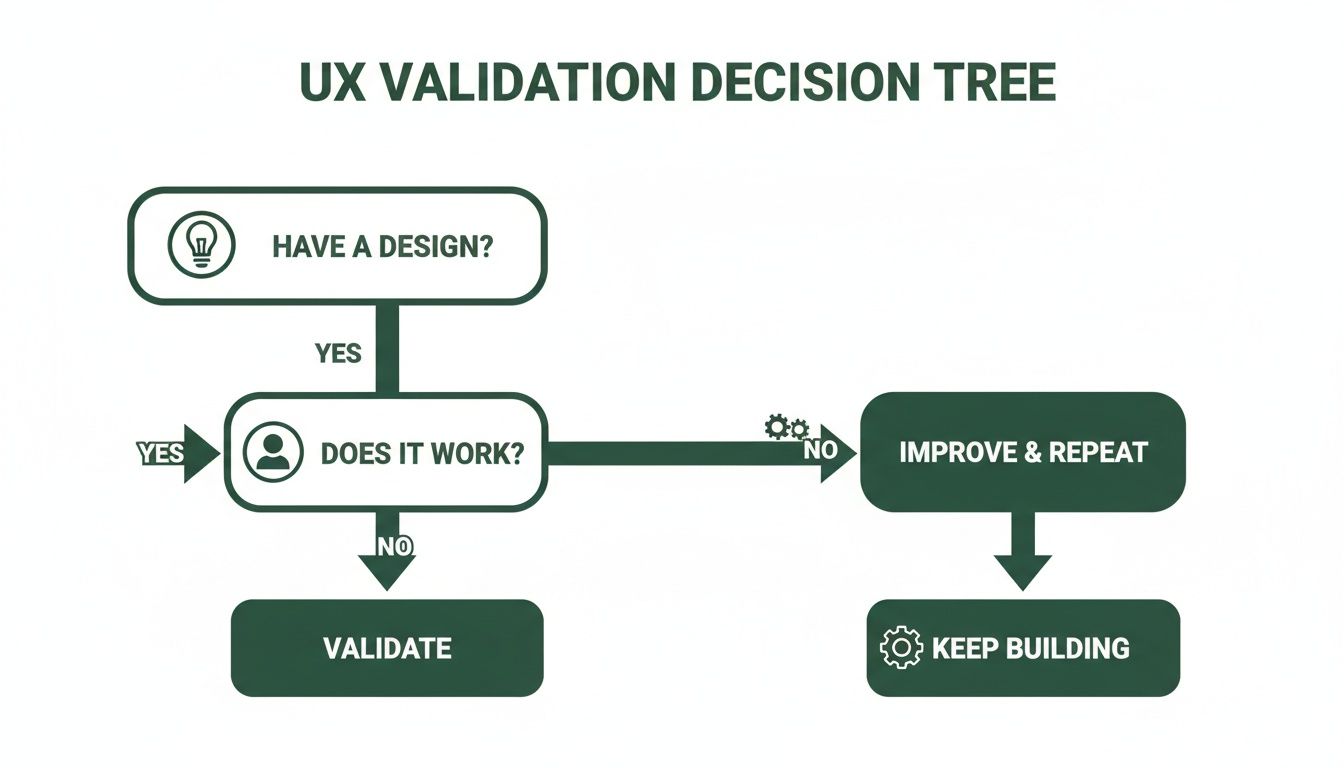
The loop is simple but powerful: if you have a design, you have to test whether it actually works for users before you build anything.
The New Frontier: AI-Powered Synthetic Testing
Today, there’s a powerful new option on the table: AI-powered synthetic testing. Platforms like Uxia create a third way that combines the best of both worlds. It uses AI participants—perfectly matched to your target personas—to test designs automatically.
This completely eliminates the biggest bottlenecks of traditional research: recruitment and scheduling. Forget waiting weeks to find and coordinate with human testers. Now you can get rich, detailed feedback in minutes.
The real magic of AI validation is its ability to deliver the deep, qualitative insights of a moderated study at the speed and scale of an unmoderated one.
Comparison of UX Validation Methods
To make it clearer, here’s a quick breakdown of how these methods stack up against each other. Each has its place, but the differences in speed and cost are becoming more critical for fast-moving teams.
Method | Best For | Speed | Cost | Key Limitation |
|---|---|---|---|---|
Moderated | Deep qualitative insights, exploring complex user motivations. | Very Slow (weeks) | High | Difficult to scale; researcher bias is a risk. |
Unmoderated | Quick feedback on specific tasks, quantitative data. | Fast (days) | Moderate | Lacks "why"; can't ask follow-up questions. |
AI (Synthetic) | Rapid iteration, unbiased feedback, early-stage validation. | Very Fast (minutes) | Low | Doesn't capture real-world emotional reactions. |
As you can see, AI-driven testing with tools like Uxia fills a crucial gap, offering the depth of moderated studies without the crippling delays and costs.
This speed is no longer just a nice-to-have. In 2024, Europe made up about 30% of the global market for UX research software, with over 2,000 large companies investing heavily. Tough regulations like GDPR have also pushed 25% more of these companies towards tools with strong data anonymisation, driving them toward secure, automated platforms like Uxia. You can learn more about the growth of the UX software market and see where the industry is headed.
The move to AI also tackles the thorny issue of bias. Human testers sometimes want to please the researcher or are influenced by past tests. Synthetic users don't have these biases. They give objective feedback based purely on your design’s usability. To see just how different the outputs can be, check out our comparison of synthetic users vs human users.
By using AI, teams can finally run full validation tests inside their agile sprints. This makes continuous improvement a real, practical part of the workflow instead of just a goal on a slide deck, letting you build better products with more confidence and speed.
Defining What Success Looks Like in UX Validation
Effective UX validation isn’t about collecting vague opinions like "I like it" or "it's confusing." You can’t build a better product on feelings alone.
Real success is defined by clear, measurable criteria that prove your design actually works. This means moving from subjective feedback to objective evidence, blending both the what and the why of user behaviour.
To get there, you need to establish your success criteria before you even run a test. Think of it like a scientist defining their hypothesis before an experiment. You need a benchmark to measure against; otherwise, you're just gathering noise.
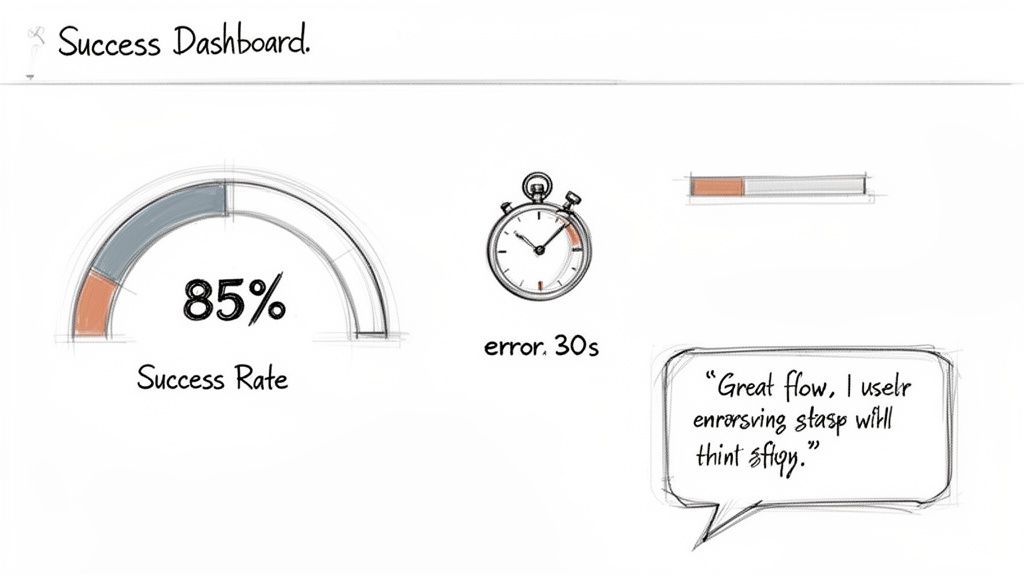
Practical Recommendation: Before your next test, turn your design goal into a measurable success criterion. A fuzzy goal like "make the checkout easier" is useless. A sharp, clear success criterion is something like: "85% of users must be able to add an item to their cart in under 30 seconds."
This simple shift in approach forces you to define what a "good" user experience actually looks like in practical terms. It transforms your validation process from a simple chat into a true diagnostic tool.
Blending Qualitative and Quantitative Metrics
A truly successful validation effort combines two types of data to paint the full picture. Relying on just one leaves you with massive blind spots.
Quantitative Metrics (The "What")
These are the hard numbers. They tell you exactly what happened during a test and are brilliant for spotting friction points and measuring efficiency at scale.
Key metrics include:
Task Success Rate: What percentage of users actually completed the task? This is your most fundamental usability signal.
Time on Task: How long did it take? Shorter times usually point to a more intuitive design.
Error Rate: How many mistakes did a user make along the way? This helps you pinpoint confusing steps or unclear UI elements.
Conversion Rate: The percentage of users who complete a major goal, like signing up or making a purchase.
Qualitative Insights (The "Why")
This is the context behind the numbers. A user might have completed a task quickly, but were they frustrated or confused while doing it? Qualitative data gives you the answer.
It includes things like:
Direct user quotes about their experience.
Observations of user hesitations or facial expressions.
Feedback on the clarity of your instructions and labels.
A powerful user quote like, "I thought this button would take me to the checkout, but it just refreshed the page," offers more actionable insight into a low success rate than the number alone.
This combination of data is fundamental to creating products that are not only functional but also genuinely enjoyable to use. For a deeper dive into this methodology, explore our guide on making smarter choices with data-driven design.
Automating Measurement with Uxia
Let’s be honest: manually tracking all these metrics from session recordings is an absolute grind. It’s incredibly time-consuming and prone to human error.
This is where a platform like Uxia creates a massive advantage. Instead of you sitting there for hours with a stopwatch and a notepad, Uxia’s AI-powered synthetic testers automatically perform the tasks and capture all these critical metrics for you.
Practical Recommendation: Automate your metric collection. The platform then compiles all that data into clear, visual reports. You get instant access to success rates, task times, and heatmaps showing exactly where users struggled. It even generates transcripts and summarises qualitative feedback, turning hours of manual analysis into a handful of actionable insights. You know immediately where your design shines and where it falls short.
How AI Is Transforming UX Validation
Let's be honest. For years, traditional UX validation has been stuck in a frustrating tug-of-war between speed, cost, and quality. A proper moderated study is brilliant, but it can take weeks to pull together, chew through your budget, and put the brakes on an agile team’s momentum.
Now, AI is finally breaking that cycle. It’s shifting validation from a slow, painful event into something you can do continuously, weaving it right into the fabric of your design process.
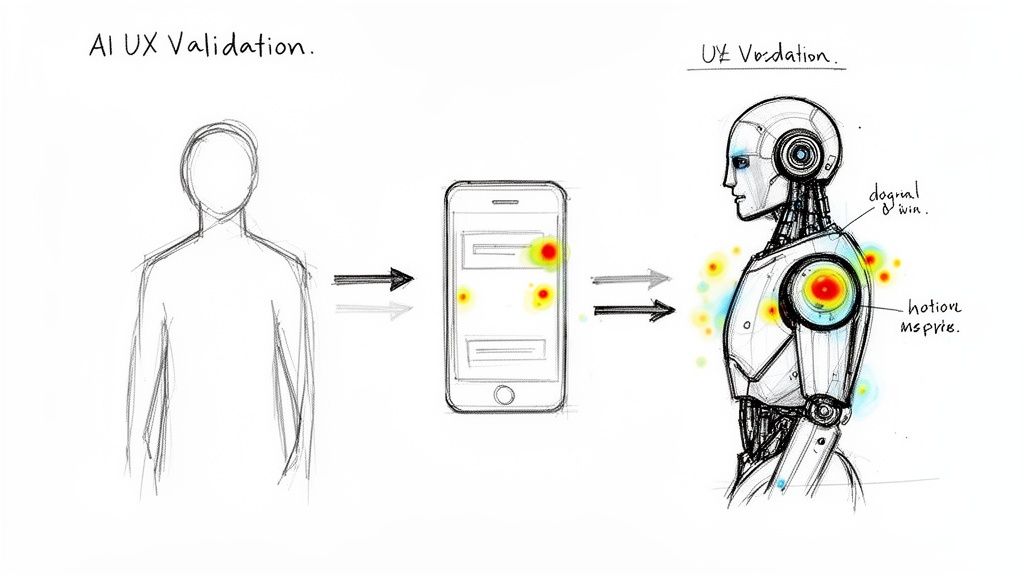
The big idea here is synthetic users—AI participants built from the ground up to mirror your target audience. Think of it like creating a digital twin of your ideal customer, complete with their specific demographics, habits, and even their tech-savviness. Then, imagine launching an entire squad of these digital twins to test your prototype in an instant.
That’s the essence of AI-driven validation. Tools like Uxia let you completely sidestep the slow, expensive, and often biased slog of human recruitment. No more posting ads or coordinating schedules. You just define your persona, upload your design, and let the AI take care of the rest.
The End of Recruitment Bottlenecks
One of the biggest headaches AI solves is recruitment friction. We've all been there. Trying to find niche participants—like surgeons in a specific specialty or financial advisors with over a decade of experience—can feel next to impossible with old-school methods.
AI validation makes this a non-issue. With a platform like Uxia, you can build hyper-specific personas that would be completely impractical to recruit in the real world. This makes sure your feedback is always coming from the right audience, not just whoever was easiest to find.
This is a game-changer for agile teams. Instead of stalling for weeks while a research cycle grinds on, you get solid, actionable feedback in minutes. That’s what enables true continuous validation, even within a single sprint.
AI turns UX validation from a weeks-long research project into a task you can complete in the time it takes to grab a coffee. It fundamentally changes how quickly teams can learn and iterate.
Unbiased Feedback at Unprecedented Scale
Here’s another critical advantage: AI removes human bias from the equation. We know professional testers can become jaded over time, while everyday users often try to please the researcher, which contaminates the results.
AI participants don’t have these hang-ups. They assess a design based purely on its usability, following the instructions to the letter without any preconceived ideas. They don’t get tired, frustrated, or influenced by a researcher looking over their shoulder. To really get the most from this, it's worth understanding how you can apply AI-powered automation to optimize work processes across your entire workflow.
When you combine this objectivity with massive scale, the results are powerful. A traditional study might struggle to wrangle five qualified users, but an AI platform can run hundreds of tests at the same time. Uxia then automatically hands you detailed outputs, including:
Verbatim Transcripts: Get "think-aloud" feedback from AI participants as they work through your design.
Heatmaps and Clickstreams: See exactly where users are focusing their attention and where they get stuck.
Prioritised Insights: Receive an auto-generated report that pinpoints the most critical usability issues, saving you hours of tedious manual analysis.
Practical Recommendation: Use AI to test every minor change. This kind of automation means you can test every tiny change—from button copy to entire user flows—without adding any overhead. With the right setup, you can learn more about using AI-powered testers to achieve 98% usability issue detection and build products with a whole new level of confidence.
Building Your First UX Validation Test Plan
A solid UX validation process doesn’t start when the first user clicks a button. It starts way before that, with a clear, actionable test plan.
Without one, you're just collecting opinions. With a structured plan, you're gathering hard evidence that steers your design choices and, ultimately, proves your product’s value to the business.
Think of your test plan as the blueprint for your research. It lays out precisely what you need to learn, who you need to learn from, and how you’ll know if you’ve succeeded. Nailing this ensures your results are focused, reliable, and tied directly to your goals.
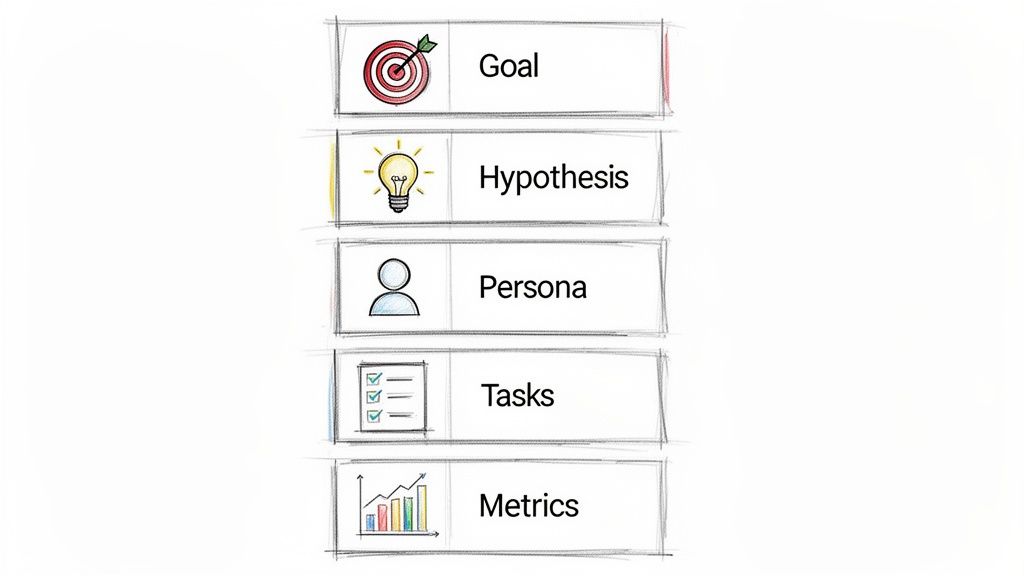
Core Components of a Test Plan
A great test plan doesn't have to be a fifty-page document, but it absolutely must be clear. It should cover five essential areas that build on one another to create a laser-focused study.
Define Your Research Goal: What is the single most important question you need to answer? A fuzzy goal like "see if the new checkout is good" is useless. Instead, get specific: "Determine if first-time users can successfully complete a purchase using our redesigned checkout flow on a mobile device."
Form a Testable Hypothesis: Now, turn that goal into a statement you can actually prove or disprove. For instance: "We believe the redesigned single-page checkout will reduce cart abandonment by 15% because it removes unnecessary steps and distractions." This gives you a clear pass/fail outcome.
Identify User Personas: Who are you testing this with? Be precise. Don’t just say "online shoppers." Define a persona: "Tech-savvy millennials aged 25-35 who frequently shop online via mobile and value a quick, efficient checkout experience."
Write Non-Leading Tasks: Create realistic scenarios that prompt users to act naturally. Don't ask, "Can you find the search bar and look for a product?" You've just given away the answer. Instead, try a scenario-based task: "You're looking for a new pair of running shoes for an upcoming marathon. Show me how you'd find them on this site."
Outline Success Metrics: How will you measure what happens? You need a mix of quantitative data (like task success rates or time on task) and qualitative feedback. A strong metric sounds like this: "90% of users must be able to find and add a specific product to their cart in under 60 seconds."
The Uxia Approach: Streamlining Your Plan
Let's be honest, building a detailed test plan and writing scripts can eat up a lot of time. This is where platforms like Uxia offer a much more direct path.
Practical Recommendation: Instead of writing a complex document from scratch, kick off a test by simply defining two things: the mission (your main goal) and the target audience profile.
Uxia’s AI then does the heavy lifting. It generates synthetic users who perfectly match your persona and automatically runs them through the relevant tasks. This lets your team jump straight into validation, launching a comprehensive test in minutes, not days.
If you want to learn more about creating effective user journeys to test, check out our guide on how to build a user flow diagram.
Common Pitfalls in UX Validation and How to Avoid Them
Even with the best of intentions, a UX validation effort can go completely off the rails. It’s surprisingly easy for a few common mistakes to creep in and quietly undermine your results, leaving you with misleading feedback, wasted time, and a false sense of confidence in a flawed design.
Fortunately, these pitfalls are totally avoidable. Once you know what to look for, you can design a process that delivers genuinely reliable insights. That way, your decisions are built on solid evidence, not just noisy data.
Testing With The Wrong Audience
This is probably the single most critical error you can make. If you’re building a specialised financial tool but test it with general consumers, the feedback you get back is going to be almost entirely irrelevant. The design might fail for reasons your actual target users would never even encounter.
Getting the audience right is absolutely non-negotiable for actionable validation.
The Problem: Recruiting for niche audiences is notoriously hard and takes forever. Teams often get impatient and just settle for "close enough" participants, which completely contaminates the data.
The Solution & Practical Recommendation: Before you even think about testing, define your user personas with extreme clarity. If traditional recruitment is a bottleneck, platforms like Uxia can solve this by generating synthetic users that precisely match your target profiles. This guarantees every single test is run with the right audience from the start.
Asking Leading Questions
The way you phrase a question can fundamentally change the answer you receive. A leading question subtly nudges users toward a specific response, creating confirmation bias and rendering the feedback pretty much useless. It’s the difference between genuine discovery and a self-fulfilling prophecy.
Practical Recommendation: Frame tasks as scenarios, not instructions. For instance, asking, "Wasn't that new checkout process much easier to use?" is basically fishing for a compliment. A much better, more neutral approach is an open-ended question like, "Tell me about your experience with the checkout process."
Asking unbiased questions is a cornerstone of effective UX validation. Your goal is to uncover the user's truth, not to have them confirm your own assumptions.
Testing Too Late In The Process
So many teams fall into this trap. They wait until a design is pixel-perfect and fully polished before they even think about running a validation test. By that point, developers have already sunk significant time into the build, and designers are emotionally attached to their work.
When negative feedback comes in at this late stage, it feels like a huge setback instead of a helpful course correction. It creates resistance to change and can lead to teams knowingly shipping a flawed product simply because it’s "too late" to fix it.
A much, much better strategy is to validate early and often.
Low-Fidelity Sketches: Test your core concepts and basic user flows.
Wireframes: Validate the information architecture and overall layout.
Interactive Prototypes: Check the usability of key interactions.
This iterative approach makes feedback a natural part of the creative process, not a final exam. It lets you make cheap, fast adjustments all along the way, ensuring the final design is built on a solid foundation of validated decisions. With a tool like Uxia, testing even the earliest sketches becomes effortless.
Frequently Asked Questions About UX Validation
Diving into UX validation can stir up a lot of questions, especially with new technology changing how we do things. Here are some of the most common ones we hear, with straightforward answers to help you get your validation process right.
Think of this as a quick-reference guide to reinforce the key ideas we’ve already covered and give you some practical advice you can use immediately.
When Is The Best Time To Perform UX Validation?
Honestly, it’s much earlier than most teams think. The golden rule is simple: validate early and validate often.
Practical Recommendation: You can start testing with low-fidelity concepts or even rough sketches. Seriously. This helps you confirm your core ideas are solid before you get too attached to them. As you move into interactive prototypes, keep testing to nail down the workflows. And yes, validate the final, polished designs right before launch to catch any last-minute snags. This constant loop is what stops you from wasting weeks or months building the wrong thing.
How Is AI Validation Different From Traditional Usability Testing?
Traditional testing is all about recruiting and watching real people use your product. It’s valuable, but it's also famously slow, expensive, and riddled with potential bias. Sometimes people tell you what they think you want to hear, and professional testers can get so used to testing that their feedback isn't fresh.
AI validation, like the kind Uxia offers, sidesteps these problems. It uses synthetic users that are built to perfectly match your target audience personas. This lets you test designs instantly, cutting out the recruitment headaches and human bias. You get both hard numbers and qualitative feedback at a huge scale, all in a few minutes instead of a few weeks.
How Many Users Do I Need For A Reliable UX Validation Test?
For years, the go-to guideline for traditional testing has been that five users will uncover about 85% of the most common usability problems. It's a useful rule of thumb that makes small-scale testing feel achievable, but it doesn't always paint the full picture, especially for complex products or diverse audiences.
This is where AI-driven platforms completely change the game. A tool like Uxia can run hundreds or even thousands of simulations with different user profiles. You get far more comprehensive and statistically solid data without the logistical nightmare of trying to recruit and schedule that many people.
What If My Validation Test Results Are Negative?
First off, negative results aren't a failure. They're a gift. They hand you a clear, evidence-based roadmap showing you exactly where your design is going wrong before you sink a ton of time and money into development.
Practical Recommendation: Treat negative feedback as your to-do list. It’s like an architect finding a major structural flaw in a building’s blueprint before a single brick is laid. Take the specific, actionable feedback, iterate on the design to fix the problems, and then test it again. This loop—test, learn, improve—is the absolute heart of building a successful, user-centric product that people actually enjoy using.
Ready to eliminate recruitment delays and get unbiased feedback in minutes? With Uxia, you can run comprehensive UX validation tests using AI-powered synthetic users. Stop guessing and start building with confidence. Discover how Uxia can transform your design process today.