Unlock Insights with ux testing methodologies for better UX decisions
Explore ux testing methodologies to choose the right approach for actionable user insights quickly and improve product outcomes.

In today's competitive market, creating a product users love isn't a matter of luck; it’s a science. The foundation of that science is a robust strategy built on the right UX testing methodologies. Choosing the correct approach can mean the difference between launching a successful, intuitive product and wasting months on features nobody wants. A flawed or non-existent testing process leads to poor user adoption, high churn rates, and costly post-launch fixes. The key is to move beyond assumptions and gather empirical evidence about how real people interact with your design.
This guide provides a comprehensive roundup of 10 essential methodologies, offering a clear framework for when and how to use each one. We'll explore everything from traditional moderated sessions and A/B testing to cutting-edge AI-powered synthetic testing with platforms like Uxia. To build a robust understanding of your users and systematically gather insights, learn how to conduct user research that drives results.
For each method, we'll provide a practical, actionable breakdown covering its core goals, ideal use cases, pros, cons, and even sample test missions you can adapt. You will learn not only what each method is but also how to implement it efficiently to get the insights you need. Whether you're optimising an existing product or validating a brand new concept, this breakdown will help you select the perfect testing tools for your specific goals, budget, and timeline, ensuring you build with user-centric confidence.
1. Unmoderated Remote Testing
Unmoderated remote testing is a cornerstone of modern UX testing methodologies, allowing participants to complete tasks on their own time, without a facilitator present. This asynchronous approach uses specialised platforms to present users with a set of tasks on a website, app, or prototype. As they navigate the interface, the platform records their screen, clicks, and often their spoken thoughts via think-aloud protocol, providing a rich dataset of user behaviour and sentiment.
This method is highly valued for its speed, scalability, and cost-effectiveness. By removing the logistical constraints of scheduling and direct moderation, teams can gather feedback from a large and diverse user pool in a fraction of the time it would take for moderated studies. This makes it an ideal choice for validating design directions, identifying major usability issues, and gathering quantitative data on task success and completion times.
Key Goals and Use Cases
Primary Goal: To quickly evaluate the usability of a specific user flow or feature with a larger sample size.
Ideal Use Cases:
Validating navigation and information architecture.
Testing the clarity of calls-to-action and task flows.
Gathering quantitative metrics like task success rates, time-on-task, and error rates.
Continuously testing throughout the development lifecycle to catch issues early.
Pros and Cons
Pros: Highly scalable, cost-effective, fast turnaround, reduces participant bias (no moderator influence), and provides access to a geographically diverse audience.
Cons: No opportunity for real-time follow-up questions, risk of participants misunderstanding tasks, and potential for low-quality feedback if instructions are unclear.
Practical Tips for Implementation
To get the most out of unmoderated testing, clear and concise task instructions are paramount. Ambiguity leads to skewed results.
Write Unambiguous Tasks: Frame tasks as specific scenarios, not instructions. Instead of "Find the contact page," use "You need to ask customer support a question. How would you do that?"
Define Success Clearly: Implement clear success metrics. For example, a task is successful only if the user reaches a specific confirmation page.
Use a Mix of Question Types: Combine task-based questions with rating scales (e.g., Single Ease Question) and open-ended feedback to gather both quantitative and qualitative data.
AI-Powered Augmentation with Uxia
For teams needing even greater speed, AI-powered platforms like Uxia can revolutionise this process. Uxia deploys synthetic AI participants to run unmoderated tests on prototypes, delivering usability insights and heatmaps in minutes, not days. This allows you to "test before you test," identifying major flaws and refining task instructions before launching a study with human participants, thereby optimising your research budget and accelerating the design cycle.
2. Moderated Usability Testing
Moderated usability testing is a deeply qualitative UX testing methodology where a trained facilitator guides a participant through a series of tasks in real time. This direct interaction allows the moderator to ask follow-up questions, probe into user motivations, and clarify confusing behaviours as they happen. Whether conducted in person or remotely via screen-sharing, the live dialogue provides rich, contextual insights into the "why" behind user actions.
This method is invaluable for exploring complex workflows, testing early-stage concepts, and understanding nuanced user emotions and expectations. The facilitator's ability to adapt the session based on participant feedback makes it a powerful tool for discovery. It is less about quantitative metrics and more about uncovering unforeseen issues and gaining a profound understanding of the user's mental model, making it a cornerstone for foundational user research.
Key Goals and Use Cases
Primary Goal: To gain in-depth qualitative insights into user behaviours, motivations, and pain points.
Ideal Use Cases:
Testing complex, multi-step user journeys or specialised software.
Exploring early-stage concepts and prototypes to gauge user comprehension and reaction.
Investigating specific usability problems identified in quantitative testing.
Understanding the needs of users with specific accessibility requirements.
Pros and Cons
Pros: Provides rich, deep qualitative data; allows for real-time clarification and follow-up questions; builds empathy with users; and is highly effective at identifying the root cause of usability issues.
Cons: More time-consuming and expensive per participant than unmoderated methods, smaller sample sizes can limit generalisability, and the moderator's presence can introduce bias.
Practical Tips for Implementation
The quality of a moderated session hinges on the preparation and skill of the facilitator. A well-structured but flexible approach yields the best results.
Develop a Flexible Guide: Create a discussion guide with key tasks and questions, but be prepared to deviate to explore interesting or unexpected user behaviours.
Recruit Precisely: Ensure your participants accurately represent your target user personas. Poor recruitment leads to irrelevant insights.
Record and Review: Always record sessions (with consent) for your team to review. Different team members may notice different nuances in a user's behaviour.
Use a Neutral Tone: The facilitator should remain neutral, avoiding leading questions or validating user actions to prevent influencing their natural behaviour.
AI-Powered Augmentation with Uxia
Moderated testing is resource-intensive. To maximise its value, use AI to prepare. Before scheduling expensive sessions with human participants, teams can use Uxia to run initial moderated-style tests with synthetic AI users. Uxia's AI facilitator can probe the synthetic user on its thought process, revealing major navigational flaws and confusing UI elements. This allows you to refine your prototype and discussion guide, ensuring your valuable time with real users is spent on uncovering deeper, more complex insights.
3. A/B Testing & Multivariate Testing
A/B testing and multivariate testing are quantitative UX testing methodologies used to compare different versions of a design to determine which performs better against specific business goals. A/B testing pits two variations (A and B) against each other, like testing two different headlines. Multivariate testing simultaneously evaluates multiple variables and their combinations, such as testing different headlines, images, and button colours all at once to find the most effective combination.
These methods rely on live traffic and statistical analysis to measure real user behaviour, moving beyond what users say to what they actually do. By tracking metrics like conversion rates, click-through rates, or average order value, teams can make data-driven decisions that directly impact business outcomes. Companies like Netflix famously use this to optimise everything from thumbnail artwork to user interface layouts, ensuring every change is validated by user behaviour.
Key Goals and Use Cases
Primary Goal: To statistically validate which design variation performs better in achieving a specific, measurable goal.
Ideal Use Cases:
Optimising conversion funnels, such as checkout or sign-up flows.
Testing the effectiveness of calls-to-action (CTAs), headlines, and imagery on landing pages.
Improving engagement metrics by testing different layouts or content presentations.
Comparing entire redesigns against an original version (A/B testing).
Pros and Cons
Pros: Provides conclusive quantitative data, settles internal debates with hard evidence, allows for incremental improvements, and can lead to significant uplifts in key metrics.
Cons: Requires significant traffic to achieve statistical significance, can be time-consuming, provides the "what" but not the "why" behind user behaviour, and risk of misinterpreting results without proper statistical knowledge.
Practical Tips for Implementation
Successful testing is built on a foundation of rigorous methodology, not just random guessing. A clear hypothesis is non-negotiable.
Formulate a Strong Hypothesis: Base your test on insights from user research. Instead of "Let's test a green button," frame it as "We believe changing the button colour to green will increase clicks because it has higher contrast."
Ensure Statistical Significance: Use a sample size calculator to determine how much traffic you need. Run the test long enough to account for weekly fluctuations, but not so long that external factors pollute the results.
Combine with Qualitative Insights: After a test concludes, use qualitative methods like user interviews to understand why the winning variation performed better. This insight fuels future, more effective hypotheses.
AI-Powered Augmentation with Uxia
Hypothesis generation is the most critical part of A/B testing. Before investing in a live traffic experiment, you can use Uxia to validate your assumptions. Uxia's AI participants can test multiple design variations on a prototype, providing predictive analytics and heatmaps on which version is likely to perform best. This allows you to pre-screen your hypotheses and only commit development resources to the most promising candidates, dramatically increasing the efficiency and impact of your optimisation programme.
4. Heatmap & Session Recording Analysis
Heatmap and session recording analysis is a powerful behavioural analytics methodology that offers a visual representation of how users interact with a live product. Heatmaps aggregate user actions like clicks, taps, mouse movements, and scrolls into a color-coded overlay, showing "hot" areas of high engagement and "cold" areas that are ignored. Session recordings complement this by providing playbacks of individual user journeys, capturing every click, scroll, and hesitation.
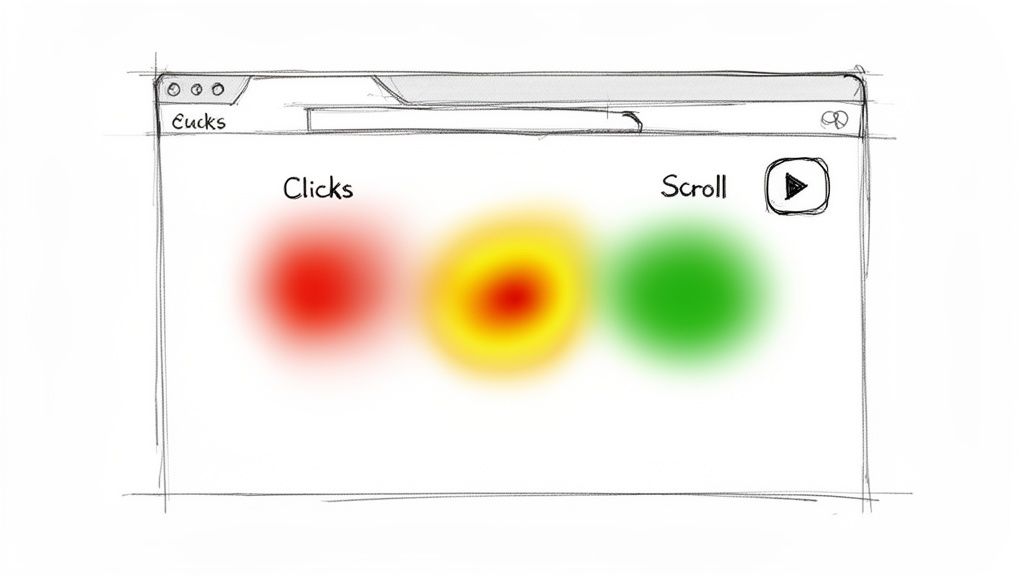
Together, these tools move beyond what users say to show what they actually do, revealing usability friction, navigation confusion, and opportunities for optimisation. This quantitative and qualitative data blend is invaluable for generating data-informed hypotheses about user behaviour, which can then be validated through more direct UX testing methodologies like moderated or unmoderated testing. Platforms like Hotjar and Fullstory are industry standards for this type of analysis.
Key Goals and Use Cases
Primary Goal: To understand real-world user behaviour on a live website or application and identify friction points or areas of interest.
Ideal Use Cases:
Optimising page layouts and call-to-action placement.
Identifying where users get stuck or abandon a task, such as in a checkout flow.
Discovering if key content is being seen or ignored ("below the fold" issues).
Generating evidence-based hypotheses for A/B tests and usability studies.
Pros and Cons
Pros: Gathers data from real users in a natural context, provides compelling visual evidence of user behaviour, highly effective at identifying unexpected issues, and can analyse large volumes of data passively.
Cons: Lacks the "why" behind user actions (no direct feedback), can be time-consuming to analyse session recordings, and requires significant traffic to generate meaningful heatmap patterns.
Practical Tips for Implementation
To extract meaningful insights, focus on patterns and combine different data sources for a complete picture.
Segment Your Data: Analyse heatmaps and recordings for different user segments (e.g., new vs. returning, mobile vs. desktop, traffic source) to uncover segment-specific behaviours.
Combine with Recordings: Use heatmaps to spot a problem area on a high-traffic page, then watch session recordings of users who interacted with that specific element to understand the context.
Focus on High-Impact Pages: Start your analysis on key pages like the homepage, pricing pages, or checkout funnels where improvements will have the greatest business impact.
Formulate Hypotheses: Use your observations to create clear hypotheses. Instead of "the button is ignored," frame it as "Moving the 'Request a Demo' button above the fold will increase clicks because our scroll maps show 70% of users don't reach its current position."
AI-Powered Augmentation with Uxia
While traditional heatmaps require a live product with significant traffic, AI platforms like Uxia can generate predictive heatmaps and user flow analytics from just a prototype. By deploying synthetic users, Uxia can simulate thousands of interactions on a design before it is even coded. This allows you to identify potential engagement issues and optimise layouts early in the design process, ensuring your live product launches with a data-informed, user-centred layout from day one.
5. Card Sorting & Tree Testing (Information Architecture Validation)
Card sorting and tree testing are foundational UX testing methodologies focused squarely on a product's information architecture (IA). Card sorting asks participants to organise topics into groups that make sense to them, revealing their mental models. Conversely, tree testing validates a proposed structure by asking users to find specific items within a text-only hierarchy, measuring findability and user intuition without the influence of visual design.
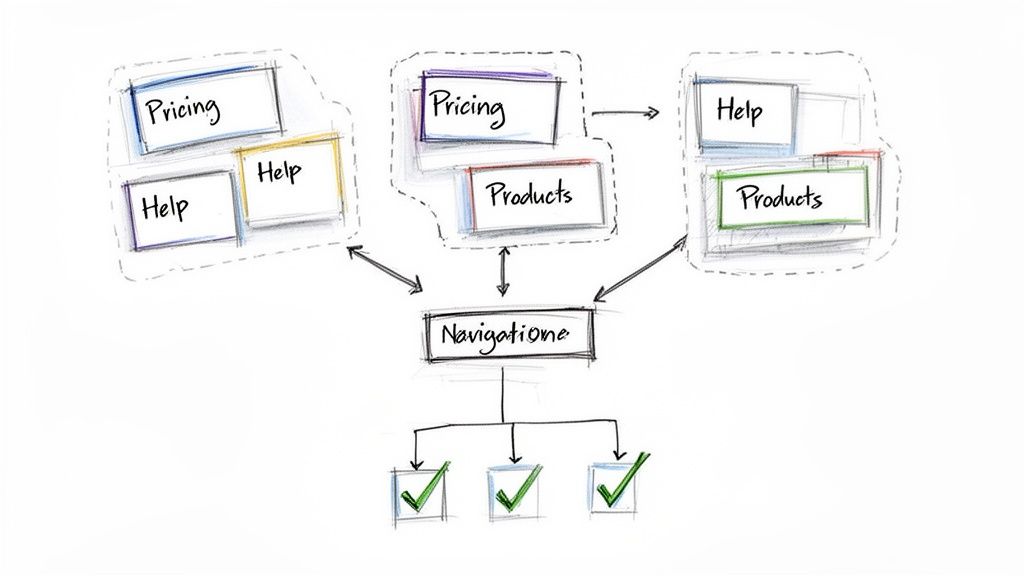
Together, these methods form a powerful duo for designing and validating a site's navigation before a single pixel is designed. They ensure the final structure aligns with user expectations, dramatically reducing the risk of launching a confusing or hard-to-navigate product. This approach has been crucial for large-scale content sites like the BBC News to refine article categories and for e-commerce platforms to organise product hierarchies effectively.
Key Goals and Use Cases
Primary Goal: To design and validate an intuitive and effective information architecture based on user mental models.
Ideal Use Cases:
Structuring a new website or application from scratch.
Redesigning or reorganising an existing product's navigation.
Validating the labelling and terminology used in menus.
Improving the findability of key content or features.
Pros and Cons
Pros: Inexpensive to run, provides deep insights into user thinking, validates structure before design investment, and delivers clear, actionable data on navigation performance.
Cons: Results can be misinterpreted without careful analysis, findings don't account for visual UI elements, and recruitment must be precise to avoid skewed data from non-representative users.
Practical Tips for Implementation
Success in IA validation hinges on methodical execution and realistic task scenarios. A common mistake is testing abstract concepts instead of real-world goals.
Start with Card Sorting, Follow with Tree Testing: Use open card sorting to discover how users group content, then a closed card sort to validate those groupings. Finally, use tree testing on the resulting IA to measure findability.
Create Goal-Oriented Tasks: For tree tests, frame tasks around user goals. Instead of "Find the returns policy," use "You bought a shirt that doesn't fit. Where would you go to find out how to send it back?"
Recruit Representative Users: Ensure participants reflect your target audience. An expert's mental model for organising content will differ vastly from a novice's. Aim for at least 15 participants for a card sort.
AI-Powered Augmentation with Uxia
Validating information architecture can be time-consuming, but AI offers a significant shortcut. With Uxia, you can instantly test multiple IA variations using synthetic users. Upload your proposed site map, and Uxia's AI will run tree tests in minutes, providing findability scores and path analysis for each structure. This allows you to rapidly iterate on your IA and identify the most intuitive navigation model before recruiting a single human participant, saving both time and budget.
6. Eye Tracking & Attention Analysis
Eye tracking offers an unparalleled, objective window into a user's subconscious attention, measuring precisely where they look, in what order, and for how long. This biometric UX testing methodology uses specialised hardware and software to track a participant's gaze patterns, fixations, and saccades (the rapid movements between fixations). The resulting data reveals what truly captures attention versus what gets ignored, providing empirical evidence to validate or challenge design assumptions about visual hierarchy.
This method is particularly powerful for optimising interfaces where visual communication is critical, such as e-commerce product pages, complex dashboards, or advertisements. By analysing heatmaps, gaze plots, and areas of interest (AOIs), teams can diagnose issues like banner blindness, unclear calls-to-action, or confusing layouts with a high degree of certainty, moving beyond subjective user feedback to understand pre-cognitive behaviour.
Key Goals and Use Cases
Primary Goal: To objectively measure and understand user visual attention to evaluate the effectiveness of a design's layout and information hierarchy.
Ideal Use Cases:
Optimising the layout of high-value pages like homepages or product detail pages.
Evaluating the visibility and noticeability of critical UI elements like warnings, CTAs, or pricing.
Testing the effectiveness of visual designs, advertisements, and branding placement.
Assessing cognitive load in complex interfaces, such as medical device dashboards or financial trading platforms.
Pros and Cons
Pros: Provides objective, quantitative data on subconscious behaviour, reveals insights users cannot articulate, and delivers compelling visualisations (heatmaps) for stakeholder communication.
Cons: Requires specialised equipment and expertise, can be expensive and time-consuming to set up, and the "why" behind gaze patterns often requires combining it with other methods.
Practical Tips for Implementation
To generate reliable insights, eye tracking studies must be carefully planned and contextualised. The data shows what users see, but not always why.
Combine with Think-Aloud: Pair eye tracking with a think-aloud protocol. This links objective gaze data with the user's subjective thoughts, providing crucial context.
Use Heatmaps Wisely: Aggregate gaze data into heatmaps to quickly identify attention hotspots and dead zones. These are powerful for communicating findings to a broader team.
Focus on Key Elements: Define specific Areas of Interest (AOIs) before the study. This allows you to measure metrics like "time to first fixation" on your primary call-to-action.
AI-Powered Augmentation with Uxia
Traditional eye tracking is resource-intensive, but AI offers a predictive alternative. Platforms like Uxia generate instant attention heatmaps based on computational models trained on thousands of human eye-tracking studies. This allows you to upload a design and immediately predict where users will look, identifying potential visibility issues in seconds. You can rapidly iterate on layouts and visual hierarchy before committing to expensive human-based studies, ensuring your design is visually optimised from the start.
7. Accessibility & Compliance Testing
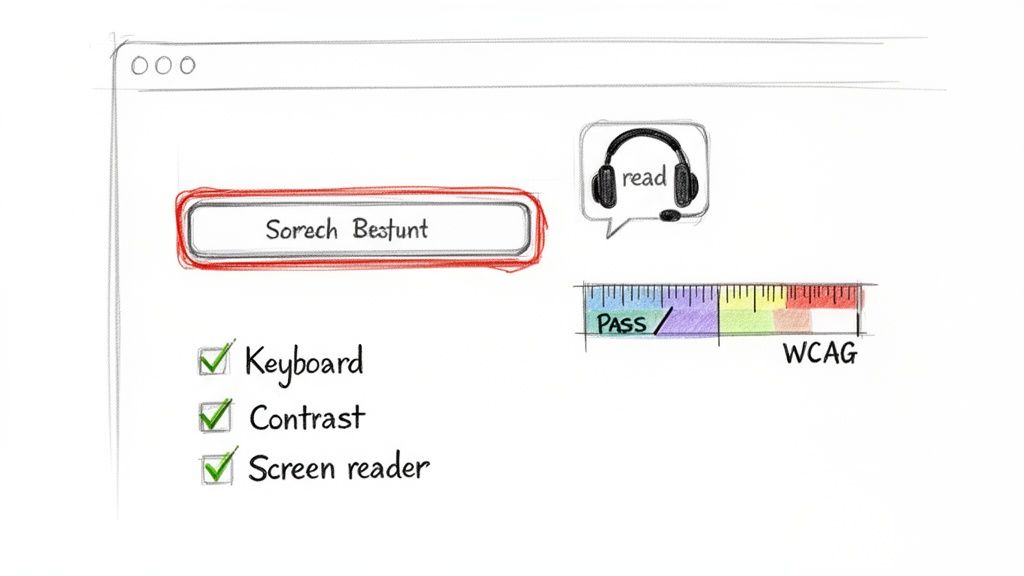
Accessibility and compliance testing is a critical UX testing methodology focused on ensuring digital products are usable by people with disabilities, including those with visual, auditory, motor, or cognitive impairments. It goes beyond a simple checklist, combining automated scans against standards like the Web Content Accessibility Guidelines (WCAG) with manual testing by real users employing assistive technologies. This dual approach ensures a product is not just technically compliant but genuinely usable and equitable for everyone.
This method is essential for creating inclusive experiences, expanding market reach, and mitigating legal risks associated with non-compliance. By proactively identifying and fixing barriers, companies like Microsoft and Netflix have not only met legal requirements but also fostered brand loyalty and driven innovation by embedding inclusive design principles into their core product development process.
Key Goals and Use Cases
Primary Goal: To identify and eliminate barriers that prevent people with disabilities from using a product effectively, ensuring both legal compliance and a high-quality user experience.
Ideal Use Cases:
Auditing existing products against legal standards like WCAG 2.2 or Section 508.
Validating that new features can be fully operated via keyboard-only navigation.
Testing with screen readers (e.g., JAWS, NVDA) to check for proper labelling and structure.
Ensuring sufficient colour contrast and legible text resizing for visually impaired users.
Pros and Cons
Pros: Expands your potential user base, enhances brand reputation, reduces legal risk, improves overall usability for all users, and drives innovation.
Cons: Can be complex and time-consuming, requires specialised knowledge and tools, and recruiting participants with specific disabilities can be challenging.
Practical Tips for Implementation
Integrating accessibility from the start is far more effective than treating it as a final-day check. Build it into your design and quality assurance cycles.
Start with Automated Tools: Use browser extensions like WAVE or Axe to run initial automated scans. These tools quickly catch low-hanging fruit like missing alt text or contrast issues.
Test with Real Assistive Tech: Go beyond simulation. Manually test your interface using actual screen readers and practise navigating with only a keyboard to understand the real user journey.
Recruit Diverse Users: Engage users with a range of disabilities in your testing. Their direct feedback is invaluable for uncovering issues that automated tools will miss.
AI-Powered Augmentation with Uxia
Manually auditing every design iteration against WCAG standards is a significant bottleneck. Uxia’s AI-powered platform automates this crucial step by performing an instant accessibility audit on your prototypes. It checks for compliance with key WCAG criteria, such as colour contrast and touch target size, providing actionable feedback in seconds. This allows you to fix foundational accessibility issues during the design phase, long before development begins, ensuring a more inclusive product from the ground up. By using Uxia, you can learn more about the latest accessibility requirements like WCAG 2.2 and integrate compliance checks seamlessly into your workflow.
8. Prototype Testing with Varying Fidelity Levels
Prototype testing is a fundamental part of the iterative design process, involving testing a model of a product before it is built. This methodology is incredibly versatile because it can be applied to prototypes of varying fidelity, from simple paper sketches and low-fidelity wireframes to highly interactive, pixel-perfect mockups. By matching the prototype's fidelity to the research objectives, teams can gather relevant feedback at every stage of the design lifecycle.
This approach prevents wasted development resources by validating core concepts early and refining detailed interactions later. For example, a low-fidelity test can quickly reveal if the basic information architecture is confusing, while a high-fidelity test can pinpoint subtle usability issues in a complex checkout flow. This staged validation is one of the most efficient UX testing methodologies for building user-centred products.
Key Goals and Use Cases
Primary Goal: To validate design concepts and test user flows at different levels of detail, from broad conceptual understanding to specific interaction mechanics.
Ideal Use Cases:
Low-Fidelity: Validating core concepts, user flow logic, and information architecture in the early stages (e.g., using paper sketches in a design sprint).
Mid-Fidelity: Testing navigation, layout, and the general placement of content and features using digital wireframes or simple interactive prototypes.
High-Fidelity: Refining micro-interactions, visual design, and testing near-final user journeys before development handoff.
Pros and Cons
Pros: Cost-effective (especially low-fidelity), facilitates early and frequent feedback, helps teams fail fast and iterate, and aligns stakeholders around a tangible concept.
Cons: Low-fidelity tests may lack the context for users to provide detailed feedback on usability, while high-fidelity prototypes can be time-consuming to create and may set unrealistic expectations if presented as the final product.
Practical Tips for Implementation
To maximise the value of prototype testing, always align the fidelity with your learning goals. Mismatches can lead to irrelevant or misleading feedback.
Start with the Core Idea: For brand-new concepts, even before wireframing, consider validating an idea with a simple landing page to gauge market interest.
Be Transparent: Always inform participants about the prototype's fidelity. Let them know what is and isn't clickable to manage their expectations and focus their feedback.
Match Fidelity to Goals: Use low-fidelity prototypes to answer big questions like "Do users understand our core value proposition?" and high-fidelity for specific questions like "Is this button animation clear?"
AI-Powered Augmentation with Uxia
Uxia excels at accelerating high-fidelity prototype testing. Once you have an interactive prototype in Figma, you can deploy Uxia's synthetic users to run comprehensive tests on intricate user flows. This provides rapid, detailed feedback on interaction design, visual hierarchy, and task completion before you even recruit a single human participant. It's the perfect way to de-risk your final design and ensure it’s polished for development.
9. Synthetic User Testing with AI-Powered Participants
Synthetic user testing represents a paradigm shift in UX testing methodologies, leveraging AI-generated participants to simulate real human behaviour. These virtual testers autonomously navigate websites, apps, and prototypes, completing specified tasks while providing think-aloud narration and detailed feedback. Each synthetic user can be configured with specific demographic, behavioural, and accessibility profiles, enabling teams to test designs against diverse user personas without the logistical delays of human recruitment.
This innovative method is engineered for unprecedented speed and scale. By deploying a panel of AI participants, design and product teams can receive comprehensive usability reports, including heatmaps and friction scores, in minutes rather than weeks. This makes it an invaluable tool for rapid, continuous testing within agile development sprints, allowing for immediate validation of design hypotheses and quick iteration cycles. It effectively removes the bottleneck of traditional user testing.
Key Goals and Use Cases
Primary Goal: To gain rapid, iterative usability feedback and identify major design flaws early in the development process.
Ideal Use Cases:
Validating user flows and information architecture during early design phases.
Conducting continuous UX validation within development sprints.
Testing for a wide range of accessibility needs at scale.
Comparing design variations to see which performs better for specific user profiles.
Pros and Cons
Pros: Extremely fast turnaround (minutes), highly scalable, cost-effective, eliminates recruitment bias and no-shows, and provides consistent, objective feedback 24/7.
Cons: Lacks genuine human emotion and subjective nuance, best used for identifying usability and functional issues rather than deep emotional insights, and should complement, not entirely replace, human testing for final validation.
Practical Tips for Implementation
To maximise the value of synthetic testing, precision in your test setup is crucial. The quality of your inputs directly impacts the quality of the AI-generated insights.
Define Specific Tasks: Frame tasks around clear user goals. Instead of "Test the checkout," use "You need to purchase a blue t-shirt in size medium using a credit card."
Select Relevant Profiles: Carefully choose demographic and behavioural profiles that match your target user personas to ensure the feedback is relevant.
Test Accessibility Inclusively: Use synthetic testing to cover a broad spectrum of accessibility profiles, such as users with visual impairments or motor challenges, to ensure your design is inclusive from the start.
AI-Powered Augmentation with Uxia
Platforms like Uxia are at the forefront of this methodology. Uxia allows you to deploy a panel of synthetic AI participants to test prototypes and receive actionable insights almost instantly. This enables teams to de-risk design decisions and optimise usability before investing in human-led studies. By understanding how synthetic and human users differ, you can build a more robust and efficient research strategy. To explore this further, you can learn more about the differences between synthetic and human users and how to best leverage both.
10. User Journey Mapping & Scenario-Based Testing
User journey mapping is a powerful strategic methodology that visualises the complete user experience over time and across various touchpoints. It captures a user's actions, thoughts, and emotions as they interact with a product or service, revealing critical pain points and opportunities for improvement. This holistic view is then used to inform scenario-based testing, which validates how well the interface supports the user's broader goals within these specific, realistic contexts.
This approach shifts the focus from isolated feature testing to evaluating the end-to-end experience. By understanding the user's entire process, from initial awareness to long-term use, teams can design more cohesive and empathetic solutions. For example, a journey map might reveal that the biggest frustration for a SaaS user isn't using a feature, but the initial onboarding process, guiding testing efforts to that specific stage.
Key Goals and Use Cases
Primary Goal: To identify and empathise with user pain points and emotions throughout their entire interaction with a product, and to test solutions in context.
Ideal Use Cases:
Optimising complex, multi-step processes like e-commerce checkouts or patient onboarding.
Identifying gaps and inconsistencies between different touchpoints (e.g., marketing site, app, and customer support).
Aligning cross-functional teams on a shared understanding of the user experience.
Prioritising feature development based on the moments that matter most to users.
Pros and Cons
Pros: Fosters a deep, empathetic understanding of users, provides a strategic "big picture" view, excellent for identifying innovation opportunities, and aligns teams around user needs.
Cons: Can be time-consuming to create and validate, requires significant qualitative research upfront, and can become outdated if not regularly maintained.
Practical Tips for Implementation
Effective journey mapping is rooted in authentic research, not internal assumptions. A map built on opinions is a work of fiction.
Base Maps on Real Research: Ground your journey map in qualitative data from interviews, diary studies, and support tickets to reflect genuine user experiences.
Map the Current State First: Before designing an ideal future, you must understand the current reality. Map the existing journey, warts and all, to identify the most impactful areas for improvement.
Include Emotional Data: Don't just track actions. Capture the user's emotional highs and lows (e.g., confusion, frustration, delight) at each stage to pinpoint critical moments. For more detail on this, you can learn about mapping user flow diagrams.
AI-Powered Augmentation with Uxia
Journey mapping identifies key scenarios that need testing, but running moderated sessions for each one is slow. Uxia can accelerate this validation process. Once you've identified a critical pain point in your journey map (e.g., "users struggle to compare subscription plans"), you can build a prototype of a new solution and use Uxia's AI agents to test that specific scenario. The AI participants will provide detailed behavioural insights and heatmaps in minutes, confirming if your proposed design resolves the identified pain point before you invest in further development or human-participant studies.
10-Method UX Testing Comparison
Method | 🔄 Implementation complexity | ⚡ Resource requirements | 📊 Expected outcomes | Ideal use cases | ⭐ Key advantages |
|---|---|---|---|---|---|
Unmoderated Remote Testing | Low–Medium — asynchronous setup, clear task writing | Low — platform subscription, participant incentives; easy to scale | Behavioral recordings, task completion rates, rapid trend signals | Rapid feedback cycles, sprint validation, distributed/global teams | Fast & scalable; low cost; eliminates moderator influence; 💡 keep instructions concise |
Moderated Usability Testing | High — skilled facilitator, adaptive questioning | High — moderators, recruitment, scheduling, recording/transcription | Rich qualitative insights, reasons behind behavior, non‑verbal cues | Complex flows, critical UX decisions, deep exploratory research | Deep contextual insights; flexible probing; ⭐ ideal for uncovering root causes; 💡 record sessions |
A/B & Multivariate Testing | Medium–High — experiment design and statistical rigor | Medium–High — analytics tools, sufficient traffic, longer runtime | Quantitative KPI impact (conversion, CTR), statistically validated winners | Conversion optimization, high-traffic products, iterative feature tuning | Data-driven decisions at scale; measures business impact; 💡 ensure adequate sample size |
Heatmap & Session Recording Analysis | Low — simple installation; requires filtering & review | Low — continuous collection tools; storage and analyst time | Visual interaction patterns, friction hotspots, navigation paths | Live product optimization, landing pages, early detection of drop-offs | Observes real behavior at scale; cost-effective; 💡 filter bots and segment users |
Card Sorting & Tree Testing | Low–Medium — task design and analysis of groupings | Low — tools and representative participants | IA validation, category agreement metrics, findability rates | Designing navigation/IA, content restructuring before UI build | Quick consensus on organization; prevents IA rework; 💡 run open then closed sorts |
Eye Tracking & Attention Analysis | High — equipment, calibration, specialized analysis | High — hardware/software, trained analysts, controlled environment | Gaze metrics, fixation heatmaps, visual hierarchy effectiveness | Visual‑heavy or safety‑critical interfaces (medical, dashboards, ads) | Objective attention data; reveals unconscious behavior; 💡 combine with think‑aloud for context |
Accessibility & Compliance Testing | Medium — WCAG standards + manual assistive tech checks | Medium — automated tools + manual testing with disabled users & expertise | Compliance status, real‑user accessibility issues, remediation guidance | Government, finance, healthcare, public‑facing services, legal compliance needs | Ensures legal compliance & broader reach; improves overall usability; 💡 integrate into design early |
Prototype Testing (Varying Fidelity) | Variable — low (fast) → high (complex interactive) | Variable — sketches to pixel‑perfect prototypes and tooling | Concept validation (low‑fi) to interaction fidelity checks (high‑fi) | Iterative design, design sprints, MVP development | Stage‑appropriate validation reduces wasted dev; ⭐ supports progressive refinement; 💡 match fidelity to research goal |
Synthetic AI-Powered User Testing | Low–Medium — configure profiles and scenarios | Low — instant virtual participants; minimal recruitment overhead | Rapid, scaled friction detection, simulated think‑aloud transcripts | Rapid iteration, accessibility edge cases, continuous validation in sprints | Instant scale, low cost, fast insights; good for early validation; 💡 corroborate with human studies |
User Journey Mapping & Scenario Testing | High — requires synthesis of multi‑source research | High — interviews, analytics, cross‑functional workshops | Holistic experience view, prioritized pain points, cross‑stage opportunities | Complex multi‑stage products, activation/retention strategy, cross‑functional alignment | Aligns teams around user needs; prioritizes high‑impact changes; 💡 base maps on real research |
From Insight to Impact: Building Your Optimal Testing Strategy
Navigating the landscape of UX testing methodologies can feel like learning a new language. From the rapid, quantitative feedback of A/B testing to the deep, empathetic insights of moderated interviews, each method offers a distinct vocabulary for understanding user behaviour. The true fluency, however, doesn't come from mastering a single dialect but from knowing how to combine them into a coherent and impactful conversation with your users. As we've explored, the power lies not in choosing one "best" method, but in orchestrating a flexible, multi-faceted research strategy that adapts to the unique questions you need to answer at every stage of the product development lifecycle.
The central takeaway is that there is no one-size-fits-all solution. Your optimal testing strategy is a dynamic blend, a carefully curated toolkit designed to deliver the right insights at the right time. Think of it as building a research rhythm: a continuous cadence of validation that keeps your team aligned with user needs and expectations. This modern approach moves beyond sporadic, project-based testing and towards an embedded culture of continuous discovery.
Weaving Methodologies into a Cohesive Strategy
To build an effective strategy, you must move from a checklist mentality to a strategic mindset. Instead of asking, "Which test should we run?", ask, "What is the most critical question we need to answer right now?". This simple reframe is the key to unlocking the true potential of your research efforts.
Consider a practical workflow:
Foundational Insights: You might start with moderated, qualitative sessions or journey mapping to understand the core problems and mental models of your target audience. These methods provide the rich, narrative context needed to build empathy and define your strategic direction.
Architectural Validation: Before a single line of code is written, you can use Card Sorting and Tree Testing to validate your information architecture. Ensuring your navigation is intuitive from the outset prevents costly rework down the line.
Rapid Iteration: As you move into design and prototyping, the cadence quickens. This is where methods like unmoderated remote testing and AI-powered synthetic testing, like that offered by Uxia, become invaluable. You can test new flows, validate component designs, and check for accessibility issues in hours, not weeks, allowing your design team to iterate with confidence.
Optimisation and Refinement: Once a feature is live, your focus shifts to optimisation. A/B testing, heatmap analysis, and session recordings provide the quantitative data needed to fine-tune the user experience and drive key business metrics.
The Rise of AI and the Future of UX Testing
The emergence of AI-powered platforms is a significant paradigm shift. Tools like Uxia democratise access to rapid, reliable feedback, removing traditional bottlenecks of time and budget. By leveraging synthetic users, you can conduct preliminary usability tests, accessibility audits, and prototype evaluations almost instantaneously.
This doesn't make traditional methods obsolete; it makes them more valuable. By automating routine validation, AI frees up your researchers and designers to focus on the complex, strategic questions that require human nuance and deep empathy. This hybrid model, where AI handles the high-frequency, tactical testing and human researchers lead the deep strategic inquiries, represents the future of effective UX research. Mastering this blend of ux testing methodologies is no longer a luxury for well-funded teams; it's an accessible and essential practice for any organisation committed to building truly user-centred products. Your journey from insight to impact starts with the first question you decide to answer.
Ready to accelerate your design validation and embed continuous feedback into your workflow? Discover how Uxia leverages AI-powered synthetic users to provide instant, actionable insights on your prototypes. Explore our platform and run your first test in minutes at Uxia.