Synthetic User Testing: Rapid UX Insights with AI-Driven Workflows
Discover how synthetic user testing delivers rapid, scalable UX insights with AI-driven workflows.

Synthetic user testing is a UX research method where AI agents are used to simulate human behaviour and test digital products. Instead of recruiting and observing people, platforms like Uxia deploy AI 'users' with specific demographic and behavioural profiles to interact with your designs, prototypes, or live sites.
Understanding Synthetic User Testing
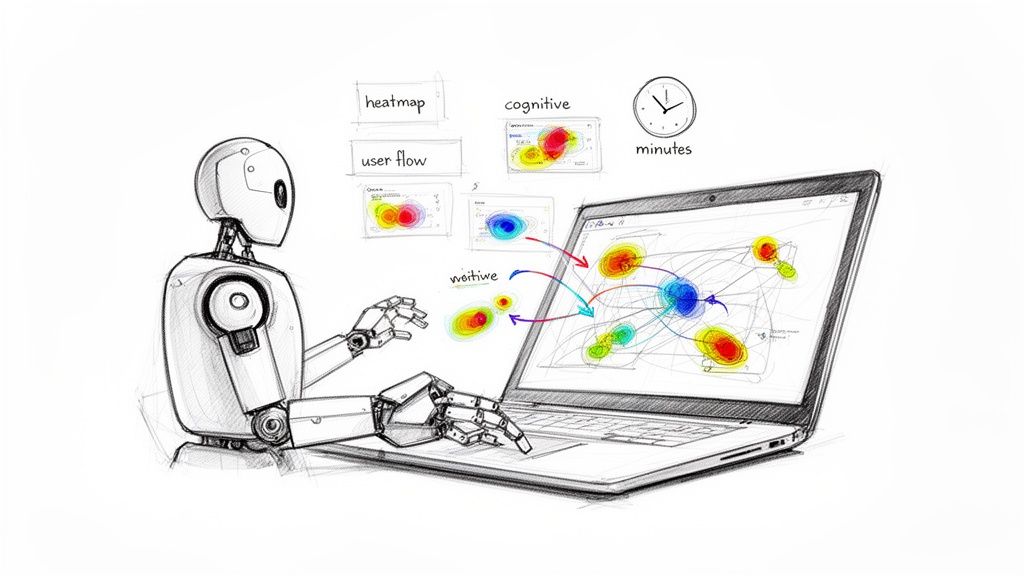
At its heart, synthetic user testing automates the entire usability analysis process. It gets rid of the slow, often expensive logistics of traditional research—like recruitment and scheduling—and replaces it with a rapid, scalable software solution.
Think of it as a digital dress rehearsal before your product goes live.
You give the system a design, maybe a Figma prototype or a live URL. Then, you define a task and the AI persona meant to carry it out. For example, you could test a checkout flow with an AI persona defined as a "first-time online shopper, age 55, low technical proficiency."
The AI then navigates your interface, trying to complete the mission you've set. As it works, the system captures a goldmine of data, generating outputs that mirror traditional research findings but in a fraction of the time.
Key Outputs and Insights
Platforms like Uxia are built to turn these AI interactions into feedback you can actually use. Some of the most common deliverables include:
Heatmaps: Visualising exactly where the AI users focused their attention, clicked, or hesitated.
User Flows: Mapping the precise paths the AI took to either complete or abandon a task.
Cognitive Analysis: Simulating a user's thought process with "think-aloud" transcripts that pinpoint moments of friction or confusion.
The real value here for product teams is getting rapid, scalable, and unbiased feedback. It lets you make data-driven design decisions much faster, helping you build user-centric products with more confidence and speed.
This approach means teams can test far more frequently and much earlier in the design cycle. You end up catching usability issues before they become expensive problems to fix in development.
The Strategic Advantage of AI in UX Research
In today’s tech world, speed isn’t just a nice-to-have; it’s a competitive weapon. Product development cycles are getting shorter and shorter, putting immense pressure on teams to get rapid, continuous feedback on their designs. This is where synthetic user testing moves from a cool new idea to an absolute necessity, helping teams sidestep the usual research bottlenecks.
The shift towards AI is happening everywhere. In 2023, Spain actually led Europe in this space, with 9.2% of businesses adopting AI solutions—a figure well above the EU average and a clear sign of where things are headed. This isn't just a high-level trend; it directly impacts how we build products by making our decisions faster and more informed by data.
Gaining a Competitive Edge
For any company trying to make its mark in a crowded digital world, the ability to test and iterate quickly is everything. Traditional user research is great, but it's often bogged down by long recruitment periods and scheduling headaches. That’s a huge problem when your window of opportunity is small.
This is the strategic opening that platforms like Uxia provide. Instead of waiting weeks to validate a new user flow, you can test it—along with a few other design variations—overnight. This lets companies move faster, innovate with more confidence, and launch products they know will work.
Practical Recommendation: Integrate synthetic testing directly into your design sprints. Before handing off a design to development, run a quick usability test on Uxia to catch any glaring issues. This simple step can save countless hours of rework later.
And the advantage doesn't stop at just running tests. AI also helps you make sense of all the insights you gather, a problem that tools for AI-powered knowledge management are built to solve. If you want to see exactly how effective this can be, check out our guide on achieving 98% usability issue detection through AI-powered testers.
How Does Synthetic Testing Stack Up Against Traditional Methods?
Deciding between synthetic and traditional user testing isn’t about picking a single "best" option. It's about knowing which tool to pull out of your toolbox for the job at hand. Each approach has its moment to shine, and the smartest teams have learned when to use one over the other.
Traditional user testing in Spain, for example, often hits some serious roadblocks. We've seen research showing that 40-43% of researchers spend one to two weeks just finding people for moderated sessions. That kind of delay, especially with GDPR and the Digital Services Act complicating things, makes faster tools like Uxia’s synthetic testing a no-brainer for agile workflows.
The real difference comes down to the kind of feedback you need, right now. Synthetic testing is all about speed and scale, making it perfect for quick, iterative checks.
Speed Versus Depth
Let's say you're debating three different call-to-action button designs for a new landing page. With the old-school approach, setting up A/B tests or moderated sessions to compare them all could easily eat up a few weeks. But with a platform like Uxia, you can run all three versions past hundreds of simulated users overnight. By morning, you’ll have clear, quantitative data telling you which one works best.
On the flip side, if you're trying to get inside the head of a first-time homebuyer using your mortgage app, you need a real conversation. Nothing replaces a traditional, in-depth interview for uncovering the motivations, anxieties, and subtle cultural cues that an AI just can't grasp yet.
This decision tree gives you a simple way to think about it. Are you stuck on a UX bottleneck that’s slowing everything down?
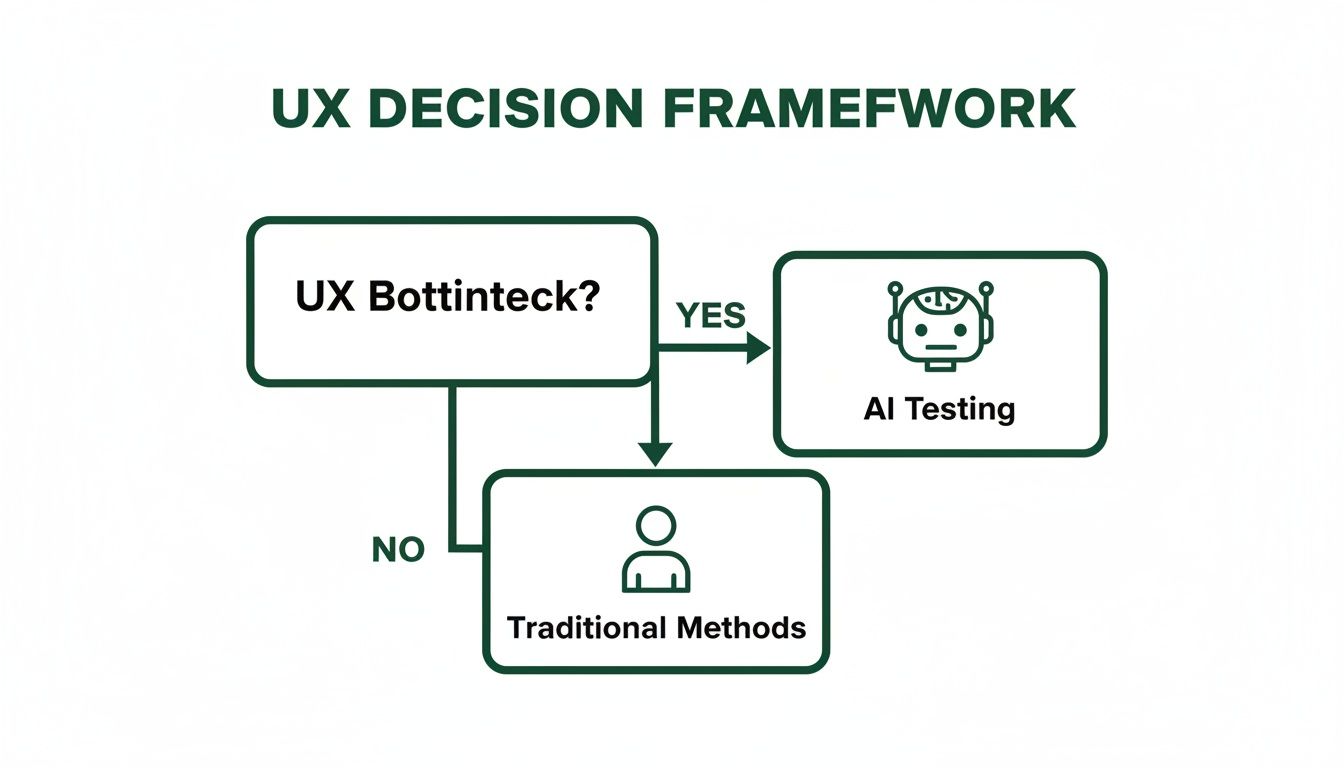
As the flowchart shows, when speed is what you desperately need to keep your project moving, AI-driven testing is the logical next step.
A Head-to-Head Comparison
To make the choice even clearer, let's put the two methods side-by-side. The table below breaks down how synthetic platforms like Uxia compare to traditional human research across the criteria that really matter. Getting these distinctions right is the key to building a research strategy that actually works.
If you want to go deeper on this, we've also written a detailed post exploring the differences between synthetic users and human users.
A Head-to-Head Comparison Synthetic vs Traditional User Testing
Criterion | Synthetic User Testing (e.g., Uxia) | Traditional User Research (Human Testers) |
|---|---|---|
Best For | Validating usability, navigation, and clarity of UI elements and flows at speed. | Uncovering deep user motivations, emotions, and complex contextual needs. |
Speed | Extremely fast, with results often available in minutes or hours. | Slow, typically requiring days or weeks for recruitment, scheduling, and analysis. |
Cost | Significantly lower cost per test, allowing for frequent and large-scale testing. | High cost per participant, including recruitment fees, incentives, and moderator time. |
Bias | Minimises human biases like the Hawthorne effect or recruitment bias. | Susceptible to various biases, from moderator influence to participant motivations. |
Ultimately, understanding where each method fits allows you to create a much more robust and efficient UX research process.
Practical Recommendation: A balanced approach is often the most powerful. Use Uxia for continuous, rapid-fire validation during design sprints, and reserve traditional methods for foundational discovery and deep qualitative exploration.
How to Weave Synthetic Testing Into Your Product Workflow
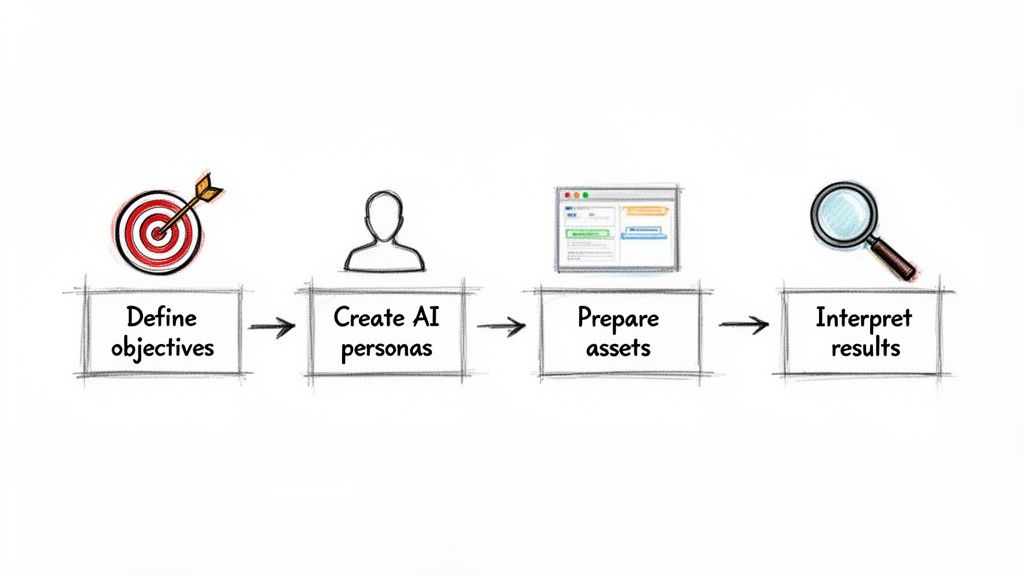
Successfully slotting synthetic user testing into your sprints isn’t about just running tests; it’s about running the right tests and knowing how to turn the results into action. It requires a clear, structured approach. This framework helps you move from fuzzy questions to concrete design improvements, fast.
The process kicks off by setting sharp, well-defined research objectives. Vague goals like "see if the design is good" are a waste of time and won't give you anything useful. You need to focus on specific, measurable questions that need answers.
Defining Objectives and Personas
First things first: pinpoint exactly what you need to learn. Are you trying to figure out if users can nail the onboarding flow in under two minutes? Or maybe you're validating whether the copy on a new feature page is clear enough for someone who isn’t a tech whizz. Get specific.
Once your objective is crystal clear, you create relevant AI user personas inside a platform like Uxia. A persona isn't just a list of demographics. It has to capture the user’s goals, their technical skills, and even their typical behaviours. For instance, testing a financial app might require personas like a "risk-averse retiree" versus a "tech-savvy millennial investor."
Practical Recommendation: Start with your most critical user journeys or the spots where your analytics show a high drop-off rate. Focusing your first synthetic user tests in Uxia here will deliver the biggest, most immediate impact and prove its value to your team.
Preparing Assets and Scenarios
With your goals and personas locked in, it’s time to prep the assets for testing. Synthetic testing platforms like Uxia can handle pretty much anything you throw at them, from static mockups and screenshots to fully interactive Figma or Adobe XD prototypes. Just make sure your assets are up-to-date and show the exact user flow you want to test.
Next, you'll need to write some realistic test scenarios. A scenario gives the AI persona a clear job to do, like "Find a blue t-shirt, add it to your basket, and proceed to checkout." This keeps the test grounded in a real-world context, which is absolutely essential for generating data that means something. Bringing synthetic user testing into your workflow can massively boost your website conversion rate optimization tactics, giving growth-focused teams the rapid insights they need.
Interpreting and Actioning Results
After the test runs its course, you’ll be swimming in data. The final step—and the most important one—is to interpret these findings and translate them into actionable design changes. Don't get lost in the weeds; look for patterns that pop up across multiple AI user sessions.
Heatmaps: See exactly where users are clicking or hesitating.
Cognitive Load Analysis: Pinpoint the moments of confusion or friction in the user journey.
AI-Generated Summaries: Get a quick-and-dirty overview of the key usability problems without having to dig through raw data yourself.
By sticking to this process, teams can embed continuous, data-driven validation right into their design and development cycles. If you want to go deeper, our guide on data-driven design offers more insights into this methodology.
Here’s where the theory of synthetic user testing really hits the road. You can move past the abstract idea and see how it solves real, everyday problems that product teams face all the time.
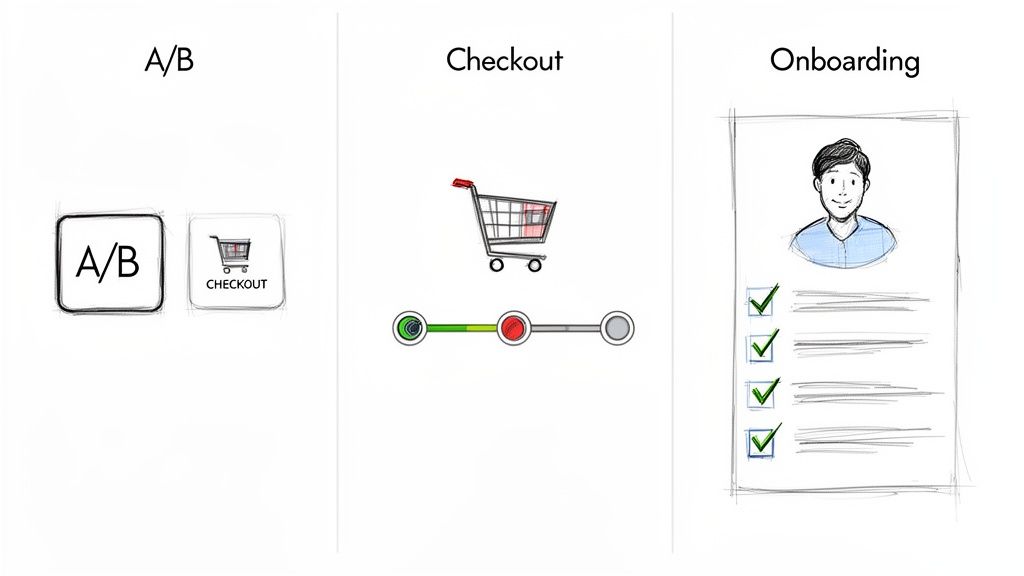
It’s one thing to talk about optimising a user journey. It’s another to actually do it. Instead of dedicating weeks to traditional research, a platform like Uxia can hand you actionable data in minutes, making continuous design validation a reality.
Streamlining a SaaS Onboarding Flow
Every SaaS company has been there: a slick onboarding process that bleeds users. Your analytics show people dropping off, but the "why" is a mystery.
This is a perfect scenario for synthetic testing. You can quickly define an AI persona that represents your ideal customer—say, a "non-technical small business owner"—and task them with getting through your onboarding. In minutes, Uxia delivers a cognitive walkthrough, highlighting the exact moments of confusion, the unclear copy, and the UI elements causing friction. You get a clear, prioritised list of fixes to boost your activation rate.
Practical Recommendation: By simulating the user experience in Uxia before a single line of code is written, teams can identify and resolve points of friction early. This proactive approach saves significant development time and resources, ensuring a smoother launch.
Validating a Complex Checkout Process
For any e-commerce site, a clunky checkout flow kills revenue. Period. Maybe you're debating a multi-step checkout versus a single-page design and need to know which one actually converts better.
With a tool like Uxia, you can unleash hundreds of synthetic users on both versions at once. The platform spits out hard data comparing task completion rates, time on task, and error frequency. You’ll even get detailed heatmaps showing which form fields are tripping people up, helping you build a checkout that feels effortless and keeps cart abandonment low. If you're looking for more options, you can check out other powerful synthetic user testing tools that fit this workflow.
This technology isn't a niche trend; it's exploding. The global market, valued at USD 2.46 billion in 2025, is projected to hit USD 8.24 billion by 2029, and Spain's market share is growing right along with it. For product teams, this means synthetic users offer a level of scale that is simply impossible with human panels. You can discover more insights about AI in market research and see the growth projections for yourself.
Here is the rewritten section, designed to sound completely human-written and natural, following the provided style and requirements.
Your Top Questions About Synthetic User Testing
As teams start looking into synthetic user testing, the same handful of questions always pop up. It’s natural to be curious—and a little sceptical. Let's clear up some of the most common ones so you can feel confident about how this technology fits into a modern product workflow.
Can AI Really Give Nuanced Qualitative Feedback?
I get it—how can an AI without feelings tell you how a user feels? While synthetic users don't have genuine emotions, platforms like Uxia are trained on massive datasets of real human behaviour. They're built to spot the classic patterns of confusion, hesitation, and friction.
They then produce feedback using a simulated "think-aloud" process, walking you through the cognitive steps a user might take. It's less about emotion and more about explaining why they're stuck on a specific UI element. This is how you pinpoint the root cause of frustration, whether it's unclear copy or a confusing layout.
Isn't Synthetic User Testing Biased?
This is a big one. Actually, a major benefit of synthetic user testing is how it cuts down on common research biases. Think about traditional testing: you’ve got the Hawthorne effect, where people act differently just because they know they're being watched. Then there's recruitment bias, where you accidentally end up with a panel that doesn't truly represent your audience.
Practical Recommendation: With a tool like Uxia, you're in the driver's seat. You define the exact user personas—demographics, behaviours, you name it—to build a consistent and representative panel. It keeps the feedback objective and focused purely on how effective the design is.
So, When Do I Still Need Human Testers?
Synthetic user testing is a powerhouse for quick, iterative checks on usability, navigation, and clarity. It's perfect for the day-to-day grind of the design process.
But let's be clear: traditional human testing is still king for deep, exploratory research. When you need to understand someone's personal motivations, cultural background, or their complex emotional journey with your product, nothing beats a moderated interview with a real person.
The smartest strategy is often a hybrid one. Use synthetic testing for frequent validation during your sprints, and save your human testing budget for foundational research and big, complex qualitative questions. This gives you a research function that's both powerful and balanced.
Ready to speed up your UX research and build with more confidence? Uxia delivers instant, actionable feedback from AI testers. Start testing your designs today.