Your Guide to Understanding Simile AI for UX Testing
What is Simile AI and how can it improve your UX research? Explore how AI-powered tools like Uxia are transforming product development with synthetic users.

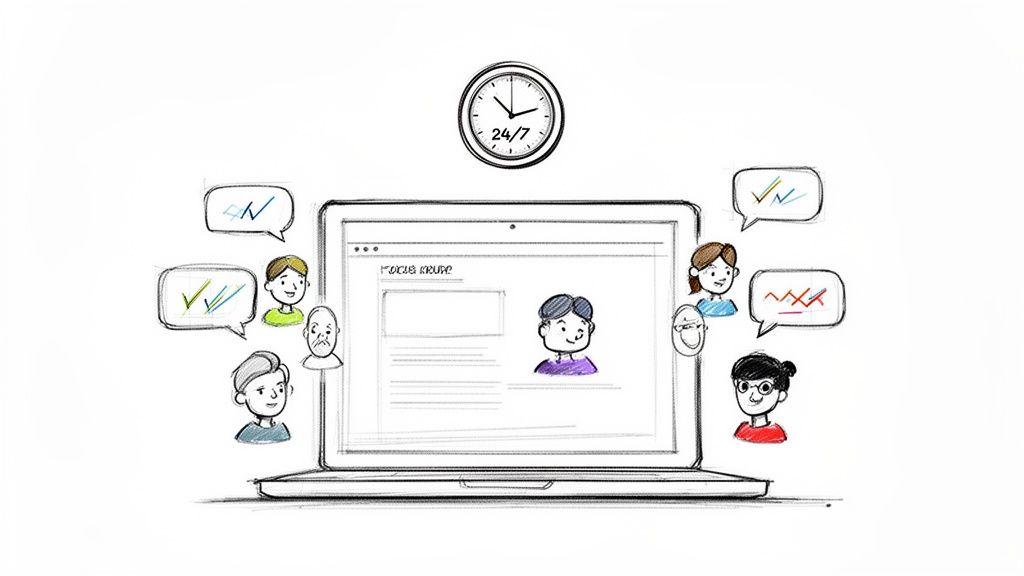
Imagine having a focus group on standby, ready to test your latest designs any time, day or night. That’s the core idea behind Simile AI, a technology that uses artificial intelligence to simulate realistic human behaviour for UX testing and product research.
How Simile AI Is Reinventing UX Research
In product development, speed is everything. But traditional user research methods—like moderated interviews or diary studies—are notoriously slow, expensive, and a headache to scale. Finding the right participants, scheduling sessions, and then manually sifting through all the feedback can take weeks. It's a huge bottleneck that stifles innovation.
Simile AI smashes right through this problem. Platforms like Uxia offer what is essentially a 'digital focus group' made up of AI-powered synthetic users. Instead of waiting weeks for feedback, teams get detailed insights in minutes. This allows you to validate ideas continuously throughout the entire design process, not just as a final checkbox.
Breaking the Feedback Bottleneck
The real killer in conventional research is the lag time between asking a question and getting an answer. That delay can cripple agile teams that need to make smart decisions on the fly. Simile AI collapses that feedback loop from weeks down to minutes.
This unlocks a whole new way of working for teams:
Product Managers can quickly test their assumptions and de-risk new features before a single line of code is written.
UX Designers can A/B test multiple design variations, navigation structures, or user flows almost instantly to see what actually works best.
UX Researchers can offload the repetitive, high-volume testing, freeing them up to focus on the deep, strategic qualitative work that truly requires their expertise.
Practical Recommendation: Use a Simile AI platform like Uxia to run quick checks on new designs or copy changes before sprint planning. This allows you to enter meetings with data-backed confidence, not just opinions.
This isn't just about speed, though. It fundamentally changes how teams approach design. When testing is nearly instant, designers and PMs are empowered to experiment more freely. They can try out bold ideas early and often, knowing they can spot what’s working and what isn’t without throwing the whole project off schedule. It’s this rapid, iterative cycle that leads to truly great user experiences. To see just how these two approaches compare and complement each other, you might want to learn more about how synthetic users stack up against human testers.
How Simile AI Actually Works Under the Hood
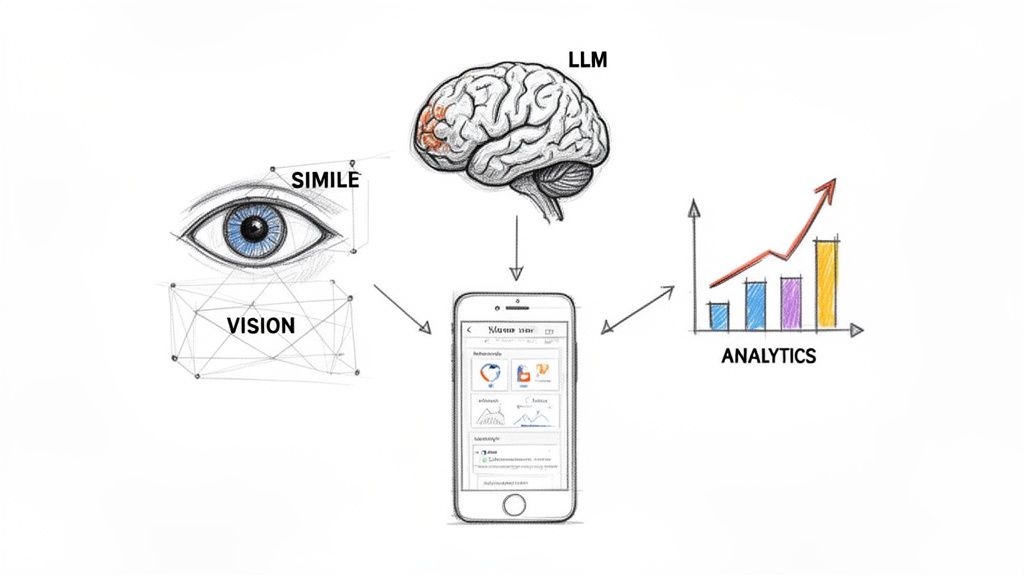
To really get what a Simile AI does when it tests your design, it’s best to imagine it as a small team of three specialists working in perfect sync. Each one has a very specific job, but it’s how they work together that produces the rich, detailed feedback product teams crave.
This coordinated system is exactly what allows a platform like Uxia to take a simple image of your prototype and turn it into actionable insights in minutes.
The first specialist on the team is a Computer Vision expert. Its only job is to ‘see’ and make sense of the user interface. When you upload a design—whether it's a static screenshot or a video of your prototype—this component scans it pixel by pixel. It identifies every button, text field, and image, almost exactly like a human eye would. In essence, it creates a digital map of your interface, understanding the layout and all its interactive parts.
From Seeing to Thinking
Once the interface is mapped out, the second specialist takes the baton: a Large Language Model (LLM). This is the 'brain' of the entire operation. It embodies the synthetic user persona you've defined and generates a realistic "think-aloud" stream of consciousness while attempting a task, like "find the pricing page".
The LLM doesn't just click around randomly. It pulls from vast knowledge of human-computer interaction to articulate its expectations, moments of confusion, and thought process.
For instance, if a button’s label is a bit ambiguous, the LLM might generate text like, "Okay, I want to see the cost, but this 'More Info' button is a bit vague. I'll click it, but I was really expecting to find something like 'Pricing' or 'Plans'." This kind of verbal feedback is gold because it tells you the why behind a user's actions. At Uxia, we've explored how this leads to better outcomes in our post on using NN/g research to achieve 98% usability issue detection.
The Final Analysis
Finally, the third specialist—a Predictive Analytics engine—steps in to pull it all together. It gathers every piece of data from the AI's journey through your design, including the path it took, where it hesitated, and the entire 'think-aloud' transcript.
This analytics component sifts through the data from multiple AI test runs to identify recurring patterns of friction. It's the key to turning raw behavioural data into a prioritised list of usability problems, complete with heatmaps showing where users focused their attention.
This three-part system of seeing, thinking, and analysing is the core engine that drives any effective Simile AI. It’s how platforms like Uxia can reliably simulate user behaviour and give you insights you can act on immediately, without the weeks of waiting that come with traditional user testing.
Putting Simile AI to Work in Your Product Team
The real value of any new technology isn’t what it promises, but how it actually performs in the wild. For product teams, Simile AI turns the theory of "moving faster" into concrete, everyday wins that tangibly shorten development cycles and lift product quality.
It’s about making smarter decisions, much faster.
Imagine a product manager, let’s call her Priya, staring down a looming sprint planning meeting. She’s got a high-stakes new checkout flow to propose, but she knows the engineering team is sceptical about its complexity. The old way meant waiting two weeks for user testing results to trickle in, completely blowing past the planning window.
Validating Ideas Before You Build
With a Simile AI platform like Uxia, Priya's entire situation changes. The night before the meeting, she uploads a static mock-up of the new checkout flow. She gives it one simple task: "Purchase the featured product using a new credit card."
Just minutes later, a full report is waiting for her. The Uxia AI testers instantly flagged a confusing label on the "Save Card" checkbox. They also showed a 30% drop-off rate when users were asked for a billing address that was different from their shipping one.
Armed with this data, Priya walks into the meeting not with a vague idea, but with hard evidence. She can say, "The core concept works, but we need to refine the address form and tweak this label."
This is the power of continuous validation in action. It de-risks launches by catching fundamental usability problems long before a single line of code gets written.
A/B Testing on the Fly
Or think about this common scenario: a UX designer has three different variations for a new homepage banner. In the past, running a proper A/B test would demand significant traffic, not to mention engineering resources to get it implemented.
With a platform like Uxia, the designer can test all three variations at the same time and get results in under an hour. By giving the AI testers the same goal for each version, they can quickly see which design leads to more clicks and better task completion.
This kind of rapid, iterative testing is where Simile AI truly proves its worth, letting teams refine designs with empirical data instead of just gut feelings.
This capability is becoming vital. The UK is dominating Europe's AI scene, with a projected 29.6% CAGR from 2021-2026, creating huge opportunities in UX research. AI has been proven to slash traditional research costs by up to 80%, and Uxia is at the forefront of this shift. It uses AI participants matched to regional behavioural profiles to deliver instant, actionable reports. You can explore more insights into Europe’s expanding AI market on Maximize Market Research.
Practical Recommendation: When you have multiple design options, don't just rely on gut feeling. Upload all variations to Uxia and run a comparative test. The data will quickly reveal which option performs best for key user tasks, saving you from lengthy team debates.
Let's be honest: not all Simile AI platforms are created equal. While dozens of tools promise to deliver insights faster, the actual quality and depth of that feedback can vary wildly. For product and UX teams, the trick is to look past the flashy marketing and figure out what really matters for making smart, confident design decisions.
The field is getting crowded, so it helps to have a clear way to compare them. You need to consider things like the realism of the synthetic user personas, how deep the automated analysis goes, and whether the platform can actually scale with your team's needs.
This simple decision tree can help you see where a tool like Uxia fits in.
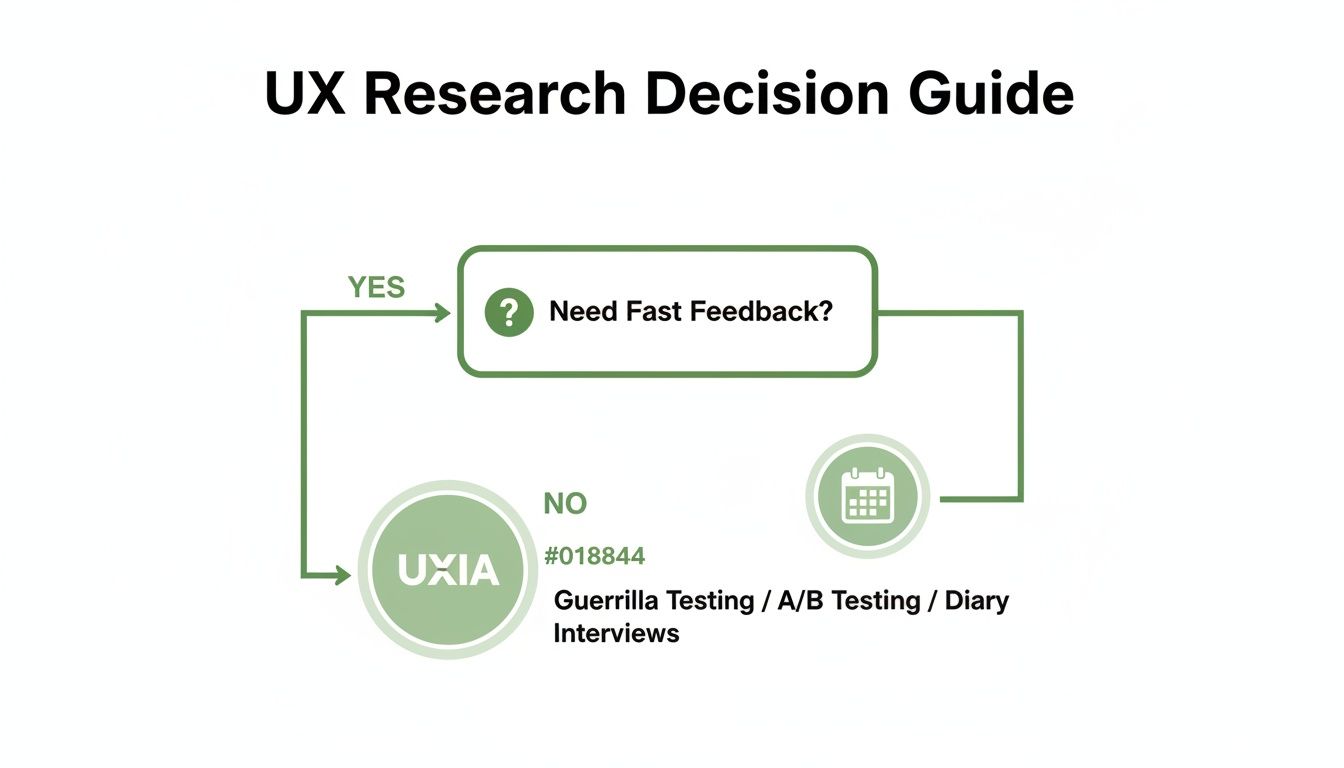
As you can see, when your number one priority is getting feedback fast, a specialised platform like Uxia is built for exactly that purpose.
Realism and Depth of Analysis
One of the biggest differentiators you'll find among Simile AI tools is how sophisticated their synthetic users are. Some basic tools give you generic, surface-level feedback. But more advanced platforms like Uxia use a proprietary pipeline to generate highly realistic AI participants who feel much closer to your actual users.
These personas are created based on the specific demographic and behavioural profiles you provide, ensuring the feedback you get is genuinely relevant to your target audience.
This realism is also reflected in the output. Uxia's AI testers don't just mindlessly click on buttons. They produce a running "think-aloud" narrative that walks you through their reasoning, what they expected to happen, and where they got confused. The platform then automatically transcribes all of this into detailed, actionable reports. If you're curious about the tech behind this, you can check out some of the best AI powered transcription software tools on the market today.
A huge advantage with Uxia is its ability to sidestep the biases you often get with professional human testers. Those testers can become overly familiar with standard UI patterns, but Uxia's AI participants come to every test with a completely fresh, unbiased perspective.
This focus on logical, step-by-step problem-solving is a major trend in the AI world. France, whose AI market is projected to hit €6.05 billion by 2025, is a key player here. Innovators like Mistral AI are developing models with much stronger reasoning capabilities. Uxia's pipeline was built with a similar philosophy, creating synthetic users who can "think aloud" through complex tasks and deliver deeper, more logical feedback.
The Uxia Advantage
So, where does Uxia really pull ahead of the pack? The differences become obvious once you start comparing its core capabilities side-by-side. While many platforms offer some kind of automated testing, Uxia delivers a more complete and useful solution from start to finish.
This table breaks down some of the key differences between Uxia, other Simile AI tools, and traditional human testing.
Simile AI Platform Feature Comparison Uxia vs Alternatives
The table below compares the key features of Uxia against other common Simile AI and traditional testing approaches, helping you see where each tool shines.
Feature | Uxia | Generic Simile AI Tools | Traditional Human Testing |
|---|---|---|---|
Participant Realism | High-fidelity personas based on behavioural profiles. | Often generic or limited customisation. | Varies; subject to professional tester bias. |
Analysis Depth | Detailed transcripts, heatmaps, and prioritised insights. | Basic issue flagging, often without deep context. | Manual analysis required; time-consuming. |
Speed | Results delivered in minutes. | Can take hours for detailed reports. | Can take days or weeks. |
Bias | Minimised by using fresh, unbiased AI testers. | Can be biased by the training data. | High risk of bias from experienced testers. |
By focusing on these practical differentiators, you can make a much more informed decision. For teams that need reliable, in-depth feedback delivered at speed, Uxia offers a clear and compelling advantage.
If you're interested in exploring this space further, check out our guide on the top synthetic user testing platforms to watch.
Understanding the Strengths and Limitations
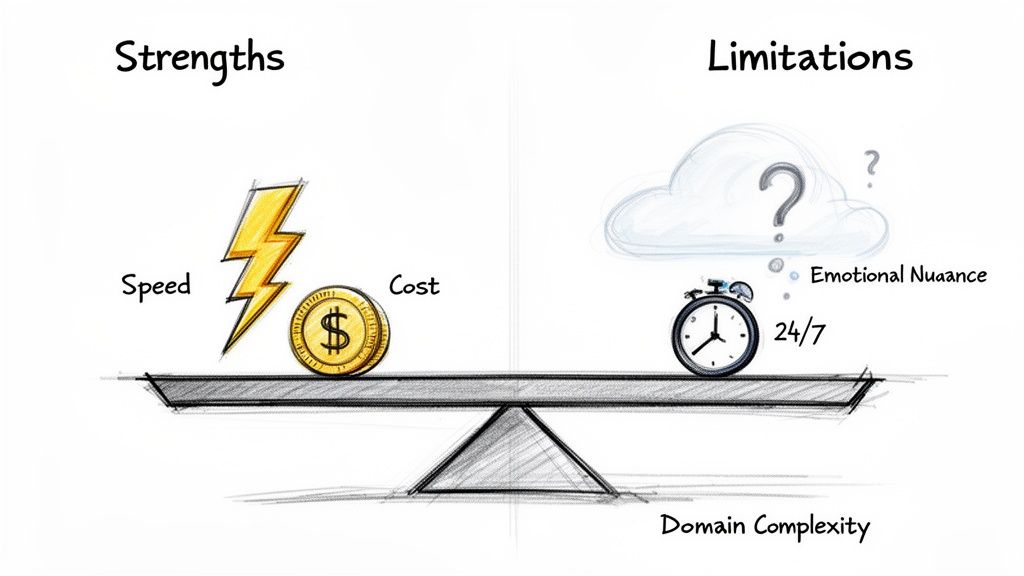
To really get the most out of any tool, you need to be honest about what it does well and where it falls short. Simile AI is no different. It offers some game-changing advantages, but it also has clear boundaries that every product team should understand before diving in.
Without a doubt, the biggest win with any Simile AI platform is its raw speed. Forget waiting days or weeks to recruit, schedule, and run tests with human users. Platforms like Uxia can turn around comprehensive reports in just minutes. This transforms user testing from a slow, deliberate process into an on-demand resource that slots perfectly into agile sprints.
And naturally, that speed leads directly to massive cost savings. When you cut out participant recruitment, incentives, and hours of manual analysis, you bring down the financial barrier to user research in a big way.
The Power of Immediate, Scalable Feedback
Another huge plus is the ability to test designs 24/7 without any delay. A designer can finish a new user flow in the evening and have a full report packed with actionable feedback from Uxia waiting for them the next morning. It creates a continuous feedback loop that accelerates the entire design cycle.
So, to sum it up, the key strengths are:
Unmatched Speed: Get feedback in minutes, not weeks, and keep your projects flying.
Cost-Efficiency: Slash the expenses tied to traditional user recruitment and testing.
Constant Availability: Test ideas whenever you want, enabling true continuous validation in your workflow.
In Spain's vibrant tech scene, part of Europe's dynamic 'ES' region, AI adoption is taking off. A notable 20.3% of companies with at least 10 employees are already using AI. Looking ahead, early adopters could shorten their design sprints by up to 70% by 2030—a goal where Uxia's scalable tiers fit in perfectly. You can learn more about the growth of Europe's AI market from IMARC Group.
Recognising the Current Limitations
But let’s be clear: Simile AI isn't a silver bullet. One of its main limitations is capturing genuine, nuanced human emotion. An AI simply can't replicate the spark of delight a user feels when they discover a clever feature, nor can it convey the deep frustration from a truly broken experience. It’s great at spotting usability friction, but not the feeling behind it.
Another boundary is dealing with tasks that demand years of specific, niche domain knowledge. While an AI like Uxia can simulate a generalist user incredibly well, it will likely struggle to mimic the behaviour of a highly specialised expert—say, a trader who has spent a decade using a complex financial platform.
Practical Recommendations for a Balanced Approach
The smartest way forward is a hybrid strategy, one that plays to the strengths of both AI and human testing.
Practical Recommendation: Use a Simile AI platform like Uxia for the heavy lifting of iterative testing—that means validating user flows, A/B testing copy, and checking your information architecture. Then, reserve your budget for deep, qualitative studies with real users to handle strategic discovery and understand those complex emotional journeys.
This balanced view helps you set realistic expectations. By weaving Uxia into your process effectively, you get the breakneck speed you need for daily validation while saving your human-centred research for the moments where it truly counts.
Answering Your Questions About Simile AI
I get it. Bringing a new tool like Simile AI into your workflow always sparks a few questions. Teams want to know where it fits, how much they can trust the output, and what it really takes to get started. Let's tackle some of the most common ones head-on.
Can Simile AI Completely Replace Human Testers?
This is the big one, and the honest answer is no—but it's a bit more nuanced than that. Think of Simile AI as a powerful complement to human testing, not a complete replacement.
For all the rapid, iterative stuff you do day-in and day-out—validating user flows, checking your information architecture, A/B testing design tweaks—AI testers are a complete game-changer. Platforms like Uxia are built for this. They're faster, they scale instantly, and they're way more cost-effective for these high-volume tasks. Best of all, they completely wipe out recruitment bottlenecks, so you can test continuously right inside your sprints.
But when you need to do deep discovery research to uncover those hidden, unspoken user needs or capture really complex emotional reactions, nothing beats a qualitative session with a real person. The smartest teams use a hybrid approach.
Practical Recommendation: Use a platform like Uxia for the 90% of your iterative validation to keep moving fast. Save your human testing budget for those big, strategic discovery projects where emotional depth is everything.
How Reliable Are the Insights from an AI User?
The reliability really comes down to the quality of the AI engine powering the tool. Some basic tools might spit out generic, unhelpful feedback. But more advanced platforms like Uxia use a proprietary pipeline to generate realistic AI participants that are actually aligned with specific demographic and behavioural profiles. These aren't just random bots clicking around.
These synthetic users do more than just follow a path; they "think aloud," giving you a running commentary of their thought process based on huge models of human-computer interaction. You get detailed transcripts, friction points, and clear flags for issues with usability, navigation, and trust.
The platform then synthesises patterns from multiple AI testers to generate reports complete with heatmaps and prioritised insights. This process cuts through the noise and individual bias you’d get from a single human tester, making the findings from Uxia remarkably consistent and actionable for improving your designs. If you want to dig deeper, they also have a great list of frequently asked questions.
How Do I Get Started with a Platform Like Uxia?
Getting up and running with Uxia is designed to be ridiculously fast. We’re talking minutes, not weeks. The whole workflow is dead simple and needs zero complex setup.
Upload Your Designs: You can use pretty much anything—static images, screenshots, or even video prototypes of your user flow.
Define the Mission: Give the AI a clear task to accomplish. Something like, "Sign up for a new account" or "Find and purchase a blue t-shirt."
Select Your Audience: Define the key demographic and behavioural traits you need. This ensures the Uxia AI participants actually match the users you're building for.
Run the Test: Uxia’s AI participants get to work on your design, and within minutes, you have a comprehensive report waiting for you.
The output gives you everything: transcripts, flagged usability issues, heatmaps, and a summary of the key insights. There’s no recruiting, no scheduling, and zero manual analysis. Your team gets actionable feedback almost instantly.
Practical Recommendation: Start small. The next time you have a minor design question, like "Is this button label clear enough?", run a quick test on Uxia. Seeing the speed and quality of the feedback firsthand is the best way to understand its value.
Ready to stop waiting on research and get feedback in minutes, not weeks? See how Uxia can change your product development cycle and help you build with real confidence. Explore the platform at https://www.uxia.app.