Mastering the Product Design Process: A 2026 Guide
Master the product design process with this practical guide covering discovery, ideation, prototyping, testing, and iteration.

You've probably seen this sprint go wrong. A designer delivers a polished prototype, the product manager approves it, engineering spends three weeks building the flow, and the first meaningful user session reveals that people can't find the primary action. The team doesn't have a design problem anymore. It has a late discovery problem, an expensive rework problem, and a process problem.
The product design process is the agreement a team makes about how it will turn uncertainty into evidence-backed decisions. Tools support that agreement, but they can't replace it. A Figma file, a research repository, or an AI testing platform won't clarify an undefined problem or repair a handoff that contains no rationale.
The most reliable teams treat design as a continuous validation loop. They define the problem, create the smallest useful artifact, test it, record what changed, and carry the evidence into the next decision. That approach works for a normal two-week sprint because it makes validation part of the work, rather than a large research event scheduled after the design is already fixed.
Why the Product Design Process Matters More Than the Tools
A new tool can create immediate energy. Someone builds a polished board, imports a component library, or generates a prototype in minutes. The team feels faster because the artifact looks finished. But if nobody has agreed on the user problem, the success criteria, or the constraints engineering must respect, the tool has only accelerated production of an untested assumption.
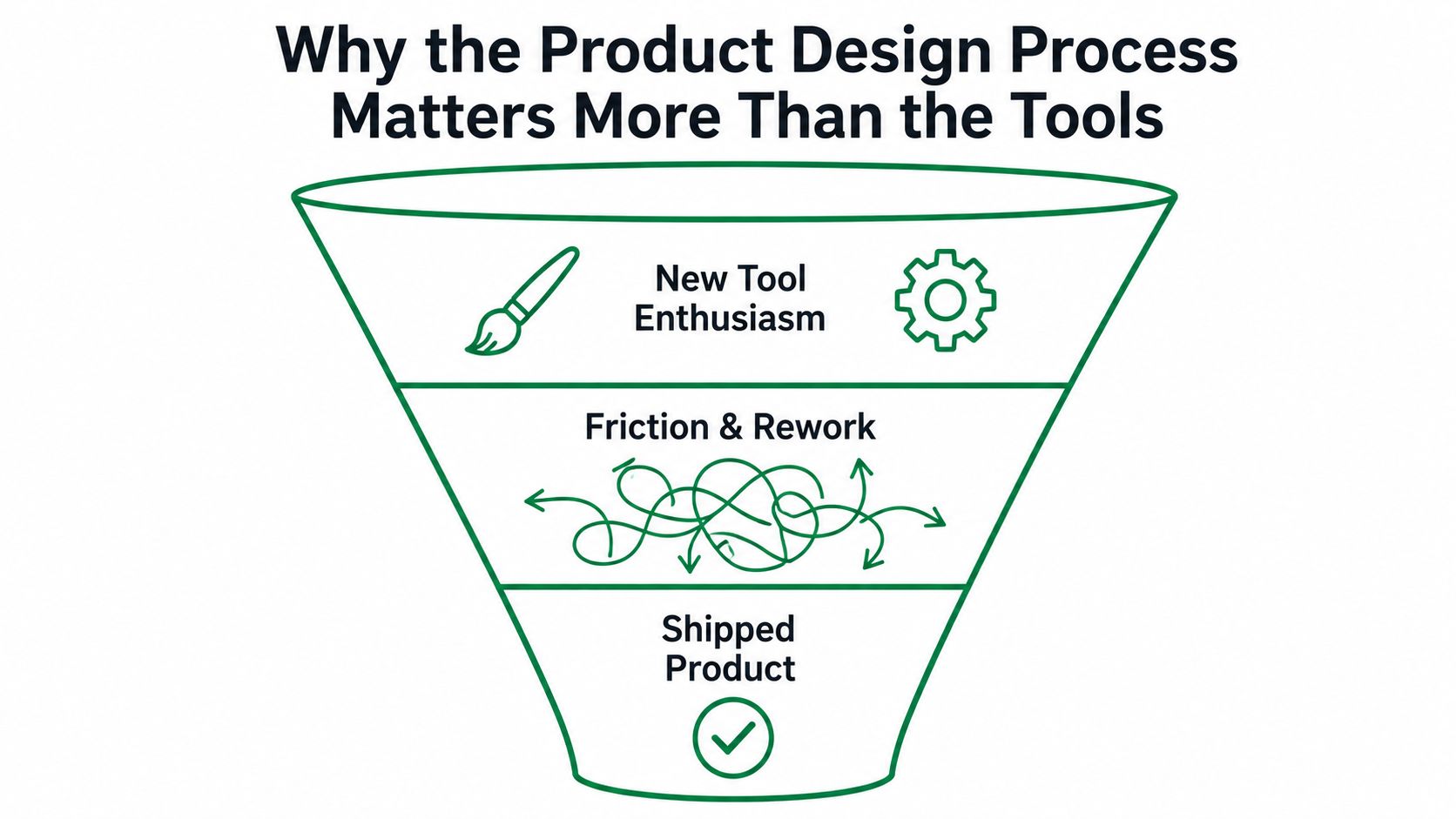
The sprint failure usually starts before the screen
A typical failure looks tidy in the project tracker. The product manager writes a ticket, the designer explores a few directions, stakeholders choose one, and engineering receives a prototype with annotations. The trouble is that the team may have skipped the questions that determine whether the work is worth building:
User problem: What task is currently difficult, and for whom?
Desired behavior: What should a person be able to accomplish after the change?
Evidence: Which observation, support pattern, or business constraint supports the direction?
Boundaries: What must remain true for accessibility, compliance, performance, or technical feasibility?
Decision rule: What result would make the team stop, revise, or proceed?
Without those answers, design review becomes a preference contest. The loudest stakeholder often wins, and the team mistakes consensus for clarity.
A structured product design process creates explicit decision points. One widely cited industry model describes 10 major milestones, from project planning, research, and concept development through prototyping, documentation, production liaison, and testing, as outlined by Design News' milestone breakdown. The value isn't the number of milestones by itself. It's the traceability between an early assumption and a later go or no-go decision.
Practical rule: Don't ask whether the team has the right tool until you can point to the decision the tool is helping you make.
A useful process also protects collaboration. Designers can explain why an interaction exists, engineers can flag implementation risk before handoff, and product managers can separate a validated user need from a feature request. For teams building complex physical or digital products, that shared context matters as much as visual quality.
If your team needs a companion to this workflow, use this practical guide to user-centred design to connect research, prototyping, and evaluation without turning the process into a document exercise.
The Seven Stages of the Product Design Process
A practical product design process has seven stages, but they shouldn't behave like a one-way conveyor belt. Each stage produces an artifact, and each artifact gives the team something concrete to challenge before more effort is invested.

Start with evidence, not interfaces
Discovery produces a problem brief. Gather user observations, existing product signals, market context, and technical constraints. The gate is agreement that the team understands the problem well enough to investigate a specific opportunity.
Definition produces a prioritized opportunity list and a clear success statement. Rank needs by user value, risk, and feasibility. The gate is a shared decision about which problem belongs in the current cycle and which problems remain out of scope.
Ideation produces a concept direction. Explore alternative approaches before polishing one solution. Sketches, flows, and lightweight content models are enough at this point. The gate is a rationale for selecting a direction, not a stakeholder preference.
Prototyping produces a clickable prototype that represents the critical path. Fidelity should match the question you're asking. Use rough flows to test structure and more realistic content to test comprehension, trust, or form completion.
A team can revisit discovery during ideation if a concept exposes a weak assumption. That isn't process failure. It's the loop working.
Turn feedback into the next decision
Testing produces a usability report. State the tasks, audience, method, observations, and priority of each issue. The gate is a decision about what to change, what to investigate further, and what evidence is sufficient to proceed.
Handoff produces a build-ready specification. Include interaction states, content rules, accessibility notes, edge cases, assets, and the evidence behind important decisions. A prototype alone rarely communicates behavior under failure conditions.
Iteration produces a change log for the next cycle. Record what changed, why it changed, which findings remain unresolved, and what the team will test next. The loop returns to definition or prototyping rather than ending at launch.
For a broader comparison of lifecycle frameworks, Figr's overview of product development lifecycle stages is useful when you need to align product design with engineering, manufacturing, or launch work.
The sequence is easier to run when every gate has an owner and a time limit. Don't hold a full-team meeting for every sketch. Bring the right people in when a decision affects scope, feasibility, risk, or customer behavior.
The strongest process documents decisions without slowing the team down. A one-page brief, a testable prototype, and a short evidence log often create more alignment than a large board nobody revisits.
Measuring What Actually Works in a Design Iteration
“People liked it” isn't a defensible iteration result. A design review can tell you whether stakeholders prefer a visual direction, but usability testing needs task-level measures that show whether people can complete the intended work.
The standard scorecard includes task success rate, task completion time, error rate, and subjective satisfaction, as described in NN/g's usability metrics guidance. These measures answer different questions, so don't collapse them into one overall impression.
Use a stable scorecard
Task success rate: Can participants complete the intended task, and do they complete it correctly?
Task completion time: How long does the flow take under the same task instructions?
Error rate: Where do people make incorrect selections, miss information, or recover from a mistaken action?
Subjective satisfaction: How confident, comfortable, or frustrated do participants feel after the task?
The methodology must stay consistent across versions. Keep the task wording, starting state, success definition, and measurement rules stable enough that a later result can be compared with an earlier one. Otherwise, the team may attribute a change to the design when the test setup caused it.
A redesign can also improve one measure while temporarily hurting another. NN/g's research on iterative design reports a median overall usability improvement of 165% from the first to the last iteration and a median gain of 38% per iteration in the case studies reviewed. The same guidance recommends testing at least three interface versions, because optimizing one attribute can make another metric worse for a period.
That's why I prefer a small versioned scorecard over a single verdict:
Measure | Version | Result | Observation | Decision |
|---|---|---|---|---|
Task success | Current version | Recorded result | Where completion failed | Keep, revise, or retest |
Completion time | Current version | Recorded result | Slowest step | Simplify or explain |
Error rate | Current version | Recorded result | Repeated mistake | Change affordance or copy |
Satisfaction | Current version | Recorded result | Confidence or frustration | Investigate the cause |
Use the same discipline in your research repository as you do in your analytics dashboard. Data-driven design practices can help teams connect qualitative observations to measurable product decisions without treating numbers as a substitute for judgment.
Human Testing vs Synthetic Testing in the Design Loop
Human moderated testing and synthetic testing solve different research problems. A moderated session gives you nuance, follow-up questions, emotional context, and the ability to explore an unexpected behavior. Synthetic testing gives you a fast way to examine a prototype repeatedly before recruiting, scheduling, and coordinating a study.
The right choice depends on the decision. Use human participants when the audience is difficult to model, or the team needs to understand motivation and context. Use synthetic testers when you need rapid directional evidence across early concepts or recurring prototype changes.
Compare the methods by decision need
Dimension | Human moderated testing | Synthetic testing (Uxia) |
|---|---|---|
Setup time | Requires recruiting, scheduling, consent, and session preparation | Can begin from a prepared design, prototype, or flow without participant scheduling |
Cost per study | Includes researcher time, participant incentives, and coordination | Reduces recruiting and scheduling work for early checks |
Failure rate | Reveals real misunderstandings and unexpected context | Can surface modeled friction, navigation problems, copy issues, and trust concerns |
Insight latency | Findings arrive after sessions are completed and analyzed | Produces rapid directional feedback for early iteration |
Feedback type | Nuanced verbal, behavioral, and contextual evidence | Structured interaction feedback, transcripts, patterns, and prioritized issues |
Uxia fits between ideation and handoff as a continuous testing layer. A team can run small checks on sketches, wireframes, clickable prototypes, or other prepared flows, then reserve human review for the issues that deserve deeper investigation. That division prevents a common mistake, using a large human study to answer questions that a quick early prototype test could have exposed.
NN/g recommends budgeting usability sessions so most of the time is spent observing people complete interactive tasks, with one practical cadence being one day per week with four users, as explained in its guidance on time budgets for usability sessions. Synthetic checks can support that cadence by giving the team an earlier signal between human sessions.
Use the fastest credible method for the question, then escalate when the evidence demands context.
Keep the evidence visible. A feedback board can collect observations, open questions, and decisions in one place, and this feedback board resource from DOM Studio offers a practical starting point for organizing that work. For teams evaluating the reliability boundary of synthetic participants, this overview of how AI synthetic testers reach approximately 90% of human reliability provides useful context.
Synthetic testing isn't a replacement for human judgment. It's a way to catch obvious friction sooner, reduce the number of weak concepts entering formal research, and keep validation close to the design decision.
The Real Bottleneck Is Upstream Clarity
Most redesigns don't fail because the final interface uses the wrong color or spacing. They fail because the team never agreed on the problem it was solving.
A 2026 industry survey found that only 27% of engineers say both the problem and success criteria are clear when they read a ticket, while 59% of teams discover missing tasks or dependencies during the cycle. The same survey found that 64% store critical knowledge mainly in people's heads, and only 9% use AI to help generate or improve product requirements, according to The State of Product Development.
Those findings describe a process that begins too late. Engineers receive an interface but not the reasoning behind it. Designers receive a feature request but not a clear outcome. Product managers discover dependencies after the team has committed to a direction.
Put three artifacts before the first serious sketch
Write the problem brief first. State who is struggling, what they're trying to accomplish, what evidence supports the problem, and what the team won't solve in this cycle. Keep it short enough that engineering and design will read it.
Define success per flow. “Improve onboarding” is too broad. Define the observable behavior that matters, such as completing account setup without missing a required step or understanding what will happen after submitting a form. The exact measure belongs in the test plan, but the intended outcome belongs in the brief.
Test the brief before polishing the solution. Create a rough flow or scenario that exposes whether the team's interpretation makes sense. If the concept solves a different problem than the brief describes, finding that mismatch early is a useful result.
Make hidden knowledge inspectable
Ask each role to identify assumptions that aren't written down. Product managers often hold priority context, designers hold interaction rationale, and engineers hold dependency knowledge. Put those assumptions into the project record before they become blockers.
The process becomes faster when fewer decisions depend on memory. Clarity at the front doesn't eliminate iteration. It makes iteration about the right question.
Team Roles and Where Continuous Testing Fits
A product design process needs clear ownership, but it shouldn't isolate people by stage. The designer may lead interaction work, yet engineering must influence feasibility before the solution hardens. The researcher may lead study design, yet product and design need to own the decisions that follow from the findings.
Assign ownership by decision
Product manager: Owns the opportunity, priority, scope, and success criteria. They keep the team focused on the outcome rather than the requested feature.
Product designer: Leads user flows, interaction models, prototypes, content behavior, and design rationale. They turn evidence and constraints into testable solutions.
UX researcher: Advises on research questions, participant needs, test quality, synthesis, and interpretation. On smaller teams, the designer may perform this work, but the responsibilities still need an owner.
Engineer: Reviews feasibility, dependencies, states, data requirements, accessibility implications, and implementation risk before handoff.
Design lead: Protects quality across the system, resolves cross-flow inconsistencies, and makes sure the team doesn't optimize one screen at the expense of the wider experience.
The roles overlap at the gates. Product should participate in problem definition, engineering should review concepts that introduce technical risk, and research should challenge weak methods before the team treats a result as proof.
Add testing without adding meetings
Run a small synthetic check whenever a meaningful clickable flow changes. The designer prepares the task and prototype, the product manager confirms the decision it supports, and the researcher reviews the test framing when the question is sensitive or ambiguous. Uxia can sit in that handoff as an early validation layer, producing directional findings before the team decides whether human follow-up is necessary.
Keep the output lightweight:
The test question.
The prototype version.
The task and audience.
The main friction points.
The decision and owner.
The next version to test.
This workflow avoids scheduling a large usability study for every minor change while preventing the opposite mistake, shipping without evidence. Human review remains essential for nuanced flows, sensitive topics, and decisions where modeled behavior can't provide enough context.
Common Pitfalls That Break the Design Process
Experienced teams repeat predictable mistakes because each one feels efficient in the moment. The shortcut only becomes visible after the cost has moved into engineering, support, compliance, or customer trust.
Four shortcuts to remove
Skipping discovery because the team already knows the user. Familiarity with a market doesn't prove that the current problem is the one worth solving. Write a brief, review recent evidence, and test the riskiest assumption before exploring polished screens.
Treating a prototype as a single deliverable. A prototype is a question in visual form, not a ceremonial milestone. Start with the cheapest artifact that can expose the uncertainty, then increase fidelity only when the previous answer supports it.
Testing after launch. By then, the team has paid for design, implementation, release coordination, and customer confusion. Fixing a usability issue at the prototype stage costs roughly 10 times less than fixing it after launch, according to Lullabot's usability testing guidance.
Handing over a file without the evidence. Engineering needs more than pixels and redlines. Attach the tested task, observed failure, decision rationale, unresolved risk, and expected behavior for edge cases.
Wiki rule: Test the riskiest interaction before the team commits the most expensive work.
Early UX investment can shorten product development by 33% to 55%, while companies that invest in UX see 42% higher retention and 32% higher upsell rates, according to Figma's usability testing resource. Those figures don't mean every test produces a predictable business return. They support a more practical conclusion: validation belongs before the cost curve rises.
A process without proof is still a preference system. If the team can't show what it tested and why it changed the design, the handoff is asking engineering to trust taste.
A Practical Checklist for Your Next Sprint
Use this checklist in the next planning session:
Discovery inputs: Record the user problem, supporting evidence, constraints, and out-of-scope requests.
Definition: Write one success statement for each critical flow.
Prototype: Build only the fidelity needed to test the current question.
Testing: Report task success rate, completion time, error rate, and satisfaction with a consistent method.
Cadence: Run a quick synthetic check on each meaningful new flow or prototype revision.
Handoff: Attach test evidence, decisions, edge cases, and unresolved risks to the build-ready specification.
Iteration: Keep a change log that states what changed and what the team will test next.
The product design process isn't about producing more artifacts. It's about producing better decisions before the team commits expensive work.
Uxia lets product teams test designs, prototypes, and user flows with synthetic testers, capturing interaction feedback, transcripts, friction points, and prioritized usability insights for early validation. Visit Uxia to add a fast testing layer to your next sprint and turn prototype decisions into evidence before handoff.