Best User Personas Tools: AI-Powered Workflow 2026
Find the best user personas tools for 2026. Transform research into testable, AI-powered experiments with Uxia's modern workflow, moving beyond static slide

Many teams don't have a persona problem. They have an execution problem.
They create polished cards with names, stock photos, age ranges, and neat bullet points. Then nobody uses them when writing acceptance criteria, prioritizing flows, reviewing prototypes, or planning research. The file exists. The product doesn't change.
That's why most roundups of the Best User Personas tools miss the point. A persona tool isn't useful because it produces a nicer artifact. It's useful if it helps a team move from messy evidence to a decision, and from a decision to a test.
Early comparison first, as it addresses a common need for teams:
Tool | Best use | Where it helps most | Main limitation |
|---|---|---|---|
ChatGPT or custom GPTs | Research synthesis | Turning interviews, support notes, surveys, and call transcripts into draft segments, goals, and objections | It can create plausible nonsense if the input is weak or the team skips review |
Miro or FigJam | Team alignment | Clustering evidence, mapping journeys, discussing trade-offs, and agreeing on which segments matter | Great for workshops, weak as a validation layer on its own |
Uxia | Persona-based UX validation | Turning structured persona attributes into AI-powered usability tests against prototypes or live flows | It depends on persona quality. If the audience definition is vague, the output will be vague too |
HubSpot Make My Persona | Fast first pass | Quickly generating a structured persona from plain-language input | Good for speed, not enough for product decisions on its own |
UXPressia | Shared persona documentation | Creating templates, AI drafts, and real-time collaborative persona work | Strong for documentation, still needs a testing workflow attached |
Delve AI | Data-supported persona generation | Combining multiple data sources to draft segment-wise personas quickly | Useful for generation, but teams still need to validate and operationalize the result |
Why Most User Personas Are Useless And How to Fix It
The common advice says every product team needs personas. I think that's only half true.
Every product team needs shared clarity about who they're designing for. But static personas, especially the slide-deck version, are often a waste of time. They look thoughtful and they sound customer-centric. Then they disappear the moment a roadmap review starts.
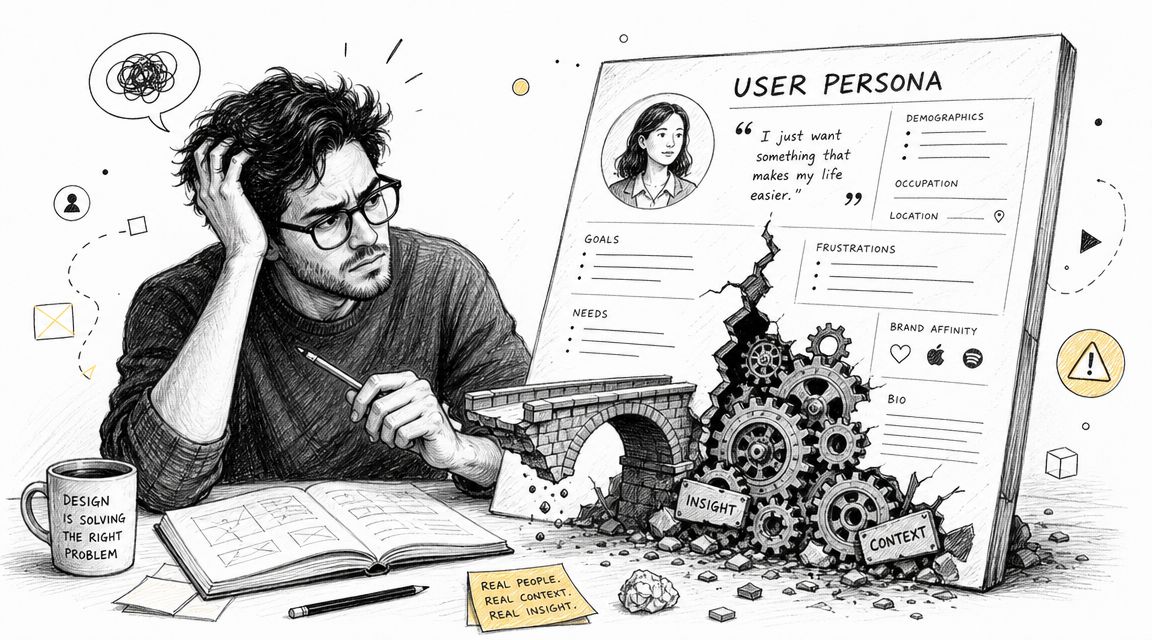
Nielsen Norman Group defines personas as a “fictional, yet realistic” description of a target user, and the important part is the second half of their guidance: personas need to be based on user research to work. That distinction gets lost fast when teams build personas from assumptions instead of evidence. If you're revisiting the basics, these buyer persona examples from Uxia are useful because they show the difference between a descriptive profile and something a product team can use.
The slide deck failure mode
I've seen the same pattern repeatedly:
Marketing-heavy detail: The persona has demographics, job title, maybe a quote, but very little about task behavior.
No test scenario: Nobody can take the persona and turn it into a product hypothesis.
No update loop: The document gets created once and becomes stale.
No design consequences: The checkout flow, onboarding copy, error handling, and accessibility decisions stay exactly the same.
That's not a persona. That's a branding artifact.
A persona that can't change the way you write a usability test probably won't change the product either.
What actually fixes it
Useful personas are testable. They contain enough context to shape a design review and enough specificity to produce a validation plan.
That means the persona should tell you things like:
Why this user is here: Their goal, urgency, and definition of success
What could block them: Knowledge gaps, risk sensitivity, trust concerns, accessibility needs
How they behave under pressure: Whether they skim, hesitate, compare options, or avoid complex choices
What your team should validate: Labels, sequencing, reassurance, defaults, navigation, or task completion
This matters even more in products touched by conversational interfaces, accessibility settings, or voice interactions. Teams working in those spaces can also learn from adjacent tooling categories like Voice Control Pro on voice AI tools, where the practical question isn't whether AI can generate something elegant. It's whether the output fits a real user context.
If the persona doesn't help your team decide what to test next, it's decoration.
What a Modern Persona Tool Should Actually Do
A modern persona tool earns its place in the stack by changing how a team makes product decisions. If the output ends as a PDF in a shared drive, the tool did admin work, not product work.
The useful standard is simple. The tool should carry insight from messy research into a form the team can inspect, challenge, and use in tests.
It should turn scattered evidence into a working model
Research rarely arrives clean. Interview transcripts drift. Support threads are full of emotion and missing context. Sales notes mix real objections with optimistic interpretation. A good tool helps teams pull patterns out of that noise without pretending the first summary is truth.
That usually means structured synthesis. Goals, anxieties, triggers, constraints, workarounds, and repeated failure points should be easy to trace back to source material. Good tools also make it obvious what is inferred versus what was directly observed. That distinction matters because teams often over-trust polished summaries.
If your team is still using templates built for marketing handoffs, it helps to compare them against a more current user persona strategy for 2026. The gap is usually obvious. Static documents describe a segment. Working persona systems preserve evidence and keep it usable.
It should segment by decision patterns and failure patterns
Demographics can help with targeting. They rarely explain product friction.
For interface and workflow decisions, behavior is the stronger signal. Nielsen Norman Group's guidance on personas keeps the focus in the right place: segment from observed behavior, then revisit and update as behavior changes. That is the level of discipline product teams need.
The segments that matter in practice look more like this:
Users who need reassurance before committing
Users who optimize for speed and skip instructions
Users who compare options carefully before acting
Users who recover well from errors
Users who get stuck the first time friction appears
Those patterns shape copy, defaults, task order, help text, and recovery flows. They also map cleanly into test scenarios, which is the real point.
It should produce a persona you can run
Static personas describe a person. Modern persona tools should help teams create a test actor.
That means the output should support scenario writing, prompt construction, usability tasks, and review criteria. The best systems now go one step further and turn persona inputs into live AI agents that can react to flows, ask questions, hesitate, or fail in predictable ways based on the research. Used well, that gives teams a faster way to pressure-test onboarding, checkout, empty states, and support journeys before they put designs in front of participants.
I do not mean replacing user research with AI roleplay. I mean using AI personas as an operational layer between synthesis and validation. That layer is useful when it is grounded in real evidence and constrained by clear rules.
AI infrastructure also matters here. Teams building custom synthesis and simulation workflows usually need a dependable model layer, prompt controls, and orchestration, not another chat box. For teams working that way, this guide to integrating Claude Opus 4.8 is a useful reference because it focuses on implementation.
The question I use when evaluating persona tools is blunt. Can this tool help the team move from research evidence to behavior segment to test protocol, then keep that loop alive as the product changes? If not, it is still making documents, not improving decisions.
A Founder's Workflow for Creating Testable Personas
Few teams require a single magical persona platform. Instead, they need a stack that mirrors how product work unfolds.
The workflow I trust has three parts. First, synthesize the raw material. Second, align the team around the segments that matter. Third, turn those segments into validation inputs instead of leaving them on a whiteboard.
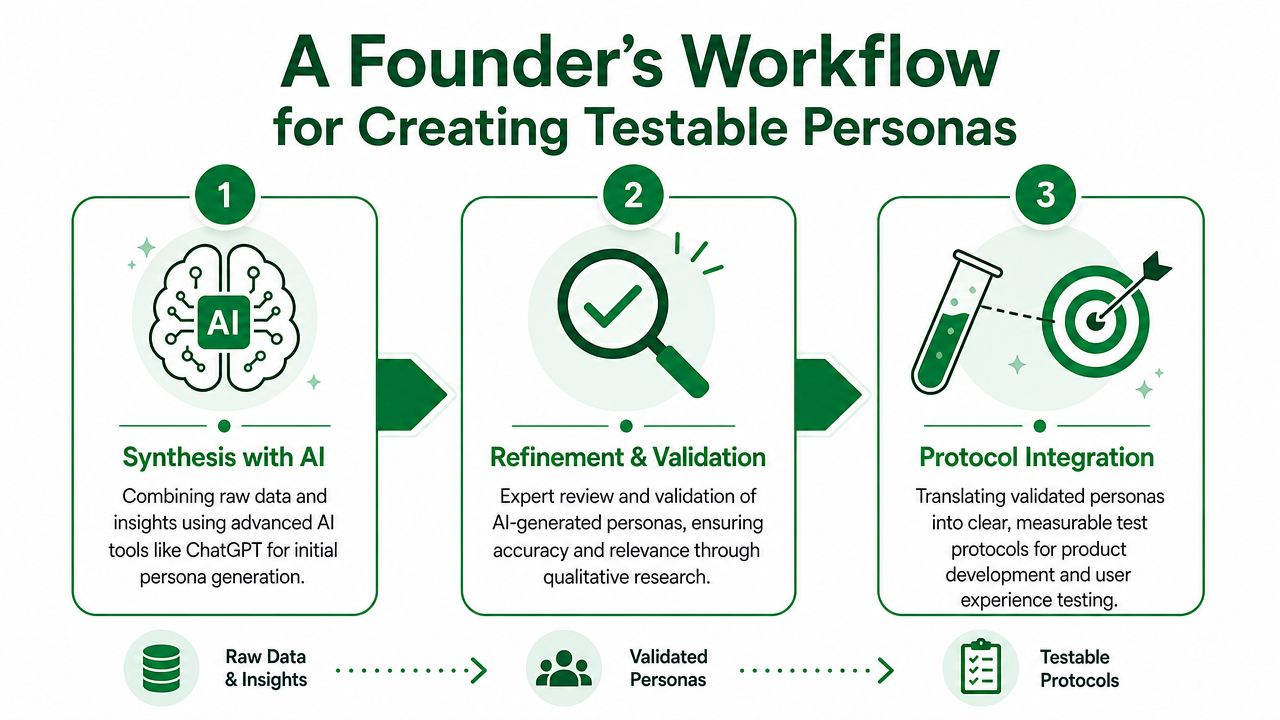
Step one uses AI for synthesis, not truth
ChatGPT or a custom GPT is where I start when the evidence is scattered across call notes, support logs, survey text, and interviews. This is the fastest way to turn fragments into a draft persona structure.
The useful prompts aren't creative-writing prompts. They're extraction prompts. I want the model to pull out:
Goals and jobs to be done
Repeated objections
Decision triggers
Signs of confusion or hesitation
Differences between novice and experienced users
The draft is not the deliverable. It's working material. I don't trust AI to decide what is true. I use it to compress a large pile of input into something a team can inspect.
Step two happens in a collaborative board
Miro or FigJam serves as the necessary visible workspace teams need to cluster evidence, challenge assumptions, and agree on which user types deserve attention.
Mural's guidance is useful here because it reflects how persona work has matured. Their approach says teams should usually identify three to five distinct user types from research, and newer tools like UXPressia have moved toward real-time collaboration and AI-generated drafts, which shows the broader shift from static documents to shared UX operating systems in Mural's persona guidance. That matches what works in practice.
For distributed teams, this board does two jobs at once:
Collaboration task | Why it matters |
|---|---|
Cluster evidence | Stops the loudest opinion from dominating the persona |
Map journeys | Reveals where a segment's needs diverge from the default flow |
Compare segment risk | Helps the team choose which user type deserves validation first |
Define exclusions | Prevents one persona from becoming a catch-all audience |
I usually want the board to end with a small set of structured fields, not a giant mural of sticky notes. Role, goal, context, familiarity, objections, constraints, accessibility needs, device assumptions, and success criteria are enough to move forward. If your team needs a stronger foundation for that step, this guide to creating user persona strategy for 2026 is a solid reference point.
Teams get more value from one disputed, evidence-backed segment than from six polished personas nobody believes.
Step three turns the persona into an audience for validation
Many workflows falter at this stage. The board gets approved. The persona gets named. Then nothing operational happens.
The better move is to translate persona fields directly into test inputs. That means taking the agreed audience definition and turning it into scenario conditions, task framing, expected concerns, and success criteria.
A practical handoff looks like this:
Carry over the core role and objective
Not "marketing manager." More like "new buyer trying to complete a ticket purchase quickly on mobile."Add context that changes behavior
First-time use, low confidence, time pressure, unfamiliar terminology, accessibility concerns.Write tasks from the user's point of view
Use goals and constraints, not internal product language.Define what would count as friction
Hesitation, backtracking, confusion about labels, lack of trust, misunderstanding next steps.
The Best User Personas tools support that handoff cleanly. The weak ones stop at persona creation. The useful ones make persona attributes portable enough to drive real validation.
From Persona to Protocol The Real Value of Testing
Personas are not deliverables. Test conditions are.
Teams waste a lot of time polishing persona cards that never influence a prototype review, a usability test, or a product decision. The useful question is much narrower: does this persona produce a better protocol, with clearer tasks, sharper failure signals, and segment-specific assumptions worth testing?

A generated persona is still raw material
Persona generators can speed up drafting. They help teams capture role, goals, and a rough narrative without starting from a blank page. That is useful for early synthesis.
It is not enough for validation.
A persona called "Developer David" or "Marketing Manager Maria" still leaves the product team guessing unless the profile includes the variables that change user behavior inside the interface. In practice, the fields that matter are the ones that alter task performance and decision-making:
Goal
Context
Product familiarity
Pain points
Objections
Accessibility needs
Device assumptions
Success criteria
Behavioral traits
Once those fields are specific enough, the persona stops being a summary and starts acting like a test input.
Weak personas flatten risk
Teams often test the happy-path user first because that user is easier to define and usually closer to the internal mental model. That choice hides design risk.
A ticket purchase flow might look clean for a repeat customer who already understands pricing, timing, and checkout steps. The same flow can break down for a first-time buyer on mobile, in a hurry, unsure about fees, and not confident they chose the right option. That is a different protocol, not a small variant of the same one.
If you test a power user | If you test a first-time low-confidence user |
|---|---|
Focus on efficiency | Focus on clarity and reassurance |
Look for shortcuts and flow speed | Look for hesitation, uncertainty, and expectation gaps |
Prioritize task completion time | Prioritize comprehension and recovery from confusion |
Assume mental model familiarity | Check whether labels and sequencing create confidence |
The user's emotional state changes the protocol. Anxiety, uncertainty, and low confidence produce different friction than expertise.
That is why synthetic user testing with AI-driven workflows becomes useful in practice. If the persona includes traits like risk-averse, impatient, non-technical, or first-time user, the team can test for the exact moments where that segment hesitates, misreads a step, or abandons the task.
Persona-to-testing is the selection criteria that matters
I do not judge persona tools by how polished the output looks. I judge them by how fast they help a team answer a few blunt questions:
What flow are we validating for this segment?
What assumptions are we stress-testing?
What kind of friction would this user notice first?
Is this problem broad, or isolated to one audience type?
That is the difference between persona theater and product work.
Used properly, a persona is not a story about a customer. It is a structured input for experiments. In that workflow, Uxia is useful because teams can define a target audience through persona attributes and run AI-powered usability tests against prototypes or live experiences, then review think-aloud reasoning, actions, and expectation gaps from that audience perspective.
This is the point where the persona starts paying rent.
Evaluating Your Persona to Test Workflow
A good workflow forms a loop. Research creates persona hypotheses. Tests challenge those hypotheses. The results refine the persona. Then the team runs the next round with less guesswork.
If that loop doesn't exist, your persona process is mostly decoration.
Start with traceability
The strongest evaluation criterion isn't visual polish or AI writing quality. It's whether the workflow lets you trace persona attributes back to evidence.
Uxia's guidance on persona templates makes this point clearly. A platform should link persona attributes back to source evidence such as interviews, support tickets, surveys, and task observations, so teams can connect goals and motivations to concrete user data in this article on user persona templates.
That single requirement filters out a lot of weak workflows.
Ask blunt questions:
Can we point to the research behind each major attribute?
Can we separate observed behavior from team assumption?
Can we update the persona when new evidence contradicts it?
Can we explain why this segment deserves its own test condition?
If the answer is no, the persona is probably carrying fiction your team has mistaken for insight.
Then check operational speed
Most product teams don't fail because they lack a persona file. They fail because the path from new insight to new test is too slow.
I look for workflow speed in practical terms:
Evaluation question | Healthy answer |
|---|---|
How fast can the team turn a new research pattern into a revised segment? | Fast enough to affect the next design cycle |
Can persona attributes be exported into test inputs without rewriting everything? | Yes, with minimal manual cleanup |
Do test results show whether friction is broad or segment-specific? | Yes, clearly enough to guide prioritization |
Can the persona be revised after validation? | Yes, as a normal part of iteration |
What works and what doesn't
What works is a closed-loop system with evidence, alignment, validation, and revision.
What doesn't work is a static handoff where research writes the persona once, design glances at it, product references it in one kickoff meeting, and nobody tests whether the assumptions still hold.
Good persona workflows don't chase completeness. They preserve enough truth to support the next decision.
That's also how you interpret test output correctly. If a friction point appears across multiple audience definitions, it's probably a broad usability issue. If it appears mainly for one segment, such as first-time or low-confidence users, the fix may be more targeted. Better guidance. Better defaults. Better copy. Better progressive disclosure.
That distinction is where persona work earns its keep.
The Actionable Persona Checklist
The Best User Personas tools are not the ones that generate the prettiest profile. They're the ones that help a team ship better decisions faster.
Use this checklist to audit your current workflow.
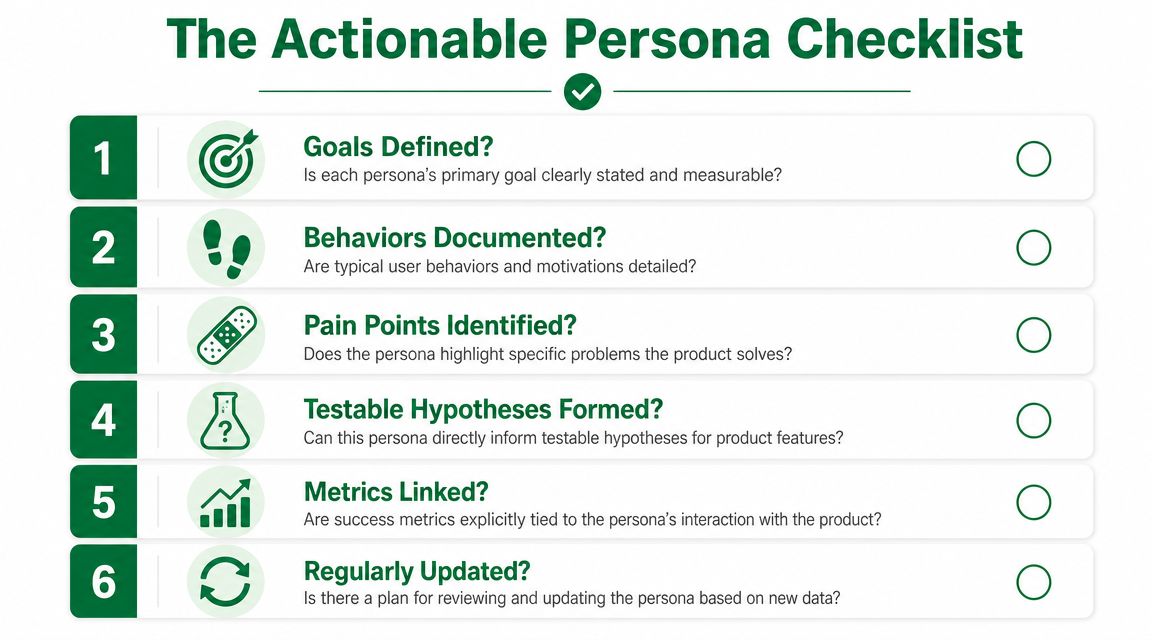
What to look for
Research synthesis capability
The tool should help you turn messy qualitative input into a clear draft without hiding the original evidence.Behavior-first segmentation
Your segments should reflect differences in goals, confidence, context, and actions. Not just surface demographics.Real collaboration
The team should be able to discuss, challenge, and refine personas together, especially across product, design, research, and support.Structured persona attributes
You need exportable fields like role, goal, familiarity, pain points, constraints, accessibility needs, and success criteria.Test scenario readiness
A persona should make it easier to write tasks, define likely friction, and identify what success looks like.Continuous revision
Persona work should stay alive. New research and test feedback should update the segment, not sit beside it in another document.
If your current process fails on most of those points, you don't need a prettier template. You need a different operating model.
If you want personas to influence product decisions instead of aging inside a deck, try Uxia. It helps teams turn audience definitions into AI-powered usability tests, so goals, objections, context, and behavioral traits become inputs for validation rather than forgotten notes.