Test Live Websites with AI: Boost Product Decisions
Test live websites with ai - Test live websites with AI using Uxia. Our guide covers setup, synthetic user testing, & result analysis for faster, better
You’ve probably lived this cycle already. A feature ships to production, support starts hearing mild confusion, analytics suggest something is off, and the team says the right thing: “Let’s run user testing.” Then the actual delay starts. Recruiting takes time, calendars don’t line up, a few participants don’t show, and by the time you get findings, the roadmap has already moved on.
That model still works for deep exploratory research. It’s just too slow for teams shipping weekly. If you want to test live websites with ai, the shift isn’t only automation of clicks. It’s automation of the entire loop: setup, execution, observation, and synthesis. That changes how often teams validate product decisions, and it changes who can do it without waiting on a dedicated research operation.
Why AI Is Revolutionizing Live Website Testing
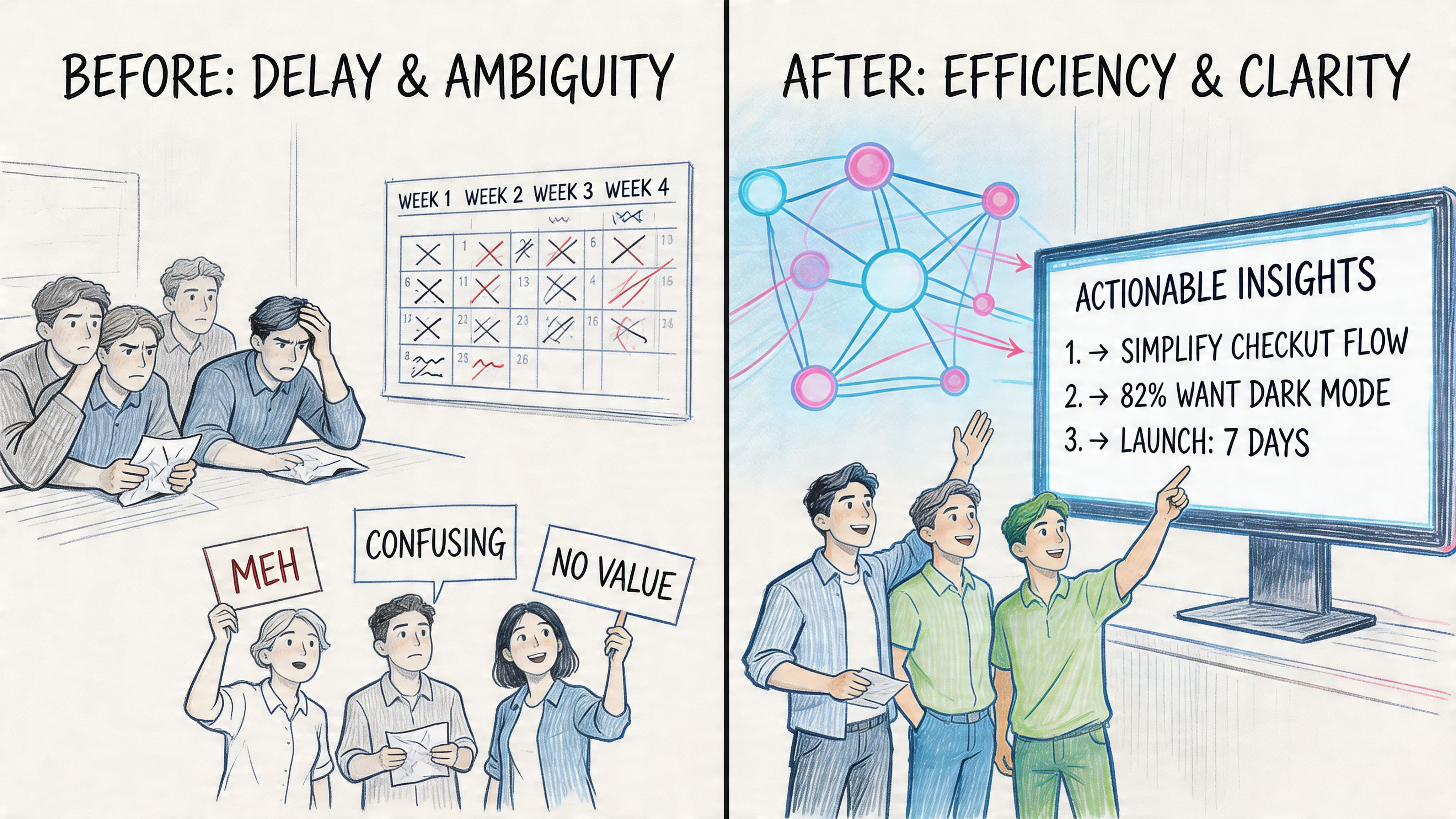
Traditional live-site testing creates operational drag before a single insight appears. Teams need a panel, a schedule, a moderator or unmoderated setup, and a way to normalize what happened across sessions. Even when the research is strong, the workflow around it is often fragile.
That’s why the latest infrastructure matters more than many realize. User research platforms now report participant show rates as high as 97.8%, and AI-powered tools like Maze automatically handle dynamic URL variables, which removes much of the manual friction in recruiting, coordination, and data cleanup according to Askable’s live website testing overview.
The old bottleneck was operations, not curiosity
Most product teams don’t avoid testing because they dislike evidence. They avoid it because the process interrupts delivery. When a PM needs an answer about checkout friction or onboarding confusion, waiting weeks for a study often feels disproportionate to the decision at hand.
AI changes that by making validation continuous. Instead of treating usability testing as a special event, teams can run it as part of day-to-day product work. That’s especially useful for release reviews, funnel checks, and design QA on live environments.
A practical side effect is that product, design, and research stop arguing about whether a question is “important enough” to justify a study. If the setup is fast, more questions get tested.
Practical rule: If a team can only afford to test major launches, they’ll miss the smaller interaction failures that quietly hurt conversion and trust.
What AI improves, and what it doesn’t
AI is strongest when the team needs scale, repeatability, and faster analysis. It can simulate journeys, follow missions, surface friction, and organize behavior patterns across many runs. That makes it useful for validating flows on production sites, prototypes, and staging environments without the usual scheduling burden.
What AI doesn’t replace is judgment. You still need a clear task, a realistic user frame, and a decision to make afterward. The biggest mistake I see is assuming automation removes the need for research design. It doesn’t. It removes waiting.
That’s also why teams looking beyond usability often connect testing to broader customer experience optimization. A broken journey isn’t only a UX issue. It affects trust, support load, retention, and how confidently a team can iterate.
Platforms such as Maze and Uxia fit into this shift because they let teams run live-site missions without the usual panel logistics. The important change isn’t the label on the tool. It’s that the workflow becomes fast enough to use routinely instead of occasionally.
Planning Your First AI-Driven Usability Test
The first test usually fails for a boring reason. The task is vague.
“Test the homepage” isn’t a mission. “See if the pricing page makes sense” isn’t one either. AI testers need a job to do, with a meaningful end state. If you want reliable findings, define the mission the same way a real visitor would experience it.
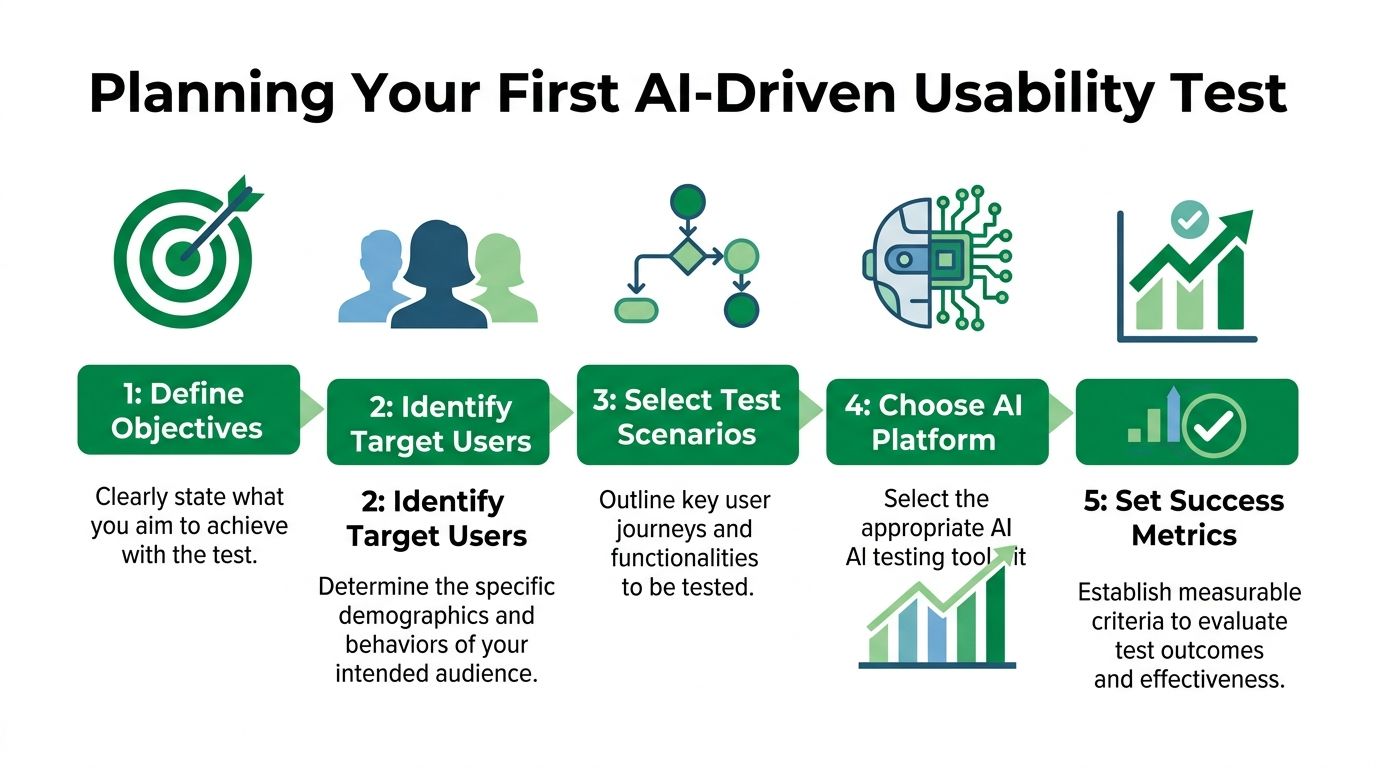
Start with the decision, not the page
Good AI testing starts from a product question:
Checkout concern
Can a first-time buyer find shipping information and complete purchase without second-guessing the totals?Navigation concern
Can a prospect identify the right solution page without looping through top-level navigation?Acquisition concern
Can a visitor understand the offer well enough to subscribe, book a demo, or start a trial?
These are better than “review the site” because they tie the test to a business decision. Once the decision is clear, convert it into a mission with a visible outcome.
A simple planning template works well:
Element | What to define |
|---|---|
Business question | What are we unsure about? |
User mission | What should the tester try to accomplish? |
Starting point | Homepage, landing page, email deep link, product page, or account area |
Constraints | New visitor, returning customer, mobile context, price-sensitive buyer, urgent task |
Success signal | Completed task, correct page found, hesitation observed, repeated misclicks, abandonment |
Write missions that reveal friction
Synthetic testing gets weak when missions are broad and abstract. It gets stronger when the prompt includes context, motivation, and a concrete endpoint.
Compare these:
Weak mission
Explore the store and comment on usability.Better mission
You want to buy a specific item, compare shipping expectations, and complete checkout only if the return policy feels clear.Weak mission
Review our SaaS homepage.Better mission
You run a small operations team, need to understand pricing fast, and want to decide whether to start a trial or book a demo.
That level of specificity matters because synthetic testers still struggle in highly dynamic environments. A 2025 study found synthetic AI testers achieved 68% task completion fidelity on live e-commerce sites with A/B personalization, compared with 92% for humans, as noted in Hubble’s discussion of live product testing. That gap is exactly why well-defined missions matter.
The more context-dependent the flow, the less forgiving your mission design can be.
Choose personas that affect behavior
Don’t create personas like marketing posters. Create them like constraints.
Useful inputs include:
Intent
Browsing, comparing, buying, troubleshooting, or trying to complete one urgent action.Experience level
Familiar with your category, or completely new to it.Decision style
Fast and impatient, detail-oriented, skeptical, discount-focused, trust-sensitive.Environment
Mobile commuter, desktop at work, interrupted parent, or after-hours researcher.
A platform setup guide is helpful. If you need a baseline on how synthetic user testing works before configuring missions, the complete guide to synthetic user testing is a useful reference point.
A final recommendation. Don’t start with your most complex end-to-end funnel. Start with one valuable path and one fallback path. You’ll learn more from a tightly framed test than from a giant “audit” that tries to explain everything at once.
Configuring AI Testers for Live Website Analysis
Once the mission is solid, the setup should feel operational, not experimental. The practical sequence is simple: add the URL, define the task, pick the tester profile, run the session, and review what happened.
That sounds obvious, but most setup errors happen because teams skip one of those inputs or overload the test with too many objectives.
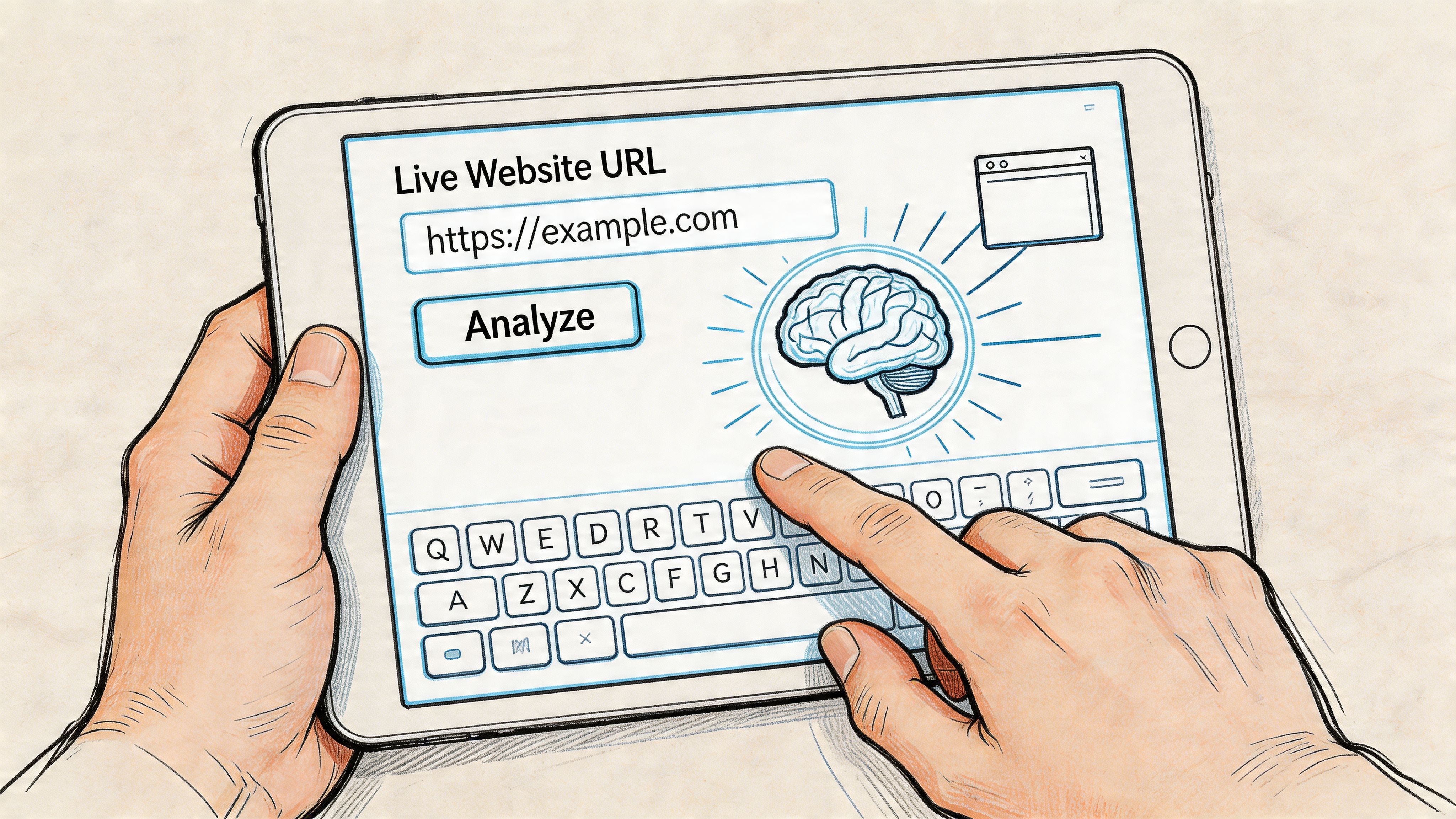
What to configure first
A strong live test setup usually includes these five components:
Entry URL
Use the live page a visitor would land on. That might be the homepage, a campaign landing page, a product page, or a logged-in start state.Mission text
Keep it outcome-based. Tell the tester what they want to achieve and what matters to them while doing it.Audience profile
Match the tester to the audience that drives the journey. If the flow is for first-time buyers, don’t simulate a power user.Environment choices
Device and browser context matter, especially on responsive layouts and checkout flows.Observation settings
Decide what you need from the run: path analysis, transcript-style reasoning, drop-off review, or issue clustering.
Modern AI platforms rely on techniques such as reinforcement learning and prompt engineering to generate useful test cases. In benchmark data summarized in this research review, AI test generation achieved 85% relevant tests and 59.6% code coverage, while self-healing locators handled 95% of code changes automatically. In practice, that means less maintenance when interfaces shift.
How the agent actually behaves
Under the hood, the system isn’t “looking” at your site the way a human researcher does. It’s interpreting interface signals, following task intent, reacting to page states, and adjusting based on what appears next. That’s why modern live-site testing is much more useful than old scripted automation.
A script only checks whether the button exists. An AI tester can reveal that the button exists but doesn’t feel trustworthy, appears too late, or competes with stronger distractions on the page.
If you want a visual walkthrough of the setup process, this demo helps make the flow concrete:
What works better than scripted-only testing
A helpful way to think about configuration is to separate two jobs:
Job | What you need |
|---|---|
Functional path checking | Did the flow remain navigable and technically stable? |
Behavioral usability checking | Did the journey make sense to the user trying to complete it? |
Many teams already have some version of the first job in QA. They usually don’t have the second job running at the same speed.
That’s where tools that generate AI testers are useful, especially when you need mission-based runs instead of pure automation. For a practical explanation of how these agents are created and tuned, see AI-generated testers.
Don’t configure one giant “test everything” session. Run several narrow missions. It’s easier to diagnose one broken decision path than a pile of mixed signals.
From Data to Decisions Interpreting AI Test Results
The output from AI testing is often richer than teams expect. That’s good, but it creates a new problem. People drown in evidence.
A useful report should answer three things quickly: where users got stuck, why they got stuck, and whether the issue deserves product attention now. If the report can’t support those decisions, it’s just a nicer recording library.
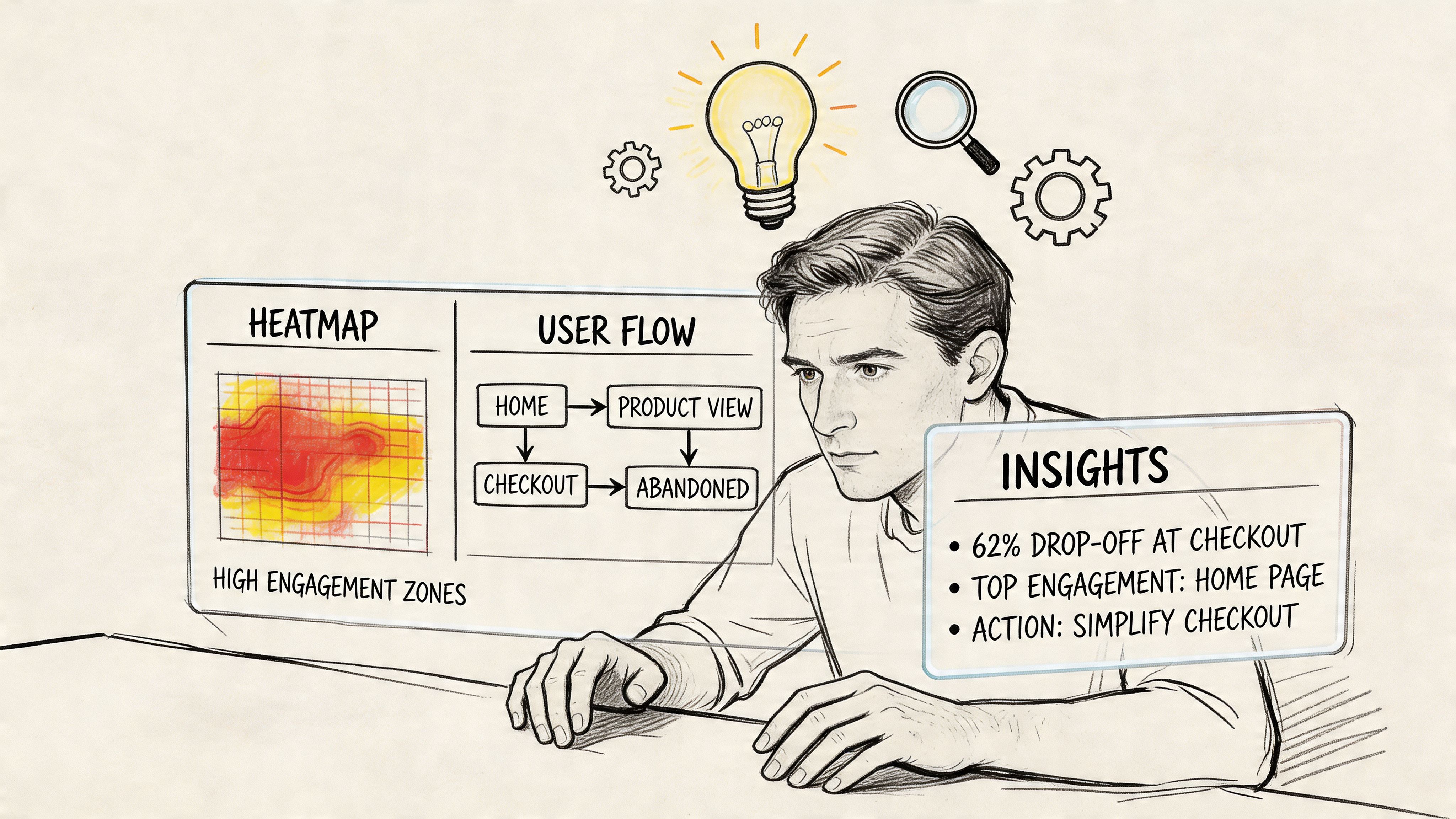
Read the report in this order
Start with path outcomes, not commentary. AI testing platforms can calculate a usability score (0-100) from success rate, task time, and misclicks, and they can show direct and indirect success paths, drop-offs, and visual path analysis according to Optimizely’s write-up on AI experimentation. The same source reports that teams using a full AI experimentation lifecycle saw 78.7% more experiments run and 9.3% higher win rates.
That doesn’t mean every score should drive a decision by itself. It means the score is a triage tool.
Here’s the reading sequence I recommend:
Mission completion first Did testers complete the task, or did they abandon it?
Path divergence second
Where did they leave the intended route? Detours often reveal comprehension problems before outright failure.Misclick concentration third
Repeated wrong clicks usually point to false affordances, weak hierarchy, or copy that overpromises.Time on task last
Slowness matters, but only after you know whether the journey was understandable.
What the qualitative layer adds
AI usability testing becomes more than click automation. Think-aloud style transcripts, hesitation points, and clustered summaries help explain why a behavior happened.
For example, a report might show that testers eventually completed a pricing-to-signup flow. On paper, that looks acceptable. But the transcript may show repeated uncertainty around billing terms, security expectations, or whether a trial requires a card. That’s a different product conversation than “the flow worked.”
A practical review method is to pull out only the top three to five findings for a given mission. More than that, and teams start treating evidence as backlog wallpaper.
A completed task can still be a bad experience. If users succeed only after backtracking, second-guessing, and re-reading, the product is borrowing against future conversion.
A simple interpretation framework
Use this matrix when reviewing AI test output:
Signal | Typical meaning | Product action |
|---|---|---|
High misclicks, eventual success | Weak hierarchy or misleading UI cues | Fix labels, button hierarchy, visual emphasis |
Fast abandonment | Broken trust, hidden info, or dead-end navigation | Audit expectation-setting and route clarity |
Long task time, low confusion in transcript | Too many steps, but understandable | Simplify flow or defer if impact is limited |
Repeated hesitation on copy | Message ambiguity | Rewrite labels, explainer text, and microcopy |
Off-path exploration | Navigation doesn’t match user intent | Reorganize IA or add stronger directional cues |
If you’re trying to make design choices from this kind of evidence, the data-driven design perspective is worth reading because it helps teams connect reports to product decisions rather than treating analytics and usability as separate worlds.
One caution. Don’t reward a clean-looking dashboard. Reward a report that makes it obvious what should change next.
Turning AI Feedback into Product Improvements
A testing workflow only matters if the findings survive contact with sprint planning. That’s where many teams fall apart. The report gets shared, everyone agrees it’s interesting, and then nobody turns it into work with clear ownership.
The operational fix is simple. Convert every finding into one of four buckets: bug, friction, copy, or trust. That framing keeps the team from turning every usability issue into a design debate.
Move findings into the backlog with impact labels
A practical handoff looks like this:
Bug
The flow breaks, loops, or prevents progress.Friction
The user can continue, but the interaction is slower or less clear than it should be.Copy
Labels, headings, pricing terms, or instructions create uncertainty.Trust
The interface works, but users hesitate because the product doesn’t feel credible, secure, or transparent enough.
Once the issue is categorized, add an impact statement. Not a metric you made up. A sentence. Example: “Users can reach checkout, but they hesitate when shipping costs are not visible until late in the flow.” That gives product and design something they can prioritize.
Work in sprint-sized loops
The bigger advantage of AI-assisted analysis is speed. The integration of AI research assistants into testing platforms reduces time-to-insight from weeks to hours, which lets teams validate hypotheses and implement fixes within a single sprint cycle according to this overview of AI tools for research and analytics.
That changes the cadence of product work. Instead of planning one large research phase every quarter, teams can run a test before a release, make a fix, and validate the change again while the work is still fresh.
A straightforward loop looks like this:
Run one mission on the current live flow.
Pull the top issues only.
Turn those into tickets with screenshots or transcript excerpts.
Ship the smallest reasonable improvement.
Re-run the same mission and compare the new behavior qualitatively.
That workflow is especially useful in e-commerce, where conversion issues often hide inside moments of ambiguity rather than obvious bugs. For teams improving product pages and checkout paths, this AI-Powered Guide to improve ecommerce conversion rates adds useful context on how to think about friction commercially, not just visually.
Make findings visible to the whole team
The teams that get the most value from AI testing don’t keep the output inside research. They share clips, summaries, and issue groupings with design, product, and engineering at the same time. That shortens the argument cycle.
This is also where collaborative workspaces and auto-summarized findings help. The point isn’t prettier documentation. The point is reducing the gap between “we observed a problem” and “someone is fixing it this sprint.”
Common Pitfalls and Ethical Considerations in AI Testing
The most common mistake in AI testing is blaming the model for a bad brief. If the mission is vague, the path is ambiguous, or the persona is unrealistic, the output won’t help much. Teams often say the test “felt off” when the underlying problem was that they asked the system to evaluate a journey no typical user would take.
Another frequent error is over-trusting completion. A tester may finish the task and still reveal poor UX through hesitation, circling, or distrust. Completion is useful. It isn’t the whole story.
What teams get wrong early
These patterns show up constantly:
Testing too much at once
A homepage, pricing page, and checkout flow in one mission produces blurred findings.Writing synthetic personas that are too polished
Real decision-making includes urgency, confusion, skepticism, and distraction.Ignoring variant-heavy environments
Dynamic content and personalization can affect reliability. That’s where narrower missions and stronger review matter most.Treating AI output as self-explanatory
A report still needs human interpretation and product judgment.
The human-AI boundary matters
Synthetic testers are useful, but they aren’t a full replacement for human research in every case. That matters most in emotionally sensitive journeys, accessibility edge cases, and flows where social context shapes behavior.
Accessibility is a good example. AI can help surface issues, but it doesn’t catch everything, especially in dynamic interfaces. Proper Access reports that AI detects 42% of accessibility issues automatically compared with 87% manually across 900+ audits, missing many live-site violations such as keyboard navigation failures in SPAs according to Proper Access’s accessibility testing analysis. Use AI to widen coverage, not to declare compliance.
Synthetic testing is strongest when you need fast directional evidence. It’s weaker when legal, medical, accessibility, or highly emotional decisions require deeper human context.
Privacy is a practical reason to use synthetic users
There’s also an ethical upside to synthetic testing. When teams test live websites with ai using proprietary synthetic users instead of recording real customers, they avoid many of the privacy concerns that come with capturing personal behavior on production systems. That doesn’t remove the need for governance, especially on logged-in flows, but it does reduce risk.
The responsible posture is balanced. Use synthetic AI testers for speed, repeatability, and early detection. Use human research when stakes, nuance, or regulation demand deeper validation. Teams that understand that boundary usually get the most value from both.
If your team needs a faster way to validate live flows, prototypes, or production changes, Uxia offers AI-driven synthetic user testing with mission-based analysis, transcripts, heatmaps, and prioritized findings that fit into real product sprints.