A Complete Guide to Synthetic User Testing
Discover how synthetic user testing helps you validate products faster. Learn to use AI tools like Uxia for unbiased, actionable UX insights.

Synthetic user testing is a research method that uses AI-powered agents to simulate human behaviour and test digital products. Instead of recruiting human participants, product teams get instant feedback on things like usability, navigation, and design clarity by watching how these artificial users interact with prototypes or live interfaces.
What Exactly Is Synthetic User Testing?
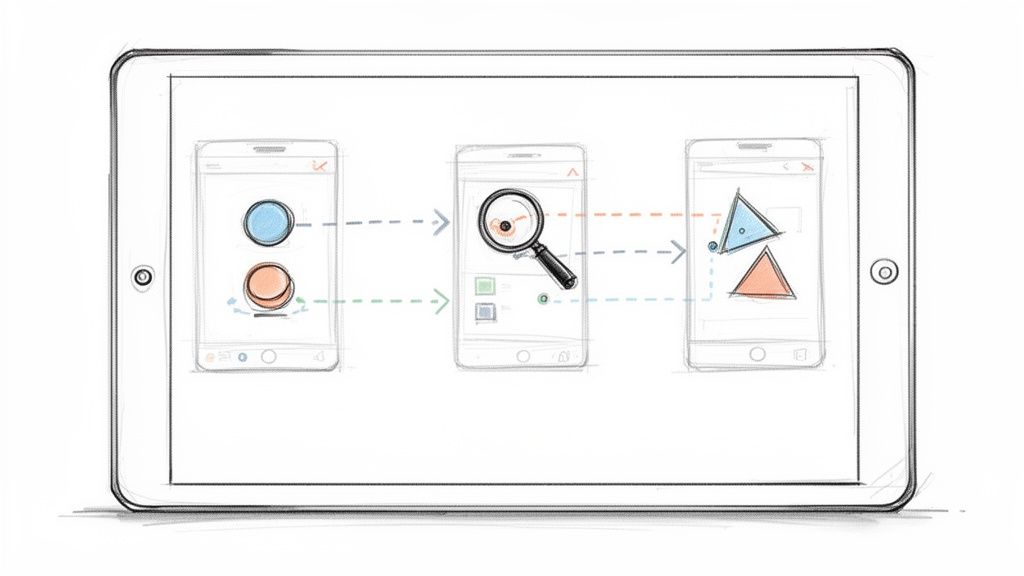
At its core, synthetic user testing works by deploying AI personas—digital agents programmed with specific goals, backgrounds, and behavioural traits—to navigate an app or website. These aren't just simple bots. Platforms like Uxia use sophisticated models to create realistic user simulations that can "think aloud," pinpoint friction, and provide genuine qualitative feedback.
This method is a powerful alternative to traditional user research, which is often bogged down by lengthy recruitment and scheduling. With synthetic testing, teams can validate user flows and spot potential usability problems in minutes, not weeks. That kind of speed is a total game-changer for agile teams where rapid iteration is everything.
Core Components of Synthetic Testing
The whole process relies on a few key elements working together to produce actionable insights. These components are what separate it from basic automated checks.
AI Personas: These are detailed profiles that steer the AI's behaviour. A team might test a design with a "budget-conscious student" persona alongside a "busy professional" to see how different motivations change the user journey. Uxia lets you define these personas with precision to match your real target audience.
Mission Definition: You give the AI a clear task, like "sign up for a new account and purchase a subscription." This gives the test a sharp focus.
Interaction Simulation: The AI then navigates the prototype or site—clicking buttons, filling out forms, and moving between screens just as a human would.
Feedback Generation: As the AI works through its mission, it produces qualitative feedback, often in a "think-aloud" format. This is paired with quantitative data like task completion rates and friction scores.
To get the bigger picture of how AI is reshaping business operations and enabling methods like this, it's worth exploring how to streamline business processes with AI automation. This fundamental shift towards automation is what makes instant, scalable feedback possible, allowing teams to make data-backed decisions faster than ever before.
How AI Powers Synthetic User Feedback
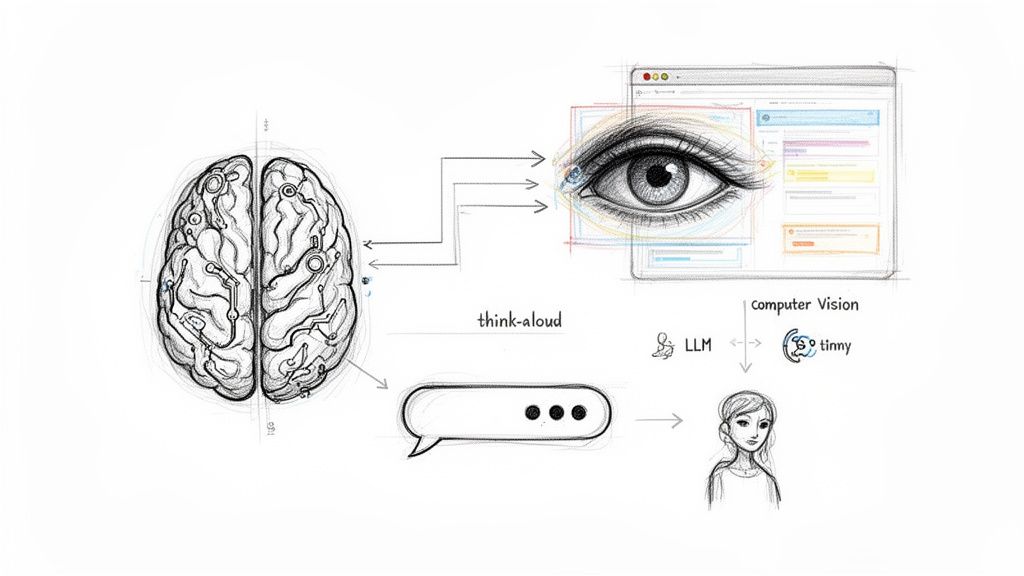
The magic behind synthetic user testing isn't a single algorithm. It’s a clever combination of AI technologies working together to mimic how a real person thinks and acts when looking at a screen. This system is designed to see, understand, and interact with an interface just like you or I would, starting with what you could call the AI's "eyes": computer vision.
When you give a platform like Uxia a design, its computer vision models get to work. They scan the image to find and categorise every single interactive element on the page—buttons, form fields, links, you name it. This creates a structured map of the interface, letting the AI understand what it's looking at and what actions are possible.
Once the AI can "see," the Large Language Models (LLMs) step in to act as the "brain." These are the same types of models behind advanced chatbots, but they've been specifically trained for user experience analysis.
The Role of Large Language Models
The LLM takes the visual map from the computer vision model and combines it with the user persona and the task it's been given. Let's say the mission is to "find and purchase a monthly subscription." The LLM analyses the screen's content to figure out the most logical next step for that particular user. This is the cognitive layer that allows the AI to reason about its choices, not just blindly click.
This is also where the "think-aloud" feedback comes from. The LLM generates a live commentary explaining its thought process, like, "Okay, I need to find pricing, so I'll look for a 'Pricing' or 'Plans' link in the navigation." It’s this verbalised reasoning that gives you the rich, qualitative feedback needed to understand why a design is working—or why it isn't. You can see just how effective this is by exploring the research on using AI-powered testers to achieve 98% usability issue detection, which validates the accuracy of these methods.
Combining AI for Realistic Behaviour
Finally, behavioural modelling brings all these pieces together to create a realistic user journey. This final layer makes sure the AI doesn't just take the most efficient route. It behaves like a real person, hesitations and mistakes included.
Persona-Driven Decisions: The model is shaped by the persona's traits. A "tech-savvy" user might fly through the interface, while a "cautious" one will spend more time reading before clicking.
Sequential Understanding: The AI keeps track of what it's doing from one screen to the next. It remembers its goal and previous actions, which influences its next steps.
Interaction Simulation: It actually simulates the clicks and typing, producing a complete end-to-end session that generates heatmaps and interaction data just like a real test.
By layering these AI pillars, platforms like Uxia create synthetic users that go far beyond simple click automation. They simulate the entire cycle of human perception, cognition, and action, delivering feedback that is both incredibly fast and genuinely human-like.
Synthetic vs. Traditional User Testing
Deciding on the right user testing method often feels like a choice between getting fast answers and getting deep ones. Traditional methods give you rich, human-focused insights, but they come at the cost of time and money. Synthetic user testing flips this on its head, offering a powerful way to get rapid, scalable feedback that can fundamentally change how your team validates ideas.
This difference is everything in an agile world. We all know the drill with traditional research: find participants, schedule sessions, analyse everything by hand—it all adds up to serious delays. Platforms like Uxia cut out those bottlenecks completely. You can get real usability feedback on a new design in minutes, meaning you can test an idea in the morning and have clear, actionable insights for your design sync that same afternoon.
But it's not just about speed. The real differences are in the cost, scale, and the kind of feedback you can get at various points in the product development cycle.
Synthetic vs Traditional User Testing a Quick Comparison
So, how do these methods really stack up against each other? Each has its place, and knowing their strengths helps you build a smarter, more effective research plan. Often, the best strategy is to use them together: let synthetic testing handle the quick, repetitive checks, and save your traditional research for the big, exploratory questions.
Here’s a quick look at how they compare side-by-side.
Factor | Synthetic User Testing (e.g., Uxia) | Moderated User Testing | Unmoderated User Testing |
|---|---|---|---|
Speed | Instantaneous (minutes) | Slow (days or weeks) | Moderate (hours to days) |
Cost | Low (subscription-based) | High (incentives, moderator time) | Moderate (platform fees, incentives) |
Scalability | Unlimited; run hundreds of tests simultaneously | Very low; one participant at a time | Moderate; limited by recruitment pool |
Recruitment | Not required; AI personas are instantly available | Required; slow and can be difficult | Required; relies on panel availability |
Bias | Eliminates participant bias (e.g., pleasing the moderator) | High potential for moderator and participant bias | Lower participant bias, but self-selection is a factor |
Data Depth | Strong on usability and friction, provides qualitative "why" | Deepest qualitative insights, allows follow-up questions | Good for behavioural data, limited qualitative depth |
This table makes it clear that there's no single "best" method—just the right tool for the job at hand.
Eliminating Recruitment Bottlenecks
Anyone who's run a study knows that finding the right participants is one of the biggest headaches in traditional research. Recruitment delays are a massive problem in UX. In Spain, for example, a staggering 40-43% of researchers say they wait one to two weeks just to find people for moderated studies, and strict GDPR rules only make it harder.
Platforms like Uxia solve this by giving you on-demand synthetic users. For teams trying to move fast, this is a total game-changer.
Let’s be clear: synthetic testing isn't here to replace humans. It’s designed to complement traditional research. It handles the high-volume, repetitive validation work that bogs down agile teams, freeing up researchers to focus on the complex, strategic questions where deep human empathy is essential.
When to Choose Each Method
Picking the right approach comes down to your research goals, your timeline, and your budget. Synthetic testing shines when you need continuous validation and early-stage design checks. Traditional methods, on the other hand, are unbeatable for foundational, discovery-focused work. If you want to dig deeper into how AI feedback stacks up against human input, check out our guide on synthetic users vs human users.
Here are a few practical pointers to help you decide:
Use Synthetic Testing For: Quick validation of user flows, A/B testing design variations, checking copy clarity, and running pre-launch usability checks. It's perfect for when you need answers now.
Use Moderated Testing For: In-depth discovery research, understanding complex user emotions, and testing with people who have unique accessibility needs or specialised knowledge.
Use Unmoderated Testing For: Gathering behavioural data at scale, benchmarking task success rates, and getting quick feedback on specific, well-defined tasks from a larger audience.
Key Use Cases for Product Teams
Synthetic user testing isn’t some abstract idea; it's a practical tool that gets product teams out of tight spots when they're moving fast. Its real power comes through when you apply it to the recurring headaches in the design and development cycle. By simulating user behaviour on demand, it gives you clarity where you used to have to guess or wait weeks for traditional research to come back.
One of its most powerful applications is validating new user flows before a single line of code is written. Picture this: your team is designing a brand-new checkout process. Before you sink expensive development resources into it, you can just upload your Figma prototype to a platform like Uxia and run a synthetic test. The AI users will try to buy something, giving you instant feedback on confusing steps, vague button labels, or friction points that would otherwise only show up much later.
This kind of early validation massively cuts down the risk of building the wrong thing. It saves a huge amount of time and money.
Rapidly Comparing Design Variations
A classic designer's dilemma: you have two great options, but which one is better? Which landing page version is more intuitive? Which icon will people actually recognise? Synthetic user testing gives you a fast, data-driven way to settle these debates with rapid A/B testing on your prototypes.
Instead of setting up a complex and time-consuming live A/B test, a designer can just run synthetic users through both Prototype A and Prototype B.
Example Scenario: A team has two competing designs for their mobile app's home screen.
Action with Uxia: They run two separate tests. In the first, they task AI personas with finding "account settings" on Design A. In the second, the same mission is given for Design B.
Result: Within minutes, Uxia spits out a comparison report. It shows which design had a higher task success rate and less navigation friction. Just like that, the team can make a confident decision backed by actual behavioural data.
This completely changes the dynamic, turning subjective arguments into objective, evidence-based decisions and speeding up the whole design iteration loop.
Improving Copy and Microcopy
The words on your interface matter. A lot. Unclear instructions, confusing jargon, or copy that just doesn't build trust can kill a user journey right in its tracks. Synthetic testing offers a really unique way to audit your product's language for clarity and impact.
Because the AI's "think-aloud" process verbalises how it interprets the text on the screen, you get direct feedback on whether your copy is landing the way you intended. If a synthetic user says, "I'm not sure what 'deprovision access' means, so I'm scared to click it," you've just uncovered a critical copy issue that could be causing real users to drop off. It's also worth remembering that beyond product work, AI is making waves everywhere; you can explore how these AI tools that benefit marketers are helping other teams, too.
Practical Recommendation: Try using synthetic user testing specifically to audit your trust signals. Set up a mission that requires the user to input personal information, like a signup flow. The AI feedback from a platform like Uxia will often highlight things like missing privacy policy links or insecure-looking form fields that make users hesitate. It's a quick and powerful way to strengthen trust before you launch.
How to Weave Synthetic Testing Into Your Workflow
Bringing synthetic user testing into your product development cycle doesn't mean you have to tear down your existing processes. Far from it. It's about adding a few quick, incredibly powerful steps to your design and validation loops, giving you answers in minutes instead of weeks. It’s a practical way for any team, regardless of size, to start moving faster and with a lot more confidence.
The core idea is simple. First, get your design into a testing platform. With Uxia, for example, you can upload a prototype straight from tools like Figma or just use a link to a staging environment. Because it’s so accessible, you can test an idea almost as soon as you have a visual concept ready to go.
Once your design is in, the next step is to define what you want to test. This is where you give the AI its instructions.
Setting Up Your Synthetic Test
To get results that actually mean something, you need to tell your synthetic users who they are and what they're trying to do. This setup is what connects the test to your real research goals, just like we talked about in the 'Key Use Cases' section.
Define the Target Audience: Start by picking or creating an AI persona that mirrors your target user. Are you building for a "tech-savvy millennial" or a "cautious first-time online shopper"? Platforms like Uxia let you specify these profiles to make sure the feedback you get is genuinely relevant.
Set a Clear Mission: Next, give the AI a clear, actionable goal. It could be as straightforward as "Find the contact page" or a more involved flow like "Add a premium subscription to your cart and proceed to checkout."
This quick diagram shows how these missions can map to common product goals, whether you're validating a new flow, A/B testing designs, or just checking if your copy makes sense.
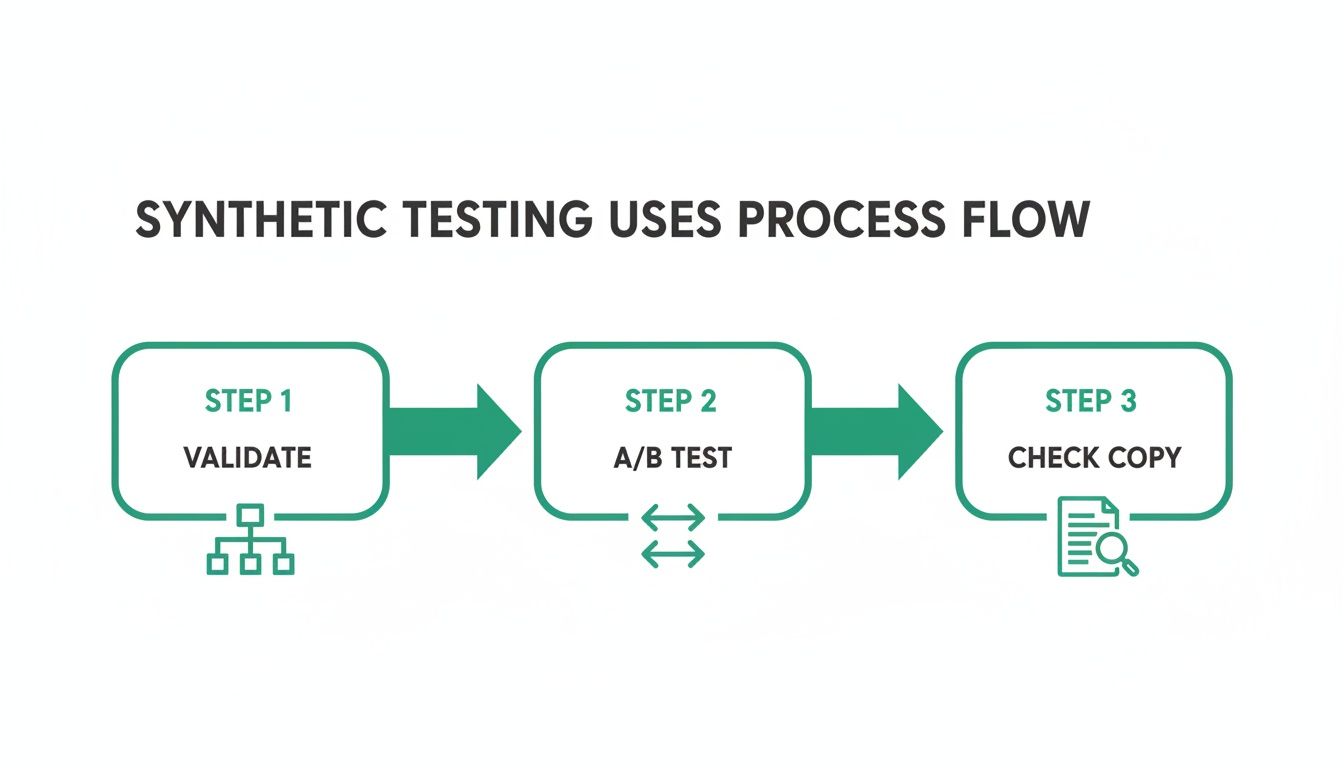
As you can see, synthetic testing isn't a one-trick pony. It's a versatile tool you can adapt to different stages of the design process, from those early validation checks right through to final copy reviews.
The momentum behind these efficient methods is undeniable. The Spanish market for Synthetic Test Data in Artificial Intelligence is a fast-growing area of UX innovation, and market analyses are forecasting serious growth, positioning Spain as a key player. For UX researchers, this points to a shift towards AI pipelines that can generate realistic participant behaviours without the usual recruitment headaches. You can find more insights on AI's role in the Spanish market on statista.com.
Analysing Results and Taking Action
After the test runs—which usually takes just a few minutes—Uxia hands you a comprehensive visual report. This isn't just a spreadsheet of raw data; it's a collection of organised, actionable insights designed to be understood in seconds. You get heatmaps showing where the AI focused, transcripts of its "think-aloud" process, and clear metrics on task success and friction.
Practical Recommendation: Turn insights into concrete tasks immediately. If the Uxia report flags a confusing button label, a designer can instantly write a ticket to revise the copy. That direct line between feedback and action shortens the feedback loop from weeks to minutes, allowing for continuous validation within your sprints.
By embedding these small steps into your sprints, you build a system of continuous validation. You can learn more about the specific features of different platforms by exploring this overview of the top synthetic users tools available today. This workflow gives your team the power to find and fix usability issues long before they ever get to development, saving time, cutting costs, and, ultimately, helping you build a much better product.
Measuring Success with Synthetic Testing Metrics
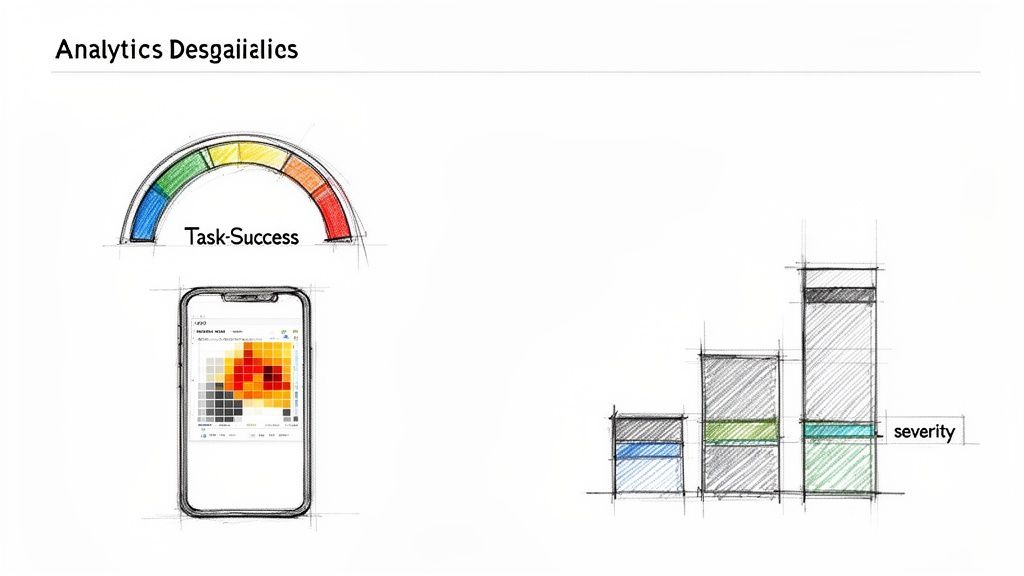
To really prove the value of synthetic user testing, you have to connect its output to clear, measurable results. The real magic of this method is its ability to blend hard quantitative data with rich qualitative insights, giving you the full story of your product's performance. Platforms like Uxia are built to serve up these metrics in a way that's easy to grasp, helping you get from raw data to real improvements fast.
The most basic metric is the task success rate. It’s simple: what percentage of your synthetic users actually finished the job you gave them? A low success rate is a massive red flag. It tells you a core user flow is broken or just plain confusing, and it needs your attention—now.
But success or failure is just the start. You need to know why. That's where the qualitative and behavioural metrics come in.
Core Quantitative and Qualitative Metrics
When you combine different data points, you build a much stronger case for design changes. Uxia presents these metrics side-by-side, so it's simple to see how a low success rate connects directly to a specific snag in the user journey.
Here are the key metrics you should be tracking:
Navigation Friction Score: This score puts a number on how much trouble the AI user had getting around your interface. High friction points, often shown on heatmaps, pinpoint exactly where users get stuck, hesitate, or take a scenic route to their goal.
Issue Severity Ratings: The AI doesn't just find usability problems (like confusing copy, dead links, or unclear navigation); it automatically categorises them and assigns a severity rating. This is brilliant for prioritising fixes, letting you tackle the biggest fires first.
'Think-Aloud' Transcripts: These qualitative transcripts are pure gold. You get a running commentary from the AI user, explaining its thought process, what it expected to happen, and where it got confused. It’s a direct window into the user’s mind.
Translating Metrics into Business Impact
The endgame here is to link these usability metrics back to the bigger business goals. When you can show how small design tweaks affect key performance indicators, you’re demonstrating a clear return on investment (ROI) for synthetic user testing. For instance, you can directly show how lowering the friction score in your checkout flow leads to a higher conversion rate.
This data-driven way of working is quickly becoming the norm. In 2023, Spain led Europe in corporate AI adoption, with 9.2% of businesses using artificial intelligence solutions. This growth reflects a wider shift toward using smarter tools to make better, faster decisions. You can discover more insights about AI in Spain on thediplomatinspain.com.
Practical Recommendation: Don't just present the numbers; tell a story with them. For example: "Our task success rate for the new signup flow was only 45%. The 'think-aloud' transcripts and heatmaps showed that 70% of failures happened at the password creation step because the requirements were unclear."
An approach like this turns abstract data into a compelling argument for a specific design fix. You can even benchmark these metrics over time, using tools like the System Usability Scale, to track how things improve from one sprint to the next and prove the long-term value of your work.
Common Questions About Synthetic User Testing
As teams start to explore synthetic user testing, a few questions always pop up. Getting your head around the nuances of this technology is key to using it effectively and, more importantly, trusting the results. Here, we'll tackle the most common queries with clear, direct answers.
Can AI Really Replicate Human Behaviour?
This is usually the first question, and it's a valid one. While AI can't replicate genuine human emotions or consciousness, it is exceptionally good at simulating goal-oriented behaviour and logical thought processes.
Platforms like Uxia use sophisticated models trained on massive datasets of human interaction. This allows them to predict how a user will navigate an interface to complete a specific task, making the technology incredibly effective for spotting usability and navigational roadblocks.
Does This Replace Human Testers?
Another common point of confusion is whether synthetic testing makes traditional human-led research obsolete. The answer is a firm no.
Practical Recommendation: Think of synthetic user testing as a powerful, high-speed tool to add to your research toolkit. It handles the rapid, iterative validation that often bogs down agile teams. This frees up your human researchers to focus on the deep, strategic questions that require genuine empathy and exploration.
Synthetic testing is designed to complement, not replace, traditional UX research.
Are the Results Reliable and Unbiased?
Reliability is, naturally, a major concern for teams new to this method. How can you trust the feedback? The reliability of synthetic testing comes down to its consistency. Human participants can be influenced by their mood, their environment, or a desire to please the moderator. An AI persona from a platform like Uxia will consistently react to a design based on its programming and the user profile you've defined.
This consistency is what helps eliminate common research biases, giving you a more objective view of your interface's usability. In fact, modern AI models have shown remarkably high accuracy in identifying usability issues.
How does it avoid bias? Synthetic users are free from common human biases like the Hawthorne effect (altering behaviour because they know they're being watched) or social desirability bias (giving answers they think are socially acceptable). They just focus on the task.
What if the AI hallucinates? AI "hallucinations"—generating irrelevant or nonsensical output—are a known phenomenon. However, in a structured testing environment like Uxia, they are rare. When they do happen, they can sometimes even highlight unexpected edge cases or confusing parts of a user flow that a human might have struggled to articulate.
How Do We Get Started?
Getting started is surprisingly straightforward, which is one of the biggest advantages of synthetic user testing. The entire process is built for speed and simplicity. There’s no recruitment or scheduling involved.
With a platform like Uxia, you can be testing within minutes. You just upload your prototype or provide a URL, define the user persona you want to test with, and set a clear mission for the AI to complete. The platform then runs the simulation and generates a detailed report complete with actionable insights, heatmaps, and qualitative feedback. This low barrier to entry makes it easy to slot into any existing product development workflow.
Ready to eliminate research bottlenecks and get instant feedback on your designs? With Uxia, you can run usability tests in minutes, not weeks. Discover how our AI-powered platform can help your team build better products faster.