Journey Testing: A Practical Guide to Better UX in 2026
Learn what journey testing is, how to set it up, and why it's crucial for great user experiences. A practical guide with examples using the Uxia platform.

You've probably been in this spot. The checkout looks polished, the pricing page tested well, and the confirmation screen is clean. Yet the team still isn't sure whether a real user can move from first intent to successful completion without getting lost, second-guessing the copy, or dropping off at a handoff between steps.
That gap is where journey testing earns its keep. It doesn't ask whether one screen works in isolation. It asks whether the full experience holds together as a coherent path toward a user goal. When teams start testing the journey instead of individual moments, they catch the friction that polished screens often hide.
From Single Screens to Complete Stories
A lot of UX work still happens screen by screen. Teams review a form, refine a CTA, fix spacing, tighten validation, and call the flow “tested.” That work matters. It just isn't enough when the user's success depends on a sequence of decisions, expectations, and transitions.
A redesigned checkout is a good example. The payment step might be clear on its own. The address form may be well structured. The confirmation page may reassure the user. But the full experience lives in the movement between those points. Users wonder whether they're on the right path, whether they missed a step, whether the language matches their intent, and whether the next action will do what they expect.
That's why journey testing changes the conversation. It treats the product as a story the user is trying to complete. The focus shifts from “Can they use this screen?” to “Can they achieve the goal without confusion building up across the flow?”
What teams miss when they only test screens
Screen-level testing often misses problems such as:
Transition friction: A user finishes one task but doesn't understand what comes next.
Expectation gaps: The interface uses labels or cues that don't match what the user thinks will happen.
Compounding confusion: Small issues stack up across steps until the user slows down or abandons the flow.
False confidence: Each screen looks usable in isolation, but the full path still breaks under real behavior.
A helpful way to prepare for journey testing is to map the intended path first. A clear user flow diagram makes it easier to spot where assumptions are likely to break, especially around decision points and branch paths.
Journey testing works best when the team stops defending screens and starts examining the full user objective.
This approach is practical, not academic. It's for teams shipping onboarding, checkout, booking, setup, application, and account-management flows where success depends on continuity, not just local usability.
What Is Journey Testing Really
Journey testing is end-to-end validation of a user goal. Instead of isolating one interaction, it evaluates whether a person can move through a sequence of steps, make sense of what's happening, and reach the expected outcome.
The simplest analogy is a road trip. Traditional usability testing checks whether a driver can handle one difficult intersection. Journey testing checks whether they can find the route, recognize the turns, recover from uncertainty, and arrive at the destination without the trip falling apart.
What journey testing looks at
A strong journey test looks beyond clicks. It examines whether users can:
Understand the mission they're trying to complete.
Interpret each step correctly as the flow unfolds.
Recover from ambiguity when the interface doesn't match their expectations.
Reach the intended end state without accumulating enough friction to stop.
That makes it especially useful for flows like account creation, onboarding, plan changes, checkout, support requests, and multi-step B2B setup.
Journey testing vs usability testing
Aspect | Usability Testing | Journey Testing |
|---|---|---|
Focus | One screen, feature, or narrow task | Full path toward a user goal |
Unit of analysis | Interaction on a page or component | Sequence of actions across steps |
Common questions | Is this form clear? Is this button visible? | Can users get from intent to outcome? |
Typical output | Screen-specific issues | Path-level friction, drop-offs, splits, hesitations |
Best use case | Refining a UI element or page | Validating a complete flow |
Main risk | Missing handoff problems | Over-scoping the mission if the goal is vague |
There's also a useful distinction between journey testing and moderated interviews. Interviews are excellent when you need rich context, probing, and follow-up. Journey testing is stronger when you need to observe behavior across a realistic flow and compare patterns at the path level.
When to use it
Use journey testing when the product question is about continuity, not just clarity. Good prompts include:
Acquisition to conversion: Do users move from landing page to signup to activation without trust dropping?
New user onboarding: Can someone create an account, set preferences, and complete a first key action?
Transactional flows: Can a customer search, choose, pay, and confirm without pausing at critical steps?
Practical rule: If success depends on what users believe from one step to the next, not just what they do on one screen, run a journey test.
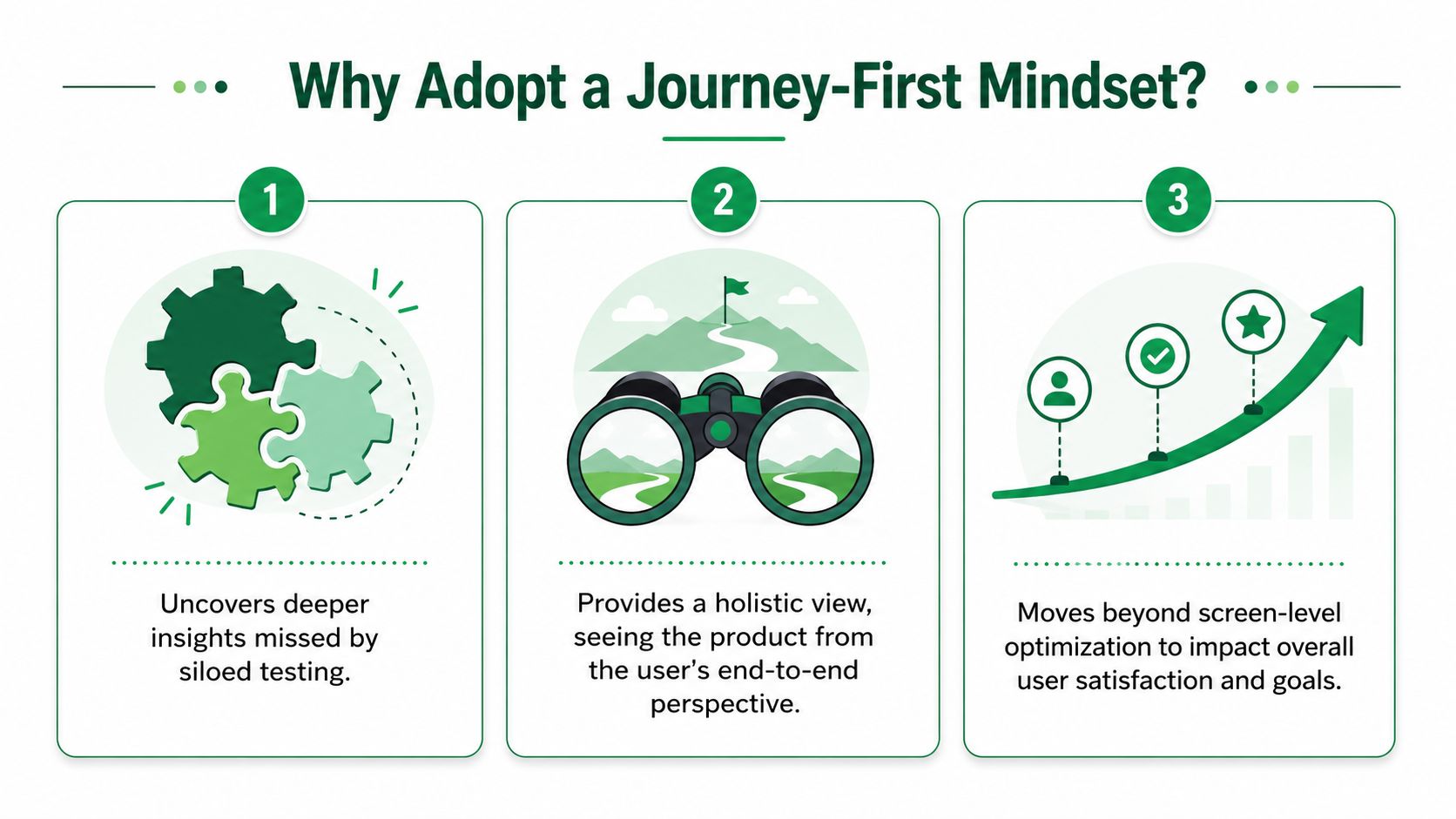
Why Adopt a Journey-First Mindset
A team launches a polished signup flow, sees healthy click-through on the landing page, and still misses activation targets. The usual postmortem starts with individual screens. The underlying problem often sits between them. The promise that got the click does not match the first product step, or the setup flow completes but leaves people unsure what to do next.

That is why teams adopt a journey-first mindset. It shifts attention from local UI quality to continuity across the full path, where intent can weaken, trust can drop, and small usability issues can stack into abandonment. In practice, the expensive problems are rarely isolated defects. They are chains of friction spread across acquisition, onboarding, decision points, and handoffs between teams.
Journey testing makes those chains visible. With AI-powered synthetic testers in Uxia, teams can run the same goal across multiple paths, prompts, and user profiles much faster than a manual round would allow. That changes the speed of learning. Instead of debating whether a single screen is “good enough,” teams can see whether the journey holds together under realistic variation.
Where the high-value findings usually appear
The strongest findings tend to show up at transitions, especially where one team's work becomes another team's responsibility:
Marketing to product: The value proposition gets the click, but the first in-product step asks for effort before trust is established.
Browse to commit: Comparison feels easy until users must choose a plan, enter payment details, or accept terms.
Setup to first value: Users complete onboarding but still cannot identify the next useful action.
Support and recovery paths: An error message appears, yet the route back to completion is unclear or too costly.
These are high-value findings because they affect completion, not just polish. A wording fix on one screen can look minor in isolation and still have outsized impact if it appears at the point where users hesitate most.
Here's a concise explanation of the mindset in action.
Why this changes prioritization
A journey-first mindset improves prioritization because it gives teams a better definition of severity. Severity is not only about how visible a defect is on one screen. It is also about where that defect appears in the sequence, what confidence the user has at that moment, and whether there is any easy recovery path.
I have seen teams spend weeks refining page-level issues that barely moved outcomes, while one poorly timed decision step kept suppressing conversion across the whole flow. Journey testing exposes that trade-off early. It helps product, design, research, and growth teams work from the same evidence instead of optimizing separate fragments.
It also makes AI testing more useful. Synthetic testers are strongest when the goal is path reliability at scale: running many end-to-end attempts, spotting repeated stalls, and comparing where different personas diverge. If your team needs help framing those missions clearly, use a usability testing scenario template for realistic task design.
Teams rarely need more observations. They need clearer evidence about which points in the journey are blocking progress and which fixes will change the outcome.
How to Set Up a Practical Journey Test
Most weak journey tests fail before launch. The root problem isn't the tool. It's the mission. If the task is too broad, the output gets noisy. If it's too narrow, you force behavior and lose the path users would naturally take.
Start with a mission that has edges
A workable mission has three parts:
One clear user goal
Keep it singular. “Buy a transit ticket for a planned trip” is strong. “Explore the app and give feedback” is useless for journey analysis.A realistic scenario
Give enough context to shape behavior without scripting every move. The scenario should reflect the user's need, not your internal feature map.An expected end screen
Define what success looks like before launch. If you can't name the destination, you'll struggle to interpret the path.
For teams that need help writing realistic prompts, a solid usability testing scenario template is a useful starting point.
Avoid the two setup mistakes that create bad data
The first mistake is writing a mission that's too broad. That usually leads to wandering behavior and hard-to-compare sessions. The second is writing a task that's too prescriptive, which turns the test into a script-following exercise.
A better setup gives users room to interpret the interface while keeping the business question tight.
Too broad: “Check out this app and tell us what you think.”
Too narrow: “Tap the green button in the top right, choose plan B, then continue.”
Better: “You need to upgrade your plan so your team can access advanced reporting. Complete the upgrade if it feels right.”
A practical setup flow
In practice, the workflow is straightforward:
Define the decision first: Are you validating discoverability, confidence, completion, or wording at a sensitive step?
Import the prototype: Use the actual flow you want tested, not disconnected frames if continuity matters.
Select the audience: Match the test to the people the flow is for, especially if domain knowledge or purchase context matters.
Launch and review against the expected destination: Completion alone isn't enough if users arrive there with visible doubt or misinterpretation.
Synthetic testing can speed things up. In Uxia, teams can import a prototype, define the mission, choose the target audience, and launch the test with synthetic testers. For more specific audiences, Audience Enrichment helps shape testers around an ICP, pain points, and context so the journey reflects the decision environment more accurately.
The best mission statements sound like real intent from a user, not task instructions from a researcher.
What works well in practice
A few habits consistently improve result quality:
Use plain language: Write the mission in the words users would use, not internal product vocabulary.
Set one success condition: Multiple end goals muddy analysis.
Test early versions: Journey testing is valuable before visual polish, especially when the risk sits in flow logic or copy.
Keep branch paths visible: If users can detour, let them. Those splits often reveal the most useful findings.
Analyzing Results to Find Actionable Insights
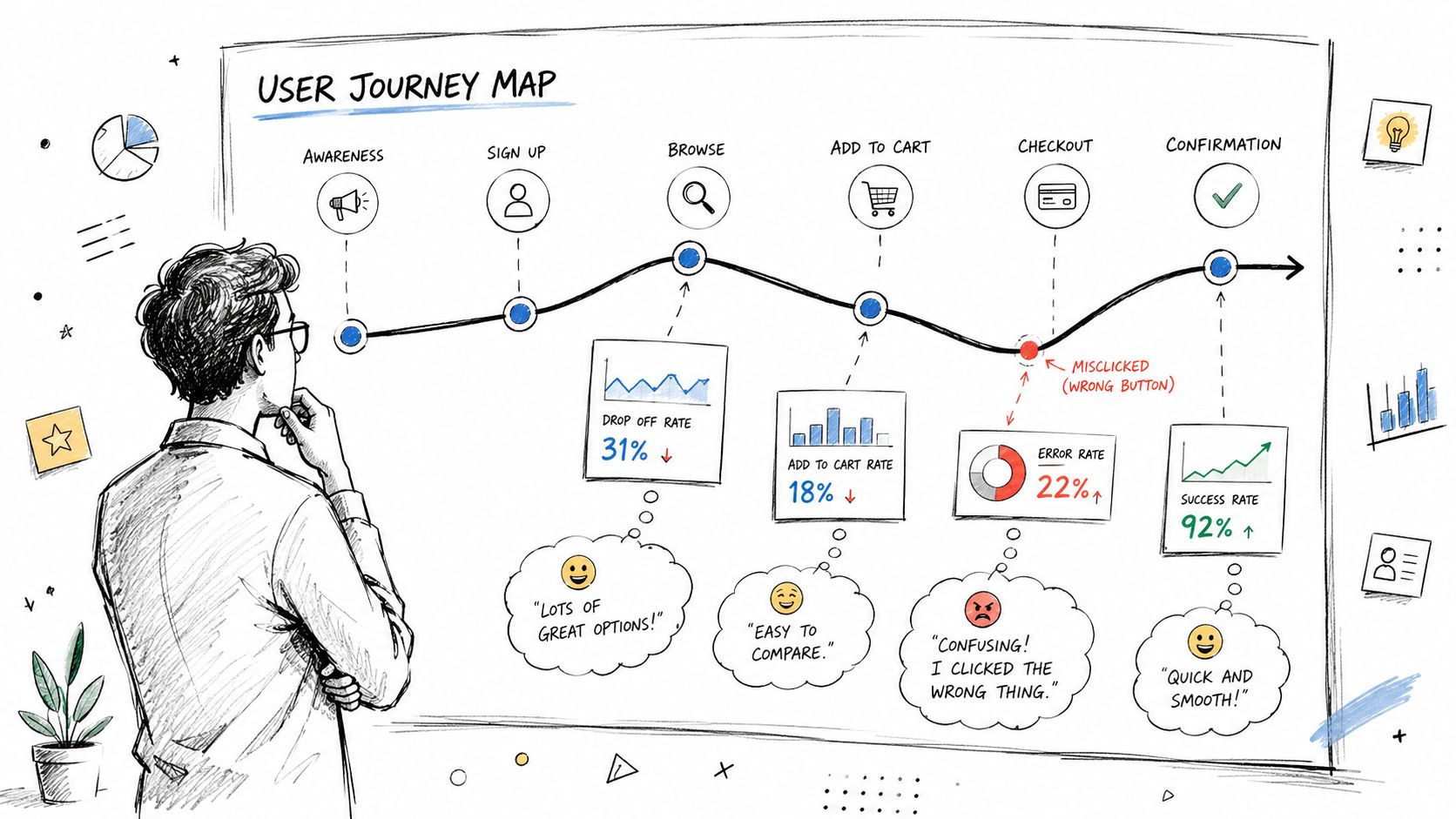
Once the test is complete, analysis should happen in two passes. First, inspect the path-level behavior. Then examine individual reasoning. If you only do one, you'll either get pattern recognition without explanation or rich comments without prioritization.

Start with the journey view
The first review should answer a small set of operational questions:
Which paths did testers follow?
Where did they split from the expected path?
Where did they misclick?
Did they reach the expected end screen?
This gives you the map before you inspect the stories. You're looking for concentration, not isolated noise. If several testers branch at the same step, pause at the same label, or click the same wrong area, there's usually an interface expectation problem worth fixing.
Track misclicks closely
Misclicks are one of the most revealing signals in journey testing because they show a mismatch between what users think should happen and what the interface does.
If multiple testers click the same non-clickable element, don't treat it as clumsiness. Treat it as evidence that your visual hierarchy, CTA treatment, wording, or interaction model is sending the wrong cue.
A useful companion discipline is reviewing broader user behavior analytics alongside journey findings. Behavioral analytics won't replace journey testing, but it can help teams compare session-level friction with larger product patterns.
Field note: A repeated misclick usually means the interface made a promise it didn't keep.
Then read the transcripts for the why
Path data tells you what happened. Transcripts tell you why users thought it made sense.
That combination matters. A tester may pause because they're uncertain about cost, because the label is unfamiliar, or because they no longer trust what comes next. Those are very different problems, even if the behavior looks similar on the journey map.
The most useful analysis sequence is this:
Flag repeated path deviations
Check whether they cluster around the same UI element or wording
Read individual transcripts from those moments
Write the issue as a cause-and-effect statement
For example:
Observation | Likely cause | Action |
|---|---|---|
Testers branch to help content before submitting | Main flow doesn't explain a required step clearly | Add context before the decision point |
Repeated misclicks on a heading | Heading looks tappable or competes with the CTA | Adjust hierarchy or interaction cues |
Users reach completion but express uncertainty | Copy resolves the task mechanically but not emotionally | Rewrite confirmation or checkout language |
Turn findings into decision-ready fixes
Good journey analysis ends with prioritized changes, not a pile of observations. The cleanest way to frame each issue is:
What users did
What they expected
What in the interface created the mismatch
What change is most likely to reduce that friction
That's why combining path-level analytics with tester reasoning is so effective. It keeps teams from overreacting to isolated quotes or underreacting to repeated path failures.
Common Pitfalls and Real-World Examples
The most instructive journey testing findings are often small on the surface. They don't look dramatic in a design review. They become obvious only when you watch users carry uncertainty from one step into the next.
A good example came from a GVB ticket-purchase test. The friction didn't come from layout or payment options. It came from wording at checkout. Users were asked to request a receipt, but the interface used the word “invoice.” Testers paused because they weren't sure whether they were asking for a basic receipt or a formal invoice.
That kind of hesitation is easy to miss in isolated screen feedback. In a full journey, it stands out because it appears at a commitment moment, right when users want reassurance.
The copy problem that looked like a UX problem
The fix in that case was simple. Replace the ambiguous term with clearer language such as “Email me a receipt” or “Send receipt by email.” The lesson wasn't that microcopy matters in the abstract. It was that microcopy matters most when users are making irreversible or high-attention decisions.
A journey test often exposes language debt that a visual review won't catch.
Other failure patterns worth watching
A few pitfalls come up repeatedly:
Over-scripted missions: If the prompt tells users what to click, you won't discover where they'd naturally go.
Late testing: Waiting for polished UI means the team learns about structural friction when changes are harder to make.
Local optimization: A team perfects one screen while leaving adjacent steps inconsistent.
Ignoring branch behavior: Side paths often reveal uncertainty, trust gaps, or missing information.
One practical habit helps avoid all four. Review the flow as a sequence of user decisions, not as a stack of screens. That keeps the team focused on what the user is trying to resolve at each step.
Scaling Journey Testing with AI
Traditional journey testing with human participants is valuable, but it's hard to run frequently. Recruitment takes time. Scheduling slows decisions. Multi-step tests demand more coordination than narrow usability sessions, so teams often reserve them for major milestones and lose the chance to validate continuously.
AI changes that operating model. Synthetic testers let teams run journey testing as part of normal product work instead of treating it as a special event. That's the core shift. The benefit isn't novelty. It's repeatability.
What continuous journey testing makes possible
When teams can test quickly, they can work in shorter loops:
Check a journey before design sign-off
Revise the copy or path logic
Re-test the full flow after changes
Compare whether the same friction still appears
That makes journey testing far more practical inside weekly sprint cycles. It also helps teams document assumptions and decisions more cleanly. If you like structured workflows for capturing prompts, hypotheses, and test notes, SystemSculpt's free Obsidian AI templates are a useful companion resource.
A deeper look at this testing model is covered in synthetic user testing with AI-driven workflows. The core idea is straightforward. When feedback is available on demand, teams stop postponing end-to-end validation and start using it as a routine design control.
The strongest teams won't replace every research method with AI. They'll use synthetic journey testing for speed, coverage, and iteration, then bring in human research where nuance, recruitment specificity, or sensitive context requires it.
If your team needs faster feedback on complete product flows, Uxia is worth evaluating. It lets teams upload prototypes, define a mission and audience, and review journey paths, misclicks, and tester reasoning without waiting on traditional study logistics.