Figma Config 2026 Tickets: A Guide for What's Next
Missed out on Figma Config 2026 tickets? Discover what happened, why it matters, and how to secure your spot for next year's conference.

You looked up Figma Config 2026 tickets too late. That's where many land. They see the product launches, the speaker clips, the screenshots from Moscone, then realize the in-person path is already closed.
The useful question isn't whether you missed it. It's what to do now so you still get the value from Config 2026, and so you don't repeat the same mistake for Config 2027. For product designers, PMs, UX researchers, and design systems teams, Config isn't just another conference. It's one of the clearest signals for where Figma is pushing design, AI, and design-to-code workflows next.
A Look Back at Figma Config 2026
Config 2026 already happened. It ran June 23 to 25, 2026 at the Moscone Center in San Francisco, and Figma also offered a free virtual option worldwide, with recordings now available through Figma's Config content hub and recap posts.
What mattered wasn't just the venue or the buzz. It was the direction of the announcements. Figma used Config 2026 to push a broader idea of the canvas: not just static design work, but code layers, motion, shaders, generative plugins, Weave tools, and a more context-aware agent built into the same working environment. That matters if you build products, because it shortens the distance between concept, prototype, implementation, and review.
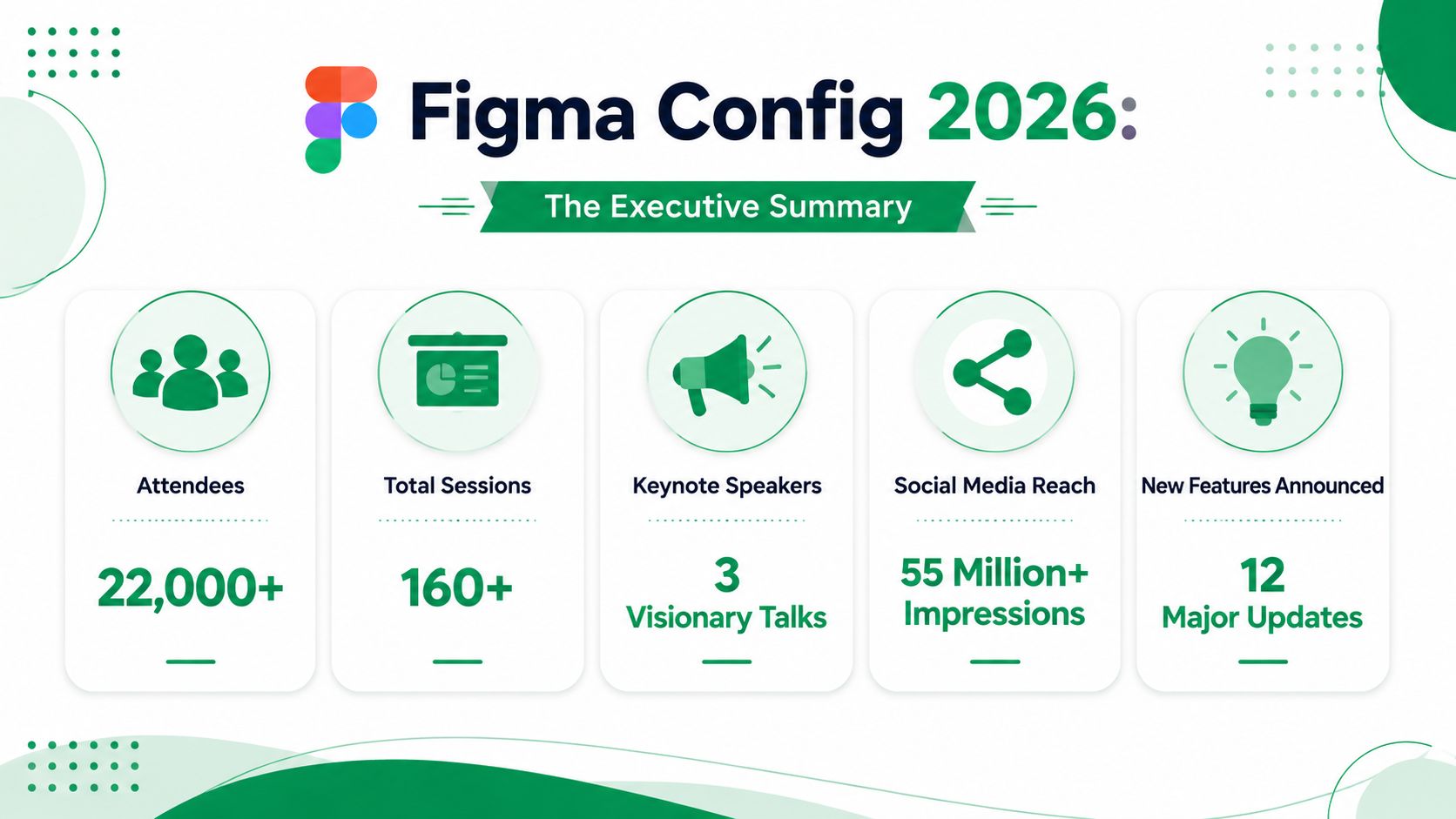
What stood out from the event
Typical Config 2026 content included:
Major Figma product announcements that affect daily design work
AI features and design-to-code workflows that pull design and engineering closer together
Design systems and developer tooling that make handoff less fragile
Hands-on workshops for teams that want more than keynote-level ideas
Networking with product professionals across design, PM, engineering, and AI
Talks from tech leaders at companies such as OpenAI, Google, Anthropic, Microsoft, Notion, and Spotify
The practical takeaway is simple. If your team still treats design, prototyping, and implementation as separate lanes, Config 2026 was another sign that the toolchain is converging. Product leaders should pay attention to that, because org structure often lags behind workflow reality.
Config is valuable because it helps teams spot workflow shifts before they become table stakes.
Figma also confirmed that in-person tickets for the San Francisco event were sold out and that “we will not be releasing any additional tickets prior to the event,” while virtual registration remained open and free in its official community forum announcement about post-sellout purchasing options (Figma forum announcement on sold-out Config 2026 tickets).
If you're catching up after the fact, don't limit yourself to Figma alone. It helps to compare product-platform announcements across the broader ecosystem. A good companion resource is this Apple WWDC 2026 keynote summary, because it gives useful context on how major platforms are framing AI, tooling, and product experience in parallel.
If Config is now on your annual planning list, it's also smart to benchmark it against other strong regional events. This roundup of top UX and UI events in Europe for 2026 is useful if your travel budget or team footprint makes a Europe-first conference strategy more practical.
The Real Deal on Config Tickets
The short version is that Figma Config 2026 tickets for in-person attendance are gone. If you're searching for Figma Config 2026 tickets now, you're not dealing with a waitlist situation. You're dealing with a closed inventory situation.
That distinction matters because people waste time chasing options that won't reopen.
How the 2026 ticket setup worked
For Config 2026, the public structure was straightforward:
Ticket type | Access | Price |
|---|---|---|
Early Bird | In person | $450 |
Regular | In person | $899 |
Virtual | Online | Free |
Those in-person tiers were fully depleted. A 2026 event summary states that Early Bird ($450) and Regular ($899) in-person tiers were sold out, virtual access remained free and open, and new standard in-person registrations had a 100% unavailability rate after sellout (Config 2026 ticket overview).
What works and what doesn't
What works is planning around how conference inventory usually behaves. Tickets for Config typically go on sale around November to December of the previous year. Early Bird usually opens first. Once that inventory goes, Regular pricing remains until capacity is reached.
What doesn't work is assuming a premium event behaves like a webinar. It doesn't. Once demand clears the available in-person capacity, the problem stops being budget and becomes timing.
If you manage conference spend for a team, it helps to understand the logic behind ticket tiers and why event organizers use them to shape buyer behavior. This Darkaa ticket pricing guide is useful background if you're trying to align registration timing with finance approval, travel planning, and team attendance goals.
The right way to think about access
Treat Config access as three separate paths:
Early commitment if you want the best odds and lower in-person pricing
Regular registration if your team approves later but still before capacity is reached
Virtual attendance if travel isn't realistic or you missed the sales window
Practical rule: If Config is business-critical for your role, budget for it before tickets open, not after they sell out.
That's the difference between “I'd like to go” and “I'm going.”
Your Playbook for Securing Config 2027 Tickets
Buyers often miss out before checkout. Not because they're uninterested, but because they start organizing too late. Config rewards prepared buyers.
The smart move for next year is to build a small operating plan now, while the pain of missing 2026 is still fresh.
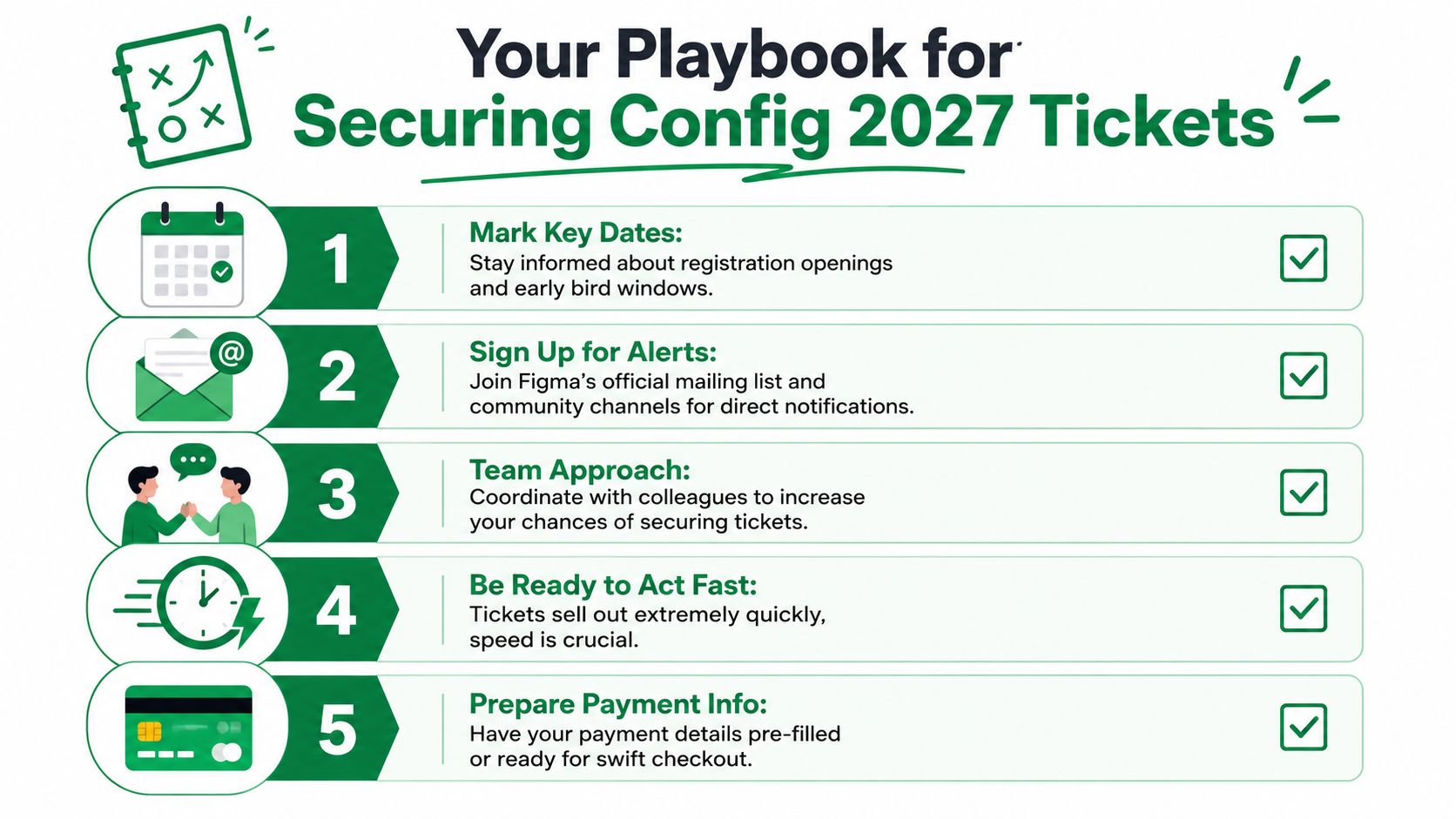
The checklist that gives you a real shot
Join Figma's mailing list
That's still the cleanest way to catch registration timing without relying on secondhand posts.Follow @figma on LinkedIn and X
Social updates won't replace email, but they do help you spot reminders, urgency, and community chatter.Create or log into your Figma account before sales open
Don't make account setup part of purchase day.Buy in the first few days of sales
Early Bird tends to disappear quickly, so hesitation costs you.Ask your company for sponsorship early
Don't pitch this as a perk. Pitch it as product intelligence, workflow research, and partner discovery.
Mistakes that close the door
Some paths look promising and aren't. Figma community guidance around Config 2026 made that painfully clear. Registration codes became invalid after total sellout, with a 0% redemption success rate, and the transfer deadline was May 22, 2026, at 11:59 PM PT. After that window, transfer eligibility was lost. The same guidance also stated that the only viable path after that point was virtual attendance (Figma forum guidance on sold-out codes and transfers).
That means three things for Config 2027:
Don't rely on a code rescue
Don't assume a teammate can transfer late
Don't wait for internal approvals until inventory pressure is obvious
Teams that attend conferences consistently usually treat them like product launches. They set owners, deadlines, approvals, and fallback plans.
If you need to coordinate multiple attendees, it helps to borrow from event operations discipline rather than improvising through Slack threads. This guide on mastering corporate event planning is a useful framework for getting approvals, travel, ownership, and contingency planning in place before demand spikes.
If your team wants alternatives while planning next year's conference calendar, this list of product design events to know in 2026 is a good complement.
A better internal process
Use a lightweight owner model:
One person owns registration timing
One person owns budget approval
One person owns travel logistics
That sounds basic. It also prevents the common failure mode where everyone assumes someone else has it covered.
Is Attending Config Actually Worth It for Product Teams
Yes, for the right team and the right reason.
No, if your only goal is vague inspiration. Conferences are expensive in time, attention, and follow-through. Config pays off when you attend with a product question you need answered: how AI changes your workflow, how design systems should evolve, how design and engineering collaboration should tighten, or which partners and tools belong in your stack.
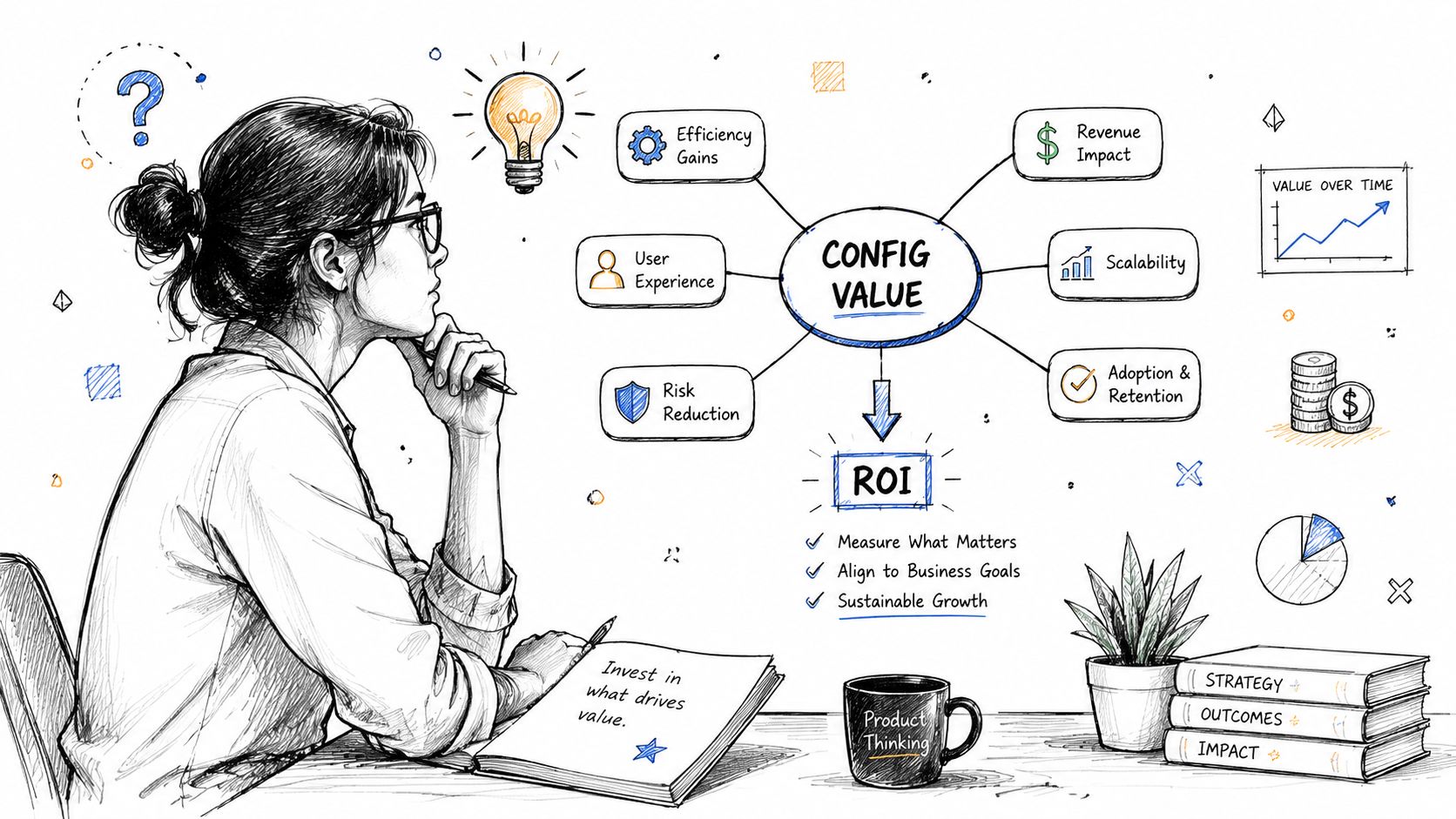
Where the ROI actually comes from
For product teams, Config is one of the strongest places to:
Meet product and design leaders from enterprise companies who may be customers, peers, or future hires
Build relationships with design agencies and UX consultancies that can become delivery partners
See AI tooling early instead of learning about it after competitors have already operationalized it
Find integration partners in adjacent workflow categories
Understand where Figma is taking its platform, especially around AI-assisted creation and design workflows
That last point matters more than it gets credit for. If your company ships digital products, Figma's product direction affects more than designers. It changes prototyping expectations, handoff behavior, component governance, and the baseline for how quickly teams are expected to validate ideas.
Who should go in person
Not every role gets the same value from the floor, workshops, and side conversations.
Role | Best reason to attend |
|---|---|
Product designer | Learn emerging workflow patterns and tool capabilities |
Product manager | Understand where product creation is speeding up and where process needs to adapt |
UX researcher | Spot where AI-assisted validation and synthesis may fit into the design cycle |
Design systems lead | Track changes that affect reusable components, motion, and code alignment |
Engineer working close to design | Evaluate design-to-code promises with healthy skepticism |
Go in person if conversations and hands-on exposure will change your roadmap decisions. Stay virtual if your main need is content consumption.
The strongest business case
The strongest case for attending isn't “everyone in design goes.” It's that Config compresses market learning. In a short window, your team can compare how leading companies talk about craft, AI, systems, and implementation. That's strategically useful when product teams are deciding what to automate, what to standardize, and what still needs careful human judgment.
If you're building your conference strategy more broadly, this roundup of product design conferences helps put Config in context rather than treating it as the only event that matters.
Your Next Move After Config 2026
If you missed in-person attendance, the best response is to stop chasing dead paths and switch to an advantage mindset. You can still extract a lot from Config 2026 if you're disciplined about how you consume it.
What to do this week
Start with the official recordings on Figma's website. Don't watch randomly. Pick sessions tied to your actual constraints: design-to-code friction, AI workflow experimentation, design systems governance, motion, or collaboration between PM, design, and engineering.
Then write a one-page internal memo. Capture what changed, what looks promising, what seems overhyped, and which ideas deserve a small test in your own product process.
What to set up for next year
Put Config 2027 on your planning calendar now. Since tickets typically go on sale around the end of the previous year, waiting until public hype ramps up is the wrong trigger. Your trigger should be internal readiness: budget pre-approval, owner assignment, and a shortlist of who should attend.
A simple approach works best:
Set a reminder for the expected sales window
Pre-clear budget with your manager or finance partner
Decide whether you want in-person or virtual attendance
Align attendance with clear product goals
Use the recordings as a baseline so next year's live event becomes additive, not introductory
The teams that get the most from Config don't treat it as a reward trip. They treat it as a working session in public. That's the right mindset if you want career growth, stronger product instincts, and better judgment about where the design ecosystem is heading.
If you want to turn conference insights into faster product decisions, Uxia is worth a look. It helps teams test UX and UI flows quickly with AI-generated participants, so you can validate prototypes, spot friction, and move from “interesting idea” to evidence-backed iteration without waiting on slow research cycles.