Best Session Replay Tools in 2026: 7 Top Picks
Compare the Best Session Replay Tools in 2026, including Uxia, FullStory, LogRocket, Clarity, and more for actionable UX insights.

The session replay software market was valued at USD 0.264 billion in 2024 and is forecast to exceed USD 2.1 billion by 2033, but the strongest option depends on the job: Uxia for validating prototype experiences before development, FullStory and LogRocket for mature replay and debugging workflows, Microsoft Clarity for free behavioral analysis, and the remaining platforms for broader analytics or research needs. The category has moved far beyond simple recordings, so the right choice should connect observed friction to a decision your team can act on.
What should a session replay tool prove? Recordings show what users did, but they rarely explain the full reason friction occurred or what a team should change next. A replay might reveal hesitation at checkout, a failed tap, or an abandoned form. It won't automatically tell you whether the problem is confusing copy, weak hierarchy, inaccessible interaction design, technical failure, or a mismatch between the user's intent and the product's promise.
That distinction matters as the category expands. One forecast values the global session replay tools market at USD 502.32 million in 2025 and projects USD 1.75 billion by 2035, with more than 13.3% CAGR during 2026 to 2035. Another estimate places the market at USD 562.45 million in 2026. The broader recording and session replay tools market was valued at USD 0.264 billion in 2024, forecast at USD 0.33 billion in 2025, and projected to surpass USD 2.1 billion by 2033, at a 25.89% CAGR from 2025 to 2033. These forecasts are summarized in market research on session replay software growth and the recording and session replay tools market outlook.
This comparison evaluates seven tools by replay quality, analytics depth, debugging context, privacy controls, cost model, mobile coverage, and fit within a repeatable UX workflow. Before choosing, check:
Implementation effort: Can your team install and govern the capture layer safely?
Capture scope: Do you need always-on recording, targeted sampling, or prototype testing before traffic exists?
Mobile coverage: Does the product include web, native apps, or both?
Governance: Can you mask sensitive fields, gate recording on consent, limit retention, and control data residency?
Actionability: Can the team move from a signal to reproduction, design validation, a fix, and follow-up measurement?
Use replay evidence to turn user data into revenue, but don't mistake a recording for a complete explanation. Uxia adds a pre-release layer by letting teams upload image or video prototypes, define an audience and mission, run synthetic testers, and receive transcripts, accessibility findings, heatmaps, and prioritized reports before live traffic exists.
1. Uxia
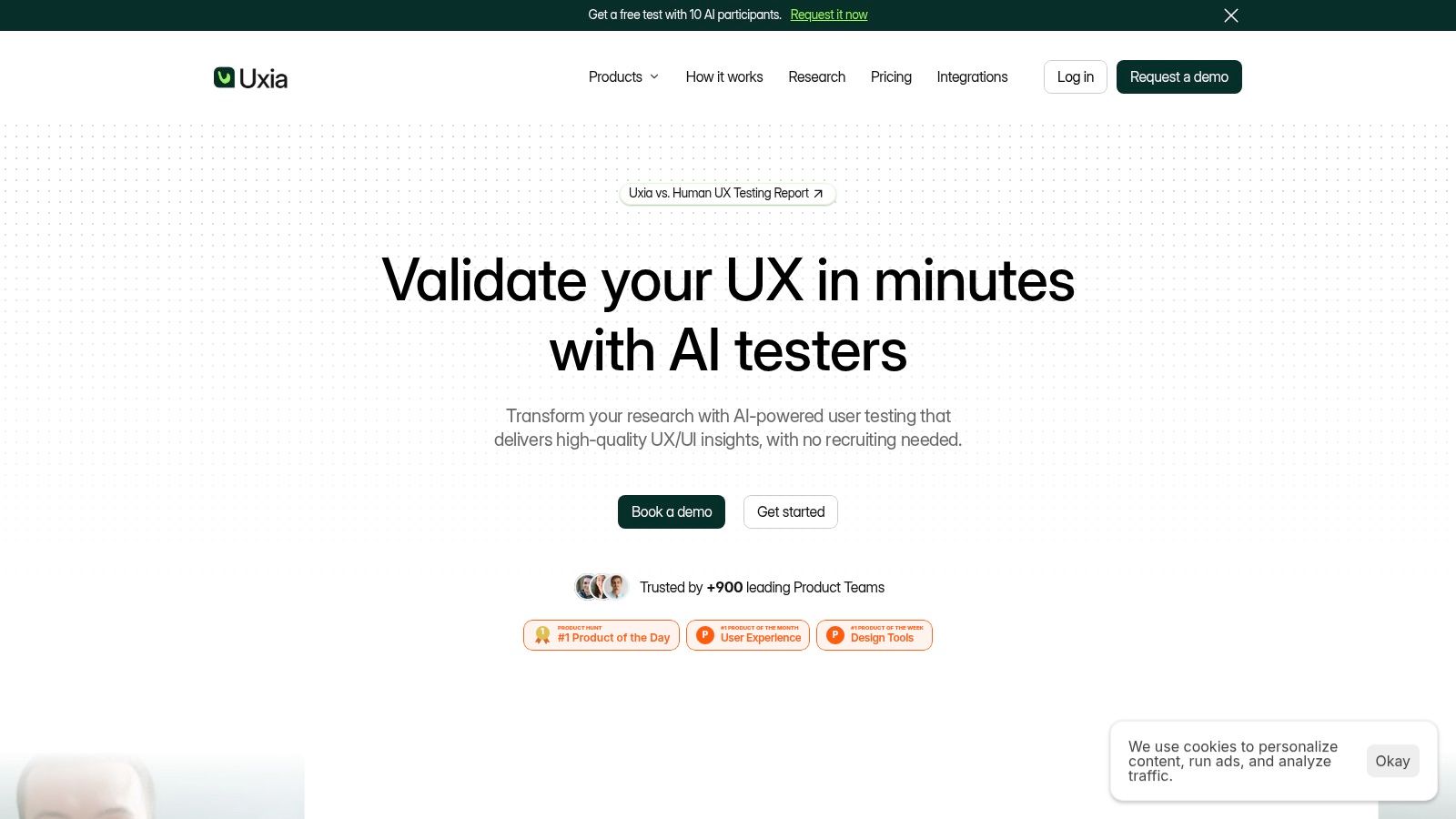
Uxia is the strongest choice when the UX question comes before implementation. Traditional session replay starts after a real user has entered the product. Uxia helps teams test the proposed experience while it still exists as an image or video prototype, which makes it complementary rather than a direct replacement for production replay.
Upload a prototype, describe the mission, and define the audience. Uxia generates synthetic testers aligned to demographic and behavioral profiles, then lets them interact with the flow, think aloud, and expose friction. The output resembles the review experience teams want from participant sessions: step-by-step transcripts, session captures, tester actions, click maps, heatmaps, and a prioritized report.
Best for discovery and accessibility validation
Uxia's practical advantage is timing. A team can test navigation, copy, trust signals, usability, and accessibility before engineering effort makes a weak interaction expensive to change. It also supports standardized evaluation through SUS and SUPR-Q benchmarks, giving teams a repeatable way to compare design directions rather than relying only on stakeholder preference.
The platform automatically groups findings and presents metrics, heatmaps, and prioritized insights. That helps product designers move from “something feels confusing” to a concrete issue such as unclear task progression, a low-confidence call to action, an inaccessible control, or a content hierarchy that fails the intended mission.
Practical rule: Use Uxia to test whether a design deserves to be built, then use replay to learn how real customers behave after launch.
Uxia is particularly useful for continuous design feedback. Teams don't need to recruit, schedule, or moderate every early test, so they can validate more iterations inside a sprint. That consistency can reduce the bias introduced by repeatedly using professional testers, although synthetic testing shouldn't replace human moderated research for highly emotional, novel, or ambiguous interactions.
Trade-offs and fit
Uxia's main limitation is that it isn't a production session replay platform. It won't show how real customers behave across your live application, and human research remains important when nuance, emotion, or unusual context drives the decision. Prototype inputs also need to be supplied in supported image or video formats.
The free entry point makes evaluation accessible. The site references a free test with 10 AI participants, while the pricing page references one free AI User Test. Paid plans range from small-team options to custom enterprise arrangements with unlimited credits, audience enrichment from your data, human insights, full report access, branded workspaces, priority support, and enterprise security such as SSO and SCIM.
Uxia states that customers retain ownership of uploads and outputs, and that content isn't used for training without explicit permission. Choose it when the highest-value workflow is discover, test, prioritize, design, then build, not merely watch a recording after release.
2. FullStory
FullStory suits teams that want high-fidelity replay connected to product analytics, heatmaps, funnels, and behavioral investigation. Its value appears after a product has enough live usage to generate meaningful patterns, especially when a UX or product team needs to move from an aggregate signal to the individual sessions behind it.
The replay experience is designed to reconstruct interactions with strong visual fidelity. Teams can inspect clicks, scrolling, conversion behavior, and frustration signals, while analytics helps segment the sessions that matter. FullStory also supports tabbed browsing visibility and developer tools in replay, which can add context when a user moves across browser states or encounters a technical problem.
Best for mature discovery and reporting
FullStory works well when a researcher starts with a funnel or conversion question, narrows the audience, and then reviews representative sessions. Its heatmaps, click maps, scroll maps, and conversion maps give designers a way to identify patterns before opening individual recordings. AI-assisted StoryAI summaries and session insights can reduce the manual effort involved in triage.
The permanent free plan, FullstoryFree, supports up to 30,000 sessions per month with 12 months of retention, according to the FullStory session replay comparison guidance. That gives small teams a practical way to test replay quality before committing to a paid deployment.
FullStory also offers privacy and masking controls, plus separate retention controls for analytics and replay data. Those controls matter because session replay evolved from a troubleshooting utility into analytics and marketing infrastructure, increasing the amount and sensitivity of captured behavioral information. Teams should configure capture deliberately rather than treating default settings as a complete governance policy.
Where it falls short
Advanced capabilities and larger volumes require paid tiers and, in practice, a sales conversation. Enterprise implementation can also require careful planning around masking, retention, access, and data ownership. That effort is justified for teams that need a broad digital experience analytics layer, but it can feel heavy for a small product group looking only for occasional recordings.
For accessibility validation, FullStory is best used after a problem has appeared in live behavior. Pair it with Uxia during design exploration, then use FullStory to check whether the shipped experience creates the same friction under real conditions. Teams looking for a broader pre-launch research stack can also review UX research tools to master in 2026.
3. LogRocket
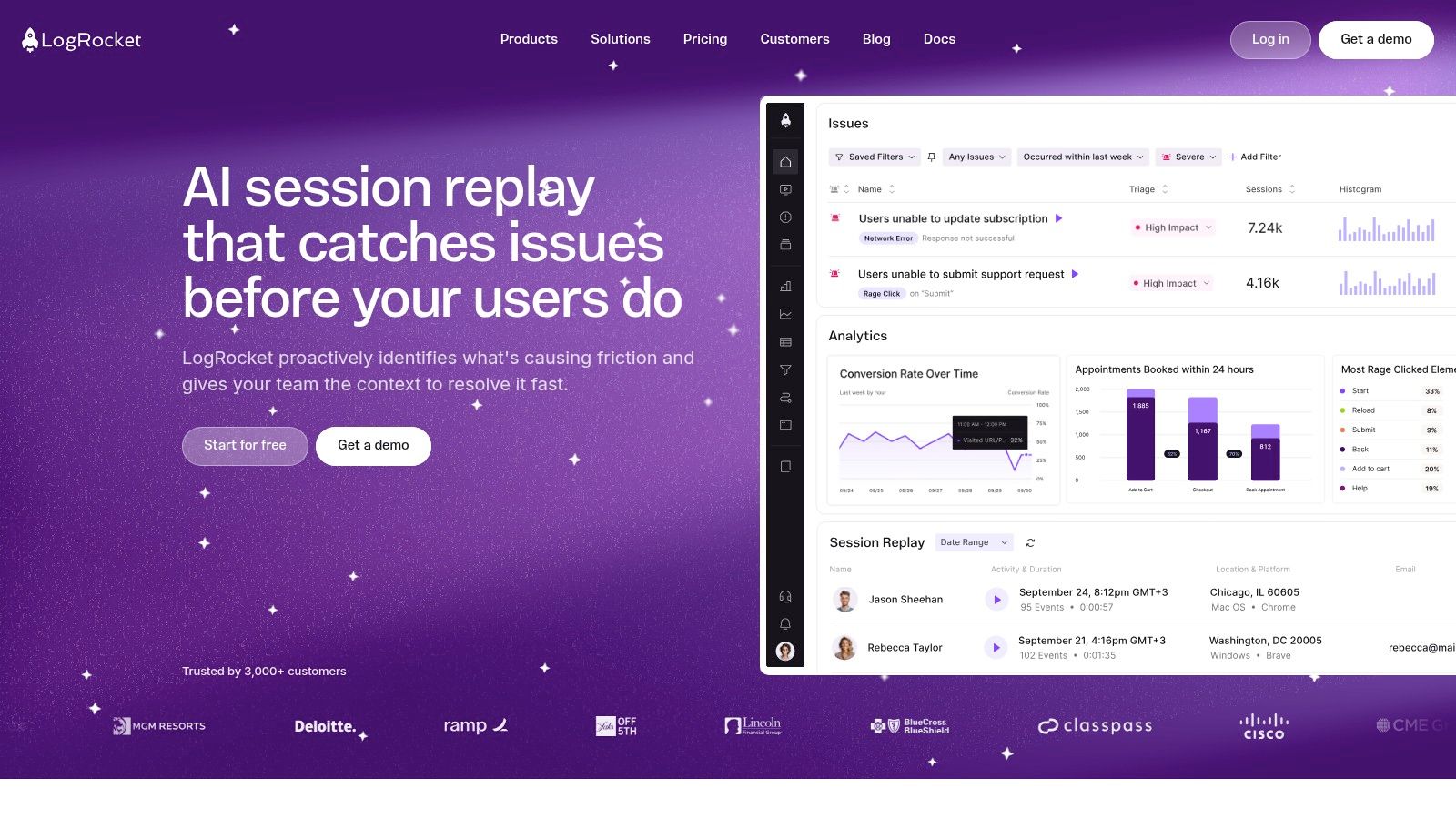
LogRocket suits teams investigating customer-impacting problems that require both behavioral and technical evidence. It combines pixel-accurate web and native mobile replay with console logs, network logs, error tracking, event timelines, and metadata. The result is a shared view of what the user experienced and what the application was doing at the time.
An engineer can begin with a support report, filter sessions by relevant attributes, inspect the interaction, and review the console or network activity around the failure. Product managers and designers can then assess how the defect affected task completion. That makes LogRocket useful when abandonment may reflect both an interface problem and an engineering failure.
Best for diagnosis and root-cause workflows
LogRocket supports filtering across more than 50 attributes, issue detection, AI summaries, funnel analysis, and higher-tier heatmaps. Galileo helps surface struggle and summarize issues, but the platform's main value is the technical context attached to each replay.
A practical evaluation should examine how well a tool connects replays with errors, traces, and logs. The Amplitude session replay documentation identifies observability integration, SDK overhead, telemetry correlation, privacy controls, and workflow fit as evaluation criteria. LogRocket maps closely to that engineering-focused workflow.
Replay shows what the customer saw. Logs often explain why the interface behaved that way.
The platform uses slider-based pricing tied to session volume, while analytics, error, and log events are not subject to the same session-based constraint. For broader category comparisons, one reference lists $1.80 per 1,000 sessions for Datadog and $0.0045 per session for Dynatrace. Those figures come from the 2026 session replay software comparison, not LogRocket's own pricing.
The operational trade-off
Session-based pricing can increase with traffic, especially when capture includes short or low-value visits. Advanced AI capabilities also sit on higher tiers. Set capture rules, retention requirements, and investigation audiences before enabling broad collection.
LogRocket is less suitable as a standalone qualitative research environment. It can reveal where live users struggle, but it does not define the research question, recruit a representative audience, or test a prototype before release. Use Uxia to test the intended interaction during design, LogRocket to diagnose failures after implementation, and a documented release loop to verify that the fix resolved the issue.
4. Contentsquare
Contentsquare is built for organizations that need journey analysis, heatmaps, frustration indicators, alerts, and replay across web and apps. It fits enterprise teams that don't want a recording isolated from the broader customer journey. A replay becomes more useful when the team can see where the session sits inside a funnel, which segment experienced the issue, and whether the pattern appears across a wider journey.
The platform connects replay to event streams, journeys, funnels, and frustration scoring. Its AI Sense capability can summarize individual or multiple sessions, helping analysts prioritize review rather than manually opening every recording. Zone-based analysis is useful for e-commerce and content-heavy interfaces where teams need to compare interaction with page elements, not just review a linear playback.
Best for enterprise reporting and journey analysis
Sampling is a central trade-off. Contentsquare supports granular replay sampling at global and URL-targeted levels, and its Free and Growth tiers expose session analytics plus a portion of session replays. That lowers the barrier to trying the platform, but it also means teams need to understand exactly which sessions are available for replay.
Default privacy masking for apps is an important starting point, but governance still depends on the organization's configuration, consent model, retention policy, and regional requirements. A replay tool can be technically powerful and still create risk if teams capture more information than they need or continue recording after consent is rejected.
Contentsquare's enterprise breadth is its main strength. Large teams can use journey analysis, zone-based heatmaps, alerts, frustration scoring, and replay within a connected reporting environment. It also supports the kind of cross-functional communication needed when UX, product, marketing, and support teams investigate the same customer problem from different angles.
Who should avoid it
Small teams may find the implementation and commercial model disproportionate to their needs. Advanced features and higher capture rates typically require paid Pro or Enterprise plans, and sampled replay can frustrate teams investigating rare incidents that weren't captured.
Choose Contentsquare when reporting must connect behavior to broad digital journeys. If the question is “can users complete this proposed design?” Uxia is the better first step. If the question is “where does this issue appear across an enterprise customer journey, and how should we report it?” Contentsquare has the stronger fit.
5. Microsoft Clarity
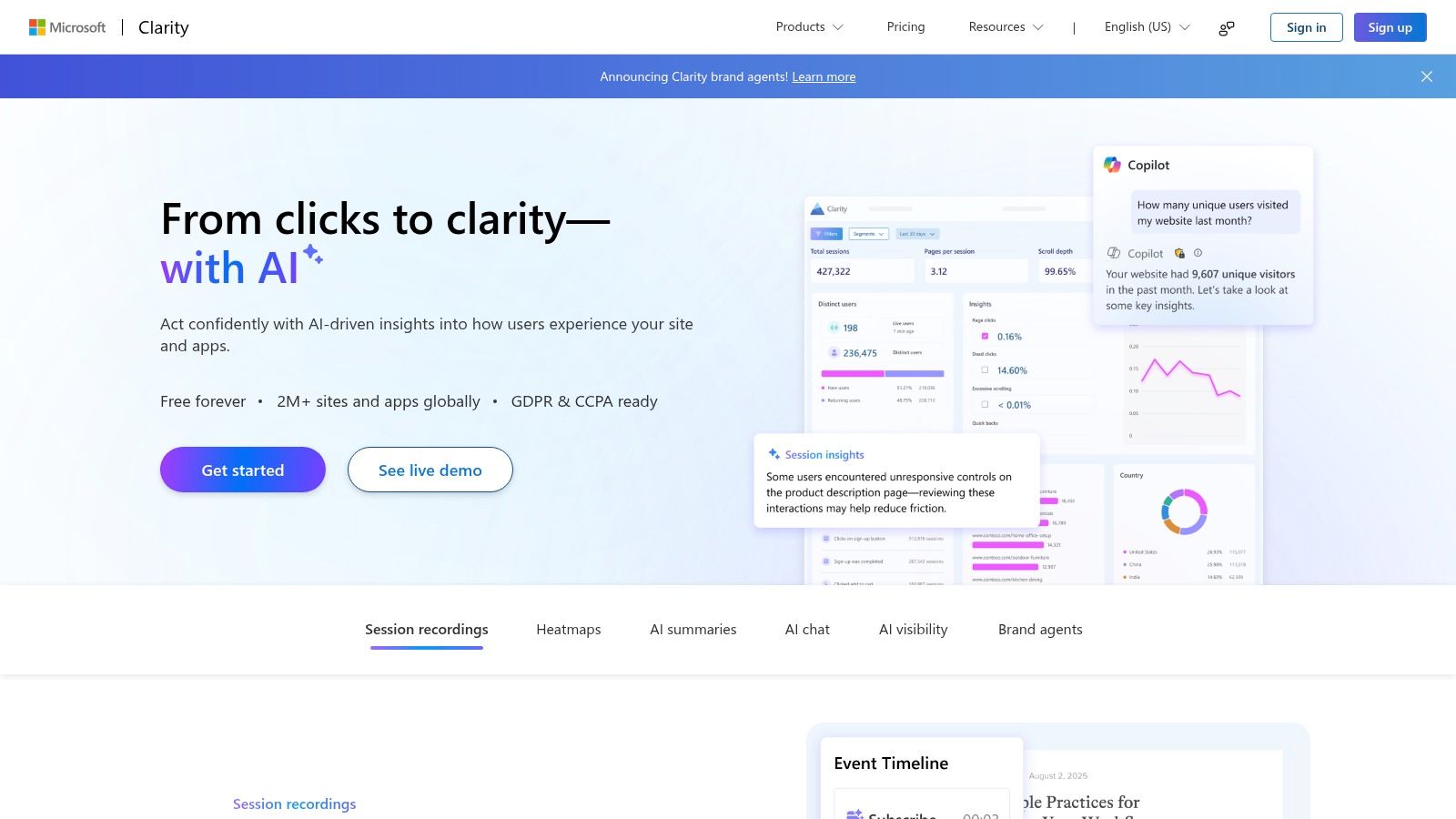
Microsoft Clarity is a practical starting point for teams that want behavioral evidence without adopting a full product analytics program. It combines session recordings, instant heatmaps, filters, and machine-learning detection for patterns such as rage clicks and dead clicks. Copilot summaries can narrow a large session library into issues that deserve human review.
Its workflow is straightforward. A startup, agency, or small marketing team can install Clarity, inspect a page, identify confusing interaction patterns, and share a recording without buying an enterprise analytics suite. Unlimited team members and sites make collaboration easier, while the Google Analytics integration helps connect replay findings with existing measurement.
Best for free discovery
Clarity provides always-on recordings with no traffic caps, alongside unlimited team members and sites. Those terms make it a strong zero-budget option for discovery work. Teams can review how users interact with pages, then use the findings to decide which flows require a closer investigation.
More than 40 filters support segmentation by device, page, or interaction pattern. Teams can examine rage clicks, dead clicks, scrolling behavior, and event lists without first creating an elaborate tracking taxonomy.
Free capture is useful only when someone has a defined question and time to review the evidence.
Clarity can also expose accessibility-related friction, including repeated clicks or abandonment around an interactive element. Replay cannot prove that an interface meets accessibility requirements. Pair it with keyboard testing, assistive technology review, automated checks, and manual assessment. For pre-launch validation, test the prototype with Uxia before Clarity can observe real users.
Its limits for engineering teams
Clarity provides fewer developer debugging hooks than LogRocket or FullStory. An engineer investigating a production defect may need synchronized console output, network requests, stack context, or observability correlation that Clarity does not emphasize. Advanced product analytics and integrations are also narrower than those in paid suites.
Choose Clarity when speed, broad capture, and cost matter most. Add another tool when the workflow requires technical diagnosis, richer governance, detailed journey reporting, or structured research before implementation. For continuous design feedback, Clarity works best as evidence from live behavior, while Uxia covers prototype testing before code reaches production.
6. PostHog
PostHog fits engineering-led teams that want session replay connected to a broader product operating system. Replay can be tied to product analytics events and cohorts, while feature flags, experiments, surveys, and a managed context warehouse support related workflows in one environment.
That connection supports a clear investigation path. A product manager can define a cohort, inspect sessions from a funnel step, compare behavior around a feature flag, and relate findings to an experiment. Engineers can examine whether a release changed a specific flow, then connect the evidence to a product decision. PostHog's value depends on using those surrounding capabilities, not only opening recordings.
Best for analytics, experiments, and data control
PostHog provides usage-based Cloud pricing with visible free tiers and a self-hosting option for teams with privacy or compliance requirements. The free tier includes 5,000 recordings per month, giving technical teams a concrete starting point. Broad capture can still increase costs when filters and retention rules are not defined.
Self-hosting offers greater control over where replay data resides and how the system operates. It also transfers responsibility to the customer. Teams must plan for infrastructure, upgrades, access controls, masking, incident response, and the ongoing work needed to keep the service reliable.
The strongest workflow is signal-led:
Use product analytics to identify a suspicious cohort or funnel step.
Open the related replays and examine the behavior in context.
Compare the pattern with a release, feature flag, or experiment.
Record the product change and monitor the next cohort.
For teams building a broader data-driven design practice, PostHog supplies evidence from live product usage. Uxia complements that workflow by testing the next design iteration in a prototype before implementation, when changes are less expensive to evaluate.
What doesn't work well
Platform breadth can create configuration decisions that distract from the immediate question. Usage bills may rise when teams capture everything, while self-hosting requires engineering time and operational ownership. Designers, researchers, and other non-technical stakeholders may also need support before they can work independently with the data.
Choose PostHog when analytics, experimentation, replay, and data ownership belong in one operating model. A designer seeking an approachable research workflow, or a team needing only lightweight recordings, may find a narrower tool easier to adopt.
7. Hotjar
Which tool helps a team turn observed behavior into a clear design question? Hotjar is a practical choice for SMB and mid-market teams that need behavioral context without a steep technical learning curve. Its Observe workflow combines recordings with heatmaps, while Ask adds surveys and feedback. A designer or marketer can move from an aggregate interaction pattern to a relevant session, then ask users for context.
Setup is quick and the interface is approachable. Teams can review click, tap, move, scroll, and engagement heatmaps, then filter recordings for rage clicks or U-turns. Moving from a heatmap finding to related recordings is one of Hotjar's strongest daily workflows. Teams comparing tools can also review free heatmap tool options before choosing a broader research stack.
Best for accessible research operations
Hotjar's developing relevance scoring and simple recording navigation help non-technical users decide which sessions deserve attention. Agencies and freelancers can share recordings with clients as visual evidence in a design review. Surveys and feedback widgets add a voice-of-customer layer that replay alone cannot provide.
The main limitation is scale. Free plans can impose daily session caps, and pricing and tier limits matter as traffic grows. Model expected capture volume before adoption, then check whether sampling still supports the product questions the team needs to answer.
Implementation also needs a performance and privacy check. Broad capture can add overhead, so test Hotjar against the application's responsiveness and masking requirements. Independent benchmark work found that enabling replay added 0.017 seconds to one interaction path and 0.07 seconds to another. Average overhead increased resource usage time by 21%, while INP stayed under 200 milliseconds in the reported tests. The session replay performance tutorial provides the test context. Treat those results as a reference, then measure the team's own application.
Use Hotjar to make user behavior easy to discuss, not to avoid validating the underlying design decision.
Hotjar fits a workflow that needs discovery, feedback, and reporting after a live experience exists. Uxia complements it by testing image or video prototypes before launch. Hotjar shows how real visitors respond after release, while Uxia supplies earlier design feedback. Choose the pair when the team needs both prototype validation and approachable production observation.
Top 7 Session Replay Tools 2026, Comparison
Product | Implementation 🔄 (complexity) | Resource needs ⚡ (efficiency/cost) | Expected outcomes ⭐ · 📊 (quality / impact) | Ideal use cases 💡 |
|---|---|---|---|---|
Uxia | Low, no SDK; upload prototypes and configure missions 🔄 | Low–Moderate, prototype assets; paid tiers for enterprise ⚡ | ⭐⭐⭐⭐⭐, fast, research-grade usability reports, SUS/SUPR-Q, prioritized issues 📊 | Rapid, repeatable UX validation in design sprints; teams wanting continuous testing 💡 |
FullStory | Medium, client script and governance; enterprise setup 🔄 | Moderate–High, data retention & plan tiers; sales for large volumes ⚡ | ⭐⭐⭐⭐, pixel-accurate replays + product analytics and heatmaps 📊 | Product/UX teams needing combined qualitative replays and quantitative funnels 💡 |
LogRocket | Medium, SDK integration; ties to dev tooling 🔄 | Moderate, pricing by sessions; includes logs/analytics ⚡ | ⭐⭐⭐⭐, reproductions with console/network context; faster debugging 📊 | Engineering-led debugging and root-cause analysis with replay + logs 💡 |
Contentsquare | High, enterprise deployment and sampling policies 🔄 | High, enterprise pricing; scalable for large traffic ⚡ | ⭐⭐⭐⭐, journey-level analysis, AI Sense, frustration scoring 📊 | Large enterprises needing end-to-end journey analytics and prioritized signals 💡 |
Microsoft Clarity | Very Low, plug-and-play script; minimal config 🔄 | Minimal, free forever, no caps; limited advanced controls ⚡ | ⭐⭐⭐, unlimited basic replays, heatmaps, ML-detected issues 📊 | SMBs or teams wanting cost-free recordings and quick behavior signals 💡 |
PostHog | Medium, Cloud or self-host setup; configurable 🔄 | Variable, usage-based cloud or self-host for privacy; visible free tier ⚡ | ⭐⭐⭐⭐, integrated analytics, replays, flags and experiments 📊 | Engineering/product teams wanting an all-in-one product OS with self-host option 💡 |
Hotjar | Very Low, fast setup aimed at non-technical users 🔄 | Low–Moderate, tier limits and caps on free plans ⚡ | ⭐⭐⭐, approachable recordings, heatmaps, and feedback workflows 📊 | SMB/mid-market designers and marketers needing quick, shareable insights 💡 |
Turn Replays Into Better Product Decisions
The best session replay tool in 2026 isn't the one with the longest feature list. It's the platform that helps a specific team answer a recurring product question with enough context to make and verify a change.
Choose Uxia when the priority is rapid prototype validation, accessibility-aware UX feedback, and continuous design learning before launch. Upload the proposed experience, define the mission and audience, review transcripts, tester actions, heatmaps, SUS and SUPR-Q results, and prioritized findings. Uxia adds value that production replay can't provide, because it tests an experience before real traffic exists.
Choose FullStory when replay fidelity, autocapture, behavioral search, and product analytics matter most. It fits teams that investigate live user behavior at depth and need rich qualitative evidence alongside quantitative segmentation. Choose LogRocket when engineers need console logs, network context, error tracking, and performance signals attached to the replay. It is the stronger diagnostic instrument for bugs that users report but developers can't immediately reproduce.
Choose Contentsquare for enterprise journey analysis, heatmaps, frustration scoring, and cross-functional reporting across web and apps. Choose Microsoft Clarity for free recordings and behavioral analysis, especially when the team doesn't need deep developer integrations. Choose PostHog when replay should sit beside product analytics, feature flags, experiments, surveys, and an optional self-hosted deployment. Choose Hotjar when designers, marketers, agencies, or researchers need a fast, approachable workflow combining recordings, heatmaps, and feedback.
Privacy should influence the decision from the first implementation discussion, not appear as a checkbox during procurement. A recent privacy-focused session replay guide emphasizes browser-side masking, consent gating, data minimization, retention limits, EU hosting, and the ability to stop recording after consent rejection. France's CNIL opened a 2026 consultation stating that session replay requires prior user consent and doesn't fit the usual exemptions for strictly necessary or audience measurement tools. The consultation is a reminder that regional compliance can change the right configuration and, in some cases, the right vendor.
The EU and UK don't prohibit session replay outright, but recordings are consent-gated when they aren't strictly necessary for providing the service. Device access by the replay script falls under ePrivacy consent, while replay processing still needs a separate Article 6 legal basis, according to this EU and UK session replay privacy guide. In practice, buyers should confirm masking, consent controls, retention, hosting, access management, and deletion workflows before deployment.
Finally, don't treat any recording as proof of compliance or as a complete account of user behavior. Combine replay evidence with defined test missions, representative audience scenarios, manual review, accessibility checks, and documented fixes. The operating loop is straightforward:
Identify a friction signal: Use analytics, support reports, surveys, heatmaps, or replay to locate a problem.
Reproduce the issue: Confirm the behavior and separate technical failure from design confusion.
Validate the design change with Uxia: Test the prototype with a defined mission and audience before implementation.
Ship the fix: Document the expected behavior, accessibility considerations, and success criteria.
Monitor subsequent behavior: Use the selected replay platform to check whether the live change reduces friction.
That loop turns session replay from passive footage into a continuous design feedback system.
Uxia lets product teams upload image or video prototypes, define a mission and audience, and receive synthetic tester sessions, transcripts, heatmaps, accessibility findings, and prioritized UX reports before development. Visit Uxia to validate your next flow before live traffic makes the weaknesses expensive to fix.