Best Research Repositories 2026: Actionable Insights
Discover the best research repositories 2026 to elevate your projects. Find platforms for actionable insights and data management.

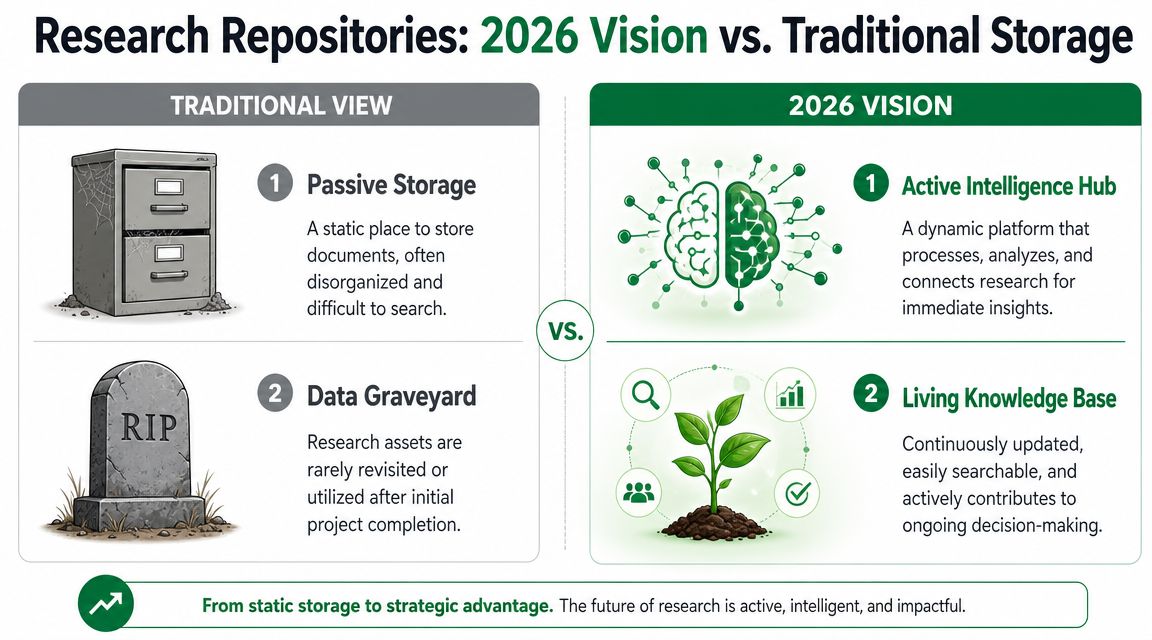
Most advice on research repositories is still stuck in the filing-cabinet era. It treats the repository as the place where reports go after the actual work is done. That's backwards.
A repository only earns its keep if it helps teams make better product decisions faster. If designers, PMs, and researchers can't retrieve the right evidence quickly, connect it to current work, and act on it without reopening the whole study, the repository is just polished storage.
That's why the best research repositories in 2026 won't be defined by how many files they can hold. They'll be defined by speed to insight, retrievability, and actionability. Those are the standards I use when I look at any system, whether it's a dedicated repository, a general workspace, or a workflow built around AI-generated research outputs.
Beyond Storage What Is a Research Repository in 2026
The old mental model is simple. Upload recordings, transcripts, decks, and notes into one shared place. Add tags if the team is disciplined enough. Hope someone finds them later.
That model breaks down fast. Teams produce more research than they can meaningfully reuse, and the archive becomes a graveyard of final reports with very little operational value.
Nielsen Norman Group defines a research repository as a central place for user-research artifacts so insights can be quickly found, tracked over time, and reused to avoid duplication, in its guidance on research repositories. That definition matters because it shifts the job of the repository from storage to reuse.
The market has split into two very different categories
One category comes from traditional research and open data infrastructure. PLOS's repository criteria make that clear. It accepts repositories that provide a stable persistent identifier, a long-term data management plan, and adoption within the research community, with examples including Dryad, figshare, Harvard Dataverse, Open Science Framework, and Zenodo in its recommended repositories guidance. That standard is about persistence, discoverability, and stewardship.
The other category comes from product organizations that need fast access to UX evidence. Industry guidance now points to dedicated UX research repositories such as Dovetail, Condens, Aurelius, and Stravito as common options for operational teams. The point isn't just to preserve artifacts. It's to help product teams find patterns, avoid duplicate work, and connect past evidence to current decisions.
What a modern repository actually needs to do
A useful repository in 2026 acts more like an intelligence layer than an archive. It should help a team:
Reduce repeat work by making prior evidence easy to locate before a new study starts
Connect raw evidence to decisions so recommendations don't become detached from what users did or said
Support different audiences because researchers, designers, PMs, and stakeholders don't search for information the same way
Preserve continuity so insights remain usable beyond the sprint where they were created
A repository that stores everything but surfaces nothing is organized failure.
That's also why “best research repositories 2026” is the wrong question if it only produces a generic tool list. The better question is this: what system helps your team move from research output to product action with the least friction?
For some teams, that will be a dedicated repository. For others, it won't.
The Three Pillars of a World-Class Research Repository
I don't start with feature checklists. I start with failure modes.
Most repositories fail in one of three ways. They're too slow to populate, too messy to search, or too thin to support action later. That's why the evaluation framework I trust has only three pillars.
Speed to insight
If it takes too long to convert raw sessions into usable findings, the repository is starved at the source. Teams postpone tagging, synthesis gets compressed, and the archive fills with half-processed artifacts.
Fast repositories don't begin at storage. They begin at analysis velocity. The best systems make it easy to go from study setup to a usable output without a long manual synthesis phase.
Retrievability
A repository isn't valuable because information exists somewhere inside it. It's valuable because the right person can find the right evidence at the right moment.
Retrievability depends on structure. Not broad folders like “Q3 Research” or “Usability Testing.” Real retrieval comes from organizing findings around the terms product teams use when they're trying to solve a problem.
Actionability
Final summaries age badly. Context travels better.
A finding becomes reusable when the team can still understand the reason behind it later. What did the participant try to do? Where did expectation and interface diverge? What made the issue severe enough to matter? If that “why” disappears, the repository keeps the conclusion but loses the evidence needed to trust it.
Working rule: If your repository can't help a designer answer “What problem is happening, for whom, in which flow, and what should we change?” it isn't complete.
Here's how I'd stress-test any repository candidate:
Pillar | What to ask | What weak systems do |
|---|---|---|
Speed | How quickly can a study become usable knowledge? | They rely on heavy manual cleanup before anything can be shared |
Retrievability | Can teams find evidence by flow, audience, issue, and recommendation? | They depend on inconsistent naming and vague folders |
Actionability | Does each finding preserve enough context to support a decision later? | They store summaries with little trace back to underlying behavior |
Some teams overbuy here. A specialized repository can be the right move, but it isn't always necessary. Airtable's guide notes that for some teams a shared Google Drive or Notion teamspace can be “just as effective,” and it also includes tools like Airtable, Asana, Monday.com, and Confluence as viable repository setups in its article on UX research repositories. That's an important corrective to vendor-heavy roundups.
The deciding factor isn't whether the tool is labeled a repository. It's whether it reliably delivers those three pillars in your actual workflow.
Achieving Unmatched Speed to Insight
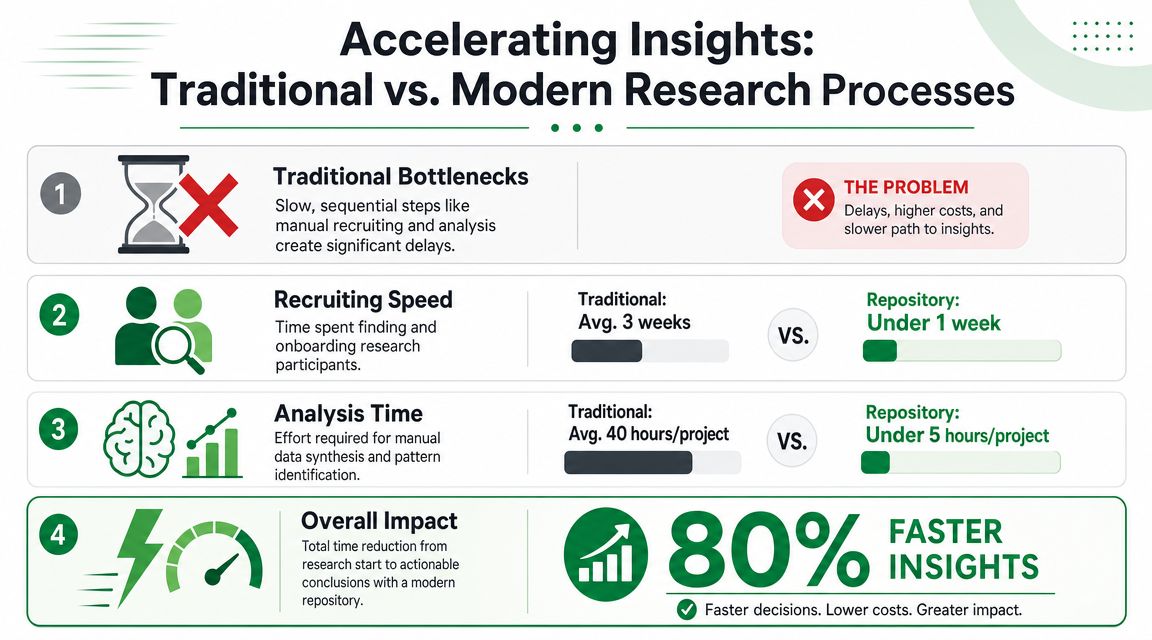
The slowest part of research usually isn't running the session. It's everything around it. Setup, coordination, review, synthesis, prioritization, write-up. That's where timelines slip and where insight loses relevance.
The practical question isn't whether a repository stores the output. It's whether the workflow feeding that repository is fast enough to keep up with product delivery.
What bottlenecks actually look like
In a traditional usability workflow, teams often hit the same delays:
Manual setup work that lives outside the repository entirely
Review overhead from watching recordings and reading transcripts one by one
Synthesis lag when researchers have to consolidate recurring patterns by hand
Late reporting that arrives after the design team has already moved on
The result is familiar. Research exists, but the useful version of it arrives too late.
A benchmark that shows the difference
A concrete example matters here. In a benchmark test of the GVB Amsterdam app, Uxia completed the entire research cycle, from setup to a fully analyzed report, in 25 minutes, while the equivalent human-testing process took 748 minutes, according to Uxia's benchmark summary.
That gap changes how a repository functions. When the report is ready immediately, the repository doesn't become the final resting place for a delayed deliverable. It becomes part of a live operating system for design decisions.
The speed advantage is not just about convenience. It removes the manual synthesis bottleneck that usually prevents research from being reused at scale.
Fast repositories are built on fast evidence production. If inputs arrive late, retrieval and reuse won't save you.
What this means in practice
When a workflow produces structured outputs right away, teams can store findings in a reusable format while the work is still current. That's the difference between “archive later” and “apply now.”
In practice, faster systems tend to work because they package findings with useful structure from the start. Common patterns include:
Issue-level outputs that separate one problem from another instead of burying everything in a narrative report
Priority-aware reporting so teams know what needs immediate attention
Linked reasoning that explains why the issue happened, not just where it appeared
Modern repository thinking starts to merge with analysis tooling. If your repository depends on a slow manual pipeline upstream, you'll never get the full value of it. That's why teams evaluating the best research repositories in 2026 should assess not only storage and search, but also how quickly the surrounding workflow produces structured insight that can be stored and reused.
Designing for Effortless Retrievability and Reuse
Many teams don't have a repository problem. They have a retrieval design problem.
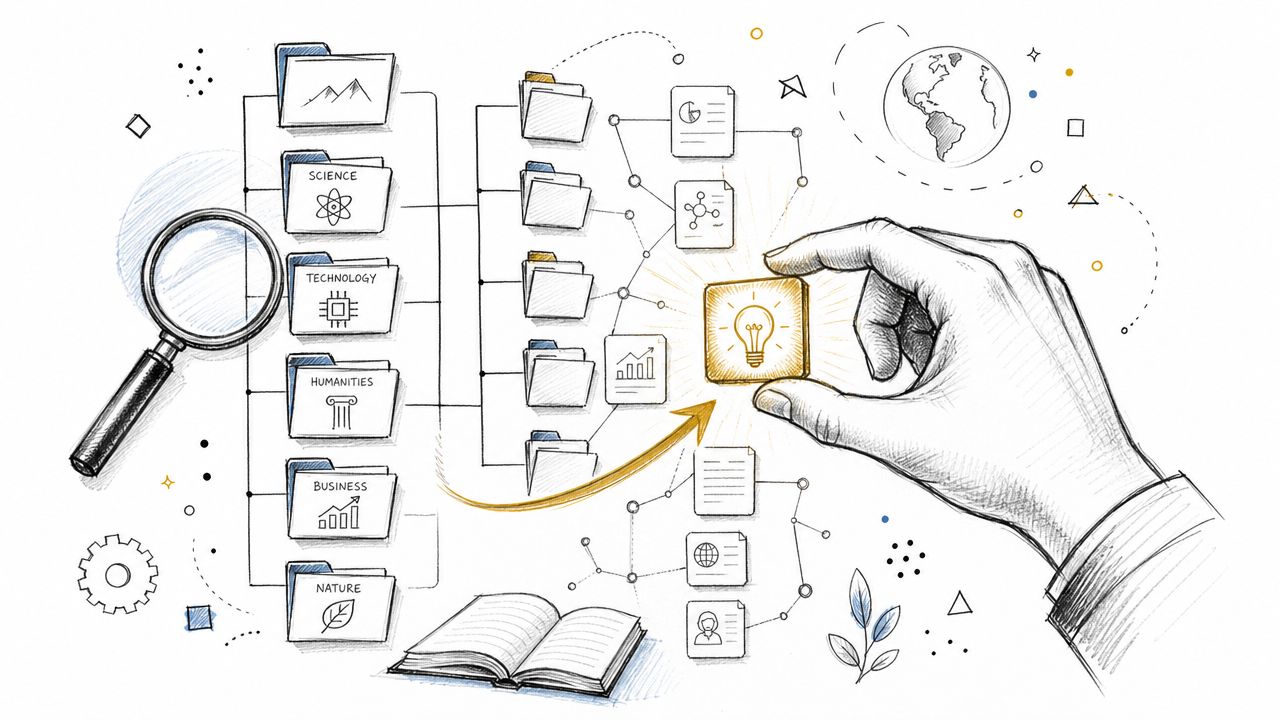
Search fails when the repository reflects how researchers archive work instead of how product teams look for help. Designers rarely search for “Study 14 final report.” They search for the thing blocking the work in front of them. Checkout friction. Onboarding confusion. Trust issues in payments. Accessibility issues in a sign-up flow.
Tag for the question people will ask later
The structure that works best is usually flatter and more intentional than teams expect. I'd organize outputs around these retrieval dimensions:
Project for the business or product context
User flow for the task or journey stage
Audience for who experienced the issue
Severity for urgency
UX theme for the type of problem
Recommendation type for how the issue could be addressed
That means a single finding can be tagged in a way that mirrors real design questions. A payment issue might carry tags such as checkout, payment trust, international tourists, high priority, copy clarity, and pre-redirect reassurance.
A taxonomy that survives real product work
Good taxonomy has to survive handoffs, not just look neat in a demo.
Here's a practical tagging model I recommend:
Layer | Example tags | Why it matters |
|---|---|---|
Context | checkout, onboarding, ticketing | Helps teams narrow by journey |
Audience | new users, returning users, international tourists | Preserves who the issue affects |
Impact | high priority, medium priority, low priority | Makes triage easier |
Theme | copy clarity, navigation, trust, accessibility | Groups similar issue types |
Response | rewrite copy, add reassurance, simplify step | Supports action, not just diagnosis |
A repository becomes reusable when each finding can sit in multiple paths of discovery. One designer might search by flow. Another by audience. A PM might search by severity. If your structure only supports one of those behaviors, people will miss relevant evidence.
Store findings as reusable units
The other mistake is saving only full reports. Reuse happens at the finding level.
For example, a team working in payments months later should be able to find earlier issues labeled around an external Dutch-language payment page, ambiguous ticket validity, or receipt and invoice wording without reopening an entire benchmark package. That's what turns historical research into current benefit.
If you want a broader operating model for connecting evidence to product decisions, Uxia's guide to data-driven design is a useful companion read because it focuses on using research outputs inside design workflows rather than treating them as static reports.
The repository should answer a designer's next question in seconds, not ask them to reconstruct the whole study.
If a team won't maintain a complex taxonomy, simplify it. A smaller, enforced schema beats an elaborate tagging system that nobody uses consistently.
Preserving the Why for Truly Actionable Insights
A repository full of conclusions is less useful than it looks.
“Users were confused by payment” is not a reusable insight. It's a headline. The valuable part is the context behind it: what users expected, what they encountered instead, what they did next, and why that mismatch mattered.
Context is what makes a finding reusable
The best repository entries preserve the underlying logic of the issue, not only the summary statement. That usually means storing:
Observed action so the team knows what the participant tried to do
Stated reasoning so the interpretation isn't detached from the person's own explanation
Expectation gap so designers can see where the interface broke the user's mental model
Recommendation trail so future teams understand why a fix was suggested
Many systems falter at this juncture. They keep the polished report and lose the evidence chain. Months later, another team finds the summary but can't judge whether it applies to their own context.
Governance becomes part of actionability
As repositories spread across larger organizations, preserving the “why” is no longer just a research craft issue. It becomes a governance issue.
Enterprise buyers increasingly care about permissioned stakeholder access, taxonomy governance, and auditability. Great Question's 2026-oriented analysis on research repository choices for research ops makes that clear. In large organizations, the repository isn't only a convenience layer. It's a system of record that needs controls.
That changes the buying criteria. Teams should ask:
Who can view raw evidence versus synthesized findings
Who owns taxonomy changes
How recommendations are traced back to source material
How stakeholders access insight without damaging structure or context
A repository with weak governance often creates a new problem while trying to solve an old one. It democratizes access, but dilutes trust.
When stakeholders challenge a finding, the repository should help you answer the question, not start an argument.
Reporting quality matters more than teams admit
One underrated factor is how findings leave the repository and enter broader business communication. If teams publish research externally, or even circulate it internally across executive groups, context can disappear fast when the output is reduced to summary slides or a short announcement.
That's why it helps to learn from stronger distribution formats. If your team ever turns research into a public-facing summary, this whitepaper press release example is a useful reference for packaging evidence clearly without stripping away the core claim structure.
For teams modernizing how they document AI-supported insights, Uxia's article on a modern UX research report template for AI insights is relevant because it focuses on preserving enough detail for downstream decision-making, not just executive readability.
The practical standard is simple. If a finding can't survive retrieval, scrutiny, and reuse with its meaning intact, it wasn't stored well enough.
The Future of Research Intelligence Chat with Your Data
The repositories that matter in 2026 will answer questions, not just store artifacts.
That changes the standard. A good system no longer helps a researcher find a report they already know exists. It helps a product manager, designer, or researcher ask a plain-language question about a live problem and retrieve evidence with enough context to act on it.

From search box to research assistant
Traditional search works only if the user knows what they are looking for. Modern retrieval starts with the decision that needs support, then pulls together the relevant patterns, findings, and source material.
In practice, that means questions like:
What checkout issues keep appearing across finance clients?
Show me all high-priority accessibility findings from onboarding flows
Which trust-related problems show up most often in payment steps?
What recommendations have already been made for invoice wording confusion?
That matches real product work. Teams organize around decisions, risks, and recurring failure points. They do not organize around file names.
Why this changes daily work
A repository with conversational retrieval becomes part of everyday execution. Product teams can reuse prior research without waiting for a researcher to manually reconstruct history from decks, notes, and clips. Researchers still set standards, protect interpretation quality, and challenge weak conclusions. The difference is that access gets faster, and speed matters when delivery cycles are short.
Uxia's piece on AI user research covers that shift well. Research operations are starting to support continuous product delivery, not just periodic studies.
A short walkthrough makes the model concrete:
The repository becomes part of the decision loop
Conversational access only works if the underlying system is disciplined. Poor structure, inconsistent tagging, and weak evidence chains produce fast answers with low trust. That is worse than slow retrieval, because it creates false confidence.
The practical standard is stricter than many teams expect. Store findings in a consistent format. Tag around product questions and decision areas. Keep the source evidence attached to the claim. Set clear governance for naming, access, and taxonomy. Then add conversational querying on top of that foundation.
That is why I would judge research repositories in 2026 on three things: how quickly they surface relevant evidence, how reliably they retrieve it across studies, and whether the output preserves enough reasoning for a team to make a decision.
If your team wants a faster path from UX testing to reusable research intelligence, Uxia is worth evaluating. It is built around rapid test execution, structured outputs, and AI-supported analysis, which makes it a practical fit for teams that care about speed to insight, retrievability, and actionability.