Best Product Analytics Tools in 2026: 7 Top Picks
Compare the Best Product Analytics Tools in 2026 by analytics depth, replay, experimentation, pricing, governance, and fit for your team.

The popular advice says the best product analytics platform is the one with the longest feature list. That's the wrong starting point. The right tool depends on the question your team needs to answer, whether that's event analysis, retention and funnel diagnosis, session replay, experimentation, activation, governance, pricing visibility, or validation of the friction you've observed.
The category is expanding rapidly. One independent product analytics market report projects growth from USD 13.04 billion in 2026 to USD 25.73 billion by 2031, while another projection in the same source estimates USD 18.12 billion in 2026 and USD 41.36 billion by 2035. That growth gives teams more choice, but it also makes selection harder.
This list evaluates seven tools by the product decisions they support: self-serve analysis, instrumentation speed, adoption, engineering flexibility, qualitative diagnosis, and operational debugging. Analytics can show where users struggle. Uxia's product usage analytics guide is useful for connecting those signals to prototype and live-flow validation, because Uxia lets teams test design iterations with synthetic testers before committing to implementation.
1. Amplitude
Amplitude is a strong choice when product, design, and growth teams need to answer behavioral questions without routing every analysis through engineering. Its core workflow covers funnels, cohorts, retention, conversion drivers, and product dashboards, while native session replay, experimentation, activation, guides, and surveys extend the same behavioral model into action.
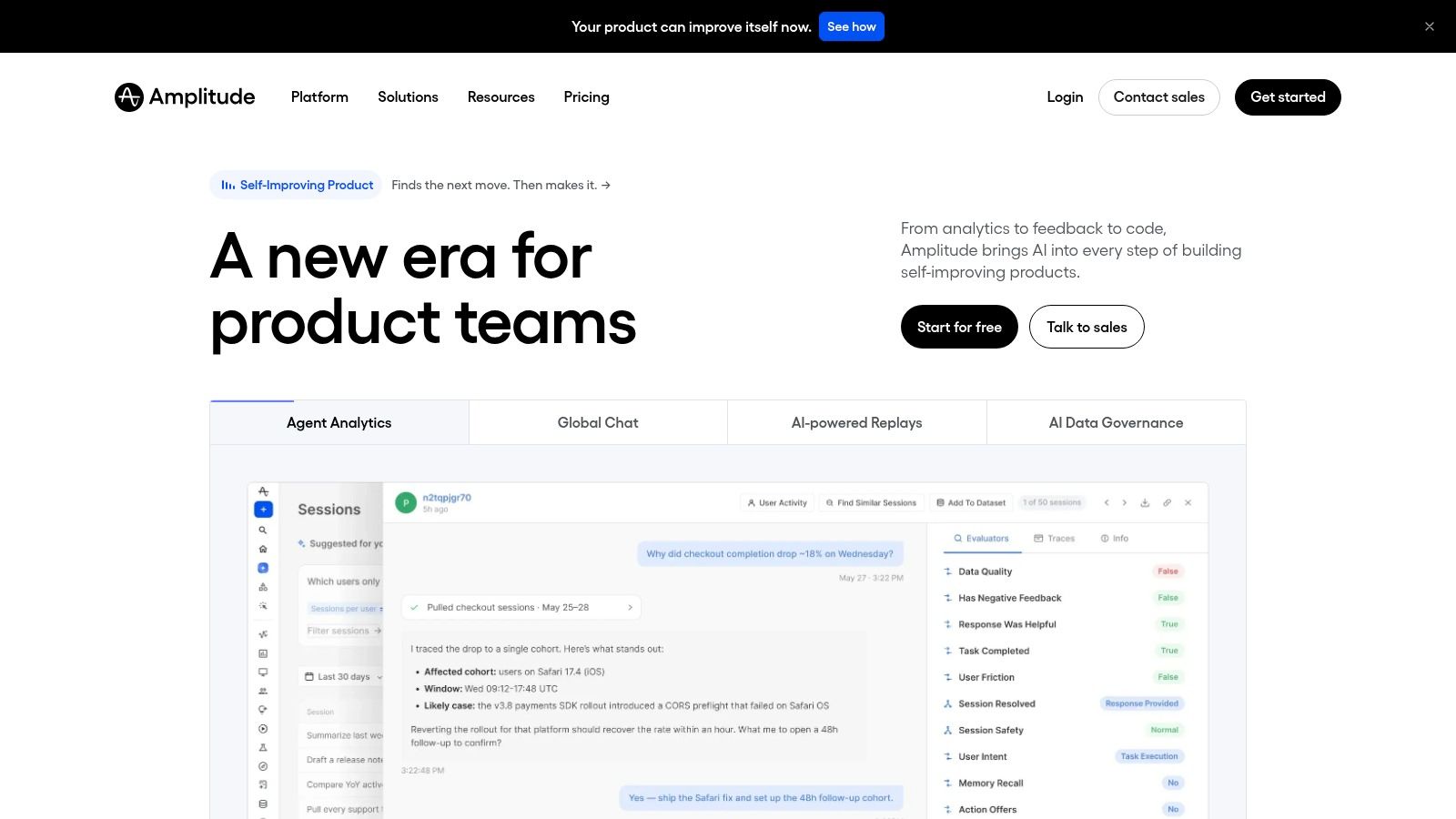
The important advantage isn't just breadth. Shared data and cohorts reduce the handoff between discovering a weak activation path, creating an audience, testing a variation, and collecting in-product feedback. Amplitude also offers AI-assisted analysis and integrations that let teams query analytics through AI tools, which can shorten the path from a question to an initial investigation.
Best for self-serve product decisions
Amplitude fits organizations where several functions need a common analytical language. Product managers can inspect retention, designers can examine journeys and replay, and growth teams can connect behavior to experimentation and activation. Enterprise governance and collaboration become more relevant as more stakeholders create dashboards, cohorts, and tracking definitions.
The trade-off is operational complexity. Amplitude's MTU-based pricing model, free-tier thresholds, and sales-assisted quotes above Plus mean buyers should model both tracked users and the event behavior those users generate. A broad suite can also be excessive for a very small team that only needs a funnel and a retention chart.
Practical rule: Choose Amplitude when cross-functional self-serve analysis matters more than having the simplest possible stack.
Before rollout, validate the interaction that sits behind an analytics drop-off. The data-driven design workflow can complement Amplitude by helping teams test whether a prototype flow is understandable before they spend time instrumenting and shipping it.
2. Mixpanel
Mixpanel is built for fast event-based analysis. Its clearest use cases are funnels, retention, cohorts, dashboards, and conversion paths, giving product managers and growth teams flexible answers without requiring SQL.
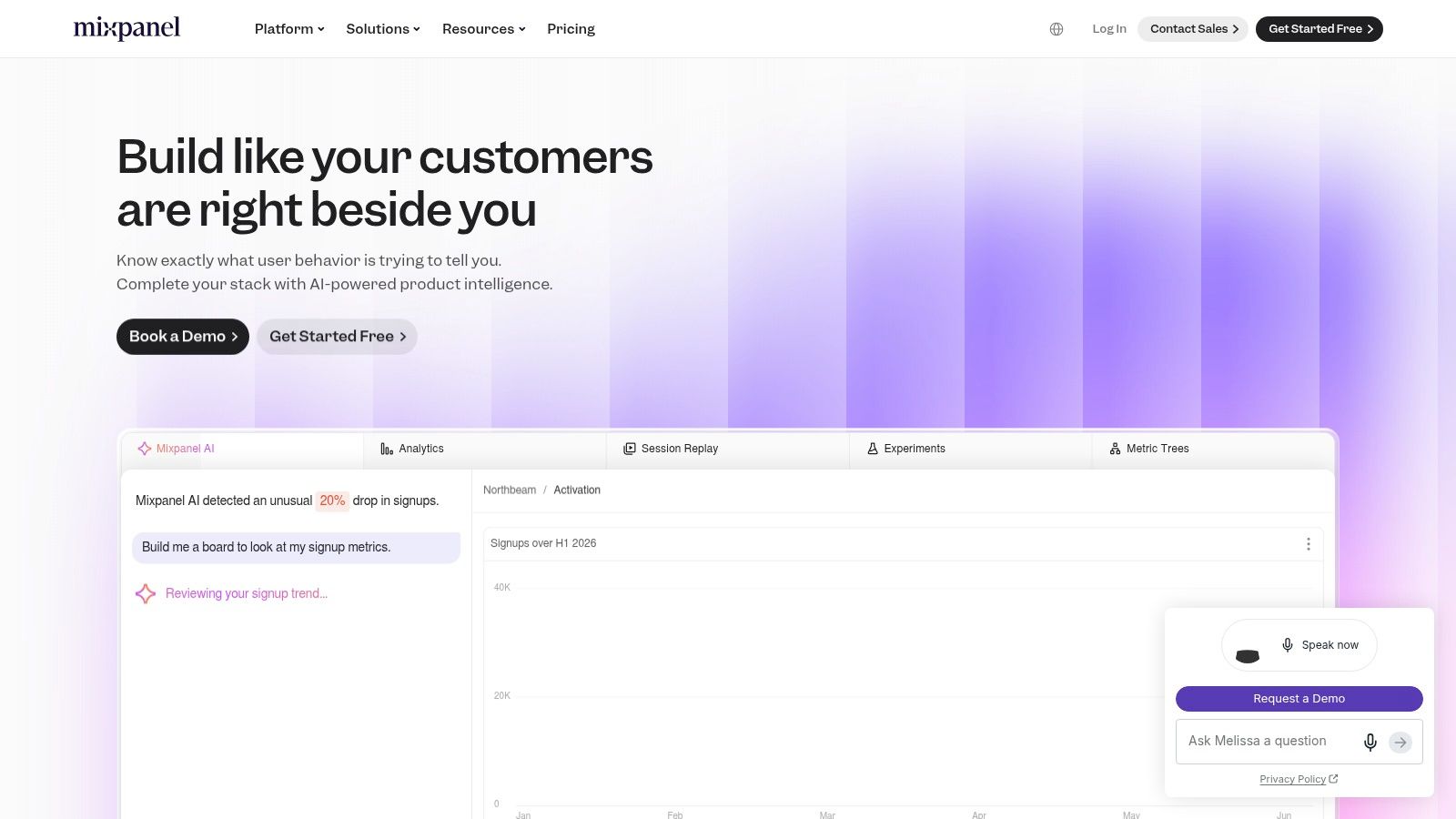
The product is accessible to smaller teams. Mixpanel's Free plan supports up to 1 million monthly events, according to the Pendo comparison of product analytics tools. That capacity gives teams room to establish an event model before paying for higher usage. Mixpanel also includes session replay and experiments with usage limits, while its Growth plan tools help teams estimate costs against expected activity.
Best for fast funnel and retention analysis
Mixpanel connects common product questions directly to usable reports. A product manager can define a signup-to-activation funnel, compare cohorts, inspect retention, and create a dashboard for recurring reviews. Eligible startups can also receive the first year free through the startup program, so qualification should be checked before selecting another plan.
The main constraint is volume sensitivity. Event-based billing becomes harder to predict when instrumentation captures many low-value interactions or usage grows highly active. Replay and experimentation are included, but their scope may feel narrower than that of platforms built around a broader suite. For teams focused primarily on quantitative product analysis, the narrower scope can reduce unnecessary platform complexity.
Mixpanel suits teams whose main bottleneck is answering product questions quickly, rather than operating a large analytics platform.
Analytics can show where a funnel breaks without explaining why. Pair that finding with a separate prototype testing workflow and synthetic testers from Uxia to examine the interaction behind the drop-off. Testing can help distinguish unclear copy, weak hierarchy, navigation confusion, or missing trust signals before the team changes production behavior. That sequence connects quantitative diagnosis with interaction validation, keeping the product decision tied to observed user behavior.
3. Heap
Heap takes a different route to instrumentation. Its auto-capture model records interactions so teams can define events retroactively, reducing the risk that an important behavior was omitted from the original tracking plan. That makes it particularly useful when a startup's product is changing quickly and nobody yet knows which interactions will become important.
Heap supports journey mapping and experience analytics, with session replay and heatmaps available through relevant tiers or add-ons. Heap Connect supports warehouse synchronization, while activation integrations can send audiences to engagement tools. The result is a platform that can move from broad behavioral capture to more deliberate analysis as the team learns what matters.
Best for instrumentation speed
The product decision here is whether reducing upfront tagging work is worth accepting more governance responsibility. Auto-capture can help non-technical teams investigate behavior without waiting for a new event release. Retroactive definitions are especially valuable when a question emerges after the relevant user activity has already happened.
The downside is data cleanliness. Capturing broadly doesn't automatically produce a trustworthy taxonomy. Teams still need naming rules, ownership, sensitive-data controls, and a process for separating useful product events from incidental interface activity.
Heap's plan matrix includes Free and Growth tiers, while pricing becomes quote-based above Growth. Session replay can also be an add-on at many tiers. Buyers should therefore assess not only how quickly Heap begins collecting data, but also whether the resulting cost and governance model remain workable as usage grows.
Choose Heap when the cost of missing future questions is higher than the cost of governing broad capture.
Use Uxia to test the most important interaction before translating it into a permanent event definition. If synthetic testers can't complete a mission or repeatedly misunderstand a control, the problem may be interaction design rather than instrumentation.
4. Pendo
Pendo combines product analytics with in-app guidance, surveys, feedback, and adoption tooling. That combination changes the central product decision from “where are users struggling?” to “can we identify the problem and respond inside the product without adding another vendor?”
Its analytics covers paths, funnels, retention, and usage. In-app guides and surveys can then target the audiences revealed by those analyses. Pendo also includes Agent Analytics for tracking interactions with generative AI and agents, which gives teams building AI-supported workflows a way to treat those interactions as part of the product experience.
Best for adoption and in-product response
Pendo is strongest when onboarding, feature discovery, and feedback collection are central to the roadmap. A team can identify a low-adoption feature, create guidance, and collect feedback within the same platform. That shared context can reduce vendor sprawl and make adoption work easier for product managers who don't want to depend on engineering for every in-app message.
The pricing model scales by monthly active users. Pendo's Free tier supports up to 500 MAUs, as documented in the Pendo product analytics guide. That cap can be useful for a small evaluation, but teams must model how active-user growth will affect the plan. Advanced capabilities may also exceed what an early-stage product needs.
For teams focused on onboarding and adoption, Pendo can be a better fit than a pure analytics tool. Still, guidance can't repair an interaction that users misunderstand. Pair the behavioral signal with prototype testing, using this comparison of prototype testing tools to structure the validation step before shipping another guide.
5. PostHog
PostHog suits engineering-led teams that want product analytics, session replay, feature flags, experiments, surveys, and error tracking in one developer-friendly platform. Its open-core model, cloud and self-hosted deployment options, broad SDK coverage, and usage-based pricing give technical teams more control over architecture and cost modeling.
The free tier includes 1 million analytics events per month and 5,000 replays per month, plus free quotas for flags, experiments, and surveys, according to the Fortune Business Insights product analytics market overview. Usage beyond those allowances follows pay-as-you-go pricing with volume discounts. Platform packages also cover SSO, audit, and enterprise requirements.
Best for engineering flexibility
PostHog connects instrumentation, analysis, experimentation, and diagnosis. Engineers can define events and flags, product teams can inspect funnels and replays, and teams can run experiments or surveys without stitching together separate systems. Self-hosting supports organizations with deployment or data-control requirements that cloud-only products cannot meet.
The trade-off is configuration effort. Teams need a clear event taxonomy, ownership rules, access controls, and ongoing cost monitoring. Limited technical capacity can make PostHog heavier to set up and maintain than a more guided analytics product.
PostHog was identified as the most-used and fastest-growing vendor in a separate August 2026 vendor-usage snapshot covering product analytics, CDP, and event infrastructure tools, cited in the Fortune Business Insights source. That momentum may support ecosystem confidence, but it does not show whether a specific team can operate the platform effectively.
PostHog fits teams that value engineering flexibility and platform consolidation over the shortest learning curve.
Its findings can then feed interaction validation with Uxia synthetic testers. Analytics identifies where users struggle, while synthetic testing checks whether a revised flow is understandable before the change reaches production.
6. FullStory
FullStory is built for qualitative diagnosis. Its high-fidelity session replay and Fullcapture auto-capture let design, UX, product, and engineering teams review user behavior, then connect sessions with journeys, conversions, retention, dashboards, and heatmaps.
That combination gives quantitative findings a human-readable explanation. A funnel may show abandonment, while replay can reveal a missed control, form hesitation, error, or repeated clicks on a non-interactive element. Privacy controls for consent, masking, deletion, and GDPR or CCPA-oriented requirements also make access rules and capture settings part of implementation.
Best for qualitative diagnosis
FullStory offers a Free plan with 30,000 monthly sessions, 12-month retention, and support for up to 10 users, according to the Pendo comparison of leading product analytics tools. The defined limits give teams a contained way to assess replay workflows. Higher session volumes require sales-assisted pricing.
Replay access requires governance before collection begins. Sensitive products need strict masking and consent configuration, and teams should define who can view sessions. FullStory's product analytics has expanded, but buyers who prioritize advanced event modeling may prefer a platform centered on quantitative analysis.
FullStory fits teams that need to explain observed friction, not only measure it.
Replay findings can also guide interaction validation with Uxia synthetic testers. After a team identifies confusion in a recorded flow, synthetic tests can assess whether the revised interaction is understandable before release. The free heatmap tool comparison helps clarify whether heatmaps provide enough additional context alongside replay. This makes FullStory most useful when diagnosis and validation are treated as separate decisions in the same product workflow.
7. LogRocket
LogRocket combines session replay with product analytics, error tracking, frontend performance monitoring, and AI-assisted issue insights through Galileo AI. It's aimed at teams that need to connect a user-visible failure with the technical conditions surrounding it.
The platform supports session replay alongside funnels, usage analysis, errors, and performance signals. That makes it useful for operational debugging, where a product team needs more than a behavioral pattern. A replay linked to a frontend error or degraded performance can give engineers a narrower investigation path than a dashboard alone.
Best for operational debugging
LogRocket's session-based pricing includes a public slider, while conditional recording can help teams control capture and cost. The pricing structure is visible enough to support an initial baseline, but teams still need to tune sampling and retention as session volume changes. A session meter rewards deliberate capture rules, not indiscriminate recording.
Self-hosting and compliance features make LogRocket relevant to finance, health, and government environments where deployment flexibility and governance can influence the buying decision. It's less suited to teams that need the deepest cohort or retention modeling from a pure product analytics leader.
A practical LogRocket workflow starts with an issue, not a dashboard. Identify the affected flow, inspect the replay and technical context, then validate the interaction change with synthetic testers before releasing it broadly. That combination helps separate a software defect from a confusing interface, two problems that can produce similar user behavior but require different fixes.
2026 Top 7 Product Analytics Tools Comparison
Product | Implementation 🔄 (complexity) | Resources & cost ⚡ (requirements) | Expected outcomes ⭐📊 (quality & impact) | Ideal use cases 💡 | Key advantages |
|---|---|---|---|---|---|
Amplitude | 🔄 Moderate–High, governance & setup for enterprise | ⚡ Medium–High, single‑vendor reduces sprawl; higher volumes cost more | ⭐⭐⭐ High, unified analytics, experiments, replay; strong AI assists | 💡 Product, design & growth teams needing self‑serve analytics at scale | Single vendor for analytics + experimentation + replay; enterprise governance |
Mixpanel | 🔄 Low–Moderate, fast to start, developer-friendly | ⚡ Low–Medium, generous free tier (≈1M events); costs grow with volume | ⭐⭐⭐ Strong, fast funnels, retention, cohorts; clear usage forecasting | 💡 Startups & growth teams wanting low barrier to entry | Generous free tier, transparent calculators, mature PM/growth workflows |
Heap | 🔄 Low, autocapture minimizes instrumentation; needs governance | ⚡ Low–Medium, published plans; add‑ons (replay/warehouse) may add cost | ⭐⭐⭐ Fast insights, retroactive event definition and journey analysis | 💡 Non‑technical teams or evolving requirements needing retroactive analytics | Autocapture + retroactive events reduce upfront tracking work |
Pendo | 🔄 Moderate, integrates analytics with in‑app guidance; MAU model | ⚡ Medium–High, MAU pricing; free up to 500 MAUs; paid tiers sales‑assisted | ⭐⭐ Good, product adoption + feedback tied to usage metrics | 💡 Teams focused on onboarding, adoption, in‑product messaging | Integrated in‑app guides, surveys, analytics and Agent Analytics for AI |
PostHog | 🔄 Moderate–High, developer‑friendly; self‑host option requires ops | ⚡ Low, generous free quotas (1M events/mo, replays) and pay‑as‑you‑go scaling | ⭐⭐⭐ Flexible, full‑stack analytics with extensibility and control | 💡 Engineering‑led teams that want open source/self‑host and transparent pricing | Open‑core, self‑hostable, generous free quotas, many bundled features |
FullStory | 🔄 Low–Moderate, autocapture easy, but privacy config necessary | ⚡ Medium–High, free plan limited; higher volumes sales‑assisted | ⭐⭐⭐ Excellent, high‑fidelity session replay + qualitative+quant insights | 💡 UX/design and product teams needing precise replay + debugging | Best‑in‑class replay, strong privacy/compliance tooling, combined insights |
LogRocket | 🔄 Low–Moderate, session‑centric setup; requires sampling tuning | ⚡ Medium, session‑based pricing with public slider; self‑host available | ⭐⭐ Good, combined DX, error tracking, and performance monitoring | 💡 Frontend teams and regulated industries needing compliance/self‑host | Session replay + error/perf monitoring, AI summaries, transparent pricing |
Turn Analytics Findings Into Better Product Decisions
Selecting among the best product analytics tools in 2026 starts with the decisions your team makes repeatedly. Define the events needed to evaluate activation, conversion, feature adoption, retention, and operational health. Then identify who needs to answer those questions, whether that's a product manager in a self-serve interface, an engineer working with raw event data, a designer reviewing replay, or a researcher diagnosing comprehension.
Estimate usage before comparing plans. Event-based tools need an event-volume model. User-based or MAU-based tools need a realistic view of active users. Session-based products need capture and retention rules. The product analytics tools guide from Pendo highlights why free-tier thresholds and capture models matter, while the G2 guide to product analytics software reinforces that retention analysis depends on clearly defined start and return events, and sometimes a return window.
Governance and privacy deserve equal weight. Review consent handling, masking, deletion workflows, warehouse connectivity, deployment options, access controls, and pricing visibility. A tool that produces excellent dashboards but creates uncertainty around sensitive data or future bills can add operational risk.
Before rollout, test the workflows that matter most. Pair behavioral evidence with Uxia by uploading a prototype or video, setting a mission and audience, and running synthetic tester sessions. Review transcripts, heatmaps, metrics, and prioritized issues, then retest each iteration. This gives the team a way to investigate why users struggle before implementation, not only after an event funnel confirms that they did.
Start with a focused pilot around one activation or retention journey. Create a shared measurement plan, document event definitions and ownership, set governance rules, and agree on the validation questions that analytics alone can't answer. The durable workflow is repeatable: measure behavior, isolate friction, test the proposed interaction, ship carefully, and compare the next cohort against the original evidence.
Uxia helps product teams test prototypes and live design iterations with synthetic testers, using missions and audiences to generate realistic interactions, transcripts, heatmaps, metrics, and prioritized usability findings. Visit Uxia to connect behavioral analytics with faster interaction validation before your next product rollout.