Mastering Behavior Research Methods for UX
Discover powerful behavior research methods to unlock real UX insights. Learn how to observe what users do, not just what they say, to build better products.
Behavioural research methods are all about watching what users actually do when they interact with a product. Instead of asking for opinions, these methods focus purely on actions, giving you a brutally honest look at real-world usability issues and user needs.
The foundational idea is simple: observing behaviour is far more truthful than asking for opinions.
Why Watching Beats Asking
Have you ever asked a friend for feedback on a new design, only to get polite, vague compliments? Then, you watch them actually use it, and they're immediately lost, tapping in the wrong places and completely missing the main navigation.
That gap between what people say and what they do is precisely why behavioural research is so essential in UX.
Attitudinal research, like surveys and interviews, is great for capturing feelings and beliefs. It helps you understand brand perception or overall satisfaction. But it's a terrible predictor of actual behaviour. A user might tell you they love a clean, minimalist interface, but when you watch them, you see they can't complete a simple task because the signposting is too subtle.
People just aren't reliable reporters of their own actions. It's not that they're lying; they often don't even realise what they're doing.
The Unfiltered Truth of Direct Observation
Watching users directly gives you unfiltered evidence of how your product performs. This is where the classic, hard-hitting methods come into play:
Usability Testing: The gold standard. You give a user specific tasks and watch them try to complete them. It’s the fastest way to find friction points, confusing flows, and broken navigation.
A/B Testing: You show two different versions of a design to different user groups and see which one performs better on a specific metric, like conversion rate or time on task. It’s data-driven decision-making in its purest form.
Ethnographic Studies: This involves observing users in their natural habitat—their home or office. You get to see the real-world context, the messy workarounds, and the habits you’d never discover in a controlled lab setting.
These methods cut right through the noise of self-reporting bias and politeness. They force you to base your design decisions on hard evidence, not assumptions.
"The biggest disconnect in product development is the one between what users say they'll do and what they actually do. Behavioural research closes that gap by focusing on the undeniable truth of user actions."
To give you a clearer picture, here's a quick breakdown of how these two research types differ.
Attitudinal vs. Behavioral Research At A Glance
This table clarifies the fundamental differences between asking users what they think and observing what they do.
| Dimension | Attitudinal Research (What People Say) | Behavioral Research (What People Do) | | :--- | :--- | :--- | :--- | | Primary Goal | Understand beliefs, feelings, and opinions. | Observe actions, tasks, and interactions. | | Key Question | "Why do you think...?" | "What did they do?" | | Typical Methods | Surveys, interviews, focus groups. | Usability testing, A/B testing, analytics. | | Data Type | Qualitative (opinions, quotes). | Quantitative & Qualitative (clicks, time, errors, observations). | | Strength | Uncovers motivations and perceptions. | Reveals actual usability problems. | | Weakness | Prone to bias; poor predictor of behaviour. | Can miss the "why" behind the actions. |
Practical Recommendation: Use a combination of methods. After identifying a friction point with a behavioral method like a usability test on Uxia, use a short survey to ask users why they struggled. This gives you both the 'what' and the 'why'.
How Modern Tools Are Scaling Behavioural Insights
Traditionally, gathering this kind of data was a slow, expensive headache. Recruiting, scheduling, and moderating sessions took weeks.
But things have changed. Digital user-research methods, especially remote usability testing, have taken over. A 2020 study in Spain, for instance, found that over 70% of user-experience studies had moved to online or remote data collection, leaving in-person labs behind. This shift helps teams get insights much faster and at a much larger scale.
This is where AI-driven platforms like Uxia are changing the game entirely. Uxia lets you run tests with synthetic users, generating large-scale behavioural data in minutes, not weeks. You can validate designs constantly without the bottlenecks of recruiting human testers. It’s a way to supercharge your traditional methods and speed up your entire development cycle.
The importance of user testing has never been clearer, and modern tools are making it more accessible than ever. Of course, this doesn't mean attitudinal data is useless. Knowing how to analyze survey data effectively is still a vital skill for getting a complete picture of your users' experience.
Choosing The Right Method For Your Project
With a dozen behavioural research methods out there, picking the right one can feel like a shot in the dark. The secret? Stop focusing on the methods themselves and start with one simple question: What do I need to learn right now?
Your goal should always drive the decision. The method that’s perfect for exploring a vague user problem is completely wrong for optimising a live feature.
Think about it. A diary study is fantastic for understanding a user's habits over a few weeks, but it’s a painfully slow way to get feedback on a new button design. Likewise, a moderated usability test gives you rich, deep qualitative insights, but it won't provide the statistical confidence you’d get from a large-scale A/B test.
Aligning Methods With Your Goals
To make this easier, you can map different techniques to the product development lifecycle. Think of it as a toolkit where each tool is designed for a specific job.
Early Discovery (Exploring Problems): At this stage, you don't even have a solution. You're just trying to understand the user's world. Methods like ethnographic studies or contextual inquiries are perfect here because you're observing behaviour in its natural setting to uncover unmet needs.
Design & Validation (Testing Solutions): Once you have a concept or prototype, the game changes. Now, your goal is to validate your ideas. Is the design intuitive? Can users actually complete the key tasks? This is the sweet spot for usability testing, both moderated and unmoderated.
Post-Launch (Optimising Performance): After your product is live, you need to know how it’s really performing. A/B testing, analytics analysis, and heatmaps become your best friends for measuring and improving key metrics.
This decision guide offers a simple way to frame your choice, depending on whether you need to understand the 'why' behind user actions or simply 'what' they are doing.
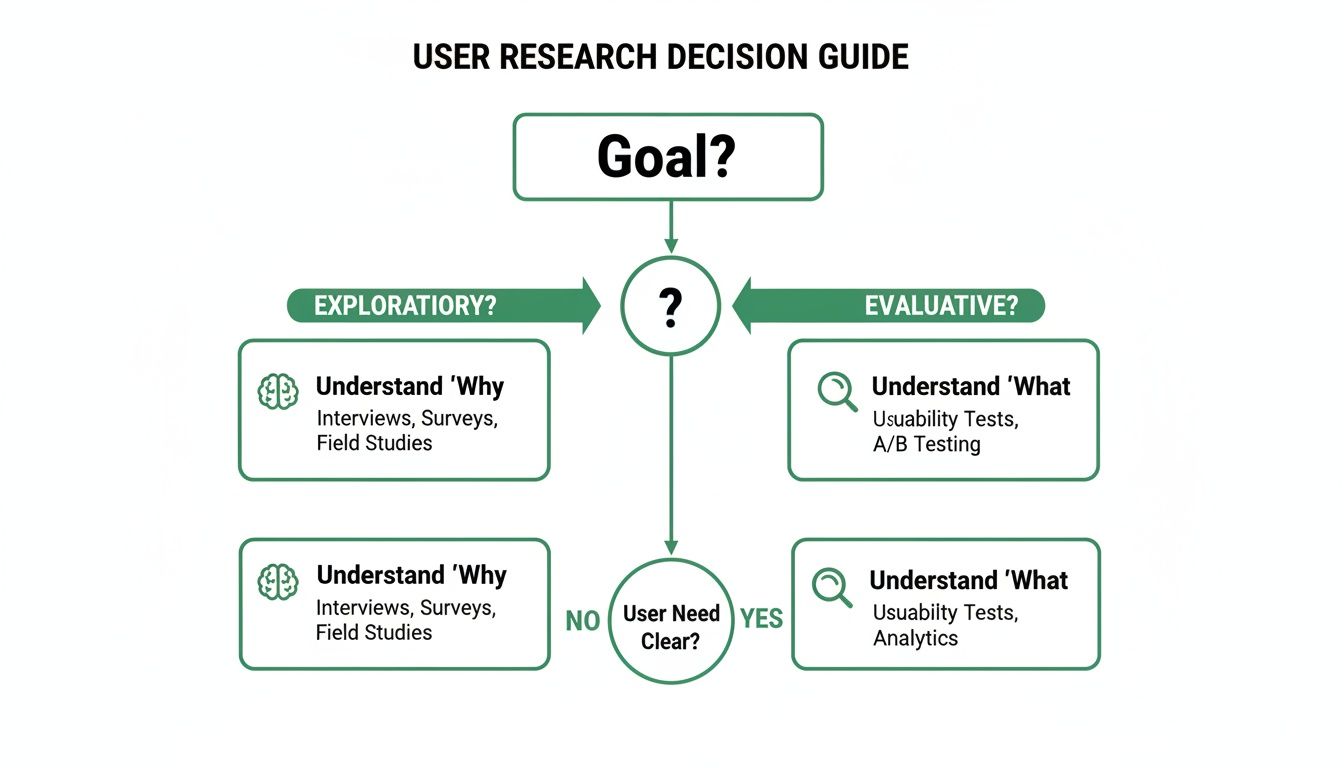
As the visual shows, qualitative methods are your go-to for exploring motivations and uncovering the unknown. When you need to measure and validate specific behaviours at scale, quantitative methods are the clear winner.
The Role Of Speed And Resources
Let's be realistic—your timeline and budget matter. A lot. Traditional moderated studies are insightful, but they can easily take weeks to organise and run. This is where a platform like Uxia becomes a game-changer.
By using synthetic users for rapid, unmoderated testing, you can get behavioural feedback on a new user flow in a single afternoon. That's something that would be impossible with traditional recruitment. Uxia is especially powerful for validating big redesigns before you sink expensive development hours into them, giving you large-scale behavioural data in minutes, not weeks.
One of the most common mistakes I see is teams choosing a method based on what they're comfortable with, not what's most suitable. Just because your team loves running surveys doesn't mean a survey is the right tool to figure out why your checkout flow is failing. Be honest about what you truly need to learn.
The following table breaks down how to match the right method to your specific product stage and core questions. It's a practical guide to help you select the best approach based on what you need to discover.
Matching Research Methods To Product Goals
Product Stage & Goal | Primary Question | Recommended Behavioral Method | Uxia Application |
|---|---|---|---|
Early Discovery | "What are our users' biggest pain points?" | Contextual Inquiry, Diary Study | Validate problem assumptions with synthetic personas representing different user segments. |
Concept Validation | "Does our proposed solution resonate with users?" | Concept Testing, First Click Testing | Test multiple design concepts simultaneously to see which flow performs best for core tasks. |
Prototype Testing | "Can users complete key tasks in our prototype?" | Usability Testing (Moderated/Unmoderated) | Run unmoderated usability tests on Figma prototypes to find friction points in minutes. |
Pre-launch Polish | "Is our onboarding flow intuitive for new users?" | Unmoderated Usability Testing, Tree Testing | Simulate the new user experience to ensure the information architecture is clear and scannable. |
Post-launch Optimisation | "Why are users dropping off at this specific step?" | A/B Testing, Analytics Analysis | Replicate the problematic flow and test variations to diagnose the issue without impacting live users. |
Practical Recommendation: Don't just pick one method and stick with it. Use Uxia for rapid, quantitative feedback on prototypes, then follow up with a small, moderated human study to dig into the most complex issues a synthetic user might not surface, like emotional responses.
And when it comes to gathering those insights, knowing how to ask the right questions is critical. For help structuring your questionnaires to get actionable data, these essential survey questions are a great starting point. Whether it's for a quantitative study or a qualitative follow-up, good questions ensure the data you collect is solid.
Running Your Behavioural Research Study
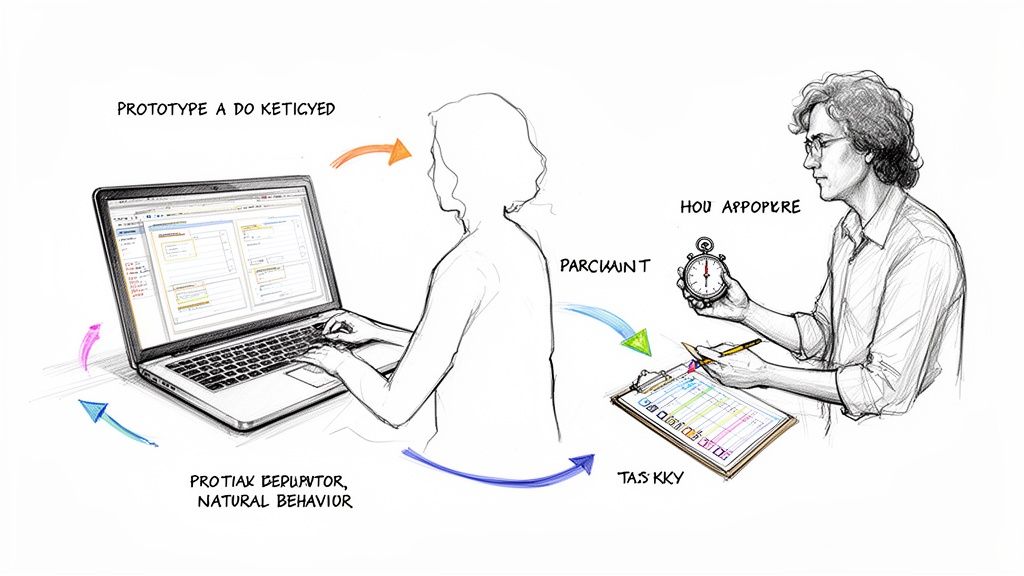
Moving from theory to practice is where the real work begins. A great behavioural study isn’t about following a rigid script; it’s about creating an environment where you can observe what users actually do. Every tiny detail matters, from how you word a task to the way you set up the test itself.
The bedrock of any solid study is a razor-sharp research objective. Vague goals like “see if users like the new dashboard” are a waste of time. You need something measurable. Something concrete. Try this instead: “Can a new user successfully add a team member to their project in under 60 seconds without any help?” That kind of focus sharpens every decision you make from here on out.
Crafting Realistic And Unbiased User Tasks
With a clear objective in hand, you can start designing tasks that mirror how people would actually use your product. This is crucial: avoid leading the witness. Don’t give instructions like, “Click the blue ‘Add User’ button on the top right.” That just turns your test into a simple game of follow-the-leader.
Instead, frame it naturally: “Imagine a new colleague just joined your team. Show me how you’d give them access to this project.”
This open-ended approach is gold. It reveals their unfiltered thought process. You’ll see if they even notice the button, what they click first when they’re unsure, and all the little spots where their expectations misalign with your design. Honestly, learning to write non-leading instructions is one of the most valuable skills in behaviour research methods.
I've learned this the hard way: always pilot test your tasks on a colleague first. If they get confused, your real participants definitely will. It's a five-minute check that can save you from collecting hours of garbage data.
Next up is the test environment. Whether it's a physical lab or a remote setup, your goal is to make it disappear. Minimise distractions. Make sure the tech works flawlessly, close all the extra browser tabs, and silence notifications. Any friction that comes from the test itself will taint your observations of the product. This level of detail is a non-negotiable part of any user interface design testing.
Accelerating The Process With Uxia
Let’s be real. The old-school process—recruiting, scheduling, moderating, and setting everything up—is a notorious time-sink. For teams that need to iterate fast, that logistical overhead is a killer. It’s exactly this bottleneck that a platform like Uxia is built to solve.
Uxia completely bypasses the logistical headaches of human testing by using AI. Instead of burning weeks trying to find and schedule the right people, you can get rich behavioural insights almost instantly.
The workflow couldn’t be simpler:
Upload Your Designs: Just drop in your Figma prototypes or even static images.
Define Your Mission: Give the AI participants a clear goal to achieve.
Select Your Audience: Pick from predefined profiles to match your target users.
From there, AI participants get to work, navigating your designs while the platform captures and analyses their every move. You’ve just eliminated recruitment, scheduling, and moderation from your to-do list.
Practical Recommendation: Use Uxia for daily or weekly checks on design progress. Instead of waiting for a formal research phase, you can get quick feedback on a new component or user flow in the same afternoon you design it, making research a continuous habit.
From Raw Data To Actionable Insights
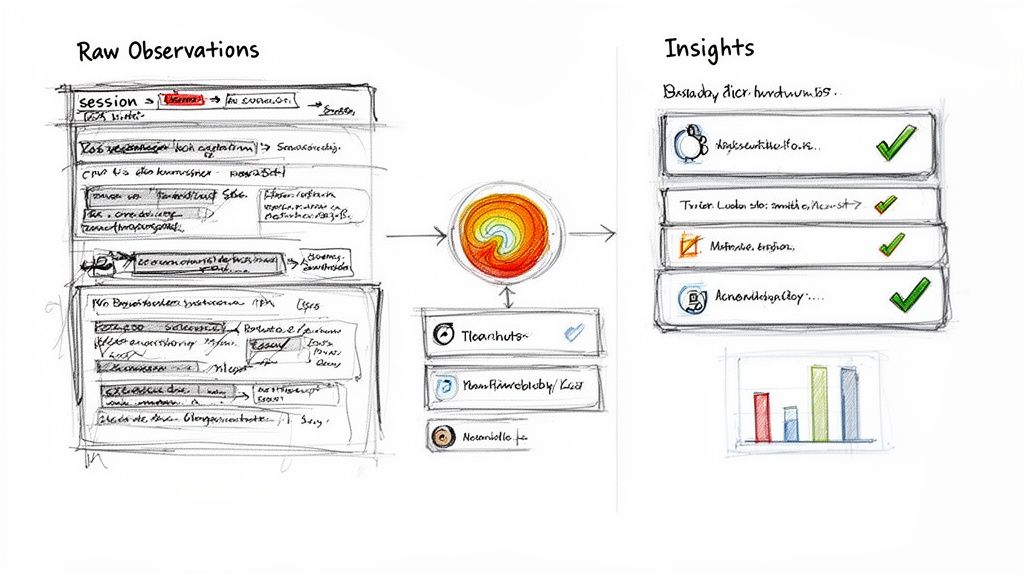
Collecting data is just the first lap of the race. The real value gets unlocked when you start digging into the analysis—transforming a mountain of raw observations like clickstreams, hesitation times, and user quotes into a clear story that drives smart product decisions. It’s all about moving past what happened to truly understand why it happened.
The process kicks off by hunting for patterns. Did you notice multiple users getting stuck at the same point in your checkout flow? Did everyone completely ignore that shiny new feature button you were so proud of? These recurring behaviours are the breadcrumbs that lead you straight to the biggest friction points.
Spotting Patterns and Quantifying Friction
Your goal during analysis is to methodically sift through all the noise to find clear, unmissable signals. Instead of just saying “users seemed confused,” you need to build a solid case for change by blending different kinds of evidence. This is a core discipline in any effective behavioural research method.
Here are a few go-to techniques for organising your findings:
Affinity Mapping: This is a classic. You group individual observations (think sticky notes on a virtual whiteboard) into themes. You'll quickly see clusters forming around issues like “confusing navigation labels” or “unclear error messages.”
Task Success Rates: Put a number on it. Calculate what percentage of users actually managed to complete a given task. A rate below 80% is often a glaring sign that a flow needs immediate attention.
Usability Heuristic Violations: Frame your findings using established principles, like Nielsen’s 10 Usability Heuristics. Flagging an issue as a “violation of consistency and standards” carries a lot more weight than a simple subjective opinion.
When you combine a qualitative note like, "I didn't know what to click next," with a hard metric like a 45% task failure rate, you create an undeniable case for prioritising a fix. This is how you start building a genuine data-driven design culture on your team.
The Uxia Advantage: Automated Analysis
Let's be honest: manually analysing hours of session recordings and transcripts is a massive time sink. It's also dangerously prone to human bias. It’s far too easy for researchers to unintentionally focus on feedback that confirms what they already believe, causing them to miss other critical insights.
This is where a platform like Uxia offers a huge leg up. It automates the entire analysis process, serving up objective, data-backed insights in a matter of minutes.
Uxia’s automated analysis doesn't just save time; it acts as an unbiased observer. It surfaces patterns a human researcher might easily miss, ensuring your product decisions are based on comprehensive evidence, not just the loudest feedback.
Instead of you having to sit and watch every single second of every session, Uxia’s AI does the heavy lifting. It automatically processes the interactions of its synthetic users and delivers clear, actionable reports.
Key Outputs From Uxia’s Analysis Engine
Automatic Issue Flagging: The system instantly identifies moments of friction—like rage clicks, long pauses, or users going in circles—and flags them as potential usability problems.
Interaction Heatmaps: You get a visual map of exactly where users are clicking and, just as importantly, where they aren’t. Heatmaps give you immediate, intuitive feedback on whether your key calls-to-action are actually getting noticed.
Prioritised Insight Summaries: Uxia organises all its findings into clear, digestible summaries. It highlights the most severe issues based on how often they occurred and their impact on task completion, so you know exactly where to focus your design efforts first.
Practical Recommendation: Use the prioritized summaries from Uxia to create your next design sprint backlog. It gives you a data-backed list of the most impactful fixes, taking the guesswork out of prioritization.
How to Weave AI Users Into Your Research Workflow
Traditional behaviour research methods are powerful, but let’s be honest—they often hit a wall. That wall is built with time, money, and frustrating logistics. Finding the right participants, getting them scheduled, and managing the whole process can bring a fast-moving team to a grinding halt.
This is exactly the kind of friction AI-powered synthetic users were designed to smash.
Platforms like Uxia are changing the game by letting you weave AI directly into your workflow, solving those classic research bottlenecks. Instead of waiting weeks for feedback, you can get it in minutes. This isn't about replacing human researchers; it's about giving them superpowers and getting rid of the tedious grunt work that stands in the way of real insight.
Get Past the Classic Research Hurdles
The wins you get from integrating AI users go way beyond just raw speed. One of the biggest advantages is the ability to sidestep the common biases that sneak into traditional studies and muddy the results.
Dodge the 'Professional Tester' Effect: You know the type. Many testing panels are full of people who test products for a living. They’ve seen it all, and their behaviour is nothing like a typical first-time user's, which can give you some seriously misleading feedback. AI users, trained on massive datasets of genuine behaviour, don’t have that baggage.
Get Instant Access to Niche Profiles: Need to test a new feature with single mothers in their 30s who shop online twice a week? With a platform like Uxia, you can spin up those exact profiles instantly. Your designs get validated against a truly representative audience, without the pain of a multi-week recruitment slog.
The real magic of synthetic user testing is that it turns behavioural research into a daily habit, not a rare, expensive event. When you can get feedback on a new design flow in the time it takes to grab a coffee, you start making smarter decisions, much faster.
By kicking down these barriers, your team can finally build a culture of continuous validation instead of treating research like a formal, infrequent tollgate.
This Uxia interface shows just how simple it is to set up a test. You define your target audience and the mission for the AI users, and you're ready to go.
As you can see, configuring a test is straightforward. You can specify user personas and their tasks with minimal fuss, which gets your research out the door in record time.
Build a Smarter, Hybrid Research Strategy
Bringing AI users into the mix doesn't mean you fire your human participants. The sharpest teams are building a hybrid approach, using each method for what it does best. This balanced strategy helps you keep the feedback loop tight and high-quality while moving at the speed the business needs.
Practical Recommendation: Adopt a "synthetic-first" mindset. For any new design, run a quick test on Uxia first. If it passes without major issues, you can move forward with confidence. If it fails, you've caught a problem early without spending time or budget on human recruitment.
Here’s a practical way to think about it:
Use Uxia for Fast, Iterative Work: During the early and middle stages of design, you need to test ideas quickly and often. Use Uxia to run unmoderated tests on your Figma prototypes, pinpoint major usability issues, and validate user flows. Its AI users are brilliant for catching the 80% of functional problems that trip people up.
Save Human Studies for Deep, Emotional Insight: Keep your moderated human sessions for exploring complex emotional responses, uncovering hidden needs, or digging into the nuanced "why" behind certain behaviours. These conversations are priceless for building deep empathy, but they’re far too slow and costly for everyday design validation.
A hybrid model truly gives you the best of both worlds. You get the speed and scale of AI for quantitative behavioural data, plus the rich qualitative insight of human interaction right when you need it most.
To get a better feel for how these two approaches work together, check out this detailed comparison of synthetic user testing vs human user testing. It breaks down exactly when to use each method to get the biggest impact.
Your Top Questions About Behavioural Research
Even when you've got a solid grasp of the methods, real-world questions always pop up the moment you try to put theory into practice. Bringing new approaches into your workflow, especially something AI-driven like Uxia, can feel like a big shift.
Here are some of the most common questions I hear from teams, with straight-to-the-point answers to help you get moving.
How Many Users Do I Actually Need for a Study?
This is the big one, and the honest answer is: it completely depends on what you're trying to learn. There’s no magic number that works for every type of behaviour research.
For qualitative usability testing, your goal is to spot the big, painful usability problems. You don't need a massive sample size for that. Famous research showed that testing with just five users is usually enough to uncover over 80% of the most critical usability hurdles. Here, you’re hunting for insights, not statistical perfection.
But when you're running quantitative tests like A/B tests, the rules change entirely. You need a much larger, statistically significant sample—often hundreds or even thousands of users—to be confident your results aren’t just a fluke.
This is where a platform like Uxia gives you a massive leg up. You can spin up a test with hundreds of AI participants in minutes, getting you that quantitative-level confidence without the logistical headache of recruiting an army of people.
Can AI Really Behave Like a Human?
It’s completely normal to be a bit sceptical about whether an AI can truly mimic a real user. The trick is to understand what AI participants are built for—and what they're not.
AI users, like the ones you find in Uxia, are trained on vast datasets of real human interactions. This lets them model common user behaviours, typical navigation paths, and logical decision-making with surprising accuracy. They are fantastic at sniffing out usability friction, finding broken flows, and flagging anything that’s just plain confusing in your designs.
AI participants are masters at simulating goal-oriented behaviour. They won't replicate deep human emotions or quirky personal histories, but they are an incredibly reliable proxy for finding out if your design actually works at scale.
Think of them as your go-to tool for functional and usability validation. They won't tell you if your colour palette evokes a sense of calm, but they'll tell you instantly if nobody can find the checkout button.
When Should I Use Behavioural Methods Instead of a Survey?
This question cuts right to the heart of good research strategy. These two approaches aren't in competition; they're partners that answer totally different questions. You just need to pick the right tool for the job.
Use behavioural methods when you need to know what users do. This is your default for testing a design's usability, efficiency, or effectiveness. If you're asking, "Can people complete this task?" or "Which of these two designs gets people to the checkout faster?"—you need to watch their behaviour.
Use surveys (or other attitudinal methods) when you need to know what users think or feel. This is perfect for gauging brand perception, overall satisfaction, or feature preferences. Questions like, "How happy are you with our service?" or "Which of these features do you care about most?" are built for a survey.
The real magic happens when you combine them. You might use Uxia to discover that 70% of users are abandoning the process at a specific step (the behaviour). Then, you could follow up with a targeted survey to ask a handful of real users why that step felt so confusing (the attitude). That's how you get the full picture.
Ready to get reliable behavioural insights in minutes and speed up your research? With Uxia, you can test your designs with AI-powered synthetic users and crush the bottlenecks of traditional testing. Discover how Uxia can transform your workflow today.