
Remote Usability Testing: The Complete 2026 Guide
Master remote usability testing for fast, reliable insights. Our 2026 guide covers methods, metrics, and how AI tools like Uxia solve modern UX challenges.
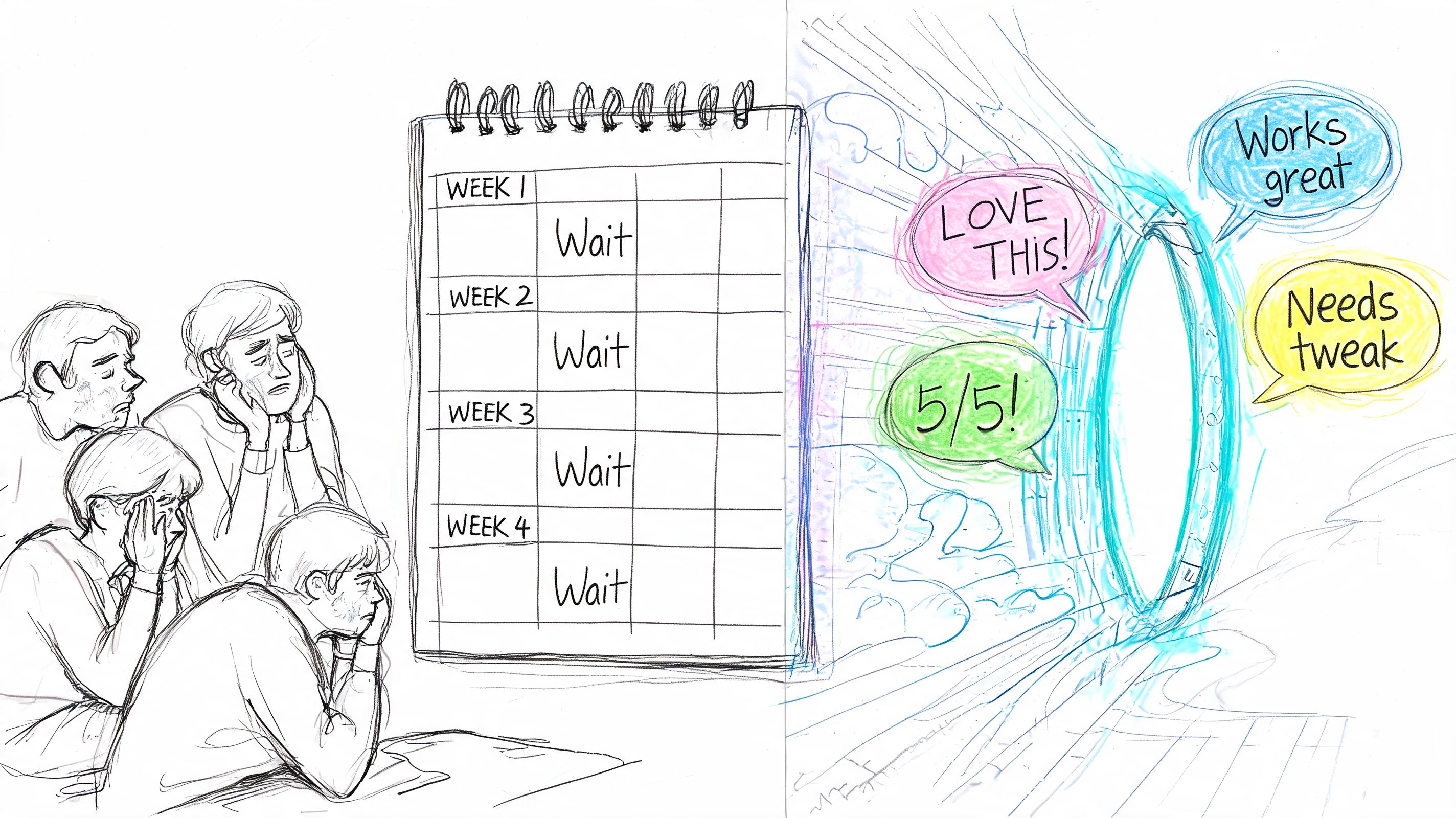
A lot of teams are still living with a broken feedback loop. A designer ships a prototype on Monday, recruitment starts on Tuesday, the first remote sessions happen next week if you're lucky, and analysis drags on after that because someone has to scrub recordings, tag notes, and turn scattered observations into a decision.
That delay changes behavior. Teams stop testing early concepts because the overhead feels too high. They save research for major launches. They let avoidable UX issues survive longer than they should.
Remote usability testing fixed part of that problem. It removed the lab, opened access to broader audiences, and made validation possible without travel or room bookings. But traditional remote workflows still leave you wrestling with speed, consistency, and signal quality. That's where modern practice is shifting. The interesting change isn't just that testing moved online. It's that remote testing is becoming continuous, more structured, and increasingly supported by AI-driven workflows.
Understanding Remote Usability Testing
Remote usability testing means evaluating a product with users who participate from a different physical location than the researcher. That can happen in a live moderated session over video, or asynchronously in an unmoderated format where participants complete tasks on their own time.
The reason teams adopted it so quickly is simple. Product work sped up, while classic research operations didn't. According to Eleken's usability metrics overview, remote usability testing adoption increased by 19% since 2009. That rise tracks with what most UX teams have experienced firsthand. Testing remotely makes it easier to reach people across locations, avoid lab costs, and observe behavior in a more natural setting.
Why remote testing became the default
In practice, remote testing solves three persistent operational problems:
Geography stops being a blocker. You can test with people in different cities or markets without travel.
The environment is more realistic. Participants use their own devices and work in their normal context.
Research becomes easier to repeat. Teams can validate more often instead of treating testing as a rare event.
That last point matters more than many teams admit. Better UX usually comes from repeated cycles of testing and revision, not from a single polished study.
Remote usability testing works best when it becomes part of delivery cadence, not a special event attached to a milestone.
Where the pain still shows up
Remote doesn't automatically mean efficient. Many teams still run into the same issues, only in a different form.
A live remote session can be derailed by no-shows, weak audio, unstable connections, or a participant who needs more prompting than the script anticipated. Unmoderated tests remove scheduling, but they can create a different problem: you get lots of output and not enough reliable interpretation.
A seasoned team learns to distinguish between the value of the method and the cost of the workflow. Remote usability testing is valuable because it shortens the distance between design and evidence. But if setup is vague, tasks are generic, or analysis is manual and inconsistent, the process still slows down.
What remote testing is really for
The strongest use case isn't just finding bugs in a prototype. It's answering practical design questions before they become expensive:
Can a new user complete the primary flow?
Does the copy create hesitation or trust?
Where do people misread navigation intent?
Which version of a step feels clearer under realistic conditions?
Used that way, remote usability testing becomes less of a research ritual and more of a decision system.
Choosing Your Remote Testing Method
The biggest mistake teams make is treating all remote usability testing as one thing. It isn't. Moderated, unmoderated, and AI synthetic testing each produce a different kind of signal, at a different speed, with different operational costs.
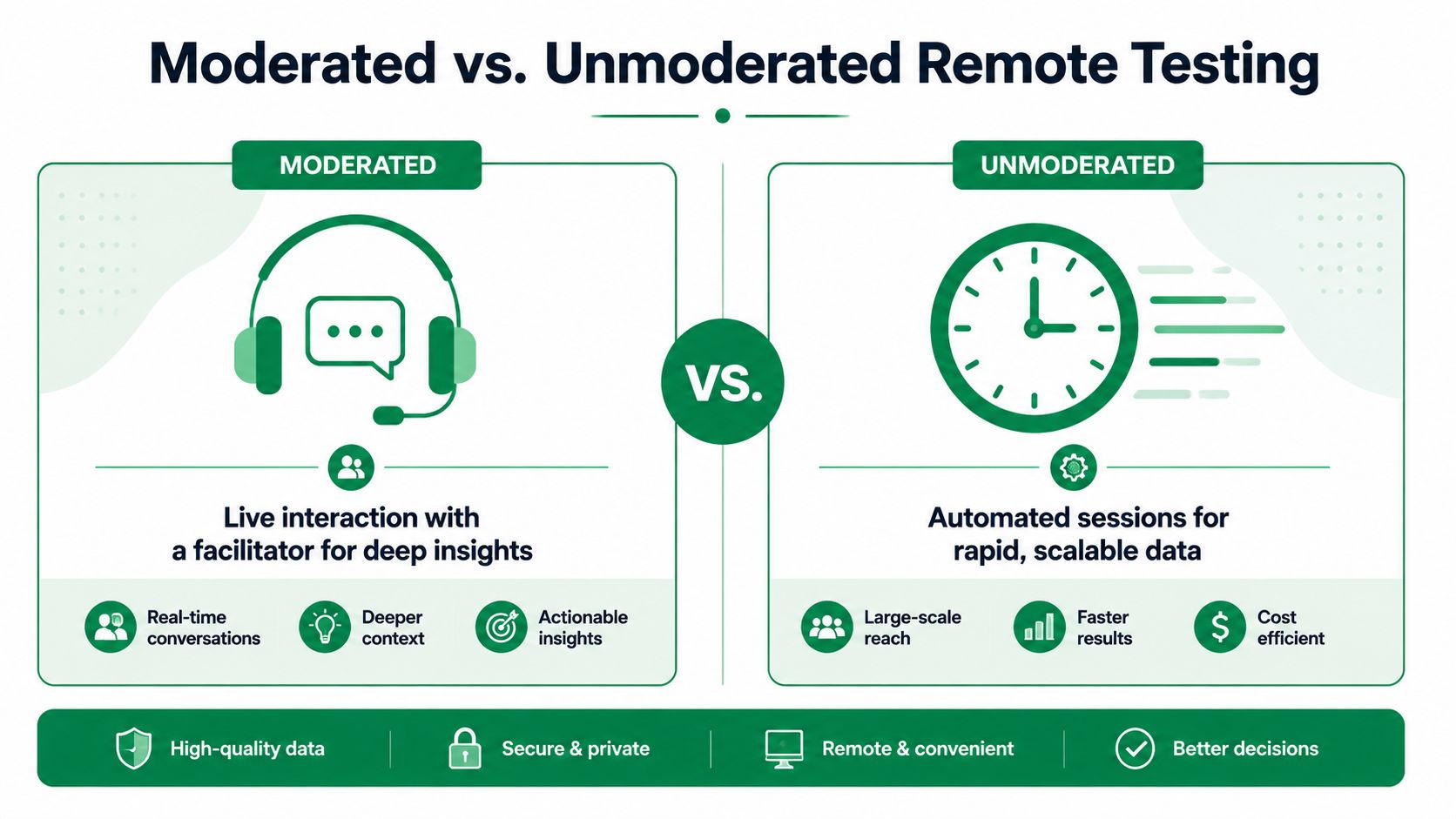
One useful benchmark comes from UX Primer's discussion of remote methods: moderated remote testing can yield 30-50% richer qualitative insights, but at 3-5x higher time cost. That's the trade-off in one line. You get depth, but you pay for it in scheduling, facilitation, and review time.
Moderated testing when you need causality
Moderated sessions are still the strongest choice when the team needs to understand why something is failing. You can ask follow-up questions, redirect if a task is misunderstood, and notice hesitation that doesn't always show up in click data alone.
Use moderated remote testing when:
You need root-cause insight. A failed checkout, trust concern, or confusing onboarding step often needs live probing.
The flow is novel or high stakes. Financial products, healthcare flows, and complex B2B workflows benefit from deeper observation.
You expect ambiguity. If the prototype is rough or the scenario requires explanation, a moderator protects the quality of the session.
The downside is operational drag. Coordinating calendars, over-recruiting for no-shows, and reviewing long recordings still consumes time.
Unmoderated testing when speed matters more than nuance
Unmoderated remote usability testing strips the session down to tasks, interactions, and outcomes. That makes it useful for directional validation, comparison tests, and repeatable checks inside a sprint.
It's a good fit when:
The task is clear enough to stand on its own
You want broader coverage across more participants
You need quick evidence on a narrow design question
It fails when teams write vague prompts. If the participant doesn't understand the mission, you don't learn about the product. You learn that your instructions were weak.
If you're exploring this route, this guide to unmoderated user testing workflows is useful because it frames the method around setup quality rather than just speed.
Remote testing methods compared
Dimension | Moderated Testing | Unmoderated Testing | AI Synthetic Testing (Uxia) |
|---|---|---|---|
Best use | Deep exploratory sessions | Fast validation of specific tasks | Rapid continuous checks on flows and prototypes |
Speed | Slower because sessions must be scheduled | Faster once tasks are ready | Fast, structured output without participant recruitment |
Insight type | Rich verbal feedback and follow-up context | Behavioral signal with limited clarification | Structured interaction patterns, transcripts, and summarized issues |
Main risk | Scheduling overhead and facilitator inconsistency | Script ambiguity and shallow interpretation | Requires careful scenario definition and human review of findings |
Ideal stage | Early discovery or complex flows | Iteration and comparison testing | Frequent validation between design changes |
Decision rule: choose the lightest method that can answer the question with confidence.
What actually works in practice
Most mature teams don't pick one method forever. They combine them.
A common pattern is straightforward: use moderated sessions to understand a messy problem, use unmoderated studies to validate revisions, and use synthetic testing to keep checks running between larger research moments. That blended approach tends to produce better cadence than treating every question like a full study.
How to Run an Effective Remote Test
Good remote usability testing starts before anyone clicks a prototype. The setup determines the signal. If the mission is weak, the results will be weak too.
A useful benchmark from Athena Brand's research design guidance is that 5 users in moderated sessions typically uncover about 80% of usability issues. That doesn't mean every test should stop at five. It means early rounds should focus on clear signals, not bloated sample sizes.
Start with a mission, not a generic prompt
The fastest way to ruin a remote test is to ask people to "look around" and share their thoughts. That's not a real task. It's an invitation to perform.
Instead, write the task as a mission with a believable scenario. Give the participant a goal they can pursue. For example, don't say "review this dashboard." Say "You've just joined the team and need to find where campaign performance dropped this week."
That shift changes behavior. People stop filling silence and start making decisions.
Participants engage better when the task sounds like something they would genuinely try to accomplish.
Choose the right artifact for the question
Different questions need different test materials. Keep the setup as close to the actual interaction as possible without adding avoidable friction.
A practical stack usually includes one of these:
Figma prototype for flow checks and early interaction patterns
Live URL for mature experiences or production-like validation
Mapped image flow for concept tests when interactivity is limited
If you're testing a gated product, make access part of the setup instead of leaving it for the participant to figure out mid-session. Credentials, entry points, and expected devices should all be prepared in advance.
Define audience before tasks
Remote usability testing gets messy when teams recruit broadly and hope analysis will sort it out later. It won't.
Specify who the test is for in practical terms:
Context of use such as first-time visitor, returning customer, or internal operator
Relevant experience level such as novice, domain expert, or occasional user
Device expectations because mobile friction and desktop friction often aren't the same
This is also where synthetic testing has become useful. Instead of waiting on recruitment, teams can configure audience assumptions and run quick validation passes against them.
After setup, recording matters too. If you're documenting manual sessions on macOS, this guide on how to record Mac screen is worth bookmarking because clean capture makes later review much easier.
Write tasks that don't lead the participant
Strong tasks avoid both spoilers and vagueness. A few practical rules help:
Use goal language. Ask users to complete an outcome, not click a named UI element.
Avoid embedded hints. If the CTA says "Start free trial," don't put that phrase in the instruction.
Keep each task singular. Bundled tasks hide where the friction happened.
Pilot the script. A small dry run usually reveals whether confusion comes from the product or the wording.
Later in the workflow, a short walkthrough like the one below can help align the team around what a clean unmoderated setup looks like.
Separate setup failures from UX findings
This distinction saves a lot of bad product decisions. If a prototype link breaks, a hotspot is missing, or a login credential fails, that isn't user friction in the product. It's a setup artifact.
Treat those issues differently in analysis. Fix the environment first, then rerun or discount the affected evidence. Otherwise teams end up redesigning around the test harness instead of around real usability problems.
Measuring What Matters in Your Tests
Remote usability testing produces a lot of raw material. Click paths, transcripts, task outcomes, recordings, open comments. The trap is treating all of it as equally important.
The job isn't to collect more evidence. It's to identify which evidence changes the design.
A practical anchor comes from NN/g's remote usability testing study guide: Task Success Rate can be benchmarked, and 78%+ is a typical threshold for acceptable usability. That kind of benchmark is useful because it keeps the team from overreacting to isolated anecdotes.
Use quantitative metrics to find the friction point
Three measures usually carry the most weight in remote tests:
Task Success Rate tells you whether people can complete the goal at all.
Time on Task shows whether the flow is intuitive or effortful.
Error Rate reveals where people misclick, backtrack, or misinterpret the interface.
Those metrics are strongest when tied to a specific product question. If the business goal is account creation, don't spread attention across every possible gesture in the session. Focus on completion, hesitation, and failure points inside that flow.
Use qualitative evidence to explain the numbers
A low success rate tells you there is a problem. It doesn't tell you which fix is worth shipping.
That's where think-aloud comments, open responses, and observed behavior matter. The useful move is to pair each friction point with the evidence that explains it. If users repeatedly hesitate at a pricing screen, pull in the behavioral marker and the relevant quote or transcript line. If they backtrack after reading a label, connect the copy issue to the measurable delay.
A metric without observed behavior is hard to act on. A quote without behavioral evidence is easy to overvalue.
Build a simple prioritization frame
Not every issue deserves immediate action. I usually sort findings by three questions:
Question | What to look for |
|---|---|
Does it block completion | Users fail the task or abandon it |
Does it repeat across sessions | The same confusion appears in multiple runs |
Is the fix clear enough to ship | The team can change copy, hierarchy, or interaction without guesswork |
That frame keeps the output from turning into a backlog dump.
For teams trying to improve review speed, adjacent workflows can help too. This piece on automated analytics for content creators is useful because it shows how structured tracking and automated interpretation reduce manual analysis overhead in behavior-heavy workflows.
If you also want a standardized post-test scoring lens, this overview of SUS and its alternatives gives a practical way to add a consistent usability readout alongside task-based findings.
The Next Evolution AI-Powered Synthetic Testing
Traditional remote usability testing improved reach. It didn't fully solve workflow drag. Teams still wait on recruitment, still lose time to scheduling, and still spend too many hours turning messy session output into something a product team can act on.
That's why AI-powered synthetic testing matters. It changes the operating model.

One current data point worth noting comes from Lyssna's remote usability testing guide: AI UX tools like Uxia reduced testing time by 90% for 70% of users in Product Hunt reviews. That doesn't make synthetic testing a replacement for every human study. It does show why teams are paying attention. Speed changes what gets tested.
What synthetic testing actually changes
The core difference is consistency of execution. Instead of coordinating people, calendars, and incentives, teams define the mission, scenario, artifact, and audience. The system then runs unmoderated evaluations and returns structured output.
That output matters. The old remote workflow often left teams with recordings and transcripts that still had to be interpreted manually. Synthetic testing shifts more of the work into usable artifacts: interaction traces, heatmaps, summarized issues, transcripts, and prioritized findings.
A platform like Uxia's synthetic user testing guide is useful here because it shows the method clearly. Teams can upload prototypes or images, define audience assumptions, run tests, and review organized findings without the normal recruiting delay.
Where it fits and where it doesn't
Synthetic testing is strongest when the team needs fast validation on:
New flows before development starts
Comparisons between variants
Frequent checks during iteration
Pattern-level issues in navigation, copy, and clarity
It is less suitable when you need the lived context of a real customer conversation, especially for emotionally sensitive journeys or domain-heavy workflows where user intent itself is still uncertain.
That isn't a weakness. It's a positioning issue. Synthetic testing should be used for the questions it answers well.
Why this changes remote research practice
Once speed improves, the cadence changes. Teams stop asking, "Can we afford to test this?" and start asking, "Why aren't we testing this now?"
This marks a significant shift. Remote usability testing used to be faster than the lab, but still slow enough that many teams rationed it. Synthetic testing makes continuous validation more realistic because the output is structured from the start.
There are also practical collaboration benefits. If your team still runs live remote sessions, strong video infrastructure matters. This overview of HD video meetings with AI integration is relevant because moderated remote research still depends on stable meeting quality, clean capture, and reliable collaboration around session review.
Practical rule: use synthetic testing for frequency and structured signal. Use human sessions when you need lived context, emotion, or follow-up depth.
The healthier model is hybrid
The strongest teams won't choose between synthetic and human methods as if one has to win. They'll use synthetic passes to catch obvious friction early, then reserve moderated sessions for questions that require interpretation and nuance.
That approach is more efficient and usually more honest. Not every design question deserves a full round of recruiting. But not every design decision should be made from automation alone either.
Best Practices for Reliable Results
Reliable remote usability testing depends less on the platform than on the discipline of the team running it. The fundamentals haven't changed. What has changed is how quickly weak process gets exposed.
Keep the test grounded in a real user goal
A strong mission and scenario still does more for data quality than almost any tool setting. If the task sounds artificial, participants behave artificially. If the task mirrors a believable goal, navigation choices become more diagnostic.
Write tasks around intent, not interface labels. That one habit improves both human and synthetic testing.
Match the method to the decision
Teams get better results when they stop asking which method is best in general and start asking which method is appropriate for this question.
Use this as a practical checklist:
Pick moderated testing when the team needs depth, follow-up, or root-cause understanding.
Use unmoderated testing when the task is clear and the goal is quick validation.
Add synthetic testing when you need continuous checks without waiting on recruitment.
Combine methods when a problem needs both speed and interpretation.
Reduce avoidable technical noise
Most "findings" from bad remote tests are setup mistakes in disguise. Broken hotspots, inaccessible URLs, confusing credentials, and device mismatches all contaminate results.
A tighter preflight helps:
Verify the artifact on the same device type participants will use
Check access paths including logins, states, and permissions
Pilot the script with someone uninvolved in the design
Tag environment failures separately so they don't enter the UX backlog as false positives
That last point is important. If the problem came from the prototype setup, log it as a setup artifact. Don't let the team mistake test friction for product friction.
Make analysis structured enough to repeat
The best remote research practice isn't just accurate. It's repeatable.
That means every round should end with:
A short list of confirmed friction points
Evidence tied to each point
A clear recommendation or next experiment
A rerun plan after changes ship
When teams work that way, remote usability testing stops being a one-off study and becomes part of product operations.
The quality of a remote test is visible in the next design decision. If the team can't act on the findings, the workflow still needs work.
If your team wants a faster way to validate prototypes and live flows without waiting on recruitment, Uxia is worth exploring. It supports AI-powered synthetic user testing with mission-based setup, audience configuration, transcripts, heatmaps, and structured findings that fit continuous product iteration.