MCP Design: Powering Smart AI Products
Understand MCP design to create smarter, AI-driven products. Learn the Model Context Protocol for designers & how it powers next-gen tools like Uxia.
Designers often treat AI as a feature layer. A chatbot here, a summarizer there, maybe an auto-generated screen or two. That framing misses the fundamental shift.
The next generation of design tools won't just answer prompts. They'll act across systems, pull context from research, inspect flows, trigger evaluations, and return with usable recommendations. If that sounds like engineering infrastructure rather than design practice, that's exactly why designers need to pay attention to MCP design now.
Why Your Next Design Assistant Is an AI Agent
A typical product designer's week still contains too much manual orchestration. One tab holds Figma. Another holds Jira. Feedback is split across Slack threads, call notes, spreadsheets, and testing tools. Accessibility checks happen late. Copy review happens separately. Research findings get summarized after the sprint has already moved on.
That's not a creativity problem. It's a coordination problem.
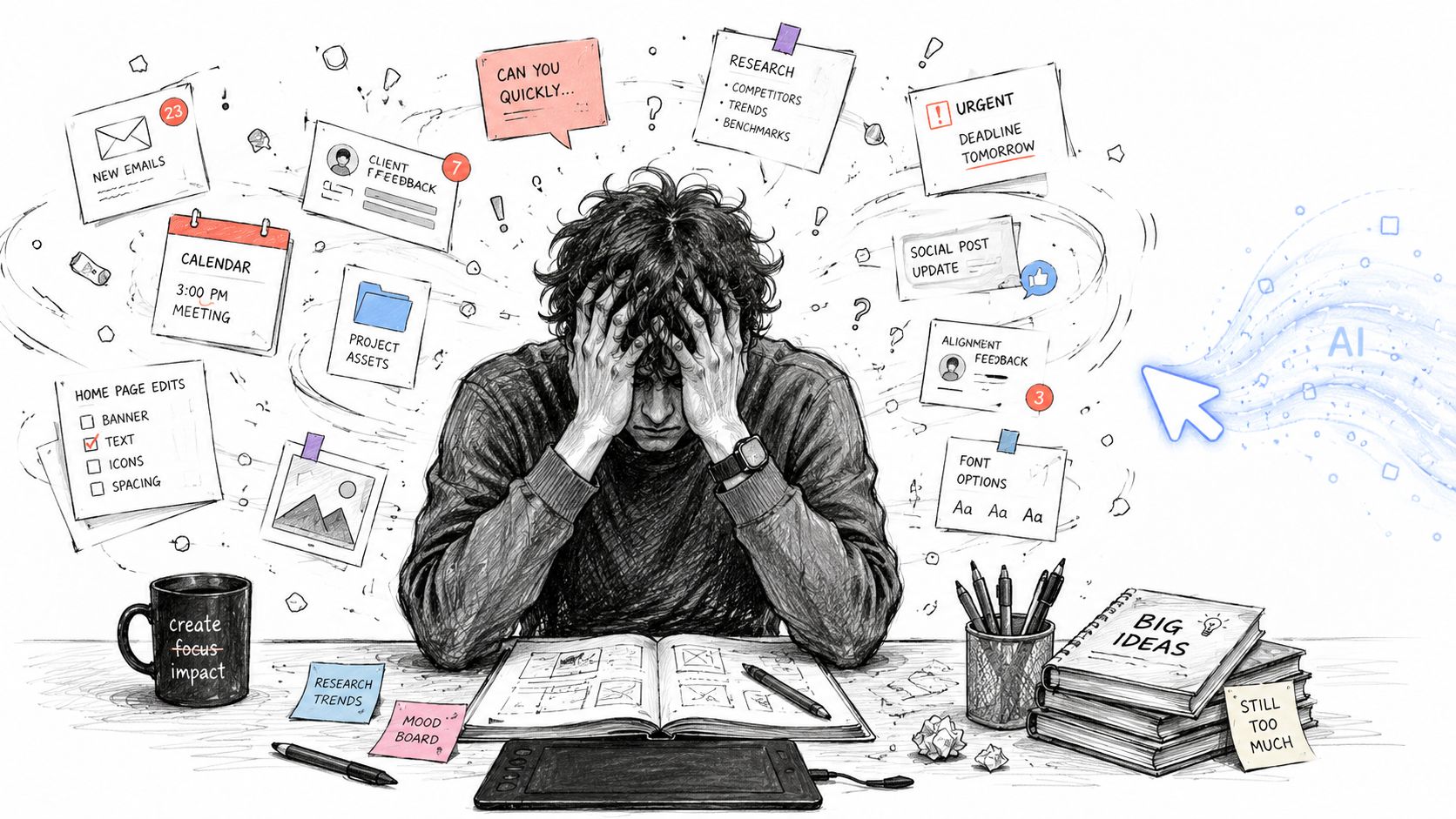
The old mental model says AI helps with isolated tasks. Write better microcopy. summarize interview notes. Generate a few layout ideas. Useful, but limited.
The newer model is agentic. An AI agent doesn't just respond. It can move through a workflow. It can inspect a prototype, fetch prior research, compare a design against a system rule, call a testing service, and return a prioritized view of what needs attention first. That changes the designer's job from chasing inputs to directing outcomes.
The fragmented sprint problem
Consider a common sprint moment. A team needs to validate a new onboarding flow before handoff. In a conventional process, someone exports screens, someone else schedules testing, another person checks whether the copy aligns with prior findings, and a PM asks whether known friction from the last release has been addressed.
None of those tasks are difficult on their own. Together, they create drag.
An agentic workflow compresses that drag. The design assistant can coordinate steps across tools instead of forcing the designer to be the integration layer.
Designers lose time in the seams between tools, not just inside the tools themselves.
That's why designers should care about MCP design. It's part of the architecture that allows AI systems to work across products rather than inside isolated boxes.
Why this matters for design careers
If you already work with synthetic users to validate ideas faster, you've seen the direction of travel. Teams want continuous validation, faster feedback loops, and less operational overhead around research and review.
The designer who understands agent behavior, tool orchestration, and workflow design will have more influence than the designer who only knows how to prompt a single model. MCP design matters because it shapes how AI assistants behave in real product environments, where context lives in many systems and decisions depend on connected evidence, not one-off outputs.
Understanding the MCP Design Framework
The easiest way to understand MCP is to stop thinking about it as a developer protocol and start thinking about it as a universal connection standard for AI work.
A good analogy is USB. Before USB, every device needed its own connector strategy. After USB, many devices could connect through a common standard. MCP aims at a similar problem for AI applications and external tools.
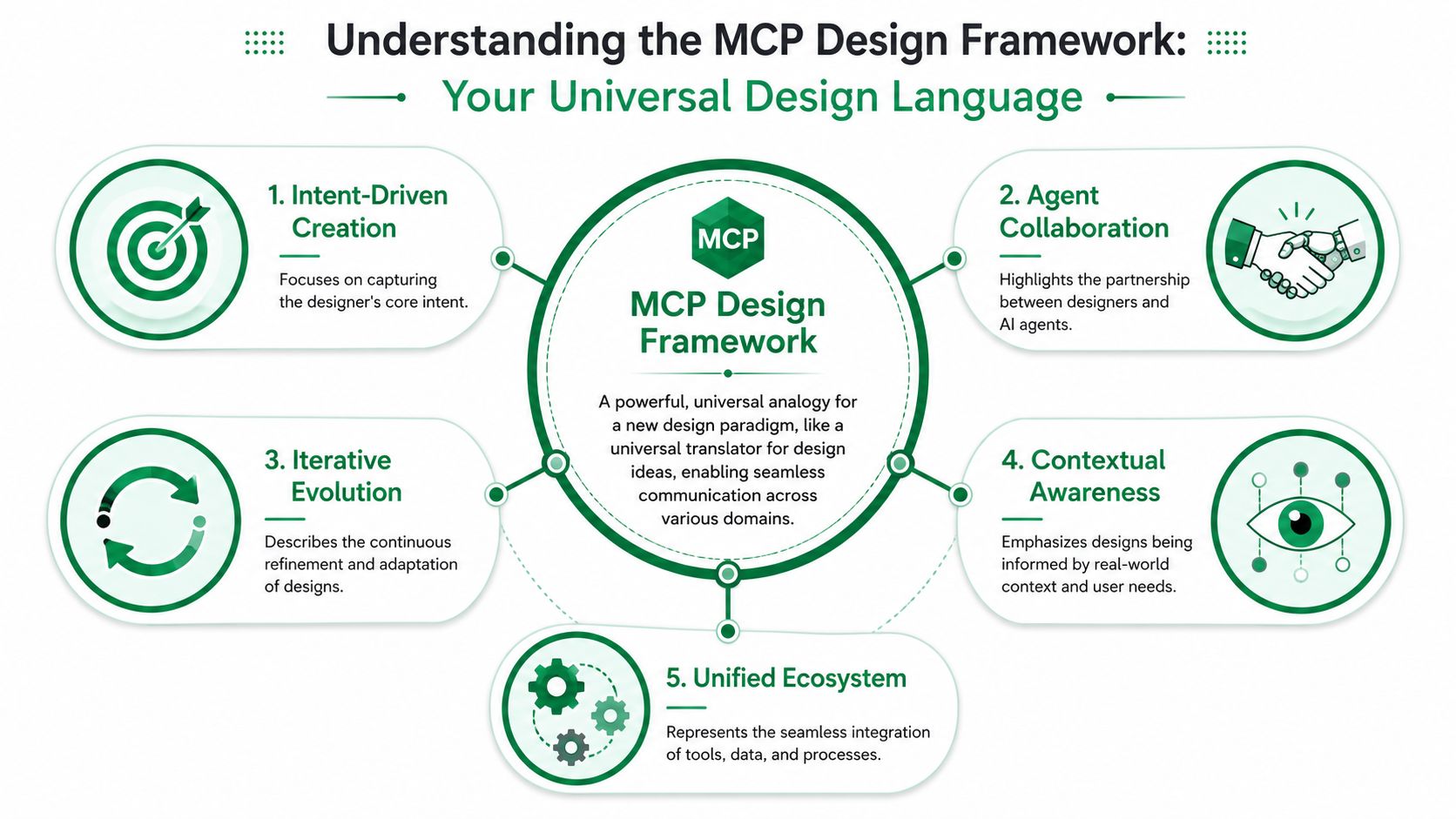
Anthropic introduced MCP as an open standard designed to replace fragmented point-to-point integrations with a single client-server protocol, addressing the M+N problem where every AI app would otherwise need separate connectors to every service, as explained in Phil Schmid's MCP introduction.
Why designers should care about the M+N problem
Without a shared protocol, every new AI capability creates more integration work. Your design assistant might connect to Figma one way, your research repository another way, and your task tracker through yet another custom bridge. That slows product teams and creates inconsistent behavior across tools.
For designers, the practical consequence is simple. Fragmented architecture produces fragmented experiences.
If an AI assistant can't reliably move between design assets, research inputs, tickets, and testing environments, the workflow breaks. The assistant becomes a novelty instead of an operational partner.
MCP as a design systems idea
Designers already understand standards. Design systems exist because one-off decisions don't scale. MCP applies a similar idea to agentic software. Instead of every AI-enabled product inventing its own method for discovering capabilities and taking action, a shared protocol creates a predictable way to connect.
That matters for product strategy. It means a team can think in terms of reusable capabilities, not custom one-offs.
For a non-design example, the same underlying pattern appears in domains like AI-powered Amazon Ads workflows for sellers, where AI systems become more useful once they can coordinate across the tools and data sources required for an actual business workflow. Design work is heading in the same direction.
A quick visual explainer helps make that concrete.
The practical takeaway
When you hear people discuss MCP design, don't translate it into “backend stuff I can ignore.” Translate it into this question instead:
Can this AI assistant work across my actual workflow, or does it only perform isolated tricks?
That's the strategic lens. Designers who understand that lens make better decisions about tooling, product direction, and how AI should fit into the user journey.
Exploring the Core Components of MCP
To design well around MCP, you need a working vocabulary. Not code-level detail. Just a mental model clear enough to reason about how an AI agent gets work done.
The simplest way to understand the pieces is to follow one realistic task: reviewing a new account setup flow before release.
The actors in the system
Start with the broad roles.
A host is the environment where the AI experience runs. That could be a design app, a research workspace, or an internal assistant inside your product team's stack.
A client is the part that speaks MCP on behalf of the host. It connects to available services and manages the conversation.
A server exposes capabilities. Think of the server as the side that offers access to actions or context from a system like a design repository, ticketing tool, documentation store, or testing service.
For a designer, the useful interpretation is this:
Host: The place you work
Client: The connection layer for the AI
Server: The system that offers useful capabilities
The three primitives designers should know
MCP standardizes tools, resources, and prompts. These are the building blocks that make agent behavior understandable.
Tools are actions. A tool might analyze a prototype, retrieve open issues, or run a usability evaluation.
Resources are the things an agent can read. That could be a design spec, a component guideline, a research summary, or an accessibility checklist.
Prompts are reusable instructions that shape how the agent approaches a task.
Here's a design example:
The agent receives a request to review a signup flow.
It reads a resource containing the team's onboarding principles.
It uses a tool to inspect the latest prototype.
It applies a prompt that tells it to focus on first-time-user friction and trust signals.
It returns structured findings for the designer to review.
That sequence is why MCP matters. It supports connected work, not just isolated commands.
Practical rule: If you can't tell whether something is an action, a source of context, or an instruction pattern, the workflow will be harder for both humans and agents to use.
Why stateful workflows matter
MCP uses JSON-RPC 2.0 as its transport and requires a stateful connection, which lets servers maintain session context and makes multi-step workflows practical, according to the MCP specification.
That may sound technical, but the design implication is straightforward. The agent doesn't need to forget everything after each step.
A stateless system forces the user to constantly restate context. A stateful one can remember that the team is reviewing the mobile onboarding variant, that the previous step flagged a trust issue, and that the next action should check whether prior research supports the recommendation.
A designer-friendly way to think about it
If you work with AI user research workflows, this model should feel familiar. Good research practice depends on context, sequence, and interpretation. Agentic systems need the same qualities.
MCP gives product teams a shared way to structure those interactions. For designers, that means better AI experiences, fewer broken handoffs, and more opportunity to shape how assistants behave across real workflows instead of disconnected prompts.
How MCP Supercharges the Design Process
The clearest way to judge MCP design is to compare the workflow before and after agent coordination enters the picture.
Traditional design operations are usually a chain of manual handoffs. Designers gather feedback from one place, interpret it in another, then translate it into action somewhere else. The work gets done, but slowly, and often with context loss between steps.
An MCP-enabled workflow changes the shape of the work. The agent can gather the necessary context, call the right tools, and return a tighter decision loop.
Before and after in practice
Here's what that looks like at the task level.
Design Workflow Transformation: Traditional vs. MCP-Enabled | ||
|---|---|---|
Design Task | Traditional Method (Hours/Days) | MCP-Enabled Method (Minutes) |
Gather usability feedback | Export prototype, recruit participants, run sessions, summarize manually | Agent sends prototype to connected testing tools and returns summarized findings |
Check accessibility issues | Run separate audits, review results, interpret severity by hand | Agent calls accessibility-focused tools and compiles issues into one review pass |
Validate copy clarity | Ask teammates for review, compare against old notes, revise manually | Agent reads content guidelines and flags ambiguous or inconsistent copy |
Compare with prior research | Search docs, scan repositories, pull clips or notes manually | Agent queries connected research resources and surfaces relevant evidence |
Turn findings into tasks | Rewrite issues into tickets, assign owners, add context manually | Agent drafts structured tasks with linked evidence and suggested priority |
The table doesn't suggest that design becomes automatic. It shows that coordination becomes cheaper.
The shift from executor to orchestrator
That changes the designer's role in a useful way. Instead of spending energy on retrieval and formatting, the designer can evaluate trade-offs, choose what matters, and guide the next iteration.
In practice, the best setups don't aim for “AI makes the design.” They aim for “AI clears the operational debris around design.”
A strong agent can help with questions like these:
What changed since the last prototype review
Which friction points appear across multiple feedback sources
Which issues affect trust, comprehension, or task completion first
What should the team test next
Those are strategic accelerators, not replacements for judgment.
What good MCP design enables
MCP design works best when connected tools expose meaningful capabilities instead of raw complexity. A design agent doesn't need every underlying system detail. It needs useful actions and relevant context.
That means better outcomes often come from workflows such as:
Reviewing flows end to end instead of calling tiny disconnected checks
Linking findings to source evidence so recommendations stay grounded
Keeping outputs structured so designers can act on them quickly
Maintaining context across steps so the assistant doesn't restart from zero
Teams get the most value when the AI handles coordination and the designer handles judgment.
Where it breaks
Poor MCP design usually fails in one of two ways.
First, the tool surface is too granular. The agent has to stitch together too many tiny actions, which increases confusion and failure risk.
Second, the tool surface is too opaque. A large “do everything” action may hide what the assistant can do, which makes outcomes inconsistent and hard to trust.
The right balance depends on the workflow. A design critique assistant needs different capabilities than a release-readiness assistant or a research synthesis assistant. The designer's contribution is often deciding what the workflow should feel like from the user side, then helping shape how the underlying capabilities are exposed.
Practical Guidance for Designing with AI Agents
Most discussions about MCP focus on implementation. Designers should focus on tool usability.
That's not a secondary concern. In agentic systems, tool names, boundaries, descriptions, and outputs shape how well the AI can act. This is information architecture work in a new form.
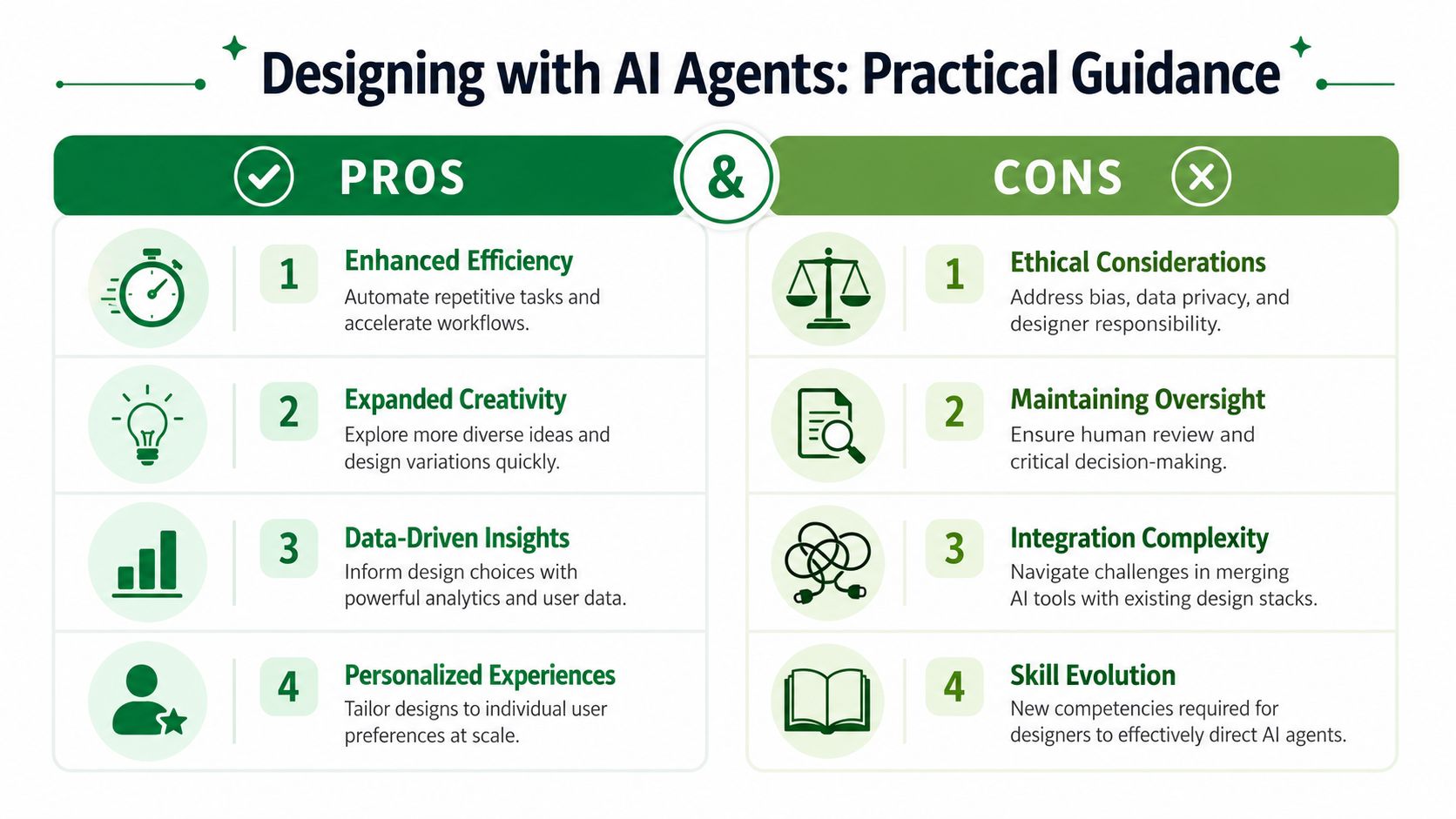
AWS guidance notes that tool granularity directly affects how effectively agents can use tools, and recommends balancing the number of tools with their scope, including patterns like one tool per intent and separating failure modes, as described in AWS Prescriptive Guidance on MCP tool strategy.
Think like an information architect
Designers already know how to reduce ambiguity. That skill transfers directly.
If a tool is named vaguely, the agent has to guess. If a tool bundles unrelated actions, the agent has to reason through too many possibilities. If a tool output is bloated, the agent has to sift through noise.
Good MCP design asks the same questions you'd ask in navigation or form design:
What is the user trying to do?
What choice is confusing here?
What label makes the intended action obvious?
What extra detail creates friction instead of clarity?
Practical recommendations that hold up
Use these as working defaults when you're shaping agent-facing workflows.
Name tools by intent: Prefer labels that describe the job to be done. “Review onboarding friction” is clearer than “flow_processor.”
Separate read from change actions: A tool that inspects designs shouldn't also publish changes unless that coupling is necessary and visible.
Keep outputs decision-friendly: Return summaries, flags, and next actions. Don't make the agent or the human parse giant raw dumps unless they asked for them.
Design for recovery: If a step fails, the output should help the system retry, narrow scope, or ask for clarification.
Document expected context: State what the tool needs to work well, such as prototype links, target audience, platform, or research goal.
Some teams also benefit from synthetic user testing workflows with rapid UX insights, especially when they want agent-driven validation to connect directly to iteration.
A well-designed tool surface feels less like an API catalog and more like a clear menu of jobs an assistant can reliably perform.
What designers should avoid
A few patterns cause predictable trouble.
Tiny tools for every micro-action. This creates tool sprawl and weakens reliability.
Overloaded tools with fuzzy boundaries. These look simple at first, then become hard to control.
Descriptions written for engineers only. The AI may technically parse them, but clarity still matters.
No ownership model. If nobody maintains the tool definitions, the agent degrades as workflows evolve.
The important point is that designers don't need to implement the protocol to improve it. They can shape the usability of the capability layer, which is often where agent performance either becomes practical or falls apart.
The Future of Design Is Agentic
The promise of MCP isn't that it makes AI more technical. It makes AI more operational.
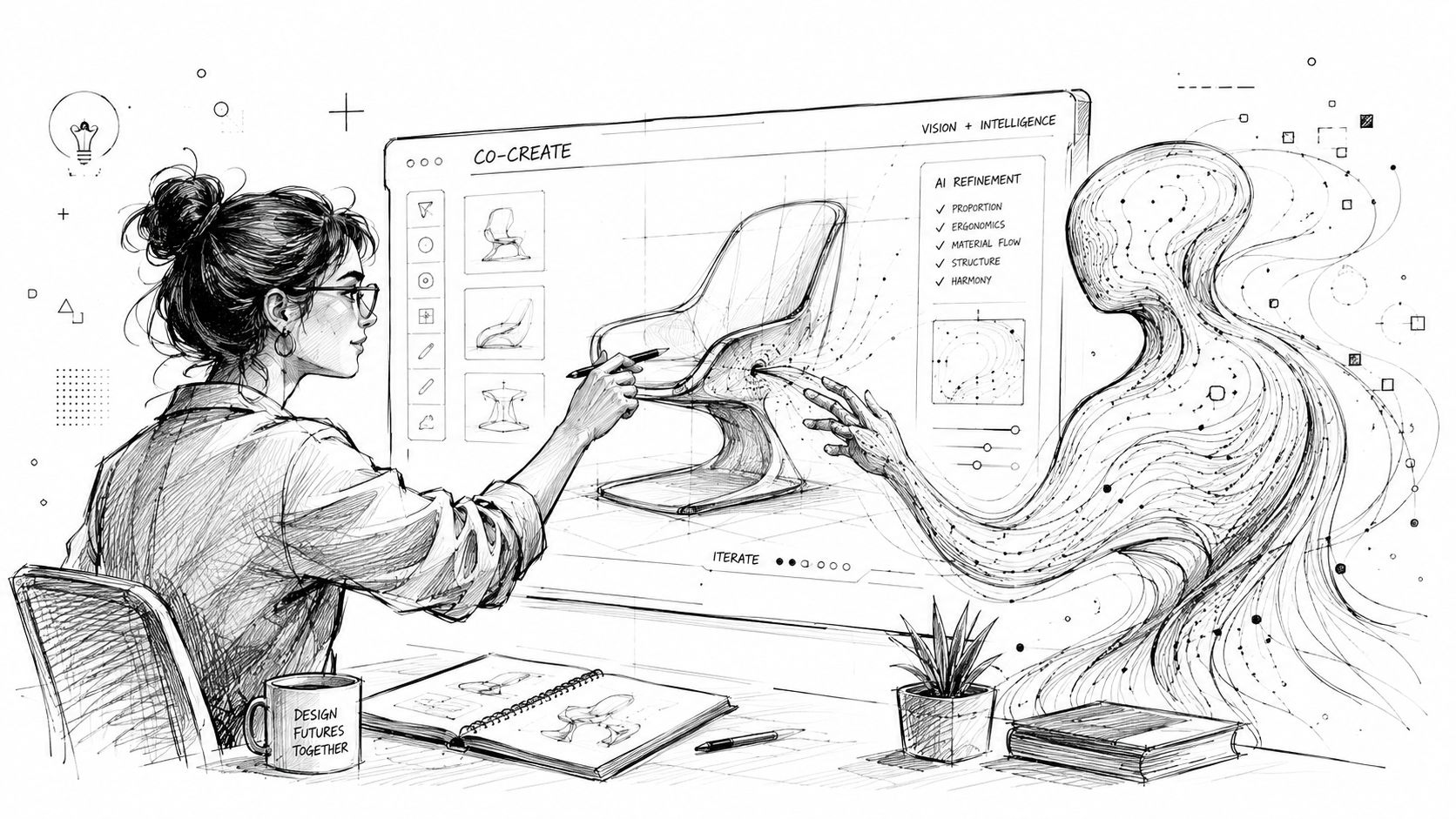
Design teams have wanted this for years, even before the language changed. They wanted tools that carried context forward, reduced repetitive coordination, and helped turn scattered evidence into faster decisions. Agentic systems finally make that plausible. MCP design helps make it coherent.
The opportunity is real, and so is the responsibility
This future isn't frictionless. The U.S. National Security Agency warned that MCP can create ambiguous and hard-to-trace access paths, and by 2025 researchers had documented over 30 disclosures and 10 CVEs across MCP implementations, underscoring that secure design has to be built in from the start, as noted in the NSA guidance on MCP security.
For designers, that means trust can't be delegated entirely to engineering. If an AI assistant can inspect files, trigger tools, or move across systems, the experience design has to make those actions legible. Users need to understand what the assistant can access, when it is acting, and where review or approval belongs.
What strong design leadership looks like
Designers don't need to become protocol specialists. They do need to ask sharper product questions:
What should the agent be allowed to do on its own
What needs human review
Which workflows deserve a high-level task tool instead of many low-level actions
How should the system explain its reasoning and limits
Where could a connected toolchain create risk or confusion
Those are design questions as much as technical ones.
The teams that lead in this space will be the ones that treat MCP design as part of product design, not just infrastructure. They'll create assistants that are capable, understandable, and safe to use in real decision-making environments.
Design is moving from screen composition toward workflow orchestration. The designer of the near future won't just shape interfaces. They'll shape how human intent flows through agents, tools, and systems. That's a larger role, not a smaller one.
If you want to see what this shift looks like in practice, explore Uxia. It gives product teams an AI-powered way to test prototypes with synthetic users, surface friction quickly, and shorten the loop between idea, validation, and iteration.