
Replacing Lookback with another session-recording tool is the most popular advice, and it's also too narrow for many mobile product teams. A Lookback alternative should fit a broader mobile app testing automation strategy, where unit, integration, UI, end-to-end, performance, accessibility, CI/CD, device-farm, metrics, and UX validation each address a different risk.
Automated app tests verify whether software behaves as designed. UX research tests whether people understand, trust, and can use that design. Those are related questions, but they aren't interchangeable. The strongest option depends on method coverage, audience access, speed, collaboration, reporting, governance, and how well the platform fits alongside engineering test suites.
This matters in 2026 because AI-assisted research has moved into everyday practice. Roughly 80% of researchers use AI somewhere in their workflow, while 21% already use AI-moderated interviews, according to Qualitati's 2026 state of AI user research. The seven platforms below therefore aren't ranked as identical Lookback substitutes. They're evaluated by the job they perform in a layered testing program, with Uxia positioned as an early validation layer for prototypes and flows before teams invest in recruiting or full production research.
1. Uxia
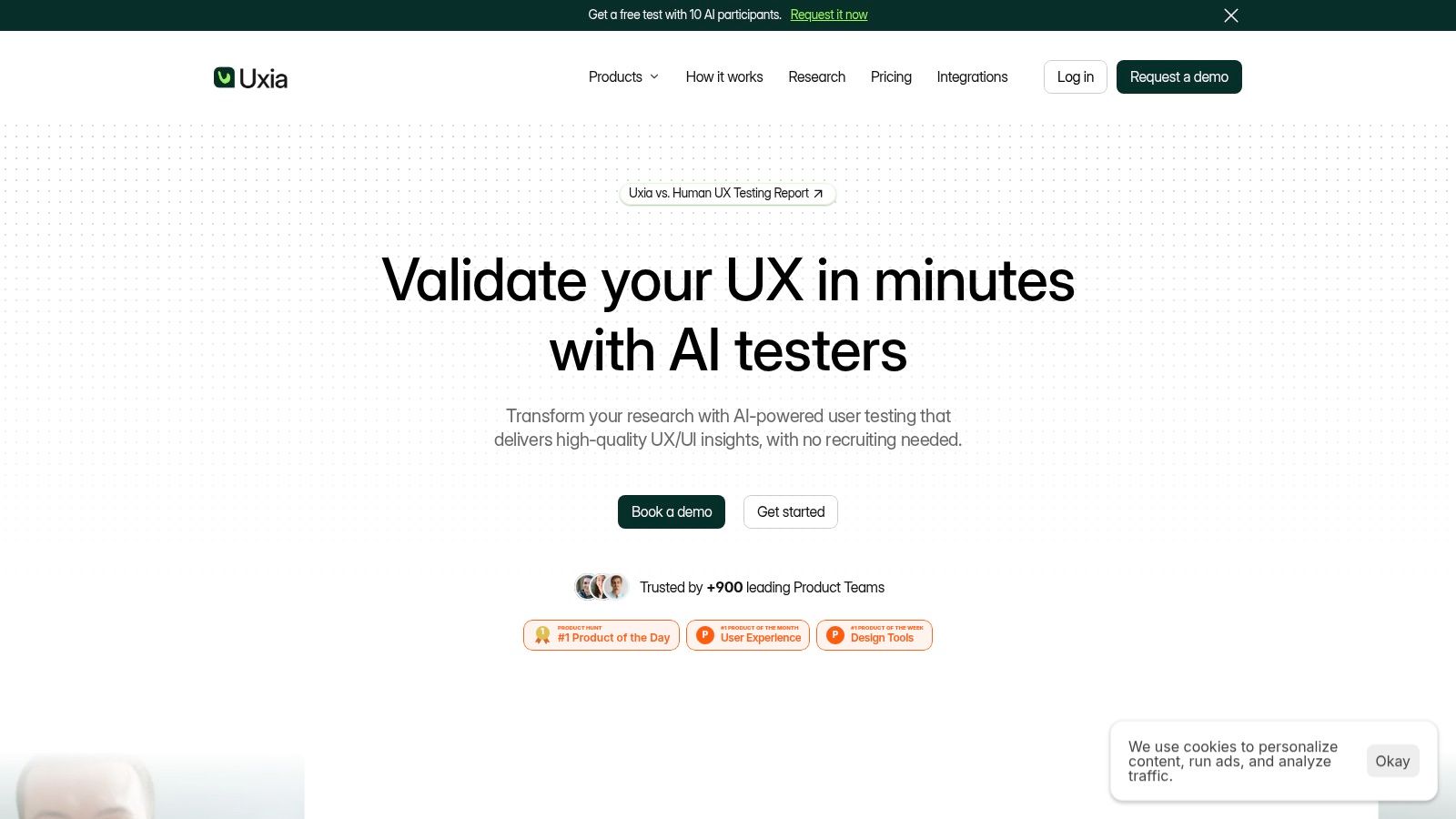
Uxia is the most distinctive option on this list because it changes the testing unit from a scheduled participant session to an instantly available synthetic-user evaluation. Teams can upload images or video prototypes, define a mission and target audience, and use AI testers aligned with demographic and behavioral profiles to explore the experience, think aloud, and expose friction.
That makes Uxia particularly useful before a mobile app has stable production instrumentation. Unit tests can confirm that individual functions return expected results. Integration tests can verify services and modules work together. Uxia can examine whether the proposed flow makes sense to a user before the engineering team commits the design to a larger implementation cycle.
Its outputs are designed for product decisions rather than raw session storage. Teams receive step-by-step transcripts, heatmaps, prioritized issues, visual reports, and benchmarked SUS and SUPR-Q metrics, according to the platform description in the brief. Findings can cover usability, navigation, copy clarity, trust, and accessibility, giving designers and product managers a practical upstream filter.
Where Uxia fits in the test stack
Uxia doesn't replace device-farm execution, automated UI coverage, accessibility tooling, performance monitoring, or real-participant research. It complements them. A sensible sequence is to validate a prototype with synthetic testers, run automated UI and end-to-end checks against the implemented flow, then use human research where context, lived experience, or sensitive behavior requires direct participants.
The platform also supports AI User Test, AI Live Test, AI User Research, Accessibility Test, and human testing workflows. Audience enrichment with first-party data, branded collaborative workspaces, SSO, and SCIM make it more relevant to agencies and enterprise teams than a simple prototype checker.
Practical rule: Use Uxia to remove weak design options early, not to declare a complex mobile experience fully validated without human evidence.
The main trade-off is methodological. Synthetic users are fast and useful for hypothesis generation, but a 2026 systematic review identifies authenticity, variability, bias, and ethical validity as important limitations, positioning synthetic users as a complement to real participants rather than a complete replacement (MIPRO HCI review). A separate study likewise places synthetic users upstream, helping teams pre-screen flows before human validation (DIVA-Portal study).
Uxia offers a free trial with one free AI User Test and limited report access. Plans beyond the trial are custom, so buyers need a demo to confirm cost, credits, support, and enterprise requirements.
2. UserTesting
UserTesting is the closest fit for teams that need screened human feedback at scale and want moderated and unmoderated research in the same environment. Its Live Conversation workflow supports moderated sessions, while unmoderated studies can use surveys, interaction tasks, think-aloud activities, templates, and prototype evaluations.
The platform's key advantage is audience access. Teams can use a global contributor network, invite their own users, or combine both approaches. That helps when a mobile app requires feedback from a defined customer profile rather than synthetic testers or an internally recruited convenience sample.
UserTesting also fits stakeholder-heavy organizations. Its video-first workflow makes it straightforward to share observed behavior with product, design, marketing, and leadership teams. A library of 100+ test templates is listed in the supplied product notes, which can reduce setup effort for recurring study types. It offers multiple editions, including a Starter plan for single-seat unmoderated testing.
Implementation fit
UserTesting belongs after automated checks have established that the build is stable enough for participant sessions. Unit and integration tests should catch code-level failures first. UI and end-to-end automation can then verify critical journeys across supported configurations, while UserTesting answers questions about comprehension, confidence, discoverability, and task behavior with real people.
The downside is operational overhead. Pricing is customized, usage is often metered through session units, and the model generally suits teams with enterprise research budgets and governance needs. Some users also report recorder friction and bugs in particular setups, so a pilot on the devices and browsers your audience uses is sensible.
For teams comparing research depth, recruiting, and workflow burden rather than just recording features, this guide to UserTesting alternative tools for 2026 provides a useful adjacent comparison.
Choose UserTesting when real participant access and broad method coverage matter more than eliminating recruitment and scheduling.
3. Maze
Maze is strongest when a team needs quick, unmoderated evidence from prototypes, websites, or defined task flows. It supports prototype tests, surveys, card sorting, and tree testing, with design-tool integrations that help designers move from a working concept to a measurable study without building a separate research operation.
Maze has also expanded beyond simple click testing. Enterprise users can access moderated interviews with in-app conferencing and private observers. AI-moderated interviews and voice conversation blocks can add adaptive follow-up, although those capabilities are Enterprise-only according to the supplied product notes. Pay-per-use panel credits support participant recruitment, but those costs sit separately from the platform plan.
Implementation fit
Maze works well between design review and automated app testing. A team can test navigation logic and task flows against a prototype, identify confusing branches, and then pass the revised design to engineering. Once the app exists, UI and end-to-end suites can verify that the implementation matches the approved journey.
Its advantage is speed. Designers can quantify task flows, inspect interaction patterns, and use AI-assisted probing or thematic analysis to reduce manual synthesis. The limitation is access and plan structure. Moderated and AI-moderated features require Enterprise access, pricing isn't fully public, and panel credits add another purchasing variable.
The broader market context supports this role. Maze's 2026 user research analysis reports that 66% of respondents saw research demand increase, while only 61% of organizations provided access to research tools and templates. That combination favors tools that help teams launch frequent studies, but it also makes governance important. Fast study creation without a consistent repository, decision log, or ownership model can produce more findings than the team can operationalize.
For early mobile concepts, Maze is a practical choice when the main question is whether users can complete a defined flow. Pair it with Uxia when you want a synthetic pre-screen before choosing which prototype paths deserve panel recruitment or moderated investigation. This Maze alternative guide offers further context for that decision.
4. Lyssna, formerly UsabilityHub
Lyssna is a versatile unmoderated platform for rapid design checks, especially information architecture and first-interaction questions. Its available methods include first-click, five-second, preference, prototype, navigation, card sorting, tree testing, live website tasks, and other quick evaluations.
That breadth makes Lyssna valuable before a team spends time writing extensive automated coverage. If users can't find a core destination in a prototype, adding more end-to-end tests won't solve the underlying navigation problem. First-click, tree, and card-sorting studies can expose structural weaknesses early, while prototype tasks can test whether a mobile flow communicates the intended next action.
Lyssna provides a participant panel and also supports teams that bring their own audience. That flexibility matters for B2C products with broad audiences and B2B products that need a specific customer group. The platform also supports continuous interview programs through Meet and Zoom integrations, with transcription uploads rather than a fully native live-interview workflow.
Implementation fit
Lyssna is primarily unmoderated, so it fits best beside unit, integration, UI, and end-to-end automation rather than replacing moderated research. Use it to answer focused questions about hierarchy, preference, navigation, and comprehension. Use real interviews when the team needs to probe motivation, constraints, or context.
Recent product updates include AI-powered study Q&A and expanded analysis matrices, based on the supplied notes. Pricing and tier rules can change, and some users have found recent pricing shifts less favorable for high-frequency studies. Confirm the current plan structure against your expected study volume before standardizing it across a research team.
The direct-replacement question has a practical answer. A 2026 comparison of Lookback alternatives identifies Lyssna as the closest feature-for-feature replacement, but it also points out that teams still need a study plan and relevant participants. That means Lyssna can replace parts of Lookback's workflow, but it doesn't remove the audience-access problem.
For teams considering this option, the Lyssna alternatives comparison is useful when deciding whether rapid unmoderated testing or synthetic early validation should come first.
5. PlaybookUX
PlaybookUX suits teams that want moderated and unmoderated research methods under one roof. It supports usability testing for mobile experiences, moderated interviews, card sorting, tree testing, surveys, five-second tests, and first-click tests. Stakeholder observers and collaboration features help distribute research beyond the person running the study.
Its integrated participant panel and fraud-prevention tooling reduce the need to stitch recruitment and study operations together. That's useful for teams that repeatedly alternate between evaluative and discovery work. A product group might use an unmoderated prototype test for a new onboarding flow, then switch to moderated interviews for deeper reactions without moving the project to another platform.
Implementation fit
PlaybookUX is a research layer, not an engineering automation framework. It won't replace unit tests for business logic, integration checks for service boundaries, UI tests for rendered behavior, or end-to-end tests for high-value mobile journeys. Its value appears where those suites stop, particularly in questions about language, trust, discoverability, and how people explain their decisions.
AI-assisted setup and summaries can reduce scripting and synthesis effort. The broad method coverage also supports agencies that need to serve different clients without maintaining separate tools for every study type. Teams that prefer unlimited-seat collaboration models may find that approach attractive because more stakeholders can review evidence without requiring every person to moderate.
The trade-off is commercial clarity. Self-serve public plan details aren't always fully transparent, so exact quotes may require contact. Some tester-side reports also mention occasional signup or access problems. Treat those as validation points for a pilot, not as a universal platform verdict.
Implementation test: Before procurement, run one representative mobile study from recruitment through stakeholder readout, then record every manual handoff that your CI/CD and analytics workflow would still require.
PlaybookUX is a reasonable central research workspace when methodological variety matters more than highly specialized longitudinal operations or synthetic testing speed.
6. dscout
dscout is built for a different research problem from rapid prototype validation. Its strength is in-context, longitudinal research, supported by mobile-first diary studies, live interviews, intercepts, incentives, NDAs, stimuli, and operational workflows for complex studies.
That makes dscout valuable when a mobile app's behavior changes with circumstances. A short task test can show whether someone completes a checkout flow. A diary study can reveal when they open the app, what triggered the action, what competing conditions shaped the decision, and how the experience evolves over time. Those are questions that unit, UI, and end-to-end tests can't answer because they verify software behavior, not lived behavior.
Implementation fit
dscout belongs beside analytics, crash monitoring, performance checks, accessibility testing, and production research. Engineering teams can use automated suites to protect reliability while dscout captures the context behind adoption, workarounds, interruptions, and repeated use. Moderated interview studies with observers and scheduling add depth when diary entries need follow-up.
AI Studio features include AI-moderated studies in beta and faster synthesis, according to the supplied notes. Intercepts, concept testing, and playlist-style highlight creation support share-outs to stakeholders. End-to-end operations for incentives and NDAs are particularly useful when a study has complex logistics or sensitive materials.
The cost is time and coordination. Subscription pricing is typically enterprise-level and exact figures aren't public. Community feedback also points to variable incentives and study mix, factors that can affect feasibility and participant engagement.
dscout shouldn't be selected merely because it appears on an alternatives list. Choose it when the research question depends on real-world context over time. If the immediate need is to triage a prototype before recruiting, Uxia is more appropriate upstream. If the need is to understand behavior in daily life after launch, dscout offers the stronger fit.
7. UXtweak
UXtweak offers broad coverage across moderated interviews, unmoderated usability testing, mobile and app testing, card sorting, tree testing, first-click, preference, five-second tests, surveys, and participant recruitment. It's a practical option for teams that want one platform to cover both behavioral validation and information-architecture work.
Recruitment can use a global panel, onsite intercepts, or the team's own database. Moderated interviews support observers and time-slot scheduling, while unmoderated studies provide analysis views, exports, transcripts, and highlights. That combination gives UXtweak a useful place in a mixed-method program, especially for teams serving both broad consumer audiences and targeted B2B users.
Implementation fit
UXtweak can sit after prototype validation and before or alongside production app testing. Use tree testing and card sorting to examine structure. Use prototype or app tests to evaluate task flows. Then let automated UI and end-to-end suites protect the implemented journey across supported devices, while performance and accessibility checks monitor nonfunctional risks.
An active roadmap is adding AI-assisted synthesis and reporting across methods, according to the supplied product notes. The platform is also listed in a 2026 comparison of Lookback alternatives with a free plan and a Business plan priced at $1,290 per year. The same comparison lists UserQ from $10 per study, Lyssna's Pro plan at $2,100 per year, Lucky Orange from $39 per month, and Microsoft Clarity as free. Those figures are useful for understanding the published price spread, but teams should verify current terms before budgeting.
The main uncertainty concerns plan mechanics. Per-seat and per-response add-ons may require sales clarification, and third-party pricing pages indicate that exact tiers can be difficult to interpret. Confirm what includes recruitment, exports, transcription, collaboration, and mobile testing before comparing headline prices.
Top 7 Lookback Alternatives, 2026 Comparison
Platform | Implementation complexity 🔄 | Speed & efficiency ⚡ | Effectiveness / quality ⭐ | Results / impact 📊 | Ideal use cases & tips 💡 |
|---|---|---|---|---|---|
Uxia | Low, upload prototypes, define mission; automated pipeline | Very fast, tests and reports in minutes (claims up to 17x faster) | High, AI-generated, prioritized insights and benchmarks | Actionable outputs: transcripts, heatmaps, prioritized issues, SUS/SUPR‑Q | Rapid prototype validation and frequent iteration; not a full replacement for deep moderated research |
UserTesting | Medium, setup templates, recruit or invite participants | Moderate, unmoderated quick; moderated slower | High, video-first, stakeholder-ready sessions | Broad deliverables: moderated/unmoderated videos, interviews, templates | Enterprise research programs and stakeholder demos; costs scale with sessions |
Maze | Low for unmoderated; higher for Enterprise moderated features | Fast, quick prototype usability and task metrics | Good, quantifies flows; AI-moderation adds qualitative depth | Fast metrics, integrations with design tools, pay-per-panel options | Rapid prototype iteration and designer workflows; moderated/AI features require Enterprise |
Lyssna (UsabilityHub) | Low, focused unmoderated tests with ready panels | Very fast, quick IA and preference checks | Good, effective for information architecture and content decisions | Clear visualizations for first-click, tree tests, preference and prototype results | Ideal for IA validation and fast design checks; panel + BYO recruitment flexibility |
PlaybookUX | Medium, many method types in one platform | Moderate, AI assistance speeds setup and summaries | High, wide method coverage and collaboration features | Consolidated outputs across methods; integrated participant panel | Teams wanting a single platform for mixed methods; verify pricing and occasional access reports |
dscout | Medium–High, diary and longitudinal study setup and ops | Slower, longitudinal research is time‑spread | High, excels at in-context, real-life behavior capture | Rich contextual diaries, intercepts, playlists and highlight exports | Best for longitudinal/diary research and complex ops (incentives, NDAs); enterprise pricing |
UXtweak | Medium, broad feature set, straightforward setup | Moderate, quick for many unmoderated studies | Good, strong value for method coverage | Comprehensive method outputs, flexible recruitment options | Cost-conscious teams needing broad UX methods; confirm plan details and add‑on rules |
Build a Layered Testing Roadmap, Not a Tool Pile
The best Lookback alternative isn't automatically the platform with the most familiar recording interface. It's the one that closes the team's largest evidence gap without duplicating what engineering, analytics, accessibility, or research systems already do.
Start by mapping the mobile journeys that matter most. Identify onboarding, authentication, search, checkout, account recovery, subscription management, and other flows where failure would affect customers or revenue. Then assign each risk to the appropriate layer:
Unit tests: Protect individual functions, validation rules, and business logic.
Integration tests: Verify communication between modules, services, databases, and external dependencies.
UI tests: Check rendered states, controls, navigation, and interaction behavior.
End-to-end tests: Reserve coverage for high-value journeys that cross multiple system boundaries.
Performance checks: Monitor responsiveness, load behavior, resource use, and other nonfunctional risks.
Accessibility testing: Inspect keyboard access, semantics, contrast, labels, focus behavior, and assistive-technology compatibility.
CI/CD execution: Run suitable suites automatically on pull requests, builds, and releases.
Device farms: Exercise supported operating systems, screen sizes, browsers, and hardware configurations.
Metrics and observability: Track reliability alongside user outcomes.
Synthetic UX testing: Validate prototypes and flows before recruiting or waiting for production research.
The reporting layer needs equal attention. Track pass rates, failure causes, execution time, defect escape, accessibility findings, and UX task outcomes. A dashboard that shows only green builds can miss a flow that technically passes but confuses users. Conversely, a UX report without build, device, or release context can leave engineers unable to reproduce the problem.
Research operations are becoming more important as demand rises. In Maze's 2026 research findings, surveys are used by 77% of teams, usability testing by 75%, and moderated interviews by 71%. The implication isn't that one method should replace the others. Teams need a deliberate sequence that uses each method for the question it can answer best.
Use Uxia early for prototype and flow validation, then combine its prioritized synthetic-user insights with moderated or longitudinal research when the context requires real participants. Synthetic-user evidence can narrow the design space and expose obvious friction, while human research can investigate lived experience, sensitive behavior, unusual edge cases, and high-consequence decisions.
For a broader software-buying reference, see this SaaS tools comparison guide for startups.
The decision rule is simple: choose the platform that fills your largest evidence gap, validate its reporting workflow with a representative mobile journey, and confirm that recruitment, collaboration, governance, and budget constraints are understood before rollout.
Uxia provides AI-powered UX and UI testing with synthetic testers for prototypes, uploaded images, videos, and flows, helping teams identify usability, navigation, copy, trust, and accessibility issues before full research or production release. Visit Uxia to start with the available trial and add a fast, repeatable UX validation layer to your mobile app testing strategy.