
AI Before Human User Research: A Practical Guide
Learn how to use AI before human user research to find website friction faster. This guide shows you how to run synthetic tests with Uxia to sharpen hypotheses.

A familiar UX problem starts the same way every time. A team ships a new onboarding flow, pricing page, or checkout step, then asks for fast feedback. The old playbook says to recruit participants, coordinate calendars, run sessions, transcribe recordings, and synthesize findings. By the time the team gets answers, everyone already suspects at least half the issues.
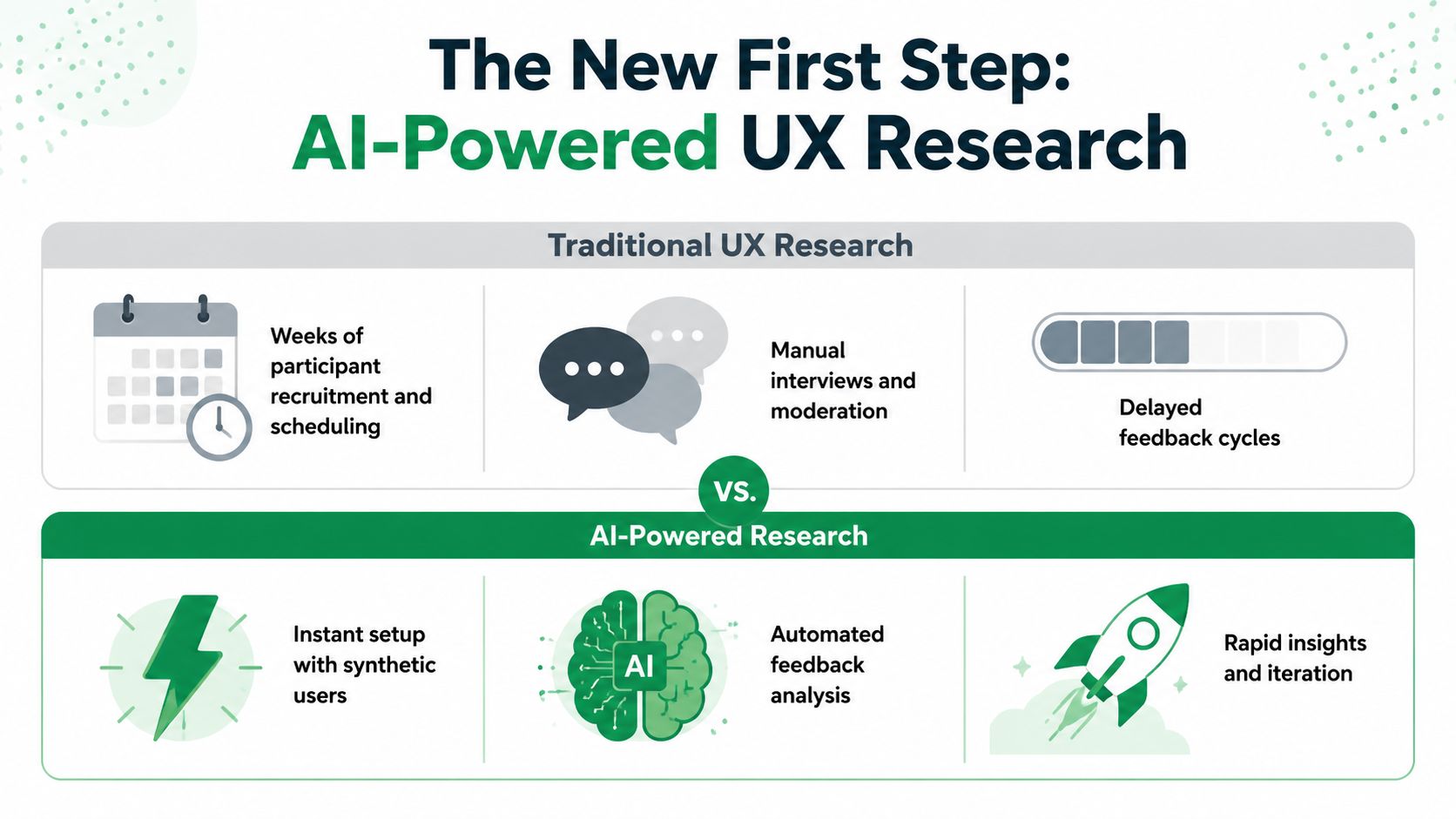
That's why more teams are moving to AI before human user research. The shift isn't about replacing people. It's about using AI to catch obvious friction early, tighten your hypotheses, and spend live research time where human observation matters most.
The pattern is already visible in research work more broadly. A large 2025 survey in Scientometrics found that 25.9% of researchers are frequent AI users and 22.2% never use AI tools at all, which shows both momentum and uneven adoption across the field (Scientometrics survey). In product research, that unevenness shows up as a workflow choice: some teams still begin with recruiting, while others start with synthetic testing and only bring in human participants after the first layer of friction is clear.
The New First Step in UX Research
The practical reason this workflow is taking hold is simple. Most early research rounds uncover issues that are easy to predict once you see them: weak labels, unclear hierarchy, missing reassurance, confusing next steps, and tasks that ask too much cognitive effort from the user too soon.
Why teams are changing the order
Maze reports that adoption of AI in user research has increased by 32% since 2024, with the heaviest use in analyzing research data (74%), transcription (58%), generating research questions (54%), planning and drafting studies (50%), and reporting (49%) (Maze on humans vs AI in user research). That matters because it shows how teams got here. AI entered the workflow first as an accelerator for slow tasks. Synthetic testing is the next step in that same direction.
If you already have a process for conducting usability tests, the change is not methodological chaos. It's just a smarter sequence. Run a fast AI pass first, remove obvious usability debt, then use human sessions to study motivation, trust, edge cases, and behavior that needs real observation.
A good way to think about it is this:
Research stage | Best first tool |
|---|---|
Copy clarity, IA confusion, CTA ambiguity | AI pre-testing |
Nonverbal hesitation, task behavior, emotional reaction | Human sessions |
Pattern compression across many responses | AI analysis |
Final decision on nuanced UX trade-offs | Human judgment |
What this looks like in practice
On a recent product flow, the first pass didn't start with recruitment. It started with synthetic testers modeled on the target audience. That quickly surfaced where users hesitated, what they misunderstood, and which screens made the next step feel uncertain. The immediate problems were familiar: unclear labels, weak visual hierarchy, and moments where users understood the value but not the action.
Practical rule: Use AI first when your team needs to find the obvious problems fast, not when you need empathy-rich evidence about subtle behavior.
That early pass changes the quality of the next round. Instead of asking broad questions in live sessions, the team walks in with sharper prompts, clearer risks, and less wasted time. If you want a product-specific example of that shift, this piece on how synthetic users help designers validate ideas faster captures the same operating model from the design side.
When to Deploy AI for Early Validation
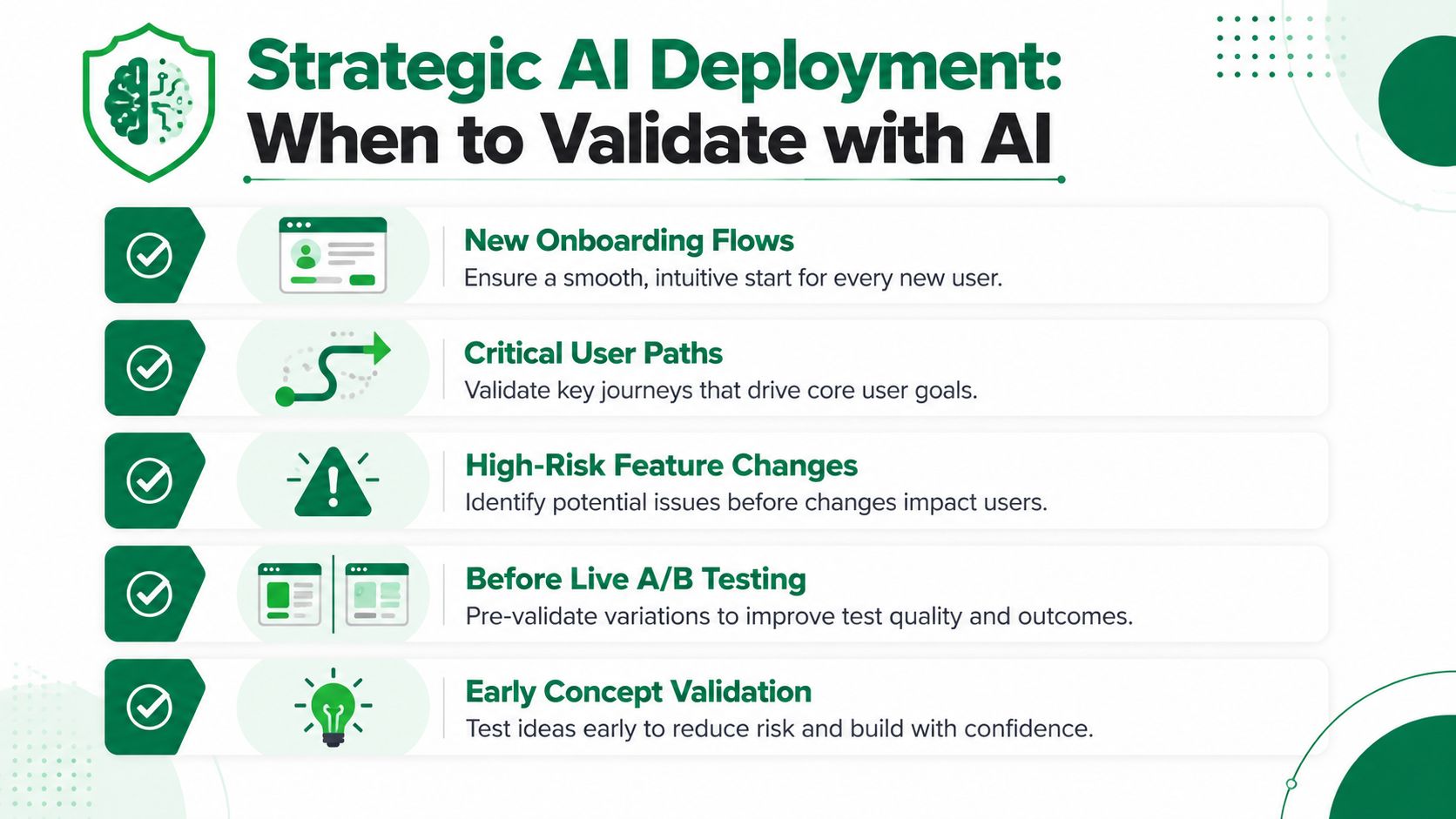
Running AI tests on every screen is lazy prioritization. The gains come from using synthetic testing where speed and focus yield the greatest benefit.
Start with business-critical friction
Some flows deserve early validation before anything else because a small usability problem can create outsized downstream damage. These are usually the places where users must commit, decide, or complete.
Use AI first on:
Onboarding paths that set first impressions and determine whether users reach activation.
Checkout and booking flows where hesitation often comes from trust gaps or confusing sequencing.
Pricing and plan selection screens where users need clarity before they can justify a purchase.
Sign-up and form-heavy journeys that create abandonment when steps feel unclear or repetitive.
Feature discovery moments where users need to understand what a product does and why it matters.
That same logic shows up in adjacent product work. Teams exploring strategies for ecommerce AI adoption often start with workflows that directly affect conversion, customer confidence, or support load. The prioritization principle is the same in UX research. Test where confusion is expensive.
Use it where confidence is low
AI pre-testing is also useful when the design itself is uncertain.
Good candidates include:
Scenario | Why AI helps first |
|---|---|
New flow | You need directional feedback before investing in recruitment |
Redesign | You want to catch regressions introduced by visual or structural changes |
Internal debate | Synthetic feedback can expose which interpretation of the design is more likely to fail |
Multiple possible paths | AI can reveal where users branch incorrectly or lose confidence |
Assumption-heavy concept | It pressure-tests the story the design is trying to tell |
Don't ask synthetic users to settle strategic questions about emotion, brand fit, or lived context. Ask them to reveal whether the interface is making basic sense.
A simple selection filter
If a team asks whether a flow should go through AI first, use three checks:
Impact
If friction here affects revenue, activation, retention, or support burden, it belongs near the top of the queue.Uncertainty
If the screen is new, heavily revised, or based on internal assumptions, synthetic testing can expose obvious failures before people spend time defending them.Task structure
AI works best when a user has a clear goal and the interface has a clear path. It works less well when the research question depends on body language, complex emotional reactions, or environmental context.
The biggest return for teams from AI before human user research is often found here. Not by testing everything. By testing the flows where obvious friction is likely, costly, and fixable.
Your First AI-Powered Test with Uxia
The first setup should be small, decision-focused, and task-based. Don't start with a broad question like “Is this experience good?” Start with one product decision you need to make.
A practical example is a pricing flow. The decision might be whether users can identify the right plan and move forward confidently. That's narrow enough to test and specific enough to improve.
Step one defines the decision
Write the goal in one sentence. Good examples:
Can users understand the difference between plans without extra explanation?
Can a first-time user complete onboarding without losing confidence?
Can someone find the next step in this workflow on their first attempt?
Bad examples are broad, aesthetic, or stakeholder-friendly in the worst way. “See what users think” produces noisy output because it doesn't anchor the test in behavior.
Step two picks the right asset
Use the format that matches the maturity of the design:
Figma prototype if the team is still iterating on early structure and copy.
Live URL if the problem may involve real page behavior or production content.
Specific flow segment if the issue is localized and you don't need to test the whole experience.
This is one place where AI user testing is useful as an operational layer. You can define a mission, specify an audience, and run a focused pass without waiting for recruiting logistics to catch up.
Step three writes goals, not instructions
The quality of the test depends heavily on the prompt. Weak tasks tell users exactly what to do. Strong tasks create a real objective and let the friction surface on its own.
Compare these:
Weak task | Strong task |
|---|---|
Click the pricing page and pick a plan | You're evaluating this product for your team. Find the plan that best fits your needs and explain your choice |
Go to onboarding and complete setup | You just signed up and want to get value quickly. Set up the product and tell us where you feel unsure |
Open checkout and finish purchase | You're ready to buy. Complete the purchase and note anything that makes you pause |
The second version is better because it gives the participant a goal and preserves room for misunderstanding, hesitation, and interpretation.
Step four uses repetition to reduce noise
For prototype evaluation, one interaction is not enough. A detailed ML and UX research workflow from dscout recommends structuring work into generative research, concept evaluation, and prototype evaluation, with at least three entries per user in both control and experimental conditions, for six total attempts before reflection (dscout on user research for machine learning).
That principle translates well to synthetic testing. If you're comparing two versions of a critical screen, don't trust one run. Repeat the task across matched conditions, look for stable patterns, and save the human sessions for what still needs explanation.
Ask the same core task in a controlled way more than once. Consistency matters more than a dramatic single transcript.
A short product walkthrough helps teams see how this setup works in practice:
Step five reviews the first pass fast
The first pass should answer three things:
Where do users hesitate
What do they misunderstand
What pattern repeats across testers
That's enough for a useful early round. Don't overbuild the protocol. The point of AI before human user research is to tighten the decision loop, not recreate a full lab study with synthetic participants.
Analyzing Synthetic Feedback and Finding Patterns
Synthetic testing produces a lot of output quickly. The trap is treating that output as insight before you've separated repeated friction from isolated weirdness.
Read for moments, not volume
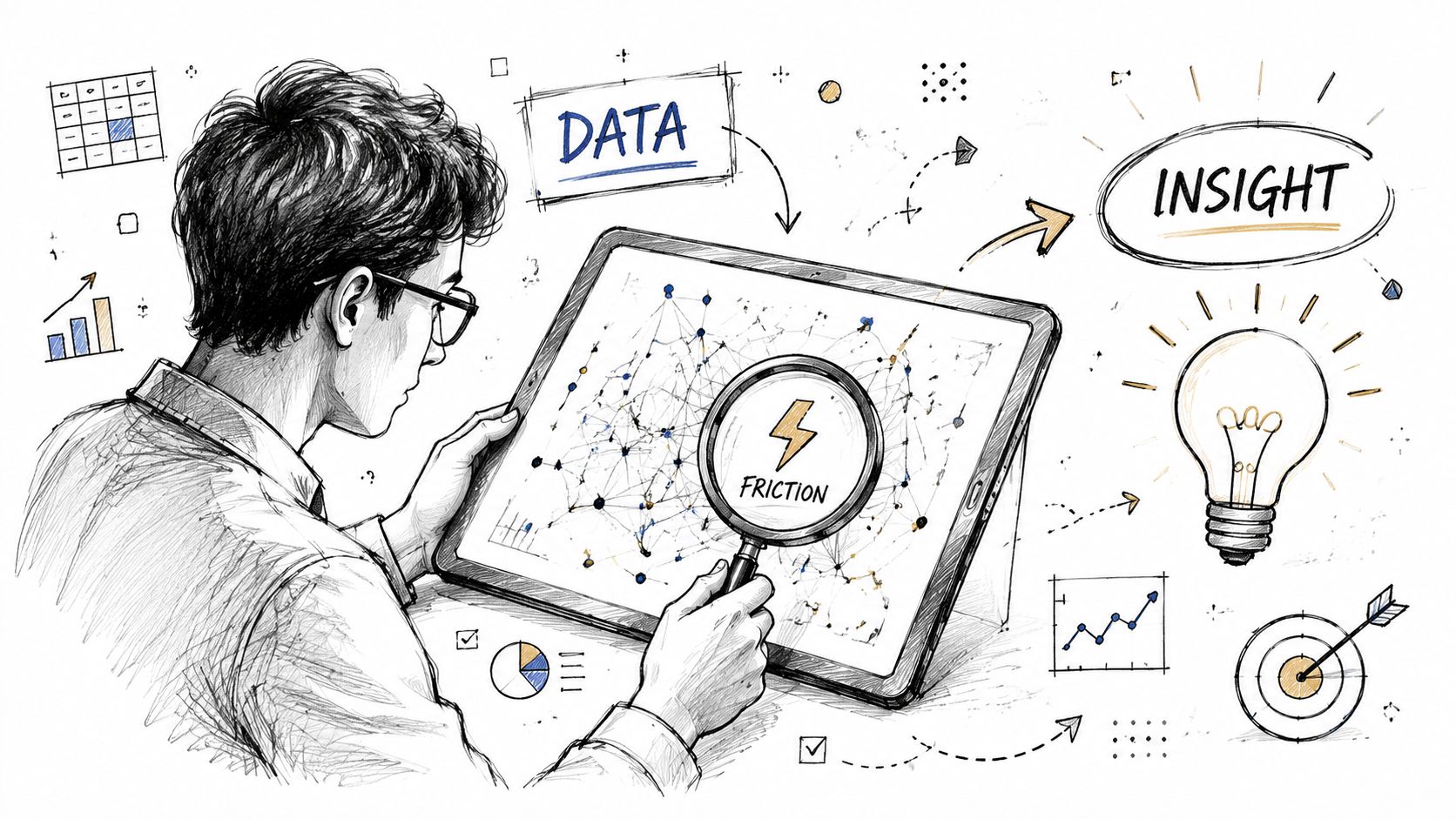
The most useful review pattern is simple. Look for moments where a participant stops making confident progress. In practice, that usually appears as hesitation, backtracking, uncertain interpretation, or a mismatch between what the user expects and what the interface offers.
Typical signals include:
Confusion around labels when users infer the wrong meaning from a button or section title
Lost momentum when users understand the page but can't identify the next action
Trust gaps when pricing, permissions, or account creation asks for commitment too early
Hierarchy failures when the right action exists but doesn't stand out enough to guide behavior
A transcript snippet might sound like this:
“I think this is probably the next step, but I'm not fully sure. The page explains the product, but I don't know what happens if I click this.”
That kind of comment isn't interesting because it's dramatic. It's useful because it reveals a specific design failure: the value proposition lands, but the transition into action doesn't.
Build pattern groups
After reviewing individual responses, collapse them into a short set of friction categories. Keep the categories operational, not academic.
For example:
Pattern | What it usually means |
|---|---|
CTA uncertainty | The action is visible but not persuasive or specific enough |
Navigation misread | Labels or grouping don't match user expectations |
Decision paralysis | Users lack the information needed to choose confidently |
Cognitive overload | Too much text, too many choices, or weak hierarchy |
False completion | Users think they finished when the task actually continues |
This step matters more than any single quote. Product teams can act on a pattern. They can't redesign around a pile of raw transcripts.
Know where synthetic feedback stops being reliable
AI is useful here, but not complete. A 2024 MIT study on synthetic users showed only 62% alignment with human behavioral patterns in some unmoderated flows, which is why AI is best used to find obvious friction early while human research validates nuanced behavior (UX Tigers on humans and AI in research).
That limitation should change how you interpret findings. Treat synthetic outputs as directional evidence. They're strong enough to shape a smarter next step. They are not strong enough to replace observation when the question depends on body language, screen behavior, emotional nuance, or context outside the interface.
Synthetic feedback is strongest when it tells you where to look. Human research is strongest when it tells you what that behavior actually means.
From AI Insights to High-Impact Human Sessions
The handoff from synthetic testing to live research is where practitioners either get efficient or get biased.
A weak handoff turns AI findings into assumptions. A strong handoff turns them into hypotheses.
Convert friction into diagnostic questions
Suppose synthetic testers repeatedly struggle at a decision point in a plan-selection flow. Don't bring that into human sessions as “Users are confused by plan naming.” That wording already leads the witness.
Instead, translate the signal into neutral prompts:
What did you expect to happen here?
What information felt missing before you chose?
How would you describe the difference between these options in your own words?
What made this step easy or difficult to move through?
The distinction matters. Human research should test whether the AI-flagged friction is real in behavior, not ask participants to confirm what the team already believes.
Guard against confirmation bias
Nielsen Norman Group notes that AI is most useful in planning and analysis, but not for observing moderated usability tests because it can't reliably interpret what users are doing on screen or their nonverbal interactions, and some tools only “analyze a usability-testing transcript” rather than the session itself (NN/g on research with AI). That warning connects directly to a second risk. A 2025 report cited by Dovetail says 78% of researchers admit AI summaries can skew how they frame interview questions (Dovetail on AI in UX research).
A few safeguards help:
Separate signal from script
Review the synthetic findings first, then write the interview guide in neutral language.Keep one open discovery section
Leave room in each session for issues the AI pass didn't flag.Mark hypothesis-driven questions
Label them internally so moderators know when they're testing a suspected issue.Compare observed behavior against AI findings after sessions, not during them
That keeps moderators from steering users toward expected answers.
If your team needs a cleaner workflow for handling qualitative data after live interviews, a practical research interview transcription guide can help standardize how notes become evidence.
Use humans for the questions AI can't answer
The best human sessions after an AI pass are narrower and deeper. They focus on the moments that need real people to interpret.
Good post-AI human questions often involve:
Mental models
Why did the user think this page or action worked that way?Trust and risk perception
What made the person hesitate before continuing?Emotional context
Did the design create confidence, pressure, uncertainty, or indifference?Behavioral observation
Did the person pause, scan, hover, or recover in ways the transcript alone can't explain?
That's where the comparison between synthetic users vs human users becomes practical instead of philosophical. Synthetic users are efficient for early directional feedback. Human users are still necessary when the team needs explanation, empathy, and behavioral truth.
Use AI to narrow the search area. Use humans to understand the lived experience inside it.
Adopting an AI-First Research Mindset
A team has one week before stakeholder review, three open usability questions, and budget for only a handful of live sessions. In that situation, the first decision matters more than the method. Start with the fastest pass that can expose obvious friction, then spend human research time where judgment and context matter.
That is the practical shift behind an AI-first mindset. Human sessions become the expensive, high-signal step in the process, not the default starting point. Teams waste less time validating issues that were already visible in the interface, and they walk into interviews with tighter hypotheses, cleaner discussion guides, and clearer priorities.
This also changes how product decisions get made. Instead of debating broad concerns like "users might get stuck here," teams can review a short list of likely breakpoints from an AI pass, fix the low-confidence UI problems, and reserve live research for the questions that need explanation. That usually leads to better use of recruiting budget and faster iteration between rounds.
A good starting point is small.
Pick one flow with real business impact. Run it through Uxia. Review where synthetic users hesitate, misread labels, or fail to complete the task. Fix the issues that are clearly structural. Then bring in human participants to examine trust, motivation, and interpretation around the remaining problem areas.
That sequence does not reduce the value of research craft. It puts that craft in the right place. If the AI pass handles first-pass friction spotting, the human work can do what it does best, diagnose why the problem matters and what change is most likely to improve the experience.
If you want to put this workflow into practice, Uxia gives product teams a way to run synthetic user tests on prototypes and live flows before recruiting human participants, so you can spot obvious friction early and use live sessions for the questions that need real human context.