Beyond the Survey: Your Guide to Better User Interviews
Unlock deep user insights with our complete guide to user interviews. Learn how to recruit, script, moderate, and analyze feedback for actionable results.
User interviews are the conversations you have to understand the why behind people’s actions. They give you the rich, human story that your analytics dashboards simply can’t. This guide offers practical recommendations to help you master every step, from planning to analysis.
What Are User Interviews and Why Do They Matter
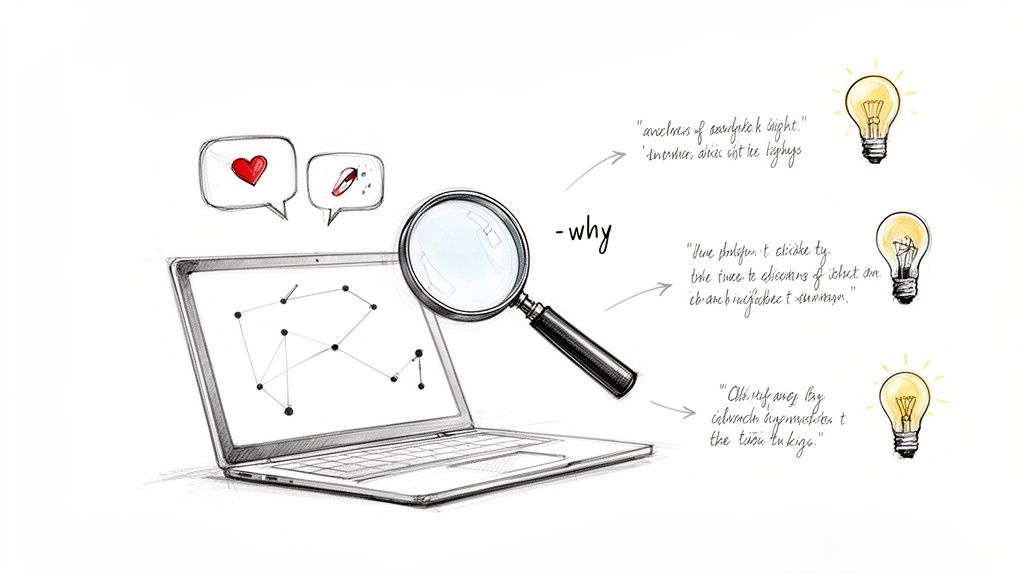
Think of your analytics as the "what"—what pages get visits, what buttons get clicks. User interviews are the all-important "why" that explains those clicks. They’re the real detective work in product development, getting you past the numbers and into the motivations, frustrations, and goals that drive how people behave.
Without this direct line to your users, you're just building on assumptions. You might know that 75% of users are dropping off at checkout, but only a real conversation will tell you it's because they don’t trust your payment icons or the shipping options are just plain confusing.
The Core Purpose of User Interviews
The main goal here is to get deep, contextual feedback at every stage of building a product. These conversations are crucial for hitting several key objectives:
Validate Problems: Before you even think about code, you can confirm whether the problem you're trying to solve is a real, burning issue for your audience.
Uncover Unmet Needs: People are creative. They often have clunky workarounds for problems they don't even realise could be solved better. Interviews shine a light on these hidden opportunities.
Inform Design and Development: The insights you gather will guide everything from feature prioritisation to the layout of a page, making sure you build something people actually want.
Gather Emotional Context: Understanding how a user feels—frustrated, confused, or delighted—gives you a powerful sense of direction that data alone can never provide.
Of course, to truly get a handle on your users, interviews are just one piece of the puzzle. It helps to understand how to conduct user research as a broader practice to pull together meaningful insights from different methods.
When to Conduct User Interviews
User interviews aren’t a one-and-done task; they’re a continuous source of truth you should tap into all the time. They offer huge value at every single phase.
"The biggest mistake teams make is building in a vacuum. A user interview is the fastest way to break out of your echo chamber and connect with the reality of your user’s world. It’s not just research; it's risk reduction."
This idea holds true across the board. In the early discovery phase, interviews help you explore big, open-ended problem areas. During the design stage, they're perfect for getting gut-checks on prototypes. And even after launch, they can tell you why that shiny new feature isn't getting the love you expected.
But let’s be honest, traditional interviews can be slow and expensive, creating bottlenecks for teams that need to move fast. This is where modern tools are changing the game.
For example, our platform Uxia lets you run tests with AI-powered synthetic users that perfectly mirror your target audience. You get the deep qualitative feedback of an interview—complete with think-aloud commentary—in minutes, not weeks. It allows your team to keep the momentum going by gathering critical insights without the logistical headache of recruiting and scheduling humans.
Finding the Right People for Your Study
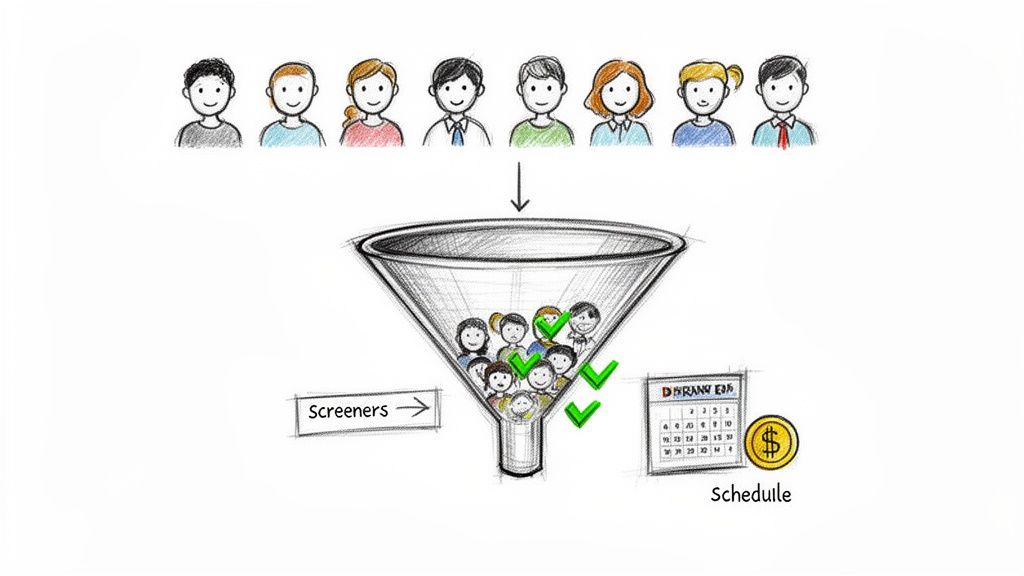
The best interview questions in the world won't save you if you're talking to the wrong people. Your insights are only ever as good as your participants.
Finding the right group isn't just about filling interview slots; it's about connecting with individuals whose real-life experiences mirror your target audience. Get this wrong, and you could send your entire team down a completely pointless path.
This means you need a solid strategy for sourcing, filtering, and locking in participants. It’s the only way to guarantee your data is relevant.
Sourcing Your Participants
So, where do you actually find these people? It really depends on your budget, your timeline, and the exact profile you're after. Each channel has its own perks.
Internal Customer Lists: Your own customer list is your goldmine. These people already know your brand, making them ideal for giving feedback on new features or talking through their pain points. A simple email campaign with a clear incentive usually does the trick.
Social Media and Community Groups: Platforms like LinkedIn, Twitter, and niche forums on Reddit or Slack can be fantastic for reaching new audiences. You just need to be careful with your messaging to attract genuine participants, not just people chasing a reward.
Specialised Recruitment Services: For those really specific or hard-to-find demographics, a dedicated service can be a lifesaver. They handle everything from screening to scheduling, but you'll pay a premium for the convenience.
Crafting an Effective Screener Survey
Once you’ve got a pool of potential candidates, you have to filter them. That's what a screener survey is for. Its job is to weed out anyone who isn't a good fit, all without giving away the "right" answers.
A badly written screener can introduce bias or attract the wrong type of person. The trick is to ask about their actual behaviours and past experiences, not what they think they might do in the future.
Your screener's main job is to disqualify, not to qualify. Think of it as a gentle filter that removes everyone who doesn't meet your core criteria, leaving you with a small pool of high-quality people.
Let’s take an example. Say you're testing a new meal-planning app for busy parents.
Bad Question (Leading): "We're building an app to make meal planning easier. Do you struggle with planning meals for your family?" (This pretty much tells them to say yes).
Good Question (Behavioural): "In a typical week, how do you decide what to cook for dinner? Describe the last time you planned meals." (This uncovers their real habits, no bias included).
Practical Recommendation: Always pilot your screener with a colleague first. This quick check can help you spot confusing language or leading questions before you send it out to potential participants.
Overcoming Recruitment Headaches
Even with the best plan, traditional recruiting is often a mess. High costs, slow turnarounds, and the classic participant "no-show" can derail your entire research schedule. It’s not uncommon to spend weeks just trying to get a handful of interviews on the calendar.
This bottleneck can stall product development entirely. Teams that need to move fast simply can't afford to wait. And that’s exactly why platforms like Uxia are changing the game.
With Uxia, the entire recruitment headache just disappears. Instead of spending time and money finding and screening humans, you can generate perfectly matched, AI-powered synthetic testers on demand. All you do is define your target persona—like "a 35-year-old working parent in Spain who shops for groceries online"—and Uxia instantly creates AI participants that fit that exact profile.
You can learn more about how this works by comparing synthetic vs human users. This completely eliminates scheduling chaos, no-shows, and incentive costs, letting you get rich, qualitative feedback in minutes instead of weeks.
How to Write an Effective Interview Script
A great user interview feels like a natural conversation, but that almost never happens by accident. Behind every insightful discussion is a well-crafted script.
Think of it less like a rigid screenplay and more like a flexible guide—a roadmap that keeps you on track but still leaves plenty of room for those unexpected, valuable detours. A good script ensures you hit all your key research questions, treat every participant consistently, and stay focused. Without one, it’s far too easy to get sidetracked or, even worse, unintentionally influence the user's answers.
The goal is a semi-structured interview script. It gives you a reliable framework but lets you ask follow-up questions and probe deeper when something interesting comes up. This is where the real gold is found.
The Anatomy of a Powerful Script
A strong interview guide is organised into a few logical parts. This structure helps build trust and gently guides the participant from broad topics into the more specific stuff you really need to know.
The Warm Welcome: First, set the scene. Introduce yourself, thank them for their time, and briefly explain the session's purpose. Crucially, make it clear there are no right or wrong answers—you're just there to learn from their experience.
Rapport-Building Questions: Before you dive deep, ask a few easy, open-ended questions to get them comfortable. These are simple "softball" questions about their work or background that relate to your product area.
The Main Event (Core Questions): This is the heart of your script, designed to tackle your primary research goals. Your questions should be open-ended and focus on past behaviours, not vague future predictions.
The Wrap-Up: As you approach the end, always ask if they have any final thoughts or questions for you. This can often surface unexpected insights. Thank them again, and be crystal clear about the next steps, including how and when they'll get their compensation.
Writing Questions That Uncover Truth
The quality of your questions dictates the quality of your insights. You want to encourage storytelling, not simple yes/no answers. A poorly phrased question can introduce bias and lead participants down a path you’ve created, contaminating your data.
To really get this right, it helps to have a sharp picture of who you're talking to. Building out a user persona template is a great way to guide your question-writing process and keep it focused on your ideal customer.
Here are some dos and don'ts to nail your questions:
Do ✅ | Don't ❌ |
|---|---|
Ask open-ended questions starting with Who, What, Where, When, How. | Ask leading questions like, "Don't you find this confusing?" |
Focus on past behaviour like, "Tell me about the last time you..." | Ask for future predictions like, "Would you use this feature?" |
Use simple, neutral language that anyone can understand. | Use jargon or internal acronyms that might confuse them. |
Ask one question at a time to avoid overwhelming the participant. | Ask double-barrelled questions that bundle two ideas together. |
An interview script is your safety net. It’s there to make sure you never leave a session and realise you forgot to ask the one question that mattered most. It's about preparation, not restriction.
This structured approach has parallels with how you guide AI in modern research tools. With our platform, Uxia, you don’t write a traditional interview script. Instead, you create a clear mission brief for the synthetic tester.
For example, you might instruct it to: "Find a pair of running shoes under €100 and add them to the basket."
This mission brief acts as a dynamic, self-moderating script. The AI’s goal is clear, but its path isn’t rigidly defined, letting it explore the user flow naturally. As it navigates, it "thinks aloud," providing a continuous stream of feedback without a human moderator needing to ask probing questions. This ensures the insights are completely unbiased.
Mastering the Art of the Interview
Running a good user interview isn't about asking a list of questions. It's about creating a space where someone feels comfortable enough to be completely honest. Your job is to guide the conversation, listen deeply, and let the participant shine.
Think of yourself as a director, not the lead actor. You set the stage and guide the action, but the spotlight is always on the user and their story. This means you have to talk just enough to keep things moving, but not so much that you start influencing their answers.
Core Moderation Techniques
A few skills make or break an interview. Active listening is your number one tool. Don't just hear the words; listen for the emotion and intent behind them. Pay close attention to tone of voice, hesitations, and body language.
Knowing when to probe is another critical skill. When a participant drops a little hint of something interesting, a simple follow-up like, "Can you tell me a bit more about that?" can unlock a goldmine of detail.
Sometimes, the best tool is just being quiet. After a user finishes talking, wait a few extra seconds. It might feel a bit awkward, but that silence often nudges them to add more detail—insights they might not have shared otherwise.
Handling Tricky Interview Situations
You'll run into all kinds of personalities during interviews. Knowing how to adapt is key to keeping your research on track.
The Quiet Participant: They give one-word answers. You need to draw them out with open-ended prompts. Try something like, "Walk me through how you’d normally do this..." to encourage a story instead of a simple "yes" or "no."
The Overly Talkative Participant: They drift off on tangents. Your job is to gently pull them back. A quick, "That's really interesting! Just to make sure we cover everything, I’d love to jump back to what you said about..." usually does the trick.
The People-Pleaser: This person showers you with praise and avoids any real criticism. Remind them that your goal is to make the product better, and their critical feedback is the most valuable thing they can give you.
Remember, the goal of a user interview isn't to get validation; it's to find the truth. The most valuable feedback often comes from moments of friction, confusion, or frustration.
How to Take Notes Without Killing the Vibe
You need to capture what's happening, but you can't let note-taking get in the way of the conversation. If you're furiously typing while someone is talking, they'll feel ignored. The best setup is having a second person whose only job is to take notes.
Practical Recommendation: If you're a solo researcher, record the session (with permission!) and use a transcription service afterward. During the interview, focus on jotting down only surprising quotes, key pain points, and user emotions. This keeps you present in the conversation.
This is where unmoderated testing completely changes the game. For example, Uxia’s platform uses synthetic testers that perform tasks while thinking aloud. Because there’s no human moderator in the room, there is zero risk of moderator bias—conscious or not—coloring the user's actions. The feedback you get is a pure reflection of how someone interacts with your design, free from any social pressure to please an interviewer.
Turning Interview Data Into Actionable Insights
So, you’ve wrapped up your interviews. High-fives all around. But now you’re sitting on a mountain of recordings, transcripts, and scribbled notes. This raw data is a goldmine, but right now, it’s just ore. The real work is turning those hours of conversation into insights your team can actually build on.
This isn’t about just writing down what people said. It's about uncovering what they meant. Without a solid process, you’ll miss the patterns hiding in plain sight, and all that valuable research effort goes to waste.
From Observations to Patterns
First things first, you need to get organised. Most researchers start by pulling out the key quotes, observations, and moments of friction from each interview. This is where you lay the groundwork for analysis.
Once you have your key takeaways, it’s time for synthesis. One of the most effective ways to do this is with a technique called affinity mapping. Think of it like a detective’s corkboard for user feedback.
Extract Key Points: Get every single observation, quote, or pain point onto its own sticky note (digital or physical).
Group by Theme: Start moving the notes around, clustering them with others that feel related. Don't name the groups yet—just let the themes emerge naturally.
Name the Clusters: Once your groups are solid, give each one a short, descriptive name. These are your core themes, the recurring patterns from your users.
This visual approach makes it incredibly easy to see which issues are popping up again and again.
It all comes back to the core loop of a great interview, which generates this rich data in the first place.
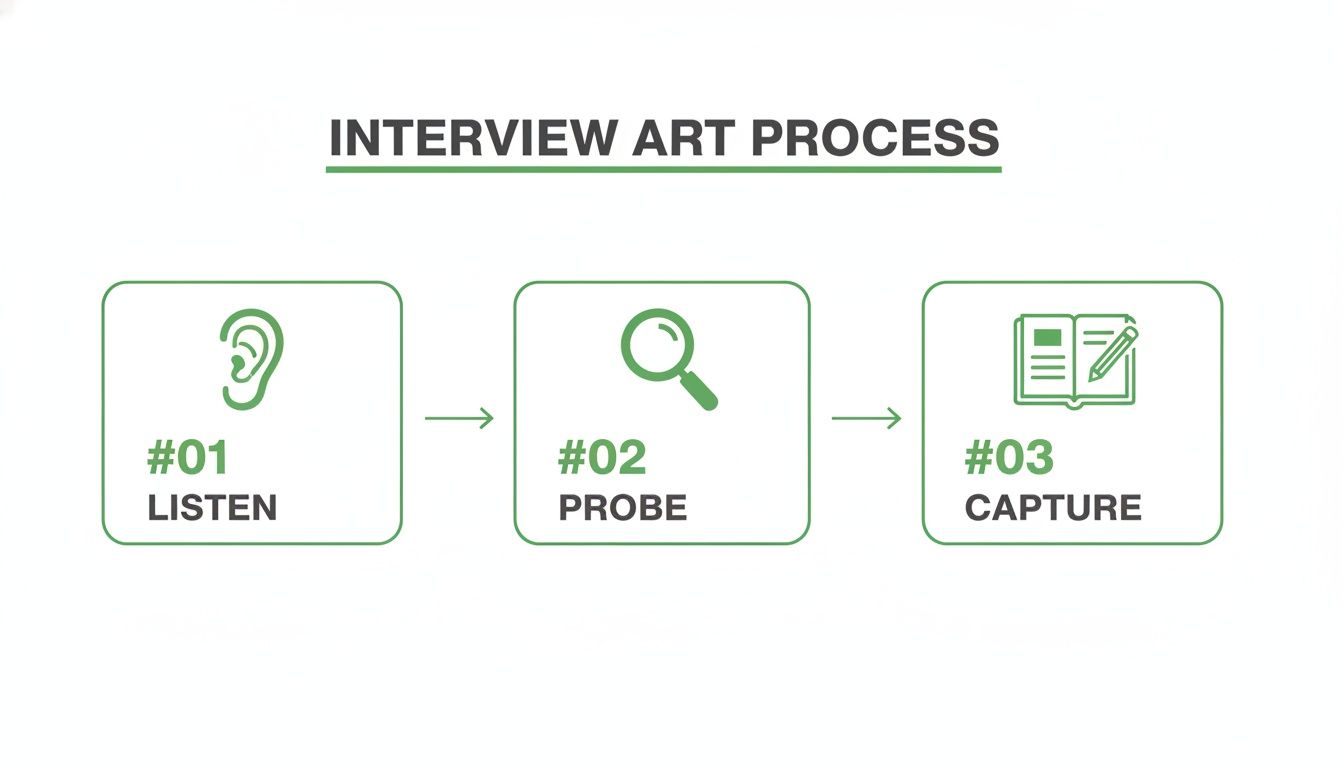
This is the engine of insight: you listen, you probe for the "why," and you capture what matters.
Creating Impactful Deliverables
Patterns are great, but they don’t mean much if they stay on a whiteboard. You need to package your findings into clear, compelling deliverables that scream "act on me!"
Common formats include:
User Personas: Rich, fictional characters built from real user data that represent your key audience segments.
Journey Maps: A visual timeline of the user's experience, highlighting their actions, thoughts, and feelings at every step.
Prioritised Findings: A straightforward list of the most critical issues and opportunities, often ranked by severity or frequency.
The ultimate goal of analysis is not to create a report that gets filed away. It is to create a shared understanding that empowers your team to build better products for your users.
Knowing how to use modern qualitative data analysis tools is crucial for turning this raw feedback into strategy. And the stakes are higher than ever. The European UX market hit USD 1,875.36 million in 2024 and is growing at a massive 15.5% CAGR. This boom is fuelled by huge demand for user-centricity, with 39% of product managers now running interviews themselves to meet a 66% organisational demand spike.
But there’s a catch. Traditional interviews are slow and expensive, costing €50-€100 per participant and taking 2-3 weeks just for recruitment. For agile teams, that’s a crippling bottleneck.
Automating Analysis With Uxia
The manual grind of transcribing, coding notes, and building an affinity map can take dozens of hours for a single study. This painful delay is exactly what stops teams from getting the rapid feedback they need to stay ahead.
This is where Uxia changes the game.
Our platform automates the entire analysis and synthesis workflow. The moment our synthetic testers finish a mission, Uxia gets to work. It instantly transcribes their think-aloud process, flags key usability problems, and identifies recurring themes across all the tests.
Instead of spending days manually clustering sticky notes, you get a visual, prioritised report in minutes. It's all there—heatmaps, key metrics, and a list of actionable insights ready for your team to tackle. We handle the tedious analysis so you can focus on what you do best: solving user problems.
The Future of Research with AI User Interviews
While traditional user interviews are brilliant, they have a lot of friction built-in. The whole process is often slow, expensive, and wide open to human bias—from the way a moderator phrases a question to the social pressure a participant feels to say something positive. This creates a bottleneck that agile teams just can't afford.
The need for faster, more scalable feedback is obvious. In fact, the User Interview Tools market in Europe now makes up over 30% of global revenue as of 2024. This isn't surprising when you realise that traditional studies in Europe can cost €5,000-€10,000 and take 4-6 weeks to run, leaving a huge opening for AI-driven solutions.
This is where the next step in user research comes in. AI-powered synthetic testing is bridging the gap, giving you the qualitative depth of an interview with the speed and scale of analytics.
A New Way to Gather Feedback
Picture this: you need to validate a new user flow just hours before a sprint review. With old-school methods, that's impossible. You'd be stuck for weeks recruiting, scheduling, and interviewing before you even started to analyse the results.
With a platform like Uxia, you can get that feedback in minutes.
You just upload your design or prototype, define your target audience, and give them a clear mission. Our platform's AI then generates synthetic testers who perfectly match your demographic and behavioural profiles. These testers navigate your designs, thinking aloud as they go.
This isn't just about speed; it's about consistency and objectivity. Uxia’s synthetic testers provide pure, unfiltered feedback without the risk of moderator bias or a participant trying to perform, giving you a much truer picture of your user experience.
This approach completely sidesteps the logistical nightmare of traditional research. No more recruiting, no more scheduling, and definitely no more no-shows.
Practical Applications for Modern Teams
The uses for AI user interviews are immediate and practical, fitting perfectly into the fast pace of modern product development. It's not about replacing all human interaction, but about powerfully augmenting your process for specific, critical tasks.
Think about these common scenarios:
Rapid Iteration: A designer can test three different versions of a checkout page in an afternoon. They get detailed feedback on each one and can move forward with the strongest option based on real, unbiased interaction data.
Accessibility Testing: You can get instant feedback on how users with specific accessibility needs might interact with your interface, without the complex logistics of sourcing and accommodating human participants for every small test.
Pre-Launch Validation: Right before pushing a major feature live, you can run a final check with a large group of synthetic testers to catch any last-minute usability issues that might have been missed.
Platforms like Uxia deliver these insights in comprehensive, visual reports. You get detailed transcripts, heatmaps showing where testers focused, and a prioritised list of usability issues—all generated automatically. This frees your team from the manual, time-consuming work of analysis so you can focus on what matters: building a better product.
If you're looking to speed up your workflow, you can learn how to get insights fast with synthetic user interviews in our detailed guide.
Got Questions? We’ve Got Answers
Let's tackle some of the most common questions that pop up when teams start thinking about user interviews and how to modernise their research.
How Many User Interviews Is Enough?
There's no single magic number here. But a solid rule of thumb is to aim for 5-8 interviews for each user group you're studying.
You'll usually start hearing the same core themes and patterns pop up by the fifth chat. That's a sign you've hit what researchers call "thematic saturation." It’s less about racking up a high count and more about the richness of the insights you walk away with.
Will AI Just Replace Human Interviews?
Not completely, and that's not really the goal. Think of AI-powered tools like Uxia as a way to supercharge your research, not remove the human element entirely.
Synthetic user interviews are perfect for getting lightning-fast feedback on specific flows, checking designs with a larger sample, and sidestepping common biases. But when you need to dig into deep emotional insights or broad strategic questions, nothing beats a real conversation with a real person. The smart move is a hybrid approach.
One of the biggest mistakes in user interviews is asking leading questions or trying to sell your solution. An interview is for learning, not for validation. Ask about past behaviours, not future predictions.
What’s the Real Cost of User Interviews?
The costs can sneak up on you. In Spain, for example, a typical round of traditional user interviews for 20 participants can set you back €3,000-€7,000. And that often comes with a four-week delay just for recruitment.
These numbers make it clear why teams need faster, more affordable ways to get feedback and keep their projects from stalling. You can see more data on the European user research market to get the full picture. This is where a tool like Uxia makes a huge difference, giving you insights without the painful price tag or the long wait.
Ready to get actionable user insights in minutes, not weeks? See how Uxia can transform your research process by visiting https://www.uxia.app.