The UI Designer Role in 2026 A Guide to Thriving in an AI-Driven World
Discover the UI designer role in 2026. This guide covers new skills, AI-powered tools like Uxia, and career trajectories to future-proof your design career.
By 2026, the job of a UI designer won't be about pushing pixels. It's shifting from crafting static screens to architecting intelligent, adaptive digital experiences. We're moving into an era where designers partner with AI, blending creative intuition with data to build systems that learn and respond, not just static pages.
Defining the New Digital Architect
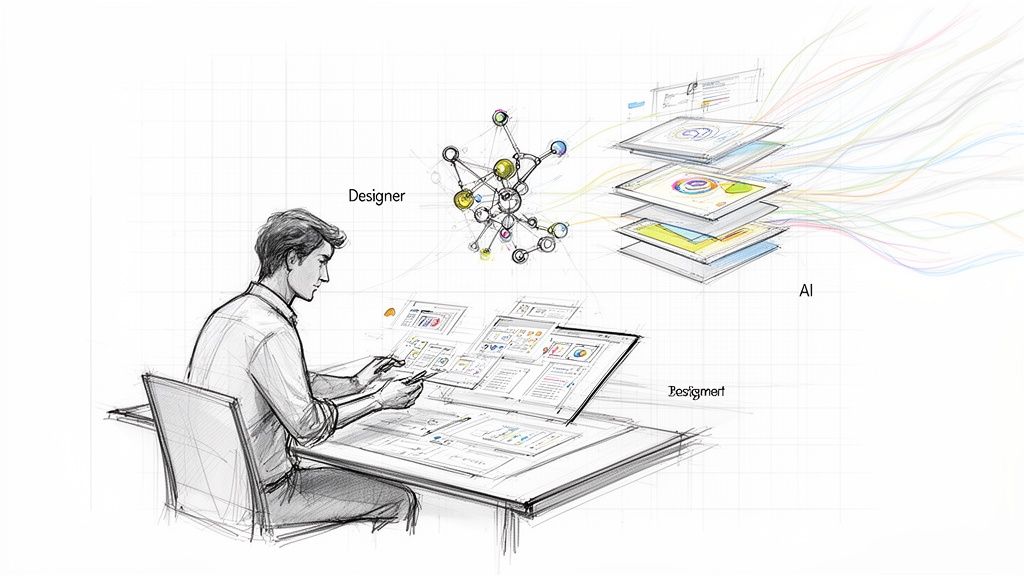
Think of the UI designer of 2026 less like a digital painter and more like a digital architect. A traditional architect draws a blueprint. A modern one uses advanced software to simulate how a building will behave in a storm, how light will hit it during the day, and how people will move through it—all before a single brick is laid.
That's the new reality for us. Your job is no longer just about "what it looks like," but about "how it behaves, learns, and adapts." Yes, typography, colour, and layout are still crucial, but they’re the foundation for something much bigger. You're not just designing one screen; you’re designing the logic for an entire journey that AI might personalise in real time for every single user.
A Shift from Executor to Strategist
In the past, many UI designers were handed a list of requirements and told to "make it look good." That's changing. The 2026 UI designer is a strategic partner from day one, using their grasp of user behaviour and AI to shape what gets built in the first place. You’ll find yourself clarifying the key differences between UX and UI not just for your own sanity, but to keep the entire team focused on the right goals.
Instead of waiting weeks for user feedback, you can now get validation almost instantly, making your strategic input more powerful than ever. A practical way to do this is to run a quick usability test on a wireframe using a tool like Uxia and bring the data to the first kickoff meeting.
The real change is moving from being a reactive executor to a proactive architect. You're now building the frameworks for intelligent systems and then guiding AI to fill in the details, validating every step with data.
The New Design Workflow
As the role evolves, so do the daily tasks. Repetitive, manual work is fading, replaced by high-level problem-solving. Your day-to-day will involve:
Prompting Generative AI: Crafting precise text and image prompts to spin up dozens of UI variations for ideation or quick A/B testing.
Directing AI-Powered Tools: Using platforms like Uxia to run synthetic user tests on your prototypes, getting back detailed usability data in minutes, not weeks.
Governing Design Systems: Acting as the guardian of quality, ensuring that AI-generated components stick to brand guidelines and interaction patterns to maintain consistency at scale.
To make this clear, we've put together a table showing just how much the role is changing between the past and what we see coming in 2026.
Evolution of the UI Designer Role Traditional vs 2026
Aspect | Traditional UI Designer | Modern UI Designer (2026) |
|---|---|---|
Core Function | Creates static visual interfaces and screens. | Architects adaptive and intelligent user experiences. |
Primary Output | Pixel-perfect mockups and style guides. | Scalable design systems and validated user flows. |
Success Metric | Visual polish and aesthetic appeal. | Task success rate and user engagement metrics. |
Tools | Figma, Sketch, Adobe XD. | AI-powered design tools, generative AI, and synthetic testers like Uxia. |
As you can see, the focus is shifting from pure aesthetics to measurable performance and system-level thinking. While the core skills of a great designer remain, the tools and the definition of "done" have completely changed.
Mastering the Hybrid Skillset for 2026
To stay relevant as a UI designer in 2026, you'll need more than a good eye for visuals. Your success will hinge on a hybrid skillset—a powerful mix of timeless design principles and new technical know-how. It’s about blending the art of visual design with the science of systems and artificial intelligence.
This means your job is no longer about shipping static mockups. You’ll be expected to master advanced interaction design, crafting the fluid micro-interactions and purposeful motion that make an interface feel responsive and alive. Every button tap and screen transition becomes a chance to guide and delight your user.
But those individual interactions are just one piece of a much larger puzzle. The real challenge, and where the best designers will pull ahead, is in mastering systems thinking.
Thinking in Systems, Not Screens
By 2026, you won’t just be designing a screen; you’ll be building a system. A design system is the single source of truth that governs an entire product ecosystem. It's a managed library of reusable components, patterns, and rules that ensures everything stays consistent and high-quality, whether your team has five people or five hundred.
Think of it like building with LEGOs versus sculpting from a block of clay. A design system gives you the standardised bricks (buttons, forms, cards) so you can focus on building incredible structures (user flows), instead of wasting time recreating each brick from scratch. Governing this system is quickly becoming a core design responsibility.
The most impactful UI designers will be system architects. They won't just create components; they'll define the rules, logic, and behaviours that allow a product to evolve cohesively, even when parts of it are generated by AI.
This architectural mindset is what elevates a designer into a true product leader. You'll spend less time on repetitive pixel-pushing and more on high-level strategy, making sure every new feature fits perfectly into the whole. As you build this skillset, it's vital to know how to frame it; understanding and showcasing the most in-demand technical skills for 2026 is how you’ll land the top jobs.
Becoming an Effective AI Partner
The biggest shift you'll face is learning AI partnership. This isn’t about letting an algorithm take your job. It’s about learning to direct it with precision and clear intent. Think of yourself as a film director and AI as your talented but very literal-minded camera crew. You have to give crystal-clear instructions to get the shot you envision.
This new skill breaks down into three key abilities:
Writing Effective Generative Prompts: You'll need to learn how to write detailed prompts that guide AI tools to generate specific UI components, layouts, or even screen variations. A vague prompt like "make a modern dashboard" is useless. A great prompt—"Generate a dashboard for a financial analytics app using a dark theme, with a primary KPI card at the top left and a data-dense table below"—gets you actionable results.
Interpreting AI-Driven Analytics: Instead of waiting days for traditional user testing, you’ll use platforms like Uxia to get instant, data-backed feedback. You can upload a prototype and receive a detailed report on usability friction, navigation problems, and user sentiment in minutes. Your role is to analyse this data, pinpoint the most critical issues, and translate them into concrete design improvements.
Guiding Design with Data: Armed with AI-generated insights, you become a far more confident and effective decision-maker. You can walk into a meeting with a product manager and say, “I tested three variations of the checkout flow with Uxia, and the synthetic testers showed a 25% higher task completion rate with Version C because the 'Guest Checkout' button was more prominent.” You can explore more about combining different research methods by reading our guide to hybrid UX research.
This ability to rapidly test, learn, and iterate is the new superpower for UI designers. By mastering visual craft, systems thinking, and AI partnership, you position yourself not just as a designer, but as a strategic leader who drives real, measurable results.
Your New Toolbox: AI Co-Pilots and Instant Validation
By 2026, your value as a UI designer isn't just about pixels and creativity. It's about speed. The best designers will be the ones who move the fastest, and that means adopting a new class of smart tools that automate the grunt work and give you feedback in minutes, not weeks.
While design-to-code tools are getting better, the real game-changer is how AI is being embedded directly into our creative process. We’re talking about generative AI that can spin up entire screens from a simple text prompt, turning a vague idea into a clickable prototype before your coffee gets cold.
Meet Your Generative UI Co-Pilot
Got an idea for a new user dashboard? Forget spending hours dragging boxes and arranging components.
Instead, you’ll just write a prompt: "Create a dashboard for a fitness tracking app, with a large card for daily steps, three smaller cards for calories, heart rate, and sleep, and a line chart showing weekly activity."
Instantly, the AI gives you a coherent layout. This isn't about replacing you. It's about giving you a first draft—a starting point you can immediately start refining, restyling, and improving. You’re free to focus on the big picture, the strategy, the experience, instead of getting bogged down in manual execution.
This is how we'll explore more ideas, faster than ever before.
The diagram below shows how this new skillset works. It starts with timeless design principles, gets organised through systems thinking, and is then amplified by partnering with AI.
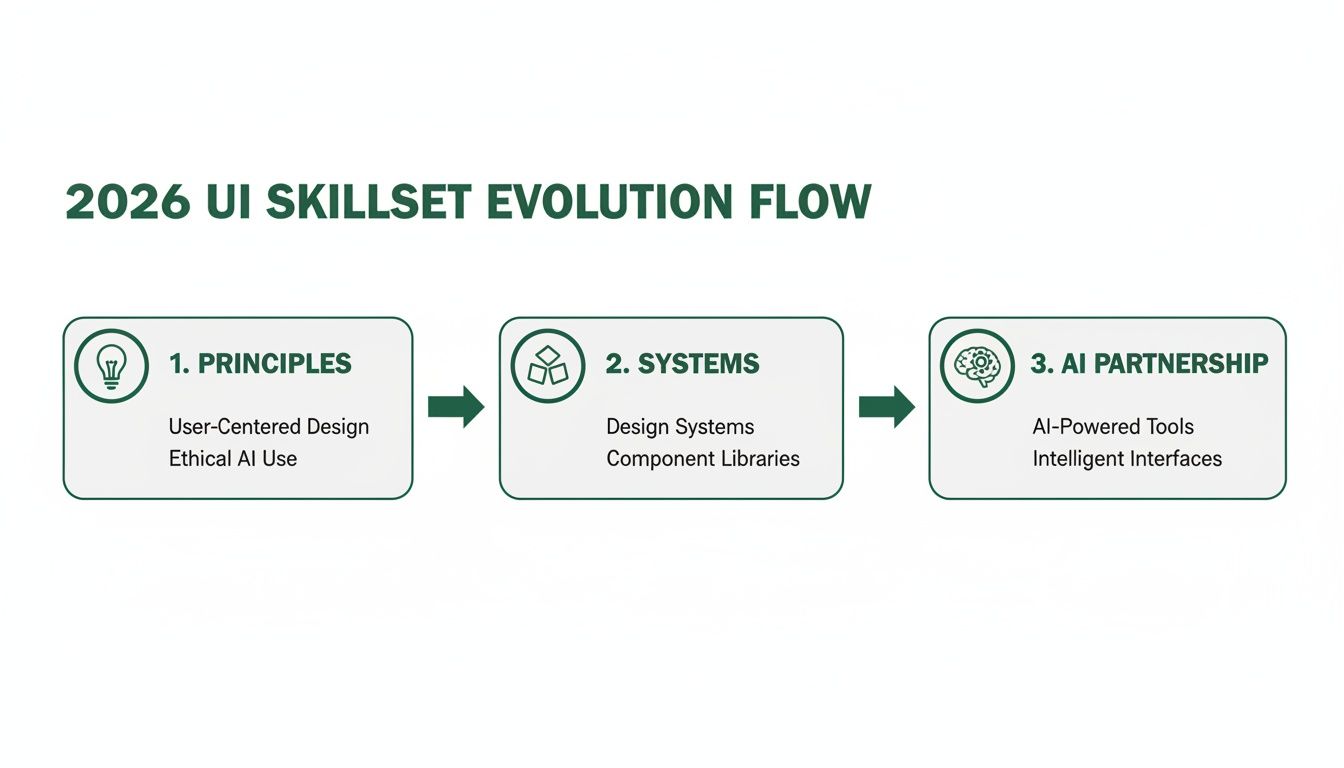
Success in 2026 isn't about replacing fundamentals; it’s about layering smart technology on top of them.
Get Instant Feedback with Synthetic User Testing
Generative UI is just one side of the coin. The other, and arguably more powerful, side is getting instant validation on what you just created. For years, user testing has been a huge bottleneck. Recruiting users, scheduling sessions, and sifting through hours of video was slow, expensive, and painful.
That bottleneck is gone. Platforms for synthetic user testing, like Uxia, use AI to simulate how real users would interact with your designs, giving you rich, actionable feedback in minutes. Continuous validation is no longer a luxury. It’s just part of the daily workflow.
Imagine you finish a design iteration at 10 AM. You run a full usability test with AI-powered synthetic users and have a detailed report with heatmaps, navigation paths, and prioritised issues on your desk before lunch. That's the new standard with platforms like Uxia.
This speed fundamentally changes the ui designer role in 2026. You're no longer just a creator; you're the director of a rapid, continuous feedback loop.
A Quick Walkthrough with Uxia
So, what does this actually look like day-to-day? It's incredibly simple. You can test ideas as fast as you can make them.
Upload Your Prototype: Start with what you have. It can be a static image from Figma, a clickable prototype, or even a link to a live staging site.
Define a User Goal: Give the synthetic testers a clear mission. Something like, "Sign up for a new account and purchase a premium subscription."
Get Your AI Report: In minutes, Uxia delivers a full report. This isn't just pass/fail data. You get qualitative insights—heatmaps showing where users look, transcripts of AI "thinking aloud," and a prioritised list of usability problems with suggestions on how to fix them.
This instant feedback loop means you can make decisions based on evidence, not opinions. When a stakeholder has a question, you won't have to debate. You can just show them the data. A practical recommendation is to run a quick Uxia test before any design review to preemptively answer stakeholder questions with data.
You can learn more about getting started in our guide on synthetic user testing for rapid UX insights.
By pairing generative UI for rapid creation with synthetic testing for immediate validation, your toolbox becomes an engine for innovation. You'll test more ideas, fail faster, and build better products at a pace we could only have dreamed of a few years ago.
Building More Agile and Collaborative Design Teams
The evolution of the ui designer role in 2026 isn't happening in a vacuum. It’s fundamentally changing how entire product teams are built and how they operate. The old, rigid assembly line—where a design was finalised and then thrown over the wall to development—is obsolete. It's being replaced by something much more fluid and powerful.
We're shifting towards highly collaborative teams where designers, product managers, and engineers work in a tight, continuous loop. The goal is no longer about perfecting a design in isolation. It’s about speed, learning, and constant adaptation.
This new way of working is built on a simple but powerful idea: continuous validation.
The End of the Final Gate
Traditionally, user testing was a big deal. It was a formal, high-stakes checkpoint that happened late in the game, acting as a final gate before committing expensive engineering time. This old model created massive bottlenecks, stretched out timelines, and often forced designers into a defensive position, justifying their work instead of improving it.
By 2026, that gate is gone. Testing is no longer a "stage" in the process; it's an ongoing activity woven into every single design sprint. This is only possible because tools like Uxia can turn what used to be a week-long research project into a 15-minute task.
In the new workflow, designers don't ask for permission to test; they test to inform every single decision. Feedback isn't a final verdict—it's a constant stream of data from tools like Uxia.
This shift gives designers a new level of agility and confidence. Instead of basing choices on gut feelings or vague "best practices," you can back up every single decision with real evidence from synthetic users. This completely changes the conversations you have with your team.
From Handoffs to Hyper-Collaboration
The relationship between designers, Product Managers (PMs), and developers is becoming less about formal handoffs and more about a shared understanding. AI-powered tools make this happen by giving everyone a common language: data.
Picture a typical afternoon for a team in 2026:
Morning Idea: A designer sketches a new onboarding flow. Instead of polishing it for a day, they build a quick-and-dirty prototype.
Instant Validation: They upload the prototype to Uxia and run a synthetic user test with a simple goal: "Complete the onboarding and set up a profile."
Afternoon Insights: Before they even get back from lunch, the report is ready. It instantly flags a critical issue: 73% of synthetic users are dropping off at step three because a "Skip for now" button is too prominent and distracts from the main action.
Team Sync: In a quick 10-minute huddle, the designer shares the Uxia report. The PM immediately grasps the business impact, and the developer gets a clear, data-backed reason for the UI change that’s needed.
In just a few hours, the team has found a major flaw, agreed on a fix, and aligned on what to do next. All of this happens before a single line of production code is written. This rapid feedback loop saves weeks of debate and rework.
Practical Steps for Building a Collaborative Culture
Creating this kind of agile environment requires a deliberate shift in how your team works. Here are a few practical ways to start integrating this new model today:
Make Validation a Daily Habit: Encourage designers to run quick tests on Uxia for even the smallest changes. Get into the habit of sharing these mini-reports in your team's Slack or Teams channel.
Create 'Data-Driven' Design Reviews: Move design critiques away from subjective opinions ("I don't like that blue") and towards objective performance ("Uxia's report shows users hesitated here; how can we make this clearer?").
Involve PMs and Devs Early: Invite your cross-functional partners to help you define the goals for your synthetic tests on Uxia. This gives them a stake in the process and builds trust in the results you get back.
This collaborative, data-informed culture doesn't just make the ui designer role in 2026 more influential; it makes the entire product development process faster, smarter, and far more connected to what users actually need.
Navigating Career Paths and Salary Expectations
As the UI designer role shifts by 2026, so do the career ladders and paycheques. If you want to stay ahead, you need to understand this new map—it's the only way to plot a clear path forward and demand a salary that matches your advanced skillset.
Forget the old, straight line from Junior to Mid-Level to Senior. The new career model is more like a branching tree. Your future isn't about climbing a ladder; it's about finding the right branch to specialise in. Your trajectory will be defined by the unique mix of creative, strategic, and technical skills you build.
New Job Titles Are Already Here
By 2026, job titles will look very different. The days of simply being a "UI Designer" are fading. Instead, you'll see titles that signal a deeper, more strategic function.
Here’s a real-world example of what to expect:
Job Title: UI/AI Systems Designer
We’re looking for a forward-thinking UI/AI Systems Designer to join our product team. You’ll be responsible for architecting and governing our design system, making sure it scales effectively with AI-generated components. You will use generative tools for rapid ideation and lean on synthetic testing platforms like Uxia to validate every decision with data. The ideal candidate is a strategic thinker who can bridge the gap between visual design, user experience, and AI-powered workflows.
This new kind of designer is an architect and a strategist, not just a stylist.
Mapping Your Career Trajectory
Your career path can now split based on where you want to focus your energy. The traditional management track is still there, of course, but several specialised routes are becoming far more common and frankly, more lucrative.
Interaction Design Specialist: This is for the designer obsessed with motion and feel. You'll create the sophisticated micro-interactions that make modern interfaces feel alive and responsive.
Design System Architect: You'll become the go-to expert who builds, maintains, and governs a company’s entire design system. Your job is to ensure absolute consistency and scalability.
UI/AI Strategist: This path is all about mastering the new toolset. You'll specialise in prompt engineering for ideation and using AI-driven analytics to guide product strategy.
Product Design Lead: A broader role that pulls together UI, UX, and product strategy. You'll oversee the entire user journey and manage a team of designers to get it done.
A practical recommendation: Look up these job titles on LinkedIn and study the skills listed. This will give you a clear roadmap for what to learn next to pivot into one of these specialisations. And as you weigh your options, don't forget that remote work is here to stay. Exploring resources to find remote jobs can show you what skills companies are hiring for right now.
Your Salary and How to Negotiate It
In 2026, your pay will be directly linked to how well you know these new tools and workflows. Mastering AI-powered platforms isn't a "nice-to-have" anymore—it's a core competency that companies are willing to pay a premium for. The data already shows a clear trend.
In Spain, for instance, the average salary for a UX/UI Designer in 2026 is around €30,000 a year. But here’s the interesting part: there's a 12% salary uplift for designers skilled in AI-assisted prototyping.
Even more, with 68% of Spanish design leads reporting they use AI tools like synthetic testers to shorten their sprints, your value skyrockets. Being certified in a tool like Uxia can boost your employability by an estimated 25%. You can read the full research about these salary findings to get a better handle on the market.
So how do you negotiate for more? Stop showing just polished screens. Instead, show how you used a tool like Uxia to find a critical usability flaw that, once fixed, directly led to a measurable jump in conversion rates. That ability to connect your design work to real business outcomes is your single most powerful negotiation tool.
How to Future-Proof Your Portfolio and Ace Interviews
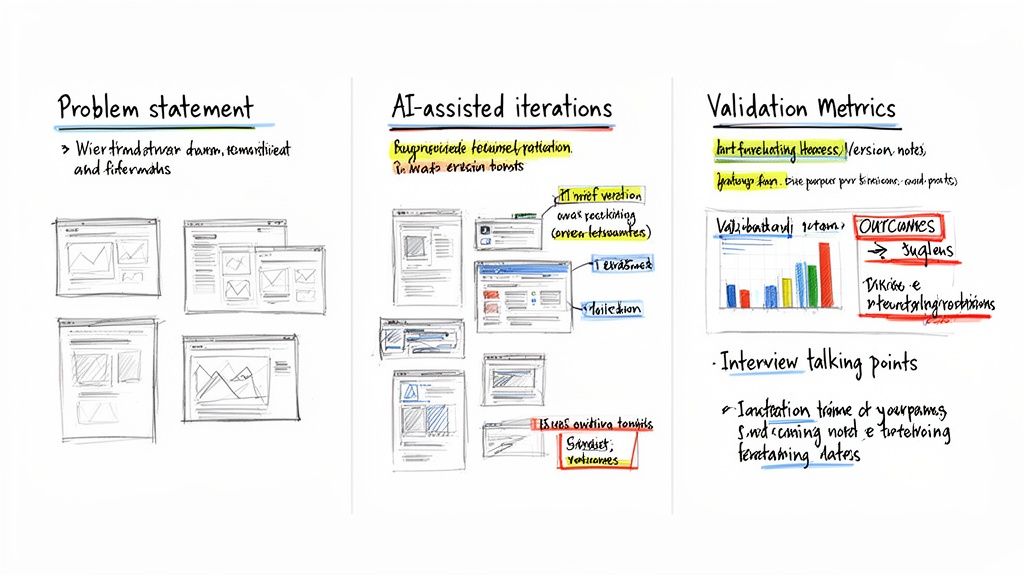
To land a top design job in 2026, your portfolio has to do more than show off polished screens. Hiring managers have seen enough pretty pictures. They want to see your thinking. Your portfolio needs to tell the story of how you solve real business problems.
It's time to move past static mockups. The focus now is on structured case studies that prove your strategic value. The whole point is to show you can connect your design decisions to measurable results — the absolute core of the modern ui designer role in 2026.
Structure Your Case Studies for Impact
The best portfolios are built around storytelling. You need to walk the reader through your entire process, from a messy problem to a validated solution. It’s not about what you made; it’s about why you made it and how you proved it worked.
A powerful case study narrative looks like this:
The Problem: Get straight to the point. Clearly define the user need or business challenge you were given. What was the central issue?
AI-Assisted Iteration: Show how you used generative AI to explore ideas at speed. Don’t just mention it — show the different concepts you generated and explain how AI helped you move faster.
Rapid Validation: This is your competitive edge. Detail how you tested those concepts with a synthetic user testing platform like Uxia. Share the specific goals and tasks you gave the AI testers.
Measured Outcomes: Bring the data. Show the heatmaps, friction scores, or task completion rates from your Uxia report. Most importantly, explain how that data forced you to pivot and led to a stronger, data-informed design.
This structure proves you’re not just executing on aesthetics. You’re a strategic partner who validates every single decision.
Answering the New Interview Questions
Just as portfolios have changed, so have the interviews. Hiring managers are now digging into your ability to work within these new, AI-integrated workflows. You have to be ready for questions that test your process and your obsession with results.
In a 2026 interview, you’ll hear less of, “Tell me about your design process,” and more of, “Show me where AI-driven data proved your initial design was wrong.” They’re looking for humility, adaptability, and a commitment to evidence over ego.
Expect to face questions designed to see how you actually use modern tools in your day-to-day. For example:
"Describe a time you used AI-generated feedback to change direction on a design. What was the first idea, what did the data show, and what was the final result?"
"How do you maintain consistency when you’re pulling AI-generated components into an established design system?"
"Walk me through how you’d use a tool like Uxia to decide between two different designs for a critical user flow."
The best way to answer is with a simple Problem, Action, Result framework. State the problem, explain the specific actions you took (naming the tools like Uxia), and finish with the measurable outcome. This shows you don’t just know the buzzwords; you know how to apply the tools to hit real business goals. By mastering this storytelling in your portfolio and interviews, you become an essential asset for any product team.
Answering Your Questions About the Future of UI Design
It’s completely normal to have questions about where our field is headed. Let’s tackle some of the most common ones I hear about the UI designer role in 2026, with some direct answers to give you a clearer picture.
Will AI Replace the UI Designer Role in 2026?
No, AI isn't going to replace UI designers. It's going to augment them. The job is shifting from a hands-on, manual creator to more of a strategic director.
AI tools, from generative UI builders to synthetic testers like Uxia, are getting incredibly good at handling the grunt work. This frees you up to focus on what really matters: complex problem-solving, creative strategy, and genuine user empathy. The designers who thrive will be the ones who learn to partner with AI, not compete with it.
The most valuable designers in 2026 will not be those who can create pixel-perfect mockups by hand, but those who can direct AI to generate and validate a dozen viable concepts before lunch. It’s a shift from production to direction.
What Is the Most Important Skill to Learn Right Now?
If you have to pick just one thing, focus on AI-powered validation. This means getting comfortable with using generative tools for quick ideation and, more importantly, mastering platforms like Uxia for instant testing.
The ability to test an idea, get data-backed feedback, and iterate almost immediately is what separates a good designer from a great one. It’s a practical skill that directly ties your work to business results, and in a results-driven world, that’s how you prove your value.
How Can I Start Using Synthetic Testers if My Company Has Not Adopted Them?
You don’t have to wait. In fact, showing some initiative here is a great way to stand out. Here’s a simple plan:
Grab a free trial: A platform like Uxia usually offers a trial that’s perfect for a personal project.
Build a small case study: Pick a feature or flow for a fictional app—or even a real one you think could be improved.
Document everything: Show your initial design. Then, run it through Uxia to gather feedback and record the AI's insights.
Show the "before and after": Detail the exact changes you made based on the synthetic user feedback and explain why it improved the experience.
This hands-on approach does two things. It proves you know how to use these new tools, and it positions you as a forward-thinking designer who’s already working the way top teams will in the near future.
Ready to future-proof your design process? With Uxia, you can replace slow, expensive user testing with instant, AI-driven insights. Get actionable feedback on your prototypes in minutes, not weeks. Start building with confidence by visiting https://www.uxia.app to begin your first test.