Synthetic Users for Website Validation: Test 10x Faster
Test designs 10x faster with synthetic users for website validation. This guide covers implementation, pitfalls, and integrating platforms like Uxia.

Your sprint review is tomorrow. The prototype looks polished, the stakeholders want confidence, and the research plan still says “waiting on recruitment.” That gap is where most website validation slows down. Not because teams don’t care about users, but because traditional testing often asks product teams to stop shipping while they wait for participants, calendars, incentives, and analysis.
That model breaks under modern delivery pressure. Website flows change daily. Landing pages get rewritten between standups. Signup funnels move from wireframe to shipped experience before a conventional study would even start. When validation takes weeks, research becomes a gate instead of a feedback loop.
Synthetic users for website validation change that operating model. They let teams test concepts, flows, messaging, and friction points continuously, with structured feedback delivered fast enough to matter inside the sprint. Used well, they don’t replace human research. They remove the bottleneck around the obvious, repeatable, high-frequency questions that keep teams stuck.
The End of the Research Bottleneck
Traditional website validation has a predictable failure mode. A team spots risk in a flow, asks for user testing, and then waits. Recruitment takes time. Scheduling takes time. Analysis takes time. According to Statsig’s overview of synthetic users in testing, traditional research often takes weeks, participant no-show rates can reach 50%, and synthetic methods can reduce validation costs by 70-90%.
That’s not a small workflow improvement. It changes which questions a team can afford to ask.
When research is slow, teams become selective in the wrong way. They only test major redesigns. They skip intermediate versions. They argue in meetings about whether a CTA is “clear enough” or whether the navigation “probably works.” By the time real feedback arrives, the code is already written and the roadmap has moved on.
Where the old model breaks
Website validation creates a lot of repetitive, practical questions:
Flow questions: Can a new visitor complete signup without confusion?
Copy questions: Does the pricing page explain value clearly enough to move someone forward?
Navigation questions: Can users find the right path without hunting?
Trust questions: Does the page raise hesitation at moments where conversion depends on confidence?
These are ideal for rapid testing. They don’t need a two-week recruiting cycle every time.
Practical rule: If the decision has to be made this sprint, your validation method has to operate at sprint speed.
Synthetic users solve the timing problem first. Teams can generate diverse participants in minutes, test edge cases that would be difficult to recruit, and review structured outputs without waiting on human logistics. That gives product designers and researchers a way to validate early, often, and continuously.
What changes in practice
The biggest shift isn’t technical. It’s operational.
Instead of asking, “Should we run research on this release?” teams can ask, “Which parts of this release still need human validation after synthetic feedback?” That is a better question. It reserves expensive human time for ambiguity, emotion, and risk, while moving routine usability checks into an always-on process.
Used that way, synthetic validation doesn’t cheapen research. It protects it from becoming a scheduling problem.
What Are Synthetic Users for Website Validation
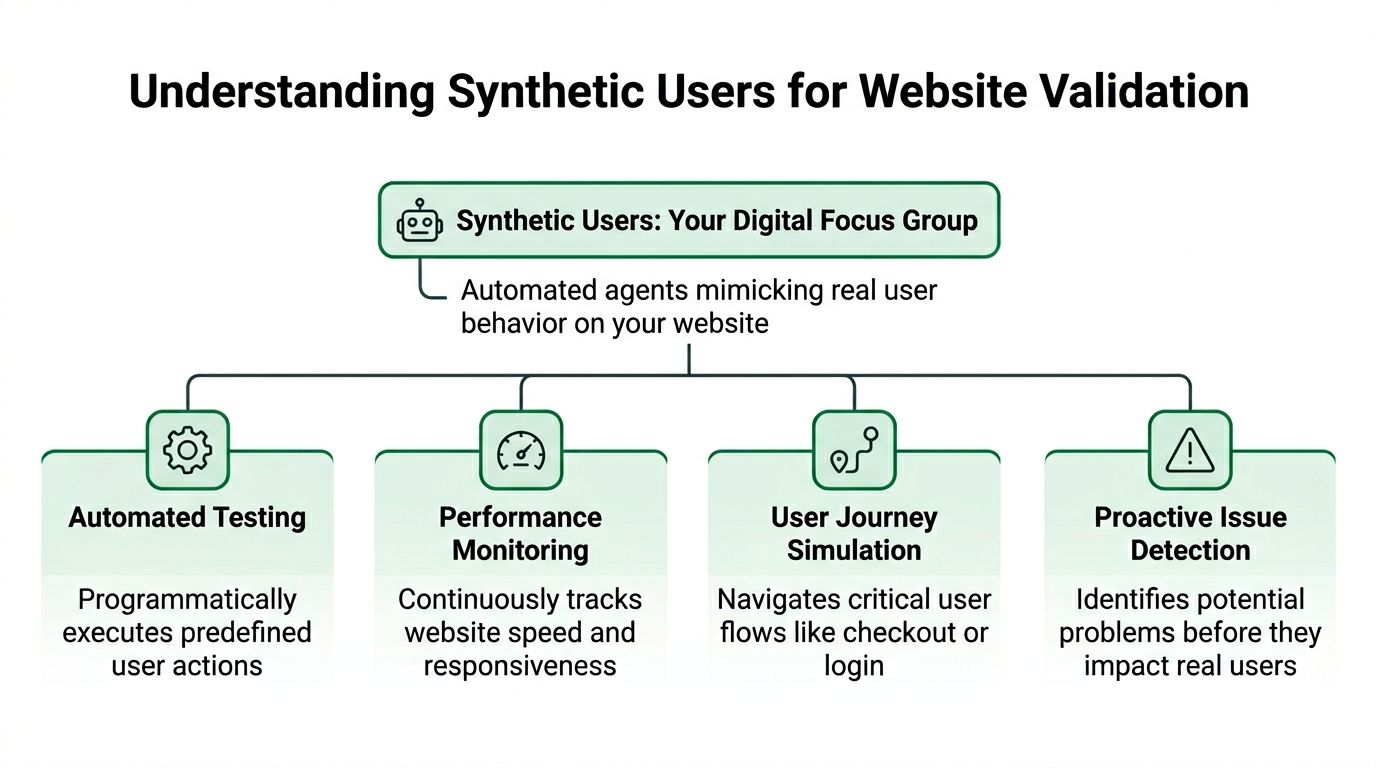
Synthetic users are AI-generated participants set up to behave like a defined audience as they move through a website, prototype, or product flow. They attempt tasks, explain their reasoning, flag hesitation, and leave behind outputs product teams can review quickly, including transcripts, heatmaps, and issue summaries.
In practice, they sit somewhere between analytics and moderated research. Analytics shows what happened. Human research helps explain why it happened in real life. Synthetic validation fills the gap between those methods by giving teams a fast way to test likely points of friction before they spend time recruiting participants.
The underlying model
Synthetic users for website validation rely on large language models and browser-level task simulation. As described in Uxia’s explanation of synthetic user testing, these systems can simulate actions like scrolling, clicking, form filling, and think-aloud feedback. The practical value is speed. Teams can review directional feedback while the design is still easy to change.
A typical setup looks like this:
Upload a prototype or live URL
This can be a design file, staging site, or production page.Define the task
Examples include finding pricing, completing signup, locating a feature, or deciding whether a page feels trustworthy enough to continue.Select audience traits
The test can reflect specific roles, motivations, constraints, or familiarity levels instead of an abstract “average user.”Run synthetic participants through the flow
They attempt the task, react to the interface, and record where they hesitate or fail.Review the outputs
Teams usually look at transcripts, friction points, path summaries, and aggregate patterns across participants.
The method is useful because the outputs map cleanly to sprint decisions. A PM can see whether synthetic participants found the upgrade path. A designer can spot repeated confusion around a label or form field. An engineer can use the findings to prioritize fixes before a feature ships.
For teams building a repeatable practice, these practical use cases for synthetic user testing help clarify which questions fit this method well.
What synthetic users are good at
Synthetic validation works best on concrete questions with observable outcomes. Can a user find the right page? Can they interpret the offer? Can they complete the task without unnecessary friction? Those are strong candidates.
It is particularly effective for:
Finding obvious usability issues in navigation, hierarchy, and task flow
Testing multiple variants quickly before a team commits engineering time
Reviewing copy clarity on onboarding, pricing, and conversion steps
Checking edge cases that are costly or slow to recruit for
Generating hypotheses for later human studies
I treat synthetic testing as a decision filter. It helps remove weak options early, tighten a prototype, and reduce the amount of preventable friction that reaches human participants.
It also pairs well with adjacent QA methods. For example, automated smoke testing can confirm whether core paths still function technically, while synthetic users show whether those same paths make sense to a likely visitor.
What synthetic users are not
They are not a substitute for lived experience, real stakes, or context outside the screen. They do not bring genuine frustration, budget pressure, internal politics, accessibility needs shaped by someone’s actual setup, or the emotional weight of making a purchase or health decision.
That trade-off matters. Synthetic users are strongest when the team needs directional evidence about task success, comprehension, and obvious friction. Human testers still matter when the question depends on trust, motivation, emotion, sensitive context, or behavior shaped by real consequences.
The strongest approach, therefore, is not to replace all research, but to move fast on the obvious, then use humans where depth matters.
Key Moments to Deploy Synthetic Validation
A sprint review is in two days. Design changed the signup flow, product wants confidence before release, and there is no time to recruit and schedule a fresh round of moderated sessions. That is the point where synthetic validation earns a place in the workflow. For product teams, the useful question is not whether synthetic testing can produce output. It is whether it can reduce decision risk at the moment a team needs to choose.
Before code is written
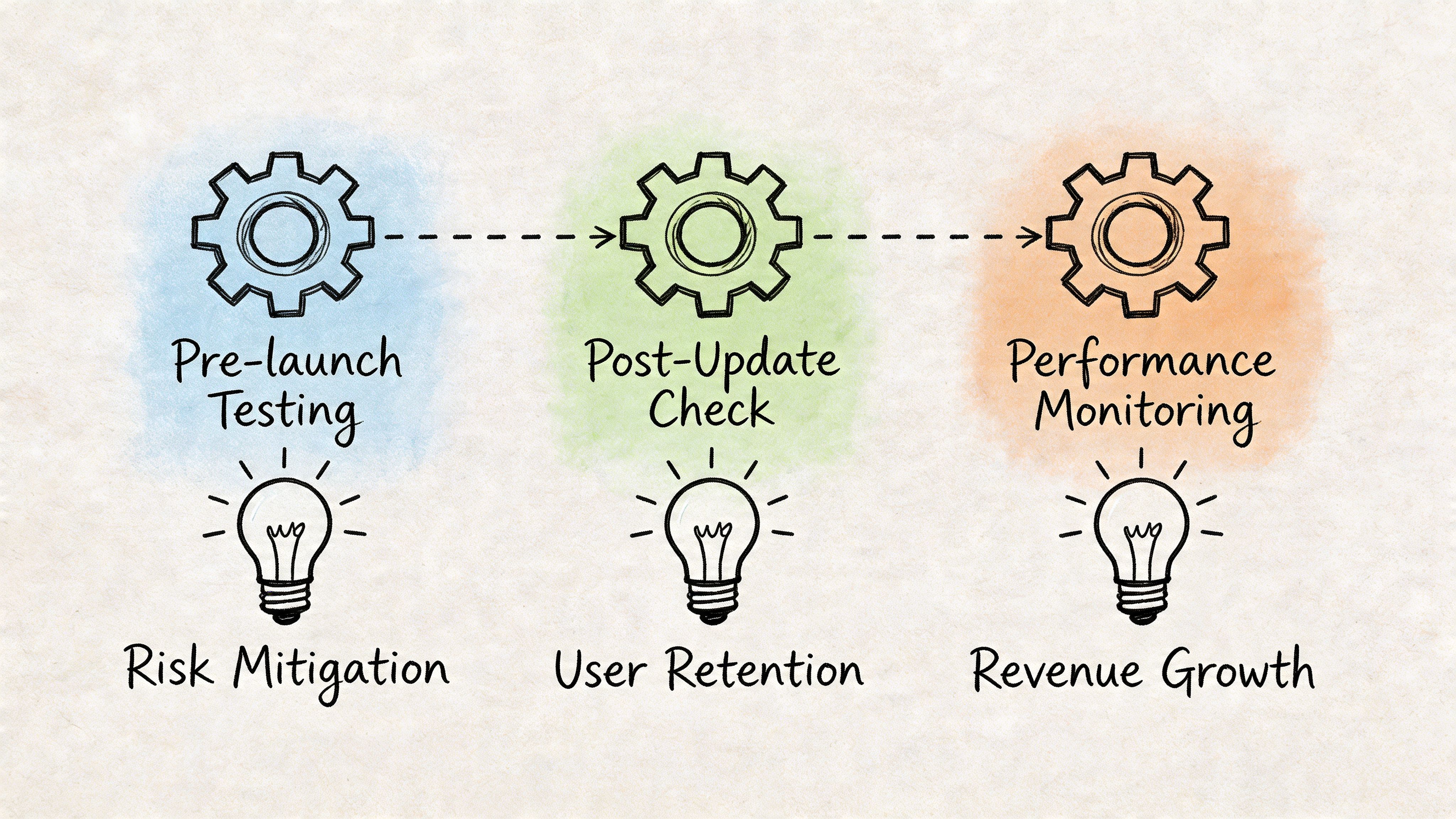
Pre-build validation is usually the highest-return use of synthetic users. At this stage, the team is still deciding between directions, so the cost of changing course is low. A synthetic run can expose unclear labels, weak hierarchy, confusing steps, or copy that makes sense internally but not to a first-time visitor.
This is the right moment to test concepts, wireframes, and clickable prototypes. If Uxia shows that users repeatedly miss the primary path or misunderstand the value proposition, fix that before engineering turns a rough idea into a shipped problem.
During sprint iteration
Once a team is shipping weekly, synthetic validation works best as a recurring product check. Use it after meaningful design or copy changes, not just for major redesigns. Small edits often create real friction, especially in onboarding, checkout, forms, and account setup.
A practical rule helps here. Run synthetic validation when the team needs an answer inside the sprint and the question is about task clarity, flow comprehension, or comparative preference between options. If you already use technical checks such as automated smoke testing, add synthetic validation beside them. Smoke tests confirm that the flow still functions. Synthetic users show whether the flow is still understandable.
Teams that want more concrete examples can review these practical synthetic user testing use cases and map them to existing sprint rituals such as design QA, pre-release review, and experiment planning.
When recruiting humans will slow the decision too much
Some decisions cannot wait for a full recruiting cycle. The audience may be niche, hard to schedule, or expensive to reach. In those cases, synthetic users are useful as an early filter.
The trade-off is straightforward. You gain speed and scenario coverage, but you do not get the lived context of an actual buyer, patient, administrator, or power user. That makes synthetic validation a good fit for pressure-testing assumptions before investing in human sessions, not for declaring the question closed.
Use it when the cost of waiting is higher than the cost of correcting a directional mistake in the next iteration.
For ongoing conversion review
Conversion paths rarely fail because of one dramatic flaw. They usually degrade through a series of small changes: a rewritten CTA, a form field added by compliance, a pricing page rearranged to satisfy internal stakeholders, a trust cue removed during cleanup.
Synthetic users are well suited to repeated checks on these high-value flows because consistency matters more than novelty. The team can rerun the same missions after each meaningful update and catch drift early. That is much more practical than treating research as a one-time event tied only to launches.
A simple decision rule
Use synthetic validation first when three conditions are true: the team needs speed, the decision depends on observable on-screen behavior, and the likely outcome is a design or copy revision within the same sprint.
Add human testers when the decision depends on trust, motivation, emotional response, accessibility needs in real environments, or consequences that a simulated user cannot feel. That split keeps synthetic testing in the role where it performs well. Fast screening, frequent validation, and tighter iteration loops.
Comparing Synthetic Users vs Human Testers
Synthetic testing and human testing answer different kinds of questions. Teams get into trouble when they expect either method to do both jobs well.
Human testers bring lived experience, genuine motivation, and emotional context. Synthetic users bring speed, repeatability, and coverage. For website validation, the right comparison isn’t “Which one wins?” It’s “Which one should handle this decision right now?”
If your team needs a refresher on the foundations, this guide to traditional usability testing methodologies is a good reference point before you build a hybrid approach. For a direct product-oriented comparison, this discussion of synthetic users vs human users is also worth reviewing.
Synthetic vs Human Testing at a Glance
Attribute | Synthetic Users (e.g., Uxia) | Traditional Human Testers |
|---|---|---|
Speed | Fast enough for sprint-level iteration | Slower because recruitment, scheduling, and moderation take time |
Cost structure | Lower per study once the workflow is in place | Higher due to incentives, logistics, and researcher time |
Scale | Can cover many scenarios and audience variants quickly | Limited by budget, availability, and operational effort |
Repeatability | High. Same mission can be rerun across versions easily | Lower. Participant variation changes session-to-session |
Best at finding | Obvious usability issues, navigation friction, copy confusion, early hypotheses | Emotional nuance, real motivation, contextual behavior, high-stakes reactions |
Bias pattern | Depends on model calibration and persona setup | Can be affected by professional tester behavior and panel quality |
Good fit | Early validation, iterative design checks, edge-case exploration | Decision-critical validation, discovery depth, sensitive or complex contexts |
What works better with synthetic users
Synthetic users are stronger when the team needs directional confidence on practical UX questions. Can users locate the right path? Does a label create confusion? Does one layout reduce hesitation? These are high-frequency questions, and running them through human recruitment every time is usually wasteful.
They’re also useful when consistency matters. Repeating the same mission across multiple design revisions is much easier in a synthetic environment than in a conventional panel workflow.
What still belongs with humans
Human testers remain essential when the question depends on real stakes or genuine experience. Purchase anxiety, trust formation, cross-cultural interpretation, and emotional response all benefit from moderated or observational work with actual people.
The test method should match the risk of the decision. Routine design choices can be screened synthetically. Irreversible product bets need human evidence.
The strongest research organizations don’t defend one method against the other. They assign each one to the decisions it handles best.
Your Workflow for Implementing Synthetic Validation
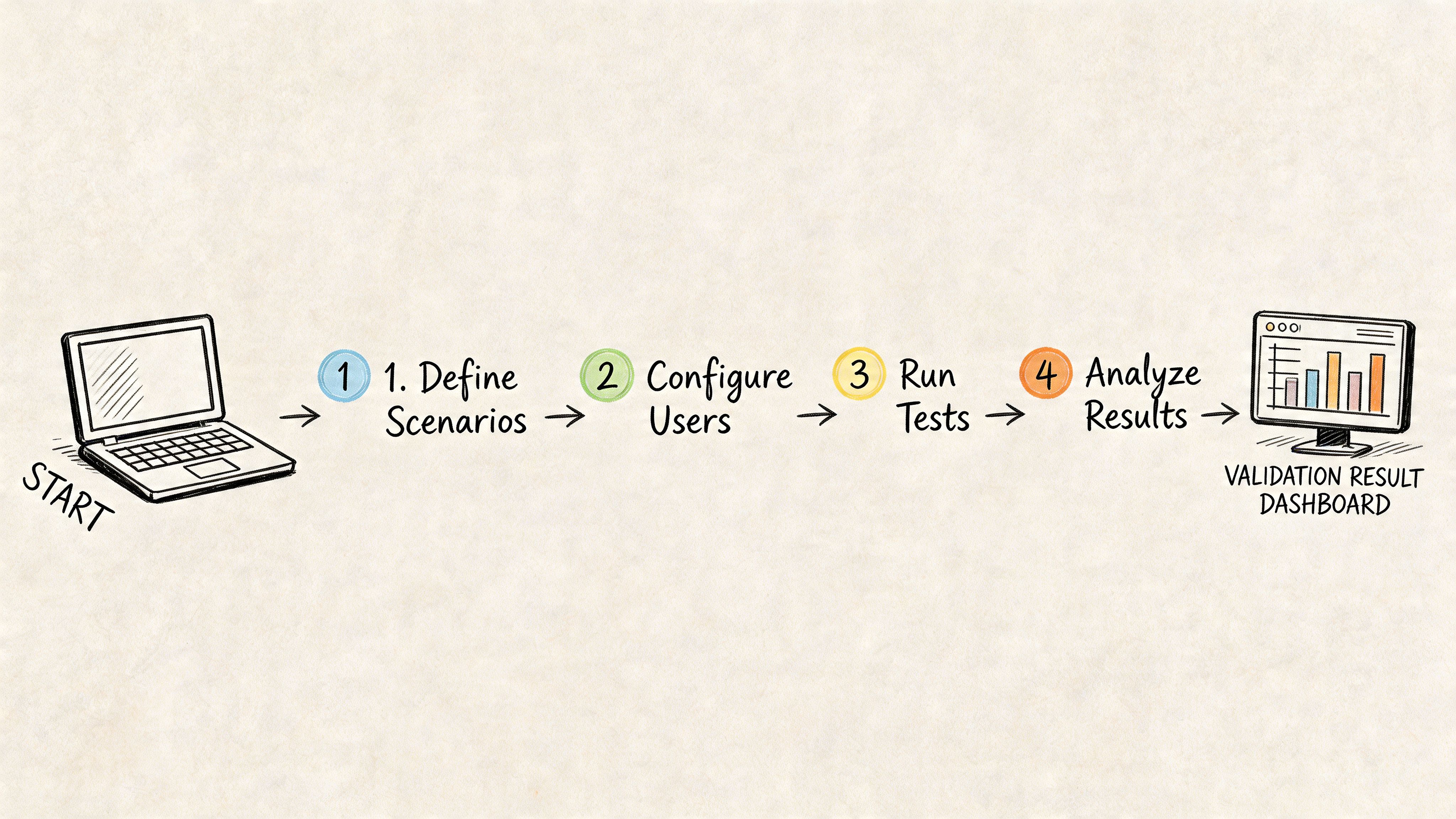
Organizations don’t need another abstract framework. They need a practical operating model they can run next week. For synthetic users for website validation, the most reliable setup is a hybrid sprint workflow. Synthetic testing handles fast iteration and issue discovery. Human research handles milestone validation and deeper interpretation.
Step 1 Define a mission, not a vague goal
Bad prompts create vague findings. Don’t ask the system to “review the homepage.” Give it a task with context and a success condition.
Stronger examples:
Task-focused: Find pricing and decide which plan fits a small team
Action-focused: Create an account and complete onboarding
Trust-focused: Evaluate whether you’d feel comfortable starting a trial from this page
One platform choice is particularly important. Uxia lets teams upload prototypes or URLs, define missions and audience profiles, and review outputs such as transcripts, heatmaps, and prioritized issues. That workflow is well suited to design teams that need fast, unmoderated checks during active iteration.
Step 2 Build audience definitions carefully
Audience setup affects quality more than is typically anticipated. If the participant profile is too generic, the findings become generic too. Advanced synthetic architectures use population calibration and trait mapping to improve realism. According to Synthetic Users’ explanation of system architecture, calibrated systems can achieve 85-95% fidelity to human data by aligning traits and behavioral signals to real-world cohorts.
That doesn’t remove the need for human follow-up. It does mean persona definition deserves rigor.
Use profiles that reflect:
Decision context: first-time visitor, returning evaluator, internal buyer
Capability level: novice, moderate familiarity, expert
Relevant constraints: time pressure, skepticism, compliance sensitivity
Market cohort: geography, industry, or audience segment when those affect interpretation
Step 3 Run fast, then look for patterns not isolated comments
One synthetic response is anecdotal. A pattern across participants is useful. Review repeated friction around the same CTA, the same form step, or the same navigation branch.
Look for clustering across output types:
Transcript signals that show repeated confusion
Heatmap concentration around dead ends or hesitation points
Task failure patterns where missions stall
Copy objections that recur across similar participants
A useful walkthrough of this style of process appears in this guide to rapid UX insights with AI-driven workflows.
Later in the workflow, a short product demo can help align the team on what “good” synthetic setup and output review should look like.
Step 4 Decide whether to iterate or escalate
This is the decision point most teams need. Don’t ask whether the output is “accurate enough” in the abstract. Ask whether the issue discovered is suitable for synthetic resolution or requires human validation.
A practical escalation model:
Situation | Next step |
|---|---|
Obvious navigation friction | Fix and rerun synthetic validation |
Label or copy confusion | Revise copy and retest synthetically |
Repeated hesitation in a key funnel | Run synthetic retest, then consider targeted human validation |
Trust, pricing sensitivity, or emotional resistance | Move to human testing |
High-stakes launch decision | Require real-user evidence before sign-off |
A workable sprint rhythm
This rhythm works well for many product teams:
Start of sprint Test concepts, prototypes, or revised flows synthetically before implementation expands.
Mid-sprint Retest the specific screens that changed, especially onboarding, pricing, and conversion points.
End of sprint Review whether remaining unknowns are usability-level or behavior-level.
Milestone moments Use human testers for launch-critical decisions, strategic repositioning, or sensitive journeys.
Treat synthetic outputs as informed hypotheses. Treat human validation as the final check when the consequences of being wrong are expensive.
That split keeps teams fast without giving them false confidence.
Common Pitfalls and Ethical Guardrails
Synthetic validation fails in predictable ways. Not because the method is flawed, but because teams often use it outside its strengths or without a clear standard for trust.
The largest operational problem is the calibration gap. Teams need to know when synthetic findings are close enough to real behavior to guide iteration, and when they’ve drifted too far to rely on. As noted in Qualz’s discussion of early validation challenges, many tools still lack standardized ways to document calibration gaps, establish baselines, or track divergence over time.
Pitfall one over-trusting polished output
Synthetic reports can look convincing. That presentation quality creates risk. A transcript that sounds human is not the same thing as validated human evidence.
Guardrail:
Label synthetic findings clearly in research docs and readouts
Separate directional findings from confirmed findings
Require human follow-up for pricing, emotional trust, regulated flows, or launch decisions
Pitfall two using weak persona definitions
A vague audience setup creates generic insights. If every participant is effectively “adult internet user,” the result won’t help you make product decisions for a real segment.
Guardrail:
Define audience constraints before running the test
Use the same profile structure consistently across studies so comparisons remain meaningful
Review whether the simulated user matches the decision context
Pitfall three asking synthetic users to answer the wrong question
Synthetic systems are useful for usability and hypothesis generation. They are weaker on real intent, cultural nuance, and emotional contradiction. Teams get bad outcomes when they try to use synthetic feedback as a substitute for actual market behavior.
Guardrail:
Use synthetic testing for the what
Use humans for the deeper why when stakes are high
Escalate quickly when the issue concerns belief, risk, or identity rather than flow clarity
Good synthetic practice is conservative. It moves fast on interface questions and slows down on human questions.
Pitfall four creating biased or careless user representations
Persona generation can drift into stereotype if teams define segments lazily. That affects both quality and ethics.
Guardrail:
Describe users through decision-relevant traits, not caricatures
Avoid harmful assumptions tied to identity categories
Document where the simulation may be weak, especially for underrepresented or culturally specific groups
A responsible team treats synthetic participants as models with boundaries, not as substitutes for the people they aim to serve.
Conclusion The Future of Product Validation
Website validation is moving from periodic research to continuous research. That’s the fundamental shift. Teams no longer need to wait for a formal study every time they want to test a signup path, a pricing page, or a redesigned onboarding sequence. Synthetic users make it practical to validate throughout the sprint, while the design is still easy to change.
That speed matters most when it changes behavior. Teams can test earlier, compare more versions, and catch obvious friction before development hardens it. They can also reserve human research for the moments where it has the most value, such as trust, emotion, strategy, and launch-critical decisions.
The strongest workflow isn’t synthetic-only and it isn’t human-only. It’s deliberate. Use synthetic users for website validation when the question is operational, repeatable, and tied to interface clarity. Use human testers when the decision depends on real stakes, context, and lived experience.
That division of labor gives researchers greater advantage, not less. It removes the repetitive backlog of “can someone quickly check this flow?” and makes room for better discovery, sharper synthesis, and more disciplined product decisions.
Teams that adopt this model won’t just research faster. They’ll learn faster, fix earlier, and ship with more confidence.
If you want to put this workflow into practice, Uxia gives product teams a way to run synthetic website validation on prototypes and live flows, review think-aloud transcripts and heatmaps, and decide which issues to iterate on immediately versus escalate to human testing.