How To Conduct User Interviews That Uncover Real Insights
Learn how to conduct user interviews that get results. This guide covers planning, recruiting, scripting, and analysis for better product decisions.
To get the most out of your user interviews, you need to nail the prep work. This isn't just about booking calls; it's about making sure every single conversation is focused, strategic, and uncovers the kind of deep insights that prevent you from building something nobody actually wants.
Laying The Groundwork For Impactful Interviews
Your success is locked in long before you speak to a single user. Too many teams jump straight into scheduling, armed with a vague goal like "we need to understand our users." This is a recipe for aimless chats that generate a few interesting stories but no real, actionable direction.
The real secret to conducting user interviews that drive results is all in the groundwork. It's about turning that fuzzy goal into a sharp, measurable research objective that ties directly back to your product roadmap or a specific business challenge.
Define Your Core Research Questions
Start by asking one simple question: "What decision will this research help us make?"
This question is your filter. It cuts through all the noise. Instead of a generic goal, you get something concrete. For example, rather than "find out what users think of our new feature," a much stronger objective is to "understand the current workflow our target users have for solving problem X, so we can identify friction points our new feature should address."
Practical Recommendation: Write this decision-focused question at the top of your research plan document. Every interview question you write later should directly serve the purpose of answering this core question. If a question doesn't help, cut it.
That level of clarity shapes everything else you do. For a wider view on how this fits into the bigger picture, it's worth understanding the entire process of user research.
"Research is a tool that can be used to acquire knowledge. At the end of the day, what we learn through research can help inform decisions." - Erika Hall, Just Enough Research
When you frame your work this way, you guarantee your findings will have an immediate and relevant audience inside your organisation.
This simple flowchart breaks the prep process down into three core phases: Define, Find, and Align.
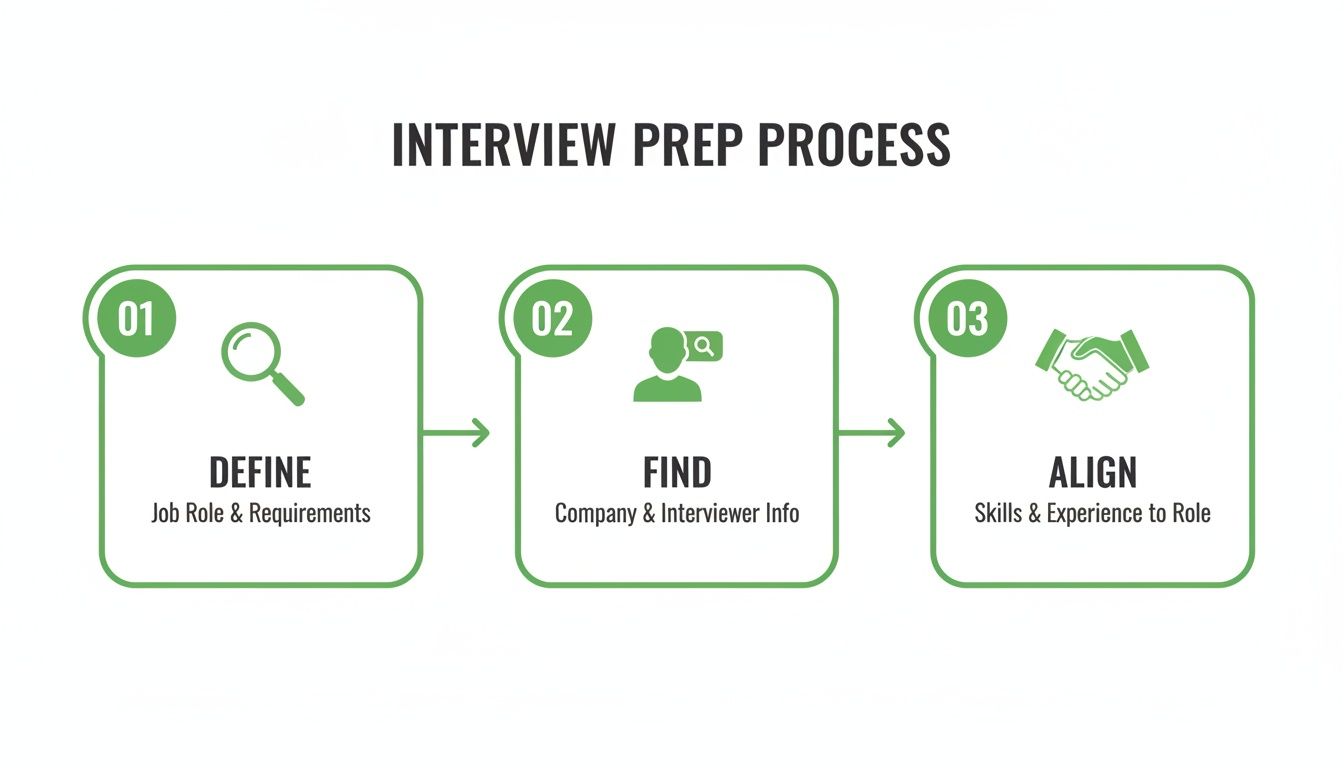
It’s a great reminder that great interviews are built on a solid foundation of clear objectives and team alignment, all set up before you even think about recruitment.
Craft Your Participant Screener
Once your objectives are crystal clear, you know exactly who you need to talk to. A detailed participant screener is your quality filter, making sure you only spend time with people whose experiences are directly relevant to your research.
Go beyond basic demographics. A powerful screener uses behavioural questions to qualify people based on what they actually do, not just who they are.
Instead of asking: "Do you use project management software?"
A better question is: "In the last month, how many times have you assigned a task to a colleague using a software tool?"
Practical Recommendation: Include a mix of multiple-choice and open-text questions in your screener. Use multiple-choice for easy filtering (e.g., frequency of use) and an open-text question (e.g., "What's the biggest challenge you face with X?") to gauge how articulate and thoughtful a potential participant is.
This approach is brilliant for weeding out people who aspire to do something from those who are genuine practitioners. It's a critical step for getting the right people in the room for your live interviews.
Get Stakeholder Buy-In Early
The final piece of the puzzle is alignment. Don't work in a silo. Share your research plan with key stakeholders—product managers, designers, engineers, and even leadership.
Walk them through your goals, who you plan to interview, and what you hope to learn.
This does two incredibly important things:
It sharpens your plan. Stakeholders bring different perspectives and can help you spot blind spots or refine your research questions.
It builds investment. When the team is part of the process from the beginning, they're far more likely to care about the results and, more importantly, act on them.
Practical Recommendation: Schedule a brief (30-minute) "research kickoff" meeting. Invite stakeholders and ask them, "What's one thing you hope to learn from these interviews?" This not only gets buy-in but also helps you ensure your interview script will deliver value to the whole team.
This simple act transforms your research from a side activity into a collaborative, strategic function that genuinely pushes the product forward. If you skip this prep, even the most perfectly moderated interview is likely to fall flat.
Finding The Right Participants Without The Headaches
You’ve got your goals locked in. Now comes the part everyone dreads: finding the right people to talk to. Recruiting is notorious for slowing down research, but it doesn’t have to. With a solid strategy, you can build a pipeline of quality participants that keeps your project moving forward.
The mission isn't just to fill slots; it’s to find people who genuinely represent your target audience.
Tapping Into Your Existing Audience
Your current customer base is often the best place to start. These are people who already get what you do, making them perfect for giving feedback on new features or talking through their biggest pain points.
You can reach them through in-app messages, email newsletters, or your social media channels. But a generic "we want your feedback" blast will almost always fall flat. Instead, write a short, compelling message that explains exactly what you're doing and why their perspective is so valuable.
Remember, you're asking for their time. A solid outreach message should always cover:
The Goal: A quick one-liner on what you’re exploring (e.g., "We're working on a new reporting feature and want your take").
The Time Commitment: Be totally upfront about the ask (e.g., "It'll be a 30-minute video call").
The Incentive: State clearly what’s in it for them (e.g., "You’ll receive a £50 Amazon gift card for your time").
Practical Recommendation: Personalize your outreach. Instead of a generic email, use data to target specific users. For example, "We saw you recently used our reporting feature and would love to hear about your experience." This specificity dramatically increases response rates.
This kind of transparency builds trust and makes people far more likely to say yes. If you need a hand with segmenting your audience, our guide on creating detailed user personas can help you get specific.
Expanding Your Reach Beyond Current Users
Sometimes, you need a completely fresh perspective. This is especially true if you’re exploring a new market or designing for people who aren't yet customers. This is where dedicated recruiting platforms like UserInterviews.com or Respondent.io come in handy. They let you filter for participants using incredibly specific criteria.
But this power comes with a trade-off. Managing external recruiting takes work. Poorly screened participants give you low-quality data, and no-shows can completely derail your schedule.
This isn't a small problem. In Europe, the user interview tools market is the second-largest in the world, pulling in over 30% of total revenue. Even in this mature market, researchers still battle 15-20% no-show rates for live interviews. You can discover more insights about the growing European market for user interview tools and its future projections.
This is where a tool like Uxia flips the script. Instead of wrestling with recruitment and scheduling, you can use AI-powered synthetic testers. You get transcripts and detailed metrics instantly, without any of the logistical headaches or the risk of someone not showing up. It’s the difference between getting feedback in minutes versus weeks.
The Importance Of Diversity And Fair Compensation
As you build your participant pool, be deliberate about avoiding bias. If you always recruit from the same places, you'll end up with homogenous feedback that doesn't reflect reality. Make a real effort to find a diverse group of people with different backgrounds, abilities, and perspectives. It’s the only way to build products that work for everyone.
Offering a fair incentive is non-negotiable. It shows you respect the participant's time and expertise. A lowball offer doesn't just attract the wrong people; it devalues the entire research process.
Finally, always pay people fairly for their time. For general consumer interviews, a good starting point is £50-£100 per hour, typically sent as a gift card. If you're talking to highly specialised professionals like doctors or enterprise software experts, that rate will be significantly higher. Make sure the incentive is stated clearly in your first message—it’s a critical piece of a professional and reliable recruitment process.
Crafting A Script That Encourages Honest Answers
A great interview script isn't a rigid checklist you race through. Think of it more like a conversational map. Its job is to create a space where people feel comfortable enough to tell you what really happens.
The goal here is to move past simple Q&A and into a genuine discovery session. A solid structure is what gets you there, building rapport naturally before you get to the meaty topics. This ensures you hit your research goals but still leave room for those unexpected "aha!" moments to surface.
Start With Easy Warm-Up Questions
Jumping straight into deep, probing questions is like asking a stranger for their life story five minutes after meeting them. It’s awkward, and it rarely works.
Instead, kick things off with simple, low-pressure questions that get the participant talking and build a comfortable vibe. These should be easy to answer and give you a bit of context about their world.
"To start, could you tell me a little about your role and what a typical day looks like for you?"
"Before we dive in, can you walk me through how you currently handle [the specific task]?"
Practical Recommendation: Script your entire introduction. Don't just wing it. A consistent intro ensures every participant gets the same context, understands that you're not testing them, and feels at ease right from the start.
This part isn't just filler. It helps the participant settle in and gives you valuable background that frames all their later answers. You're setting the stage for a much better conversation.
Embrace The Power Of Open-Ended Questions
The real magic happens when you stop asking questions that can be answered with a simple "yes" or "no." Your most valuable insights will almost always come from prompts that encourage people to tell a story.
Instead of asking, "Do you like our new dashboard?"—which just begs for a one-word answer—try reframing it.
A much better approach is: "Tell me about the last time you used the dashboard. What were you trying to get done?"
That small shift changes everything. It moves the focus from a flat opinion to a rich narrative, full of context, goals, and friction. That’s where the gold is.
The most powerful questions don't ask for an opinion; they ask for a story. A user's story contains the context, emotion, and detail that a simple 'yes' or 'no' will always hide.
If you ever feel stuck writing good prompts, tools like Uxia can give you a head start. When you set up a synthetic user test, its AI generates context-aware questions based on your product, which can be a great foundation for your own interview scripts.
Avoid Leading The Witness
This is probably the single most common mistake I see researchers make. A leading question subtly—or not so subtly—hints at the answer you want to hear, and it will completely poison your data.
It’s easy to do it by accident. Your own biases creep into the phrasing, and participants, often wanting to be helpful, will just agree with you.
Here’s a classic example:
Leading Question: "Wasn't it really easy to find the checkout button?"
Neutral Question: "Talk me through how you went about finding the checkout button."
The first question pressures them to agree it was easy. The second is totally neutral; it just asks them to narrate their experience. This allows you to see what actually happened and hear their unfiltered thoughts. Keeping your questions neutral is absolutely critical for gathering feedback you can actually trust.
Knowing which type of question to ask—and when—is a skill. Here’s a quick breakdown to help you build a more effective script.
A Practical Comparison Of User Interview Question Types
Question Type | Purpose | Example |
|---|---|---|
Open-Ended | To encourage detailed stories and uncover motivations, context, and pain points. The workhorse of any script. | "Tell me about a time when you needed to..." |
Specific/Direct | To get factual information or clarify a detail you observed. Use these after an open-ended prompt. | "What was the first thing you looked for on this page?" |
Follow-Up | To dig deeper into a previous answer and understand the "why" behind a behaviour or statement. | "You mentioned that was frustrating. Can you tell me more about that?" |
Leading (AVOID) | Unintentionally injects bias and pressures the user to agree with the interviewer's assumption. | "So, you probably found the new feature helpful, right?" |
Ultimately, a good script is a mix of these types (except for leading questions, of course). You start broad with open-ended prompts, then use specific and follow-up questions to zoom in on the details that matter most. Your script is the first line of defence against bad data.
Mastering The Art Of Interview Moderation
A great script is just the starting line. Where the real magic happens—the part that separates vague feedback from game-changing insights—is in the moderation.
How you manage the conversation in real-time dictates the quality of everything you'll learn. It’s less about interrogation and more about being a great host. Your job is to create a space where participants feel comfortable enough to be brutally honest.
Think of yourself as a guide, gently steering the chat towards your research goals but staying open to those unexpected detours. That's often where the best stuff is hiding.
Building Rapport And Trust
The first five minutes are everything. Your absolute priority is to put the participant at ease.
Start with a warm, genuine introduction. Explain why you're there and, most importantly, reassure them that there are no right or wrong answers.
A simple phrase like, "We're testing our design, not you, so there's literally nothing you can say that's wrong," works wonders. It instantly lowers their guard and sets the stage for a session built on psychological safety.
The Power Of Active Listening And Strategic Silence
Once the conversation gets going, your best tools are listening intently and knowing when to just be quiet.
Active listening isn't just waiting for your turn to talk. It’s about truly understanding what’s being said, both verbally and non-verbally.
Paraphrase what you hear: "So, it sounds like you were frustrated because the button didn't do what you expected. Is that right?" This shows you're paying attention and gives them a chance to correct or expand.
Notice the non-verbal cues: Even on a video call, you can spot a furrowed brow or a moment of hesitation. A simple, "It looked like you were thinking something over just then," can unlock a thought they weren't sure how to voice.
But maybe the most underrated technique is the strategic pause. After a participant answers, just wait. Count to three in your head before asking the next question.
People hate silence. They’ll rush to fill it, often with the most candid, unprompted details of the entire session.
Don't be afraid of a little silence. It gives the participant time to think and often prompts them to elaborate, revealing insights you would have missed by moving on too quickly.
This simple shift in pacing can turn a good interview into a great one.
Navigating Common Interview Challenges
Let's be real: no interview goes perfectly to plan. The key is knowing how to handle the bumps in the road without derailing the session.
You’ll get people who talk too much and go off-topic. You'll also get people who give one-word answers. For the quiet ones, try asking for specific stories. Instead of accepting "It was fine," dig deeper with, "Can you walk me through the last time you used a feature like this?" This encourages a narrative, not just a rating.
Practical Recommendation: For overly talkative participants, use a gentle redirect like, "That's a really interesting point, and I want to make sure we have time to cover everything today. Could you walk me through [next topic from script]?" This respectfully brings the conversation back on track.
And for remote sessions, always have a backup plan for tech glitches. A phone number to dial into can save a session if the video connection dies. Our guide on moderated user testing dives much deeper into these kinds of real-world scenarios.
The user research software space in Europe is heating up. The UK market alone is projected to hit USD 16.8 million by 2026, with a massive 70% of teams moving to cloud-based tools. Meanwhile, studies in the Nordics show a 28% jump in issue detection just by using a think-aloud protocol.
This is exactly what Uxia's synthetic users do automatically—flagging friction in real-time, surfacing usability problems without you needing to moderate a single session. You can dig into these European UX research market trends to see where things are headed.
Mastering these skills takes practice, but every conversation makes you better. The goal is always the same: create an environment for honest, detailed feedback so you can walk away with insights that actually help you build a better product.
Turning Raw Notes Into Actionable Product Insights

The interviews are over. You’ve got recordings, transcripts, and a pile of notes.
Now for the hard part.
The goal isn't just to summarise what people said. It's about digging through that raw data to find a compelling story—one that forces product decisions. This is where good research becomes great research.
Without a solid process, you'll drown in details and miss the big picture. An effective qualitative research content analysis is what stops you from just cherry-picking quotes that confirm what you already believed.
From Chaos To Clarity With Affinity Mapping
One of the best, most practical ways to make sense of everything is affinity mapping. It's a beautifully simple way to find themes, especially with a team.
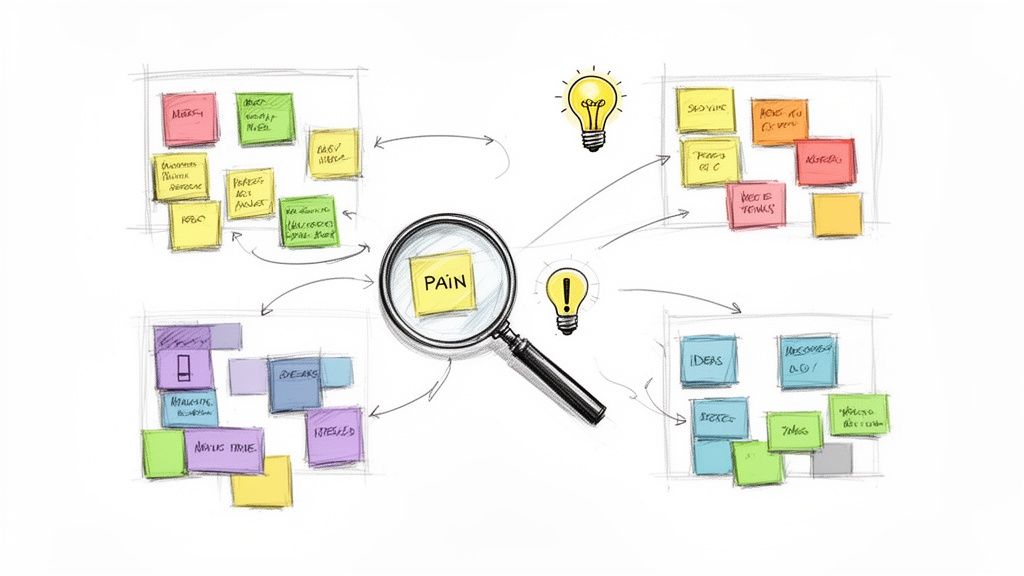
First, go through your notes and transcripts. Pull out every single interesting observation, quote, or pain point and stick it on its own virtual (or real) sticky note. Don't filter yourself. Just get it all out there.
Now, start grouping them. Look for notes that feel like they belong together and move them into clusters. Things will look messy, and that's okay. It's part of the process.
Slowly, themes will start to emerge. You’ll see patterns you couldn't see before. That’s when you name each cluster with a theme that captures its essence, like “Anxiety Over Data Security” or “Checkout Process is Confusing.”
Affinity mapping forces you to ground every single insight in real user evidence. It’s not about what you think the problem is; it’s about what the patterns in their own words are telling you.
It's a powerful way to get your team on the same page, with every insight backed by proof.
Beyond Summary To Actionable Artefacts
Once your themes are solid, you need to bring them to life for the rest of the company. A summary doc is fine, but visual artefacts are what truly build empathy and drive action.
You can turn your themes into powerful outputs like:
User Journey Maps: These show the entire user process from start to finish—what they do, think, and feel at each step. It’s the perfect way to pinpoint exactly where things go wrong.
"How Might We" Statements: This is all about reframing problems as opportunities. "Users can't find the search bar" becomes "How might we make search impossible to miss?" This simple switch sparks creative solutions.
Prioritised Findings: You can't fix everything at once. Rank your insights by severity, how often they came up, and how they align with business goals. This tells stakeholders exactly where to focus first.
The whole point is to present your findings in a way that makes people want to take action.
Prioritising And Presenting For Impact
Your final report should never be a data dump. It needs to be a focused story, supported by a few powerful quotes or short video clips that make the problems feel real.
Practical Recommendation: Lead your presentation with the single most surprising or impactful finding. Start with a powerful quote or a short video clip to immediately grab your audience's attention before you dive into the methodology and details.
But let's be honest—for fast-moving teams, this whole synthesis process can be a massive bottleneck.
This is exactly where a tool like Uxia makes a huge difference. Using synthetic testers means you skip the manual note-taking and analysis altogether. Uxia automatically transcribes every session, identifies the core patterns, and surfaces prioritised recommendations. It turns hours of gruelling analysis into a clear, actionable report you can use in minutes.
Using AI to Complement Your Interviews
There's no substitute for a great user interview. The stories, emotions, and unexpected tangents you get from a live conversation are pure gold for deep, exploratory research.
But let's be real. In a world of tight deadlines and packed roadmaps, the time it takes to recruit, schedule, and analyse those sessions can feel like a major bottleneck.
Modern product teams need a way to get high-quality feedback at the speed of development. This doesn’t mean throwing out classic interviews—it means augmenting them. AI-powered platforms like Uxia give you that speed, delivering crucial insights in minutes, not weeks.
A Hybrid Approach to User Research
The smartest teams I know have moved to a hybrid research model. They lean on traditional, moderated interviews for the big, foundational stuff, like exploring a brand-new problem space or untangling complex user motivations.
Then, they switch to AI-powered testing for continuous validation all the way through the design and development cycle.
Imagine you're designing a new checkout flow. Instead of waiting weeks to schedule live interviews, you could run a synthetic user test on Uxia this afternoon and get feedback instantly.
This lets you:
Validate designs on the spot: Get immediate feedback on a new UI mock-up before a single line of code gets written.
A/B test copy in minutes: Try out two versions of a call-to-action and see which one clicks without needing to find live users.
Catch usability snags early: Find confusing navigation or unclear instructions long before they ever frustrate a real customer.
This simple shift turns research from a once-in-a-while event into a constant, integrated part of your workflow. You can learn more about how to get insights fast with synthetic user interviews.
Overcoming Global Research Hurdles
This need for speed is especially critical in high-growth markets. Take South America, an emerging hub for user research, with countries like Brazil and Argentina leading the charge.
As LATAM’s talent acquisition tech market is projected to more than double from $15.2 billion in 2024 to over $30 billion by 2033, the pressure to build better products faster is enormous. But traditional interviews in the region have historically struggled with 25-30% participant dropout rates.
This is where AI tools make a huge difference. For example, Uxia’s heatmaps can show in minutes that 65% of LATAM users are abandoning a flow because of unclear copy—an insight that would take weeks to surface otherwise.
This isn't about replacing researchers. It's about giving them superpowers. It frees them from the logistical grind so they can focus on the deep, strategic work that only a human can do.
By embracing a hybrid model, you get the best of both worlds. Use live interviews for profound discovery and AI testing for rapid, iterative validation. This helps your team build with more confidence, more often, and keep up with the relentless pace of modern product development.
Frequently Asked Questions About User Interviews
Even the best-laid plans run into questions on the ground. Let's tackle some of the most common ones that come up during user interviews.
How Many Participants Do I Really Need To Interview
For most qualitative studies, the magic number is surprisingly small.
You can expect to uncover about 85% of the core usability issues with just 5 participants from a single user segment. After that, you start hearing the same things over and over again—a classic case of diminishing returns.
But what if your product has different types of users, like 'buyers' and 'sellers' on a marketplace? In that case, you'll want to treat them as separate groups. Plan to interview 3-5 people from each to make sure you capture their unique goals and frustrations.
What Is The Best Way To Record And Transcribe Remote Interviews
First rule: always get explicit consent to record before you hit the button. A simple verbal confirmation at the start of the call is usually enough.
Most video conferencing tools like Zoom or Google Meet have solid, built-in recording features that are perfect for this.
When it comes to transcription, don't waste hours typing it all out by hand. AI-powered services can turn your audio into searchable text in minutes, making it incredibly easy to pull out key quotes later.
If you want to skip that step entirely, platforms like Uxia actually provide instant, automated transcripts directly from your synthetic user tests.
How Much Should I Compensate Interview Participants
Fair compensation is about respecting your participants' time and expertise. It's also the single best way to attract high-quality people who will give you thoughtful feedback.
A good starting point for general consumers is between £50-£100 per hour, typically paid out via a digital gift card or a service like PayPal.
If you’re interviewing highly specialised professionals—think doctors, financial analysts, or enterprise software engineers—expect that rate to go up significantly.
Always be transparent about the incentive in your recruitment screener and emails. It sets clear expectations from the start and shows you value their contribution.
Ready to get user feedback in minutes, not weeks? With Uxia, you can test your designs with AI-powered synthetic users and get actionable insights instantly. Skip the recruitment headaches and start testing today.