Design in Research: A Practical Guide for Product Teams
Learn how to use design in research to get faster, more reliable product insights. This guide covers frameworks, methods, and practical Uxia workflows.
When teams say they care about research, why do they still wait until a design is nearly finished before putting it in front of users?
That habit comes from an old handoff model. Research defines the problem. Design creates the answer. Engineering builds it. The cost is obvious once you've worked on enough product teams. By the time feedback arrives, the design is already emotionally loaded, politically defended, and expensive to change.
A more useful model treats design artifacts as research instruments. A wireframe, a rough flow, a clickable prototype, or a sequence of screens can all function as prompts for learning. Instead of asking whether a design is "good," the team asks what this artifact can reveal right now about comprehension, navigation, trust, task completion, and failure points.
That shift changes the tempo of product work. It turns design from a downstream deliverable into an active part of inquiry. It also changes what counts as progress. A discarded prototype can still be a successful outcome if it answered the right question early.
What Is Design in Research Really About
Teams often still separate research and design too cleanly. Researchers gather insights. Designers translate them. Developers implement them. That sequence sounds tidy, but it often hides the moment when the team should be learning fastest: while the interface is still cheap to change.
Design in research means using the artifact itself to generate evidence. The design is not there to impress stakeholders. It's there to provoke reactions, expose misunderstanding, and make hidden assumptions visible.
Treat artifacts as prompts, not proofs
A low-fidelity checkout screen can test whether pricing is legible. A rough onboarding flow can test whether the first decision feels obvious. A partial settings page can test whether labels match user expectations. None of those artifacts need polish to be useful.
Practical rule: Bring a design into research as soon as it is concrete enough for someone to misread it.
That standard matters. If users can misunderstand it, skip a step, hesitate, or make the wrong choice, you already have something testable.
Teams get stuck when they frame design review as performance. Then every prototype becomes something to defend. In practice, the strongest research setups do the opposite. They lower the emotional stakes around the artifact and raise the quality of the question.
What this changes in product work
The immediate benefit is sharper decision-making. Instead of debating abstract opinions in meetings, teams can watch where people stall, what they interpret incorrectly, and which parts of a journey create avoidable friction.
That also changes team dynamics:
Designers stop over-polishing early concepts. They can show rough work sooner.
Researchers ask narrower, more operational questions. "Can users complete this?" is more actionable than "Do users like it?"
Engineers get cleaner signals. They can distinguish between risky assumptions and validated interaction patterns.
Product managers can prioritize with evidence. The backlog becomes tied to observed friction, not internal preference.
Research design is the foundational framework structuring scientific studies, and a historical milestone came in 1935, when Ronald A. Fisher published The Design of Experiments, formalizing methods that influenced 90% of modern quantitative studies, according to this overview of research design and Fisher's contribution. In product work, the equivalent lesson is straightforward. Structure matters. If you use artifacts intentionally, they produce better evidence than informal opinion ever will.
Design in Research vs Research Design vs Design Research
Why do product teams waste time arguing over these terms? Because once the labels blur, the work blurs with them. A team asks for "research," then runs broad discovery when the decision on the table is whether a prototype flow makes sense to users.
The distinctions are simple, and they matter because each one leads to a different workflow, artifact, and output.
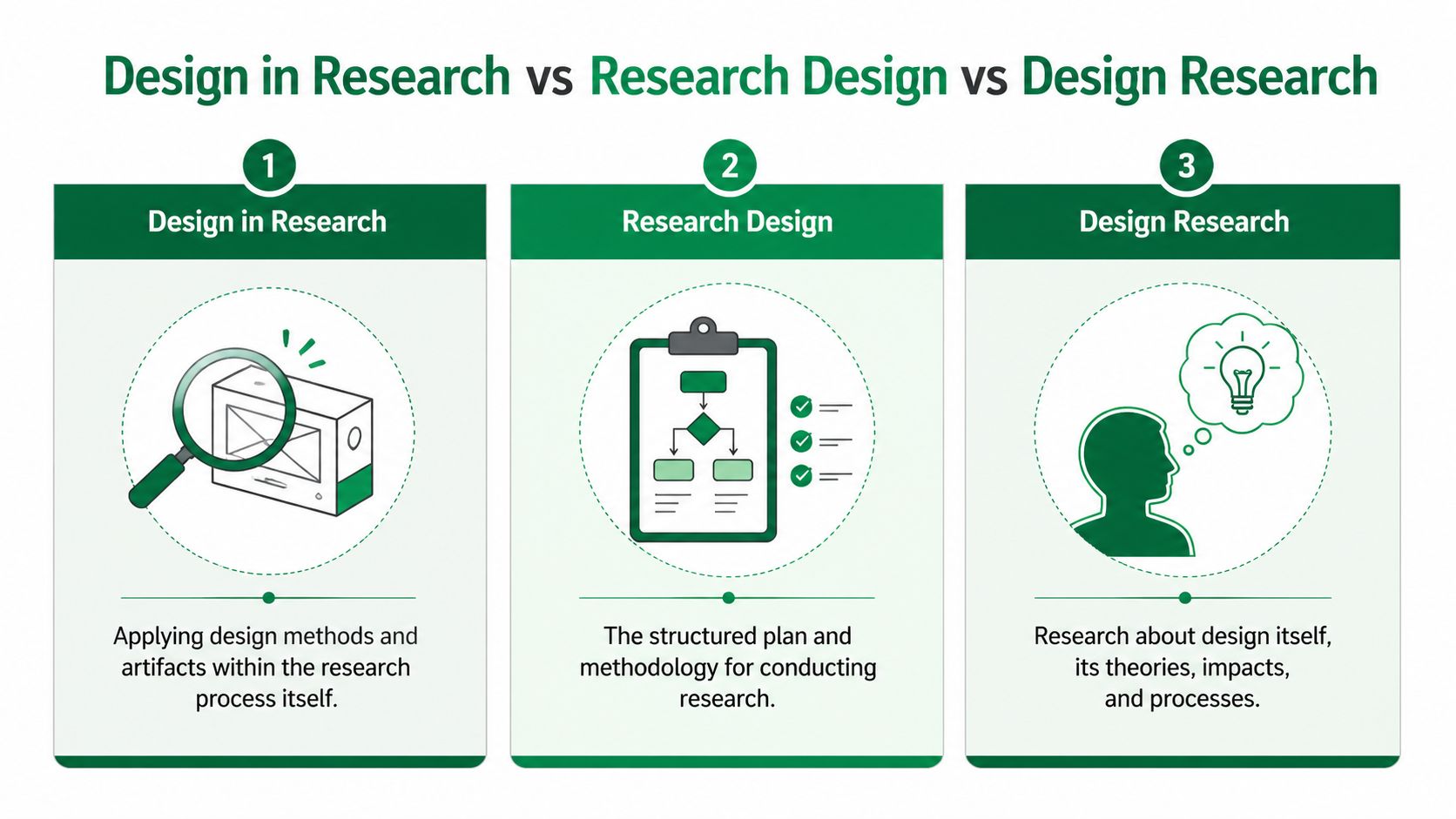
Research design is the plan for the study itself. It defines the question, method, participant logic, and how findings will be interpreted.
Design research studies users, contexts, behaviors, and sometimes design practice at a broader level.
Design in research uses screens, flows, copy, prototypes, and other design artifacts to answer a product question quickly enough to affect delivery.
The practical difference
In product work, research design answers: how should we run this study? That might mean choosing between moderated sessions, a survey, diary work, or a tighter evaluative test with clear recruiting criteria.
Design research answers broader questions that shape direction. What builds trust in a finance product? How do support interactions affect retention? Where does onboarding create confidence or doubt over time?
Design in research answers decision-level questions tied to something the team can show. Can people follow this sequence? Does this label create hesitation? Does this user flow diagram reflect how users expect the task to unfold? This is the mode most delivery teams need more often, especially inside short planning cycles.
Uxia helps here because it gives teams a practical way to turn design artifacts into testable research inputs instead of waiting for fully polished deliverables. That changes the pace of learning. It also changes ownership. Designers, researchers, and PMs can work from the same artifact and answer narrower questions before engineering commits to a build.
If your team is still mixing up method choice with evidence type, revisit the distinction between qualitative vs quantitative research, because a lot of terminology confusion starts there.
Comparing key research concepts
Concept | Primary Goal | Typical Output | Example Question |
|---|---|---|---|
Design in research | Use design artifacts to learn about user behavior and interaction | Prioritized usability findings, friction points, design changes | Can users understand this payment flow and finish it without hesitation? |
Research design | Structure how a study will be conducted | Study plan, method choice, sampling logic, analysis approach | Should this question be answered with an experiment, survey, or observation? |
Design research | Investigate users, contexts, or design practice itself | Themes, models, insights about needs and behavior | How do people decide whether a digital service feels trustworthy? |
Where teams go wrong
A common failure mode is asking for a full research initiative when the team needs an artifact check. That creates bloated interview guides, mixed objectives, and findings that sound thoughtful but do not help the team decide what to change on the screen.
Teams do not need a philosophical answer when the actual question is whether the label on step three makes people hesitate.
The opposite failure happens too. Some teams run a quick prototype test and treat it as complete evidence. It is still a study. It still needs a clear decision to support, the right participants, and agreement on what counts as a meaningful signal.
I see this most often in sprint work. Once the team names the mode correctly, the work gets cleaner. Research design sets the study up. Design research informs direction. Design in research reduces product risk with artifacts the team already has.
How to Use Design Artifacts as Research Tools
The fastest way to improve product research is to stop waiting for high-fidelity design. Most of the useful questions appear much earlier than that.
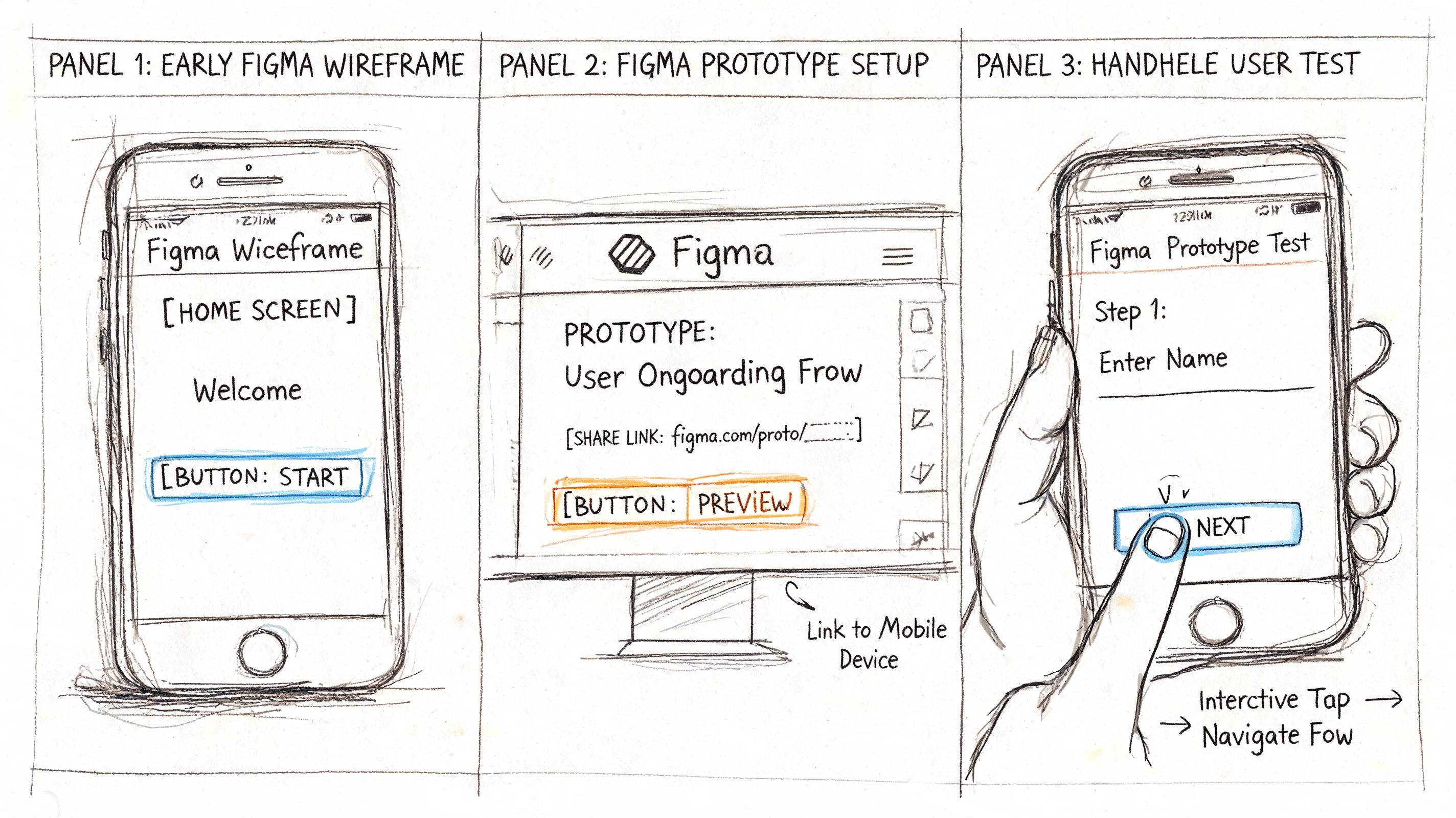
A wireframe can test sequence. A mockup can test clarity. A prototype can test task flow. A live product can test whether the implemented experience still behaves the way the team intended. The artifact changes, but the principle stays the same: each one is a tool for exposing assumption risk.
Match the artifact to the question
A lot of wasted research comes from using the wrong artifact for the question.
Wireframes work when the question is structural. Can users tell what comes first? Do they recognize the main path?
Mockups help when visual hierarchy and copy are under review. Which element gets attention first? Which label causes doubt?
Clickable prototypes are useful when users need to move through a sequence and make decisions.
Live products are necessary when the team needs to confirm whether the coded experience introduces new friction that wasn't visible in design.
If the issue is route clarity, don't wait for polished visuals. If the issue is trust or comprehension, static screens may already be enough.
For teams still shaping path logic, it helps to map the journey before testing. A simple user flow diagram guide gives a practical way to identify where a prototype should create a decision, a commitment, or a likely point of confusion.
What a prototype can reveal early
One of the most useful patterns in practice is how early artifacts reshape the research question itself.
A rough ticket-purchase flow can start with a vague brief like "See whether users like the experience." But once people interact with it, the specific issues become narrower and much more useful: tap targets are too small, onboarding copy is ambiguous, an invoicing option creates uncertainty, and a missing confirmation state makes the journey feel incomplete.
At that point, the research question improves. Instead of asking whether the experience is appealing, the team asks:
Which label creates hesitation during payment?
Which screen causes users to pause before committing?
Which issue comes from the interface itself, and which comes from the prototype setup?
That change is where design in research becomes powerful. The artifact forces specificity.
Use experiments when the interaction matters
In UX research, A/B testing prototypes via synthetic testers can isolate navigation friction's impact on completion rates, and optimized flows can boost task success by 25 to 40% in unmoderated sessions, according to this summary of research design methods and prototype testing. That matters because it gives teams permission to test concrete alternatives instead of debating principles.
A prototype isn't a miniature product. It's a controlled way to ask a sharper question.
What works is setting a mission that reflects a real goal. Buy a ticket. Change a plan. Find an invoice option. Recover a password. What doesn't work is asking people for generalized impressions before they've tried to do anything.
When artifacts become research tools, the team stops collecting commentary and starts collecting evidence tied to action.
A Practical Workflow for Product Teams
How do product teams get useful research done before the sprint moves on?
They use a workflow built around decisions, not deliverables. The goal is to reduce uncertainty around a design choice, using the smallest artifact that can produce credible evidence. That changes the rhythm of research. It becomes part of delivery, not a separate track that hands over a report a week too late.
Step one starts with a product decision
Start by naming the decision the team needs to make this sprint. Keep it narrow enough that design and engineering can act on the answer without another round of interpretation.
Weak prompts stay at the theme level. Onboarding. Trust. Checkout. Accessibility.
Useful prompts point to a decision under real constraints. Can a first-time user find the primary action on mobile without guidance? Does the annual plan card create hesitation because the billing terms are unclear? Will this confirmation screen reduce support contacts after purchase?
I use a simple three-part frame:
User and situation
Who is trying to do what, and under what constraint?Expected behavior
What should they understand, choose, ignore, trust, or complete?Threshold for change
What result would justify revising the design now?
That framing keeps teams from collecting interesting observations that never affect scope, copy, or prioritization. It also lines up well with a data-driven design workflow for product teams, where evidence is tied to a concrete product choice.
Step two scopes the artifact to the risk
Build only the part of the experience that can answer the question.
If the risk sits in plan selection, test plan selection. If the risk appears after payment, include the transition into confirmation. If the concern is account recovery, the flow only needs the recovery trigger, the reset step, and the success state. Extra screens create review overhead and often muddy the result.
Teams regularly overbuild at this stage. A polished prototype can calm internal nerves, but it also burns time and increases attachment to a solution that has not earned confidence yet.
One rule helps. If a screen does not affect the decision under review, leave it out or leave it rough.
Step three assigns a task with a clear success condition
Run the study around a mission that reflects an actual user goal. That keeps feedback anchored to behavior instead of preference.
Uxia supports this workflow by letting teams test Figma prototypes, uploaded screens, or live products against mission-based tasks with synthetic testers matched to the intended audience. In practice, that means a researcher or designer can set up a focused validation pass in the same window where the team is still deciding what to ship.
Strong missions sound like this:
Choose the right plan for a five-person team
Buy the correct ticket for tomorrow's trip
Submit an expense and get an invoice
Reset your password after a failed login
Each mission needs a clear finish line. Success, failure, hesitation, backtracking, and abandonment should all be visible in the output. That is what gives the team something usable in standup or sprint planning, not just a collection of reactions.
Step four synthesizes at the speed of delivery
Fast research still needs discipline. The difference is that synthesis has to produce a decision-ready output within the sprint, not a polished narrative deck.
A lightweight pass usually works:
Group observations by moment in the task such as entry, selection, confirmation, or recovery
Label the type of issue such as copy confusion, missing feedback, navigation failure, trust concern, or accessibility problem
Mark probable prototype noise separately so the team does not spend a sprint fixing the test setup
Write each pattern as a cause-and-change statement that design and engineering can review together
If the study includes think-aloud sessions or interviews, transcript quality matters more than teams expect. Clean transcripts make pattern review faster and reduce misreads during synthesis. This guide on best practices for research interview transcription is useful for teams that rely on interview notes or spoken feedback as part of the workflow.
Step five puts the finding back into the design file
The loop is only useful if the result changes the next version of the artifact right away.
Update the label. Add the missing state. Reorder the options. Clarify the helper text. Increase the tap target. Then run the same mission again and compare what changed.
This is the part that changes team dynamics. Research stops being a checkpoint run by a separate function. It becomes a working instrument inside design and product, with evidence attached to specific choices. That is usually how teams reduce risk without slowing down.
Turning Research Insights into Build Decisions
Research often dies in the handoff. The findings are real, but the format isn't usable by developers or product managers. Long narratives, generalized themes, and vague recommendations create delay because the team still has to interpret what to build.
The fix is simple. Package every insight as a build decision.
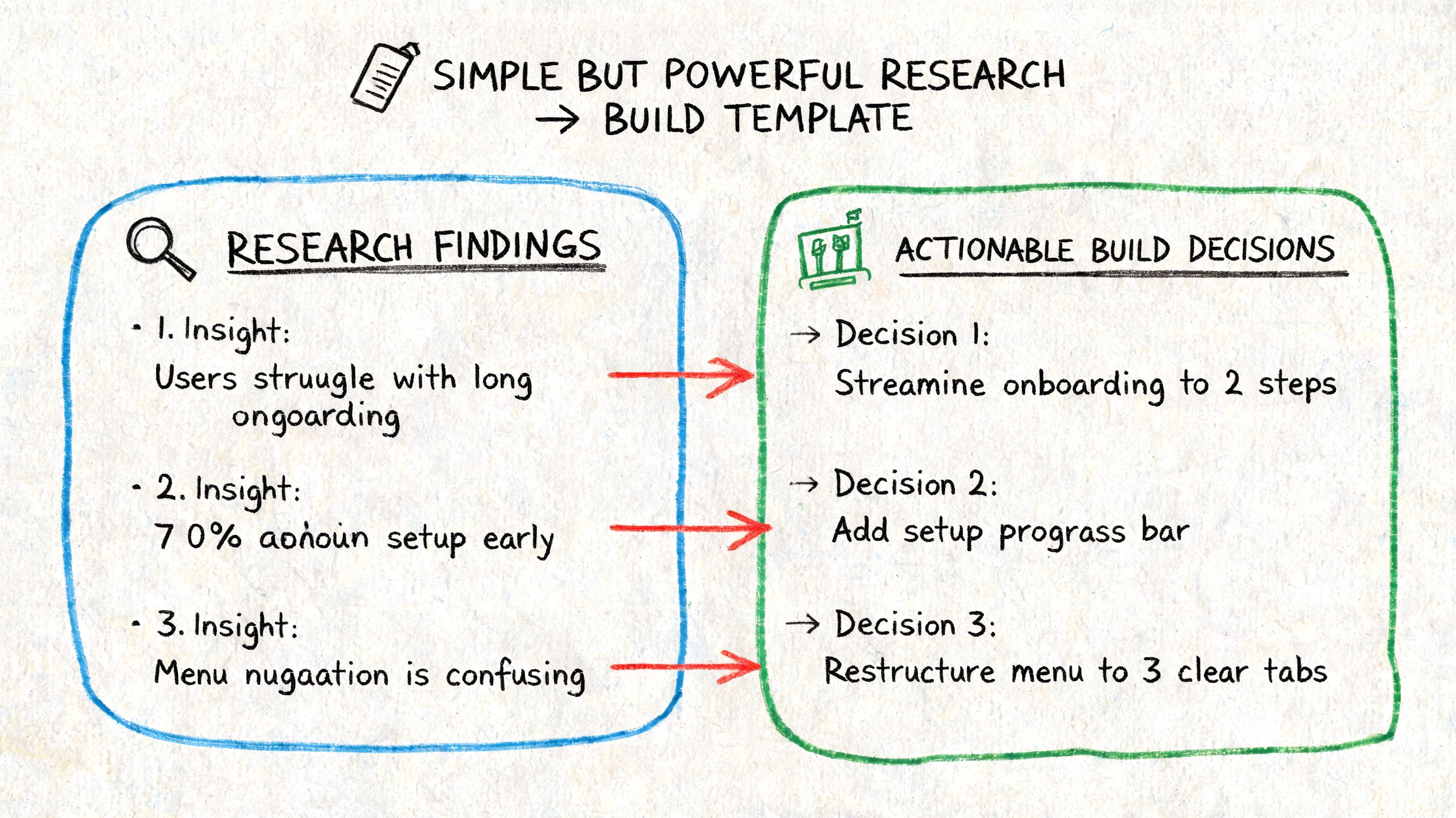
A format engineering teams can use
A practical handoff usually includes five parts:
Element | What to include |
|---|---|
User goal | The task the person was trying to complete |
Friction point | Where the struggle, pause, or failure happened |
Evidence | What users did, said, or missed |
Likely interface cause | The design condition that produced the issue |
Recommended change | The smallest product change worth making next |
That structure prevents a common problem in UX reporting: findings that are true but not actionable.
For example, "users felt uncertain" is weak. "Users paused at the payment step because the invoicing option label didn't explain who it applied to" gives engineering and design something they can change.
Separate product issues from prototype noise
This distinction matters more than many teams realize. Early tests often surface both genuine usability problems and artifacts caused by the prototype itself. Missing states, dead links, incomplete branches, and placeholder copy can all create friction that won't exist in production.
If you don't separate those clearly, engineering wastes time chasing issues that belong to the prototype setup, not the product.
Some friction is a product problem. Some friction is a testing artifact. Treating them as the same creates a noisy backlog.
A clean report marks each issue accordingly. If a missing confirmation screen is absent because the prototype ends early, say so. If users still misunderstand the payment path before that point, that is a product issue worth prioritizing.
Mixed evidence creates stronger tickets
The most useful reports combine observed behavior with user reasoning. Mixed methods that combine quantitative data like heatmaps with qualitative data like think-aloud transcripts can enhance research efficiency by up to 50% over single-method studies, according to this explanation of mixed-method research efficiency.
That's why development teams respond better when a ticket includes both forms of evidence:
Behavioral signal such as repeated drop-off, repeated backtracking, or missed interactions
Interpretive signal such as what users believed was happening and why
A team working toward more data-driven design decisions needs both. The quantitative view shows where the issue occurs. The qualitative view explains the mechanism behind it.
A useful reporting sentence looks like this:
Users trying to complete payment hesitated at the invoice option, interpreted the label inconsistently, and backed out of the flow. The likely cause is unclear copy at a high-commitment moment. Replace the label with language tied to eligibility and add short supporting text.
That sentence is short enough for a backlog and specific enough for implementation.
Make Design Your Best Research Partner
The old model says research happens before design and validation happens after. That model is too slow for how product teams work.
Design in research creates a tighter loop. You form a question, build the smallest artifact that can answer it, run a mission, inspect the friction, and revise. That rhythm reduces guesswork because the team is no longer arguing in the abstract. It is reacting to observed behavior tied to a specific flow, screen, or decision point.
This also makes research easier to sustain. Instead of saving it for major launches or quarterly initiatives, teams can run it continuously around the moments that matter most: first use, plan selection, account setup, payment, trust signals, and recovery paths.
Why this matters beyond usability
Teams that work this way get more than cleaner interfaces. They develop a stronger habit of listening to user behavior before committing effort. That spills into prioritization, roadmap planning, and collaboration quality.
If you're trying to connect product decisions more closely to customer language and expectations, a solid primer on understanding voice of customer is useful alongside artifact-based testing. It complements design in research by helping teams interpret friction in the broader context of what users value and how they describe their needs.
The mindset shift that sticks
The biggest change is cultural. Designers stop treating prototypes as precious. Researchers stop waiting for perfect study conditions. Developers get evidence that maps directly to implementation. Product managers get a clearer basis for trade-offs.
That is why design in research isn't just a method choice. It's an operating model for teams that need to learn quickly without lowering standards.
If your team still treats design and research as separate lanes, it's worth rethinking the boundary. A design artifact can do more than represent an idea. It can challenge the idea, weaken it, refine it, or validate it before code hardens around it.
For teams shaping digital products, that makes design a working research partner, not a deliverable at the end of the line. It also gives broader context to the evolving role described in this piece on what a product designer does, where research and iteration are increasingly inseparable from design execution.
If you want to test this workflow in practice, Uxia gives product teams a way to upload prototypes or live flows, assign a mission, and review structured usability feedback from synthetic testers. It's a practical fit for teams that want faster validation cycles without turning every design question into a full research project.