
Decoding the Modern UX/UI Designer Role in 2026
Explore the evolving UX/UI designer role. This guide covers the skills, responsibilities, and career path you need to succeed in the design industry.
At its heart, the UX/UI designer role is simple: be the user's champion. These professionals are the bridge between people and technology, using psychology, business savvy, and a whole lot of creativity to make digital products feel intuitive and even enjoyable.
Their job is to ensure that the apps and websites we use every day aren't just functional, but genuinely delightful.
The Architect and the Interior Designer of Digital Products
Forget the dry, textbook definitions for a moment. The easiest way to really grasp what a modern UX/UI designer does is with a simple analogy. Think of building a new house.
In this scenario, the User Experience (UX) designer is the architect. They don't start by picking out paint colours or fancy light fittings. Their first job is to understand the people who will live in the house and to design the core structure around their needs.
They're obsessed with the big questions:
Where should the front door be? How does someone get from the kitchen to the back garden?
Is the layout logical? Is it efficient?
Will it be accessible for everyone, including an elderly grandparent or a child in a wheelchair?
The UX designer creates the blueprints (what we call wireframes and user flows) to make sure the entire foundation is solid, logical, and built for humans. The goal is a space that just works.
The Role of the UI Designer
Now, once the architect has finalised the plans, the User Interface (UI) designer steps in. They are the interior designer. Their focus is on bringing the space to life and making it a beautiful, cohesive, and pleasant place to be.
They're the ones choosing the colour palettes, the style of the windows, the typography on the signage, and the design of the doorknobs (our buttons and icons). They arrange all the "furniture" (the content and components) to create an environment that's not just usable but also aesthetically pleasing.
A brilliant UI turns the architect's solid structure into a place you actually want to spend time in.
At its core, the UX/UI designer role is about bridging the gap between human needs and technology. Their mission is to advocate for the end-user at every stage of the product development process, ensuring the final product solves a real problem in an elegant and effective way.
While UX and UI are two very different disciplines, you can see how they're completely intertwined. A stunningly beautiful house with a confusing layout is a failure. So is a perfectly logical house that's ugly and unpleasant to be in. This is why you so often see the "UX/UI Designer" title – the roles are two sides of the same coin. For a deeper look at the specifics, you can check out our detailed guide on UX vs UI design.
Ultimately, these designers are responsible for making technology feel less like a machine and more like a helpful human. They use empathy and hard data to get inside the minds of users, turning those insights into design solutions that work. In a world where user satisfaction is everything, the UX/UI designer has become one of the most vital roles on any product team. And for those teams needing to prove their designs hit the mark, platforms like Uxia offer the rapid feedback necessary to validate that their hard work will truly connect with users.
Core Responsibilities and Design Deliverables
To really get what a UX/UI designer does, you have to see their work as a journey, not a single task. Their responsibilities unfold right alongside the product’s development, neatly splitting between the strategic, human-centred work of UX and the aesthetic, interactive work of UI.
Throughout this journey, they produce tangible outputs called deliverables. These aren't just documents for the sake of it; they are the artefacts that communicate insights, define the product's direction, and give the development team a clear roadmap to follow.
Think of it like this: both UX and UI are branches of the same tree, and the trunk is a deep commitment to being the user’s champion.
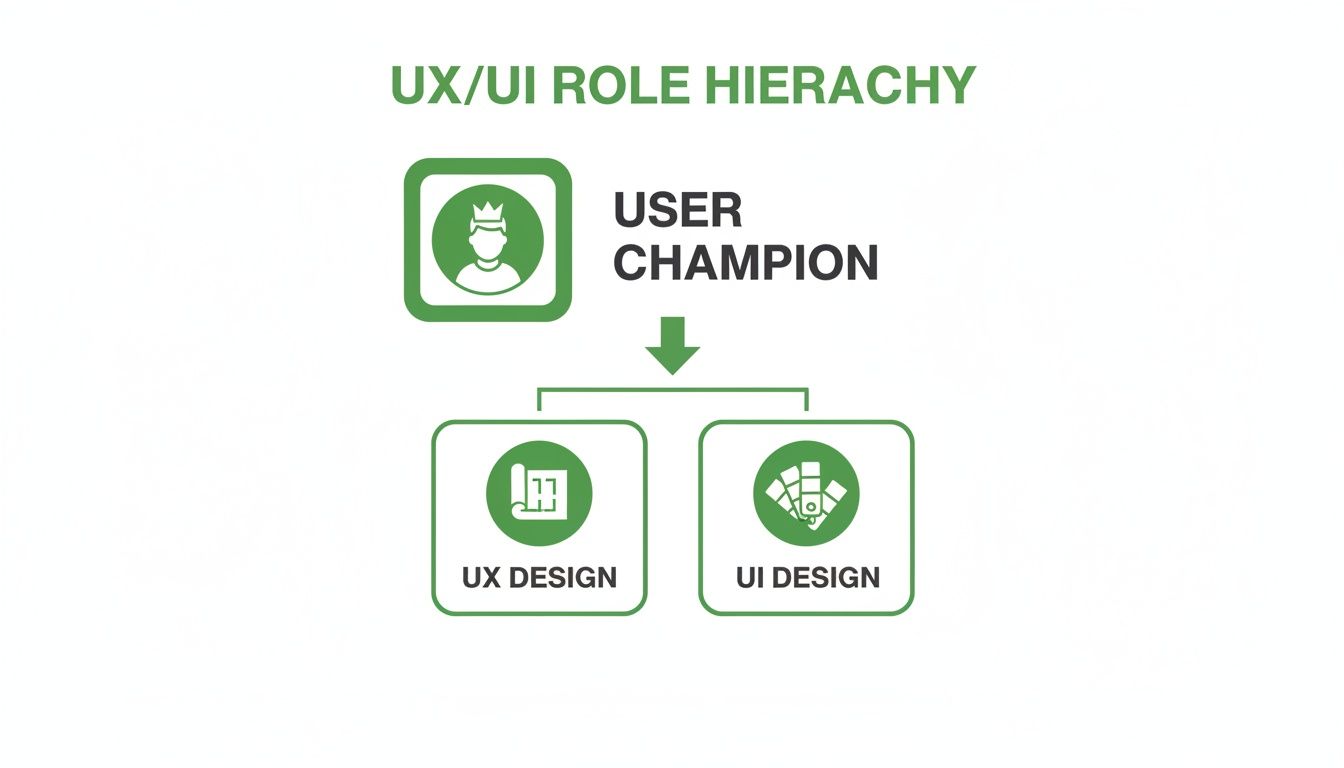
While UX lays the blueprint and UI handles the finish, both disciplines serve the same core mission: building something people will actually want to use.
To break this down further, let’s look at the distinct roles, responsibilities, and outputs for each discipline.
UX vs UI Responsibilities and Deliverables
Discipline | Core Focus | Key Responsibilities | Common Deliverables |
|---|---|---|---|
User Experience (UX) | The overall feel of the experience—how it works, its logic, and flow. | User research, persona creation, journey mapping, information architecture, wireframing. | Personas, customer journey maps, site maps, user flows, wireframes. |
User Interface (UI) | The look and feel—the visual and interactive elements. | Visual design, branding, interactivity, prototyping, creating design systems. | Style guides, high-fidelity mockups, interactive prototypes, component libraries. |
This table makes the separation clear, but in practice, the best designers blend these skills, ensuring the 'how' and the 'what' come together to create a cohesive product.
The UX Phase: Understanding the Why and How
The user experience (UX) side of the job is all about strategy and research. A UX designer's first job is to get inside the user's head. This isn’t about making educated guesses; it’s a systematic process of asking questions and analysing behaviours to build the product on a solid foundation.
During this phase, their main jobs include:
Conducting User Research: This means running user interviews, sending out surveys, and performing competitive analysis to gather real data on user needs, behaviours, and frustrations.
Developing User Personas: Based on that research, designers create fictional but realistic characters representing their target audience. These personas keep the entire team focused on designing for actual people.
Mapping Customer Journeys: A journey map is a visual story of a person’s end-to-end experience with a product. It’s brilliant for spotting friction points and finding opportunities to make things better.
The goal of the UX phase isn't just to make things pretty. It's to build an evidence-based strategy that ensures the product solves the right problem, for the right person, in the most intuitive way possible.
From all this strategic work, the first concrete deliverables emerge. Wireframes—low-fidelity, skeletal outlines of an interface—are created to map out structure and flow without the distraction of colours or fonts. This lets the team quickly test and get feedback on the core logic.
For teams who need to move even faster, this is where synthetic testing platforms like Uxia come in. Instead of waiting weeks to test a wireframe's flow with human users, a designer can get instant feedback from synthetic users. Navigational problems can be found in minutes, ensuring the blueprint is solid before a single pixel of visual design is created.
The UI Phase: Crafting the Look and Feel
Once the UX blueprint is locked in, the user interface (UI) designer steps up to bring the product to life. This is where the strategic foundation gets its visual skin, turning functional plans into a tangible, beautiful, and interactive experience. The focus shifts from "how it works" to "how it looks and feels."
A key responsibility here is creating high-fidelity mockups. These are detailed, pixel-perfect visuals of the final interface, showing everything from colour schemes and typography to icons and spacing. They give stakeholders and developers a crystal-clear preview of the finished product.
Another crucial job is building and maintaining a design system. This is basically a master library of reusable components, patterns, and rules that keeps the product looking and feeling consistent everywhere. A strong design system is a massive time-saver for developers and protects the brand’s integrity.
Common UI deliverables include:
Style Guides: Documents that define the product's entire visual language, including colour palettes, font scales, and icon sets.
Interactive Prototypes: High-fidelity mockups are often linked together to create clickable prototypes that simulate the user flow. These are essential for usability testing and getting final sign-off.
Component Libraries: The collection of pre-built UI elements (buttons, forms, cards) that get handed over to developers for perfect implementation.
The UI designer’s role is to make sure every button, every line of text, and every animation not only looks great but serves a clear purpose. This careful attention to detail is what elevates a product from just functional to genuinely delightful.
Building the Skills and Portfolio That Get You Hired
Talent is one thing; proving it is another. To land a UX/UI designer role, you need a mix of real-world abilities and a portfolio that tells a convincing story. It isn't enough to be creative—you have to show you have a clear, results-driven process.
Hiring managers look for a blend of hard skills (your technical craft) and soft skills (how you work with people). Mastering both is what separates a good designer from a great one.
The Essential Skillset for a UX/UI Designer
The modern UX/UI role demands you're proficient with a specific set of tools and methods. Think of these as the foundation for everything you’ll build.
Core Hard Skills:
Design and Prototyping Tools: Fluency in Figma, Sketch, or Adobe XD is non-negotiable. You have to move quickly from rough wireframes to polished, interactive prototypes.
User Research Methods: You need to know how to run user interviews, build effective surveys, and conduct usability tests. This isn't optional—it's the evidence that justifies your design decisions.
Information Architecture: This is all about organising content and navigation so it makes sense. The goal is to help users find what they need without having to think.
Wireframing and Prototyping: The ability to sketch out structural blueprints (wireframes) and then build clickable versions (prototypes) is fundamental for testing ideas and getting everyone on the same page.
Crucial Soft Skills:
Empathy: This is the absolute core of UX. You have to be able to put yourself in your users' shoes, feel their frustrations, and genuinely want to solve their problems.
Communication: Designers spend a huge amount of time presenting their work. You must be able to explain why you made certain choices to stakeholders, developers, and product managers in a clear and persuasive way.
Storytelling: A portfolio isn't a gallery; it's a narrative. You need to frame the problem, walk through your process, and reveal the solution in a way that hooks your audience and convinces them.
Collaboration: Design is a team sport. You’ll be working side-by-side with engineers, researchers, and PMs, so being a good partner is critical to getting anything built.
Crafting a Portfolio That Tells Your Design Story
Your portfolio is the single most important asset you have during a job hunt. It’s not just a collection of pretty screens; it’s proof of your thinking process. Recruiters want to see how you solve problems.
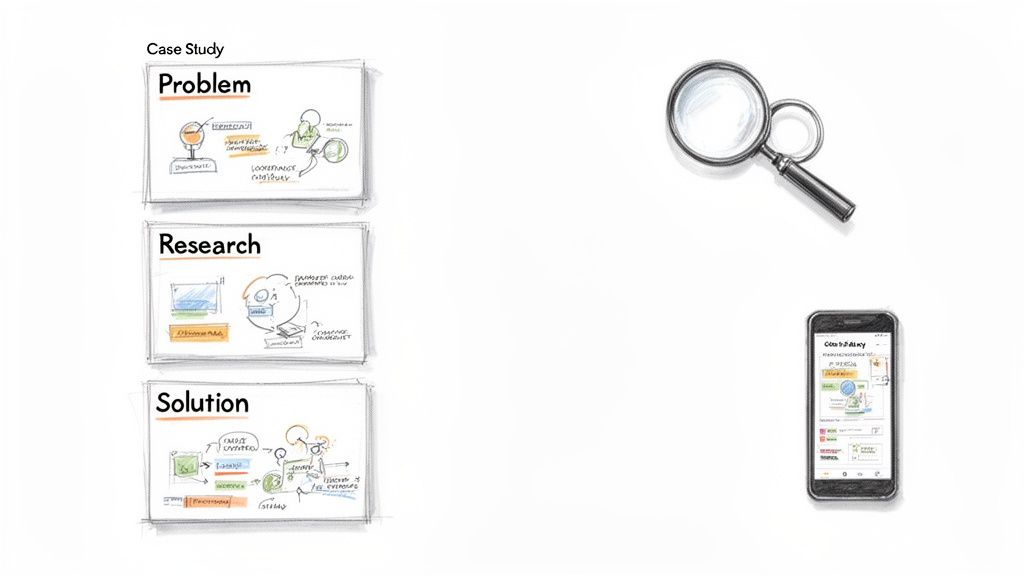
A strong portfolio usually includes 3-5 in-depth case studies. Each one should walk the reader through your entire journey for a single project.
A great portfolio doesn't just show the final design. It tells the story of the problem, the chaos of the process, the iterations based on feedback, and the measurable impact of the final solution. It showcases your thinking, not just your pixels.
To build a case study that gets noticed, use this simple narrative structure:
The Problem: Start by defining the challenge. What user problem or business goal were you solving? Who were you solving it for? Set the scene.
Your Role and Responsibilities: Be specific. Were you the only designer? Did you lead the research phase? What were your exact tasks? This helps recruiters understand what you can actually do.
The Process and What You Did: This is the most important part. Detail your research, show your user personas, include journey maps, and don't hide your early sketches and wireframes. Explain the why behind your decisions.
Challenges and Iterations: Don't be afraid to show the messy parts. Include designs that failed and explain what you learned from user feedback. Showing how you adapted proves you're resilient and truly user-centred. You can learn more about this in our guide on mastering user-centred design.
The Solution and Its Impact: Finally, reveal the polished designs. But more importantly, connect them back to the original problem. If possible, show data—like a 15% increase in conversions or a 30% reduction in support tickets—to prove your design actually worked.
Practical Recommendation: When building your portfolio, use a tool like Uxia to validate your design iterations. You can run a quick test on a prototype, get AI-powered feedback on usability, and include screenshots of the insights in your case study. This shows hiring managers you're a modern designer who uses efficient tools to make data-informed decisions.
Your Career Path and Salary Guide in Spain
Becoming a UX/UI designer isn’t a single destination. It’s a journey with distinct stages of growth, and understanding this path—especially within the Spanish market—is key to mapping your progress, negotiating your worth, and aiming for the top.
Your career almost always begins as a Junior Designer. The name of the game here is execution. You'll spend your time honing your craft, working under close supervision, and getting comfortable with core design tools and research methods. Your main job is to contribute reliably to projects and start building a portfolio you can be proud of.
With a few years of experience under your belt, you'll step into a Mid-Level Designer role. This is where you start to gain real autonomy. You'll be expected to own smaller projects from start to finish, contribute to design strategy, and even begin mentoring the new juniors. The focus shifts from just doing the work to understanding why you’re doing it.
Navigating the Salary Landscape in Spain
Knowing what to expect financially is crucial. Salary data for UX/UI designers in Spain shows a clear correlation with experience, giving you a solid foundation for negotiation and helping companies set competitive offers.
For example, entry-level designers in Spain typically earn between €26,000 and €35,000 annually. As you move into a mid-level position, that range climbs to €35,000 to €48,000. Senior professionals with 6-9 years of experience can command salaries between €48,000 and €70,000, which reflects their leadership and strategic input. If you want a more detailed breakdown, you can explore comprehensive salary data for the Spanish UI/UX market.
The salary jumps directly mirror the shift in responsibility—from executing pixel-perfect screens to shaping product strategy and leading entire design teams. With each level comes a greater expectation of business impact.
Of course, your gross salary is only half the story. To understand your take-home pay, you’ll need to get familiar with the local tax system. It’s always a good idea to research the specifics of taxes for expats in Spain to get a clear financial picture.
Advancing to Senior and Leadership Roles
Making the leap to a Senior Designer role is a major milestone. Here, your responsibilities expand well beyond a single project. You become a key voice in shaping product vision, managing stakeholder expectations, and formally mentoring other designers. You are now responsible for the quality of design across the organisation.
From the senior level, the path usually splits in two:
Principal Designer (Individual Contributor): This track is for the master craftspeople who want to stay deep in the weeds of design. Principals solve the gnarliest design problems, pioneer new methodologies, and set the bar for innovation and quality.
Design Manager (People Leader): This path is for designers who find they get more satisfaction from nurturing talent and guiding teams. A manager's focus shifts from designing products to designing the team itself—hiring, mentoring, and building processes that help everyone do their best work.
Practical Recommendation: When you're pushing for a promotion or negotiating a new role, don't just present your final designs. You need to show your strategic impact. Use a platform like Uxia to run rapid validation tests on your proposals. Walking into a meeting with hard data proving your design improved key business metrics is infinitely more powerful than just showing a beautiful mockup. It proves you're not just a designer; you're a business-minded problem-solver ready for that next step.
How to Navigate the Spanish Job Market
Spain's tech scene is on fire. Cities like Madrid and Barcelona are quickly becoming major European tech hubs, creating massive demand for skilled UX/UI designers. This has turned the job market into a vibrant, but fiercely competitive, arena for local and international talent alike.
Just look at the numbers. Spain's ICT sector is on track to hit a value of $62.9 billion by 2025, driven by over 34,000 companies and employing more than 550,000 people. UX/UI design has become a critical specialism within this boom, with Madrid and Barcelona alone making up 56% of all job openings. You can discover insights on Spain's design company landscape to get a feel for the industry's scale.
But here’s the catch: this surge in demand has created a serious talent shortage. Competition for qualified designers is intense, pushing the median hiring time to a lengthy 32 days. For companies, that’s a huge delay. For you, the job seeker, it means you absolutely have to stand out.
Understanding the Key Employment Hubs
So, where are the jobs? While remote work is definitely on the rise, the epicentres of Spain’s UX/UI scene are still its biggest cities.
Madrid: As the capital and a major business centre, Madrid is home to a mix of large, established corporations and hungry startups. They're all fighting for top design talent to spearhead their digital products.
Barcelona: Famous for its international vibe and buzzing startup ecosystem, Barcelona is a magnet for innovative tech companies, especially in e-commerce, SaaS, and mobile apps.
While these two cities take the lion's share, other regions like Valencia and the Basque Country are emerging as smaller, but promising, tech centres. And of course, you can always find remote jobs on specialised platforms, which opens up opportunities no matter where you're based.
The core challenge in the Spanish market isn't a lack of opportunity, but the intense competition for it. For both designers and employers, speed and efficiency are no longer just advantages—they are essential for survival and growth.
A Strategic Advantage in a Competitive Market
This environment puts a ton of pressure on product teams, particularly smaller ones or those with tight budgets. When it takes over a month to hire someone, how do you stop your projects from grinding to a halt? How do you keep validating designs without a full team?
This is where a smarter workflow becomes a game-changer.
Waiting weeks to recruit users and gather feedback is a luxury most teams in Spain simply can't afford. This is exactly the problem platforms like Uxia were built to solve.
Instead of pausing projects while you hunt for the perfect candidate, your team can use Uxia to get instant feedback from AI-powered synthetic users. A designer can upload a new flow or prototype and get back actionable usability insights in minutes, not weeks.
This gives you a dual advantage:
For Job Seekers: Showing you’re proficient with modern, efficient tools like Uxia in your portfolio proves you can deliver value from day one, even in a resource-strapped team.
For Companies: It empowers your current designers to focus on high-impact strategic work instead of getting bogged down by testing logistics. This gives your team a critical edge in a fast-moving market.
By integrating rapid, AI-driven validation into your process, you de-risk design decisions, speed up development cycles, and prove your worth in a market that rewards results. That proactive mindset is the key to winning in Spain's booming tech industry.
Modern Tools for a Smarter Design Workflow
Any good designer is only as effective as their workflow. Mastering tools like Figma or Sketch is table stakes for the UX/UI designer role, but what truly separates top professionals is building a system for speed and quality.
The modern design process isn’t about pumping out beautiful screens. It’s about making sure those screens actually work for people. And this is where the biggest bottleneck always appears.
Beyond Creation: The Challenge of Validation
Let’s be honest. The creative part—mockups and prototypes—is often the fastest part of the job. The real slowdown hits when you need to validate those designs.
Traditional user testing is painfully slow, complicated, and expensive. It means recruiting participants, scheduling sessions, running the tests, and then spending days trying to synthesise all the feedback. This friction means most teams can only afford to test sporadically, leaving major design decisions exposed to risk for weeks.
The biggest barrier to modern design isn't creating the work; it's getting timely, reliable feedback. Weeks spent on validation are weeks you're not solving bigger, more strategic user problems.
This delay is especially damaging in a market that's growing like wildfire. Europe's User Experience market, valued at $1,875.36 million in 2024, is set to expand at a 15.5% CAGR through 2031. This is happening alongside a massive talent shortage, with a reported 76% of firms struggling to fill UX/UI roles. In competitive markets like Spain, this scarcity creates serious project delays, as detailed in this market insights report.
A Smarter Way to Work: Instant Feedback
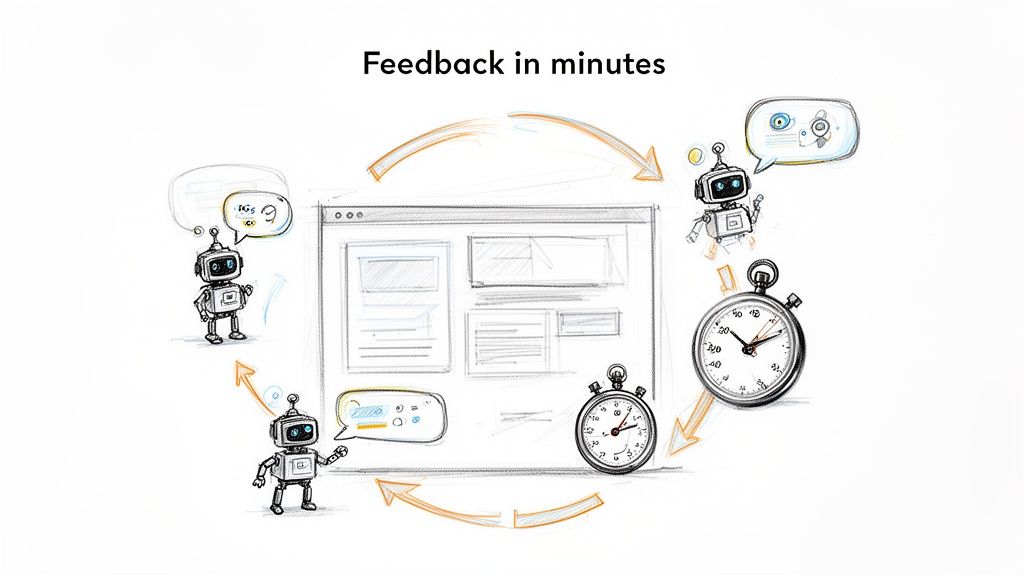
What if you could shrink the validation process from weeks to minutes? This is the new reality offered by next-generation testing platforms. Instead of waiting for human testers, designers can now use AI-powered synthetic users for almost instant feedback.
Platforms like Uxia are leading this shift. Imagine finishing a prototype and, within minutes, getting detailed feedback on its usability, navigation, and potential friction points. This is done using AI personas that simulate how your real audience would interact with the design.
This completely transforms the workflow for any UX/UI designer:
De-Risk Decisions Early: Find and fix major usability flaws in your wireframes before a single line of code is written.
Accelerate Iteration Cycles: Test multiple design variations in a single afternoon—a pace that's impossible with traditional methods.
Free Up Strategic Time: By automating the logistical nightmare of testing, you can focus on what really matters: understanding user psychology and solving complex business challenges.
By integrating these modern tools, designers break free from the old constraints. The focus shifts from managing logistics to driving impact. It empowers you to build better products, faster, and prove your work’s value with data—not just intuition. To see how these tools fit into a broader toolkit, read our guide on the essential tools for UX/UI designers.
Common Questions About the UX/UI Designer Role
If you're looking into a UX/UI designer role, you'll quickly find a few questions that come up again and again. Getting clear answers is vital, whether you're starting from scratch or switching from another field.
Let's break down some of the most common ones.
The first big question is always: "Do I need to know how to code?" The short answer is no; you aren't expected to be an engineer.
But—and this is a big but—having a grasp of the basics (HTML, CSS, maybe a little JavaScript) makes you a dramatically better designer. It helps you create solutions that are actually buildable and lets you work far more effectively with your engineering partners.
Making the Transition and Choosing Your Path
Many aspiring designers come from adjacent fields, most commonly graphic design. This is a well-trodden and very successful path. As a graphic designer, you already have a solid eye for visual hierarchy, typography, and colour theory.
To make the jump, you need to build on that foundation with core UX skills:
Learn the Process: Get comfortable with user research, journey mapping, and wireframing.
Think in Systems: Go beyond single-page layouts. Start thinking about scalable design systems and complete user flows.
Build Case Studies: Take a past graphic design project and rework it as a UX case study. Show how you'd apply user research and problem-solving to drive your decisions.
Another frequent fork in the road is deciding where to work: an agency or an in-house product company? The day-to-day experience is completely different.
Agency life is about variety. You’ll work on many projects for different clients, giving you broad exposure but often with less depth. In-house product roles let you go deep on a single product, owning its evolution and seeing the long-term impact of your work.
Which one is right for you depends on what you want to achieve. Agencies are fantastic for building a diverse portfolio fast. In-house roles are perfect for designers who want to specialise and develop deep expertise in one area.
Practical Recommendation: No matter which path you take, you have to validate your design decisions. As you build your portfolio, a platform like Uxia lets you run quick usability tests on your mockups. Showing AI-driven feedback and heatmaps in your case studies signals a modern, data-informed approach. It proves to hiring managers that you’re ready for a serious UX/UI designer role.
Ready to accelerate your design validation and build products with confidence? With Uxia, you can replace slow user studies with instant, AI-powered feedback. Test your designs, find friction, and get actionable insights in minutes. Join hundreds of teams building better products, faster, at https://www.uxia.app.