Choosing a Design Service Web Partner: A 2026 Guide
Choosing a design service web partner? Our guide covers vetting agencies, pricing, contracts, and using AI tools like Uxia for continuous UX validation.
You’re probably looking at a shortlist of agencies that all say roughly the same thing. They show polished mockups, promise a strategic process, and talk about conversion-focused design. What you need is a way to tell which team can reduce risk, keep scope under control, and build something users can use without friction.
That matters more now because the web design market is expanding fast. The global web design services market is valued at $61.23 billion in 2025 and projected to reach $92.06 billion by 2030, with an 8.5% CAGR, according to Agency Designs' web design industry statistics. In a crowded market, hiring a design service web partner isn't just a creative choice. It's an operating decision.
A good agency makes your goals clearer. A weak one hides ambiguity behind nice visuals. The difference usually shows up before design starts, in how the brief is shaped, how decisions are validated, and how the contract handles uncertainty.
Define Your Needs Before You Search
Most hiring mistakes happen before you contact a single agency. The brief is vague, the stakeholders want different outcomes, and nobody has defined what success looks like beyond “make it modern.” That’s how projects drift.
A useful design service web brief starts with five decisions. Not fifty. Five.
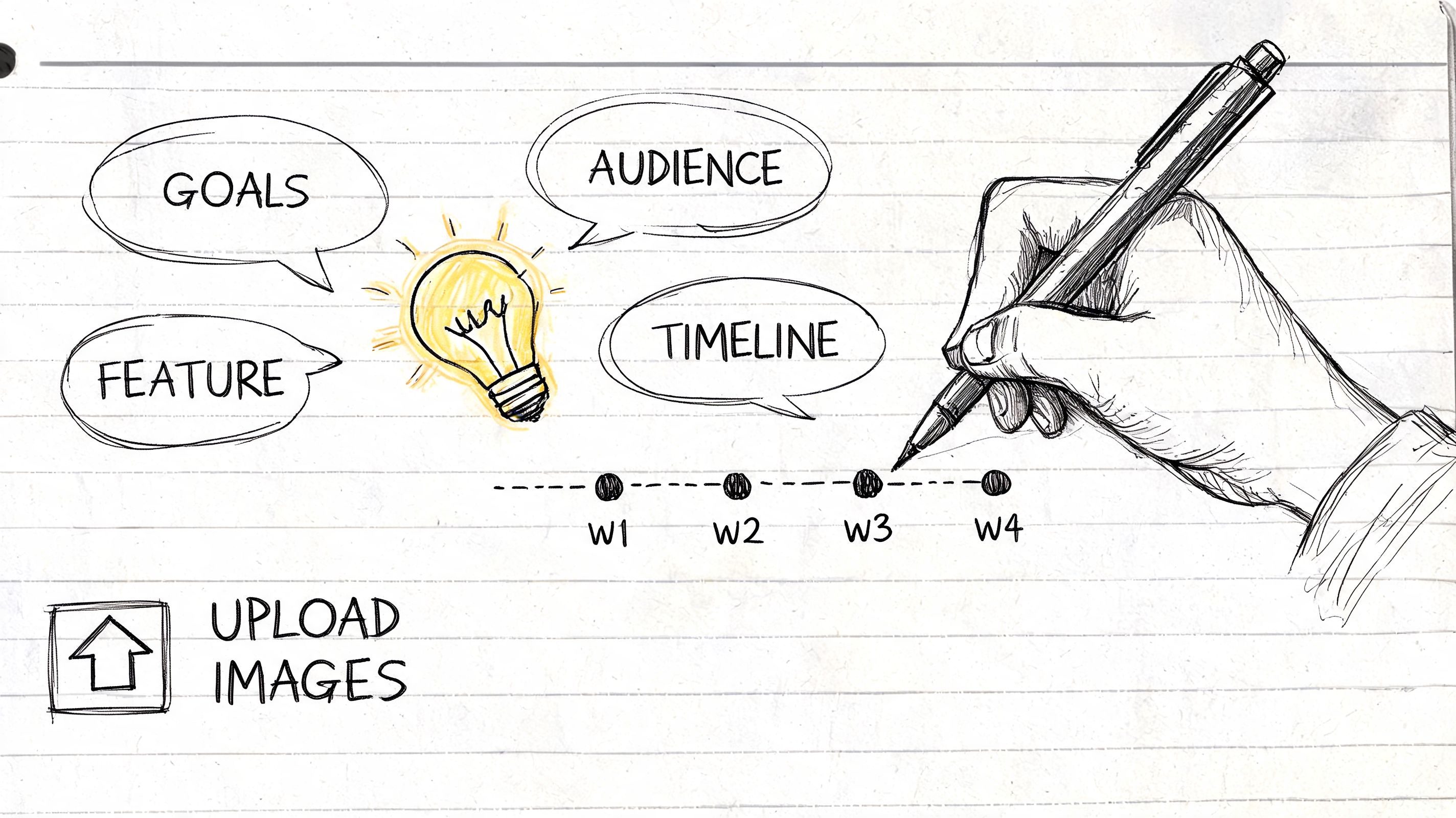
Start with the business goal
Pick the primary outcome. One. If the site needs to do everything, the design will do nothing particularly well.
Common examples include:
Lead generation: You need qualified inquiries, not just traffic.
Sales enablement: The site should help buyers understand the offer and move toward a conversation.
Self-serve conversion: The path to signup, booking, or checkout has to be simple.
Support reduction: Better structure and clearer information should answer recurring questions.
That primary goal should shape every later decision, from navigation to page priority to what counts as a successful launch.
Practical rule: If two stakeholders describe success differently, you don’t have a brief yet.
Define the audience precisely
“Small businesses” is not an audience. Neither is “everyone who needs our service.” You need enough specificity that a designer can make trade-offs and a researcher can test realistic journeys.
Write down:
Who buys
Who uses
What they already know when they arrive
What might make them hesitate
What device context matters most
If your offer serves different segments, separate them instead of blending them. A founder buying B2B software and an operations manager evaluating it do not read the same page the same way. If you need help tightening this, a practical way to structure it is with a user persona template for product and website planning.
Map journeys and conversion moments
Weak briefs usually collapse when they list pages instead of user actions.
A better approach is to define the missions users need to complete:
Understand the offer
Compare options
Trust the company
Take the next step
Recover if they get stuck
Then identify the conversion moments inside those journeys. Maybe it’s a demo request, a pricing inquiry, an add-to-cart, or a form completion after reading a service page. Those moments deserve extra scrutiny because they usually carry the most business risk.
Name the riskiest assumptions
Every project has them. Teams just don’t always admit them early enough.
Ask directly:
Are we assuming people understand our category?
Are we assuming the current navigation labels are clear?
Are we assuming a shorter path will outperform an educational one?
Are we assuming the homepage should carry the load?
When you surface assumptions early, agencies can turn them into testable decisions instead of building around guesswork.
Turn the brief into something agencies can price
A strong pre-agency brief should include:
Primary business goal
Core audience segments
Key user journeys
Critical conversion points
Known constraints
Open questions and assumptions
Preferred timeline
Internal approvers
That gives agencies enough to propose a process, not just a deliverable list. It also exposes who understands design as problem-solving and who just wants to sell page templates.
How to Evaluate a Web Design Service
A polished portfolio can hide a shaky process. Plenty of agencies can make a homepage look expensive. Fewer can explain why the structure works, what trade-offs they made, and how they know users won’t get stuck.
In the U.S. alone, the web design services market is projected to reach $47.4 billion in 2026, and 94% of first impressions are design-related, according to IBISWorld's analysis of the U.S. web design services industry. First impressions matter, but hiring based on surface-level visuals is still a costly way to choose a partner.
Review the portfolio like an operator
Look past color, typography, and motion. Ask what problem each project appears to solve.
A useful portfolio review includes questions like:
What was the user trying to do on this site?
Does the information hierarchy support that job?
Are the calls to action consistent and placed with intent?
Does the work change appropriately across industries, or does every client get the same layout?
Can the agency explain constraints, not just outcomes?
If every case study sounds like “we enhanced the brand,” keep looking. Good agencies talk about structure, content decisions, friction points, and what changed between early concepts and final implementation.
Listen for process, not performance
The best agencies usually describe a sequence that sounds disciplined. Brief. Discovery. Structure. Prototype. Validation. Refinement. Build. Pre-launch QA. Launch.
That sequence matters because validation should happen before the build hardens decisions. If an agency jumps from moodboards straight to production design, you're financing their assumptions.
A good partner should be comfortable discussing:
Wireframes before visual design
Clickable prototypes in Figma
Usability checks before development
Feedback loops tied to user tasks
Revision logic based on evidence, not opinion
For a practical outside perspective on procurement questions and fit criteria, this guide on selecting a B2B web design partner is worth reviewing before agency calls.
Ask pointed questions in the pitch call
You don’t need a long list. You need a few sharp questions.
Try these:
What happens between discovery and final design?
How do you validate navigation and key flows before development starts?
What do you need from us to define success clearly?
How do you handle stakeholder disagreement on design direction?
What would make you challenge our brief?
The answers tell you a lot. Strong agencies welcome constraints and clarify unknowns. Weak ones reassure too quickly.
A useful benchmark for how agencies should talk through design thinking is this short video.
The agency you want doesn’t just defend creative choices. They make decisions legible.
Decoding Pricing Models and Contracts
Price confusion usually comes from fuzzy scope, not expensive design. If you can’t tell what is included, when feedback is due, what counts as a revision, or how success will be judged, the number on the proposal doesn’t mean much.
That’s why the contract matters as much as the concept work. There is often a gap between celebrated design principles and measurable business outcomes. A clear contract that defines success metrics, such as task completion or conversion rates, turns subjective design quality into a quantifiable business driver, as discussed in Elegant Themes' article on web design principles.
Compare pricing models before you negotiate
Some pricing models are clean and efficient. Others look simple at first and become messy once the brief changes.
Model | Best For | Pros | Cons |
|---|---|---|---|
Hourly | Small updates, advisory work, uncertain scope | Flexible, useful when tasks shift often | Harder to predict total cost, can reward inefficiency |
Fixed-project | Defined redesigns, focused builds, clear deliverables | Easier budgeting, strong scope discipline | Change requests can become friction if the brief was weak |
Retainer | Ongoing optimization, staged rollouts, continuous design support | Supports iteration, easier prioritization over time | Needs active management or work can become vague |
A lot of clients push for fixed pricing because it feels safer. Sometimes it is. But fixed-project pricing only works well when the statement of work is specific and the review process is controlled.
What a clean proposal should make obvious
A professional proposal should separate costs and responsibilities clearly. The best ones feel modular. You can see the core scope, optional add-ons, timeline assumptions, and any pilot or phased engagement terms without decoding a sales deck.
Look for:
Defined deliverables: Wireframes, page templates, prototype, design system components, build support.
Clear rounds of revision: Not “unlimited until happy.”
Timeline dependencies: What the agency needs from your team, and by when.
Approval stages: What sign-off means at each milestone.
Ownership terms: Source files, design assets, and usage rights.
Termination terms: What happens if either side stops the project.
If you’re pressure-testing the financial side, this practical breakdown of how to determine your website expenses can help you sanity-check assumptions before you sign.
Contract terms that protect both sides
The strongest agreements create boundaries. That helps the client as much as the agency.
Prioritize these non-negotiables:
Success criteria: Define how performance will be judged.
Scope limits: State what is included and what triggers a change order.
Feedback windows: Late feedback delays the project. The contract should say so.
Decision authority: Name who approves work from your side.
Pre-launch responsibilities: Clarify testing, content entry, and final QA ownership.
If the contract treats design as taste instead of performance, expect difficult revision cycles.
Mastering the Design and Validation Workflow
The smoothest projects don’t rely on one dramatic reveal. They move in short loops. A structure is proposed, a flow is tested, friction is identified, revisions are made, and then the team moves forward with confidence.
That approach matters because the average task success rate for web usability is 78%, and teams that use an iterative testing process with clear benchmarks can push designs above 85% to 90%, according to DesignRush's usability statistics roundup. If your agency never checks whether users can complete key tasks before build, you’re accepting preventable risk.
Use checkpoints, not big reveals
A practical workflow usually looks like this:
Define the mission
Create a wireframe or clickable prototype
Test the flow with a defined audience
Review where users hesitate or fail
Refine and retest before development
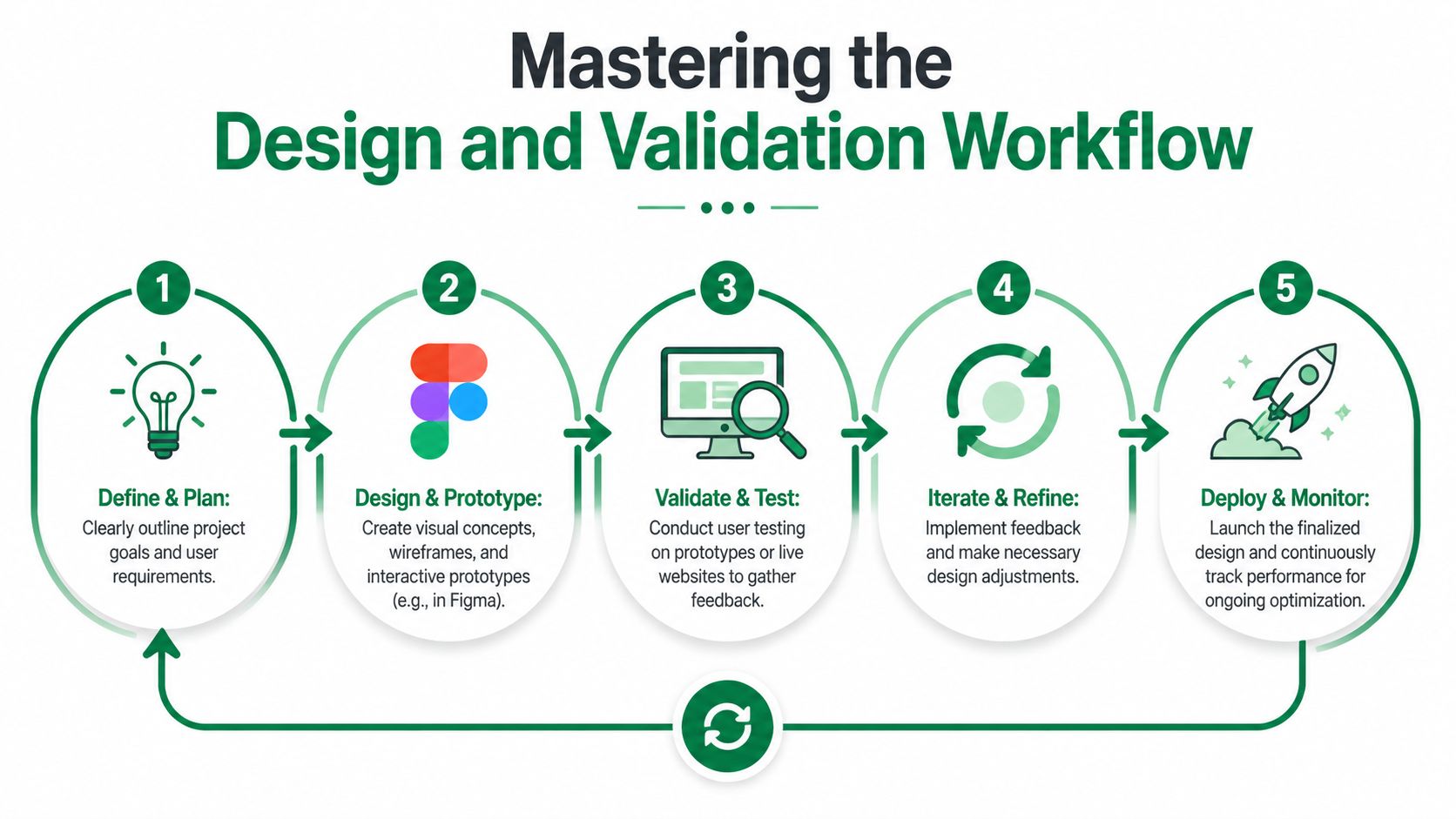
Many design service web engagements either become efficient or expensive depending on the timing of usability evaluation. If a team waits until staging QA to evaluate usability, they’re testing implementation, not the decision quality behind the interface.
A practical example with a conversion flow
Take a checkout or lead capture journey. The agency shares a Figma prototype. Instead of debating the design in a review call for an hour, define a user mission.
For example:
Find the right plan
Understand what happens next
Complete the form without confusion
Then observe where people hesitate. They may miss a pricing toggle, misunderstand the CTA language, or stall when asked for information too early. Those issues are easier to fix in prototype than after development.
A useful companion read here is Orbit AI’s perspective on conversion-focused design principles, especially if your team tends to discuss aesthetics more than user action.
What to ask your agency to show you
Don’t just ask for “feedback.” Ask for decision evidence.
You want to see:
Task-level findings: Where users completed or dropped off.
Observed friction: Labels, hierarchy, trust signals, navigation confusion.
Revision rationale: Why the team changed one version to another.
Retest criteria: What would count as good enough to proceed.
If your team is adopting synthetic testing as part of the workflow, this explanation of synthetic users for website validation is a helpful reference for setting expectations internally.
Teams make better design decisions when they review user behavior tied to a clear mission, not isolated opinions from a stakeholder meeting.
Planning for Success Beyond Launch
Launch day closes a project plan. It doesn’t close the work. Once a site is live, people use it in ways nobody fully predicted. New objections appear. Internal priorities shift. Features get added. Content expands. The navigation that worked at launch can become cluttered six months later.
That’s why the best client-agency relationships continue after the first release. Not in a vague “we’re here if you need us” way. In a structured way that treats the site as an evolving product.
Keep a post-launch operating rhythm
The most effective post-launch model is usually a light ongoing engagement. That might be a retainer, a monthly design block, or a quarterly optimization cycle. The format matters less than the habit.
Use the relationship to revisit:
Underperforming journeys
New feature pages
Navigation updates
Messaging shifts
Mobile usability issues
Accessibility improvements
This is also where teams can become more disciplined about evidence. Instead of rolling out every change to all users at once, test important updates behind a limited release path when possible and review task completion before full rollout.
Treat accessibility as usability
A lot of web teams still handle accessibility as a checklist item near the end. That’s a mistake. The accessibility-performance paradox is a major gap in web design services. Many teams treat accessibility as compliance rather than a UX variable, even though scalable synthetic testing can help validate whether accessible design choices improve outcomes for diverse user profiles, as noted in Fasturtle's discussion of overlooked website design elements.
That shift matters because accessible decisions can affect navigation clarity, readability, confidence, and speed to completion for everyone, not just users with a specific need.
A practical post-launch review should ask:
Did the change improve usability across different user profiles?
Did it introduce friction anywhere else?
Can users still complete the main mission cleanly?
Build a continuous validation habit
The teams that get the most value from a design service web partner don't ask for annual redesigns by default. They make smaller, smarter changes more often.
That could mean:
Testing a revised service page before publishing
Validating a new onboarding step before a broader release
Checking whether navigation changes create confusion
Reviewing whether accessibility improvements also support comprehension and trust
If you want your post-launch decisions tied more tightly to evidence, this guide to data-driven design practices is a solid starting point for your internal process.
Launch should change the question from “Is the site done?” to “What did we learn, and what should we improve next?”
Frequently Asked Questions
How much of the project budget should go to validation?
There isn’t a universal percentage that fits every project, and it’s better not to force one. The practical answer is to fund validation around your highest-risk decisions first. If the homepage matters less than the demo request flow, spend effort on the flow.
What if my agency has a traditional process and doesn’t test early?
Ask them to validate one critical journey before development starts. Keep it narrow. A single prototype flow is often enough to prove the value of early testing and reduce resistance.
What should I do if stakeholders and test findings conflict?
Use test findings to focus the discussion on task completion and friction, not personal preference. If a stakeholder still wants a different direction, agree on the exact assumption being challenged and test both versions.
Can synthetic testing replace every form of research?
No. It’s best used to speed up decision-making, expose obvious friction, and create faster iteration loops. For many web projects, that’s a major improvement over waiting until after launch to learn what users struggle with.
What’s the biggest sign an agency isn’t the right fit?
They can’t explain how they move from assumptions to evidence. If the process is mostly presentation, feedback, and revisions without any meaningful validation step, you’re paying for confidence theater.
How do I keep the project from expanding endlessly?
Set boundaries early. Define deliverables, review windows, approvers, and what triggers additional scope. Most scope creep starts as unstructured feedback, not bad intent.
If you want to reduce risk before launch and make design decisions with faster evidence, Uxia gives teams a practical way to test prototypes, live URLs, and new flows with AI-powered synthetic users. It’s a strong fit for agencies, product teams, and in-house design leads who want quicker validation loops without waiting on traditional research timelines.