
The most feature-rich research platform isn't automatically the best choice for tree testing. The right tool depends on the information architecture decision you need to make: are you validating labels, comparing navigation structures, recruiting a specific audience, combining tree testing with interviews, or checking whether a design iteration improved findability?
Tree testing strips away visual design and asks participants to find resources inside a text-only hierarchy. That makes it a focused way to evaluate menus, categories, and content structures before a redesign reaches production. Major UX guidance identifies success rate, directness, time spent, selection frequency, first click, and destination choice as useful measures, while Nielsen Norman Group's tree-testing guidance explains why the method works without a visual interface.
The comparison below looks at study setup, path analytics, recruitment, workflow integration, pricing access, scalability, limitations, and team fit. It includes specialist IA products, broader research suites, and Uxia, an AI-driven option for rapid, repeatable UX validation. No platform fits every research question. Human participants remain important for nuanced context, while synthetic testing can help teams validate navigation decisions repeatedly between live studies.
1. Uxia
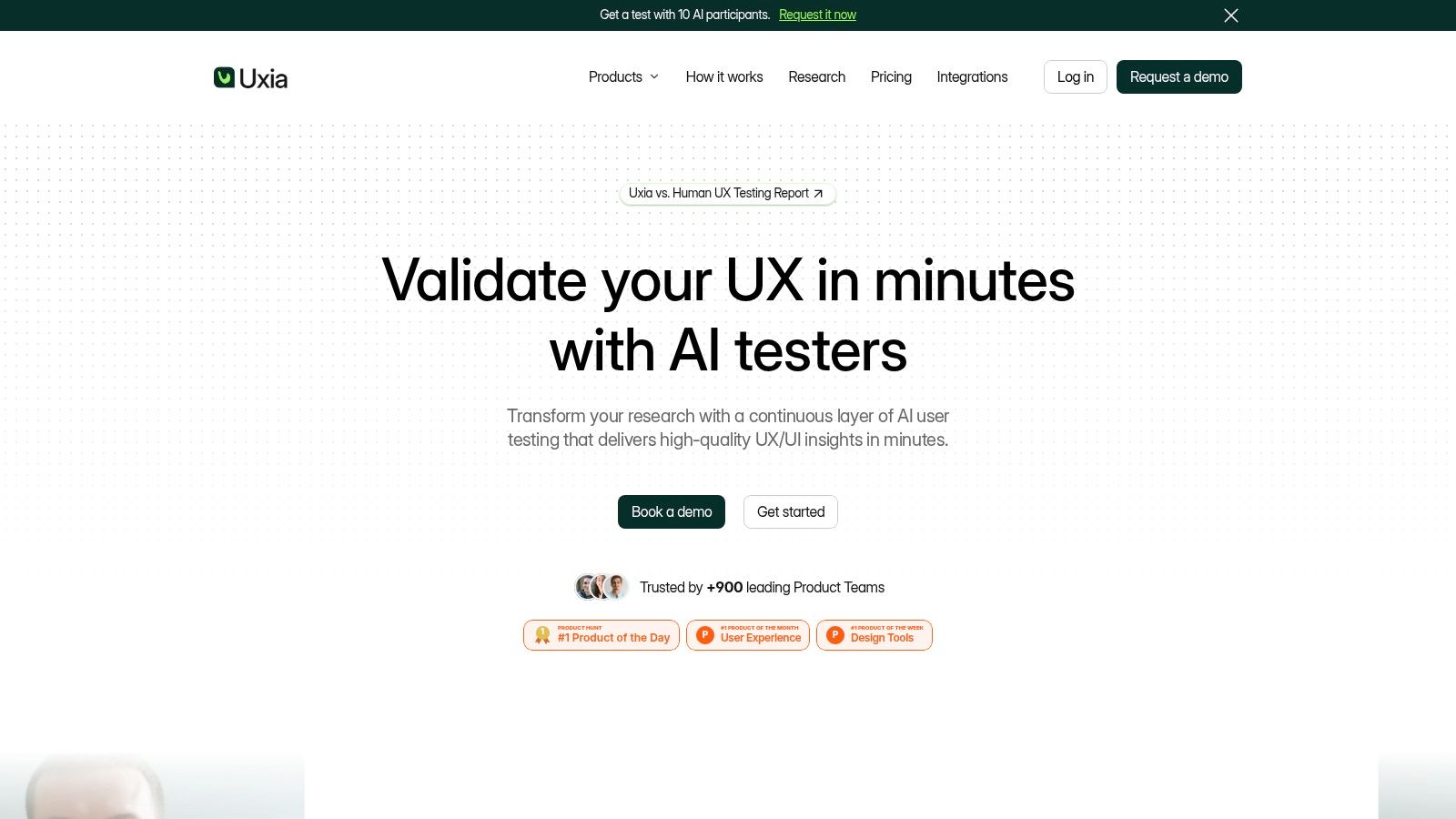
Uxia approaches tree testing as part of a wider, rapid UX validation workflow. Teams can upload images, videos, or share a URL, define a mission and audience, and generate synthetic testers aligned to demographic and behavioral profiles. For a navigation study, that means you can create a text-only structure or test navigation inside a prototype and receive step-by-step actions, think-aloud transcripts, friction signals, and prioritized findings without recruiting or scheduling a live panel.
The useful distinction is speed with repeatability. Uxia's AI participants can be configured by age, country, technology literacy, and persona characteristics. The platform analyzes usability, navigation, copy, trust, and accessibility issues, then turns interactions into visual reports with metrics, heatmaps, SUS and SUPR-Q benchmarks, transcripts, and prioritized insights. Uxia says its tests run up to 17x faster, provide 3x more actionable insights, and cost up to 5x less than traditional approaches. Those are vendor claims, so I'd treat them as a reason to evaluate the workflow, not as a replacement for your own validation.
Where Uxia fits best
Uxia is strongest when a team needs to test several navigation or flow variants during a sprint cycle. It can surface likely problems quickly, create stakeholder-ready outputs, and support collaboration in branded workspaces. The platform offers a free trial with one free AI User Test, while custom enterprise plans can include unlimited credits, audience enrichment, priority support, training, SSO, and SCIM. Uxia also states that customers retain ownership of uploaded content and outputs, and that customer content isn't used for training without explicit permission.
Practical rule: Use Uxia to accelerate baseline and iteration testing, then bring in human participants when emotional context, sensitive behavior, or high-stakes validation matters.
The trade-off is methodological, not just commercial. Synthetic testers can't fully replace every human study, and some prototype inputs may require preparation in image or video formats. Pricing beyond the free test isn't fully transparent and requires a demo or contact with the company. For product designers, PMs, agencies, and enterprise teams that need continuous feedback, Uxia is a strong complement to human research and, for early navigation iteration, can replace some slower exploratory cycles.
Pros: Instant, scalable feedback; configurable AI testers; automated transcripts, heatmaps, and prioritized reports; team collaboration; enterprise controls.
Cons: Not a complete substitute for nuanced human research; some input preparation may be required; full pricing isn't self-serve.
Website: Uxia
2. Optimal Workshop, Treejack
Optimal Workshop is the clearest choice when information architecture is the main job rather than one method inside a broader product research program. Treejack is purpose-built for tree testing and sits alongside card sorting, first-click testing, surveys, and prototype or live-site testing. Its reporting focuses on the questions IA specialists need to answer, including task success, path behavior, directness, and destination choices.
The platform's strongest advantage is accumulated workflow depth. Teams that test navigation repeatedly can compare studies and track whether a revised structure improves performance over time. That matters because tree testing produces benchmarkable quantitative outcomes, but not much explanation of why a participant chose the wrong branch. You'll still need interviews, follow-up questions, or a complementary qualitative study when the path data identifies a problem but doesn't explain the mental model behind it.
Trade-offs for IA teams
Optimal Workshop offers unlimited seats across plans, which helps larger teams share studies and results without managing individual access tightly. Participant recruitment is available as an add-on, and higher tiers include enterprise security and compliance controls covering SOC2, GDPR, CCPA, and CPRA.
The limitation is access and commitment. There isn't a permanent free plan, only a trial, and the Starter plan limits the number of studies you can launch in a year. Teams that run frequent IA programs may need additional study bundles. The interface and depth can also feel heavier than a lightweight test builder, especially for a designer who needs a quick answer rather than a long-term research system.
For repeatable enterprise IA work, Treejack remains one of the most defensible choices. For a startup running an occasional navigation check, compare the total study cost and learning overhead with a simpler tool. Uxia's guide to tree testing in UX is useful when you're deciding whether the underlying question requires a dedicated IA study.
Pros: Deep IA analytics, mature templates, study comparisons, unlimited seats, enterprise controls.
Cons: No permanent free plan, annual study limits on entry access, and a deeper workflow than casual users may need.
Website: Optimal Workshop
3. Maze, Tree Testing
Maze makes sense when it already anchors your product research stack. Its Tree Test block includes path analysis, destination views, and common-path reporting, so teams can validate a navigation hierarchy without moving into a separate IA product. Figma and other design-tool integrations also make it convenient for product teams that already use Maze for prototype, concept, or usability studies.
The workflow is modern and easy to author. A designer can keep navigation testing near the rest of a design validation program, combine it with other unmoderated methods, and share results in the same research environment. That consolidation can reduce operational friction, particularly when stakeholders already know where to find Maze reports.
The access question
Maze's main drawback is decisive for small teams. Tree testing is restricted to the Enterprise plan, and Enterprise pricing requires contacting sales. That means the platform may be excellent for an organization already paying for a broad research workflow, but it's a poor standalone recommendation if your immediate need is affordable IA validation.
Recruitment workflows are another advantage for larger programs. Maze supports panel recruitment with feasibility estimates and device targeting, which helps teams assess whether a desired audience is practical before launch. Still, panel access and plan eligibility should be evaluated together. A polished authoring experience doesn't compensate for a method that your current contract doesn't include.
Choose Maze when shared research infrastructure matters more than specialist IA depth. If you're comparing platforms before committing, include the broader Optimal Workshop alternatives for 2026 in your shortlist, especially when tree testing needs to be available to a smaller or more independent team.
Pros: Fast study creation, modern interface, path and common-path analysis, panel workflows, design-tool integrations.
Cons: Tree testing is Enterprise-only, pricing requires a sales conversation, and the platform may be excessive for IA-only work.
Website: Maze
4. Lyssna, formerly UsabilityHub, Tree Testing
Lyssna is built for teams that want to launch an unmoderated tree test quickly without adopting a specialist IA system. Tree testing is available as a core method across its plans, alongside card sorting, five-second tests, first-click testing, surveys, and prototype studies. That range makes it practical for a small research team that alternates between navigation, messaging, and early concept questions.
The authoring experience is the main draw. Teams can create a hierarchy, define tasks, use quick or in-depth study formats, and recruit through Lyssna's participant system with a per-minute pricing model. The platform also provides learning resources that reduce setup friction for people who don't run tree tests every week.
What you give up
Lyssna's broader accessibility comes with less IA specialization than Optimal Workshop. It can provide the core outcomes needed to compare findability, but teams with complex benchmarking programs or highly specialized information architecture requirements may prefer a dedicated suite. Some longer studies and advanced features are gated to paid plans, so the free entry point shouldn't be treated as equivalent to the full workflow.
Recruitment is convenient, but panel quality still deserves scrutiny. Before launching, define the audience and screening requirements, then check whether the available recruitment option can supply enough responses for a credible decision. Tree-testing guidance commonly recommends 30 to 60 participants for reliable insights, as outlined in Lyssna's tree-testing guide. That makes response capacity more important than headline plan price.
Lyssna is a sensible default for freelancers, small product teams, and researchers who need several lightweight methods in one place. It's less compelling when historical IA comparisons and specialist reporting are central to the program.
Pros: Low-friction setup, core tree testing on all plans, multiple UX methods, participant recruitment, useful education.
Cons: Advanced capabilities require paid access, and specialist IA workflows are less extensive than dedicated suites.
Website: Lyssna
5. UXtweak, Tree Testing
UXtweak combines tree testing with card sorting, website and prototype testing, surveys, and participant management. Its appeal is practical rather than flashy. A team can import a structure by CSV, build it in the editor, keep a permanent study link, and connect navigation research with other evaluative work without paying for separate specialist tools.
That breadth works especially well for startups and agencies. Agencies can reuse a familiar setup across client projects, while small internal teams can move from structure creation to findability testing and follow-up research inside one environment. Generous seat policies also make collaboration easier than tools that charge heavily for every viewer or contributor.
Pricing and scale considerations
UXtweak is approachable, but you'll need to inspect the plan details rather than assume every capability is included. SSO and custom data-retention controls require higher tiers, and the effective cost can change with seats, participant recruitment, and add-ons. The global user panel can help when a team needs external respondents, but internal recruitment through a shared link may be more suitable for early iteration.
The reporting covers the core tree-testing decisions, including success, directness, and time. For a narrow question, that's enough. For a high-stakes IA program spanning markets, teams may want stronger governance, more formal benchmarking, or consulting support.
The cheapest workflow is the one that reduces rework, not necessarily the one with the lowest subscription price.
Choose UXtweak when you want a flexible research suite with an approachable learning curve and room to combine methods. It's a strong middle ground between a dedicated IA platform and a general usability product. Use Uxia alongside it when you want rapid synthetic validation before spending recruitment budget on a larger human study.
Pros: Broad method coverage, CSV import, permanent links, flexible project setup, attractive for startups and agencies.
Cons: Enterprise controls require higher tiers, and total cost varies with seats and add-ons.
Website: UXtweak
6. Useberry, Tree Test
Useberry is a good fit for teams that want tree testing beside prototype validation rather than inside a specialist IA program. Its modular workflow includes tree tests, card sorts, first-click tests, five-second tests, surveys, and usability tasks. Teams can bulk-import a tree through CSV, show the root when appropriate, and randomize node order to reduce order effects.
The result views are designed for quick stakeholder consumption. Direct and indirect success metrics, destination breakdowns, and clear task reporting help a designer explain where users succeeded and where a category or label needs revision. Templates and integrated moderation or interviews also make it possible to follow a quantitative tree test with a more explanatory session.
Where it works, and where it doesn't
Useberry's strength is speed. A small or mid-sized team can set up a focused study, compare a few structural choices, and connect the result to prototype research without a complex research-operations layer. That makes it useful during early design, when the team needs directional evidence before committing to a large program.
Its limitations appear at scale. Pricing has been updated, some advanced features require paid tiers, and the ecosystem is smaller than legacy IA specialists. Teams that rely on long-running historical benchmarks should confirm how easily results can be exported, compared, and presented across projects.
The right workflow is to keep the tree narrow and test one navigation problem at a time. If the results point to a major labeling issue, revise the structure and retest before moving into visual design. For a practical comparison with AI-assisted validation, see Uxia versus Useberry.
Pros: Fast setup, clear result views, CSV import, randomization, templates, combined research methods.
Cons: Some advanced features are paid, pricing has changed, and the ecosystem is smaller than specialist IA platforms.
Website: Useberry
7. UserTesting, including former UserZoom capabilities, Tree Testing
UserTesting is designed for organizations that want tree testing inside a larger moderated and unmoderated research operation. Teams can build tree tests as a task type, combine them with video think-aloud sessions, and connect navigation findings to broader usability research. That makes the platform more useful for an enterprise research team than for a designer who only needs to validate a menu.
The integrated participant panel and operational support are the differentiators. Large organizations can apply governance, recruitment processes, and reporting conventions across multiple research methods. A tree test can become one part of a program that also includes live interviews, concept testing, and workflow evaluation.
The cost of breadth
The trade-off is price and focus. UserTesting's pricing is quote-based and often premium, while a dedicated IA tool may be more cost-effective for a small team running mainly tree tests. You'll also want to separate the value of the panel and governance from the value of the tree-testing feature itself. If those broader capabilities won't be used, the platform can create unnecessary overhead.
UserTesting works best when the research question extends beyond findability. For example, a team might first measure whether users reach the right destination, then use video-based sessions to understand the language, expectations, or trust concerns behind failed paths. Tree testing alone generally gives you strong behavioral signals but limited explanation, a distinction emphasized in Nielsen Norman Group's guidance on interpreting tree-test results.
Choose UserTesting when enterprise recruitment, mixed methods, and governance matter. Don't choose it solely because it's a familiar research brand.
Pros: Enterprise-ready operations, integrated panel, moderated and unmoderated methods, video think-aloud, governance.
Cons: Quote-based premium pricing, broader platform overhead, and potentially poor value for IA-only teams.
Website: UserTesting
8. MUIQ, MeasuringU
MUIQ is aimed at researchers who care more about quantitative rigor than designer-oriented simplicity. Tree testing is a native task type, with CSV import options and analytics that sit alongside moderated and unmoderated usability studies and surveys. The platform also connects users to MeasuringU consulting for study design and analysis, which can matter when the navigation decision has significant business or compliance consequences.
Its strength is methodological confidence. MUIQ suits teams that need to define tasks carefully, preserve a defensible research process, and report metrics in a way that can withstand scrutiny from stakeholders. MeasuringU's published guidance classifies tree-testing success rates in the 61% to 80% range as good, 80% to 90% as very good, and rates above 90% as excellent, providing a practical interpretation framework in its tree-testing IA guidance.
Who should use it
MUIQ is a strong candidate for high-stakes IA work, especially when the team needs expert input on sampling, task construction, analysis, or interpretation. It's less suitable for a designer who wants to test a rough hierarchy immediately and share a lightweight result with a product manager.
Pricing isn't public or self-serve, and the product feels more research-centric than many modern design tools. That isn't necessarily a weakness. Researchers who value precision may prefer a deliberate interface, while less experienced teams could find the setup demanding.
Use MUIQ when the research design matters as much as the test result. For fast iteration, pair a rigorous human study with Uxia or another quick validation workflow, then reserve MUIQ for decisions where defensible measurement and consulting support justify the process.
Pros: Quantitative depth, native tree testing, CSV import, methodology expertise, consulting access.
Cons: No public self-serve pricing, research-heavy interface, and a stronger fit for formal programs than casual testing.
Website: MUIQ by MeasuringU
9. Userlytics, Tree Testing
Userlytics brings tree testing into a platform that also supports qualitative tasks, video-based research, card sorting, and global participant recruitment. Its tree-testing activity can measure first click, final selection, success, and completion time, while AI-assisted analysis can help teams process findings alongside recorded or narrated usability sessions.
That combination is useful when a navigation question is only one part of the study. A team might ask participants to find a resource in a text-only hierarchy, then show a prototype and observe how the same label behaves in context. Userlytics supports that mixed approach without forcing the researcher to maintain separate projects.
Flexibility has a price
Userlytics offers flexible purchasing, including pay-per-session and subscription options. That can suit teams with irregular research demand, but public pricing and exact tree-testing costs can be difficult to interpret. Review the credit model, participant configuration, transcription allowances, and analysis features together before comparing the tool with a simple self-serve platform.
Panel quality can also vary depending on the audience and configuration. Screen participants carefully, write tasks that reflect a real navigation goal, and avoid treating a large respondent pool as a guarantee of useful evidence. Tree testing measures behavior through a hierarchy. It doesn't automatically reveal whether a user misunderstood the product category, disliked the wording, or lacked the context needed to choose.
Userlytics is a practical choice for multinational teams and mixed-method researchers. It's less compelling for a small team that only needs a clean IA scorecard and doesn't plan to use the video or qualitative capabilities.
Pros: Mixed qualitative and IA research, flexible purchasing, global panel options, first-click and final-selection metrics, AI-assisted analysis.
Cons: Opaque exact costs, a potentially complex credit system, and variable panel or advanced-feature experiences.
Website: Userlytics
10. Proven by Users, Tree Testing
Proven by Users keeps the workflow focused. It's designed for unmoderated UX methods such as tree testing, card sorting, and surveys, with straightforward study creation and dashboards aimed at quick readouts. For freelancers, small teams, and agencies, that simplicity can be more valuable than a large feature catalogue.
A useful operational detail is structure lock, which prevents the tree from changing during an active study. That protects the integrity of the results. If a researcher edits labels or grouping halfway through data collection, the responses no longer represent the same test condition. Proven by Users makes that control visible in the workflow.
The small-team trade-off
The pricing page lists Unlimited Tree Testing, which makes the product attractive when recurring study access matters more than a large participant network. Transparent plans also simplify early budgeting. Still, teams should check response access, panel availability, exports, integrations, and enterprise controls before assuming unlimited testing means unlimited research capacity.
Proven by Users has a narrower feature set than larger suites. It offers fewer integrations and enterprise controls, and its participant network is smaller than the networks associated with major enterprise research platforms. Those limits matter less when you recruit your own participants or need a fast internal check, but they become important for global or highly screened studies.
Choose it for straightforward, self-serve IA checks where the team values speed, clarity, and predictable access. Add human follow-up when incorrect paths reveal a problem that the dashboard can't explain, or use Uxia for rapid synthetic comparisons before deciding whether a larger participant study is necessary.
Pros: Easy setup, quick launches, structure lock, transparent pricing, and an Unlimited Tree Testing option.
Cons: Fewer integrations and enterprise controls, plus a smaller participant network than larger platforms.
Website: Proven by Users
Top 10 Tree Testing Tools, Feature Comparison
Tool | Core features | Quality & insights (★) | Value & pricing (💰) | Target audience (👥) | Unique selling points (✨) |
|---|---|---|---|---|---|
Uxia 🏆 | AI synthetic testers, think‑aloud, image/video/URL inputs, auto reports & heatmaps | ★★★★★, SUS/SUPR‑Q, transcripts, prioritized issues | 💰 Free trial (1 test) → SMB → Enterprise; claims 3x insights, up to 5x cheaper vs humans | 👥 PMs, UX researchers, designers, agencies, enterprise | ✨ Realistic selectable AI personas, instant tests, no recruiting, enterprise security |
Optimal Workshop – Treejack | Dedicated tree testing, path analytics, study comparisons, card sorting | ★★★★, success rates, path & comparison reports | 💰 Trial only; paid bundles, unlimited seats on plans | 👥 IA teams, content strategists | ✨ Deep IA analytics, mature workflows & templates |
Maze – Tree Testing | Tree test block, path/destination views, recruitment panels, Figma integrations | ★★★★, common‑path views, quick authoring | 💰 Tree testing on Enterprise; pricing by plan | 👥 Product teams using Maze & prototyping workflows | ✨ Embedded in prototype/research flows, fast setup |
Lyssna (UsabilityHub) – Tree Testing | Tree tests, card sorting, first‑click, built‑in recruitment (per‑minute) | ★★★★, fast studies, quick readouts | 💰 Affordable plans, per‑minute recruitment model | 👥 Small teams, freelancers, value‑focused researchers | ✨ Low‑friction setup, cost‑effective participant recruitment |
UXtweak – Tree Testing | Tree testing with CSV import, mix methods, add‑on global panel | ★★★★, broad metrics, generous seat policies | 💰 Approachable pricing; varies by seats/add‑ons | 👥 Startups, agencies, continuous testing teams | ✨ Permanent study links, flexible project setup |
Useberry – Tree Test | Tree test block, CSV import, randomization, templates, moderation | ★★★★, clear destination & success metrics | 💰 Fast setup; some advanced features on paid tiers | 👥 Product teams wanting quick stakeholder reports | ✨ Randomization options, integrated moderation & templates |
UserTesting – Tree Testing | Tree tests as task type, video think‑aloud, large participant panel | ★★★★, enterprise‑grade mixed methods | 💰 Quote‑based, premium enterprise pricing | 👥 Large organizations standardizing on one platform | ✨ Scalable panel, governance & operational support |
MUIQ (MeasuringU) – Tree Test | Native tree tests, CSV import, pro analytics, consulting | ★★★★, quantitative, statistically rigorous | 💰 Enterprise/consulting pricing (not public) | 👥 Research teams needing defensible metrics | ✨ MeasuringU expertise, rigorous study design & analysis |
Userlytics – Tree Testing | Tree testing + qualitative tasks, AI‑assisted analysis, global panel | ★★★, flexible but variable outcomes | 💰 Pay‑per‑session or subscriptions; pricing can be opaque | 👥 Teams combining IA with video usability | ✨ Flexible buying options, mixed‑method capability |
Proven by Users – Tree Testing | Simple tree setup, dashboards, surveys, structure lock | ★★★★, fast readouts, straightforward metrics | 💰 Transparent, affordable plans; “Unlimited Tree Testing” option | 👥 Small teams, freelancers, budget‑conscious pros | ✨ Clear pricing, very fast study launches |
Choose by Research Job, Not Feature Count
The best tree testing tool depends on the decision your team needs to make and the workflow surrounding it. Choose Optimal Workshop for dedicated, repeatable IA work where specialist analytics, study comparisons, and mature information architecture processes matter. Choose Lyssna, UXtweak, Useberry, or Proven by Users when you want accessible self-serve testing, a manageable setup, and enough flexibility to run navigation checks without adopting an enterprise research system.
Choose Maze when it already anchors your product research stack and tree testing belongs beside prototype and concept studies. Its value comes from consolidation, integrations, and shared workflow, not from being the deepest specialist IA product. Choose UserTesting when enterprise governance, panel operations, moderated research, and video feedback justify a broader platform. Choose MUIQ when quantitative rigor, study design, and defensible analysis are central to a high-stakes decision. Choose Userlytics when you need qualitative tasks and IA exercises in the same research program.
Choose Uxia when you need rapid, scalable validation between design iterations. AI-driven synthetic testing can help teams compare navigation concepts, identify likely friction, and create prioritized reports without recruiting or scheduling. It's particularly useful for continuous validation, but it shouldn't be treated as a universal replacement for human research. Sensitive, emotional, highly contextual, or consequential decisions may still require live participants and expert moderation.
Tree testing itself deserves a disciplined interpretation. In the Albert and Tullis review of 98 tree-testing studies, the median task success rate was 62%, with an interquartile range from 37% to 83%, according to the benchmark summarized by Useberry's tree-testing guidance. Another industry benchmark reported an average completion rate of 66% across 77 tree-test tasks from 200 users in three studies, meaning navigation problems can exist before visual design is applied. Treat those figures as context, not universal pass or fail thresholds. Your audience, task wording, tree complexity, and success definition all affect the result.
Budget comparisons should include more than the subscription. Calculate recruitment, screening, participant incentives, analysis time, stakeholder reporting, exports, collaboration, security review, and the cost of a follow-up study. Free or low-cost access can be useful, but only if it supports enough responses for the decision. Industry coverage notes that buyers increasingly need to evaluate response limits and panel quality, not just whether a plan is free, while common guidance recommends around 30 to 50 participants for evaluative tree testing, as discussed in this comparison of free and paid tree-testing options.
Use this workflow before committing:
Define the navigation question: State the resource, feature, or content destination participants must find.
Prepare the tree: Remove visual styling, use the proposed labels and grouping, and define the correct destination before launch.
Pilot the tasks: Check that instructions are unambiguous and that the intended path reflects the decision you want to evaluate.
Review success and paths: Examine directness, first clicks, time, wrong destinations, and repeated failure points.
Choose the follow-up: Revise and retest for a narrow structural problem, use interviews for explanation, or run a broader human study when context and nuance matter.
Start with the research job, not the longest feature list. A focused tree test in the right workflow will produce more useful evidence than an expensive platform used without a clear navigation decision.
Uxia gives product teams rapid navigation and UX validation with configurable synthetic testers, transcripts, heatmaps, and prioritized reports, helping you compare iterations without recruiting or scheduling. Visit Uxia to run faster checks between human studies and make your next information architecture decision with clearer evidence.