
The most popular advice about participant management tools is to choose the platform with the biggest panel or the longest feature list. That approach misses the operational decision. A research team needs to decide where participants come from, how carefully they're screened, how consent and privacy are handled, who schedules and pays them, and how often studies run. The right system depends on that workflow.
The category is also fragmented. In a 2023 UX research survey, 57% of respondents used two to three tools for recruiting and panel management, while 27% used four or more. Marketplace platforms are useful when you need external participants. Research CRMs make more sense when you're building an owned customer panel. Testing platforms reduce the work of connecting recruitment to a study. Uxia takes a different route, offering instantly available synthetic testers for rapid, unmoderated validation.
This comparison evaluates each option by the workflow it supports, not by a universal ranking. It includes practical recommendations for rapid prototype tests, specialized B2B recruiting, longitudinal research, owned panels, and enterprise ResearchOps. If your organization also coordinates non-research volunteers, the distinction between volunteer management tools and participant research platforms is useful: both manage people and workflows, but research tools must also handle screeners, study eligibility, consent, incentives, and research data.
1. User Interviews
User Interviews is a strong fit when the main problem is finding external participants quickly. Its opt-in panel supports audience targeting and advanced screeners, while built-in scheduling, reminders, incentives, quotas, and replacement workflows keep recruitment connected to the study itself.
The platform supports moderated interviews, unmoderated studies, diary research, and surveys. That breadth matters for teams that move between discovery interviews and lightweight validation, because they can keep recruitment operations in one environment rather than rebuilding the same screener and scheduling process for every method.
The strongest use case is broad U.S. consumer or professional recruitment, particularly when a team needs quota controls and a mechanism for handling no-shows. The trade-off is financial visibility. Participant incentives are separate from plan pricing, and plan details vary, so you'll need to model the complete study budget rather than compare subscription prices alone.
Practical rule: Treat replacement handling as part of the participant workflow, not as an exception. A cheap initial recruit can become expensive if weak screening or no-show management forces the researcher to restart the study.
User Interviews was the most-used recruiting or panel-management tool in the cited 2023 practitioner survey, reported by 53% of respondents, while 44% called it a must-have. Those figures describe practitioner adoption in that survey, not a universal quality ranking. Teams comparing alternatives can use this analysis of User Interviews alternatives to assess whether they need a marketplace, an owned panel, or faster synthetic validation from Uxia.
2. Respondent
Respondent is designed for teams recruiting professionals and specialized B2B audiences. Its screening and scheduling workflow supports both B2B and B2C studies, but its practical advantage appears when the eligibility criteria depend on role, industry, experience, or professional context.
The credit and balance model is straightforward at the session level. A completed session deducts a platform fee, while the researcher sets the participant incentive, which is paid through Tremendous. That structure makes volume planning easier than an opaque custom quote, but it also means the total cost includes both the platform charge and the incentive.
Respondent works well for moderated interviews with narrow professional profiles. It's less predictable when the audience is unusually specialized or geographically constrained, because fill times can increase as the intersection of requirements becomes smaller. A good screener can improve relevance, but it can't create supply where the panel has limited reach.
Where Respondent earns its place
Use Respondent when a generic consumer panel would produce the wrong people. A product team researching enterprise procurement, for example, may need participants who understand a specific buying process rather than respondents who merely match a broad demographic profile.
Best fit: Specialized professional profiles and B2B interviews.
Budget implication: Add participant incentives to the platform fee.
Operational risk: Narrow criteria can extend recruitment time.
Study implication: Strong screening is valuable, but researchers still need to schedule, moderate, and synthesize the sessions.
The platform ranked behind User Interviews in the cited survey, with 21% of respondents identifying it as a recruiting or panel-management tool they used. That doesn't make it weaker for B2B work. It shows why tool choice should follow audience access rather than general popularity. Teams weighing recruitment against faster testing can also review UX research recruitment platform options.
3. Prolific
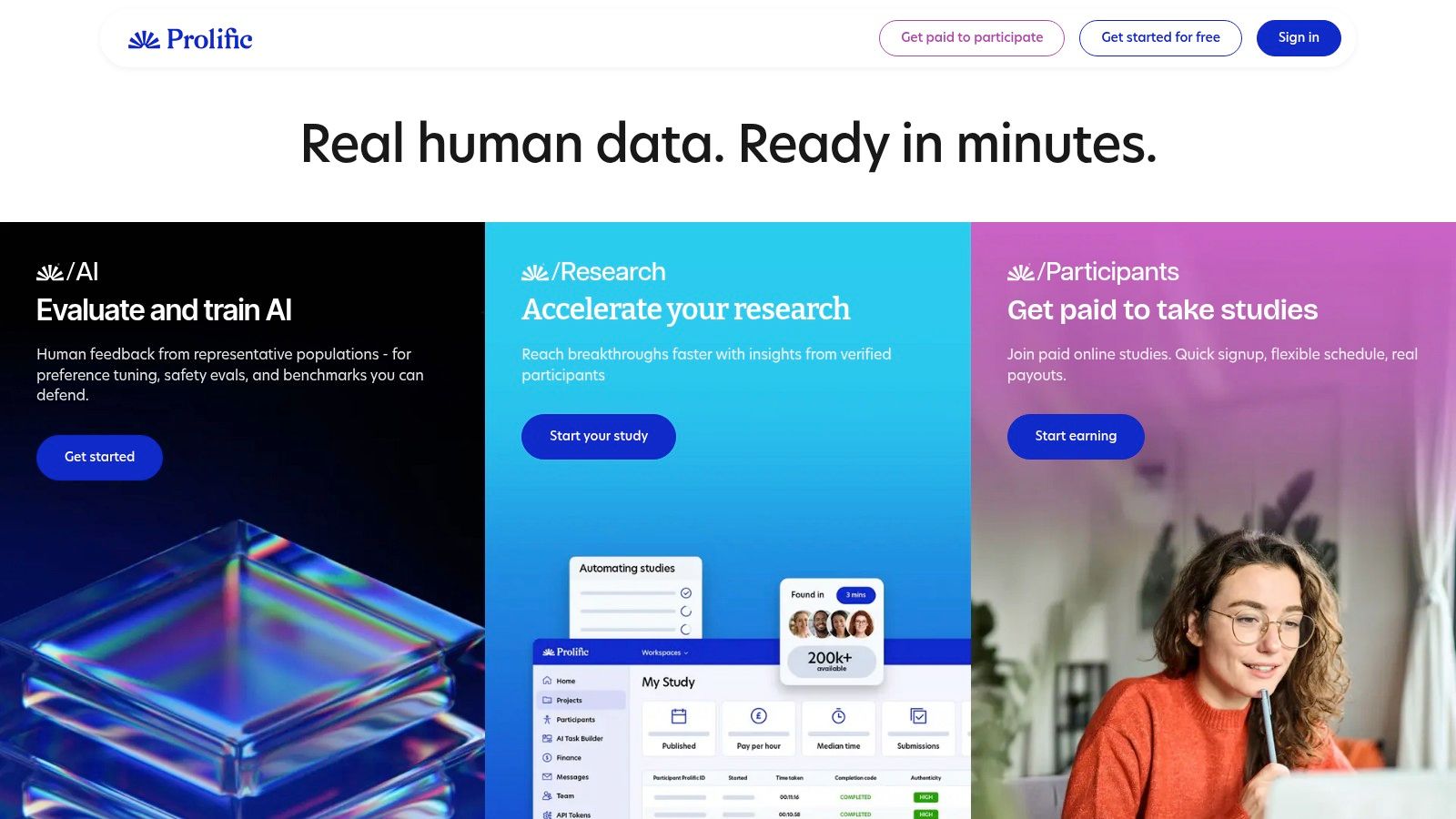
Prolific supports a different workflow from specialist interview recruitment. It provides a quality-controlled participant pool for experiments, surveys, and unmoderated tasks, with demographic targeting, fair-pay guidance, and integrations with external survey and UX platforms.
The practical advantage is a defined path from study setup to response collection. Researchers specify eligibility, connect a research instrument, and send participants through a structured task without managing every session on a shared calendar. That makes the platform suitable for testing where consistency matters more than live probing.
Fair-pay guidance also affects data quality. Incentives shape whether participants feel able to complete a task carefully, understand the instructions, and return for later stages. A technically efficient workflow can still produce weak evidence if the participant experience is rushed or poorly explained.
Prolific is strongest when the research instrument is already clear:
Unmoderated prototype or task validation, for independent completion of a defined flow.
Survey-led research, where consistent questions outweigh follow-up discussion.
Longitudinal studies, when participants return to structured tasks over time.
Behavioral research, where participant quality and controlled measurement matter.
The trade-off is limited adaptability during the session. A moderator cannot pursue an unexpected answer in real time, and highly specific professional or niche B2B audiences may take longer to recruit than broader behavioral or demographic groups.
Choose Prolific for repeatable external recruitment and structured validation. Keep moderated interviews for questions that depend on context, contradiction, or follow-up. For rapid unmoderated iteration, Uxia can complement Prolific by providing immediate synthetic feedback before a team commits participant incentives and research time to a human study.
4. Ethnio
Ethnio supports a different research workflow from marketplace recruitment. It is a research CRM and recruitment system for organizations that recruit from their own customers, visitors, or users. Its Pool supports segmentation and opt-in flows, while in-product intercepts and screeners reach people in the context where research needs emerge.
The resulting asset is a reusable, governed audience. Teams can maintain participant activity history, consent records, eligibility information, and recruitment workflows instead of rebuilding the same process for every study. That distinction matters for organizations with regular research demand and an existing relationship with potential participants.
Ethnio also brings scheduling, consent forms, incentives, and compliance tooling into the operating process. Researchers can check who has participated, which studies they completed, whether consent remains current, and when someone should be excluded from another study. Those records reduce coordination work and help teams protect participant trust.
A panel is an operational asset only when the team can trust its history.
Ethnio fits organizations running recurring studies across products, markets, or customer segments. Permissions and multi-team support become more useful when recruitment must move beyond one researcher's spreadsheet or inbox.
The main constraint is fit, not reach. A startup with occasional studies and no meaningful owned audience may gain little from panel infrastructure. Module selection and usage also affect pricing, so assess the operating model before comparing individual features.
Ethnio is a practical choice for:
Owned-panel governance, including opt-ins and consent.
In-product recruitment, rather than only external marketplace sourcing.
Segmentation, so recurring studies can target known audiences.
ResearchOps coordination, with permissions and shared workflows.
Uxia complements Ethnio when a team needs immediate design feedback without repeatedly contacting customers or waiting for panel availability. Synthetic testers can support early, repeated unmoderated iterations, while Ethnio manages recruitment and governance for studies that require real-customer evidence. Teams with an established audience should treat Ethnio as the system of record. Teams without one may need an external recruiter first, using Uxia to screen ideas before committing participant incentives or customer attention.
5. Rally
Rally is built for research programs where participant operations are part of the product workflow, not an occasional recruiting task. It combines participant CRM, recruitment workflows, scheduling, communications, and incentives, replacing scattered spreadsheets, calendars, email threads, and payment tools with one operating layer.
The per-session model gives researchers and managers a direct way to connect study activity with logistics and budget expectations. It avoids translating each task into an abstract credit balance, while ACH and credit-card funding support routine incentive administration.
Rally becomes more useful as study cadence rises. Repeated research creates ongoing work around consent, participant status, communications, payments, and data governance. Centralizing those activities can reduce coordination overhead across a customer research program.
A stronger fit for owned access
Rally is less suitable as a primary source of new audiences. Teams may need to set up and migrate participant records from another system, and its external marketplace reach is more limited than that of dedicated recruiting platforms. Organizations with customer access, or those building an owned panel, therefore have a clearer use case than teams sourcing unfamiliar participants for every study.
Choose Rally when customer research runs continuously, stakeholders need a per-session budget view, and consent or data governance must stay close to scheduling and communications. It also suits teams that need a participant CRM rather than a one-time recruiting order.
Rally and Uxia address different points in the workflow. A lean product team can use Uxia for rapid, unmoderated prototype checks, then reserve Rally's human participant program for questions involving lived context, customer relationships, or high-stakes decisions. That division limits requests to customers for minor interface changes while preserving real-person evidence where synthetic validation cannot replace it.
6. Great Question
Great Question is built for teams that already have access to the people they want to study. It combines a research CRM, owned-audience recruitment, study management, and analytics, allowing researchers to organize customer participants instead of sourcing a new audience for every project.
The workflow starts with panel building and segmentation, then extends through scheduling, templates, incentives, and study tracking. That structure matters for organizations running recurring research, where participant history and prior feedback can improve targeting over time.
Its cost model also requires careful interpretation. Recruiting from an owned audience avoids a recurring marketplace fee for each participant, but the work still carries costs. Teams must account for incentives, recruitment effort, communications, data administration, and the opportunity cost of asking customers to participate.
A system for customer research programs
A SaaS company with an engaged user base can segment participants by plan, use case, tenure, or product behavior. Researchers can then invite relevant customers to specific studies and retain context across projects. The result is a panel that becomes more useful as the team learns how different customer groups respond.
Great Question is a weaker fit for audiences outside the company's customer base. Third-party marketplace recruiting is not its primary strength, so teams without an established panel may need a separate recruiting source before the platform becomes useful.
The practical decision is whether participant continuity matters more than immediate marketplace reach:
Use Great Question when customer access is already available and research runs across several studies.
Choose it for scale when multiple researchers need shared recruitment and study-management workflows.
Build a panel when repeated segmentation and participant history can improve future invitations.
Look elsewhere first when each project requires unfamiliar or highly specialized external participants.
Uxia can support the earlier screening stage. A team might compare prototype directions with synthetic testers, remove weaker concepts, and then invite owned participants only for the options that warrant direct validation. That division reduces unnecessary customer requests while keeping human research for questions that depend on lived product experience.
7. Dovetail Recruit Panels
Dovetail Recruit, also called Panels, is a recruitment add-on inside Dovetail. It combines screeners, scheduling, calendar and video integrations, and incentive workflows with the Dovetail repository and analysis environment.
That integration is its main advantage. A team already using Dovetail can move from recruitment to sessions to analysis without exporting study information across multiple systems. The benefit isn't merely convenience. Fewer handoffs can reduce duplicate records, missed context, and uncertainty about where consent or participant notes belong.
Dovetail Recruit is particularly practical for B2B moderated interviews. The workflow fits teams that identify professional participants, schedule live conversations, and then analyze recordings and notes in the same research repository.
Choose integration when the handoff between tools creates more risk than the recruitment itself.
The limitations are equally clear. Recruitment fees and incentives apply per participant, marketplace breadth is more limited than that of dedicated recruiting platforms, and the product is not equally suited to every study type. Teams running large unmoderated surveys, specialized longitudinal programs, or broad consumer recruitment may need a more specialized source.
Use Dovetail Recruit when:
Dovetail is already the research system of record.
Moderated B2B interviews are a major part of the program.
Recruitment-to-analysis continuity matters more than marketplace breadth.
The team wants one environment for participant logistics and research evidence.
If your team is comparing panel options, this guide to tester panels can help frame the alternative between human recruitment and synthetic testers. Uxia is useful when the immediate question is whether a prototype flow deserves a scheduled human study at all.
8. TestingTime
TestingTime provides on-demand participant sourcing with calculator-based pricing and real-time quotes. It also offers a Private Pool option for organizations that want repeat access to known segments rather than starting external recruitment from scratch for every study.
The service has an agency-like operating model. Customer-success support and simple payment workflows can appeal to teams that want a partner to manage recruitment logistics instead of administering every operational detail internally.
TestingTime can support recurring moderated and unmoderated work. Its Private Pool is especially relevant when a company has a defined audience it wants to retain, recontact, and manage over time. That approach sits between a broad marketplace and a fully internal research CRM.
Watch the narrow-audience economics
Private Pool activation fees and volume-based pricing need to be included in the business case. Narrow or hard-to-find segments can also increase lead times and costs. A managed recruitment partner may reduce internal coordination, but it doesn't eliminate the supply constraints created by demanding eligibility criteria.
TestingTime is a reasonable choice when:
The team wants managed recruitment, rather than a self-service marketplace.
A repeatable private audience is more valuable than broad one-off sourcing.
Customer-success support is important to ResearchOps.
Moderated and unmoderated studies both appear in the program.
Uxia serves a different operational need. Synthetic participants don't solve the requirement to speak with a real specialist or observe real-world behavior over time, but they can help teams run rapid unmoderated prototype iterations while TestingTime manages recruitment for research questions that need human evidence.
9. PlaybookUX
PlaybookUX combines moderated and unmoderated testing with panel recruitment in one interface. It supports B2B and B2C targeting through professional and demographic filters, and it includes analysis features with AI-assisted summaries.
The platform is attractive when a team wants to avoid assembling separate recruitment, testing, and analysis tools. One contract and one workflow can reduce setup overhead, particularly for smaller teams or agencies that need to deliver different types of UX studies for clients.
Its bundled structure is also the principal trade-off. A team that only needs a participant CRM may pay for testing capabilities it won't use. Conversely, a team that already has a preferred research repository may not value the integrated analysis layer enough to justify changing its workflow.
A practical fit test
PlaybookUX is a good candidate when the study itself is the unit of work. Researchers can target an audience, choose moderated or unmoderated execution, collect sessions, and analyze the results without stitching together a panel provider and a testing platform.
It is less compelling when the organization needs long-term participant governance as its primary capability. The platform's value centers on running studies with recruited participants, not necessarily on maintaining a rigorously governed owned panel across departments.
Choose it for:
Mixed moderated and unmoderated programs.
Agencies needing a compact client-delivery workflow.
Teams that want recruitment and testing in one contract.
Product groups with limited ResearchOps capacity.
Uxia can complement PlaybookUX by handling early synthetic validation before the team orders a human panel study. That sequencing helps researchers reserve participant recruitment for questions where real behavior, lived experience, or market authenticity matters.
10. Maze Panel

Maze Panel is a credit-based recruiting option connected directly to Maze's unmoderated testing workflow. Researchers can configure screeners, choose an Extended Network option for harder-to-find audiences, and see an all-inclusive price per order before submission, including screeners and incentives.
This is a strong operational fit for teams that already design and test prototypes in Maze. The participant source is attached to the testing flow, so researchers don't need to coordinate a separate panel provider before launching an unmoderated prototype study.
The limitation is scope. Maze Panel isn't a general-purpose participant marketplace, an owned-panel CRM, or a scheduling system for complex moderated programs. It's optimized for on-demand, unmoderated Maze tests. Niche audiences may also take longer to fulfill, even with the Extended Network option.
Best use case
Maze Panel works well when a designer needs a clear, bounded validation loop:
Build or import a prototype.
Define the target audience and screener.
Order participants with upfront pricing.
Review unmoderated results inside the Maze workflow.
Iterate on the design.
The all-inclusive order price makes it easier to compare study-level costs, but teams should still consider analysis effort, replacement expectations, and whether Maze's output format connects cleanly to the rest of their research repository.
Use Maze Panel for rapid prototype validation tied to Maze. Use a marketplace such as User Interviews or Respondent when participant sourcing is the primary challenge. Use Ethnio, Rally, or Great Question when the organization needs an owned panel. Use Uxia when the priority is immediate, repeatable feedback without recruiting or scheduling.
Top 10 UX Participant Management Tools, Comparison
Platform | Core features | Best for (👥) | Standout (✨/🏆) | Pricing & value (💰) | Speed / Quality (★) |
|---|---|---|---|---|---|
User Interviews | Large opt-in panel; advanced screeners; scheduling & quotas | 👥 General-pop & targeted B2B/B2C | ✨ Mature participant workflows; quota/no-show tooling | 💰 Plan + separate incentive budget; sales-talk pricing | ★★★★ |
Respondent | B2B/B2C recruiting; credit model; Tremendous payouts | 👥 Specialized professionals / niche B2B | 🏆 Strong for expert/pro profiles | 💰 Credit + participant incentives (scales with volume) | ★★★★ |
Prolific | Quality-controlled pool; fair-pay guidance; integrations | 👥 Experiments, surveys, academic & corp studies | 🏆 Emphasis on data integrity & fair pay | 💰 Clear platform-fee model; pay guidance for participants | ★★★★ |
Ethnio | Participant CRM (Pool); intercepts; consent & compliance | 👥 Teams building owned panels / customer recruitment | ✨ Best for governance, multi-team panel ops | 💰 Module-based pricing; ROI best for recurring research | ★★★ |
Rally | ReOps CRM; scheduling; incentives; budgeting tools | 👥 Ongoing customer research teams | ✨ Per-session budgeting clarity (no credit complexity) | 💰 Per-session orientation; setup/migration required | ★★★★ |
Great Question | Research CRM; recruitment from customers; study mgmt | 👥 Teams testing existing customers (no per-recruit fees) | 🏆 No per-participant cost for owned audiences | 💰 Modular enterprise pricing tied to CRM size | ★★★★ |
Dovetail Recruit | Screeners, scheduling; integrated with Dovetail analysis | 👥 Organizations already using Dovetail; B2B moderated | ✨ Seamless recruit → analysis workflow | 💰 Recruitment fees + incentives per participant | ★★★ |
TestingTime | Intl recruiting; real-time quotes; Private Pool option | 👥 Teams wanting agency-like panel partners | 🏆 Managed Private Pools & CS support | 💰 Quote-based; activation & volume fees for Private Pools | ★★★★ |
PlaybookUX | Moderated & unmoderated testing + global panel; AI summaries | 👥 Teams wanting all‑in‑one testing + recruitment | ✨ One contract for testing + recruiting; AI-assisted analysis | 💰 Varies by study type and target audience | ★★★★ |
Maze Panel | Credit-based recruiting tied to Maze unmoderated tests | 👥 Designers testing prototypes inside Maze | ✨ Upfront all-inclusive per-order pricing; Extended Network | 💰 Credit-based, includes screeners & incentives at checkout | ★★★★ |
Match the Tool to the Study You Actually Run
The best participant management tool is the one that fits the study your team runs. A marketplace is usually the right answer for external recruitment. A research CRM is more valuable when customers or users already form a usable audience. An integrated testing platform reduces handoffs when the team's main need is fast unmoderated prototype evaluation. Uxia belongs in a separate category, synthetic validation, where teams need immediate testers for repeated design checks without recruiting human participants.
For rapid unmoderated tests, start with Maze Panel, Prolific, PlaybookUX, or Uxia based on the type of evidence required. Maze Panel is a natural fit for teams already working in Maze. Prolific is stronger for structured tasks and surveys where participant quality and fair-pay guidance matter. PlaybookUX fits teams that want testing and recruitment together. Uxia is practical when the team needs to upload prototype images or video, define an audience and mission, and receive synthetic feedback in minutes.
For specialized B2B recruiting, Respondent remains the more direct choice among the tools compared here. User Interviews and TestingTime can also fit targeted recruitment, but narrow professional criteria create fill-time risk. For longitudinal work, Prolific can support structured recurring tasks, while an owned-panel platform such as Ethnio, Rally, or Great Question can help maintain participant history and recontact rules. Longitudinal research still needs real participants when context, habits, or changing circumstances are central to the question.
For owned customer panels, compare Ethnio, Rally, and Great Question by governance depth, segmentation, consent management, scheduling, incentives, and migration effort. Enterprise teams should also inspect role permissions, auditability, privacy controls, exportability, integrations, and whether participant activity history remains usable across products and regions.
Cost comparisons need to go beyond subscription or per-session fees. Include participant incentives, platform fees, setup and migration, replacements, no-show handling, payment administration, integrations, and analysis overhead. Recruitment difficulty remains significant. In Maze's participant-recruitment guidance, 62% of respondents in 2024 said they struggled to find enough participants who fit their criteria, while 57% identified participant quality as a problem. Those figures had declined from the prior year, but they still describe recruitment as an operational constraint rather than a minor convenience issue.
Sample design should match the study type. For qualitative usability testing, a commonly cited guideline recommends five users per round, and another source describes roughly 85% issue detection with five respondents, recommending repeated small tests instead of one large study (The Story). Comparative studies generally need larger groups, with guidance placing group sizes between eight and 25 participants and 10 to 12 as a useful baseline (UXmatters). Quantitative research may need at least 40 participants for a representative sample, depending on the design and inference required (UXmatters).
Uxia should support early and repeated validation, not replace real participants for every high-stakes or context-dependent question. Synthetic testers can expose friction in navigation, copy, trust, accessibility, and task completion before a team spends time recruiting and scheduling. Real participants remain essential when the research depends on authentic lived experience, actual product behavior, professional credibility, sensitive topics, or decisions with substantial consequences.
Run a controlled pilot before changing your stack. Define one workflow, such as prototype screening, owned-panel recruitment, or specialized B2B interviews. Run a comparable study through the candidate tool, record insight quality and operational effort, then document which questions are better answered by real participants and which can be validated quickly with Uxia. That record will produce a more defensible decision than choosing the platform with the largest feature list.
Uxia provides instantly available synthetic testers for unmoderated UX validation, helping teams test prototype flows without recruiting, scheduling, or incentive administration. Define the audience and research mission, review transcripts and prioritized findings, then visit Uxia to evaluate where synthetic participants can complement your human research workflow.