Best Concept Testing Tools in 2026: 10 Top Picks
Compare the Best Concept Testing Tools in 2026 for qualitative and quantitative research, with use cases, limitations, bias checks, and practical guidance.

The popular advice is to choose the fastest concept testing tool and start collecting reactions immediately. That shortcut misses the core risk. A study can move quickly and still produce a weak decision when the design, sample, recruitment, question wording, moderation or administration, analysis, or reporting introduces bias.
The best tool is the one that controls the right bias for the decision in front of you. A synthetic test can expose confusing flows early, while a recruited-human study can provide stronger evidence for audience-level comparisons. A UX task test can show where people struggle, but it won't establish market demand. A quantitative or forecasting platform can support stage-gate decisions, but only when the instrument and sample fit the question.
This list compares 10 concept testing tools in 2026 as parts of a bias-aware workflow, not as interchangeable feature lists. It includes Uxia as a fast synthetic-testing option, plus platforms for human qualitative research, UX-task validation, survey-scale measurement, and innovation modeling. Use the accompanying research planning template to define the decision before choosing the software.
1. Uxia
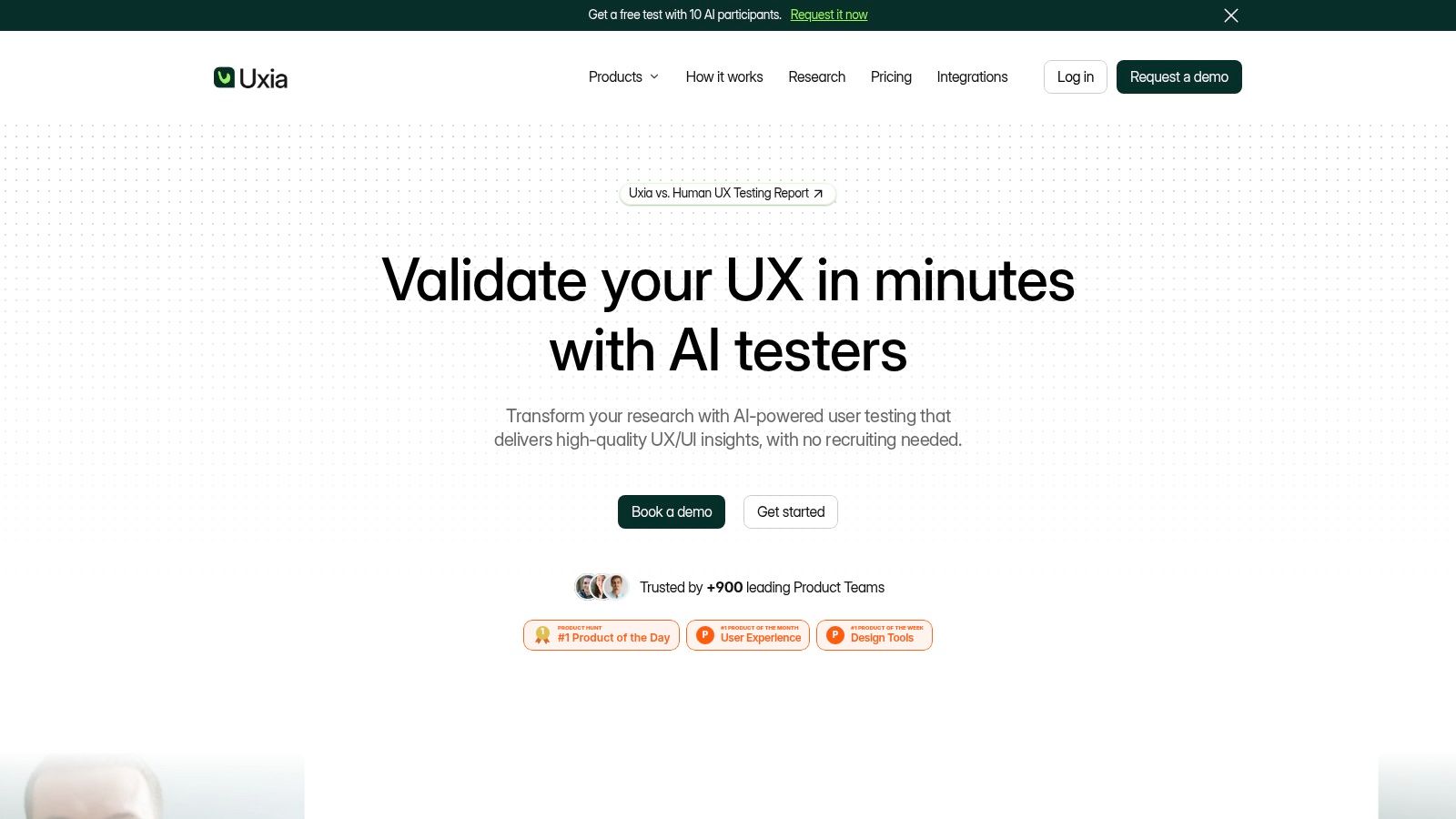
Uxia fits teams that need a quick first read on an early flow, interface, message, or prototype. Upload images or video prototypes, share a URL, define a mission and audience, and select synthetic testers based on demographic and behavioral profiles. Uxia runs unmoderated interactions, records think-aloud responses and transcripts, then organizes the output into heatmaps, prioritized insights, visual reports, and usability findings.
Its strongest role is early design triage. Before recruiting human participants, teams can use Uxia to identify friction in navigation, copy, trust, accessibility, and task logic while changes remain inexpensive. The platform also includes SUS and SUPR-Q benchmarks, which give teams a structured reference alongside open-ended feedback.
Where Uxia fits best
Product designers, product managers, UX researchers, agencies, freelancers, and enterprise teams can use Uxia to review onboarding, conversion flows, prototypes, positioning, or accessibility without arranging every research round with recruited participants. Its audience enrichment combines demographic and behavioral data with a team's persona documentation, making target assumptions visible before the test starts.
Uxia advertises testing that is about 17 times faster, about 3 times more likely to deliver actionable insights, and about 5 times more affordable than traditional user research. These are product claims, not universal study results. Treat them as reasons to examine the workflow, not as evidence that synthetic testing can replace human validation. Uxia also says it is trusted by 900+ product teams, has received Product Hunt recognition, and was named a “Diamond startup to watch” by Gartner in synthetic population and behavioral simulation. Those points provide context, while study quality still depends on the prototype, mission, audience definition, and analysis.
Practical rule: Use synthetic testers to remove weak ideas early. Bring in real participants when the decision depends on lived context, representative measurement, or launch-risk prediction.
The main limitation is methodological. Synthetic participants can approximate reactions and expose repeated friction, but they may miss subtle responses shaped by personal experience or use context. Testers can only assess what the uploaded image or video represents, so a recorded prototype may not reveal behavior that a fully interactive study would expose.
Set a narrow mission, test one decision at a time, and label findings as directional. Check whether the audience definition matches the intended users, whether the mission leads participants toward a preferred answer, and whether repeated themes appear across concepts rather than in one isolated response. Uxia offers a free trial with 50 credits, one audience, and five testers per test. Enterprise plans can add branded workspaces, SSO and SCIM, priority support, and expanded security options. For high-stakes decisions, use Uxia as the rapid first filter, then confirm consequential findings with selective human or quantitative research.
2. Qualtrics
Qualtrics fits organizations building governed research programs, not teams running occasional lightweight tests. Its Concept Testing solution covers product, packaging, pricing, advertising, and messaging, while the wider research environment includes more than 20 prebuilt study types, such as MaxDiff, conjoint, and video diaries.
Its main advantage is methodological control. Researchers can select monadic, sequential monadic, A/B, or diagnostic designs, then manage survey construction, data, analysis, security, and reporting within one enterprise environment. That structure supports comparable studies across departments, markets, and business units.
What it does well
Experienced researchers can configure quotas, branching, randomization, complex instruments, and advanced statistical analysis. Qualtrics suits a board-level packaging decision, a multi-market product screen, or pricing research that requires an auditable record rather than a quick directional result.
The cost is operational weight. A non-researcher can launch a basic survey, but defensible concept testing still depends on sound sample design, monadic isolation, appropriate conjoint or MaxDiff use, and control of questionnaire effects. Pricing is sales-led and opaque. Request an estimate covering fieldwork, respondent access, analysis support, integrations, and governance requirements.
Choose Qualtrics when methodological control and repeatability matter more than instant setup.
Treat the platform as the quantitative and instrument-control layer of a broader workflow. Before fielding, document the target population, quota logic, success criteria, exclusion rules, and analysis plan. Check the design for sampling bias and ensure each concept receives comparable exposure. After collection, review missing responses, subgroup imbalances, and order effects before interpreting the result.
The instrument must match the decision. A general rating scale can measure stated reaction, but it should not be used to infer feature trade-offs that require structured choice methods. Report uncertainty and limitations alongside the headline score, especially when the study will guide a high-stakes launch or investment.
3. Zappi
Zappi is built for consumer brands that need repeatable concept testing across packaging, advertising, pricing, and broader innovation work. Its value is less about having the longest feature list than about creating a consistent measurement layer. Large innovation teams can compare ideas across a portfolio instead of treating every study as an isolated result.
That consistency creates a practical advantage. Teams can establish a common process for screening propositions, reviewing pack designs, and comparing new findings with earlier work. Ranking and diagnostic measures cover distinctiveness, clarity, appeal, and commercial potential, while AI-assisted reporting can shorten the path from fieldwork to presentation.
Best use and main compromise
Zappi fits teams that test often enough to benefit from standardization. Its subscription and credits model, optional professional services, and enterprise setup with unlimited users are easier to justify for a scaled insights operation than for an occasional founder-led study. The AI Concept Creation Agents add-on can also connect ideation and evaluation within one innovation workflow.
The trade-off is constrained customization. Unusual stimuli, bespoke questionnaires, and exploratory qualitative questions may fit poorly within a standardized framework. Pricing is not fully transparent online, so request a proposal that reflects expected testing volume and any services required.
Use Zappi after early concept pruning. First test whether each proposition is understood and positioned clearly. Then apply a consistent quantitative design to the concepts that remain, keeping the target audience, exposure conditions, criteria, and reporting thresholds comparable.
Treat the output as one layer of evidence, not a market verdict. A benchmarked score can look persuasive while still reflecting a mismatched category norm, weak stimulus, or poorly defined sample. Before fielding, review the design and sampling plan. After collection, check subgroup balance, missing responses, concept order, and whether the analysis supports the decision being made.
Bias check: Confirm that the category norms, sample definition, stimulus quality, and reporting thresholds fit the decision. Do not interpret a benchmarked score as proof that a concept will win in market.
Zappi is a practical fit for CPG and agency teams that need a shared language for portfolio reviews. It is less suited as the only tool for diagnosing why an interactive prototype flow fails, because its center of gravity is consumer and innovation measurement rather than UX-task observation.
4. AYTM
AYTM, or Ask Your Target Market suits teams that need to build and field consumer concept studies without adopting a heavy enterprise research workflow. Concept Lab supports comparisons over time, while Xpert Concept Testing offers templates and preloaded diagnostic attributes, including uniqueness, believability, and importance.
AYTM covers more than static copy. Teams can test video concepts and connect concept research with product questions about price, features, and messaging. Real-time feasibility and delivery estimates clarify audience targeting and fieldwork requirements during study setup, which helps marketers and product teams working without dedicated research operations support.
How to use it responsibly
Templates reduce setup effort, while researchers can still adjust questions, audiences, and diagnostics. That balance fits early consumer screening, message comparison, and exploratory product development. It also creates a design risk: preloaded attributes can steer respondents toward the platform's framework instead of the decision criteria the team needs.
Set the decision rule before writing the questionnaire. Define which concepts advance, which audience must evaluate them, and whether the study needs open-ended explanation, attribute ratings, or both. Compare concepts under consistent exposure conditions, and pilot the instrument to identify comprehension problems before expanding fieldwork.
Cost depends on targeting and interview length, so an initial estimate may not represent the final budget. Confirm the audience definition, expected incidence, questionnaire length, and any service requirements before approving the study. AYTM is also more survey-centric than UX-task-centric. It can show how respondents evaluate a concept, but it is not designed to observe whether someone completes a prototype flow.
Review open-ended responses for evidence that respondents understood the stimulus. Separate objections to the idea from reactions caused by unclear wording, weak visuals, or excessive information. Check subgroup balance, incomplete responses, concept order, and whether the reporting format supports the decision rather than merely presenting attractive scores.
Bias check: Before fielding, test the stimulus and questionnaire with a small pilot. After collection, verify comprehension, sampling fit, order effects, and subgroup balance. Treat attribute scores as evidence about the tested presentation, not proof of future behavior.
AYTM is a reasonable choice for “Which consumer concept should advance?” For “Where does the user fail inside this flow?”, use a UX-task tool instead. Keeping those decisions separate prevents a survey from standing in for interaction observation.
5. Upsiide
Upsiide suits innovation teams that need to screen ideas, compare alternatives, and assess later-stage commercial choices. Its workflows cover rapid prioritization, trade-offs, pricing, and incrementality. A Market Simulator lets teams examine how changes to the offer may shift preference or uptake.
The platform earns its place when a concept pipeline is too large for unstructured discussion. Use it to establish consistent exposure, collect comparative evaluations, and move stronger ideas into more detailed commercial analysis. Its learning resources and study guidance can also support more disciplined research design.
Where it earns its place
Upsiide is a practical fit for organizations that want a defined innovation process instead of a blank research canvas. Sandbox environments and professional services can support larger programs. Its quantitative-first design works well for ranking many ideas or testing questions about price and incrementality.
The trade-off is weaker discovery. Upsiide will not replace human qualitative interviews, synthetic concept critique, or prototype usability research when the team needs to understand customer language, motivation, or interaction friction. Public pricing is not listed, so confirm fieldwork, modeling, support, and additional-study costs before approval.
Set the research sequence deliberately. Start with human qualitative or synthetic exploration to clarify the proposition and identify confusing language. Then use Upsiide for comparative evidence, once the audience, competitive frame, stimulus, and decision rule are defined.
Instrument design matters. Keep concept exposure consistent, predefine the prioritization criteria, and pilot the study for comprehension and ordering effects. Check sample composition and subgroup coverage before interpreting rankings. During analysis, separate preference for the presented execution from evidence of likely market behavior. Report uncertainty and trade-offs rather than treating a simulator output as a forecast.
Bias check: Before fieldwork, test the stimulus, question wording, concept order, and decision rule with a small pilot. After collection, review sampling fit, incomplete responses, subgroup balance, and whether the model answers the stated business question.
Upsiide is strongest for prioritization and commercial structure. Pair it with a UX-task platform when the concept includes a digital experience that users must successfully operate.
6. Attest
Attest is a self-serve consumer research platform for teams that want rapid concept and message testing across international audiences. Its templates and help-center workflows make it approachable for marketers and insights teams, while its integrated panel supports fieldwork across 59+ markets with consistent per-respondent pricing.
That market coverage is useful when a team needs to compare a proposition across countries or establish whether a message travels beyond its original market. The platform's flat cost-per-respondent approach can make initial budgeting easier than a fully customized research engagement, and integrated panel access can reduce the operational work of recruitment.
Strengths and limitations
Attest is strongest for survey-driven studies. Teams can test comprehension, resonance, and message response with a structured instrument, then use the results to decide which ideas deserve deeper investigation. The fast integrated-panel workflow also suits time-sensitive checks when the audience is consumer-facing and the research question is clear.
It isn't designed to replace detailed UX-task instrumentation. If you need to watch someone move through a multi-step interface or diagnose a specific interaction failure, a prototype testing tool will provide more relevant evidence. Some enterprise capabilities may also require higher-tier plans, so confirm access controls, collaboration, data exports, and support before standardizing the platform.
Protect the study from sampling and reporting bias by checking every market separately. A pooled result can conceal meaningful differences in comprehension, relevance, or cultural interpretation. Keep the stimulus, wording, and exposure conditions consistent, but don't assume that a single combined score represents every audience equally.
Attest works well as a human quantitative layer after early synthetic or qualitative screening. It can answer whether a refined concept resonates with a defined recruited audience, but it can't explain every reason behind a response without open-ended diagnostics or follow-up research.
7. Sprig
Sprig fits digital product teams that need concept and prototype feedback in the setting where the product is used. It supports voice and video responses, link-based studies, email distribution, and mobile SDK deployment. Agent-powered workflows can assist with study design and synthesis, which makes the platform useful for continuous discovery.
Its main advantage is contextual administration. Teams can place a question near an onboarding flow, feature concept, navigation change, or working interface instead of asking every participant to recall a product experience in a general survey. That context can improve relevance, but it also narrows the audience to people reached through the product or the team's own channels.
Practical fit
Free and Starter tiers lower the entry barrier for smaller programs. Sprig is a practical choice when a product manager needs directional evidence quickly and can recruit relevant users through existing touchpoints.
The same focus limits its role. Sprig suits digital product concepts better than CPG packaging norms, broad consumer innovation benchmarks, or complex market modeling. Advanced capabilities may depend on usage tiers, so confirm included study volume, analysis functions, exports, and collaboration permissions before building a recurring program around the platform.
Keep each study narrow. Test one decision, present the stimulus in a realistic context, and avoid stacking multiple tasks into one intercept. Short studies reduce fatigue and help separate a reaction to the concept from frustration with the research experience.
Administration check: The collection channel shapes the evidence. In-product responses may reflect current usage context, while a panel survey may capture broader category attitudes.
Review who receives the intercept, who ignores it, and whether active users are overrepresented. Compare responses across relevant user states or exposure paths before treating an overall result as representative. Open-text, voice, or video feedback can explain a reaction, but interpret it alongside the recruitment route and the task wording.
Use Sprig for rapid product discovery, then add a broader human quantitative study when the decision requires audience-level comparison. It can complement Uxia well, with Uxia stress-testing early flows synthetically and Sprig checking reactions from people who encounter the product in context.
8. UserTesting
UserTesting provides moderated and unmoderated studies with human participants recruited through an on-demand contributor network. It suits early concept walkthroughs, think-aloud sessions, prototype comprehension, messaging checks, and qualitative diagnosis of digital journeys. AI analysis can organize video and voice feedback, but the main evidence comes from observing people interact with the stimulus.
Choose UserTesting when the decision depends on understanding why participants react. A participant may explain the expectation behind a click, identify a confusing label, or describe why a value proposition feels irrelevant. Moderated sessions add probing, which helps distinguish a genuine concept problem from a misunderstanding caused by the task or prototype.
When human evidence matters
Study formats and plan structures vary, including test-based consumption and team-based unlimited options. Pricing is customized and may exceed survey-only tools. Before comparing quotes, define the required audience, moderation time, analysis workload, and usage volume.
UserTesting focuses on digital journeys. It cannot replace a large-N quantitative norm, a conjoint model, or market sizing. Human sessions also carry sampling and administration bias. Contributors may be familiar with research tasks, interpret instructions differently, or rush when speed is rewarded.
Set one realistic task, avoid leading instructions, and inspect recordings instead of accepting automated summaries as the result. Recruit against the actual decision audience, then compare recurring behavioral patterns with isolated comments. A practical analysis check is to code observations by expectation, task failure, and stated preference, rather than treating every complaint as evidence against the concept.
For a broader comparison of faster synthetic and human options, see 10 best UserTesting alternative tools for 2026. Uxia can screen early prototype issues before human sessions, while UserTesting adds context to risks that require direct observation. Keep those outputs separate in reporting, because synthetic reactions and participant behavior answer different research questions.
9. Maze
Maze is an unmoderated UX research tool for prototypes, live websites, and content. It connects with workflows such as Figma, supports task-based studies across up to five design variants, and combines tasks, questions, and other elements through modular blocks.
Maze fits teams testing interactive concepts before production code exists. Participants attempt defined tasks, expose navigation friction, and comment on the experience without a live moderator. Its AI study builder and insight summaries reduce setup and reporting work, though researchers still need to inspect the underlying responses rather than treating generated summaries as findings.
What Maze won't prove
Maze is strongest for behavioral UX evidence. It can show whether people understand a design or complete a flow, but it does not establish deep quantitative norms, market-research benchmarks, demand forecasts, or commercial intent. Its recruiting panel is also less extensive than platforms designed for broad market research.
Use Maze when the stimulus is interactive and the decision depends on observed behavior. Define the success measure before fielding, randomize variant exposure where appropriate, and keep purchase questions separate from prototype tasks. A completed task supports a usability conclusion, not a demand estimate.
Bias check: A smooth prototype test can mislead when the task explains the intended path. Provide the situation and goal, then remove directional wording. During analysis, compare completion behavior with participant comments and review results by variant before reporting a single overall conclusion.
Teams comparing Maze with a synthetic UX workflow can review Uxia versus Maze. A practical sequence is to use Uxia for early exploration, Maze for human task confirmation, and a quantitative platform when the decision requires measured audience comparison. Keep each output labeled by method, sample, task, and inference limit so fast synthetic reactions do not receive the same evidentiary weight as observed human behavior.
10. Lyssna
Lyssna combines concept tests, prototype tests, five-second tests, live-site checks, and interviews in an accessible UX research suite. Teams can recruit their own audience or use its integrated participant panel, while templates support quick checks of images, copy, prototypes, and live experiences.
The platform suits small product and design teams that need focused answers without extensive setup. Its Free and Growth options, including a $199 per month Growth plan, provide a clear entry point for teams that do not need enterprise governance or complex market modeling.
Best fit for smaller teams
Lyssna works well when a designer needs to assess whether a visual concept is understood, a first impression is clear, or a prototype creates an obvious usability problem. Bring-your-own-audience support also helps teams test existing customers instead of relying entirely on a panel.
The trade-off is analytical depth. Panel costs can rise with longer studies or strict screeners, and Lyssna is lighter than enterprise research systems for advanced benchmarking, complex sampling, and portfolio-level modeling. Treat its results as focused UX evidence unless the sample and study design support a broader inference.
The methodological choice is straightforward. Lyssna supplies direct human responses and task feedback, while synthetic tools such as Uxia support rapid early exploration without recruiting. Use Lyssna when the risk requires confirmation from a recruited audience. Use synthetic exploration earlier, then test the most consequential assumptions with people.
Before fielding, write the decision rule in plain language. Specify the result that would trigger a redesign, the finding that would justify human follow-up, and the questions the study cannot answer. Give participants enough context to understand the situation, but not enough instruction to guide them along the intended path. Review results by audience source and task version, then compare comments with observed behavior before reporting a single conclusion.
Bias check: Check whether recruitment, wording, task order, or an overly familiar audience could explain the result. Report the sample, stimulus, administration conditions, and inference limit alongside the finding.
2026 Top 10 Concept Testing Tools Comparison
Product | Core features & Unique value ✨ | UX / Quality ★ | Pricing & Value 💰 | Best for 👥 |
|---|---|---|---|---|
Uxia 🏆 | ✨ AI synthetic testers, think‑aloud transcripts, heatmaps, auto-summaries, SUS/SUPR‑Q | ★★★★☆ (benchmarked, fast insights) | 💰 Free trial (50 credits); tiered → enterprise; cost-effective (~5x vs traditional) | 👥 Product teams, PMs, UX researchers, agencies, enterprise |
Qualtrics | ✨ Enterprise surveys, Conjoint/MaxDiff, 20+ study types, governance & integrations | ★★★★★ (rigorous, statistical) | 💰 Sales-led, custom enterprise pricing | 👥 Large enterprises, CX/research teams, product & pricing leaders |
Zappi | ✨ Normed concept/pack/price testing, benchmarked outputs, AI concept agents | ★★★★☆ (standardized, repeatable) | 💰 Subscription + credits; best value at volume | 👥 Global brands, innovation & portfolio teams |
AYTM | ✨ Concept Lab, video concepts, prebuilt diagnostics and templates | ★★★★☆ (fast diagnostics) | 💰 Pay-per-study; costs vary by targeting & length | 👥 Marketers, SMBs, product teams needing quick self-serve tests |
Upsiide | ✨ Market Simulator, rapid trade-off/prioritization, idea guidance | ★★★★☆ (quantitative prioritization) | 💰 Sales-led / custom | 👥 Innovation teams, R&D, product prioritization |
Attest | ✨ Global panel (59+ markets), templates, predictable per-respondent pricing | ★★★★☆ (fast multi-market checks) | 💰 Transparent per-respondent pricing | 👥 Brands running multi-market concept & messaging tests |
Sprig | ✨ In-product/prototype tests, AI-assisted design & synthesis, SDKs | ★★★★☆ (continuous discovery) | 💰 Free & Starter tiers; scales with usage | 👥 Product teams, startups, in-app testing programs |
UserTesting | ✨ Moderated & unmoderated sessions, large contributor network, AI summaries | ★★★★★ (deep qualitative insight) | 💰 Custom plans; typically premium | 👥 Teams needing rich qualitative "why" (UX/CX researchers) |
Maze | ✨ Prototype + live-site testing, Figma integrations, AI study builder | ★★★★☆ (fast UX validation) | 💰 Free & paid tiers; team-friendly pricing | 👥 Designers, product teams validating flows & variants |
Lyssna (UsabilityHub) | ✨ Image/copy/prototype tests, 5‑sec tests, BYO audience + panel, templates | ★★★★☆ (lightweight, rapid) | 💰 Free & Growth ($199/mo) + panel credits | 👥 Small teams, freelancers, quick low-cost validation |
Turn Tool Choice Into a Bias-Controlled Practice
A reliable concept-testing workflow starts with the decision, not the vendor shortlist. Define what the team must decide, who the decision affects, and what evidence would change the recommendation. “Which concept should advance?” needs a different study from “Can users complete this onboarding flow?” or “How large could demand become?”
Choose the methodological family after defining that risk:
Synthetic exploration is useful for rapid hypothesis pruning, assumption testing, positioning critique, and early flow review.
Human qualitative research is better when context, motivation, language, and lived experience matter.
UX-task testing is appropriate for prototype comprehension, navigation, task success, and interaction friction.
Quantitative research is necessary when the team needs structured comparison, audience-level measurement, benchmarks, or statistical confidence.
Forecasting and choice modeling belong in decisions involving demand scenarios, feature trade-offs, pricing, or portfolio structure.
Uxia is a practical first layer for rapid, repeatable prototype validation. It can help teams identify confusing flows and weak messages before they spend time recruiting, scheduling, or building a large survey. Synthetic outputs should remain directional. They can narrow the hypothesis set, but they don't establish population representativeness, prove causality, calculate exact willingness to pay, or predict launch demand.
Control the study before you control the software
Bias enters through more than recruitment. Review the design, sampling, instrument, administration, analysis, and reporting as separate control points.
Design: Keep the decision and success criteria explicit. Decide whether each participant should see one concept or several, and account for order, fatigue, and comparison effects.
Sampling and recruitment: Define the audience using behaviors and eligibility conditions, not only broad demographics. For human studies, check panel quality, screening logic, incentives, and duplicate or low-effort responses. For synthetic studies, document the persona assumptions and behavioral constraints that shape the simulated audience.
Instrument: Remove leading wording, double-barreled questions, unnecessary jargon, and overloaded stimuli. Use structured choice methods when the question involves trade-offs instead of asking respondents to rate every feature independently.
Administration: Standardize instructions and exposure conditions. Don't let a moderator rescue one participant while leaving another to struggle, and don't allow a highly coached prototype task to masquerade as natural behavior.
Analysis: Separate recurring patterns from memorable anecdotes. Review raw responses, transcripts, recordings, and task behavior before accepting an automated summary. Mark which findings are directional, which are comparative, and which support a broader inference.
Reporting: State the audience, method, stimulus, limitations, and uncertainty alongside the recommendation. A clean chart can still conceal a weak sample or a biased question.
The output is only as defensible as the chain from decision definition to reporting.
Use staged evidence instead of one oversized test
The most efficient sequence usually moves from cheap exploration to stronger confirmation. Start with Uxia or another synthetic workflow to identify obvious comprehension problems, positioning weaknesses, and interaction friction. Refine the stimulus, then use human qualitative or UX-task research to understand real-world context and confirm whether the observed problems appear in actual participants.
Move to a quantitative platform when the team needs benchmarked comparison, structured prioritization, or audience-level confidence. Use choice modeling or forecasting when the decision requires trade-offs, pricing logic, or demand scenarios. For launch-critical questions, add live behavioral evidence where possible, because stated interest and actual behavior answer different questions.
The market context supports this layered approach. The global usability testing tools market was valued at USD 1.6 billion in 2025 and is projected to reach about USD 10.1 billion by 2035, with a projected 20.6% CAGR during 2026 to 2035, according to Congruence Market Insights' product testing tools market report. The same report says cloud-based platforms captured 72.1%, remote testing represented 54.8%, and large enterprises accounted for 60.4% of demand in 2025. Those figures point to a market built around cloud delivery, remote workflows, and collaboration, but they don't mean every team should choose the most enterprise-heavy platform.
The broader UX research software market is also expanding. One estimate places it at about USD 520.1 million in 2026, rising to USD 1.2476 billion by 2034 at an 11.60% CAGR, while another estimate places user research and testing software at USD 0.98 billion in 2026, rising to USD 1.9 billion by 2035, as reported in Market Growth Reports' UX research software analysis. Growth creates more options, not a universal best tool.
Make the final selection based on the evidence gap. Recommend Uxia when the team needs fast synthetic validation of prototypes, flows, or messaging. Add UserTesting, Maze, Lyssna, or Sprig when direct human interaction with a digital experience matters. Choose Qualtrics, Zappi, AYTM, Attest, or Upsiide when structured consumer measurement, benchmarking, prioritization, or commercial modeling is the central need.
Finally, report what the study cannot prove. That discipline matters as much as the tool choice, particularly when teams connect concept results to user adoption metrics for 2026. A fast directional signal is valuable when it prevents wasted work. It becomes dangerous only when the team presents it as representative demand, causal evidence, or a launch forecast without the research needed to support that conclusion.
Uxia helps product teams test images, video prototypes, flows, messaging, usability, navigation, trust, and accessibility with instantly available synthetic testers. Visit Uxia to run rapid concept validation, identify friction before human or quantitative follow-up, and build a more repeatable bias-aware research workflow.