Terms of Service - Screen Recording
Terms of Service - Screen Recording
Last update: 03/03/2026
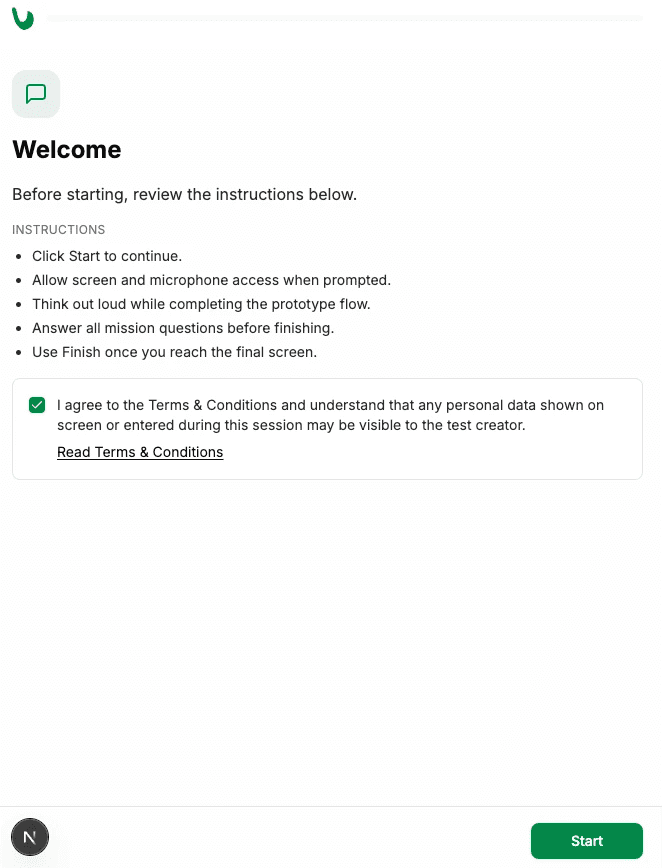
If you see this screen, it means a researcher or product team has invited you to participate in a study or test using Uxia, our platform for user research and experience testing:
Why is this warning appearing?
To help our customers build better products, they often need to understand how users interact with their designs in real-time. To do this, they may request to:
Record your screen: To see how you navigate and interact with the interface.
Record your camera/audio: To understand your reactions and hear your thoughts as you complete tasks.
Currently, these recorded studies are only available for desktop users. You must be on a laptop or computer to participate.
What is being recorded?
We believe in giving you total control over your data:
Active Sessions Only: Uxia only records during the active test session. Once you click "Stop" or complete the final task, all recording ends immediately.
Pause at any time: If you need to step away or handle something private, you have the option to pause the recording during any task.
Selective Sharing: When prompted by your browser, you can choose to share your "Entire Screen" or just a "Specific Window." Note that some tests may require the entire screen to function correctly.
How to protect your privacy?
Close sensitive items: Before starting, we recommend closing any tabs, windows, or applications that contain private information (e.g., banking, emails, or private chats).
Disable notifications: It is a good idea to turn on "Do Not Disturb" mode to prevent personal messages from popping up on your screen during the recording.
Control your environment: Ensure you are in a place where you are comfortable being filmed and that no sensitive documents are visible in your camera background.
Pause or Stop: You have full control. You can stop the test at any time if you feel uncomfortable.
Your Control & Privacy
The data collected is owned by the person or organization who created the test. However, if you believe you have accidentally shared sensitive information, you can contact the test creator or hello@uxia.app to request the deletion of your session data.
Why is this warning appearing?
To help our customers build better products, they often need to understand how users interact with their designs in real-time. To do this, they may request to:
Record your screen: To see how you navigate and interact with the interface.
Record your camera/audio: To understand your reactions and hear your thoughts as you complete tasks.
Currently, these recorded studies are only available for desktop users. You must be on a laptop or computer to participate.
What is being recorded?
We believe in giving you total control over your data:
Active Sessions Only: Uxia only records during the active test session. Once you click "Stop" or complete the final task, all recording ends immediately.
Pause at any time: If you need to step away or handle something private, you have the option to pause the recording during any task.
Selective Sharing: When prompted by your browser, you can choose to share your "Entire Screen" or just a "Specific Window." Note that some tests may require the entire screen to function correctly.
How to protect your privacy?
Close sensitive items: Before starting, we recommend closing any tabs, windows, or applications that contain private information (e.g., banking, emails, or private chats).
Disable notifications: It is a good idea to turn on "Do Not Disturb" mode to prevent personal messages from popping up on your screen during the recording.
Control your environment: Ensure you are in a place where you are comfortable being filmed and that no sensitive documents are visible in your camera background.
Pause or Stop: You have full control. You can stop the test at any time if you feel uncomfortable.
Your Control & Privacy
The data collected is owned by the person or organization who created the test. However, if you believe you have accidentally shared sensitive information, you can contact the test creator or hello@uxia.app to request the deletion of your session data.