Synthetic Users Testing: Revolutionize UX in 2026
Revolutionize UX research with synthetic users testing. Learn about AI participants, compare to human testing, explore use cases, and implement for 2026.
A sprint is closing on Friday. Design has three open questions. Product wants confidence before release. Research can’t recruit and run moderated sessions fast enough, and nobody wants to ship a guess.
That’s the moment synthetic users testing becomes useful. Not as a futuristic replacement for all research, but as a practical operating layer for teams that need directional evidence in minutes. If you work on a SaaS product, checkout flow, onboarding, settings architecture, or a high-change dashboard, you already know the pain: real user research is valuable, but it’s often too slow to support every iteration.
Traditional methods still matter. You still need interviews, live usability sessions, and direct customer contact. But if every small design decision waits for recruiting, scheduling, moderation, and synthesis, your team either slows down or stops validating. Teams often choose speed and accept more risk than they should.
Synthetic testing changes that trade-off. Product teams can run repeatable tests on prototypes and live flows, review think-aloud transcripts, inspect heatmaps, and prioritize friction before development hardens the wrong decision. Platforms built for this workflow make the method operational, not theoretical.
Beyond Slow and Costly User Research
Most product teams don’t have a research problem. They have a workflow problem.
The issue isn’t that people doubt user feedback. It’s that gathering that feedback often takes longer than the decision window allows. A PM needs to choose between two onboarding patterns today. A designer wants to know whether the pricing page hierarchy is obvious before handoff. An agency needs quick validation before presenting a direction to a client. Traditional research can answer those questions, but the logistics often overwhelm the task.
Where the old process breaks
A standard usability cycle usually includes recruiting, screener review, scheduling, moderation, note-taking, synthesis, and stakeholder playback. That process is still worth doing for high-stakes work. It’s just poorly matched to the rhythm of weekly releases and rapid product iteration.
Teams feel the gap in a few predictable places:
Early prototypes stall: Designers hold back from testing because the flow is still rough.
Minor changes go untested: Copy edits, navigation tweaks, and trust signals slip through without validation.
Professional tester bias creeps in: Repeat participants know the patterns too well and stop behaving like first-time users.
Research becomes episodic: Teams validate at milestones instead of validating continuously.
If you need a refresher on the fundamentals, this guide on how to conduct user research is a useful grounding point before layering in synthetic methods.
Real research often fails at the exact moment agile teams need it most. During fast, messy, low-certainty decisions.
Why synthetic testing fits modern delivery
Synthetic users testing gives teams a way to test more often without rebuilding the whole research function. Instead of waiting for participants, teams define a target audience, assign a task, and review output quickly enough to affect the current sprint.
That matters because velocity changes behavior. When testing becomes easy, teams stop treating validation as a special event. They start treating it like QA for UX.
Product teams secure their greatest advantage. Not from replacing human research, but from making evidence available at the speed of delivery.
What Is Synthetic Users Testing Really
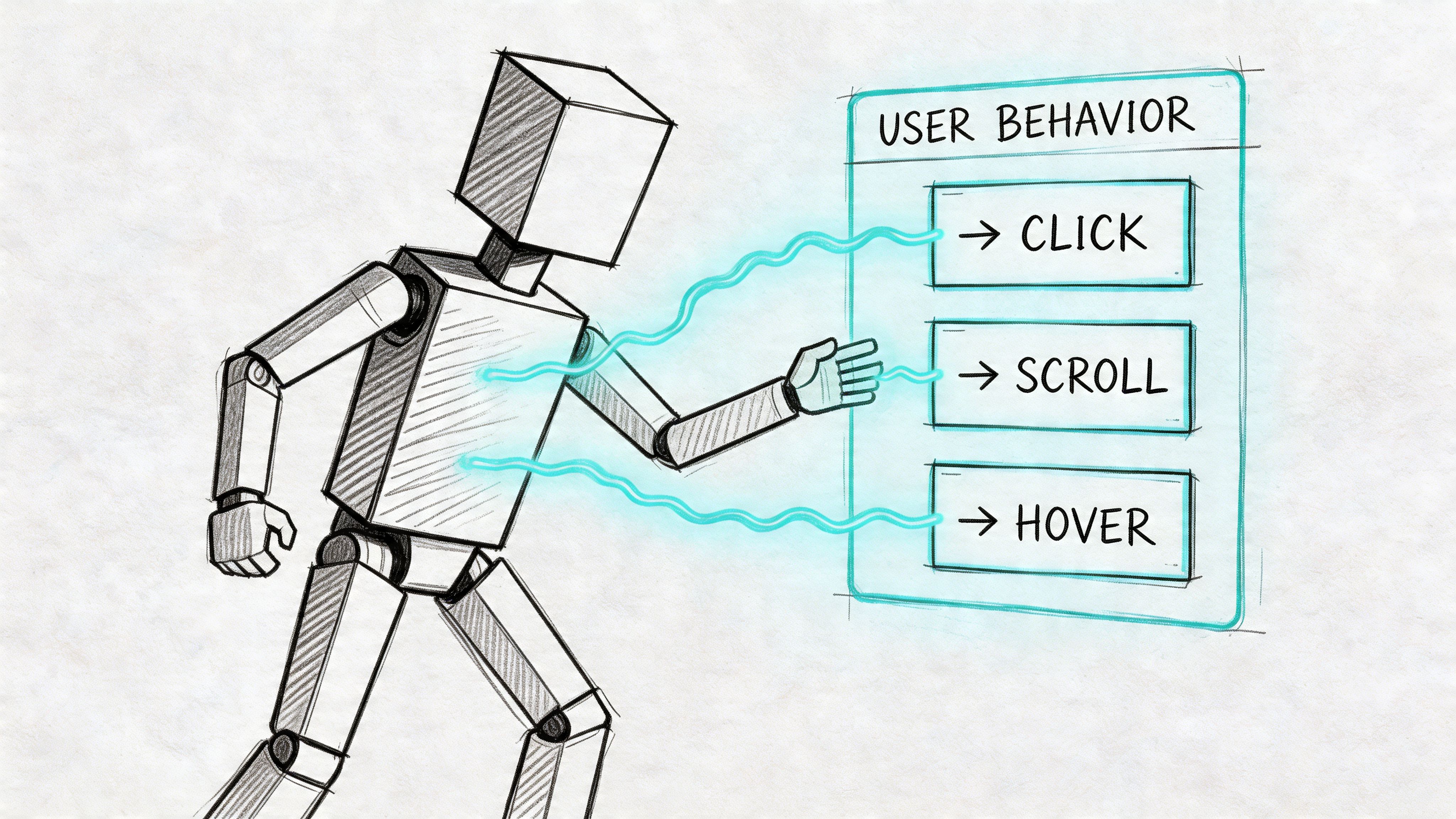
Synthetic users are best understood as digital crash-test dummies for software. You give them a product, a persona, and a goal. They interact with the experience, expose points of confusion, and explain their reasoning in natural language.
That’s different from a simple automation script. A scripted bot checks whether an action can happen. A synthetic user explores whether the action makes sense to a person with a specific context, intent, and level of familiarity.
More than chatbots with opinions
Good synthetic users testing starts with audience definition. The system models participants against demographic and behavioral profiles, then evaluates the interface from that viewpoint. That means the output is tied to a use case, not just generic commentary.
In practice, that lets teams test questions like these:
Onboarding clarity: Can a first-time user complete setup without hesitation?
Navigation logic: Do labels match what the target audience expects?
Copy comprehension: Does a CTA tell users what happens next?
Trust and accessibility: Are there signals that create uncertainty or friction?
The strongest platforms also simulate think-aloud behavior. Instead of just reporting a failed task, they surface the reasoning behind it. That’s what makes the method useful for design decisions, not just pass-fail testing.
Why teams can trust the signal
The credibility question matters. If synthetic users are only plausible storytellers, the method isn’t useful. What makes the category serious is that some approaches have been validated against real human responses.
Research summarized by PyMC Labs found that synthetic respondents using the Semantic Similarity Rating method achieved 90% of human test-retest reliability and distributional similarity above 85% across 57 real consumer surveys involving 9,300 participants, measured with Pearson correlation and Kolmogorov-Smirnov similarity. The same research also notes that synthetic participants often provide richer and more specific feedback than typical open-text survey responses, with reasoning that reveals benefits, skepticism, and price sensitivity. You can review that discussion in this practical guide to synthetic consumers.
Practical rule: Treat synthetic users as credible for directional decisions, copy clarity, flow validation, and issue discovery. Don’t treat them as the sole authority for emotionally complex or politically sensitive research.
What makes the output useful
A strong synthetic test doesn’t produce abstract insight. It produces usable evidence:
Output type | What it tells the team |
|---|---|
Think-aloud transcript | Why the user hesitated, doubted, or misunderstood |
Task outcome | Whether the flow works from the user’s perspective |
Pattern summary | Which issues repeat across the audience |
Prioritized findings | What to fix first before human validation |
That’s why synthetic users testing fits product environments so well. It speaks the language of decisions, not just research artifacts.
How AI Test Pipelines Generate Actionable Insights
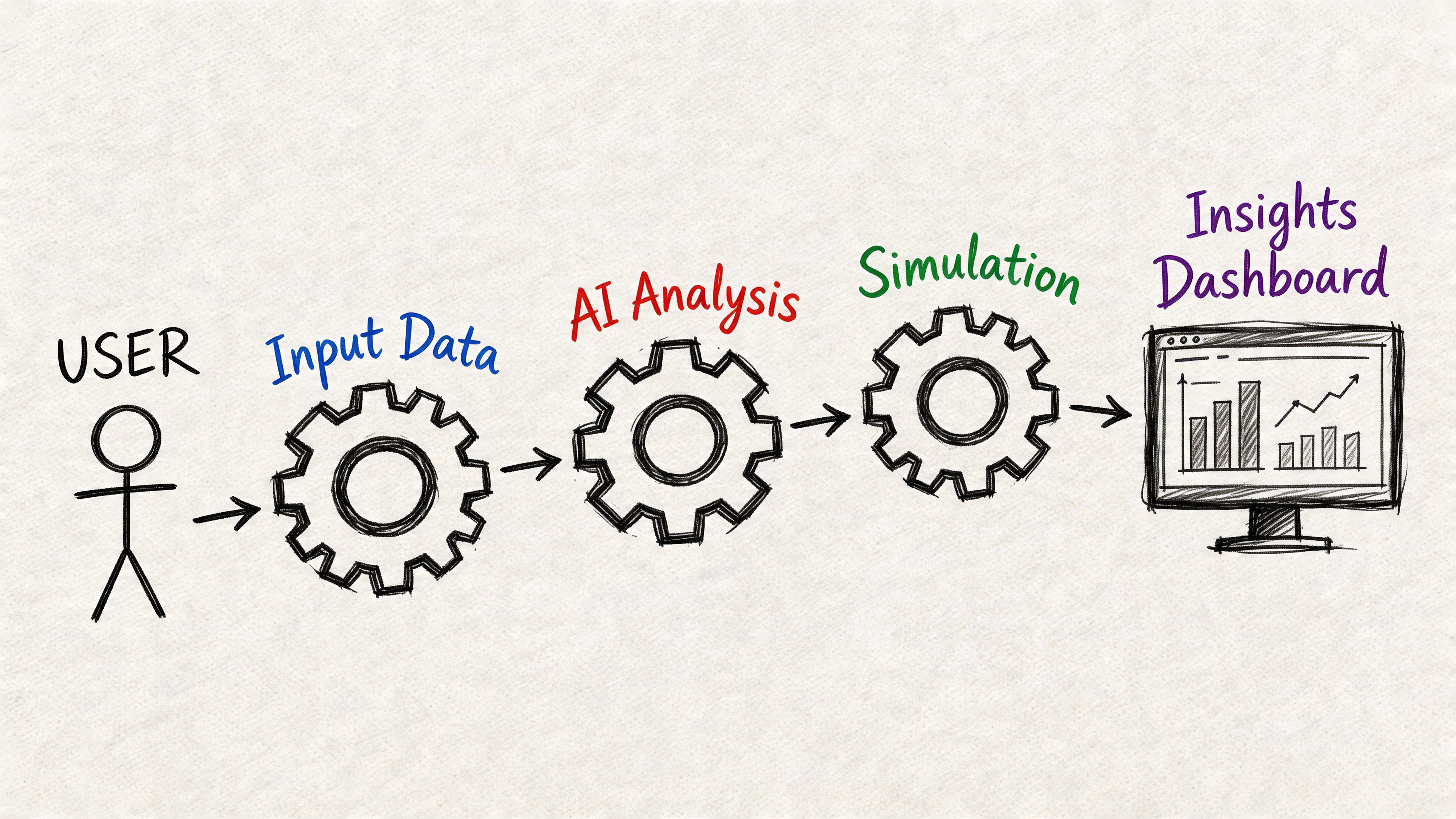
A synthetic test pipeline is useful because it turns a design question into a repeatable input-output system. You upload a prototype or live flow, define the mission, choose the audience, and let the model run the scenario at scale.
The mechanics matter less than the operating result. Teams get evidence fast enough to change the next design revision, not just document the previous one.
What the pipeline actually does
A well-run synthetic testing workflow usually follows five steps.
Input the experience
Teams provide a prototype, design file, image sequence, or live URL.Define the mission
The task needs to be specific. “Sign up for a free trial” is better than “explore the page.”Set the audience context In this context, persona alignment matters. A first-time buyer behaves differently from an internal admin or a procurement-heavy B2B evaluator.
Run the simulation
The AI users move through the flow, generate think-aloud transcripts, and log behavioral signals tied to friction.Review the report
The system summarizes themes into artifacts that teams can act on: heatmaps, task outcomes, friction indicators, and issue clusters.
Research described by M1 Project notes that synthetic users excel in early-stage validation through massive parallel simulation, enabling detection of usability friction with high throughput and leading to 5-10x faster iteration cycles than traditional unmoderated tests. See their explanation of how synthetic users work.
What teams should look for in the output
Raw transcript volume is not the goal. Actionable prioritization is.
The most useful platforms surface a small set of recurring issues such as:
Confusing labels
Weak trust cues
Missed primary actions
Accessibility obstacles
Unexpected decision points
One practical benchmark for teams exploring this approach is to compare AI-detected issues with known usability heuristics and prior research. This article on using NN/g research to achieve 98 usability issue detection through AI-powered testers is a good example of how teams frame synthetic testing as structured issue discovery rather than novelty.
After the first pass, a short review session usually answers the key question: are we seeing isolated noise, or is this a repeatable friction pattern?
A short demo helps if your team hasn’t seen the workflow before:
Where the pipeline creates real leverage
The actual gain is not just speed. It’s parallelism.
A human study might validate one or two variants if the team has time. A synthetic pipeline can compare many paths, labels, or states in one working session. That changes sprint behavior. Designers stop debating micro-decisions in the abstract and start checking them against simulated user behavior.
If a test can’t change the next design decision, it’s analysis. If it can, it’s part of the product workflow.
That’s why the best teams use synthetic testing before review meetings, before handoff, and before shipping a risky change.
Synthetic Testing vs Traditional Human Research
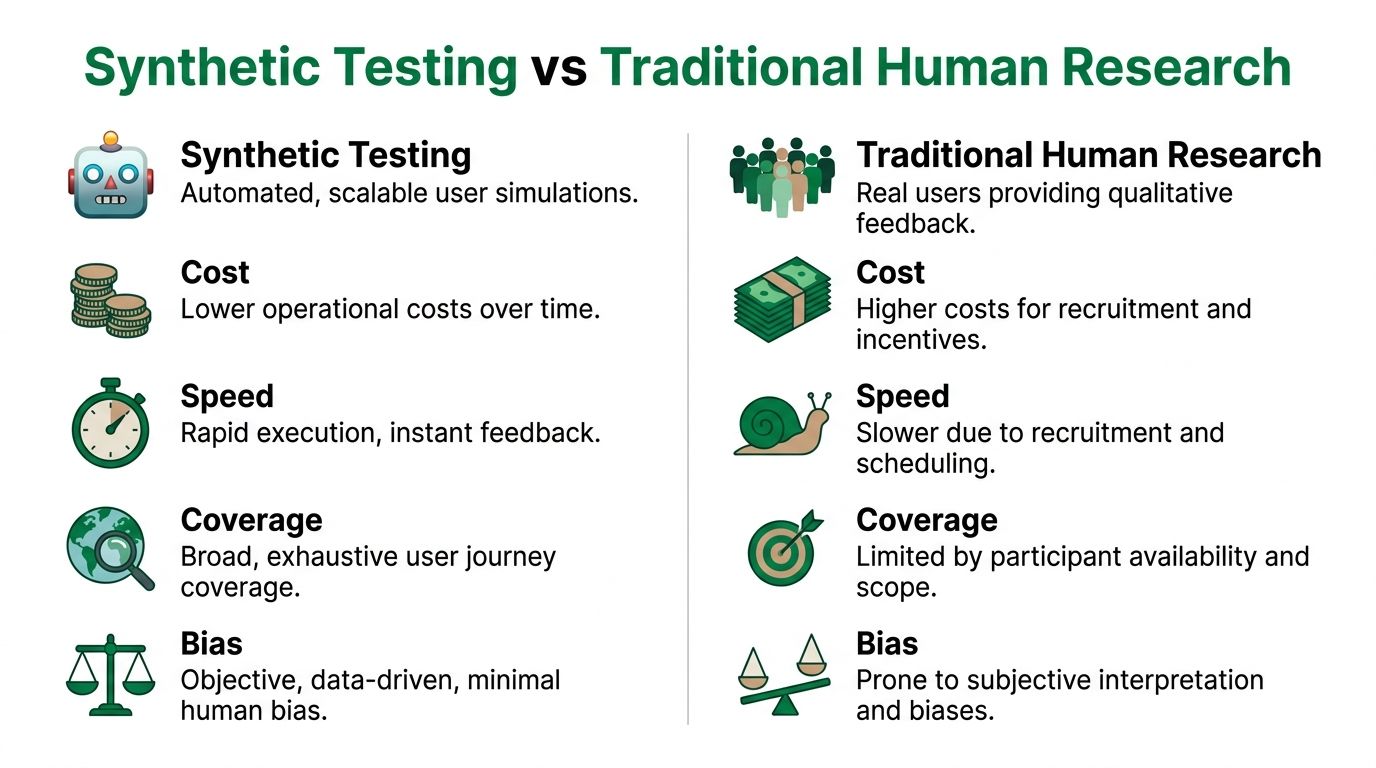
This isn’t a winner-take-all comparison. Both methods matter. The question is which one answers the current product question with the right mix of speed, cost, scale, and depth.
Synthetic testing is strongest when the team needs fast validation on structure, navigation, copy, trust, or first-pass usability. Human research is stronger when the team needs emotional nuance, lived context, or strategic understanding of why behavior happens beyond the interface itself.
Synthetic vs Human User Testing at a Glance
Attribute | Synthetic User Testing (e.g., Uxia) | Traditional Human Testing |
|---|---|---|
Speed | Runs quickly and fits active sprints | Slower because recruiting and scheduling take time |
Cost | Lower operational burden for repeat validation | Higher effort per study |
Scale | Broad scenario coverage across many variants | Narrower sample and scope per round |
Tester bias | Reduces bias from professional panelists | More exposed to participant familiarity effects |
Qualitative depth | Strong on task-based reasoning and friction patterns | Strong on emotion, context, and unexpected nuance |
Best use | Early validation, iteration, prioritization | Strategic research and decision confirmation |
Research published by Uxia states that synthetic user testing mitigates professional tester bias and enables unbounded scaling, delivering objective, persona-aligned feedback with 70-90% cost and time savings compared with traditional human studies. You can read that overview in their article on synthetic user testing.
Where synthetic testing wins
Synthetic testing fits teams that are shipping continuously. It’s especially useful when the team asks questions like:
Which version of this flow is less confusing?
Does the CTA create hesitation?
Are users likely to miss the next step?
What should we validate with humans before launch?
Those are operational questions. They need answers fast, and synthetic methods are built for that.
One overlooked strength is consistency. Human sessions vary because people vary. That’s useful in discovery, but it makes iterative comparison harder. Synthetic testing gives teams a more controlled way to compare versions and isolate likely friction points before spending human research budget.
Where human research still leads
Human research still owns areas synthetic systems can’t fully capture:
Emotional weight and memory
Social context
Cultural interpretation
High-stakes trust judgments
Deep motivation over time
If you’re redesigning a patient intake flow, financial hardship experience, or multi-stakeholder enterprise procurement process, you still want direct human contact. The interface is only part of the story.
For teams evaluating the trade-offs directly, this comparison of synthetic users vs human users is a useful companion read.
Synthetic testing should narrow the field. Human testing should settle the important questions that remain.
The practical decision rule
Use synthetic first when the risk is mainly usability risk. Use humans first when the risk is meaning, trust, or emotion.
That distinction keeps teams from overusing either method. It also helps PMs defend budget. You don’t need a live study for every button label. You do need people when the product decision depends on lived experience and context.
Practical Use Cases for Your Product Team
The easiest way to understand synthetic users testing is to look at where teams use it in practice during the week.
One startup team uses it on Monday morning before development starts. They’ve sketched a new onboarding sequence and want to know whether the account setup order makes sense. They run a synthetic test against a first-time user profile, spot hesitation around a permissions screen, and rewrite the copy before engineers touch it.
Another team uses it during a copy review. Marketing has five headline options for a pricing page update. Instead of debating preference, the team runs each variant through the same mission and compares which options create clearer expectations and less friction in the next step.
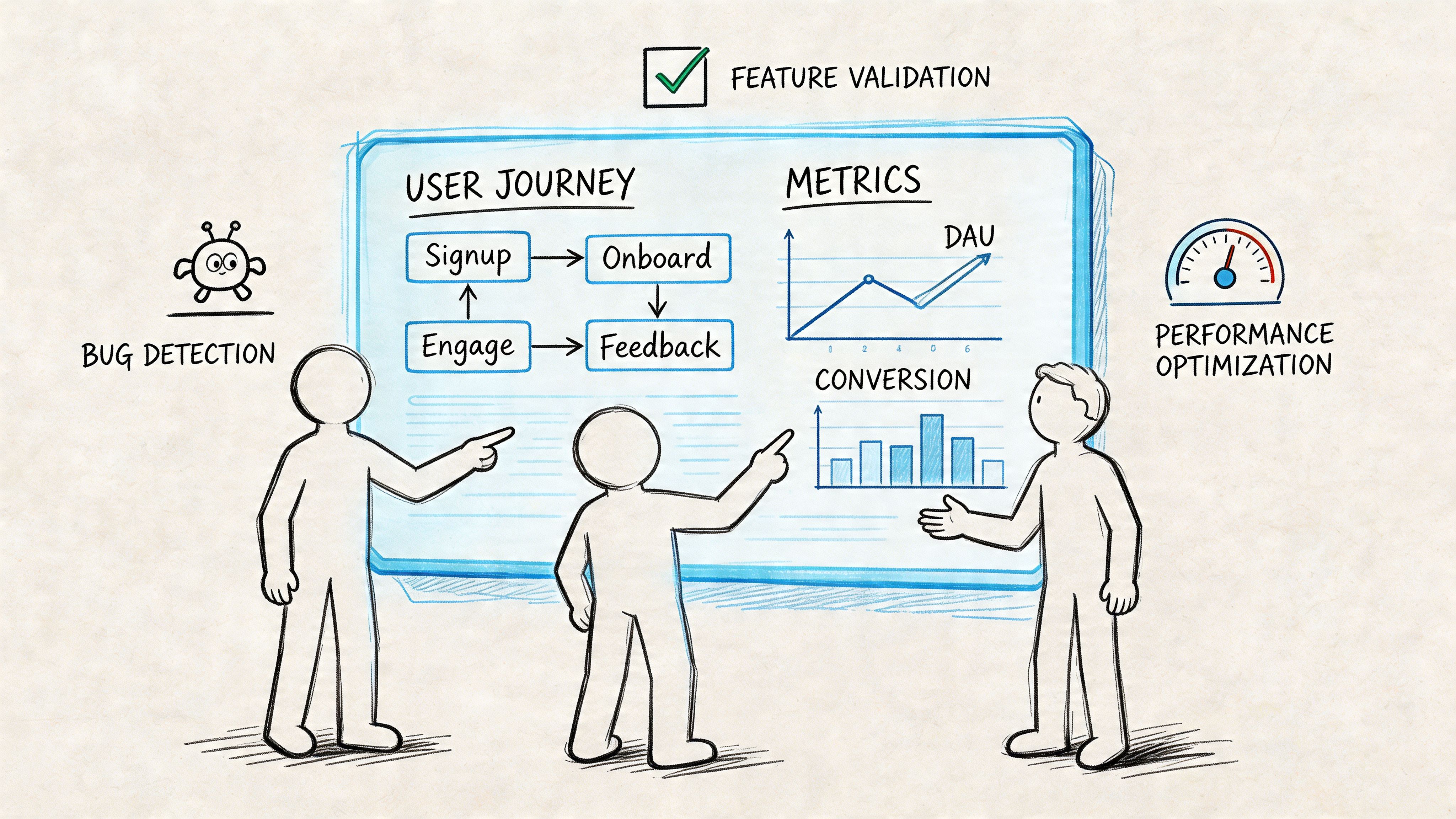
Four moments where it pays off
Before code is written
A designer can test a Figma prototype before handoff and catch issues in flow order, button labeling, or decision overload. This is one of the most impactful applications because the cost of change is still low.
During fast A B exploration
Teams often want to compare several lightweight options, especially around messaging, CTA wording, trust signals, and onboarding prompts. Synthetic testing works well here because it helps teams reduce the option set before live experimentation.
For accessibility and clarity checks
Synthetic users can expose places where instructions are vague, hierarchy is weak, or the intended path is hard to detect. It’s not a substitute for dedicated accessibility practice, but it does help teams catch obvious friction early.
Inside design sprints
A sprint team can revise a flow in the morning, test it by midday, and review findings before the afternoon critique. That shortens the distance between idea and evidence.
What these stories have in common
The teams getting value from synthetic testing are not treating it like a special research project. They use it as a working tool.
Common patterns usually look like this:
PMs use it to de-risk choices before stakeholder review
Designers use it to sanity-check flows before handoff
Researchers use it to narrow what deserves live validation
Agencies use it to support client recommendations with repeatable evidence
A platform like Uxia fits naturally. Teams can upload prototypes or image-based flows, set a mission and audience, and review transcripts, heatmaps, and prioritized findings quickly enough to affect the same sprint.
The practical test is simple. If your team can run it between design revision and handoff, it will get used. If it needs a separate project plan, it probably won’t.
Implementing Synthetic Testing in Your Workflow
Synthetic testing shouldn’t be rolled out as a big transformation program. Start smaller. Add it to one sprint ritual, prove that it helps decisions, then formalize the habit.
The cleanest starting point is a benchmark test on one existing flow. Pick a signup path, checkout journey, settings change, or feature activation flow that already causes debate. Run a synthetic test, review the findings with design and product, and compare the output against what the team already suspects.
A simple sprint playbook
Use this sequence if you want low-friction adoption:
Choose one recurring flow
Pick something important enough to matter, but small enough to revise quickly.Write a mission with a clear endpoint
Avoid vague tasks. A concrete mission creates cleaner output.Define the audience carefully
Bad audience setup leads to generic findings. Good setup sharpens prioritization.Review three signals only
Start with task completion, friction points, and repeated transcript themes.Fix the top issues and retest
Don’t boil the ocean. The goal is to improve the next version, not produce a huge research artifact.
What to track
You don’t need a large metric framework at first. Track a small set of indicators that help the team decide whether the method is improving delivery:
Task success rates
Friction scores
Repeated confusion themes
Severity of flagged issues
Number of design revisions before handoff
As your process matures, you can compare synthetic findings with what later appears in live data or human studies. That’s where trust compounds. Not because the method is perfect, but because the team learns where it is most predictive.
How to split synthetic and human work
The most useful operating model is hybrid. Emerging best practices described by Statsig suggest using synthetic testing as a first pass for concept validation and usability checks. The same discussion points to 85–92% parity and suggests that a ~10-20% budget shift to synthetics can boost speed without significant accuracy loss. Their perspective on synthetic users testing with artificial data is worth reading for teams thinking about stage-gating.
A practical split looks like this:
Use synthetic tests first for rough concepts, micro-iterations, copy checks, and flow comparisons.
Escalate to human studies when a finding affects pricing trust, emotional response, high-stakes onboarding, or strategic direction.
Compare signals over time so the team learns which issue types synthetic testing catches reliably.
If your workflow also includes lifecycle messaging and transactional UX, it helps to validate product-triggered email moments with the same rigor you apply to screens. For the delivery side of that process, this guide on sending test emails via API is a practical companion.
Tooling and governance
Your process should be light enough that teams use it. The right tool matters less than whether it supports repeatable setup, clear reports, and easy collaboration. If you’re evaluating options, this roundup of synthetic users tools is a useful starting point.
Workflow tip: Put synthetic testing before design sign-off, not after development starts. That’s where the method saves time instead of just documenting mistakes.
A good adoption pattern is one test per sprint on a high-traffic or high-change flow. Once the team trusts the output, usage usually spreads on its own.
Limitations and Choosing the Right Platform
Synthetic users testing is powerful, but it still has boundaries. It can surface usability friction, confusion, and pattern-level issues quickly. It can’t fully reproduce human emotion, social dynamics, or the messy context that shapes real behavior.
That’s why platform choice matters. The difference between a basic synthetic system and a serious one often comes down to calibration.
What separates strong platforms from weak ones
A key differentiator is the use of calibration methods such as iterative proportional fitting, or raking, to align outputs with real demographic diversity and reduce stereotypical clustering. Research discussed by Synthetic Users notes that without this kind of calibration, reported parity scores can drop significantly. Their article on teaching synthetic users what real people actually think is one of the clearest explanations of why population-level accuracy matters.
Use this shortlist when evaluating vendors:
Calibration quality: Ask how the platform handles demographic and attitudinal alignment.
Persona control: You should be able to define meaningful audience context, not just broad labels.
Reporting clarity: Findings should be prioritized and decision-ready.
Validation transparency: The vendor should explain how outputs are checked against real user behavior.
Workflow fit: The platform should support sprint speed, not add another layer of process.
The right platform won’t promise to replace users. It will help your team test earlier, decide faster, and reserve human research for the questions that need human depth.
If your team wants a faster way to validate UX decisions inside active sprints, Uxia is worth exploring. It lets product teams upload prototypes or live flows, define a mission and audience, and review synthetic user transcripts, heatmaps, and prioritized friction points in minutes so design and product can act before release.