
A Practical Guide to Modern CX Testing
Master modern CX testing with our guide. Learn strategies, frameworks, and AI tools like Uxia to build customer experiences that drive real business growth.

Let’s be honest: building a great product isn’t just about making sure the features work. A fantastic customer experience is no longer a nice-to-have; it's the baseline. Your customers expect every interaction with your brand—from the first ad they see to the support ticket they file—to be smooth, intuitive, and effective.
This is where CX testing comes in. It’s the process of looking at your entire product and service through your customer's eyes. It goes way beyond just hunting for bugs.
What Is CX Testing and Why It Matters Now
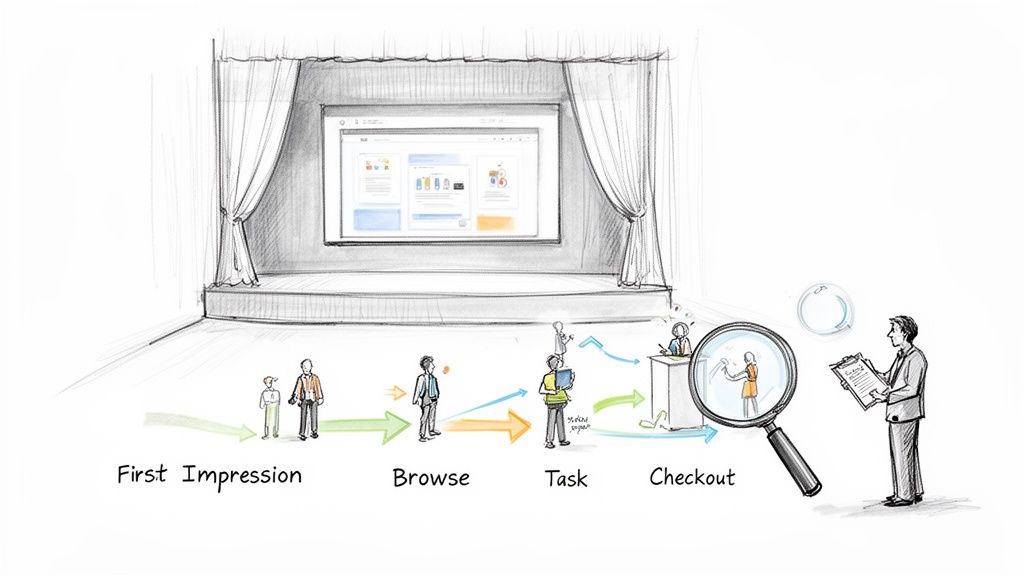
Think of your product as a live theatre show. CX testing is the final dress rehearsal. It’s not just about making sure the actors know their lines (i.e., the code is bug-free). It's about checking the lighting, the sound, the flow between scenes, and the audience's emotional response. It’s about the complete journey.
While user experience (UX) testing often zeroes in on a specific feature, CX testing zooms out. It evaluates the sum of all interactions a customer has with your company, including:
The clarity of your marketing messages.
The ease of the sign-up or purchase process.
The actual in-product experience.
How helpful your customer support is when things go wrong.
The Shift from Slow Feedback to Instant Insights
For years, getting this kind of feedback was a huge headache. It meant running moderated interviews, focus groups, or long-form surveys. The entire process could take weeks, which is a lifetime in modern agile development. Teams today need feedback in hours, not months, to iterate and stay ahead.
This need for speed is driving massive investment. The Europe Customer Experience Management (CEM) market, valued at USD 3,933.5 million in 2025, is expected to explode to USD 12,469.6 million by 2033. This isn't just a trend; it's a fundamental shift in how businesses operate.
How AI Is Changing the Game
The arrival of AI-powered testing platforms like Uxia is what's making this possible. Instead of spending days recruiting and scheduling human testers, you can now use synthetic testers to get feedback almost instantly. You can launch a test on a new design or a live feature and get back actionable insights in minutes.
Practical Recommendation: Instead of waiting weeks for feedback, integrate a platform like Uxia into your weekly sprints. Test wireframes, prototypes, or live URLs to get immediate feedback on usability, allowing you to iterate faster and build with confidence.
CX testing is about satisfying everyone involved—from the person who buys the software to the people who use it every day. The goal is to build a positive brand association that improves sales, satisfaction, and customer loyalty.
A key part of this involves verifying that the software actually meets user needs before it goes live, a process often called User Acceptance Testing (UAT). Modern AI tools like Uxia are now automating and speeding up even these final checks.
In the past, CX testing was slow, manual, and expensive, often relying on small panels of human testers. The insights were valuable but took weeks to gather, making it impractical for fast-moving product teams. Today, AI-powered platforms have completely changed the economics and speed of testing.
Here’s a quick comparison of the old way versus the new way.
Traditional vs Modern CX Testing Approaches
Aspect | Traditional Testing (Human Panels) | Modern Testing (AI Platforms like Uxia) |
|---|---|---|
Speed | Days to weeks (recruiting, testing, analysis) | Minutes |
Cost | High (incentives, recruiter fees, platform costs) | Low (fixed subscription) |
Scalability | Difficult and expensive to scale | Infinite; run as many tests as you need |
Reliability | Prone to human error, no-shows, poor feedback | 100% reliable and consistent |
Insight Depth | Often surface-level, emotional feedback | Deep, structured insights on usability & logic |
Workflow | A separate, planned research project | Integrated directly into the design/dev cycle |
The table makes it clear: modern CX testing isn't just a faster version of the old method. It represents a fundamental change, enabling teams to move from making assumptions to making data-driven decisions on a daily basis.
Ultimately, effective CX testing helps you build a deep, practical understanding of your customers. By weaving it into your development process, you reduce support costs, improve retention, and create a product that people genuinely want to use.
The Business Impact of Strategic CX Testing
Good CX testing isn't just a box-ticking exercise for the QA team. When done right, it's a direct engine for business growth.
Investing in your customer's journey pays real, concrete dividends that show up on the bottom line. It’s the difference between hoping your product will catch on and deliberately engineering its success.
Strategic CX testing moves way beyond just hunting for bugs. It’s about connecting the dots between user experience fixes and your most important business KPIs.
Even a tiny navigation tweak found during a test can unclog a sales funnel, delivering an immediate, measurable lift in conversions. That’s where the ROI of CX testing becomes impossible to ignore.
From Friction Points to Financial Gains
Every single point of friction in your customer journey—a confusing form, a slow page load, a vague call to action—is costing you money.
These small snags add up, causing people to abandon their carts, drop off during sign-up, or just go with a competitor next time. CX testing is how you find and fix these expensive problems before they drain your revenue.
Here are just a few business metrics directly impacted by a solid testing strategy:
Higher Conversion Rates: By finding and clearing out roadblocks in critical flows like checkout or registration, you make it simpler for customers to do what you want them to do. The result is a direct increase in sales and sign-ups.
Increased Customer Lifetime Value (CLV): A smooth, easy experience builds loyalty and encourages repeat business. Happy customers simply spend more over their lifetime, which massively boosts their value to your company.
Stronger Net Promoter Score (NPS): When you consistently provide a great experience, you don't just get customers; you create brand advocates. This drives up your NPS, a crucial signal of customer loyalty and future growth.
Reduced Support Costs: When you proactively fix usability issues, fewer people need to contact your support team for help. This cuts your operational costs and lets your support staff focus on more complex, high-value problems.
Practical Recommendation: Create a "friction log" based on your CX test findings. For each issue identified by a platform like Uxia, document the problem, the business metric it impacts (e.g., conversion rate), and the estimated cost of inaction. This log transforms usability problems into a clear business case for your product backlog.
A strong CX testing process turns customer feedback from a list of complaints into a predictive roadmap for business success. It lets you get ahead of user needs and solve problems before they ever affect a critical number of people.
Accelerating ROI with AI-Powered Testing
In the past, building this continuous loop was a huge challenge. Traditional research was just too slow and expensive.
This is where AI-driven platforms like Uxia give you a massive advantage. Instead of waiting days or weeks for a human panel to give you feedback, Uxia delivers actionable insights from synthetic testers in a matter of minutes.
This speed completely rewrites the ROI equation.
Your team can test a new design, validate a user flow, and get a prioritised list of usability issues in the time it takes to grab a coffee. This unlocks rapid iteration, ensuring every development sprint is guided by real, user-centric data. Making faster, more confident decisions means you get to market with a better product, quicker.
Understanding regional differences is also vital. For instance, in the European B2B market as of 2026, companies that master regional adaptation while maintaining global consistency see up to 35% higher customer retention rates and 28% greater wallet share than those who use a one-size-fits-all approach. This is particularly true in places like Spain, where the best B2B experience blends personal connection with digital efficiency. You can dive deeper into this by reading the full European B2B CX benchmark report.
Platforms like Uxia are built to help you test these localised experiences at scale, making sure your product hits the mark in specific markets without the massive cost and effort of organising international research panels. This capability empowers your team to make decisions that directly and positively impact the bottom line.
Choosing the Right CX Testing Method
So, you understand the stakes. The next question is, how do you actually do CX testing? There are a few different ways to approach it, and picking the right one is key to getting the answers you need without slowing your team down.
The choice really comes down to two simple questions: what kind of feedback do you need, and how involved do you want to be in getting it? This gives us a clear way to map out the options.
Qualitative vs Quantitative Testing
Think of this as the difference between having a deep, one-on-one chat versus polling a massive crowd.
Qualitative Testing is that one-on-one chat. It’s all about understanding the “why” behind what users do. You use methods like moderated interviews to get rich, detailed feedback on what people are thinking and feeling. You hear their confusion in their own words as they stumble through a task.
Quantitative Testing is the crowd poll. This focuses on the “what” and “how many.” Here, you’re using A/B tests or surveys to gather hard numbers from a lot of users, like task completion rates or time on task.
Qualitative gives you incredible depth, but it’s slow and a pain to scale. Quantitative gives you the scale, but you completely miss the “think-aloud” context that explains why a design isn’t working.
Moderated vs Unmoderated Testing
This next dimension is about how hands-on you are during the test itself.
Imagine you're a guide at a new museum. A moderated test is like giving a personal, guided tour. You’re right there with the participant, asking follow-up questions, clarifying things, and digging deeper into their experience. It’s perfect for testing complex flows or really early concepts.
An unmoderated test, on the other hand, is like letting visitors wander through the museum on their own while you watch from the security cameras. Participants complete tasks independently. This is much faster and shows more natural behaviour, but you can’t jump in and ask why they just spent two minutes staring at the wrong button.
The ideal CX testing method would give you the rich, think-aloud feedback of a moderated qualitative test, but at the speed and scale of an unmoderated quantitative study. This has traditionally been the biggest challenge for product teams.
The New Way: AI-Powered Synthetic Testing
This is where things get interesting. A new category of testing, powered by AI platforms like Uxia, completely changes the game by blending the best of all worlds: AI-powered synthetic testing.
This approach uses AI participants to run your tests. Instead of spending days recruiting and scheduling humans, you can launch a test with AI users that perfectly match your target audience in minutes.
Here’s how it flips the old model on its head:
Qualitative Insights at Scale: Uxia’s synthetic users don't just click buttons; they navigate your designs and "think aloud," giving you the same rich, contextual feedback you'd get from a moderated session. But because they're AI, you can run dozens of these "sessions" at once, getting quantitative scale in minutes.
No More Recruitment or Bias: Finding good, unbiased participants is one of the biggest headaches in traditional research. AI testers are on-demand, 24/7, and they don't have the "professional tester" bias that can ruin your results.
Unbelievable Speed: Forget waiting weeks for a report. You get detailed analysis with transcripts, heatmaps, and a prioritised list of usability problems in minutes. Your team can test an idea, iterate on the feedback, and re-test it all in a single afternoon.
Practical Recommendation: For your next project, try a hybrid approach. Use Uxia for rapid, iterative testing on your designs to fix the majority of usability issues. Then, conduct a small number of moderated human interviews to explore deeper strategic questions. This gives you the best of both worlds: speed for tactical fixes and depth for strategic insights.
Ultimately, picking the right method means matching your goals to the tools available. For teams that need to move fast with reliable, deep insights, AI-powered synthetic testing with a platform like Uxia is a powerful new way to get answers without the old trade-offs.
How to Implement a CX Testing Process
Right, so you've got the theory down. Now for the fun part: putting it all into practice.
Moving from just talking about customer experience to actually improving it requires a solid, repeatable process. This isn't about creating more meetings or red tape. It’s about building a framework that turns customer feedback into a core part of how you build your product.
Let's walk through a five-stage framework that your product team can start using today. Each step is designed to be practical, helping you get the insights you need without derailing your sprints.
Stage 1: Define Your Test Mission
Before you even think about running a test, you need to know exactly what you’re trying to learn. A vague mission leads to vague, useless feedback.
It all starts with a single, focused research question.
Don't just say, "test the new checkout page." That’s not a mission; it's a guess. A strong mission sounds more like this: "Can new users from Spain successfully purchase a 'Pro' subscription with a credit card in under 90 seconds without getting confused?"
See the difference? Specificity is everything. Your mission needs to clearly state:
The User: Who are you actually testing with? First-time visitors from a specific region? Power users who have been with you for years?
The Goal: What specific task do they need to accomplish?
The Context: What's the scenario? Where are they starting from?
With a platform like Uxia, this first step is dead simple. You can pick your target audience from a library of pre-set demographic and behavioural profiles, making sure your test is focused on the right people from the get-go.
Stage 2: Choose Your Tools and Methods
Once you have a clear mission, it’s time to pick the right tools for the job. As we covered earlier, the method you choose boils down to the kind of feedback you need—are you after the "why" or the "what"?
This diagram lays out the spectrum of common CX testing methods, from deep qualitative dives to broad quantitative data, and introduces the AI-powered approach that’s changing the game.
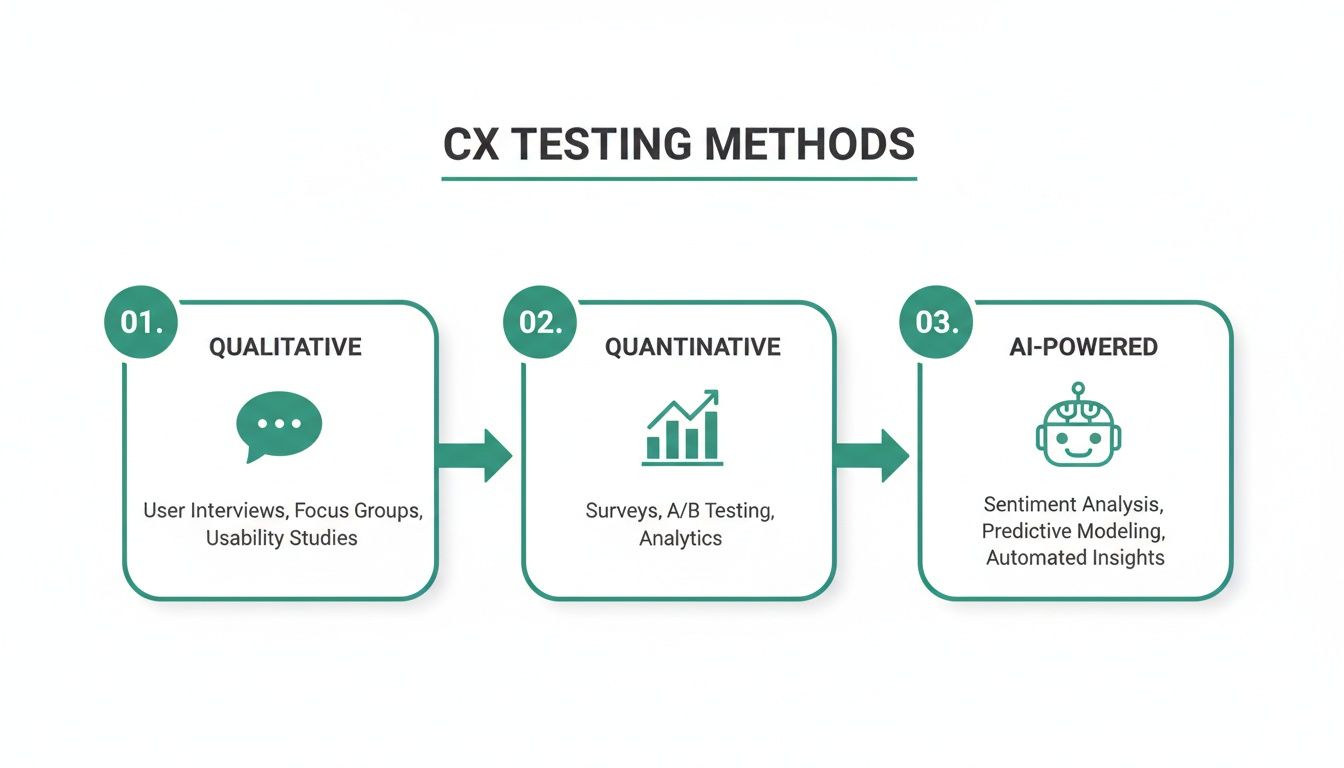
For teams that need to move fast, that old trade-off between speed and depth has always been a major bottleneck. This is where AI-powered platforms are making a real difference. For example, using a tool like Uxia for synthetic user testing gives you the rich "think-aloud" feedback of a moderated session, but at the speed and scale of an automated survey.
Stage 3: Run the Test
With your mission and tools locked in, it's time to execute.
If you’re sticking to traditional methods, this is where things slow down. You've got to recruit participants, schedule sessions, run the actual research, and hope no one flakes. It’s easily the most time-consuming part of the whole process.
But modern platforms automate this entire stage.
With Uxia, execution is literally as simple as uploading your design or prototype link, confirming your audience and mission, and hitting "Launch." The platform's AI synthetic testers get to work immediately. No scheduling, no moderation, no hassle.
This means your team can run a test on a new wireframe in the morning and have a full report of actionable results waiting for them by the afternoon. This is how customer-centricity becomes a daily practice, not just a poster on the wall.
Stage 4: Analyse the Findings
Raw data on its own is pretty useless. The real goal here is to sift through the noise and pull out actionable insights.
In a traditional study, this means hours spent watching session recordings, poring over transcripts, and trying to spot patterns by hand. It’s a grind.
AI-driven CX testing automates all of that heavy lifting. Uxia, for instance, automatically generates a report that includes:
Prioritised Usability Issues: It flags the exact points of friction, ranked by how severe they are.
Heatmaps and Click Maps: You get a visual breakdown of where users focused and what they tried to interact with.
Direct Quotes: It surfaces key "think-aloud" comments from the synthetic users to explain why they struggled at a certain point.
This automated analysis shrinks the time it takes to get from data to insights from days down to minutes. Your team can spend their time solving problems, not finding them.
Stage 5: Iterate Based on the Insights
This is the final—and most important—stage. You have to turn what you’ve learned into action. The insights from your test should feed directly into the next iteration of your design or get added straight to your product backlog.
Practical Recommendation: Create a simple action plan from your findings. For every issue you identified in your Uxia report, document the problem, come up with a solution, and assign someone to own it. This closes the loop and guarantees that the time you spent testing actually leads to a better customer experience.
And because platforms like Uxia make re-testing so incredibly fast and cheap, you can quickly validate your fixes. This creates a powerful, continuous cycle of building, testing, and learning that keeps your product perfectly in sync with what your customers actually need.
A Simple CX Testing Framework Checklist
To make this even more practical, here's a quick checklist your team can follow. It breaks down the entire process and shows where a tool like Uxia can help you move faster.
Phase | Key Action | How Uxia Accelerates It |
|---|---|---|
1. Define Mission | Write a single, focused research question with a clear user, goal, and context. | Select from pre-built, high-fidelity audience profiles to ensure focus. |
2. Choose Method | Decide between qualitative, quantitative, or AI-powered testing based on your mission. | Get the depth of qualitative with the speed of quantitative using synthetic testers. |
3. Execute Test | Recruit participants, schedule sessions, and run the test. | Launch your test with a single click; results are ready in minutes, not days. |
4. Analyse Findings | Review recordings and transcripts to identify patterns and usability issues. | Get an auto-generated report with prioritised issues, heatmaps, and direct quotes. |
5. Iterate & Retest | Create an action plan to fix issues and validate the solutions with a follow-up test. | Re-test fixes instantly to validate improvements and maintain momentum. |
By following this simple checklist, you're not just running a test; you're building a system for continuous improvement that puts your customer at the centre of every decision.
Measuring What Matters in CX Testing
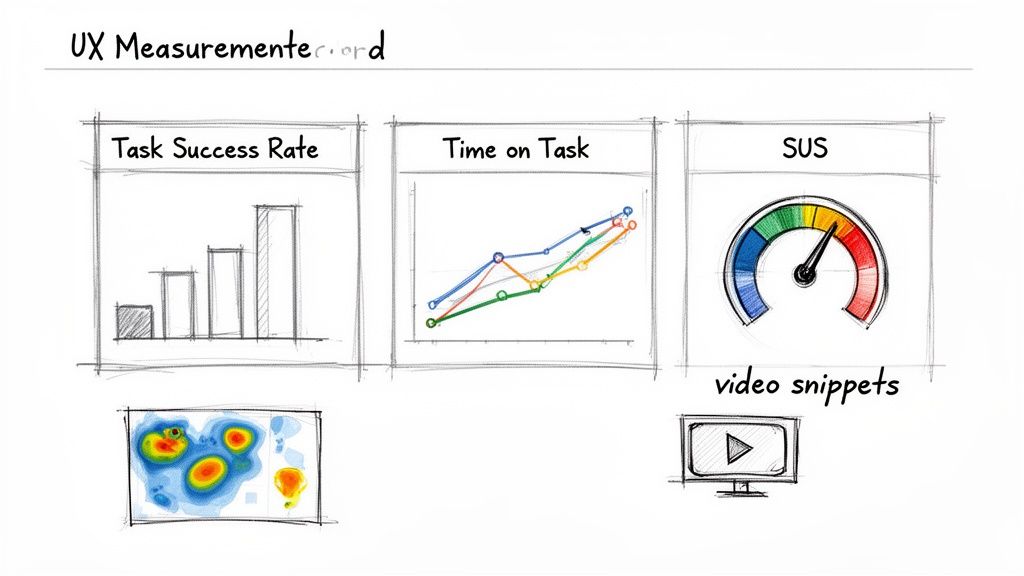
There's an old saying: if you can't measure it, you can't improve it. That’s the entire game in CX testing. While it’s nice to hear that users feel better about your product, you need hard data to justify design changes, secure budget, and really understand if your work is making a difference.
Luckily, CX testing gives you a whole toolkit of metrics that connect user behaviour to business goals. These numbers aren't just for researchers; they’re the common language that helps designers, product managers, and executives make smarter decisions together.
Key Performance Metrics for CX Testing
Performance metrics are all about how well users can get things done in your product. They give you objective, hard evidence of where the experience is smooth and where it’s creating friction.
Every team should start with these two fundamental metrics:
Task Success Rate (TSR): This one’s simple. It’s the percentage of people who actually manage to complete a task. It is the most basic measure of usability—if users can't do what they came to do, nothing else really matters. A low TSR is a huge red flag on a critical user flow.
Time on Task: This tracks how long it takes someone to complete a task. Even with a 100% success rate, a long completion time is a bad sign. It often points to a confusing interface or an inefficient workflow. Your goal is to see this number drop as you refine your designs.
These two tell you what is happening. But to understand why, you need to add satisfaction data to the mix.
Measuring User Satisfaction and Usability
Satisfaction metrics capture how users feel about the experience. They add that crucial layer of context to your performance data, helping you figure out if a task was just a little tricky or genuinely frustrating.
A user might successfully complete a purchase, but if the process was so stressful that they vow never to return, you haven't really won. Satisfaction metrics reveal these hidden emotional costs.
The industry standard for this is the System Usability Scale (SUS). It’s a quick, ten-question survey that spits out a reliable score from 0 to 100, giving you a clear benchmark for perceived usability. If you want to go deeper, you can learn more about SUS and its alternatives in our detailed guide.
The Power of Automated Measurement with Uxia
In the past, collecting all these metrics was a massive pain. It meant watching hours of session recordings, timing tasks with a stopwatch, and plugging everything into a spreadsheet. Honestly, this slow, manual process is a big reason why so many teams just skip measurement.
This is where AI-powered platforms like Uxia are a complete game-changer. Uxia automates the whole process, turning raw test data into an actionable report in minutes, not days.
When you run a test with Uxia, you get way more than a simple pass/fail result. The platform automatically generates a detailed analysis that includes:
Auto-Calculated Metrics: Task Success Rate, Time on Task, and SUS scores are calculated and presented for you. No spreadsheets needed.
Visual Data: Heatmaps and click maps show you exactly where AI users focused their attention and what they tried to click on.
Prioritised Usability Issues: The platform identifies and ranks friction points by severity, so you know exactly what to fix first.
Video Clips and Transcripts: You get short, specific clips of AI users struggling, complete with "think-aloud" commentary explaining their confusion.
Practical Recommendation: For your next executive update, use the dashboard from your Uxia report. Present the change in Task Success Rate and SUS score from one iteration to the next. This provides concrete, quantifiable proof of improvement and demonstrates the direct ROI of your team's CX efforts.
Ultimately, by automating measurement, Uxia empowers your team to move beyond gut feelings. It gives you the concrete data needed to pinpoint friction, justify design changes, and prove the direct value of your CX testing efforts to the entire organisation.
Common CX Testing Pitfalls to Avoid
Knowing what to do is only half the battle. Just as important is knowing what not to do. Many well-intentioned CX testing programmes get derailed by common, avoidable mistakes that poison your data and lead to poor product decisions.
Understanding these traps is the first step to sidestepping them. Let's walk through the most frequent pitfalls and, more importantly, how to keep your testing on track.
The Trap of Testing Too Late
One of the most damaging mistakes is treating CX testing as a final tick-box exercise right before launch. At this point, your design and code are practically set in stone.
Finding a major flaw here creates a crisis. It forces your team into a painful choice: launch a subpar experience, or delay the release for expensive, last-minute fixes.
Practical Recommendation: Shift your testing left. Start as soon as you have a low-fidelity wireframe or even a basic sketch. Early and frequent testing turns feedback from a last-minute emergency into a routine part of the design process.
Platforms like Uxia are built for this early validation. You can upload a simple design image and get feedback in minutes, allowing your team to iterate and improve long before a single line of code is written.
The Danger of Leading Questions
The way you frame a task can completely skew your test results. Asking something like, "Can you easily find the checkout button to complete your purchase?" is a classic leading question. You’ve already planted the words "easily" and "checkout button" in the user’s mind, guiding their behaviour.
Biased questions don't uncover user intuition; they only confirm your own assumptions. The goal is to observe natural behaviour, not lead users to a predetermined outcome.
Practical Recommendation: Frame your tasks as open-ended scenarios. Instead of a leading question, try a neutral prompt like: "You've added items to your basket and are ready to buy them. Please go ahead and complete your purchase."
This forces the user to find the solution on their own, revealing the true intuitiveness of your design. When using a platform like Uxia, phrasing your prompt this way gives the AI synthetic users a clear goal without biasing their navigation path, leading to more authentic results.
Relying on Biased or Professional Testers
Another common pitfall is using a small, homogenous group of testers. Worse yet is relying on "professional" testers who participate in studies for a living. These individuals don't behave like real users; they’re often just looking for problems to report so they can get paid.
Their feedback is rarely representative of your actual target audience. This is where traditional recruitment becomes a major bottleneck, as finding fresh, unbiased participants for every test is slow and expensive.
Practical Recommendation: This is precisely the problem AI-powered platforms are designed to solve. Uxia eliminates recruitment entirely by providing instant access to a limitless pool of unbiased, demographically-aligned AI participants.
These synthetic users aren't motivated by incentives and have no preconceived notions about how software "should" work. Because Uxia’s AI participants are generated on-demand for your specific test, you get clean, reliable feedback every single time. This gives you the confidence to build on trustworthy insights, ensuring your product decisions are based on how real customers will actually behave.
Common Questions About CX Testing
As teams start to weave continuous feedback into their workflow, a few practical questions always pop up. Product managers, designers, and researchers all want to know how to get the most out of CX testing without getting bogged down. Here are the straight answers.
How Often Should We Be Doing CX Testing?
The short answer? Constantly.
Think of CX testing less like a final exam and more like an ongoing conversation. For agile teams, the only cadence that makes sense is testing within every single sprint. Waiting until the end of a development cycle is a classic recipe for discovering expensive problems way too late.
Practical Recommendation: Use rapid testing tools on your earliest ideas—even rough wireframes and prototypes. With a platform like our own, Uxia, you can get feedback in minutes, which means you’re spotting usability issues long before they get baked into the code.
The rule is simple: always test before a major feature launch or design overhaul. It's the only way to be sure you're still building what users actually need.
People often ask about the difference between UX and CX testing. It really just comes down to scope. UX (User Experience) testing zeroes in on a single product interaction, like using your app. CX (Customer Experience) testing pulls the lens back to look at the entire journey a customer has with your brand—from the first marketing ad they see to the product itself and any support calls they make later. A great CX is just a chain of great UX moments strung together.
Can AI Testers Really Replace Human Feedback?
This question comes up a lot, and it’s an important one. The truth is, AI testers—like the synthetic users on Uxia—aren’t designed to replace human insight. They’re built to amplify it.
They are incredibly effective at finding usability and clarity problems with a speed and scale that humans simply can't match. This completely removes the delays and biases that come with traditional participant recruiting.
For example, you can get reliable feedback on iterative design changes in minutes. This frees up your human researchers to do what they do best: focus on deep, strategic discovery where empathy and complex human reasoning are absolutely essential.
Practical Recommendation: Here’s a good way to think about it: use AI testers like Uxia for the fast, frequent “Does this work?” questions. Save your human-led studies for the much bigger “What should we build next?” questions.
Ready to make fast, data-driven decisions a daily habit? With Uxia, you can run your first CX test in minutes, not weeks. Start building products with confidence by getting reliable feedback on demand. Explore Uxia today.