Best Focus Group Software: 10 Leading Tools for 2026
Compare the Best Focus Group Software for live research, AI UX testing, communities, pricing, use cases, pros, cons, and practical recommendations.

The most popular advice about the Best Focus Group Software is also the least useful: choose the platform with the longest feature list. A moderated conversation, an asynchronous community, a large text-based discussion, an integrated recruit-to-insight program, and rapid UX validation answer different research questions. Treating them as interchangeable creates the wrong workflow before the first participant joins.
A live platform is built around moderator judgment, interaction between participants, and real-time stimulus discussion. An asynchronous tool gives people time to respond across several days. Qual-at-scale software adds structured voting and analysis to large conversations. Community platforms support repeated engagement, while AI-driven UX testing can validate a prototype without recruitment or scheduling.
This comparison evaluates the tools by research method, workflow, audience, scalability, pricing transparency, governance, analysis workload, and implementation fit, not by feature count alone. The category sits inside a wider research stack that also includes surveys, observational research, and secondary data analysis, as described in this overview of market research software. Focus groups remain valuable when teams need richer context than a survey can provide, particularly for product discovery, concept testing, message testing, and UX feedback.
The list starts with Uxia because rapid synthetic UX validation can complement, and sometimes replace, a conventional study for early design decisions. It then covers live moderated research, asynchronous communities, qualitative research at scale, and enterprise insight operations.
1. Uxia
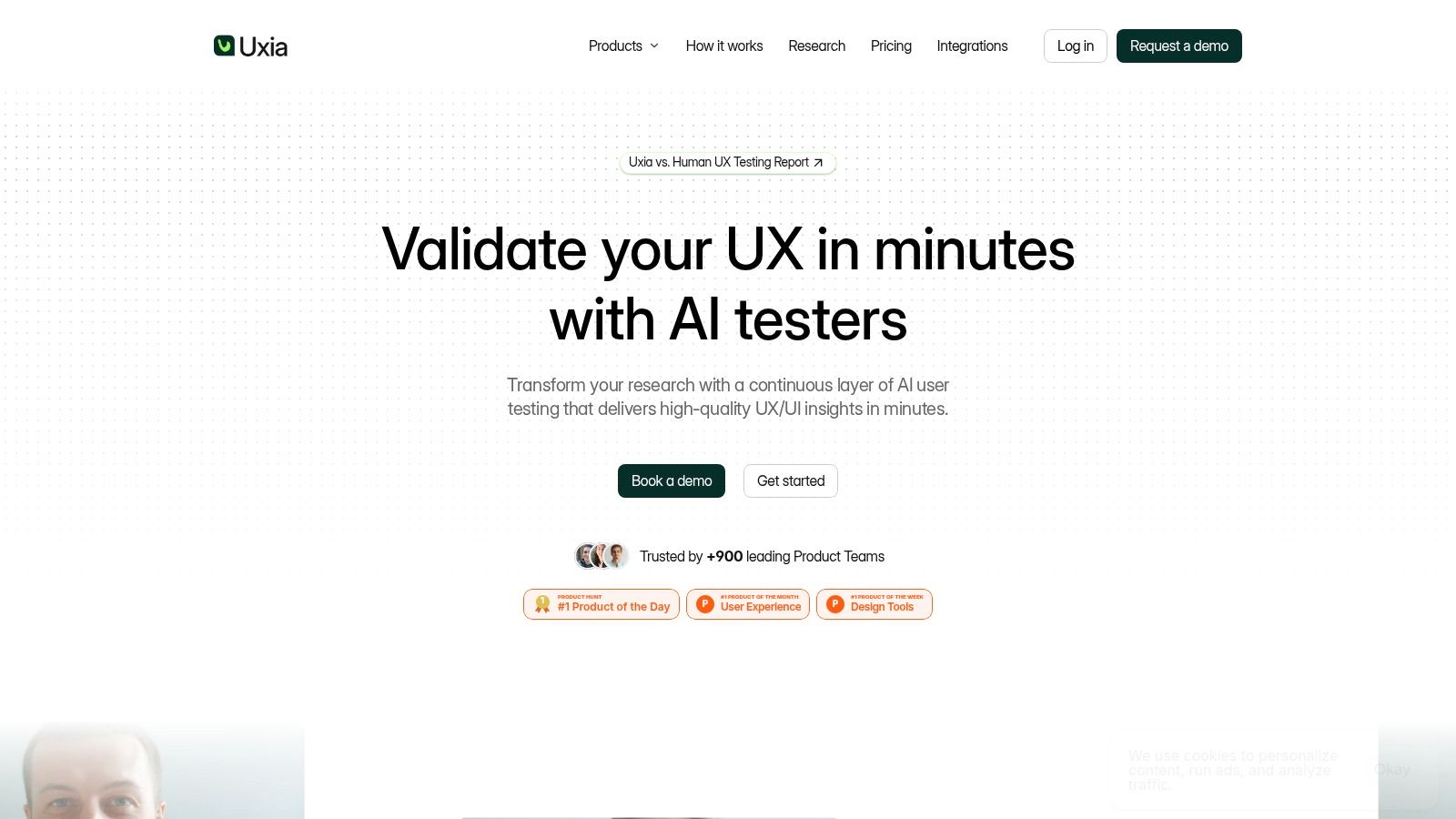
Uxia is the strongest choice when the research question is about how people use a product experience, rather than how a small group debates a concept in real time. Teams upload images or video prototypes, define a mission and audience, and generate synthetic testers aligned with demographic and behavioral profiles. Those testers move through flows, think aloud, surface friction, and produce transcripts and session captures without participant recruiting or scheduling.
That changes the operating model. A product designer can validate a new onboarding flow before a live study, then repeat the test after revising the copy or navigation. Uxia's reports organize patterns into visual findings, heatmaps, usability metrics, SUS and SUPR-Q benchmarks, and prioritized recommendations. The result is closer to continuous UX validation than to a one-off focus group.
Best fit and practical limits
Uxia fits startups, scaleups, agencies, and enterprise product teams that need fast, repeatable feedback on digital interfaces. Its synthetic testers can explore usability, navigation, copy, trust, and accessibility issues, making the platform useful inside sprint loops and design reviews. The product is also positioned for larger organizations through branded workspaces, audience enrichment, priority support, and enterprise security features such as SSO and SCIM.
The platform offers a free trial with one free AI User Test. Paid plans range from SMB tiers to custom enterprise packages, and the website should be checked for current terms because plan details may change.
Practical rule: Use Uxia to test whether a design works, then use a live human-led study when you need nuanced explanation, emotional context, or group interaction.
Uxia's site claims 17x faster testing, 3x more actionable insights, and up to 5x greater affordability than traditional methods, so buyers should verify those claims against their own workflow and study design. The platform says it's trusted by 900+ product teams, has received Product Hunt recognition, and was named a Gartner “Diamond startup to watch”. Those are useful signals, but a representative pilot remains more informative than awards or vendor claims.
Uxia's main limitation is methodological. Synthetic testers can accelerate validation, but they don't fully replace live interviews or moderated groups where unexpected personal context matters. Teams also need image or video recordings, screen recordings, or clickable mockup captures, which may be less convenient than testing a fully interactive live prototype directly. Explore Uxia when your priority is rapid design validation rather than group conversation.
2. Discuss
Discuss is built for the traditional qualitative workflow, with live moderated focus groups and IDIs at its center. It adds recruiting, screening, scheduling, stimulus sharing, observer access, recording, and transcription around the conversation. That makes it a better fit than general video conferencing when research teams need a controlled session environment and stakeholders need to observe without interrupting.
The platform supports interactive online groups where moderators can share stimuli or screens while managing participant dynamics. Backroom and observer roles are particularly useful for agencies and internal research teams whose clients, product leaders, or marketers need to watch sessions and capture highlights. The workflow keeps the study and its evidence closer together than a meeting tool with a separate notes folder.
Where Discuss earns its place
Discuss works well for exploratory qualitative research, concept tests, and usability passes that depend on human probing. Its optional AI-moderated interviews and self-paced video feedback extend the platform beyond synchronous sessions, although buyers should decide whether those modes are central to the program or merely useful additions.
The implementation benefit is specialization. A purpose-built focus group platform should provide participant management, recording, and research workflows rather than only meeting-room features, a distinction emphasized in Forsta's explanation of online focus groups. Discuss follows that research-specific model, so teams can involve observers and move from fieldwork toward analysis without stitching together as many unrelated tools.
Pricing is custom and quote-based, which may make it harder for a small team to forecast cost before speaking with sales. The full workflow can also require onboarding, especially for users who have only run groups through standard video tools. Choose Discuss when a human moderator is essential and stakeholder observation matters. Choose Uxia instead for rapid, unmoderated prototype checks that don't justify recruiting a panel.
3. Remesh
Remesh changes the basic focus group format by making the conversation text-first and highly scalable. Participants respond in a live environment, vote on ideas, and react to themes while AI surfaces patterns and segment differences in real time. The platform is designed for teams that need broad participation without abandoning open-ended discussion entirely.
That makes Remesh a strong fit for consensus-finding, message testing, prioritization, and questions where the research team wants both qualitative language and structured comparison. Instead of waiting until after the session to discover the dominant themes, moderators can inspect emerging patterns and pivot during the discussion. Live, Flex or asynchronous, and Video modes give the platform more methodological range than a single synchronous room.
The trade-off is interaction design
Remesh isn't a direct substitute for a small, intimate group. A traditional moderator can notice hesitation, body language, and interpersonal dynamics in ways a text-first environment can't reproduce. At larger scale, participants may also experience chat fatigue if prompts are repetitive or the session lacks a clear rhythm.
Use Remesh when the research question benefits from many perspectives and visible convergence. It is less appropriate when the purpose is deep personal disclosure or delicate exploration. The platform's observer links and on-the-fly session pivots support distributed research teams, but the moderator still needs a strong discussion plan.
For product teams comparing it with AI-driven UX testing, the dividing line is the stimulus. Remesh is suited to asking people what they think and allowing them to react to one another. Uxia is suited to watching synthetic participants attempt a task in a design. Teams evaluating both approaches can use this guide to hybrid AI and human UX research to decide where live human discussion adds value and where rapid simulation is enough.
Remesh pricing should be confirmed directly with the vendor. It's typically a platform sale rather than a transparent self-serve purchase, so the business case should include moderator preparation, recruitment, and stakeholder participation, not only the license.
4. Forsta InterVu
Forsta InterVu is the enterprise option for teams that need research-grade online focus groups with strong governance. The platform, which follows FocusVision's InterVu lineage, focuses on secure streaming, moderated sessions, backroom observation, and integration with broader survey and insight workflows. It's especially relevant when participant data, market coordination, and operational reliability matter as much as the conversation itself.
The practical advantage is control. Research teams can separate moderator, participant, and observer roles, manage sensitive stimuli, and run sessions within an environment intended for qualitative research rather than general meetings. That distinction matters in regulated categories such as healthcare, finance, and pharmaceuticals, where the research process needs clearer oversight.
Enterprise fit versus everyday usability
Forsta InterVu makes the most sense for multi-market programs and organizations already using Forsta's wider research ecosystem. It can support a governed handoff from live discussion to analysis and other study data. Buyers should still test the participant experience and moderator interface, because an enterprise-grade platform can feel more utilitarian than newer UX-first products.
Pricing is custom and generally enterprise-oriented. That may be justified for recurring or sensitive programs, but it can be excessive for an occasional small study. Teams should ask about implementation services, observer permissions, recording retention, integrations, support, and the exact compliance controls included in the proposal.
The right enterprise platform reduces operational risk, but it doesn't automatically create better questions or better moderation.
Forsta's own category description distinguishes purpose-built moderated research platforms from basic video conferencing, and that distinction is useful when assessing this product. Read this comparison of moderated research platforms alongside a pilot session before committing. Uxia is the more practical complement for quick interface validation between formal studies, while Forsta InterVu is the stronger choice for controlled live research at organizational scale.
5. itracks Realtime and Board
itracks is useful because it supports two research tempos in one ecosystem. Realtime handles live video focus groups and IDIs, while Board supports asynchronous discussions, diaries, and multi-day activities. Teams running a mixed-method qualitative program can therefore use live sessions for immediate probing and asynchronous tasks for reflection, observation, or follow-up.
The platform includes a research backroom, mobile support, low-bandwidth options, transcripts, tagging, and highlight reels. Those details matter operationally. A highlight reel can make stakeholder review faster, while tagging helps researchers organize evidence before synthesis. Mobile and language support can also reduce friction for participants who aren't sitting at a desktop during every activity.
A broad qualitative toolkit
itracks is a good fit for agencies and research departments that regularly run both synchronous and asynchronous studies. It's less attractive if the only requirement is a single quick online group, because the breadth of the suite may introduce more process than the project needs.
The interface may feel dated beside newer entrants, and pricing is quote-based. Ask for a live demonstration using the actual study design, not a generic feature tour. Test participant invitations, moderator controls, backroom observation, board navigation, transcript export, and the path from tagged moments to a client-ready deliverable.
The broader research workflow often requires separate tools for recruiting, screening, communication, note-taking, transcription, and data organization, according to this UX research field guide on focus groups. itracks reduces some of that fragmentation, while Uxia takes a different route by removing recruitment and scheduling from rapid synthetic UX tests. The two can work together when a team needs both longitudinal human feedback and frequent design validation.
6. Recollective
Recollective is designed around qualitative communities rather than isolated sessions. It supports live focus groups and virtual IDIs alongside long-form activities, diaries, ethnography, concept tests, and UX or product feedback. That structure suits teams who need to return to the same audience repeatedly and compare reactions over time.
The platform's value appears after the first session. A community can host stimulus, prompts, participant submissions, and follow-up questions in one environment. Its AI “Ask” functionality helps researchers query qualitative data and trace findings back to verbatims, which is more useful than a summary that can't show the evidence behind a theme.
Choose it for continuity
Recollective makes sense for longitudinal qualitative research and mixed-method programs. A product team can use a community to explore a problem, test a concept, revisit the idea after changes, and collect diary-style feedback. That continuity is difficult to recreate with a series of disconnected video meetings.
It can also be more platform than an ad hoc group requires. Community setup involves participant workflows, branding, moderation, and stewardship, so the implementation cost includes operational ownership. Published plan tiers for communities improve pricing visibility compared with vendors that only sell through custom proposals, but buyers should still confirm limits, support, storage, and analysis access for the intended audience size.
A community-first model changes the definition of speed. It may take more preparation before the first activity, yet it can reduce repeated recruiting and context rebuilding later. That makes Recollective a better choice for an ongoing insight program than for a single design question that Uxia could test with a prototype in a short cycle.
7. Fuel Cycle
Fuel Cycle functions as a research operating system for enterprises that want to unify communities, qualitative methods, quantitative inputs, and stakeholder workflows. Its environment can support interviews, focus groups, discussion boards, diary studies, and iterative feedback, with AI-assisted moderation and analysis inside the same workspace.
The central buying question isn't whether Fuel Cycle can run a focus group. It's whether the organization needs a governed insight stack that connects audience data, behavioral data, and study data. For large research teams, that connection can reduce duplicate audience management and make findings easier to distribute across product, marketing, and customer teams.
Strongest when governance is the constraint
Fuel Cycle is a good fit for enterprises running recurring programs across multiple methods. A community hub can support iterative feedback, while centralized operations help research leaders manage studies and stakeholder access. The platform is likely to deliver more value when many teams share the infrastructure than when one researcher needs a lightweight project space.
That also creates its limitation. Small teams with occasional projects may find the system heavy, and pricing is custom or quote-based. Implementation should cover permissions, data connections, taxonomy, AI review, reporting standards, and ownership of community operations. Without those decisions, a broad platform can become a large repository rather than a useful decision system.
Budget test: Compare the cost of the entire insight operation, including duplicated tools and manual synthesis, not only the annual platform quote.
Fuel Cycle should sit beside Uxia in a mature workflow, not necessarily replace it. Fuel Cycle can govern recurring research programs, while Uxia can provide rapid prototype evidence before a team invests in a formal live or community study. That pairing separates early design triage from deeper customer research.
8. Toluna Start Qual
Toluna Start Qual is designed for teams that want recruitment and qualitative execution from one vendor. It supports live video interviews and small-group discussions, with access to Toluna's respondent panels or the option to bring an existing audience. The platform can also connect qualitative work with survey-based research inside a wider study workflow.
That integrated model helps when the project depends on defined sample requirements, respondent governance, and a smooth transition from a survey to live follow-up. It can be particularly useful for organizations that don't want separate contracts for sample access, qualitative software, and study coordination.
Recruitment is the differentiator
Toluna Start Qual should be evaluated first on audience fit and governance, not interface polish. Ask how the platform handles screening, consent, personally identifiable information, session recording, participant communication, and handoffs between quantitative and qualitative stages. A single vendor can simplify accountability, but it can also make the team more dependent on one commercial relationship.
The product has a heavier enterprise feel, and advanced capabilities may require enablement. Pricing and terms are provided through a quote or corporate agreement, so transparency is lower than with self-serve tools. Include recruitment assumptions and project services in the cost comparison, since those may affect the total more than the software layer.
Toluna Start Qual is a better choice than Uxia when the study needs real respondents recruited for a structured live conversation. Uxia is more efficient when the team already has a prototype and wants fast directional UX evidence without waiting for a sample. For the recruitment side of that decision, this guide to tester panels in 2026 provides useful context.
9. Alida Sparq
Alida Sparq is a community-centered platform for brands that want recurring qualitative engagement with customers or members. Its activities can support discussions, moderated interactions, concept testing, Voice of Customer, Voice of Employee, and longitudinal feedback. The value comes from maintaining a relationship with an audience rather than recruiting a fresh group for every question.
That makes Alida appropriate for insight programs where participants provide context across multiple initiatives. A brand can use a community to explore an emerging need, test a product direction, and gather follow-up reactions without rebuilding the study environment each time. Governance and integrations with broader CX and insights systems support enterprise stewardship.
Community ownership determines success
Alida isn't a set-and-forget focus group tool. Someone needs to manage recruitment, participation, moderation, incentives, content cadence, privacy, and stakeholder expectations. Without that stewardship, the community may become underused or overly influenced by its most active members.
Pricing is custom and oriented toward mid-market and enterprise buyers. The business case should therefore include the team required to operate the community, not just the software. Ask how the platform handles member permissions, data retention, exports, integrations, and live interaction formats.
Alida is stronger than a lightweight board when the organization wants continuing Voice of Customer or Voice of Employee work. It's weaker for a one-time UX decision that needs a quick answer. Uxia can fill that gap by testing design artifacts between community activities, while Alida supplies real customer context and relationship-based feedback.
10. FocusGroupIt
FocusGroupIt is the practical choice for teams that need a lightweight, asynchronous discussion environment. Its bulletin-board format supports text responses, multimedia stimuli, internal observer commenting, project archiving, and transcript access controls. The platform also offers self-serve use with optional support and services.
This format works well for quick concept tests, collaborative threads, and studies where participants need time to respond rather than join a scheduled room. It lowers the implementation barrier for smaller teams and agencies that don't need a full research operating system or enterprise video suite.
Simplicity is both advantage and boundary
FocusGroupIt is primarily text-based and asynchronous. That makes it less suitable for research where a moderator needs to observe live reactions, manage group dynamics, or probe an answer immediately. Its feature set is also leaner than enterprise platforms, so teams should check whether they need richer recruitment, advanced analysis, integrations, or compliance controls.
Published free and paid tiers make the product easier to evaluate than quote-only alternatives. Still, compare the total workflow. If the team must export responses to another tool for transcription, coding, or reporting, apparent price savings may be offset by manual work.
Choose FocusGroupIt for a straightforward board study with a clear prompt and modest operational complexity. Choose Recollective when the project will become an ongoing community. Choose Uxia when the key question is whether users can complete a prototype task and where the interface creates friction.
Top 10 Focus Group Software Comparison
Product | Core features ✨ | UX/Quality ★ | Value & Price 💰 | Target audience 👥 |
|---|---|---|---|---|
🏆 Uxia | ✨ AI synthetic participants; prototype (image/video) testing; auto-summaries, heatmaps, SUS/SUPR-Q | ★★★★★ Rapid, high-fidelity transcripts; parity with human tests | 💰 Free trial; SMB→Enterprise tiers; up to 5x cheaper vs traditional studies | 👥 Product & design teams; startups → enterprise |
Discuss | ✨ Live moderated focus groups & IDIs; backroom observer, auto-transcription | ★★★★ Purpose-built research UX; stakeholder-friendly | 💰 Quote-based; premium for small teams | 👥 Research teams, agencies needing moderated qual |
Remesh | ✨ Live, text-first sessions at scale; real-time AI theme surfacing | ★★★★ Fast qual-at-scale; strong consensus & segmentation | 💰 Quote-based; optimized for large-sample events | 👥 Insight teams running 100s–1k participants |
Forsta InterVu | ✨ Research-grade video focus groups; enterprise compliance & secure streaming | ★★★★ Enterprise reliability; utilitarian interface | 💰 Enterprise pricing; strong compliance features | 👥 Regulated industries & multi-market programs |
itracks (Realtime + Board) | ✨ Synchronous video + asynchronous boards; patented backroom, mobile support | ★★★★ Reliable mixed-mode qual; good synthesis tools | 💰 Quote-based; suited for ongoing projects | 👥 Researchers needing sync + async workflows |
Recollective | ✨ Insight communities + live groups; AI 'Ask' to query verbatims | ★★★★ Excellent for longitudinal & mixed-methods | 💰 Published plans; can be costlier for small projects | 👥 Community & longitudinal qual teams |
Fuel Cycle | ✨ Research OS: communities, qual/quant, AI-assisted analysis | ★★★★ Enterprise-grade central insights & governance | 💰 Quote-based; best value at scale | 👥 Enterprise CX/insights ops |
Toluna Start (Qual) | ✨ Live small-group video + access to Toluna panels; recruit→insight flow | ★★★★ Strong recruit + qual integration | 💰 Quote-based; sample access adds cost | 👥 Teams needing integrated sample & platform |
Alida (Sparq) | ✨ Branded insight communities; CX integrations & governance | ★★★★ Scales for recurring, enterprise programs | 💰 Quote-based; midmarket → enterprise pricing | 👥 Brands seeking ongoing community research |
FocusGroupIt | ✨ Asynchronous discussion boards; self-serve + observer clips | ★★★ Simple, fast text-based qual for quick turns | 💰 Free & paid tiers; cost-effective for small studies | 👥 Small teams, quick concept tests, low budgets |
Choose the Research Workflow You Can Sustain
The best focus group software is the platform your team can use consistently for the decisions it makes. Start by defining the method: does the study need live moderation, asynchronous engagement, large-scale text discussion, recruitment, longitudinal community management, or rapid prototype validation? Those choices narrow the category faster than a feature checklist.
Live human-led research remains the right fit when the team needs probing, debate, emotional nuance, or reactions to unexpected information. Discuss, Forsta InterVu, itracks, and Toluna Start are the strongest candidates for structured live work, but they serve different operating models. Discuss suits research teams that want an end-to-end moderated workflow. Forsta InterVu suits governed enterprise and regulated programs. itracks fits projects that combine live sessions with asynchronous boards and diaries. Toluna Start is most useful when respondent recruitment and qualitative execution should come from one vendor.
Asynchronous platforms solve a different problem. Recollective and Alida support recurring engagement, longitudinal activities, and communities that build context over time. FocusGroupIt is better for a lightweight board study where the team values low setup effort and published plan options. Fuel Cycle belongs in a larger enterprise conversation, especially when the organization needs governed connections between communities, qualitative work, quantitative data, and stakeholder access.
Remesh is the distinct choice for qualitative research at scale. Its live, text-first structure and real-time theme surfacing help teams compare segments and identify convergence without forcing the project into a conventional small-group format. The moderator still needs to design prompts carefully, because scale can increase noise if the discussion doesn't give participants a clear reason to engage.
For product teams, Uxia deserves a separate evaluation track. It's designed for rapid, repeatable UX validation using synthetic testers, prototype inputs, transcripts, visual reports, heatmaps, benchmarks, and prioritized findings. That makes it a strong recommendation when the constraint is recruiting and scheduling delay, or when designers need evidence repeatedly throughout an iteration cycle. It shouldn't be presented as a universal replacement for real customer conversation. It's a complement or alternative for a different research question, namely whether a target audience profile can move through and respond to a design.
Use the following selection checklist during a pilot:
Participant control: Check screening, permissions, consent, communication, and observer roles.
Stimulus handling: Test images, video, prototypes, screens, documents, and multimedia prompts with actual study materials.
Evidence quality: Confirm that transcripts, clips, tags, quotes, and summaries remain connected to source responses.
Analysis workload: Measure how much manual coding and synthesis the researcher still needs to perform.
Governance: Review privacy, security, data retention, access control, export rights, and support obligations.
Pricing transparency: Compare self-serve tiers, per-project fees, respondent costs, seats, services, and quote-based commitments.
Implementation fit: Run a representative pilot with the people who will moderate, analyze, observe, and act on the findings.
Independent software guidance identifies moderation controls, video conferencing, user management, and analysis tools as core mechanics of focus group software, including agenda control, participant permissions, chat moderation, data-gathering forms, charts, and reports for trend spotting. Those mechanics matter only when they connect to an actual decision. A beautifully controlled session that produces a transcript nobody can synthesize is not a successful research workflow.
Research teams should also measure adoption and user experience after implementation. In adjacent user-research software, one case study reports a 1100% increase in platform adoption and a 43% increase in PES score after persona-personalized guidance was introduced, as documented in this Pendo customer case study. The lesson isn't that every focus group platform will produce the same result. It's that onboarding, role-specific guidance, and workflow personalization can matter as much as feature depth.
The most practical recommendation is to combine methods when the product question has two layers. Use a live platform such as Discuss, Forsta InterVu, itracks, or Toluna Start to understand people's language, motivations, and objections. Use Uxia to validate prototypes repeatedly before and after those conversations. Use Remesh, Recollective, Alida, Fuel Cycle, or FocusGroupIt when the audience, scale, cadence, or governance requirements point elsewhere.
The “best” tool is therefore not the one with the most features. It's the one that gives your team credible evidence at the speed, depth, and operational burden your product decisions can sustain.
Uxia gives product teams instantly available synthetic testers for image and video prototypes, with transcripts, visual reports, heatmaps, usability benchmarks, and prioritized UX findings. Use it to validate flows between live focus groups, shorten design feedback cycles, and identify friction before investing in a larger study. Visit Uxia to run your first AI User Test.