
Most advice about the best beta testing platforms gets one thing wrong. It treats every tool in the category as if it solves the same problem.
It doesn't. A build distribution tool isn't the same as a formal beta program platform. A recruited tester marketplace isn't the same as a crowdtesting service. And none of those is the same as Uxia's synthetic user testing, which helps teams validate flows, copy, navigation, and prototype decisions before or alongside a human beta.
That distinction matters more now because beta testing isn't a niche release step anymore. It has deep roots as a software practice dating back to the 1950s, with IBM commonly credited for early use of the term before it spread through software in the 1960s, and the modern beta phase became a standard milestone as products scaled globally, as described in Beyond Beta Testing. The tooling market has also expanded fast enough that buyers can no longer afford to choose by feature list alone. One 2024 estimate valued the global beta testing market at USD 5.90 billion, with projections to reach USD 13.73 billion by 2030 at a 15.11% CAGR, according to beta testing market research from Research and Markets.
So the right question isn't "Which beta platform is best?" It's "What exactly do I need to validate right now?"
If you need to push iOS or Android builds, store-native tools usually win. If you need governance, recurring workflows, and auditability, formal beta management platforms make more sense. If you need real people from a narrow audience, recruited testing matters. If you need broad device and locale coverage, crowdtesting is often the stronger fit. If you need rapid UX feedback on prototypes, early flows, and release candidates without waiting on recruiting, Uxia deserves a different category entirely.
The comparison below looks at each platform through six practical lenses: tester access, feedback depth, workflow integration, implementation effort, pricing approach, and the kind of evidence you get back.
1. Uxia
Uxia belongs in a different category from release distribution tools, formal beta management suites, and crowdtesting networks. Its job is earlier and narrower. It tests whether an interface, flow, or concept makes sense before a team spends time recruiting people, shipping builds, or interpreting bug reports from a broader beta.
That distinction matters because many product questions are not distribution problems. A team may need evidence on whether onboarding is understandable, whether pricing copy creates hesitation, or whether a prototype breaks user expectations before code is finalized. Uxia addresses those questions with synthetic user testing. Teams can upload screens or video prototypes, define a mission, and generate simulated participants mapped to selected demographic and behavioral traits.
Where Uxia fits best
Uxia is strongest when the validation target is pre-release UX quality rather than real-world software behavior. The evidence it returns reflects that scope. Instead of install metrics and open-ended bug submissions, teams get transcripts, friction points, heatmaps, ranked findings, and reports that design, product, and research teams can review quickly.
That makes Uxia closer to a usability testing layer than a conventional beta platform.
The practical implication is speed. Human beta programs usually require recruiting, scheduling, incentive management, and waiting for responses across enough participants to identify patterns. Uxia removes much of that operational work for early-stage questions, which makes repeated testing more realistic inside weekly product cycles.
A broader shift in tooling supports that use case. Analysts tracking user-research software have noted increased enterprise investment in UX research tools and stronger interest in real-time usability feedback, according to user research software market analysis. The takeaway is not that synthetic testing replaces human research. It is that many teams now treat fast UX signal as a separate workflow, not as a side effect of beta distribution.
Practical rule: Use Uxia to remove obvious UX friction before involving recruited testers or a wider beta cohort.
What implementation looks like
Implementation is relatively light. A team can set up a focused test, review the summary, revise the flow, and run another pass without reopening recruitment or redistributing builds. That repeatability is the main operational advantage.
The limits are clear too. Synthetic users do not reproduce every real-world edge case, specialist workflow, accessibility barrier, or emotional reaction. If the question depends on actual device conditions, long-session behavior, or feedback from a specific user segment with lived experience, recruited humans remain more credible.
That trade-off is why Uxia works best as part of a sequence. Start with synthetic testing to catch avoidable confusion in prototypes and near-final flows. Then use store-native distribution, formal beta management, or crowdtesting only for the questions those systems are built to answer.
Best use cases and limits
A few situations where Uxia is often the better first option:
Prototype validation: Review image-based or video-based flows before engineering work is locked in.
Rapid iteration: Re-test the same journey after design changes without new participant logistics.
Cross-functional review: Share transcripts and prioritized findings with PM, design, and engineering in a format that is easier to act on than raw comments.
Continuous UX QA: Insert lightweight validation between releases instead of waiting for a larger human beta.
A short, goal-driven cycle tends to work best. Common beta-testing guidance recommends clear objectives, representative testing conditions, and a defined time window, as reflected in Appy Pie's beta testing guidance. Uxia fits the front end of that process well, where teams need to test a narrow question, fix what is obvious, and decide whether broader human validation is still necessary.
Uxia is a weak fit if you need app-store delivery, release-candidate install testing, or broad human usage across many devices and locales. In those cases, it complements other platforms rather than replacing them.
Visit Uxia.
2. Apple TestFlight
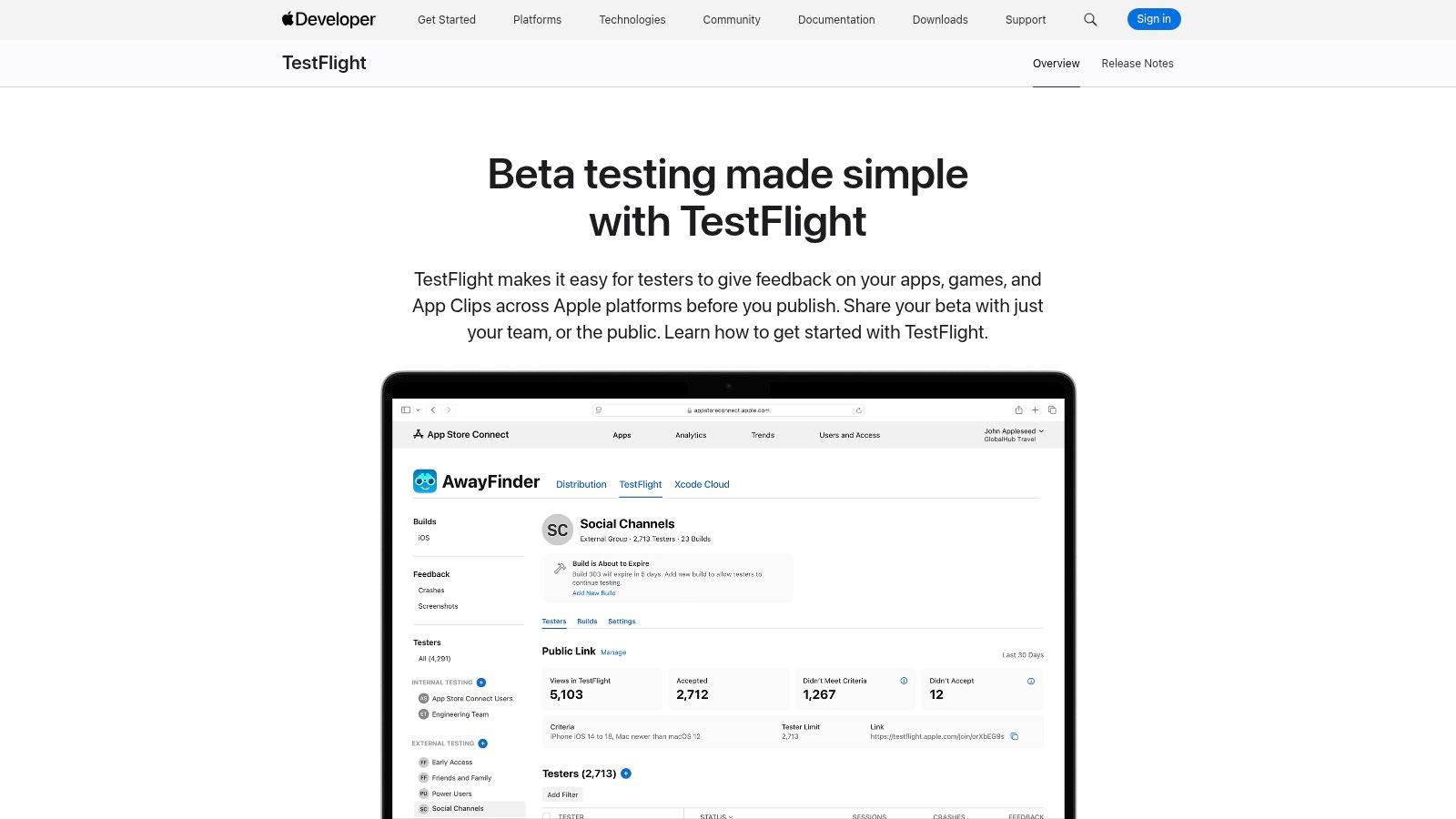
TestFlight is the default answer for iOS beta distribution because Apple controls the install path, update flow, and feedback loop. If your main job is getting pre-release builds onto Apple devices with minimal friction, it's hard to justify anything else first.
Its biggest strength is clarity of purpose. TestFlight distributes builds to internal and external cohorts, works across Apple platforms, and pipes screenshots and tester comments into App Store Connect. Teams that only need to share builds and collect basic structured feedback often don't need a separate distribution layer.
Where it works well
TestFlight is best when the app itself is the thing you need to validate. You aren't testing static concepts. You're testing installability, account creation, feature access, and behavior on Apple hardware in a release-like environment.
The limitations are just as clear. It's Apple-only, and external betas go through Apple's review process before distribution. That's fine for release readiness, but it's slower than tools meant for internal drops or non-store workflows.
If your question is "Can users install and use this iPhone build safely before release?" use TestFlight. If your question is "Does this new onboarding concept make sense at all?" Uxia often gets you to an answer sooner.
TestFlight also doesn't solve deeper usability diagnosis on its own. You'll get comments and screenshots, but not the richer interpretive layer some teams need. That's why it often pairs well with dedicated research work, including mobile app usability testing methods, when raw build feedback isn't enough.
Practical trade-offs
Choose TestFlight when these factors matter most:
Native Apple workflow: Installs and updates feel familiar to testers.
Low setup overhead: You don't need another distribution vendor for iOS.
Release-stage realism: You're testing the same app package path that matters for launch.
Simple feedback capture: Screenshot-based comments are easy for testers to submit.
If your team also ships on Android, you'll likely need a parallel process. And if you're comparing channels for beta testing Android apps in 2026, TestFlight isn't that answer. It's a strong Apple tool, not a cross-platform beta command center.
Visit Apple TestFlight.
3. Google Play Console testing tracks
Google Play Console testing tracks are useful precisely because they are narrow. They answer release questions for Android. They do not answer every testing question a team has before launch.
That distinction matters in this category. Release distribution, formal beta management, recruited human testing, crowdtesting, and synthetic user testing solve different validation problems. Play Console sits firmly in the release distribution camp. Its internal, closed, and open tracks let teams control who gets access and how widely a build spreads, using the same operational path that later supports production rollout.
For Android teams, that creates a practical advantage. The people shipping the app and the people validating the release can work inside one console, with fewer handoffs and fewer mismatches between beta setup and launch setup.
The strongest use case is operational validation. A team can confirm that a build installs correctly for a defined cohort, verify upgrade behavior, test staged rollout mechanics, and expose a feature to a limited audience before a wider release. Those are concrete release risks, and Play Console is built around them.
It is less effective when the question is interpretive. If users abandon onboarding, misunderstand a permission prompt, or miss a feature entirely, Play Console will show the release path, not the reasoning behind the behavior. That is where teams usually need a different layer, such as structured user acceptance testing software, formal beta programs, or earlier synthetic testing in Uxia before the app is pushed through store-facing channels.
A common mistake is using Play tracks as if they were a full beta management system. They are not. You can distribute builds and segment access, but tester coordination, task design, qualitative synthesis, and recruited participant supply largely sit outside the product.
That limitation has implementation consequences:
Internal tracks fit employee testing, smoke checks, and fast pre-release verification.
Closed tracks fit controlled cohort testing when access and rollout order matter.
Open testing helps expose an Android app to broader real-world usage, but feedback quality becomes harder to control.
Teams still need a separate process for research goals, tester instructions, and analysis.
Use Google Play Console when the core question is, "Is this Android release ready to widen safely?" Use something else when the core question is, "Why are users failing or hesitating in the first place?"
Visit Google Play Console.
4. Firebase App Distribution
Firebase App Distribution solves a narrower problem than the name suggests. It is a build delivery tool for known testers, not a full beta management system and not a recruited testing marketplace.
That distinction matters in this category. Release distribution, formal beta operations, recruited human testing, crowdtesting, and synthetic user testing answer different questions. Firebase sits close to engineering execution. It helps teams answer, "Can we get the latest build into the right hands quickly, inside the development workflow?" It does much less for questions like, "Which users should we recruit?", "What tasks should they complete?", or "Why did they struggle?"
The practical strength is workflow proximity. Teams already using Firebase can push a build from CI/CD, notify a controlled tester group, and keep crash and usage signals near the rest of the mobile stack. For frequent internal drops, that reduces coordination overhead. A product manager or QA lead does not need to set up a heavier beta program just to get a new build onto employee devices the same day.
That makes Firebase a strong fit for a specific operating model: internal dogfooding, QA handoff, regression checks, and fast pre-release confirmation with people the team already knows.
The trade-off is evidence quality. Firebase distributes software efficiently, but it does not add research structure. It will not recruit participants, moderate tasks, or turn loose tester comments into a clear decision. If the risk is usability confusion, onboarding drop-off, or feature misunderstanding, a distribution layer alone usually leaves the hardest question unanswered. Teams often pair that stage with formal beta management, external human testers, crowdtesting, or earlier synthetic testing in Uxia, depending on what they need to validate.
A simple way to evaluate Firebase is to map it to the job:
Use it when build speed, tester access control, and CI/CD integration are the main constraints.
Use another layer when participant sourcing, test design, or qualitative analysis are the main constraints.
Use store-native channels when install, update, and release behavior must match real App Store or Play Store conditions.
Firebase is useful because it stays narrow. Teams that expect it to cover the whole beta process usually end up adding spreadsheets, email threads, and separate feedback workflows around it.
Visit Firebase App Distribution.
5. Sauce Labs Mobile App Distribution
Beta testing platforms are often compared as if they solve the same problem. Sauce Labs Mobile App Distribution does not. Its primary job is controlled release distribution for mobile builds inside organizations that care about security reviews, tester permissions, and auditability.
That puts it in a narrower category than formal beta management tools such as Centercode, and in a different category from recruited human testing marketplaces or crowdtesting vendors. It is closer to TestFlight, Play Console testing tracks, and Firebase in one respect. It gets software into testers' hands. The difference is that Sauce Labs is built for teams that need more policy and administration around that handoff.
The practical implication is straightforward. If the question is "Can we distribute pre-release builds safely across multiple internal or restricted tester groups?" Sauce Labs is relevant. If the question is "Do users understand this feature?" or "Can we source unbiased external participants?" distribution alone will not answer it. Teams often need another layer for that, whether formal beta operations, recruited human testers, crowdtesting, or earlier synthetic user testing in Uxia before a mobile build is widely shared.
Where Sauce Labs fits
Sauce Labs frames mobile beta testing around controlled distribution, tester feedback, session visibility, and integration into broader QA workflows, as described in Sauce Labs' mobile beta testing guidance. That orientation matters. The product is not trying to be a research repository or a managed crowd. It is trying to reduce friction in enterprise mobile release workflows while keeping governance intact.
For large teams, that can be the deciding factor.
Security controls, access management, and SSO matter more once beta programs stop being informal. A build shared with a handful of colleagues over email is one problem. A regulated company distributing pre-release apps across departments, vendors, and approved testers has a different one. Sauce Labs is designed for the second case.
Selection criteria
Choose Sauce Labs Mobile App Distribution if your beta bottleneck is operational:
Security and access control: You need tighter control over who can install which build.
Cross-team coordination: QA, engineering, support, and product all interact with the same release stream.
Workflow integration: Build distribution needs to connect cleanly with existing QA and issue management processes.
Administrative consistency: The team wants one governed method instead of ad hoc file sharing and manual tester tracking.
Skip it if your bottleneck is research quality.
A smaller product team may get faster answers from store-native distribution, Firebase, or direct usability validation before release. If the unresolved risk sits in onboarding, task completion, or feature comprehension, recruited testers or crowdtesting services usually generate better evidence than a stronger distribution layer. Sauce Labs improves control over delivery. It does not replace the work of designing studies, sourcing participants, or interpreting behavioral feedback.
Visit Sauce Labs Mobile App Distribution.
6. Centercode
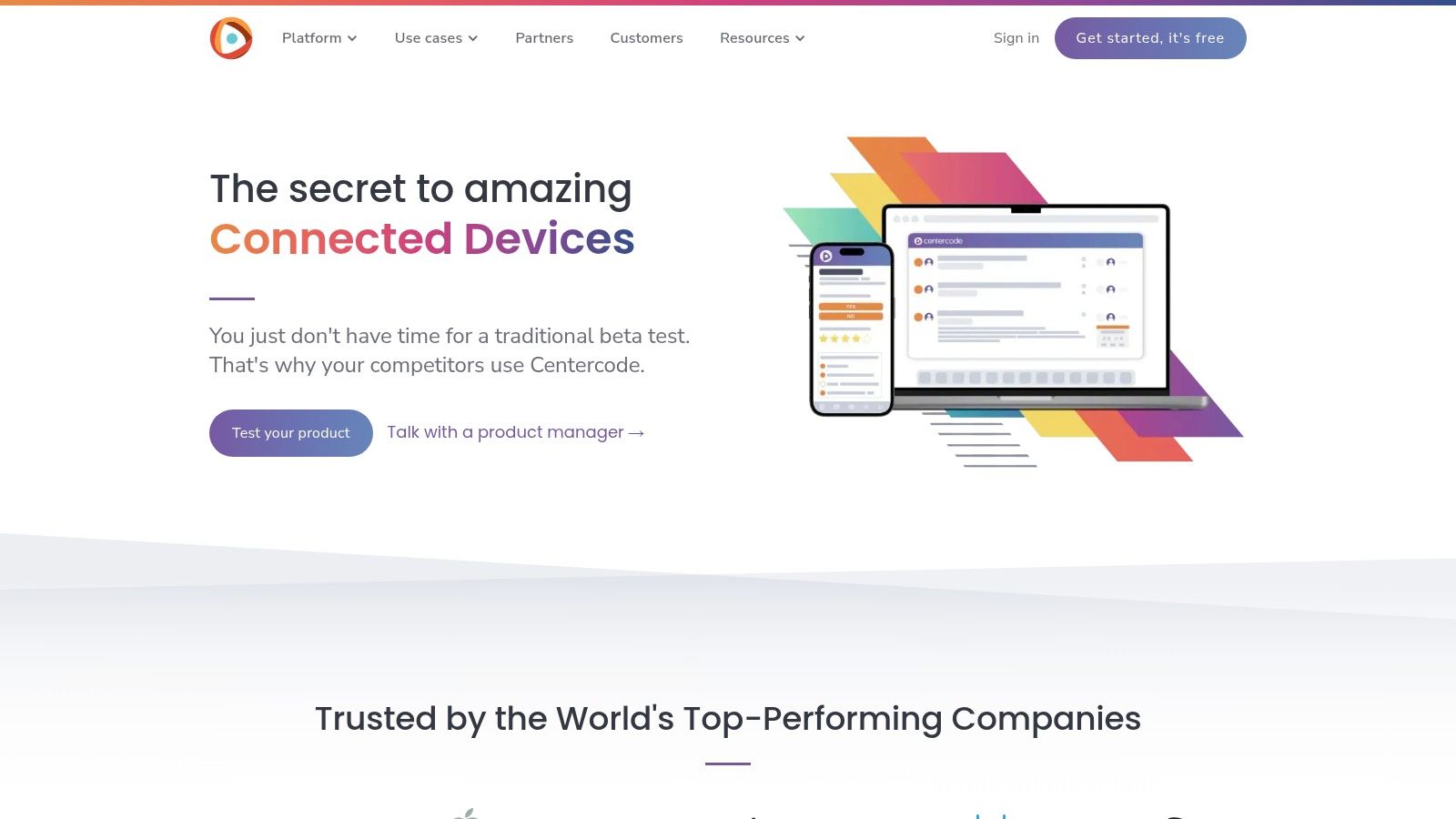
Centercode fits a narrower job than many comparison lists suggest. It is not mainly a release distribution tool, and it is not a crowdtesting marketplace. It is formal beta management software for teams that treat pre-release testing as an ongoing program with defined cohorts, repeatable workflows, and reporting that multiple departments rely on.
That distinction matters.
TestFlight, Play Console, Firebase, and Sauce Labs solve delivery and access problems at different levels of control. BetaTesting, Applause, Test IO, and Testbirds help teams get human participation. Uxia addresses a separate question again, using synthetic user testing to evaluate likely user-path friction before or alongside live participant work. Centercode sits between those categories. Its value comes from structuring the beta operation itself.
In practice, that means the platform is strongest where the testing challenge is organizational. Teams can manage participant pools, control communications, assign missions, collect surveys and bugs in one place, and review results across repeated cycles. The gain is less about shipping one build faster and more about reducing process drift across launches, markets, or product lines.
A simple example shows the trade-off. A mobile team validating one feature with a small customer group usually gets enough from store-native distribution and a basic feedback loop. A company running recurring pre-release programs across hardware, firmware, mobile apps, and support teams has a different failure mode. Feedback gets fragmented, tester engagement drops, and issue intake stops being comparable from one wave to the next. Centercode is built for that second case.
The cost is overhead. Someone has to define workflows, segment testers, maintain program hygiene, and make sure the evidence entering the system is worth reviewing. Without that operational discipline, the platform can become an expensive container for scattered feedback.
Centercode usually makes sense under a specific set of conditions:
Repeated beta cycles matter more than one-off launches.
Multiple teams need the same participant and feedback record.
Tester communication, tasking, and issue triage need explicit structure.
Decision-makers want a system of record rather than email threads, forms, and spreadsheets stitched together.
If your unresolved risk is simpler, choose the simpler tool. For build access, release distribution platforms are faster to set up. For audience access, recruited tester platforms are usually a better fit. For exploratory usability checks before a human beta, Uxia can surface flow-level issues without the logistics of participant management. Centercode earns its place when the beta program itself has become infrastructure.
Visit Centercode.
7. BetaTesting
BetaTesting fits a narrower job than the name suggests. It is not mainly a release distribution tool, and it is not a formal beta operations system in the Centercode sense. Its value is access to recruited human participants who can interact with a real product under guided conditions.
That matters because distribution and recruitment solve different risks. TestFlight, Play Console, Firebase App Distribution, and similar tools help teams get builds into testers' hands. BetaTesting helps teams find the testers in the first place.
The practical use case is clear: a team has a build, a target audience hypothesis, and too little organic traffic or customer reach to validate it with confidence. BetaTesting can reduce the time between "we need external signal" and "people are using the product." That is useful for mobile apps, websites, hardware, and consumer products where the unresolved question depends on human context rather than only crash logs or task automation.
Its weakness is equally clear. Recruiting people does not guarantee decision-grade evidence.
A weak brief still produces weak findings. If the study mixes bug discovery, first-run usability, and broad market feedback into one vague mission, the output becomes hard to interpret. Teams using recruited testers need tighter study design than they often expect.
Compensation is part of that design, not an administrative detail. Great Question's research incentive guide places 30-minute surveys around $10 to $25, 60-minute consumer interviews around $75 to $150, and 60-minute B2B or specialist interviews around $200 to $500, according to Great Question's research incentive guide. A beta test is not the same format, but those ranges are still useful for checking whether the requested effort and the offered reward are aligned.
A better way to evaluate BetaTesting is to ask what kind of validation gap you are trying to close:
If the problem is build access, use a distribution platform.
If the problem is repeatable beta program governance, use a system built for workflows and records.
If the problem is exploratory usability before involving participants, synthetic user testing from Uxia can expose flow-level friction earlier.
If the problem is getting relevant people to try a live product and report back, BetaTesting is a credible fit.
That makes BetaTesting less interchangeable with the other tools in this list than the category label implies. It sits between lightweight release tooling and full crowdtesting services. You still own test design, segmentation, and interpretation, but you do not have to start from zero on participant supply.
Visit BetaTesting.
8. Applause
Applause solves a different problem than release distribution tools or self-serve beta platforms. The question here is not how to ship a build to testers. It is how to validate behavior across messy real-world conditions without staffing that operation yourself.
That distinction puts Applause closer to a managed testing service than a classic beta tool. Teams use it when device diversity, local payment methods, regional settings, accessibility workflows, or language quality are part of the risk being tested, not just the app build itself.
Where Applause fits
Applause is strongest when the environment is the test variable. A checkout flow might work in an internal QA lab and still fail with a local card type, a carrier-specific network condition, or a translation that changes layout and meaning. Those issues usually need human execution in live contexts.
This makes Applause a different category from several other products in this list. TestFlight, Google Play Console testing tracks, Firebase App Distribution, and Sauce Labs Mobile App Distribution primarily solve access and release distribution. Centercode focuses more on formal beta program management and governance. BetaTesting supplies recruited participants for feedback studies. Uxia addresses an earlier-stage problem by using synthetic user testing to expose flow friction before teams pay for large human test cycles.
Practical trade-offs
The benefit is operational depth. Applause can provide the tester pool, cycle coordination, bug submission structure, and result triage that internal teams often struggle to maintain consistently at scale.
The limitation is equally clear. Managed services add process. That usually means more scoping, more coordination, and higher cost than self-serve distribution or lightweight participant tests. Teams running fast informal experiments may find that overhead unnecessary.
Use Applause when coverage quality depends on context outside your lab. Geography, device fragmentation, payments, localization, and accessibility are common examples.
For early concept or journey testing, Uxia is often a cheaper first filter because it can identify obvious interaction problems before human recruitment begins. For production-near validation under varied real-world conditions, Applause addresses a narrower but harder job.
Visit Applause.
9. Test IO
Test IO sits in a useful middle ground between broad crowd access and actionable operational output. It gives teams on-demand human testing for functional QA, exploratory checks, usability-oriented review, and paid beta support, while using AI-assisted triage to reduce the mess that large tester groups can create.
That last part matters more than feature lists suggest. In crowdtesting, finding testers isn't the hard part. Turning many reports into a smaller set of decisions is.
Where it shines
Test IO is strongest close to release, when teams need fresh eyes on a candidate build and can't spend days manually consolidating duplicates. The platform's blend of human execution and triage support helps release teams move from "we ran a crowd cycle" to "we know what needs fixing first."
It's also a sensible choice for teams that want on-demand coverage without building a full recurring beta program. You can run targeted cycles and keep them connected to bug-tracking systems rather than creating a parallel process.
Best fit in a modern testing mix
Recent market data points to a strong shift toward remote and cloud-based testing. Across market reports, cloud deployment accounts for 72.1% to 84.6% share, remote testing leads at 54.8%, and one 2025 to 2026 report says 69% of adopters prioritize asynchronous feedback across devices and geographies, according to user testing platform market analysis. Test IO fits that environment well because it supports asynchronous, distributed validation with human testers rather than requiring everyone to meet in a scheduled research format.
Use Test IO when these conditions apply:
Release candidates need stress-checking: You want fast human feedback before shipping.
Device and environment variety matter: Crowd coverage is more important than panel ownership.
Your team needs triaged outputs: AI-assisted organization reduces noise.
You don't need a full formal beta program: Targeted runs are enough.
Test IO won't replace deep moderated research or Uxia's rapid prototype testing. It's better for "test this live-ish thing with humans now" than for "should we build this flow this way at all?"
Visit Test IO.
10. Testbirds
Testbirds is one of the better options when you want crowdtesting flexibility without committing fully to either pure self-service or fully managed engagement. It covers usability, UX, and functional testing, and it's especially relevant for teams that need cross-locale or cross-device execution with some choice in how hands-on they want to be.
That flexibility is the main reason to consider it. Some teams want help with test-case design and analysis. Others mainly want access and a structured operating model.
Why it earns a spot
Testbirds works well for organizations with irregular testing demand. The credit-based approach can be easier to plan around than building a standing internal crowd operation or forcing every project into a large managed-service model.
It's also a useful fit for companies working across regions, devices, and environments where standard in-house QA won't reflect enough real-world variability. In those cases, crowdtesting can surface issues that release-distribution tools don't try to catch.
Practical recommendation
Testbirds is usually worth considering when:
Testing demand is uneven: Some quarters are heavy, others are light.
Locale coverage matters: Regional execution is part of the validation need.
You want service flexibility: Managed help is available, but not mandatory.
UX and QA overlap: You need both workflow insight and issue discovery.
The main limitation is coordination overhead compared with self-serve store tools. Even when the service model is flexible, you still need to scope studies carefully and align internally on what counts as actionable output.
If the product question is still early, such as whether users understand a new concept or can complete a prototype flow, Uxia usually gets you to evidence faster. If the product is already in a more realistic environment and you need broad human execution, Testbirds becomes much more relevant.
Visit Testbirds.
Top 10 Beta Testing Platforms Comparison
Platform | Core features | Quality & insights (★) | Pricing & value (💰) | Target audience (👥) | Unique selling point (✨) |
|---|---|---|---|---|---|
Uxia 🏆 | AI synthetic testers; upload images/video; set mission & audience; unmoderated runs | ★★★★★ · transcripts, heatmaps, SUS/SUPR‑Q, prioritized insights | 💰Free trial (1 test) → tiered plans → enterprise | 👥PMs, UX researchers, designers, agencies, enterprises | ✨Instant realistic participants, auto-summarized insights, rapid scale 🏆 |
Apple TestFlight | Distribute pre-release builds; up to 10k testers; feedback via App Store Connect | ★★★★ · screenshots & structured comments | 💰Free; external builds require Apple review | 👥iOS/macOS developers & testers | ✨Native Apple install/update + App Store Connect feedback |
Google Play Console testing tracks | Internal/closed/open tracks; staged rollouts; cohort links | ★★★★ · basic pre-release feedback & crash reports | 💰Free with Play Console | 👥Android developers, release managers | ✨Built-in testing tracks + staged rollout controls |
Firebase App Distribution | Cross-platform build distribution; CI/CD integrations; notify testers | ★★★ · integrates with Crashlytics & Analytics | 💰Free tier; part of Firebase suite | 👥Dev teams, CI/CD pipelines, internal testing | ✨CI-friendly + native Crashlytics/Analytics linkage |
Sauce Labs Mobile App Distribution (TestFairy) | Secure hosting; configurable beta landing pages; API & SSO | ★★★★ · enterprise audit, per-build controls | 💰Sales-led; enterprise pricing | 👥Enterprises needing security/compliance | ✨Private cloud, end‑to‑end encryption & enterprise controls |
Centercode | End-to-end beta program mgmt: recruitment, NDAs, tasks, triage | ★★★★ · dashboards, engagement automation, prioritization | 💰Mid-market/enterprise; contact sales | 👥Product teams running formal alpha/beta/field trials | ✨Purpose-built repeatable beta programs & automation |
BetaTesting (ErliBird) | Managed recruitment & incentives; vetted testers | ★★★★ · targeted niche feedback | 💰Credit/project plans; costs scale with cohort | 👥Startups/SMBs needing quick vetted testers | ✨Fast access to vetted, incentivized tester panels |
Applause (uTest) | Managed crowdtesting with delivery managers; global tester pool | ★★★★ · real-device, locale & payments coverage | 💰Enterprise/sales-led | 👥Enterprises needing managed QA & usability testing | ✨Large global community + managed triage & delivery |
Test IO (by EPAM) | On-demand crowdtesting; exploratory & regression; integrations | ★★★★ · AI-assisted duplicate detection & triage | 💰Credit/packages; contact sales | 👥QA teams, release engineers, fast RC checks | ✨Rapid spin-up + AI-aided report organization |
Testbirds | Crowdtesting with BirdCoins credit system; special-device coverage | ★★★★ · usability & functional testing across locales | 💰Credit-based (BirdCoins); sales quotes | 👥EU & global teams seeking device/UX coverage | ✨Flexible credits, strong EU/device focus and managed options |
Match the Platform to the Validation Job
The best beta testing platforms aren't interchangeable, and treating them that way leads to bad buying decisions. Many teams don't need one tool that does everything. They need a validation stack that matches the stage of the product and the kind of evidence required.
For native mobile distribution, the cleanest choices are still store-based. TestFlight makes the most sense for Apple releases because it gives you the official install and feedback path for iPhone, iPad, Mac, Apple Watch, and Apple TV. Google Play Console testing tracks do the same job on Android, with better rollout flexibility inside the same system you'll use for launch. If your question is release readiness inside the store ecosystem, start there.
Firebase App Distribution is a better fit when the workflow begins in CI/CD rather than the app store. It works well for internal drops, dogfooding, and pre-store testing where speed matters more than public-release realism. Sauce Labs Mobile App Distribution is the stronger option when security, SSO, governance, and enterprise-grade distribution controls become part of the requirement set.
If your organization runs recurring beta programs rather than occasional tests, Centercode deserves serious consideration. It solves the operational problem that lighter tools ignore. Recruitment, tasks, issue intake, communication, and reporting all need a shared system once the program becomes repeatable. That's a different need from sending out a build.
When the core constraint is access to people, BetaTesting is often the practical answer. It helps teams reach targeted human cohorts without relying entirely on an existing customer base. If you need broader real-world human coverage across devices, locales, payment methods, or edge-case environments, managed crowdtesting platforms like Applause, Test IO, and Testbirds usually offer stronger coverage than traditional beta tools. The trade-off is more coordination and a more service-oriented buying model.
Uxia belongs in this comparison because many teams use human beta testing to answer questions that don't require a recruited cohort yet. If you need rapid, repeatable UX and UI feedback on prototypes, early flows, new features, or messaging, Uxia can remove obvious friction before you spend time on distribution, incentives, or crowd coordination. That makes it a practical front-end layer in the validation process, especially for product designers, PMs, UX researchers, agencies, and enterprise teams trying to shorten iteration cycles.
Still, Uxia isn't the right answer for everything. Complex accessibility work, highly nuanced behavior, and exploratory research with emotional or contextual depth can still require real participants. That's the pattern across this whole market. Every platform is strongest when the validation job is clear.
A simple selection framework helps:
Release stage: Are you testing a prototype, an internal build, a store-ready app, or a live release candidate?
Target audience: Do you already have users, need recruited humans, or just need a realistic synthetic audience first?
Evidence required: Do you need install success, bug reports, qualitative usability findings, or broad environment coverage?
Tester source: Will feedback come from your own cohort, a managed crowd, a recruited panel, or Uxia's synthetic users?
Workflow integrations: Does the result need to land in App Store Connect, Google Play, Firebase, Jira, SSO-governed systems, or stakeholder reports?
Implementation effort: Can the team support a formal program, or does it need answers this week?
Pick the platform that matches the job. That's how teams avoid overbuying, under-testing, and mistaking distribution for validation.
If your team needs faster evidence before committing to a full human beta, Uxia gives you a practical way to test prototypes, flows, and UX decisions with synthetic users in minutes. It fits this category best when recruiting would slow you down, but you still need structured, repeatable feedback you can act on right away.