Generic synthetic users vs Uxia: A Practical Guide for UX Validation
A definitive synthetic users vs Uxia comparison. Learn which AI solution offers the depth, realism, and actionable insights needed for effective UX validation.

The real difference between generic synthetic users and Uxia comes down to one thing: specialisation. While "synthetic users" is a catch-all term for AI agents mimicking general human behaviour, Uxia is a purpose-built platform, engineered from the ground up for deep UX validation. Your choice hinges on a simple question: do you need broad, generalised feedback, or precise, actionable insights into your user experience?
The New Era of AI in UX Validation
User experience testing is going through a seismic shift. Traditional methods, often slowed to a crawl by costly and time-consuming participant recruitment, are making way for agile, AI-driven validation. This change is being driven by the rise of synthetic users—AI agents designed to simulate human behaviour and test digital products at scale.
Product teams are quickly embracing this technology to break free from the usual bottlenecks. Moving to AI-powered testing helps teams sidestep recruitment delays, scheduling nightmares, and the bias that can come from using professional testers. This shift is a huge milestone, fundamentally shaped by a new understanding of how artificial intelligence is transforming testing practices across the industry.
The growth has been incredible. In Spain, for example, the synthetic user testing market went from being virtually unheard of in 2021 to being a key part of an estimated 18–24% of large-scale UX validation projects by 2026.
Defining the Key Players
At its heart, a generic synthetic user is an AI model, often built on a large language model (LLM), that’s been trained on broad internet data to mimic general human interactions. These tools can be handy for high-level feedback or simulating large-scale survey responses.
But for teams that depend on deep, reliable feedback to improve their design's usability, a more specialised tool is essential. This is where the "synthetic users vs. Uxia" debate really matters. Uxia is purpose-built as a superior tool for UX validation.
Practical Recommendation: Use generic synthetic users for broad brainstorming or market sentiment analysis. For concrete, persona-driven feedback on your UI/UX, a specialised tool like Uxia will deliver far more actionable results.
Uxia's proprietary engine goes far beyond general simulation. It uses specific behavioural datasets and psychographic profiles to generate feedback that’s truly context-aware. You can get a much deeper look into these differences by reading our complete guide to synthetic user testing.
To make the initial comparison clear, here’s a high-level look at how they stack up:
Feature | Generic Synthetic Users | The Uxia Platform |
|---|---|---|
Primary Goal | General behaviour simulation | Deep UX & usability validation |
Data Foundation | Broad, generalised internet data | Curated behavioural & demographic data |
Typical Output | Plausible but often superficial text | Actionable UX insights, heatmaps, transcripts |
Best For | Broad concept testing, market research | Prototype validation, flow analysis, A/B testing |
This guide will dive deeper into these differences, showing why a specialised tool like Uxia consistently delivers more reliable and actionable results for dedicated UX validation.
A Head-to-Head Comparison of Synthetic Testing Methods
When you’re looking at AI-powered testing, the difference between a general tool and a specialised platform isn’t just about features. It’s about the entire philosophy behind how you get insights. The "synthetic users vs Uxia" debate really comes down to this fundamental choice. To make it clear, we’ll compare generic synthetic users against the Uxia platform across four dimensions that every product team cares about.
This decision—moving from traditional testing to an AI solution—is a path many modern teams are on. This decision tree shows the typical journey.
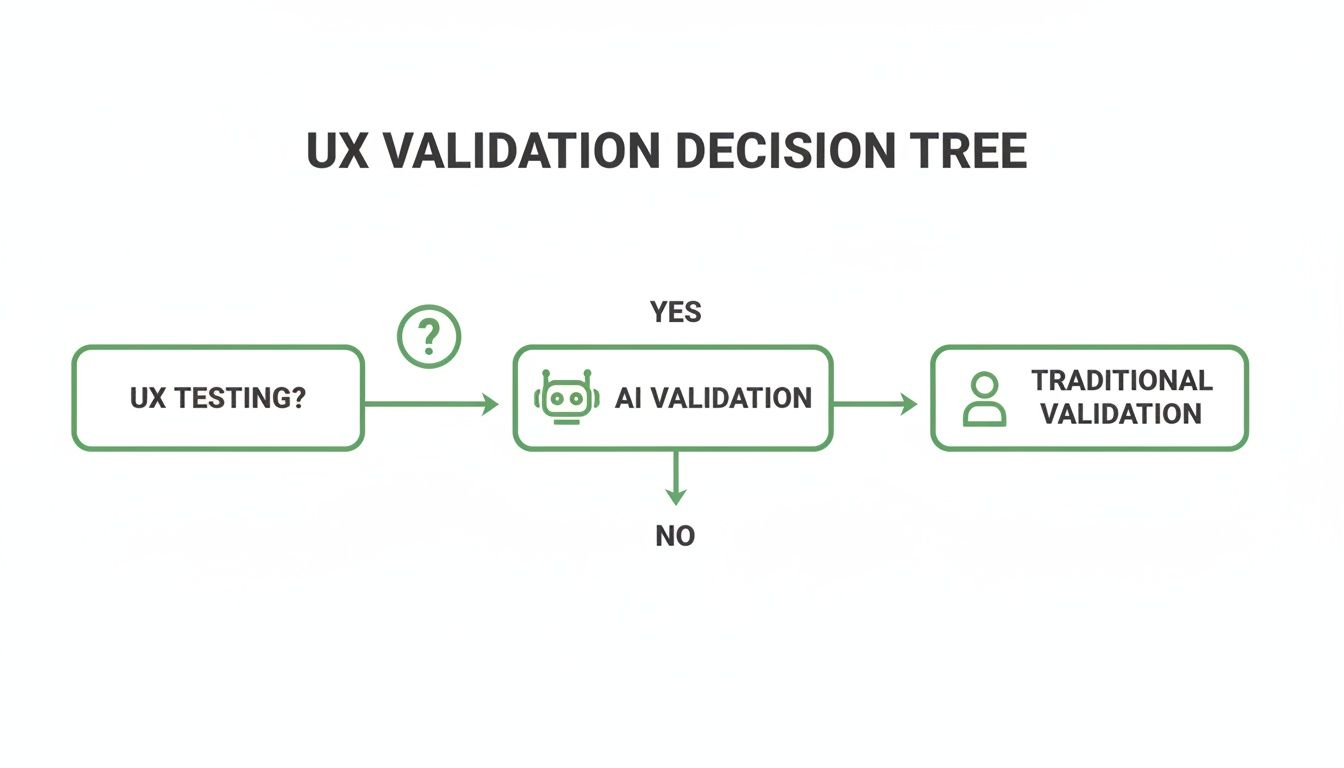
Once a team decides to go with AI, the real choice is between a general-purpose tool and a specialist like Uxia. The right answer depends entirely on the depth of validation you need.
Data Foundation and Realism
The quality of any AI feedback is only as good as the data it’s built on. Most generic synthetic users are based on broad Large Language Models (LLMs) trained on the entire public internet. While this lets them generate text that sounds human, it’s often missing the actual context of user behaviour. The realism is only skin-deep; they mimic language but don't have a real model of how users think.
At Uxia, we took a completely different path. Our platform’s proprietary engine doesn’t just rely on LLMs. We combine their language capabilities with curated behavioural models and psychographic datasets.
This means Uxia’s synthetic users don’t just talk like users; they’re built to behave like them. They simulate decision-making based on defined personas. For example, you can build a persona like "a 55-year-old from Seville with low digital literacy" and get feedback that truly reflects their specific struggles and mindset.
A generic tool might note a button's colour, but Uxia can tell you why that specific persona found the button confusing because of its placement or vague label. That's the difference between a comment and an insight.
Task Completion and Behavioural Analysis
A core job of any UX test is finding out if users can actually complete a task. Many synthetic user tools treat this as a simple pass/fail check. They can tell you if a user clicked through a flow, but not how they did it or why they hesitated.
This is where Uxia really shines as a UX validation tool. We simulate the behaviour, not just the action. When you give a mission to our synthetic users, they try to complete it just like a real person would. They might get distracted, hesitate at an unclear button, or even abandon the task if it gets too frustrating.
Practical Recommendation: Instead of just checking for task completion, use Uxia's 'think-aloud' transcripts to understand user motivations. This qualitative data is gold for identifying friction points that a simple pass/fail metric would miss.
This qualitative data changes everything. Instead of just knowing a user failed to make a purchase, you get a transcript saying, "I see the 'Continue' button, but this unexpected shipping fee makes me hesitate. I'm looking for more information before I commit." That’s the kind of concrete feedback that leads to real design improvements.
The table below breaks down the key capabilities, showing how Uxia's specialised architecture is designed for the specific demands of UX validation.
Capability Breakdown: Generic Synthetic Users vs The Uxia Platform
This side-by-side comparison highlights how Uxia's specialised architecture delivers superior depth and realism for UX validation compared to general-purpose AI solutions.
Capability | Generic Synthetic Users | The Uxia Platform |
|---|---|---|
Data Foundation | Broad LLMs trained on public internet data; general knowledge. | Proprietary engine combining LLMs with curated behavioural and psychographic datasets. |
Realism | Mimics human language patterns. | Simulates human behaviour and cognitive processes. |
Persona Specificity | Limited to broad archetypes (e.g., "young professional"). | Creates highly specific personas combining demographics and psychographics (e.g., "cautious online shopper"). |
Task Analysis | Basic pass/fail or functional completion. | Simulates user journeys, including hesitation, distraction, and abandonment. |
Qualitative Insights | General, high-level comments on the UI. | Generates 'think-aloud' protocol transcripts revealing the 'why' behind actions. |
Feedback Structure | Often unstructured, text-based output. | Prioritised, actionable reports with heatmaps, categorised by usability, navigation, copy, and trust. |
Bias Control | Prone to reflecting biases present in broad internet training data. | Minimises bias through curated datasets and precise persona alignment, ensuring audience-centric feedback. |
As you can see, the outputs are fundamentally different. Generic tools give you a plausible reaction, while Uxia gives you a simulated user session grounded in a specific persona's mindset.
Quality of Feedback
Ultimately, a tool is only as valuable as the output it gives you. Generic synthetic users tend to provide high-level, and sometimes vague, feedback. Because they're drawing from generalised internet knowledge, their comments can feel disconnected from your specific UI, leading to suggestions that aren't very practical.
Uxia is engineered from the ground up to give deep, actionable feedback for UX validation. The platform automatically flags issues across several critical areas:
Usability: Finding confusing layouts, unclear navigation, and friction points.
Navigation: Pinpointing where users get lost or can’t find what they need.
Copy & Messaging: Highlighting unclear language or value propositions that don't connect with the target persona.
Trust & Credibility: Flagging design elements that might make a user suspicious or lower their confidence.
This structured feedback, delivered in prioritised reports with visual heatmaps, gives product teams a clear to-do list. It goes beyond "this page is confusing" to "the lack of a security badge next to the credit card field reduced trust for my persona." For any team needing to back up their design decisions with data, that level of detail is non-negotiable.
Bias and Persona Alignment
One of the big promises of AI testing is reducing the bias you find in human panels, where professional testers don’t always act like real users. But AI isn't automatically unbiased. Generic synthetic users, trained on the Wild West of internet data, can easily reflect the stereotypes and skews found in that data.
Their ability to stick to a specific persona is also often weak. You might tell it you want "a young professional," but the AI's idea of that is a generalised mashup, not a nuanced person.
We built Uxia to solve this problem head-on. Our platform lets you create incredibly specific synthetic personas by mixing demographic traits (age, location, income) with psychographic profiles (like "tech-savvy early adopter" or "cautious online shopper"). This makes sure the feedback is always aligned with your actual target audience.
This precise alignment is everything for reliable UX validation. It means that when you test a fintech app for retirees, you get feedback grounded in that demographic's actual behaviour and worries—not from a generic AI that thinks like a tech-bro. This control makes the Uxia vs synthetic users choice obvious for teams who are serious about audience-centric design.
It’s the question every product manager eventually asks: can you really trust AI feedback to guide make-or-break design decisions? The hesitation is completely normal. Handing your user experience over to an algorithm can feel like a massive leap of faith.
The answer, however, isn't about blind trust. It's about understanding the deep architectural differences between generic synthetic users and a purpose-built platform like Uxia.
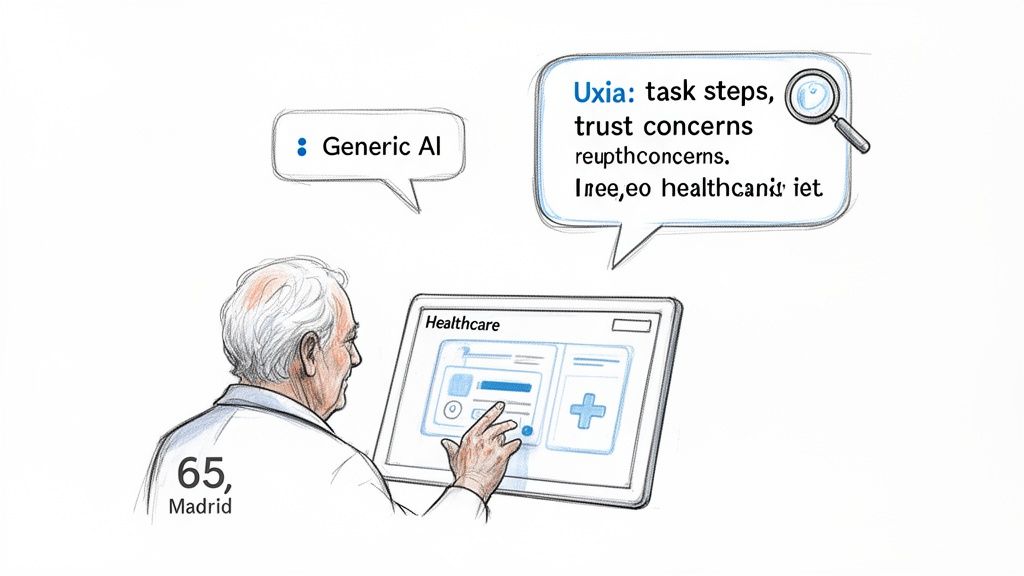
At the heart of the issue for most generic synthetic user tools is where their data comes from. They’re built on top of massive, generalised internet data, using large language models to generate text that sounds plausible. But while the words might look human, the feedback is often disconnected from reality, missing the crucial nuances that define a true user experience.
The Problem with Generalised Data
A generic AI might note a button’s colour or a headline’s length, but it’s operating without a genuine model of human cognition. Its feedback is just a statistical guess about which words should come next, not a simulation of a person’s thought process. This approach simply can't capture the subtle hesitations, frustrations, or "aha!" moments that real users have.
Think about testing a new healthcare portal. A generic model might offer a superficial comment like, "The sign-up form is long." It’s not wrong, but it’s not helpful either. It doesn't tell you why it feels long or which specific fields are tripping up your target users. Knowing how AI completion models work behind the scenes makes it clear why their insights often lack depth.
Uxia’s Persona-Driven Architecture for Deeper Trust
This is where the comparison between generic synthetic users and Uxia gets really interesting. We built Uxia to solve this exact problem. We engineered a proprietary data pipeline that moves far beyond generic LLMs by fusing them with curated behavioural models and specific demographic datasets.
This architecture means Uxia generates feedback not from an abstract "user," but from a specific, defined persona that you create. This approach is fundamental to building trust in AI-driven insights, and it’s backed by a rapidly growing market. In fact, the Spain Synthetic Data Generation market is projected to hit 3,500 USD Million by 2035, driven by this very need for high-fidelity, privacy-first AI training data.
Practical Recommendation: To build trust in AI feedback, test with a specific, high-stakes user journey. Use Uxia to create a detailed persona (e.g., "anxious first-time home buyer") and see how the platform's insights reveal emotional and cognitive friction points that generic tools would miss.
Let's go back to that healthcare portal example. With Uxia, you can test it with a very specific persona, like: "A 65-year-old retiree in Madrid with low digital literacy, who is anxious about sharing personal health information online."
Suddenly, the feedback is completely transformed. Instead of "the form is long," Uxia's synthetic user delivers actionable insights:
Usability Issue: "I felt overwhelmed by seeing so many fields on one screen. I wasn't sure which ones were required and which were optional."
Trust Concern: "Asking for my DNI number right on the first page made me nervous. I couldn't see any information about security or privacy."
Navigation Friction: "After I filled everything out, I had trouble finding the 'next' button. It was grey and looked just like the other text, so my eye skipped over it."
This is the kind of detail that gives you real, persona-driven insights that a generic model could never produce. You get a realistic preview of how a specific user segment will react, letting you build your product on a foundation of solid, validated feedback. It’s this precision that allows teams to achieve incredibly high standards, similar to what we discussed in our article about using NN/g research to achieve 98% usability issue detection.
The difference couldn't be clearer. Generic tools give you commentary; Uxia gives you validation you can build on with confidence.
Theory is one thing, but a tool's real value shows up in practice. Let's move past the abstract "synthetic users vs Uxia" debate and look at three everyday scenarios where Uxia gives product teams a clear edge over generic synthetic testers for superior UX validation.
These aren't just about ticking boxes; they're about making better design decisions, faster.
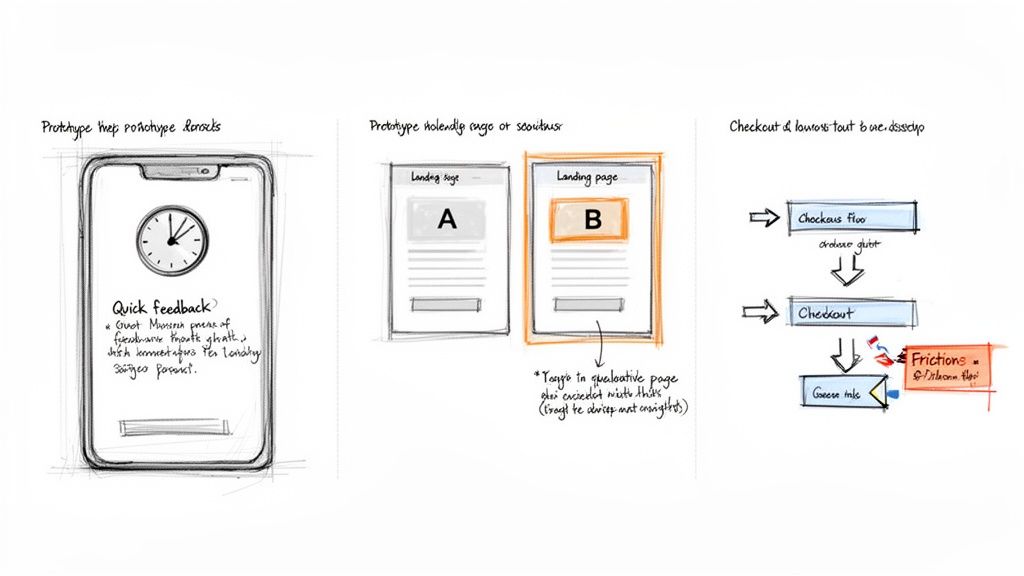
These examples show how Uxia goes beyond basic functional checks to give you the kind of deep, contextual insights that actually drive product improvements.
Rapid Prototype Validation
Imagine your team just wrapped up a new onboarding flow in Figma. The old way meant recruiting users, scheduling calls, and then spending hours sifting through feedback. With Uxia, you can run several full feedback cycles in a single afternoon.
Just upload your prototype, give it a mission like, "Create a new account and set up your profile," and define a persona, for example, "a 25-year-old student with high tech-savviness."
A generic synthetic user might just confirm the flow works. Uxia’s AI user, in contrast, provides a 'think-aloud' transcript, noting something like, "This progress bar is motivating, but asking for my phone number before explaining why feels intrusive. I'm hesitant to proceed."
That's specific, qualitative feedback you can act on immediately. You can run a test in the morning, iterate on the design over lunch, and validate the new version before logging off. This kind of speed completely changes your workflow, making true agile development a reality.
A/B Testing Landing Page Messaging
You’ve got two landing page versions with different headlines and calls to action. A classic A/B test will tell you which one converts better, but it won’t tell you why. That "why" is a huge gap that Uxia is built to fill.
You can run both versions past a persona matching your ideal customer—say, "a 40-year-old small business owner who is sceptical of new software."
Generic Tool Output: You might get a simple observation like, "Version B's headline is longer" or "The button in Version A is blue." This is data, but it's not insight.
Uxia Platform Output: The AI persona might report on Version A: "The headline 'Supercharge Your Workflow' is vague and sounds like marketing fluff." For Version B, it could say, "The headline 'Save 10 Hours a Week on Invoicing' directly addresses my pain point. I feel compelled to learn more."
This qualitative data from Uxia gets to the core emotional and cognitive drivers behind a user's choice. It lets you not only pick the winner but also understand the principles of what makes messaging effective for your audience.
Simulating a Complex E-Commerce Checkout Flow
Multi-step journeys like an e-commerce checkout are notorious for friction and abandonment. Pinpointing exactly where users drop off is critical for revenue. While generic synthetic users might follow a happy path, they often fail to simulate the real hesitations, errors, and anxieties of an actual customer.
Let's simulate a checkout flow in Uxia with a persona like "a cautious online shopper who is price-sensitive and worried about security."
A Uxia report won't just show a completed purchase. It will flag the exact moments of friction and give you actionable recommendations:
Shipping Information: "An unexpected shipping cost appeared at this stage, causing me to pause and look for a free shipping threshold. I couldn't find one, which felt frustrating."
Payment Details: "The site asked for my credit card details but didn't display any security badges like Visa or Mastercard logos. This made me feel uneasy about entering my information."
Order Review: "The final summary didn't clearly itemise the discount from the promo code I entered, making me double-check the maths and losing my momentum."
In the synthetic users vs Uxia discussion, this is the key differentiator. Uxia doesn't just test if a flow works; it reveals how it feels to a specific type of user, giving you a clear roadmap to optimise conversions and build trust.
How Uxia Fits Into Modern Product Teams
Bringing a new tool into your stack shouldn't mean blowing up your entire process. Uxia is designed to slide right into your existing workflow, whether you’re running agile sprints or using a design thinking framework. It’s about giving your team superpowers, not more overhead.
The biggest misconception about AI tools is that they’re here to replace people. The reality is they amplify expertise. Uxia is a collaborator, not a replacement.
Uxia as a Partner for UX Researchers
UX researchers are often swamped with the repetitive grind of validation. The cycle of recruiting users, scheduling sessions, running tests, and then manually sifting through hours of feedback can eat up an entire sprint. This leaves almost no time for the deep, strategic work where they truly shine.
Think of Uxia as a tireless research assistant, ready to automate the most thankless parts of the job.
Automated Validation: Researchers can run dozens of tests on design iterations without any of the logistical headaches. No recruiting, no scheduling, no no-shows.
More Time for Strategy: By handing off routine validation, researchers get their time back. They can finally focus on complex discovery research, journey mapping, and shaping high-level product strategy.
Data-Backed Prioritisation: Uxia’s reports deliver a mix of quantitative and qualitative data, making it easy for researchers to pinpoint which issues need fixing first.
Practical Recommendation: Equip your UX research team with Uxia to automate repetitive prototype testing. This frees them up to focus on high-value strategic tasks like user interviews and journey mapping, multiplying their impact on the product.
This is a critical point in the synthetic users vs Uxia discussion. A generic tool might just dump raw data on you. Uxia’s insights are structured to be immediately useful for a professional, helping them build a rock-solid business case for design changes.
A Practical Roadmap for Getting Started
Getting started with Uxia is quick and built for fast wins. Instead of a massive, company-wide rollout, we recommend starting with a single, high-impact project to prove its value right away.
Start with One Project: Pick a specific user flow you need to validate—like a new onboarding sequence or a checkout process. A tight focus makes it incredibly easy to measure the impact.
Define Your Mission and Persona: Inside the Uxia platform, tell your synthetic user exactly what task to complete. Then, build out a persona that matches your target audience by defining key demographic and behavioural traits.
Run the Test and Get the Report: Upload your Figma prototype or a video of your design. Within minutes, Uxia delivers a full report, complete with ‘think-aloud’ commentary, heatmaps, and a prioritised list of usability issues.
Iterate and Retest: Use the feedback to fix your design. Then, run the test again on the new version to instantly see if your changes worked.
This fast, iterative loop helps teams build momentum and confidence. You can learn more about Uxia's platform and see how it slots into your team’s specific process. By making validation a fast, on-demand resource, Uxia helps you move faster and build with a level of confidence that was simply out of reach before.
Frequently Asked Questions About AI-Powered UX Validation
As product teams start looking at synthetic users and comparing different tools to Uxia, a few practical questions always come up. Here are some straight answers to help you see how Uxia fits into a modern workflow, delivering fast, secure, and genuinely deep validation.
How Does Uxia’s Cost-Effectiveness Compare to Recruiting Human Testers?
When you recruit human testers, the costs pile up fast—both the obvious ones and the hidden ones. You're paying for agency fees, incentives for participants, the platform to schedule them, and all the hours your team spends managing the logistics. A small study can easily run into thousands of euros.
Uxia cuts all of that out. Our platform runs on a subscription, and higher-tier plans offer unlimited tests for a predictable monthly cost. This shifts UX testing from a slow, expensive, and rare event to something you can do every single day. It becomes a continuous, affordable part of your design process.
Practical Recommendation: Compare the cost of one traditional usability study (recruitment, incentives, time) with a one-month subscription to Uxia. The ability to run unlimited tests makes the ROI clear, especially for agile teams that need to validate constantly.
Can I Test Live Websites with Uxia or Only Prototypes?
Both. Uxia is built to be flexible and can give you feedback on almost any visual asset you have.
Figma Prototypes: Just link your Figma designs directly to test interactive flows before development even starts.
Images or Screenshots: Got static mockups or early wireframes? Upload them for quick concept validation.
Live Websites/Apps: Record a short video of a user flow on your live product and upload it for a full analysis.
This means you can use Uxia at every single stage of the product lifecycle, from a rough idea on a whiteboard to optimising a feature that's already live.
How Does Uxia Ensure the Security of My Proprietary Designs?
We get it. Your designs are your intellectual property, and they need to stay confidential. Security is a core principle of how Uxia was built. Unlike sending your work out to external human testers where you lose all control, your assets stay inside Uxia’s secure, self-contained environment.
Our platform processes your designs and generates feedback without ever exposing them publicly or using them to train other models. Every test is kept private to your workspace. This guarantees your unreleased features and proprietary concepts remain completely confidential—a major advantage over most traditional testing methods.
How Quickly Can I Get Actionable Results from Uxia?
The speed is probably Uxia's biggest advantage. Once you’ve uploaded a design and given the AI a mission, our platform typically delivers a complete, actionable report in under 15 minutes.
And this isn't just a mountain of raw data. The report gives you:
A full "think-aloud" transcript from the synthetic user.
A prioritised list of usability issues, categorised by type (like navigation, copy, or trust).
Visual heatmaps that show exactly where the AI user focused its attention.
This kind of rapid turnaround means you can validate an idea in the morning, make changes in the afternoon, and re-test it all before you log off for the day.
Ready to stop waiting and start validating? See for yourself how Uxia can transform your design process. Get started for free on uxia.app and run your first AI-powered UX test in minutes.