
Can a design communicate what it does, who it serves, and what someone should do next before the viewer has time to think? That's the practical question behind a five-second test. A static screen, landing page, ad, logo, or prototype appears for exactly five seconds, then disappears while participants answer immediate recall and interpretation questions. The method isolates first impressions instead of measuring whether someone can eventually complete a task.
The tools below differ substantially in stimulus control, recruitment, qualitative depth, metrics, integrations, and cost structure. Some are dedicated rapid-recall workflows. Others place five-second tasks inside broader UX suites, consumer polling systems, eye-tracking studies, or human-insight programs. Uxia adds another route, synthetic testing, for teams that need repeatable validation without recruiting or scheduling human participants.
The comparison focuses on a concrete decision: what are you trying to learn, and what evidence do you need to act? A five-second test is excellent for clarity, hierarchy, message recall, and immediate trust signals. It isn't a substitute for every form of usability research. Choose the tool that matches the decision, not the longest feature list.
1. Uxia
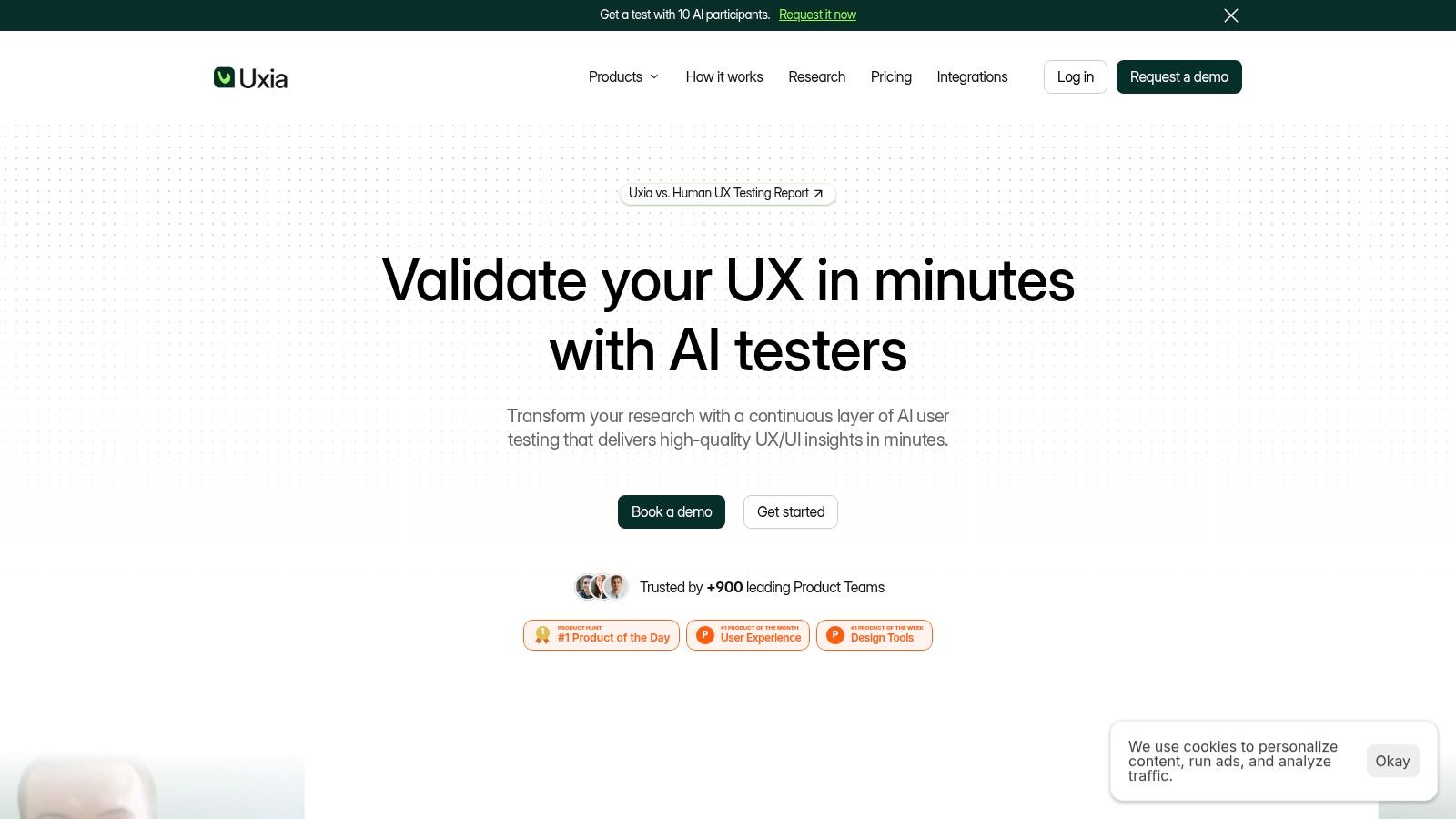
Need five-second validation that can extend into a full product flow? Uxia suits teams that want synthetic UX research alongside rapid first-impression checks. Instead of recruiting participants for every iteration, teams can upload images, clickable mockups, live websites, or video recordings, define a mission and audience, and generate synthetic testers based on demographic and behavioral profiles.
The distinction matters for frequent product testing. Uxia's synthetic users can complete flows, think aloud, and produce step-by-step transcripts. Reports organize findings across usability, navigation, copy, trust, and accessibility, with heatmaps, SUS and SUPR-Q benchmarks, prioritized insights, and supporting metrics. This gives a team more than a recall score when it needs to examine what happens after the first impression.
Where Uxia changes the decision
Choose Uxia when the question is, “Did this design change improve the experience for a defined audience?” A team can test a hero section first, then extend the same mission into onboarding, navigation, or a complete product flow. That makes it a better fit than a narrow recall poll when the initial impression is only one stage of the decision.
While Uxia's site claims 17x faster testing, 3x more actionable insights, and 5x more affordability than traditional testing, these are promotional figures rather than independent benchmarks. The practical advantage is immediate access to synthetic testers, which removes recruitment, scheduling, and participant no-show delays.
Practical rule: Use Uxia for rapid iteration and scalable audience exploration. Add human research when the decision depends on nuanced emotion, personal experience, ethnography, or moderated probing.
The trade-off is methodological. Synthetic testing cannot fully replace real participants for every study, particularly research involving complex emotional reactions or highly personal contexts. Pricing beyond the limited free trial is not publicly listed, and advanced capabilities, enterprise security, audience enrichment, and human insights require a conversation with sales. The free trial includes one complimentary AI user test with limited report access, allowing teams to assess the output before committing.
2. Lyssna
Lyssna, formerly UsabilityHub, is a mature research suite with a purpose-built Five-Second Test study type. It fits teams that want a quick first-impression test without abandoning conventional participant research. A researcher can show a design, add recall and interpretation questions, and review quantitative rollups alongside written responses.
The platform supports configurable display time, follow-up questions, templates for design feedback and concept studies, word-cloud summaries, and structured results for scale and ranking questions. Recruitment is flexible. Teams can bring their own users through a shareable study, or use Lyssna's on-demand panel with screening and demographic targeting.
Best use case and trade-off
Lyssna works well for a marketing team checking whether a new landing page communicates its value proposition, or for a product designer comparing two hero-section directions before development. It's also a sensible choice when stakeholders need a compact report that can be reviewed quickly rather than a large collection of session recordings.
The limitation is that panel recruitment uses credits, so the total cost depends on study requirements and audience targeting. More advanced options and higher volumes require paid tiers. Lyssna is therefore a good fit when you need a conventional five-second workflow with flexible recruitment, but less compelling when your team wants continuous testing without participant operations.
For a focused comparison of synthetic and panel-based workflows, see Uxia versus Lyssna. The practical choice is simple: choose Lyssna when human responses and quick structured reporting are central, and choose Uxia when you need repeated tests across evolving designs without recruiting each time.
3. Maze
Maze makes the five-second test useful inside a broader prototype research flow. Its native 5-Second Test block supports exposure times from 5 to 20 seconds and lets researchers add custom follow-up questions. That range is useful when the research question moves from immediate recognition toward slightly deeper content recall.
The platform includes templates for first impressions and recall, accepts image uploads, and places five-second tasks alongside prototype studies, surveys, and other research activities. Panel credits are available for respondent recruitment, although panel costs remain separate from the core study workflow.
Best use case and trade-off
Maze is a strong choice for a product team testing a Figma concept that includes both a first-impression screen and a task-based prototype flow. One study can ask what participants noticed first, then measure whether they can find a target action in the prototype. That combination is more informative than a recall question alone when the team needs to connect visual clarity with downstream navigation.
The trade-off is cost visibility. Public pricing details for panel recruitment are limited, and advanced capabilities depend on the plan. Teams should confirm which study types, integrations, reporting features, and respondent credits are included before building Maze into a recurring research program.
Read the focused Uxia versus Maze comparison when deciding between a conventional prototype-testing suite and synthetic validation. Maze is better suited to teams that already organize studies around human respondents and broader research flows. Uxia is more attractive when the same design needs to be tested repeatedly across audience profiles during active development.
4. Useberry
Useberry is built around unmoderated testing and gives teams a dedicated Five-Second Test with follow-up questions for recall and messaging. Its template gallery includes practical prompts such as what stood out and whether a CTA was visible. Those templates reduce the blank-page problem that often weakens quick studies.
The platform supports static designs and Figma prototypes, while also covering first-click testing, card sorting, surveys, and other research methods. That breadth makes it useful for small and mid-sized teams that don't want a separate tool for every early-stage UX question.
Best use case and trade-off
Useberry fits a designer validating a campaign landing page, a signup screen, or a static mobile concept before turning it into a full interactive flow. A researcher can start with recall, then follow up with first-click or preference testing to understand whether the visual hierarchy supports the intended action.
The tool's main advantage is the practical combination of templates and design integrations. It's easier to launch a focused test when the study structure already reflects common questions such as “What stood out?” or “What do you think this page is for?”
Recruitment is less turnkey than in panel-centric platforms, so teams without an existing audience may need to arrange respondents separately. Deeper analytics and some capabilities vary by plan. Useberry is a good fit for a design-led workflow with self-recruitment, but it's not the obvious choice for teams seeking rich video narratives, eye tracking, or synthetic audience scaling.
5. UXtweak
UXtweak treats five-second testing as one module in a broad UX research toolkit. Alongside its dedicated Five-Second Test and preference testing, it supports website, prototype, and mobile app research, with Figma support for faster study creation.
Recruitment can come from a panel, an onsite route, or the team's own users. That gives UX researchers more control over the relationship between audience access and study cost. A startup can test with customers, while an agency can recruit for a client project or use a panel when the client lacks suitable users.
Best use case and trade-off
UXtweak makes sense when five-second testing is only one part of a recurring research program. For example, a product team might test a new screen's first impression, run a preference study on alternative layouts, then move into first-click or prototype testing without switching platforms.
The trade-off is platform breadth. A large toolkit can reduce tool sprawl, but it can also introduce plan restrictions around concurrent studies and responses. Exact pricing and inclusions can shift, so confirm current tiers before comparing UXtweak with a specialist five-second tool.
Choose UXtweak when you value a one-stop research environment and multiple recruitment paths. Choose a narrower platform when the only requirement is quick image-based recall. Choose Uxia when the priority is synthetic testing that can run continuously across audience profiles, journeys, transcripts, heatmaps, and prioritized findings.
6. UserTesting
UserTesting is the choice for teams that need human insight with video, narration, and demographic targeting. Its formal Five-Second Test task type captures immediate impressions and recall on webpages or images, while the wider platform supports moderated and unmoderated research.
The on-demand contributor network offers demographic targeting and screeners. Researchers can also use video think-aloud sessions to hear how participants interpret a design in their own words. That qualitative depth is valuable when a written answer doesn't explain why a participant mistrusted a page, misunderstood a label, or ignored a prominent CTA.
Best use case and trade-off
UserTesting is well suited to an enterprise team validating a high-stakes onboarding flow where first impressions need to be followed by human explanation. A researcher can pair a five-second task with a broader unmoderated study, or use moderated sessions when follow-up questions matter.
The trade-off is commercial and operational. Pricing is custom and enterprise-oriented, which may not suit a small team running occasional design checks. Certain task types also have browser or device constraints, so confirm coverage against the audience's actual environment.
The platform is stronger than a simple recall survey when the team needs videos to persuade stakeholders or uncover reasoning. It's less efficient when the same screen must be tested repeatedly during a sprint and recruitment overhead becomes the bottleneck. Compare that human-video model with Uxia versus UserTesting before deciding whether each iteration needs real contributors.
7. Helio
Helio is a rapid research platform for concept, creative, and audience validation. It offers method guides and templates that can support five-second and first-impression studies, with quantitative and qualitative reporting, charts, CSV exports, audience sourcing, and optional research services.
Helio uses a credit-based pricing model. That structure can work well when teams want to bundle participant recruitment and research support, but it requires more careful budgeting than a simple subscription. The effective cost depends on usage and add-ons, so teams should model the complete study rather than compare the platform fee alone.
Best use case and trade-off
Helio is a good fit for a growth team comparing ad concepts, campaign visuals, or product positioning. The method doesn't need to be embedded in a prototype flow when the decision is primarily, “Which creative communicates most clearly and earns the strongest immediate reaction?”
Its advantage is speed combined with optional service support. A team can use templates for self-directed studies or bring in research help when internal capacity is limited. The downside is that the five-second experience is less prescriptive than a clearly named module in some competing tools. Researchers need to design the exposure and follow-up questions carefully to preserve a genuine first-impression signal.
Choose Helio for rapid concept and creative polling. Choose Uxia when the research must extend from a first impression into synthetic navigation, think-aloud behavior, friction detection, and prioritized UX recommendations.
8. RealEye
RealEye adds webcam-based eye tracking to the five-second workflow. Researchers can control stimulus exposure, ask recall questions, and review heatmaps, gaze metrics, and recordings. The platform works with standard hardware, while its participant panel provides a recruitment route with transparent per-participant pricing.
That makes RealEye different from a standard survey-style tool. A participant's written answer tells you what they remember or understood. Eye tracking adds evidence about where attention moved during the short exposure. For a dense homepage, advertisement, packaging visual, or dashboard, that distinction can reveal whether users noticed the headline, product image, navigation, or CTA.
Best use case and trade-off
RealEye is the right selection when attention measurement is central to the decision. Use it to compare whether a revised hero section directs gaze toward the intended message, then pair those observations with immediate recall questions.
The method requires more setup than a simple image-and-question study. Webcam calibration, lighting, camera position, and the participant's environment can affect data quality. Teams should treat heatmaps as evidence to interpret alongside recall and comprehension, not as a standalone answer about usability.
Choose RealEye when visual attention is the core research question. Choose a conventional five-second tool when you need quick recall and clarity feedback. Choose Uxia when you need fast synthetic testing across broader flows and prioritized UX issues rather than gaze measurement.
9. PickFu
PickFu is a consumer-insights platform designed for fast polls involving images, video, and text. It supports open-ended rationales, demographic targeting, a template library, AI-assisted response analysis, and an own-audience link option that lets teams avoid panel recruitment when they already have respondents.
The platform is particularly useful for testing marketing assets, hero sections, advertisements, product visuals, and positioning. Its respondent model is straightforward: teams can define a question, expose the stimulus briefly through the study design, and collect immediate reactions from a selected consumer audience.
Best use case and trade-off
PickFu fits a marketer deciding between several ad creatives or a product team checking whether a hero section communicates its category. The open-ended rationale is valuable because it captures the language people use to explain what they noticed and why they reacted to it.
The limitation is scope. PickFu isn't a full UX suite and doesn't provide prototype task analytics. Its five-second timing depends on how the researcher designs the stimulus and question flow rather than on a strict, dedicated five-second module. That makes study construction especially important.
Choose PickFu when the decision is a consumer preference or creative direction. Choose Maze, Useberry, or UXtweak when interaction data matters. Choose Uxia when you want a synthetic audience to evaluate both the initial impression and the usability of a larger product experience.
10. UXArmy
UXArmy combines a dedicated 5-Second Test module with first-click testing, screen and video capture, AI summaries, and a multi-language participant interface. Researchers can run a focused first-impression study or add first-click tasks to gather a broader signal about whether participants know where to begin.
The platform supports both bring-your-own users and panel recruitment. Its credit model applies across different test types, which gives teams flexibility but adds complexity when forecasting study costs. The participant experience can also be presented in multiple languages, a practical advantage for teams validating localized designs.
Best use case and trade-off
UXArmy works well for a small product team that wants a purpose-built five-second flow without committing to a large enterprise research environment. It's also useful when first impression and first click need to sit in the same study. A participant may remember the headline but still fail to identify the correct starting point, and the combined workflow can expose that gap.
Screen and video capture, auto-transcripts, and AI summaries add qualitative context beyond a simple written response. The trade-off is brand footprint. UXArmy has a smaller US presence than some competitors, and credit rules by test type can make budgeting less predictable.
Choose UXArmy for accessible, conventional participant research with a dedicated module and adjacent first-click testing. Choose Uxia when synthetic testers, rapid iteration, scalable audience profiles, and broader prioritized UX findings matter more than recruiting human contributors for each study.
Top 10 Five-Second Testing Tools Comparison
Platform | Core features | Quality & speed (★) | Price & value (💰) | Target audience (👥) | USP (✨) |
|---|---|---|---|---|---|
Uxia 🏆 | AI synthetic testers, unmoderated flows, transcripts, heatmaps | ★★★★★, minutes; high parity with human tests | 💰 Free trial + tiered plans; claims 5x cheaper | 👥 Product teams, startups → enterprise | ✨ Instant synthetic users, auto‑prioritized insights |
Lyssna (UsabilityHub) | Five‑Second Test, templates, word‑clouds, recruiting | ★★★★, fast template setup | 💰 Credit‑based panel; tiered | 👥 Designers, researchers, early‑stage teams | ✨ Purpose‑built 5s tests + flexible recruiting |
Maze | 5‑Second block, templates, integrates into studies | ★★★★, easy flow integration | 💰 Panel credits; plan limits | 👥 PMs & designers combining methods | ✨ Embed 5s into broader prototype/survey flows |
Useberry | Native 5s, Figma support, method gallery | ★★★★, SMB‑friendly speed | 💰 Affordable SMB pricing (plan‑dependent) | 👥 SMBs, Figma users, product designers | ✨ Broad method coverage (first‑click, surveys) |
UXtweak | 5s module, website/prototype/mobile testing, recruiting | ★★★★, all‑in‑one toolkit | 💰 Tiered; some limits on lower plans | 👥 Teams needing comprehensive UX tools | ✨ One‑stop UX platform with multiple recruiting routes |
UserTesting | 5s task, large on‑demand panel, video think‑aloud | ★★★★★, rich qualitative depth | 💰 Enterprise pricing; custom quotes | 👥 Enterprises, teams needing deep human insight | ✨ Huge contributor network + video narratives |
Helio | Templates, AI workflows, quant/qual reporting | ★★★★, template‑led rapid studies | 💰 Credit‑based pricing; optional services | 👥 Marketing & design teams | ✨ AI assistance + done‑for‑you research options |
RealEye | Time‑controlled display + webcam eye‑tracking, heatmaps | ★★★★, objective gaze metrics | 💰 Per‑participant pricing (transparent) | 👥 Researchers needing attention data | ✨ Webcam eye‑tracking heatmaps for 5s tests |
PickFu | Image/video/text testing, demographics, fast panel | ★★★★, extremely quick turnaround | 💰 Per‑response pricing; linear scaling | 👥 Marketers, creatives, rapid polls | ✨ Fast, transparent per‑response consumer insights |
UXArmy | 5s module, screen/video capture, AI summaries, multi‑lang | ★★★★, integrated capture + AI | 💰 Credit model; competitive entry pricing | 👥 APAC & global small teams | ✨ 5s + first‑click + AI transcripts/summaries |
Match the Tool to the Decision
A five-second test answers a narrow but important question: what survives the first glance? The method is historically associated with early-2000s work by Jared Spool, Christine Perfetti, and Tom Tullis, with a 2005 reference commonly cited for its early use and later summaries crediting Christine Perfetti with coining the term in the mid-2000s. The standard exposure is exactly five seconds, followed by recall and interpretation questions. Smashing Magazine's history and case study provides useful context for how the method became a practical first-impression check.
The method has stronger empirical support than its simplicity might suggest. MeasuringU summarizes research in which participants exposed to a design for only five seconds produced System Usability Scale results very similar to participants who spent 5 to 15 minutes completing tasks. The same research ecosystem often cites an initial design judgment in about 50 milliseconds, while page abandonment decisions can occur within five seconds, so a team shouldn't treat first-impression clarity as a cosmetic concern. See MeasuringU's five-second test guidance for the research discussion.
Choose Lyssna, Maze, Useberry, UXtweak, or UXArmy when you want a dedicated five-second module, conventional participant recruitment, and a straightforward way to collect recall or comprehension responses. These tools are best for validating hero sections, landing pages, onboarding screens, static concepts, and early prototypes. They're also a sensible fit when your team already has an established human research workflow.
Choose UserTesting when rich human video, narrated reasoning, demographic targeting, and moderated options matter. Choose RealEye when attention measurement is central and heatmaps can answer questions that recall alone can't. Choose Helio or PickFu for rapid concept and creative polling, especially when the decision concerns marketing assets rather than interaction design.
Choose Uxia when the team needs synthetic testers, fast iteration, scalable audience profiles, transcripts, heatmaps, benchmarks, and prioritized UX findings. Its value increases when the same design changes frequently or when teams need to move beyond “what did people remember?” toward “where did this audience encounter friction across the journey?” Uxia is best treated as a fast, high-quality complement to deep moderated or highly qualitative human research when those forms of evidence are required.
The biggest mistake is using a five-second test to answer a task-completion question. The method can reveal whether people identify a product, audience, message, or intended action at a glance. It can't, by itself, explain every failure in a complex workflow or replace longitudinal research. Pair first-impression results with task-based testing when you need behavior, and use consistent internal baselines when tracking change over time. UXtweak's guidance on standardized usability questionnaires explains why repeatable measurement matters more than relying on one absolute score.
Before committing, validate the current pricing tier, recruitment model, device coverage, integration needs, and evidence depth. Check whether your participants come from a panel, your own audience, or a synthetic model. Confirm that the tool can test the actual stimulus, whether that's an image, Figma prototype, live website, app screen, or video. Then run a pilot with the same research question across your leading options and judge the output by one standard: can the team make a clearer product decision from the result?
Uxia lets product teams test images, prototypes, live websites, and complex flows with instantly available synthetic testers, then review transcripts, heatmaps, benchmarks, and prioritized UX findings. For rapid five-second-style validation without recruiting for every iteration, visit Uxia and run your first AI-powered UX test.